
In this piano arrangement tutorial, learn how to create a left-hand arpeggio based on a chord and arrange the right-hand melody. We use a DAW’s split tool to shape MIDI notes, then balance the two hands’ registers and reinforce the harmony.
Left-Hand Chord Approaches, Part 2 / Right-Hand Arrangement

In the first half of this installment, we continue exploring left-hand approaches.
We introduce a common arpeggio pattern
and choose the left-hand notes based on the chord in each bar.
Tutorial video
Creating an Arpeggio Pattern
Figure 1
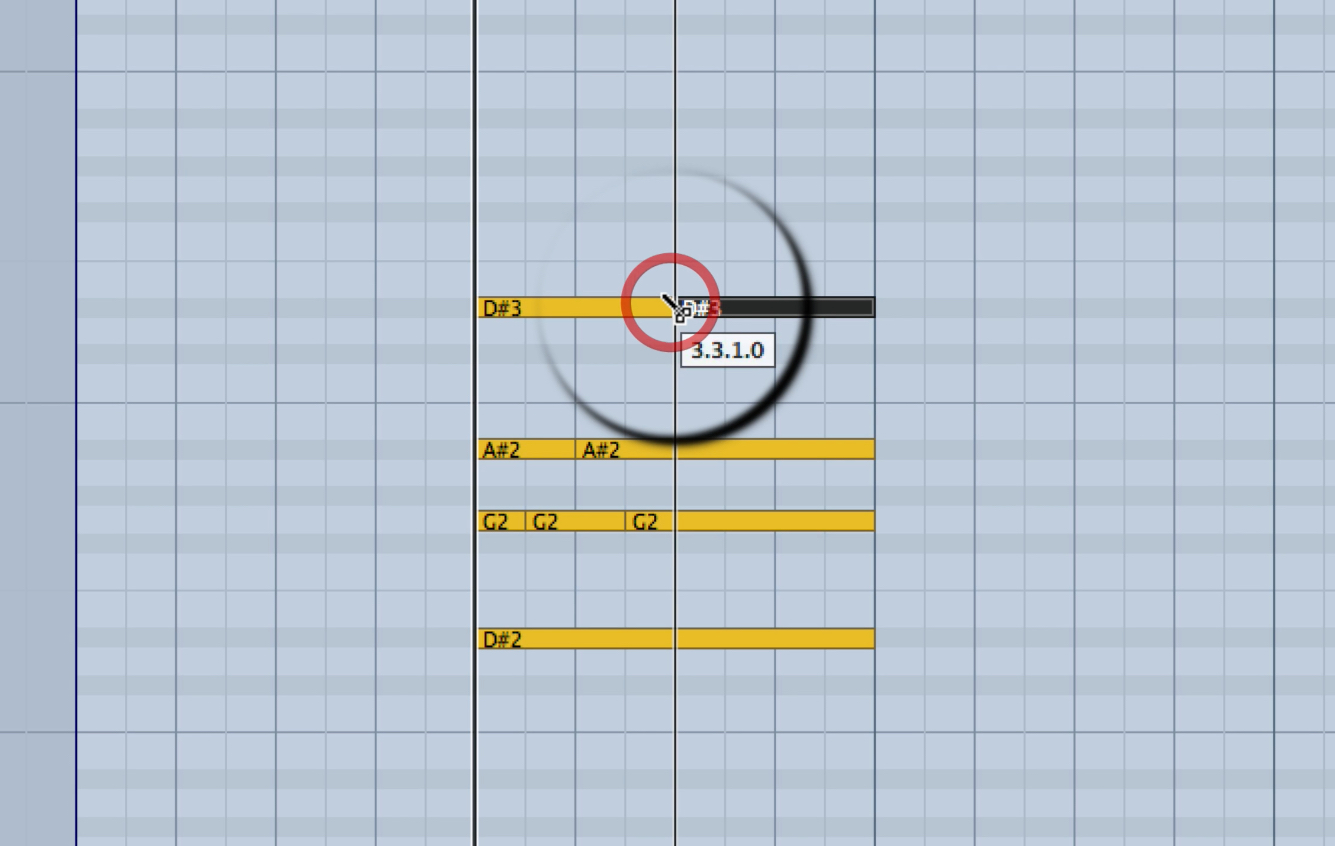
You can make an arpeggio easily by using the scissors (split) tool
to divide MIDI notes playing a chord at the desired positions.
(In Figure 1, the scissors tool is used to split an E♭ major chord.)
Figure 2
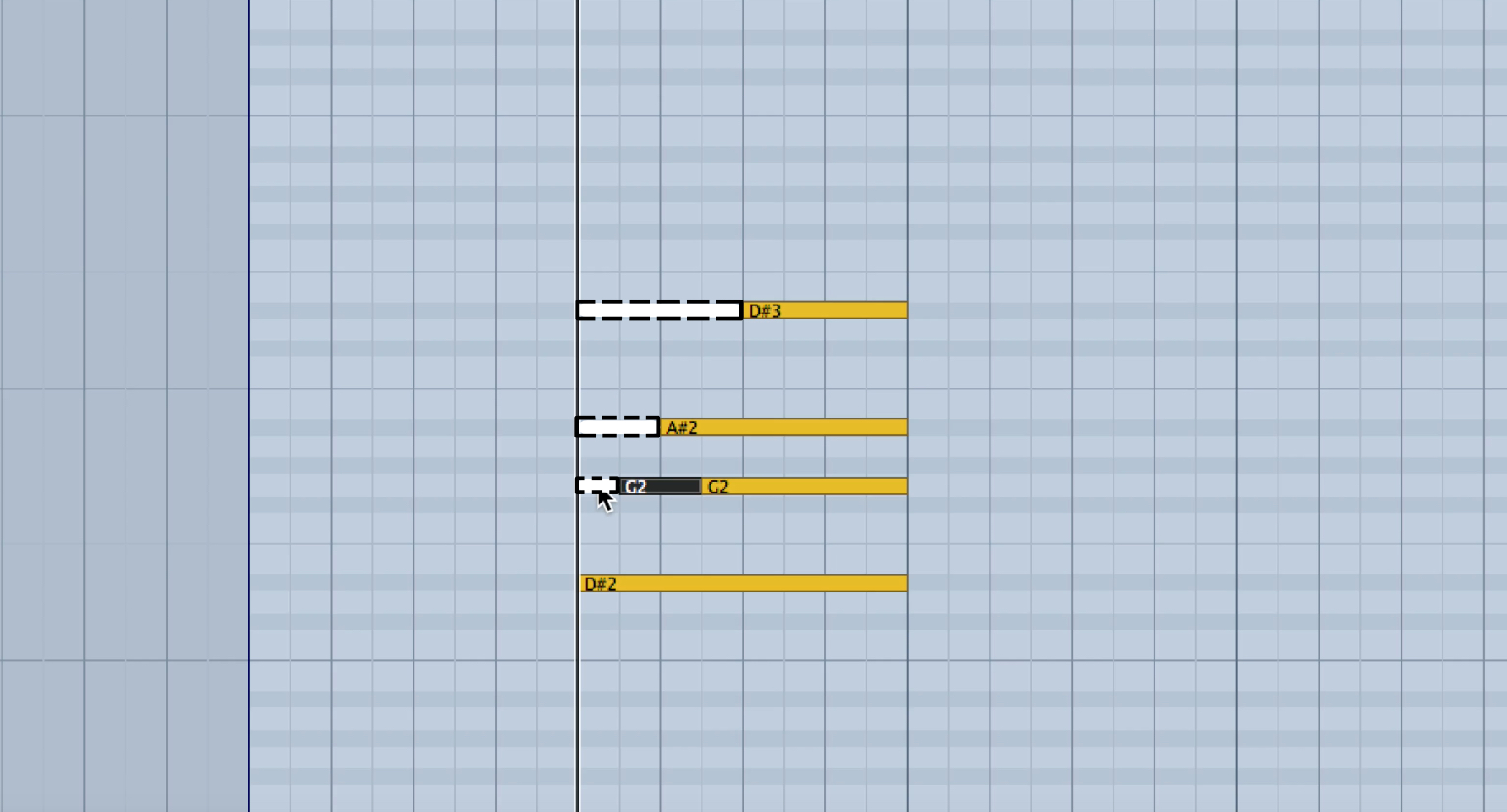
You can then edit the result further, for example by removing overlapping notes as needed.
In Figure 2, the arpeggio begins with the root note E♭ alone.
Adjusting the Right-Hand Melody
Figure 3
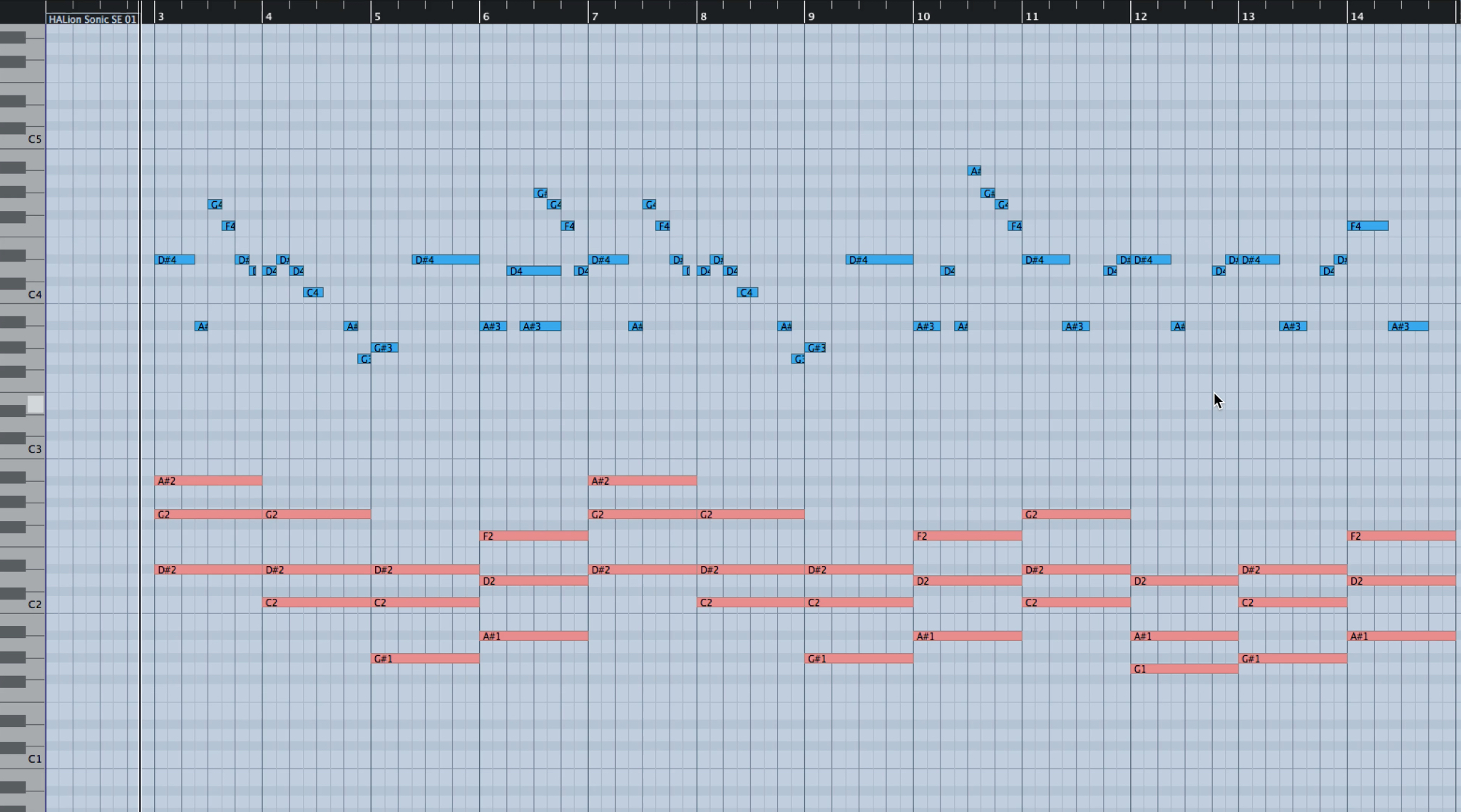
The blue notes in Figure 3 are the melody played by the right hand.
The melody is played as single notes so its shape is easy to see.
You can see some space between the right and left hands’ blue and red MIDI notes.
Keeping the melody at the top of the register so it remains clear,
we’ll fill the space between the blue melody notes and the red left-hand notes.
Figure 4
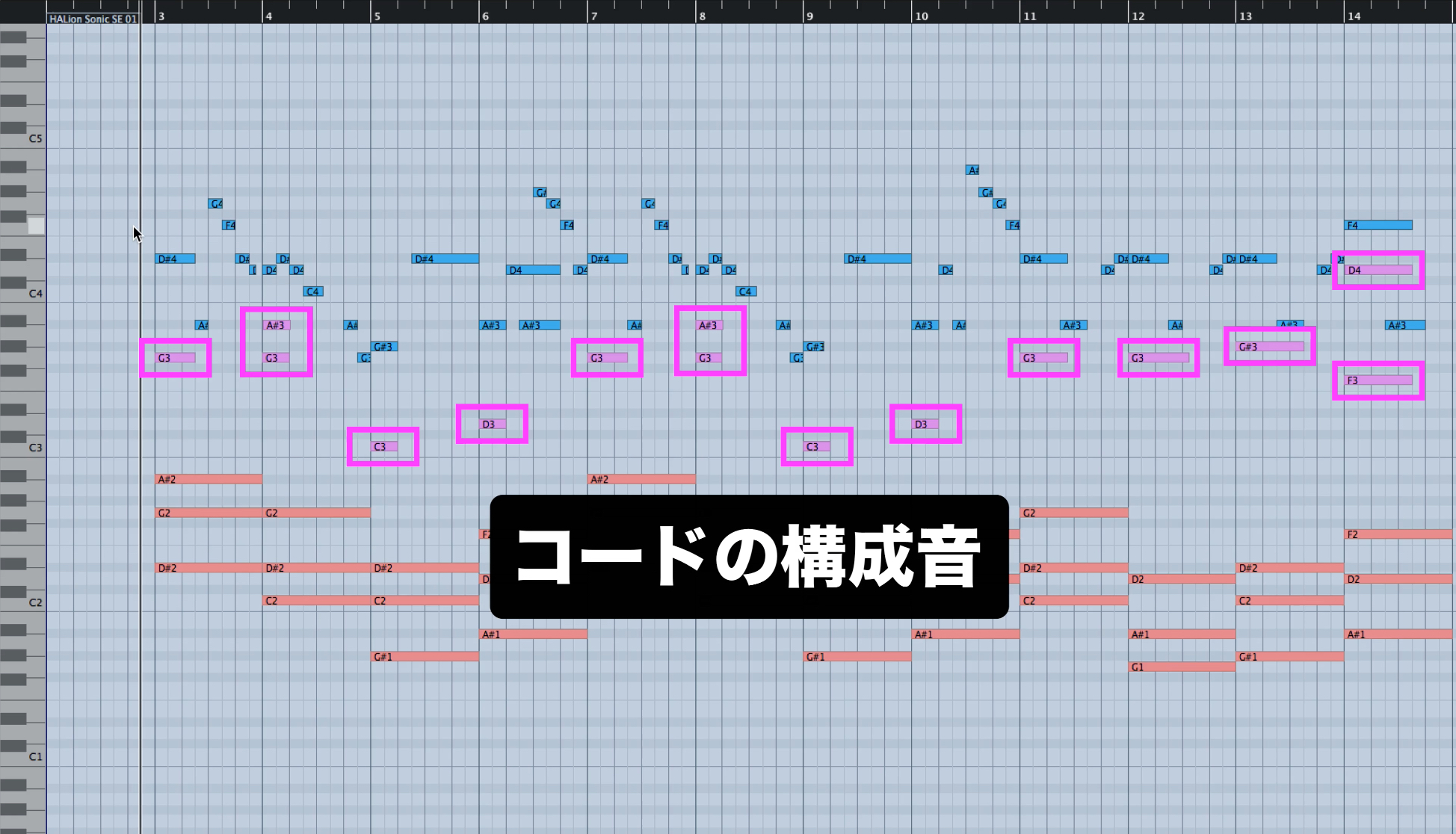
The pink MIDI notes in Figure 4 were added to fill the space between the hands.
Like the melody, these are played by the right hand.
The pink notes are chord tones added on the first beat of the bar.
This creates a better balance between the registers of the melody and chords
and also reinforces the harmony.
Too many layered notes can make the sound heavy,
so listen and make final adjustments to suit the character of the song.
Figure 5
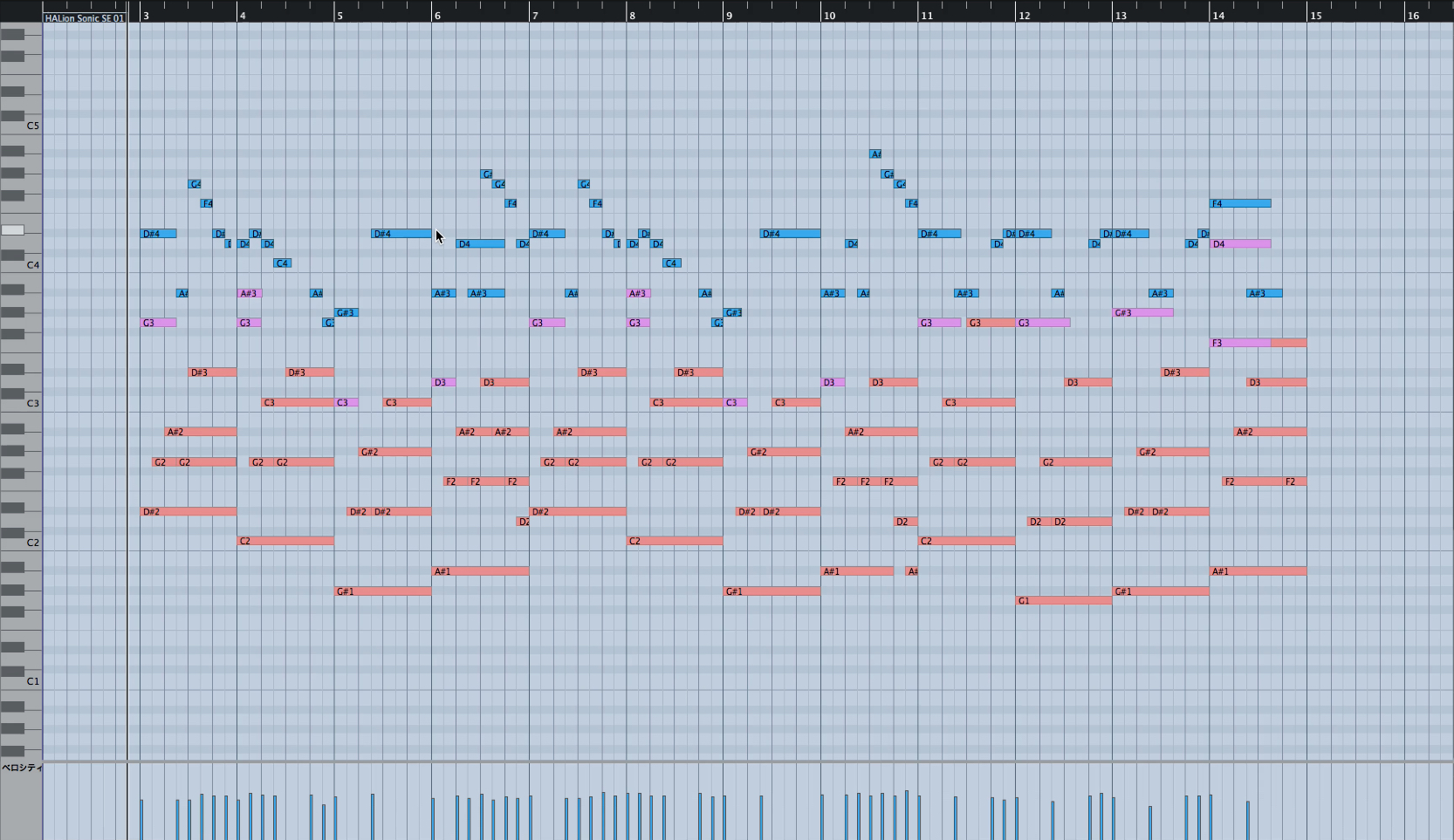
Figure 5 shows the MIDI data after the final adjustments.
We began by programming the melody, adjusted sustain pedal and velocity,
then added chords and developed the arrangement.
Thank you for following all six installments in the series.
Frequently Asked Questions
Q1. How can I easily create an arpeggio for a piano arrangement?
Use your DAW’s scissors or split tool to divide the MIDI chord notes where desired, then remove overlapping notes. You can refine the pattern further, for example by starting on the root.
Q2. How should I balance the registers of the right and left hands?
Keep the melody at the top so it remains clear, and add chord tones in the right hand to fill the space above the left hand’s red MIDI notes. Avoid adding too many layers; adjust by ear to suit the song.
Q3. What background knowledge is useful for this series?
A basic understanding of DAW operation and chords is helpful. The six installments are designed to be followed in order, taking you from entering a melody through completing the arrangement.
NEW ARTICLES
Latest English Articles
























































































































































































































































































































































































































































































