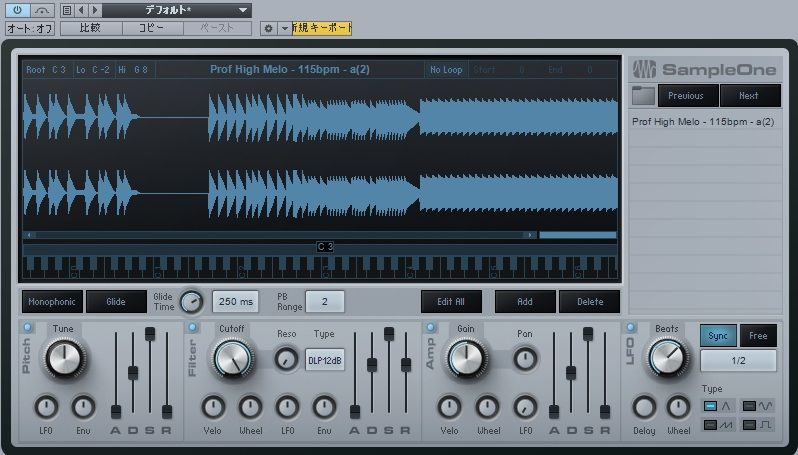
Sample One, the sampler included with Studio One, is an accessible and powerful tool for editing and playing samples. This article shows how to program parts using loaded samples and explores monophonic mode and glide. These features can help reduce unwanted overlap in chord and bass sounds and create smooth, expressive pitch transitions used in styles such as house and electronica.
Sample One: An accessible, powerful sampler
Studio One includes the sampler Sample One.
In the previous article, we loaded and adjusted samples.
Here we will use those samples to program a part.
We will also introduce glide, a pitch effect that can produce interesting results.
Sample One video series
- 1Basic concepts and loading samples
- 2Monophonic mode and glide (this article)
- 3Creating an orchestral hit, part 1
- 4Creating an orchestral hit, part 2
Selected questions and answers from YouTube

What happens if I drag and drop a MIDI part into Sample One without first converting it to audio?

It is recognized as a MIDI file, and an instrument is assigned and opened automatically.
Video focus: Loading chord samples
By importing a sample containing a chord, you can
play that chord with a single key.
This is a common technique in house, electronica, and other genres.
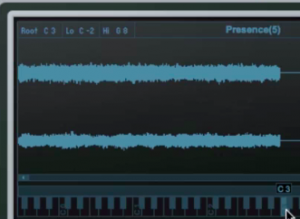
When creating a riff with a chord sound like this,
a fast attack is a good starting point.
Video focus: Switching to monophonic mode
By default, Sample One can play up to 32 keys at once.

However, with chord sounds or bass sounds like those used here,
overlapping notes can sometimes make the sound muddy.
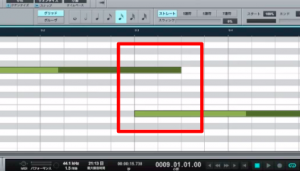
You can address this with monophonic mode.
Turn on the button outlined in red.
In monophonic mode, only one key sounds at a time.
The last MIDI note played takes priority.
Video focus: Applying glide
Glide lets you
move smoothly from one pitch to the next.
This sound is frequently used in a wide range of genres.
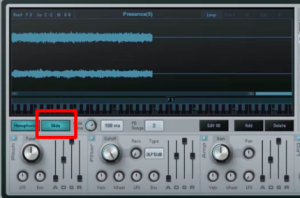
The control outlined in red is Glide. Turn it on to enable the effect.
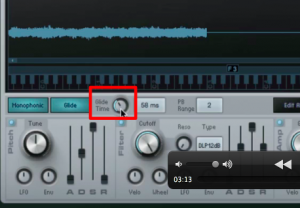
Use Glide Time to set how long the transition between pitches takes.
The unit is ms (milliseconds): 1 ms is one thousandth of a second.
Understanding ms (milliseconds)
Video focus: Using multiple samples
To import multiple samples into Sample One,

drag them to the right-hand side of the Sample One window.
Dragging them elsewhere can overwrite and remove the samples already loaded.

Frequently asked questions
Q1. What is monophonic mode in Sample One?
When several keys are held, monophonic mode gives priority to the most recently played MIDI note. By limiting playback to one note at a time, it can reduce unwanted overlap and help keep bass or sampled chord sounds clear.
Q2. What does glide do?
Glide creates a smooth transition from one pitch to the next. Glide Time adjusts the transition time in milliseconds. This technique is used in many genres, including house and electronica.
Q3. What should I watch for when importing multiple samples into Sample One?
Drag additional samples to the right-hand side of the Sample One window. Dropping them elsewhere can overwrite existing samples, so check the drop location carefully.
NEW ARTICLES
Latest English Articles