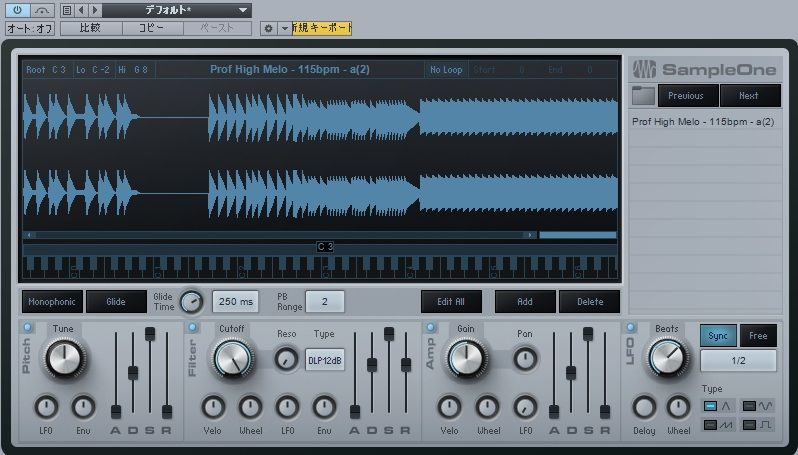
EXS24 is a sampler included with older versions of Logic Pro, with a wide range of instrument presets. This article explains the basic workflow for mapping your own sounds to the EXS24 keyboard and playing them using MIDI, from loading and dragging samples into place to assigning them to specific keys. These step-by-step instructions provide a beginner-friendly starting point for making instruments from your own material. In Logic Pro 10.5, Apple introduced Sampler, which can open and edit EXS24 instruments in a different interface.
EXS24: Map Your Own Sounds to the Keyboard
EXS24, included with Logic,
is a sampler that comes with a variety of instrument presets.
You can also map your own samples to the keyboard
and program MIDI parts to play them!
EXS24 Video Tutorial
Selected Questions and Answers from the YouTube Video

There is no channel called EXS! When I open a new project, should I create a software instrument or an audio track? Do I need the track already entered at the beginning of the video before I can open it? Everyone seems to start the videos with things already set up, so I can't do anything. Please help! 😭

You can open EXS24 from the instrument slot on a software instrument track. https://app.box.com/s/hbon04phc8e27me74t8pdnhyhwfbdjij
I opened EXS24, but there is no Edit button! I think an update changed it, but I couldn't figure it out from any website. Please help!
We checked EXS24 and found the Edit button in the same place. Please check once more that the instrument you have opened is indeed EXS24.
Video Highlights: Mapping Your Own Samples
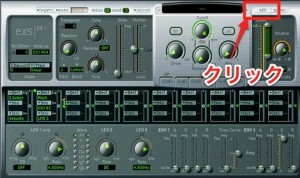
Click Edit.
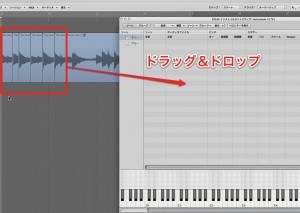
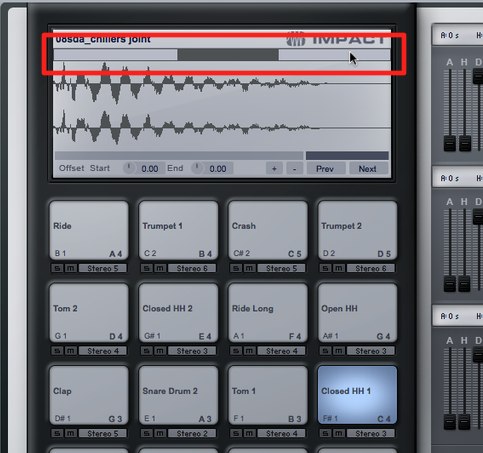
Drag and drop the sample you want to load.
Video Highlights: Adjusting Imported Samples
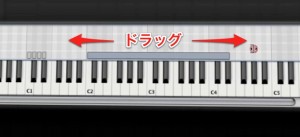
Drag a sample to specify which keys will play it.
Frequently Asked Questions
Q1. Which software includes EXS24?
EXS24 was included with older versions of Apple's Logic Pro, along with a variety of instrument presets, at no additional purchase. Logic Pro 10.5 introduced Sampler, which can open and edit EXS24 instruments using a different interface.
Q2. How do I load my own samples into EXS24?
Open EXS24's Edit window and drag and drop the audio files you want to load. You can then assign each sample to specific keys and play them via MIDI.
Q3. Can I map multiple EXS24 samples to different keys?
Yes. After loading multiple samples, you can drag each one into place on the keyboard and choose which keys trigger which samples.
NEW ARTICLES
Latest English Articles