
Three groundbreaking features that could change how you make music!
FL Studio 2025 is here!
This major update introduces innovative tools, including the Gopher AI assistant, andfundamentally changeshow we make music.
- Spending too long searching for loops…
- Running out of chord progression ideas…
- Getting stuck because you cannot find the right command…
Three new features address these familiar production problems.
Better yet,these tools are free to tryfor everyone.
Let's take a look at an update with something to offer creators at every level, from beginners to experienced producers.
Loop Starter: Build a high-quality foundation for a track in a few clicks
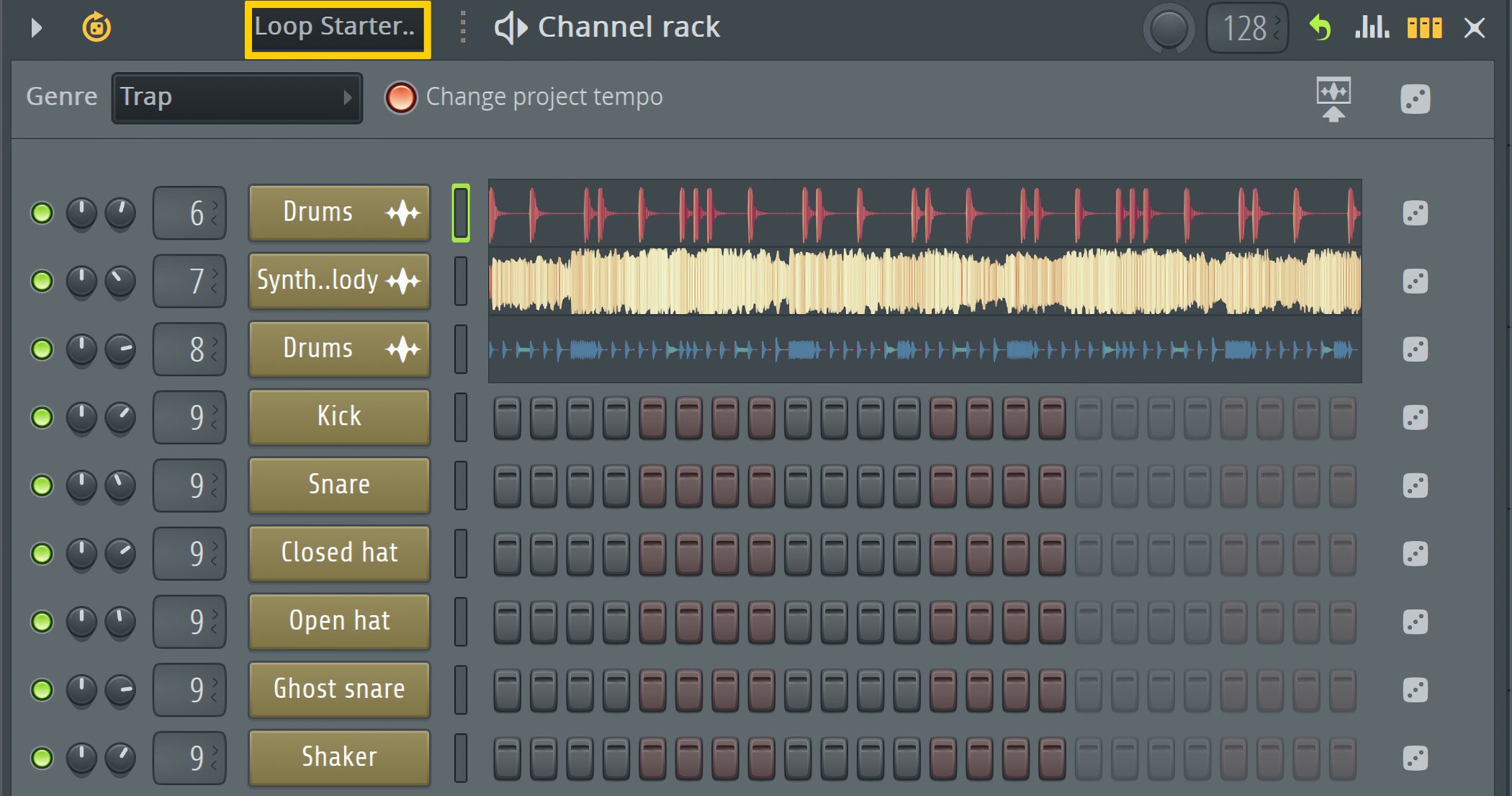
Loop Starter, a standout FL Studio 2025 feature, automates the first stage of building a track.
Just choose a genre and it automatically places a balanced set of high-quality samples,so you can start making music right away.
In the past, you would have had to find each part separately. Now you can generate a genre-matched set of samples in just a few clicks.
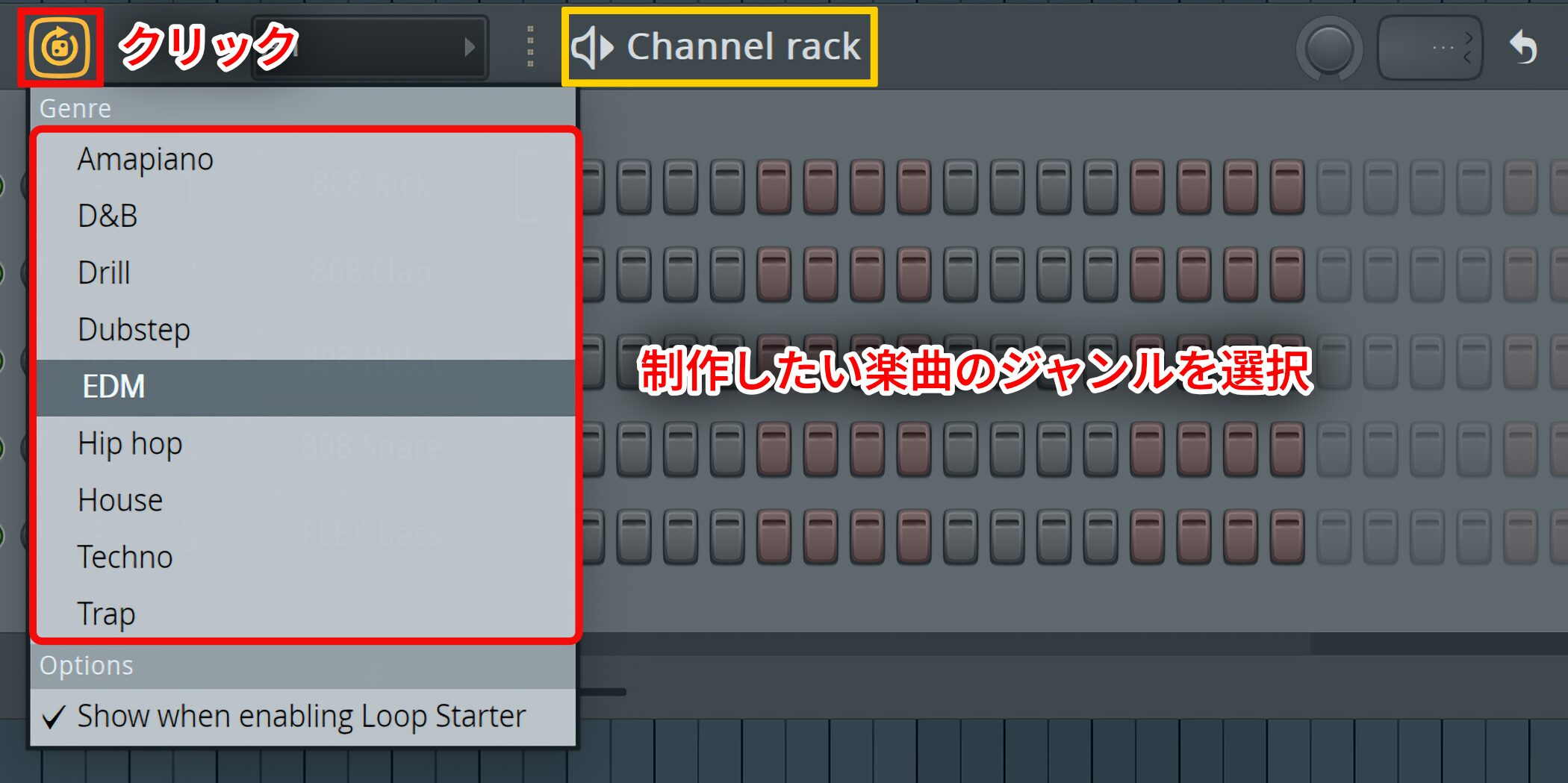
To use it, click the Loop Starter icon at the upper left of the Channel rack and choose one of the nine available genres.
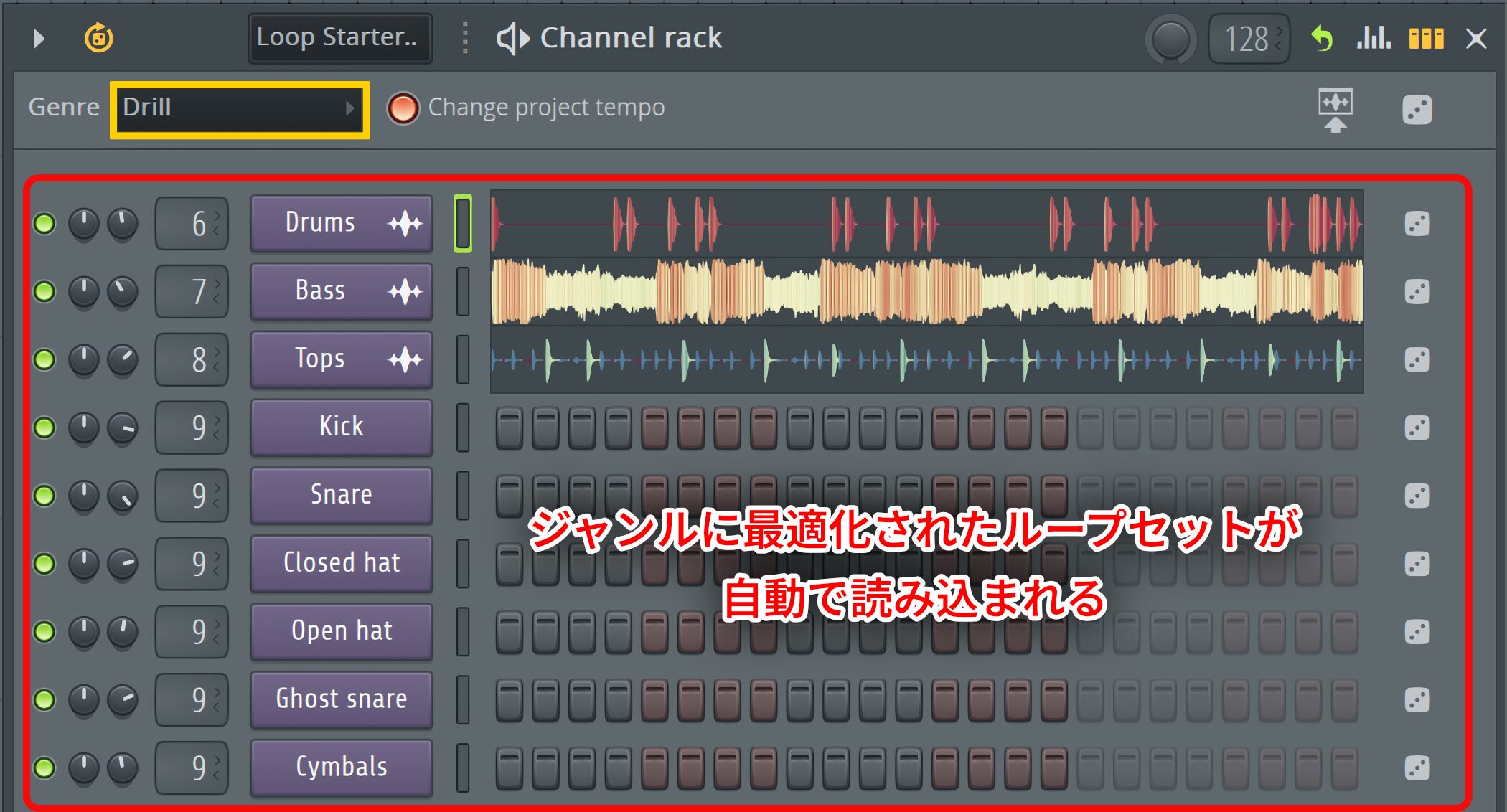
A matching set of sample loops loads as soon as you select a genre.
Because each audio loop comes from FL Cloud, you gethigh-quality soundsthroughout the set.
The dice button creates endless variations
One of Loop Starter's best tools is the dice icon beside each channel.
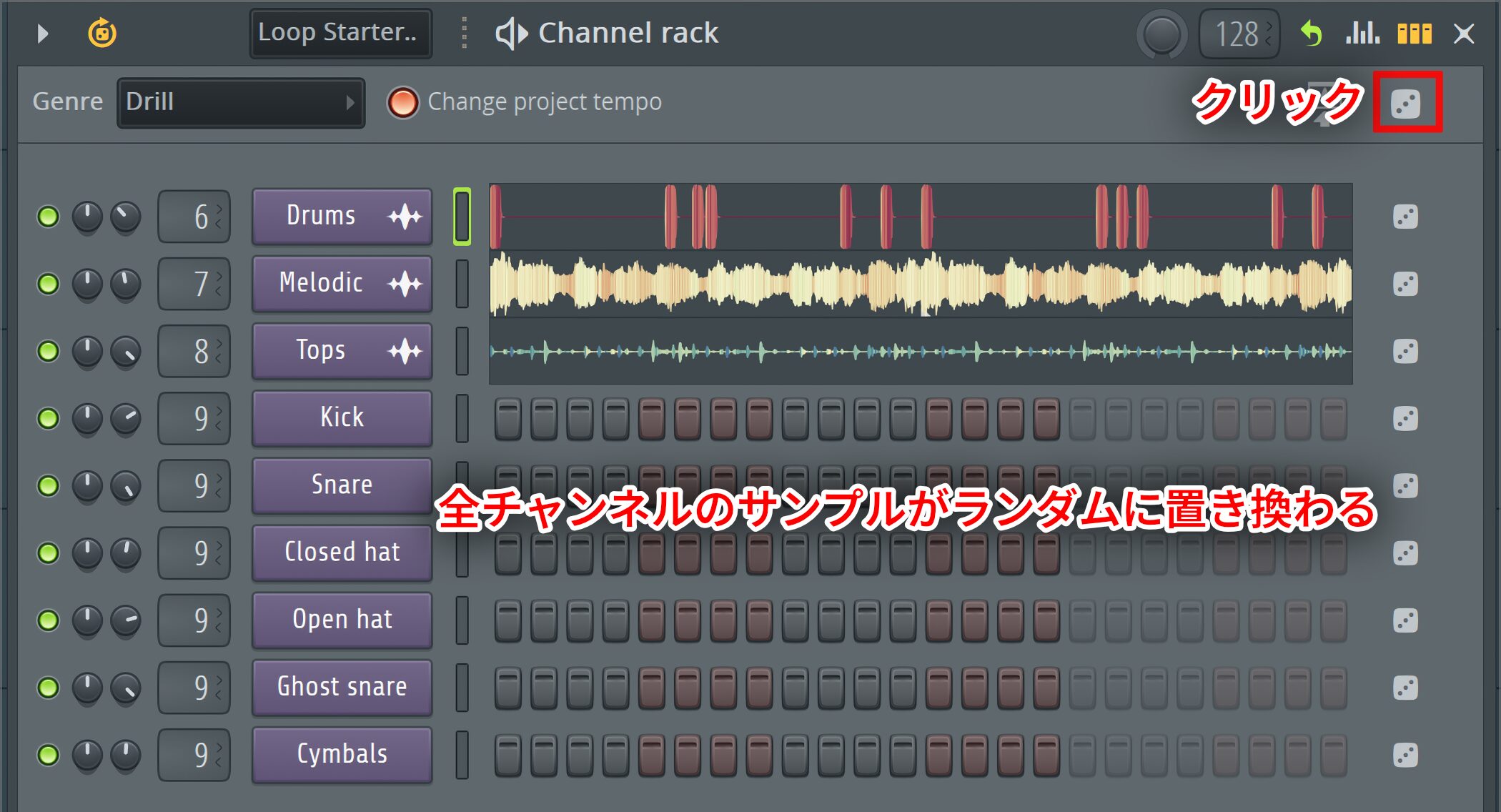
Each click of the dice icon at the upper rightrandomly changes the samples on every channelwithin your selected genre.
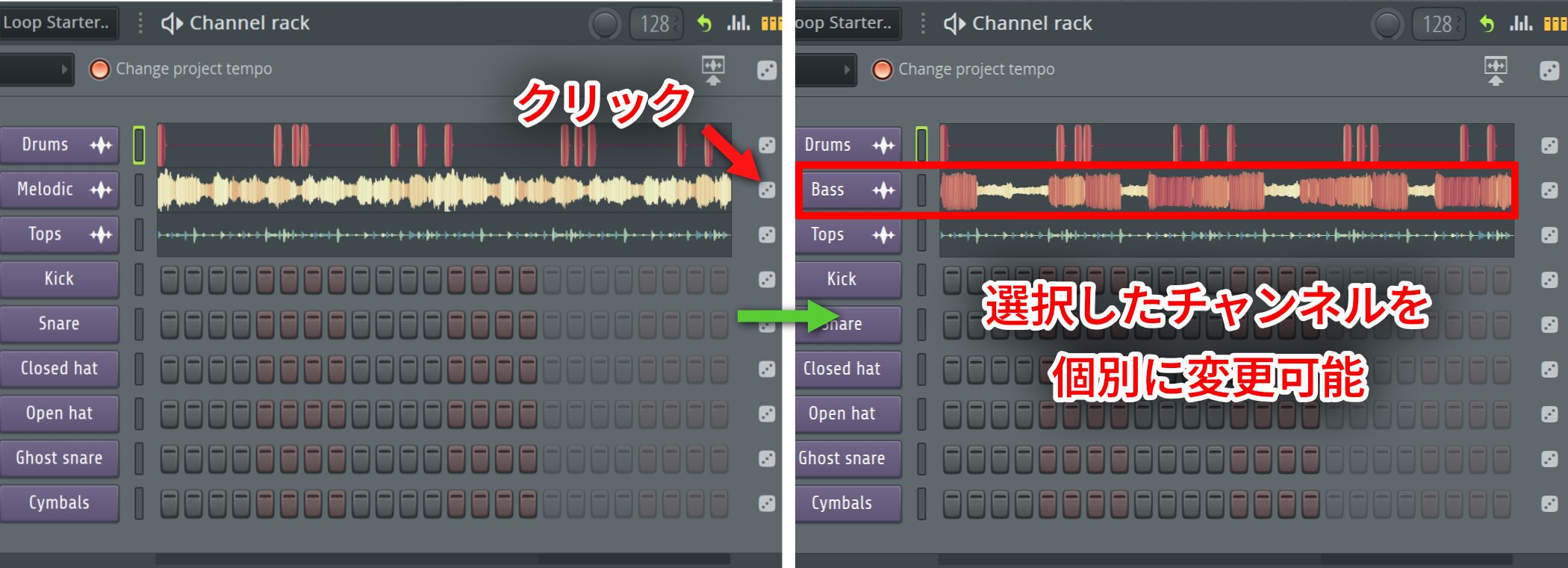
You can also change just one selected channel,so you can try hundreds of combinations in moments.
Keep experimenting until you find a combination you like.
Find similar samples and generate drum patterns
Find similar samples analyzes the currently selected sample in FL Cloud andsuggests samples with a similar tone or feelfor you to try.
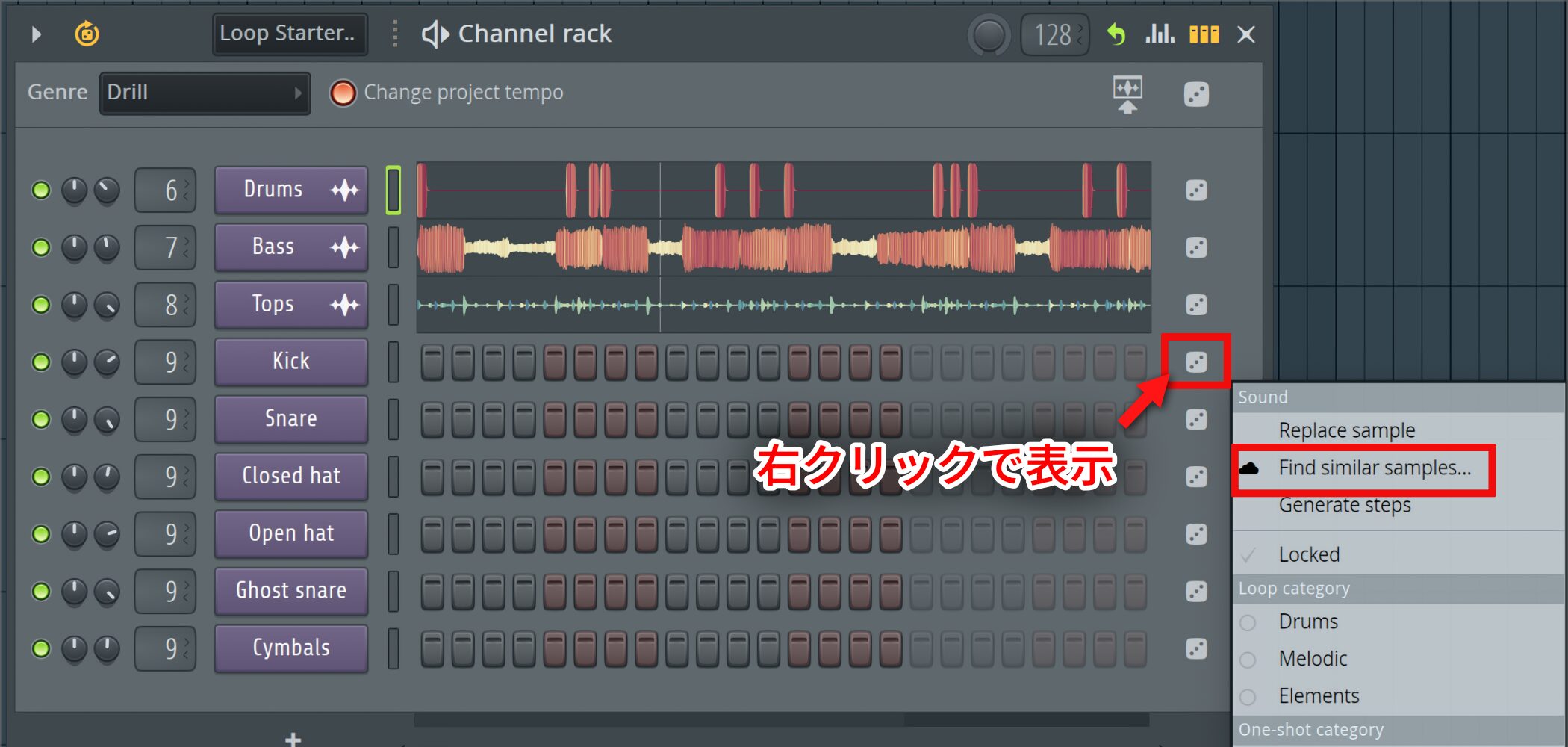
Right-click the dice icon on the channel whose sound you want to match, then choose “Find similar samples…”
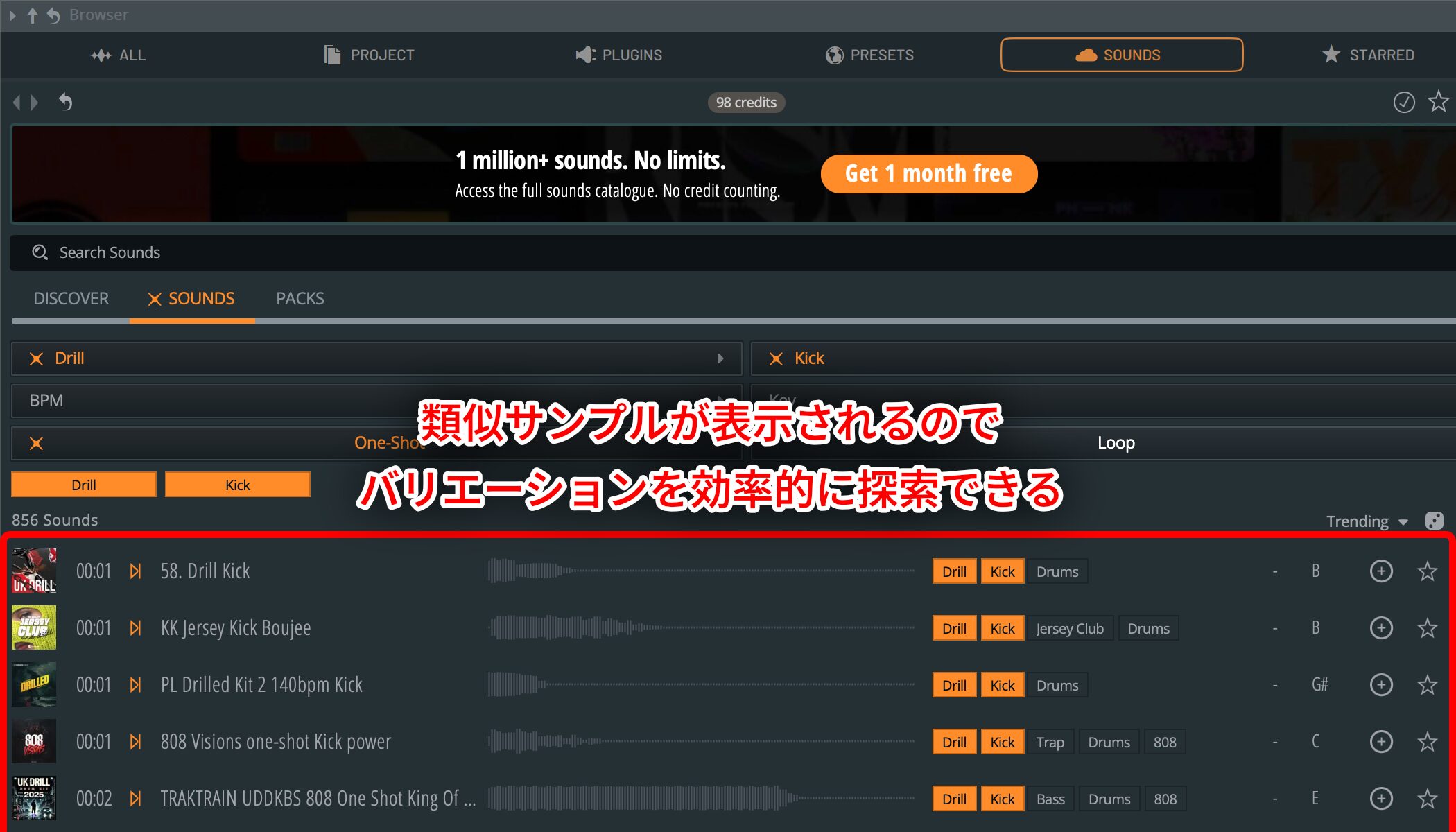
The Browser then showsmany related samples under SOUNDSfor you to choose from.
This makes it easy to explore variations of a sample you like.
Another useful option is Generate steps.
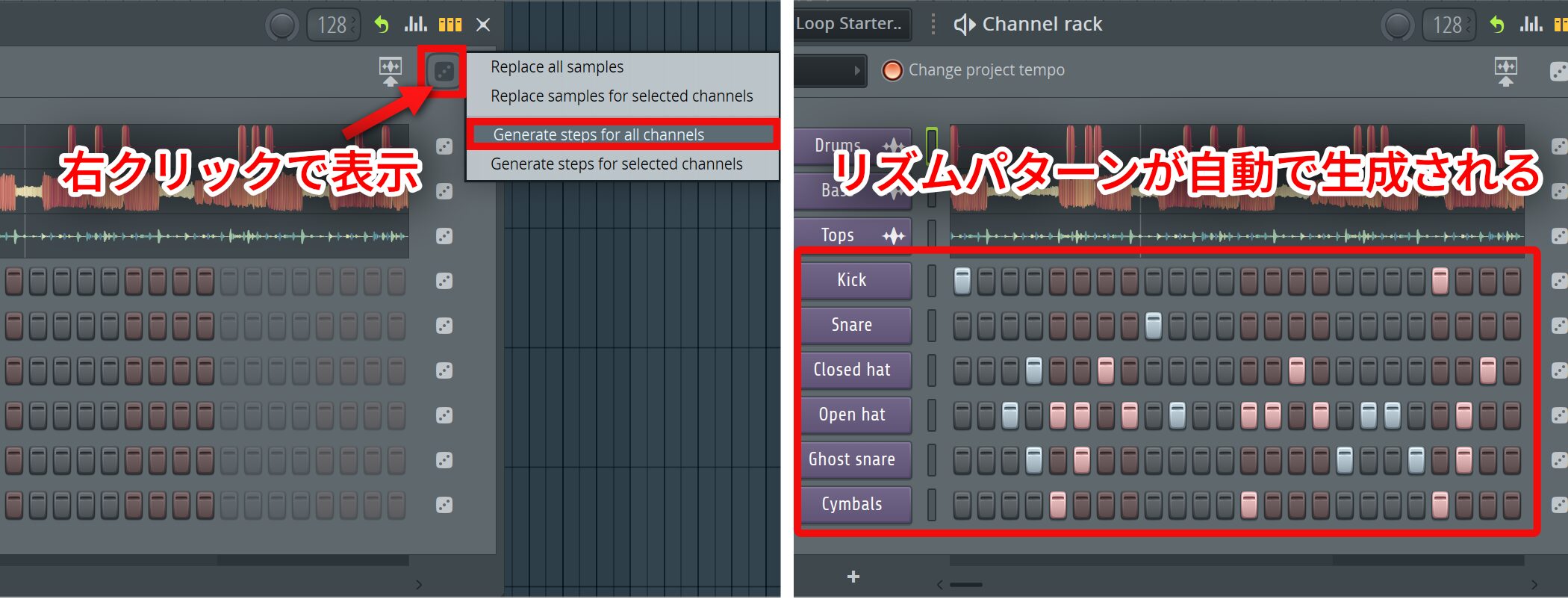
Right-click the dice icon at the top and choose “Generate steps for all channels” togenerate a rhythm pattern for the selected genreautomatically.
You can run this command as often as you like; each time, it creates a different random rhythm pattern.
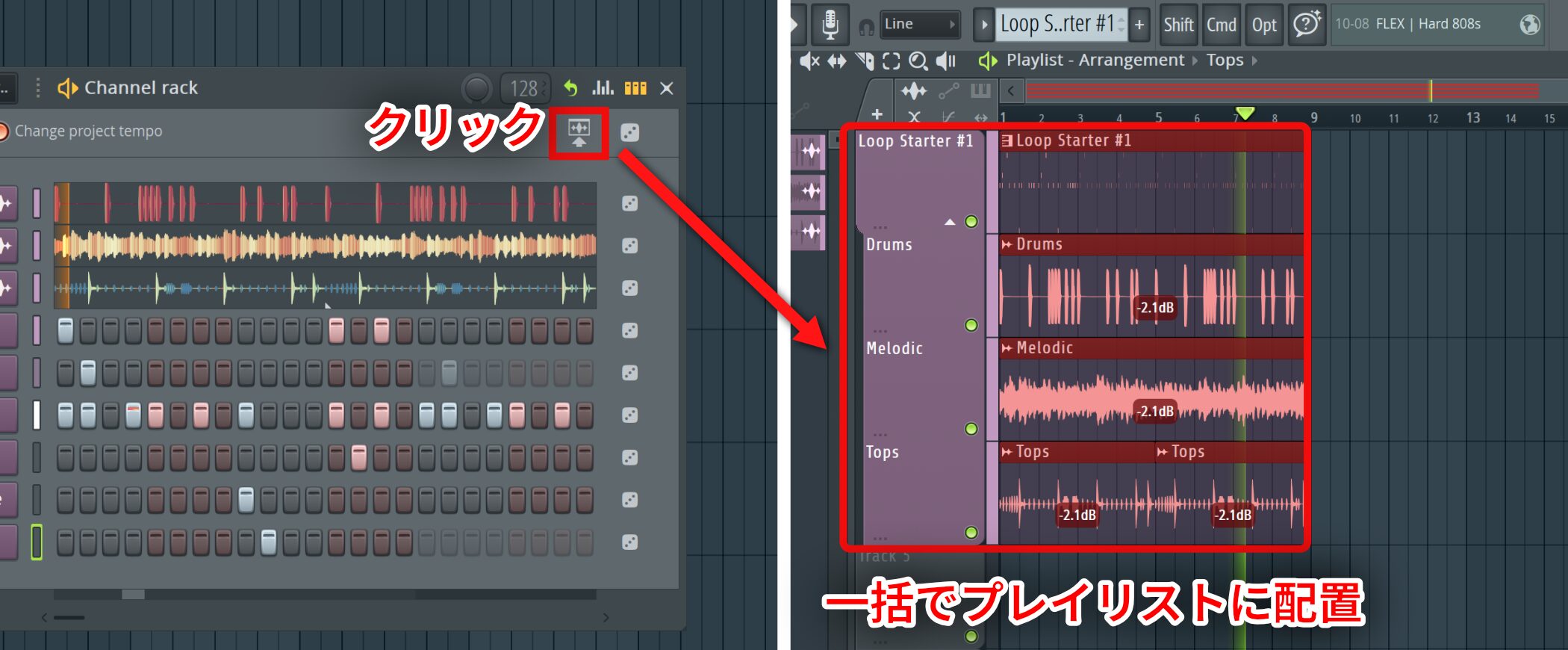
You can edit the generated pattern manually as usual. Once you are happy with it, click the Channel rack icon for placing patterns automatically to send them all to the Playlist at once.
Text to Code Progression: Create chord progressions instantly by typing
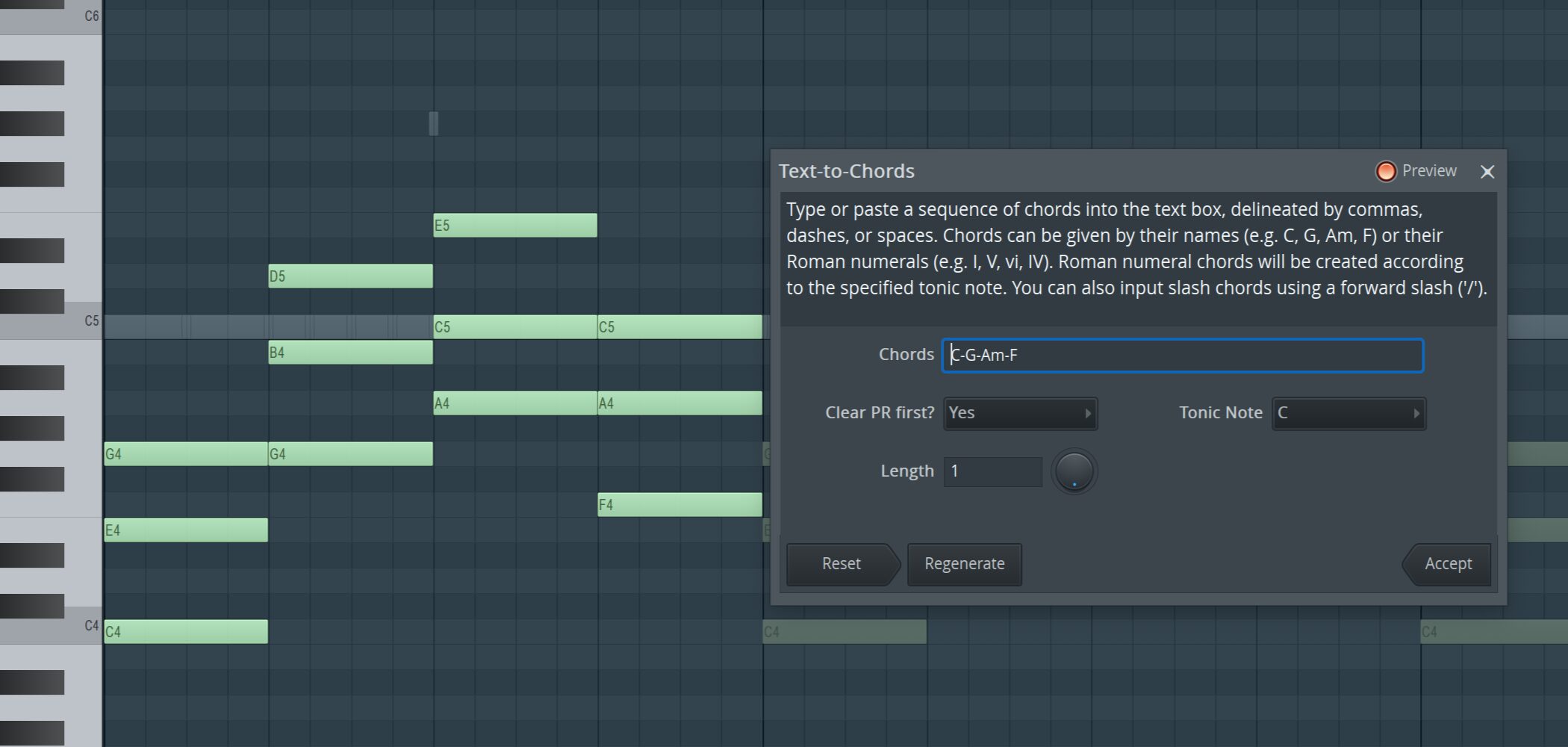
Next, Text to Code Progression replaces mouse-based chord entry in the Piano roll witha more intuitive way to enter chords as textinstead.
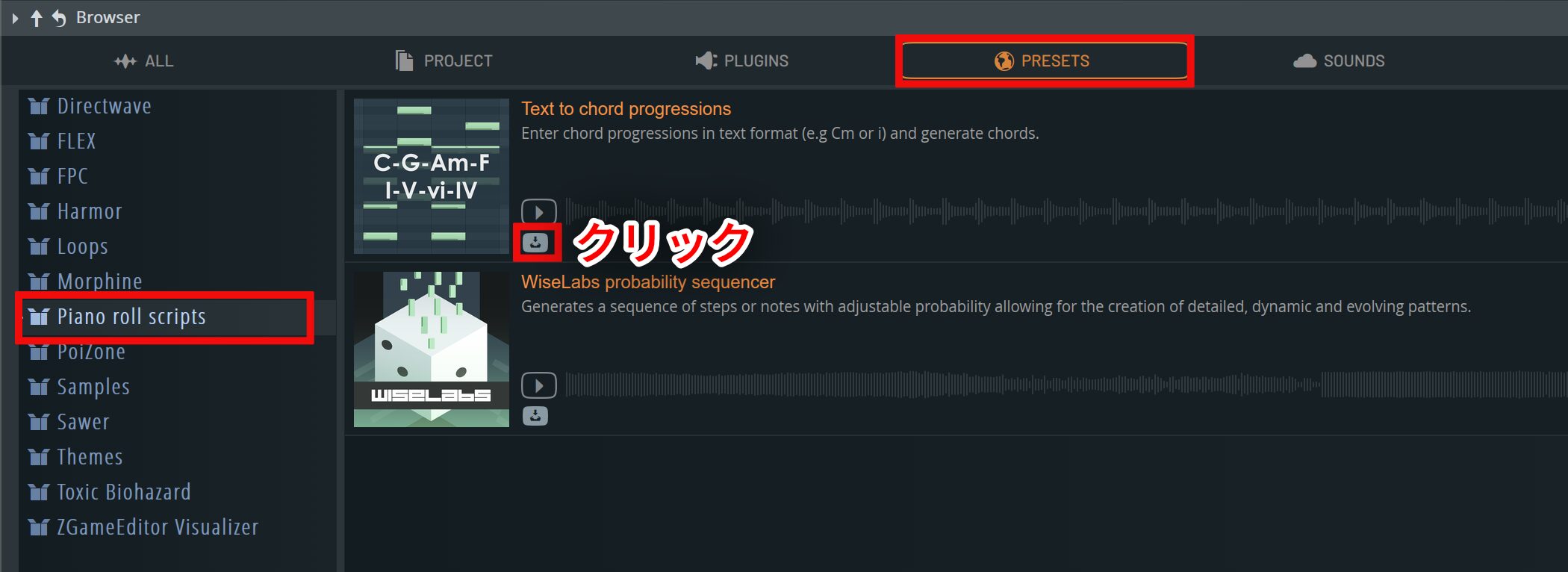
To use it, download and install “Text to Code Progressions” from Piano roll scripts in the PRESETS tab.
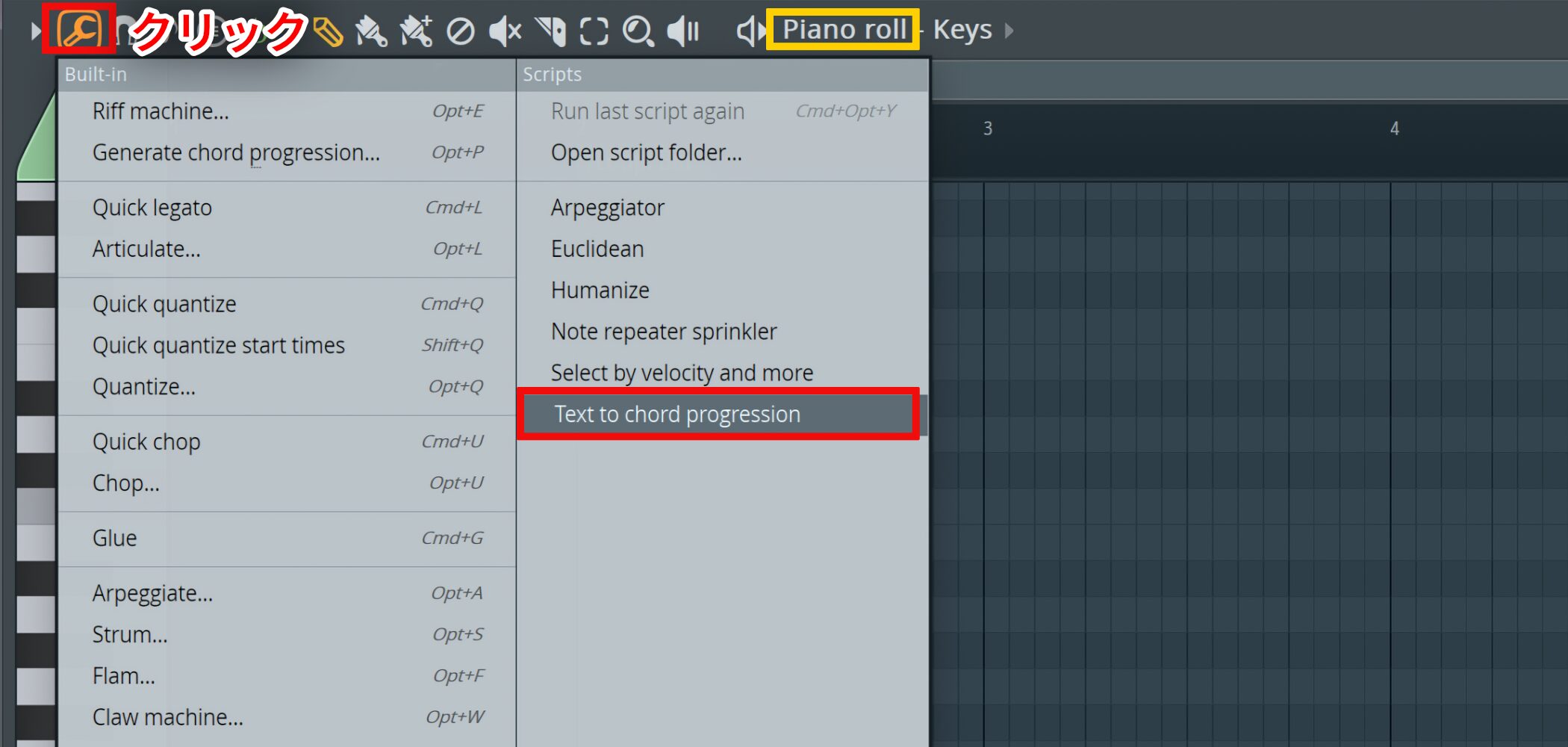
After installation, open the Piano roll's Tools menu and select “Text to Code Progression.”
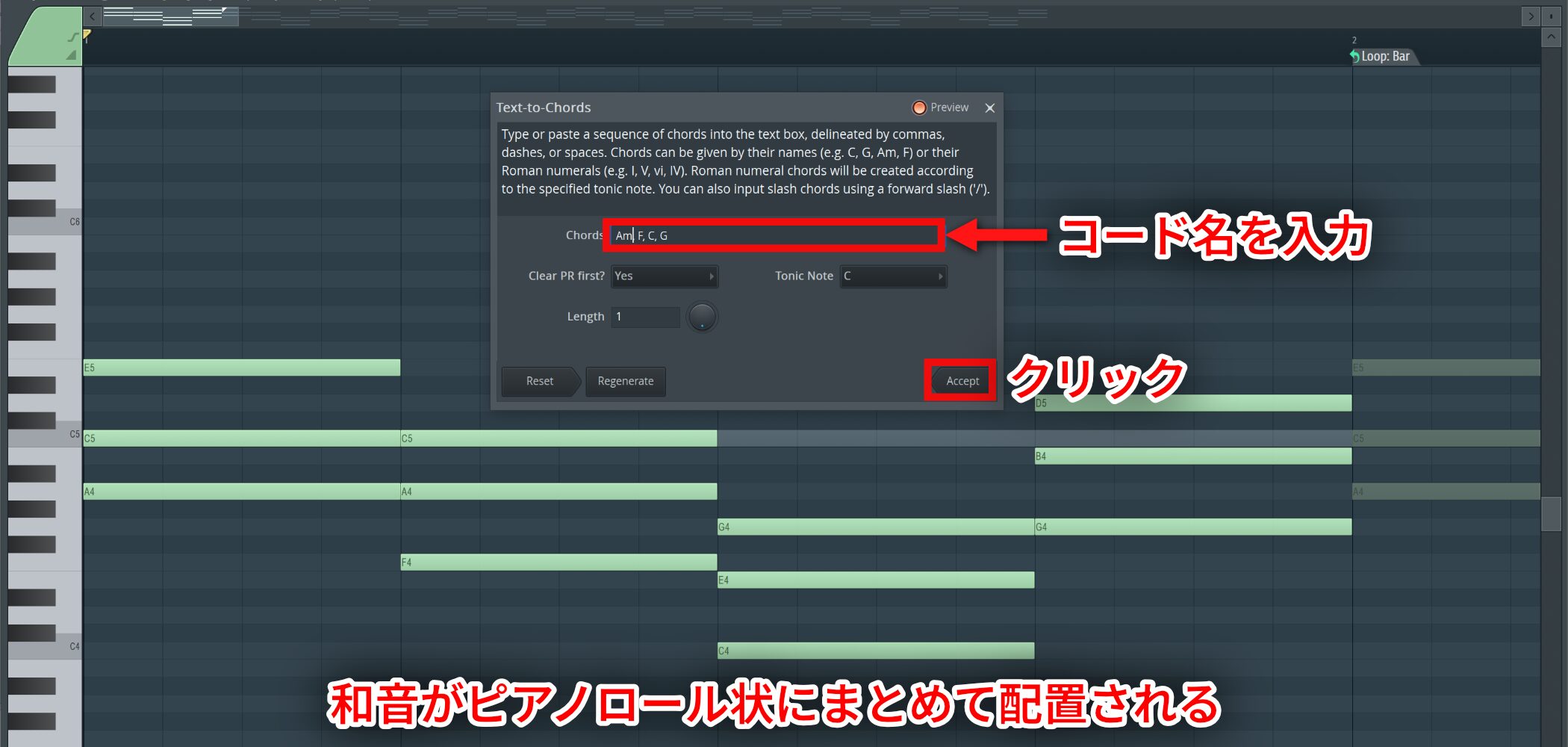
Enter chord names in Chords and click Accept toplace the corresponding chords together in the Piano rollin one step.
When entering multiple chords, separate their names with one of these characters:
- Comma (,)
- Space
- Dash (-)
- Vertical bar (|)
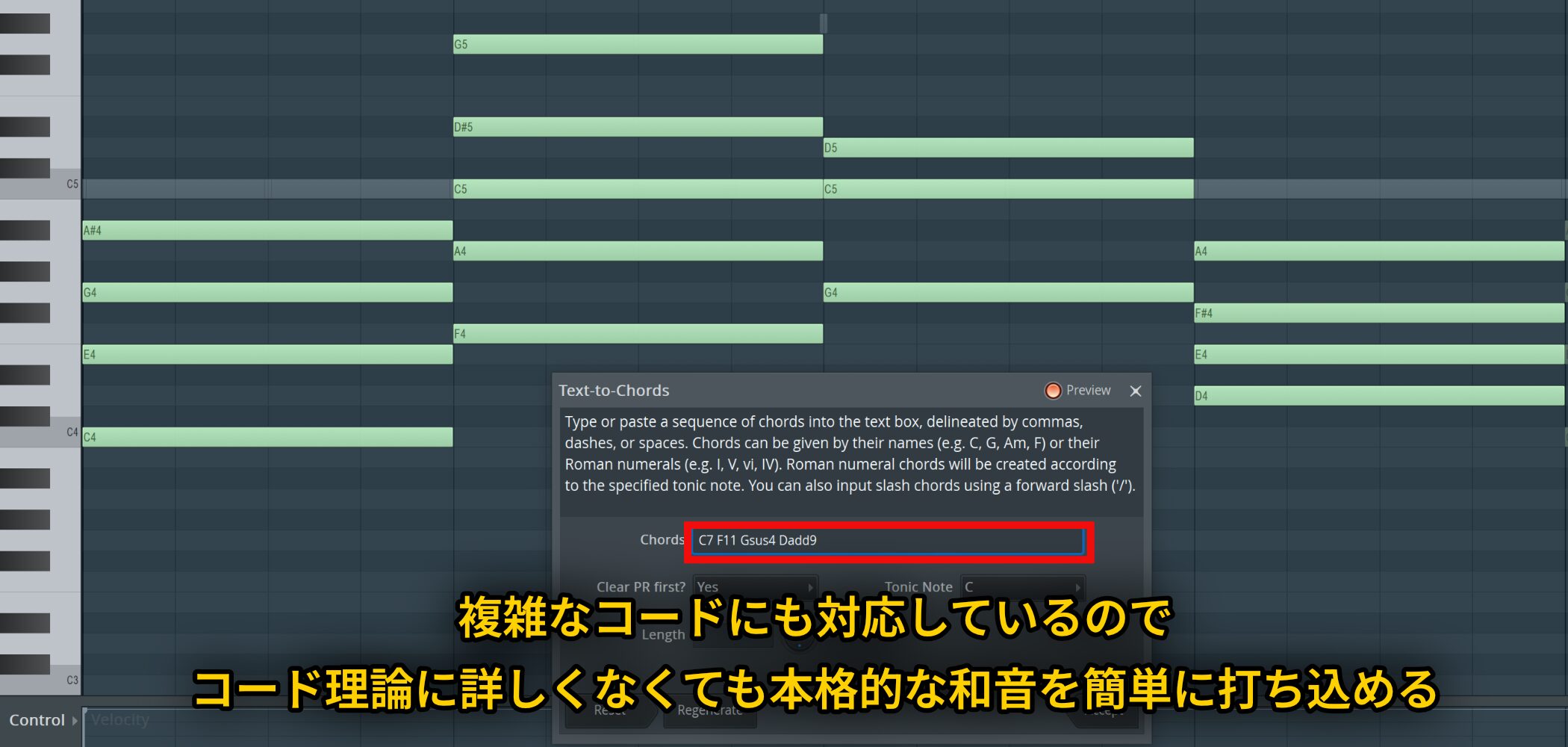
It also supportsmore complex chords such as 7ths, 11ths, sus4, and add9s,so you can enter rich harmonies even without a deep knowledge of chord theory.
Pair it with the AI chatbot described next for a more efficient workflow.
Gopher: An AI assistant for FL Studio production
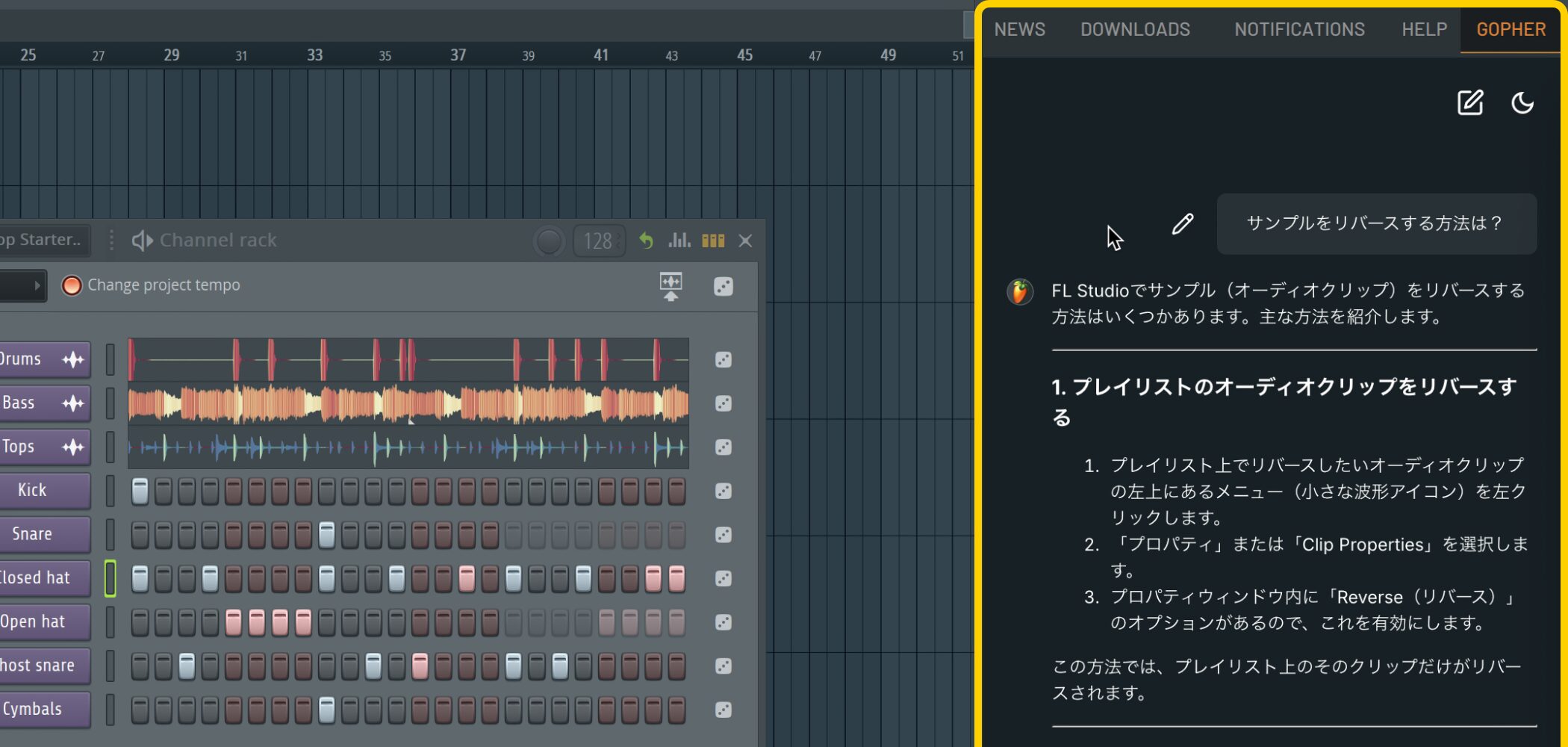
One of FL Studio 2025's most talked-about additions is Gopher, its AI chatbot.
Drawing on FL Studio’s official manual, knowledge base, and community, Gopher isan AI assistant focused on music productionand its creative workflow.
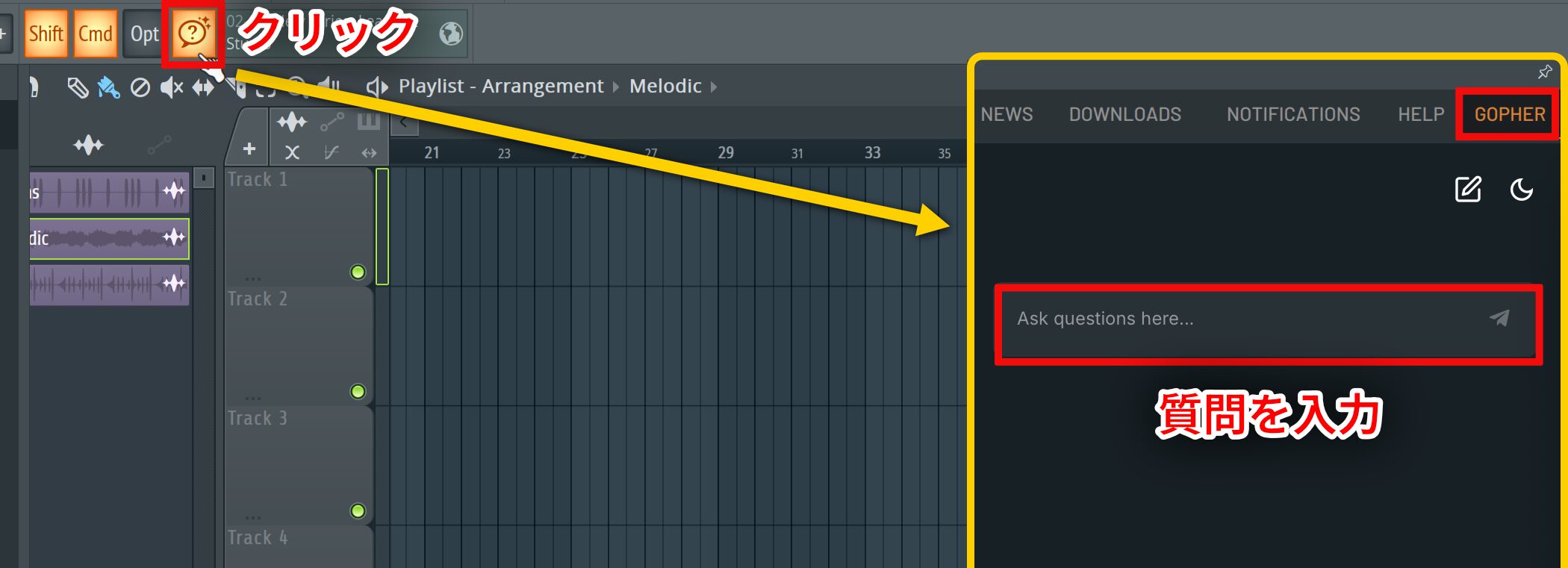
Click the Gopher icon in the top toolbar to open its chat in the communication panel, where you canask questions in natural languagewithout leaving FL Studio.
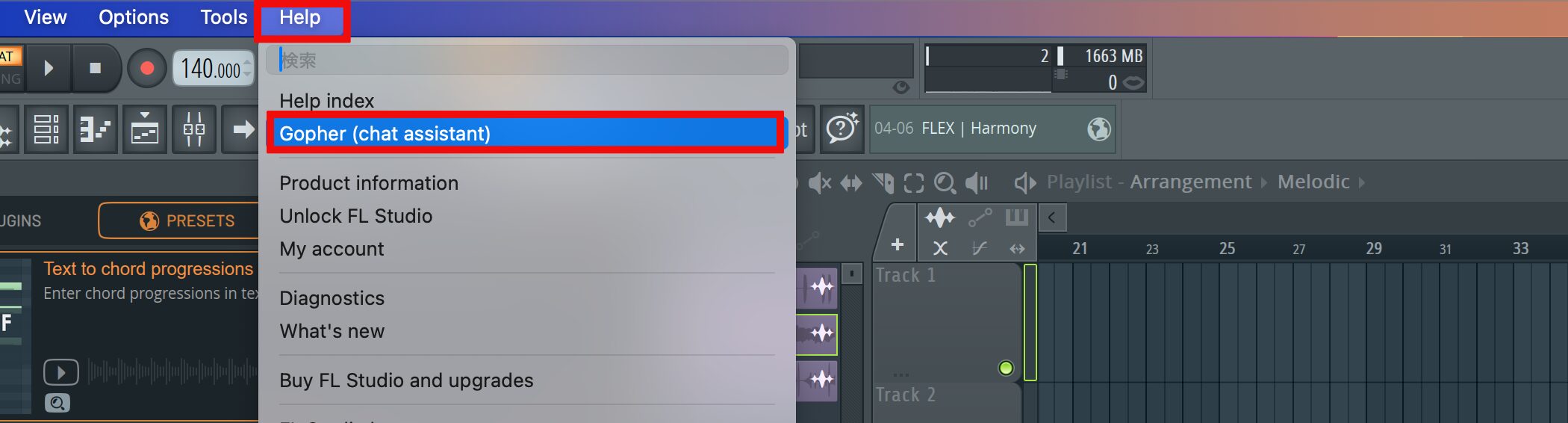
You can also launch Gopher from Help at the top of the screen.
Multilingual help for a wide range of questions
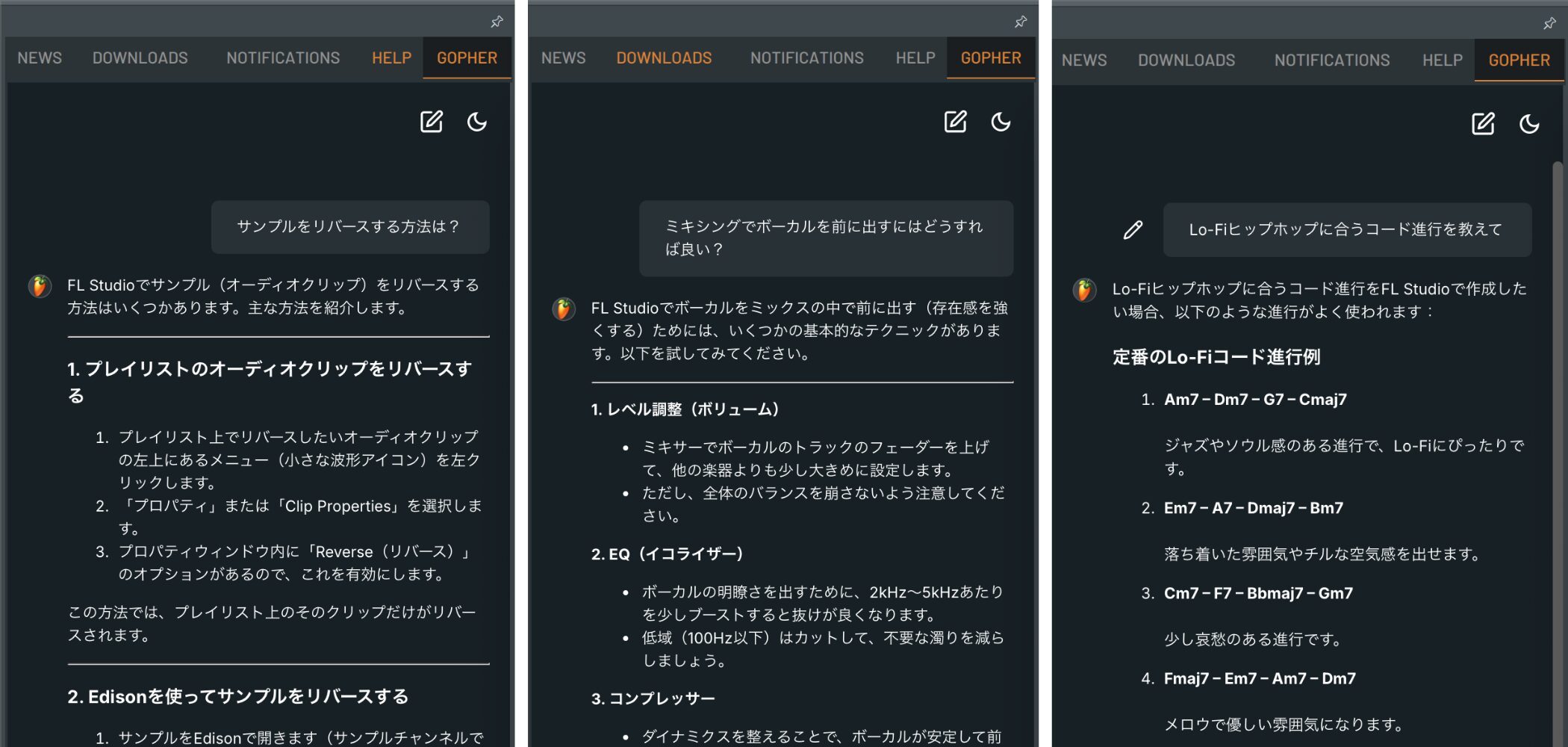
Gopher can handle everything from basic operating instructions to advanced technical questions.
- “How do I reverse a sample?”
- “What chord progression would suit lo-fi hip-hop?”
- “How can I bring a vocal forward in a mix?”
For questions like these, you can getuseful answers in secondsas you work.
It supports multiple languages, so you can ask questions in Japanese as well.
Combine Gopher with Text to Code Progression
The connection with Text to Code Progression is particularly useful.
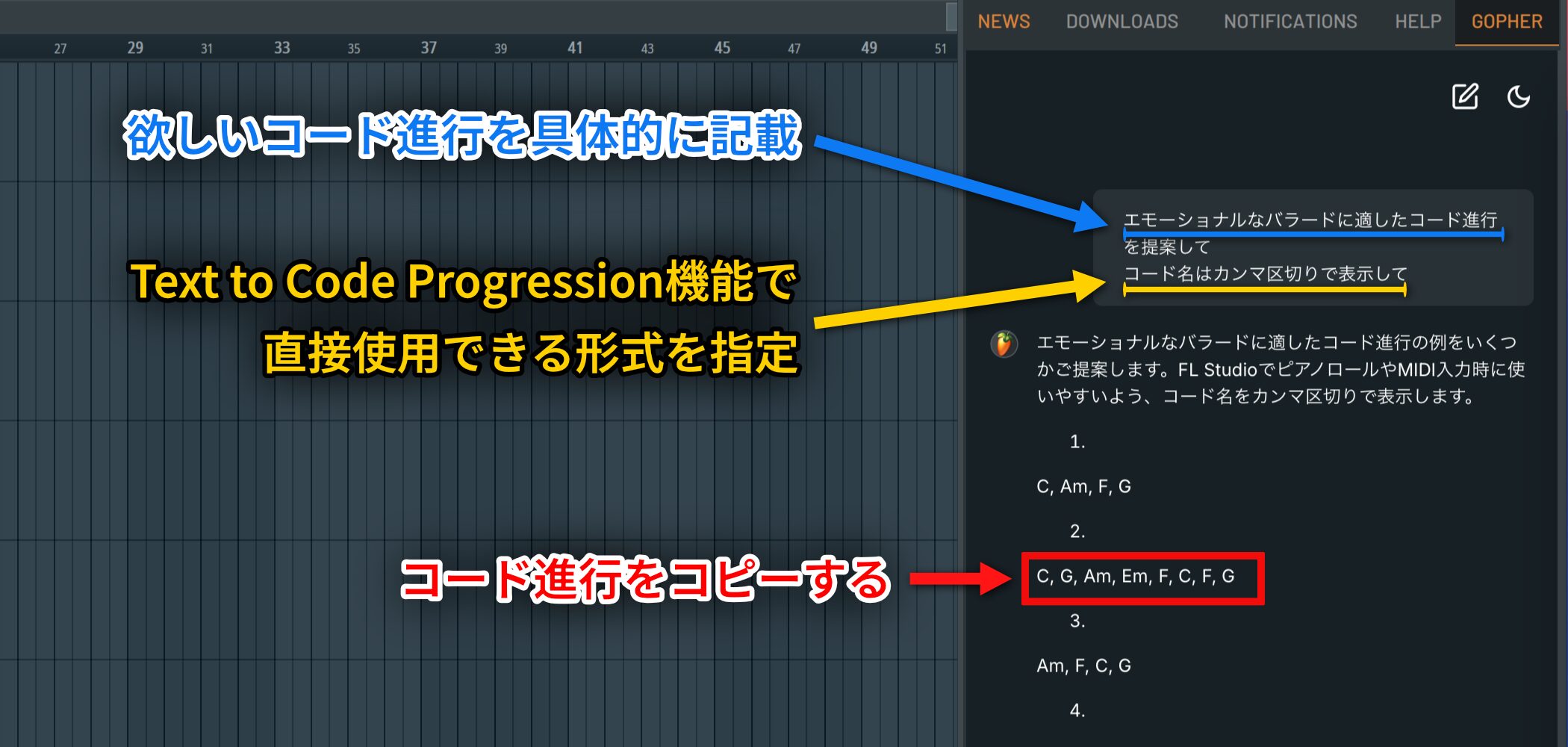
For example, ask Gopher: “Suggest a chord progression for an emotional ballad. Separate the chord names with commas.”
It will suggest several progressions. Copy the one you like.
Tip: Specify a format such as “Separate the chord names with commas” or “Use a format that works with Text to Code,” so Gopherreturns a progression you can use directly in Text to Code Progressionwithout reformatting it.
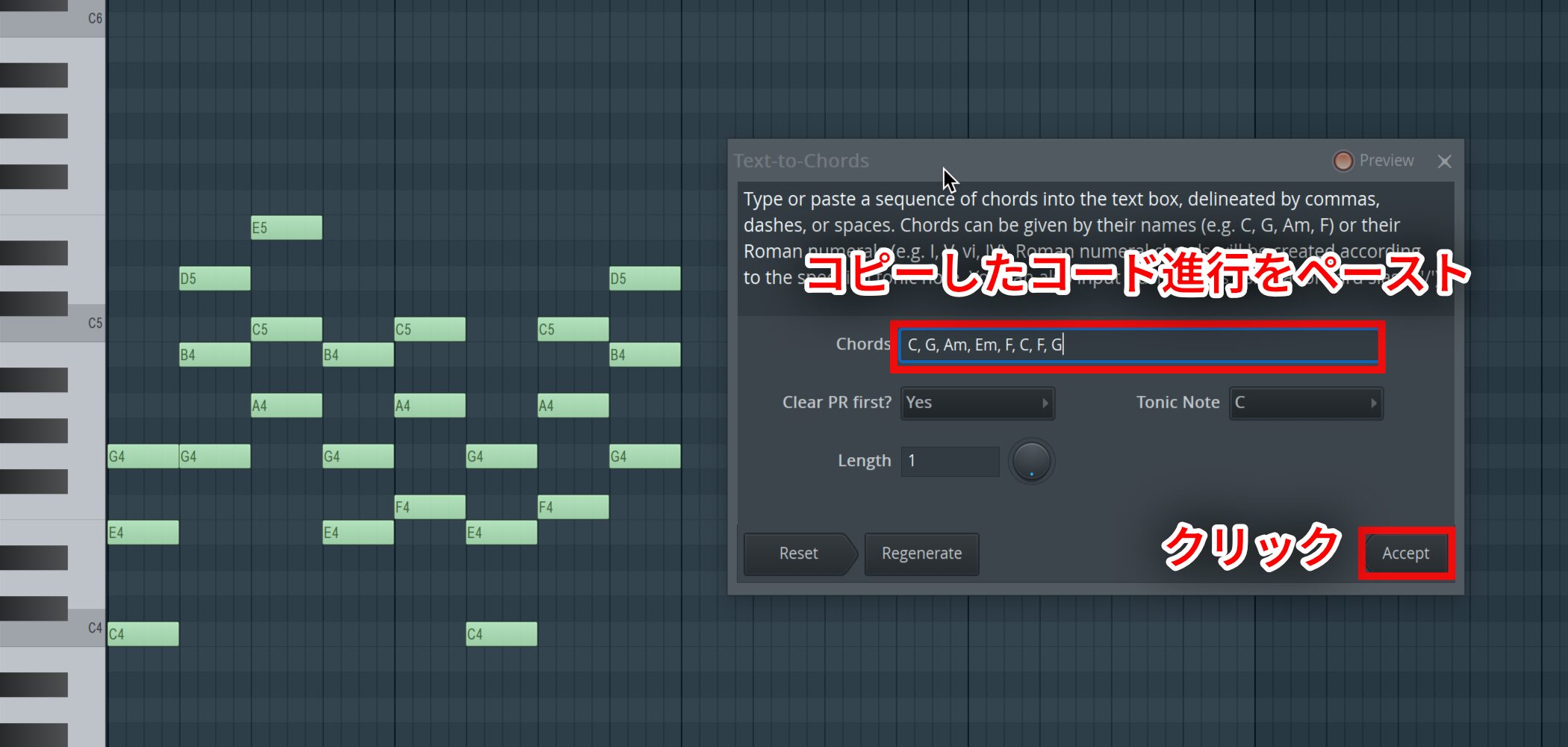
Paste that progression into Text to Code Progression and click Accept. The chords appear immediately in the Piano roll,making the idea-to-MIDI workflowmuch faster.
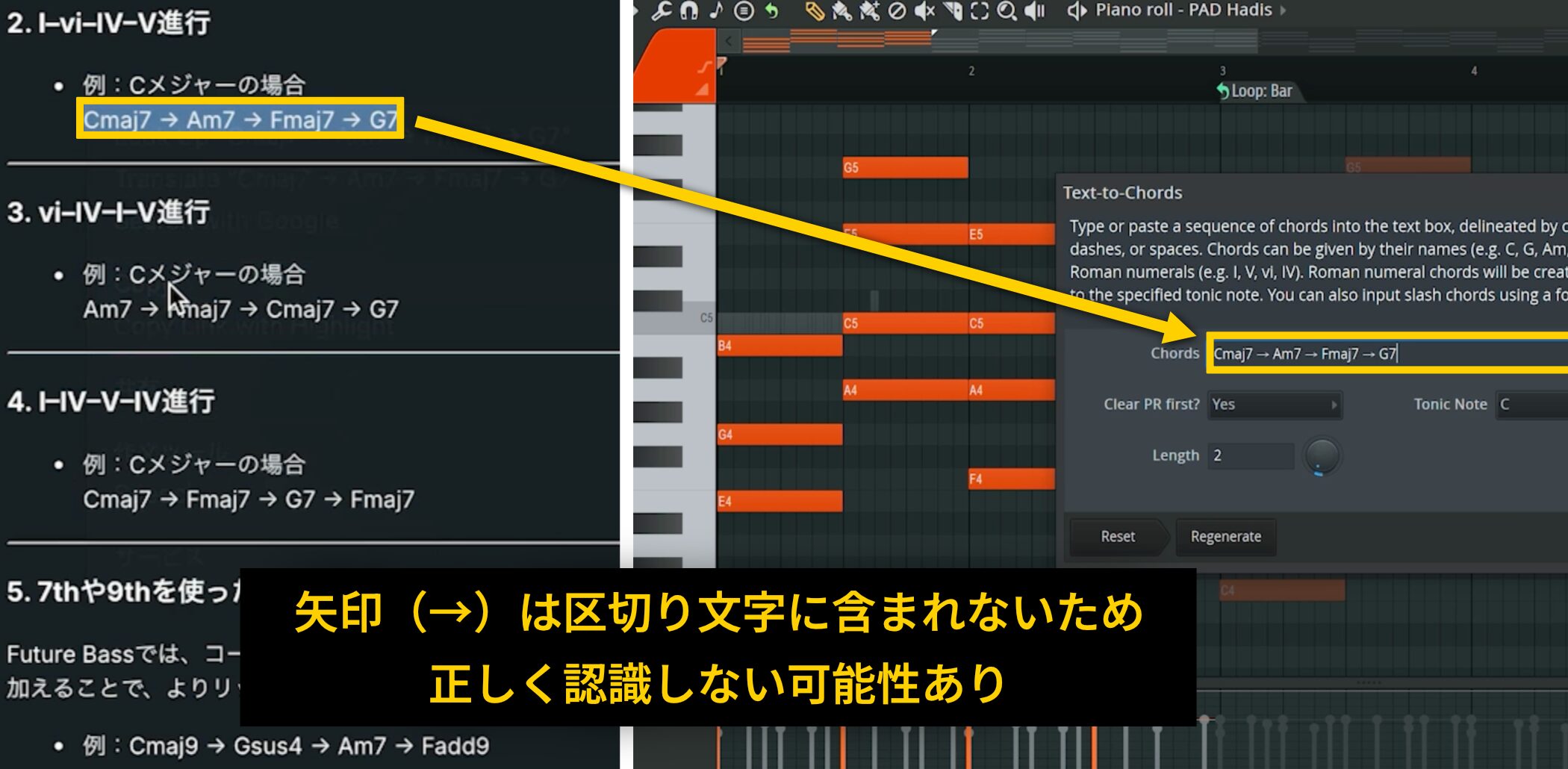
At the time of this article, Text to Code Progression also works when Gopher separates chords with arrows, as in “Cmaj7 → Am7 → Fmaj7 → G7.” However,arrows are not listed as separators in the official manual,so keep that limitation in mind.
Other updates: A smoother production workflow
FL Studio 2025 includes more improvements beyond the three main features.
A more flexible Mixer
You can now add and remove Mixer tracks freely, thanks tothe new Dynamic Mixer Tracks featurein FL Studio 2025.
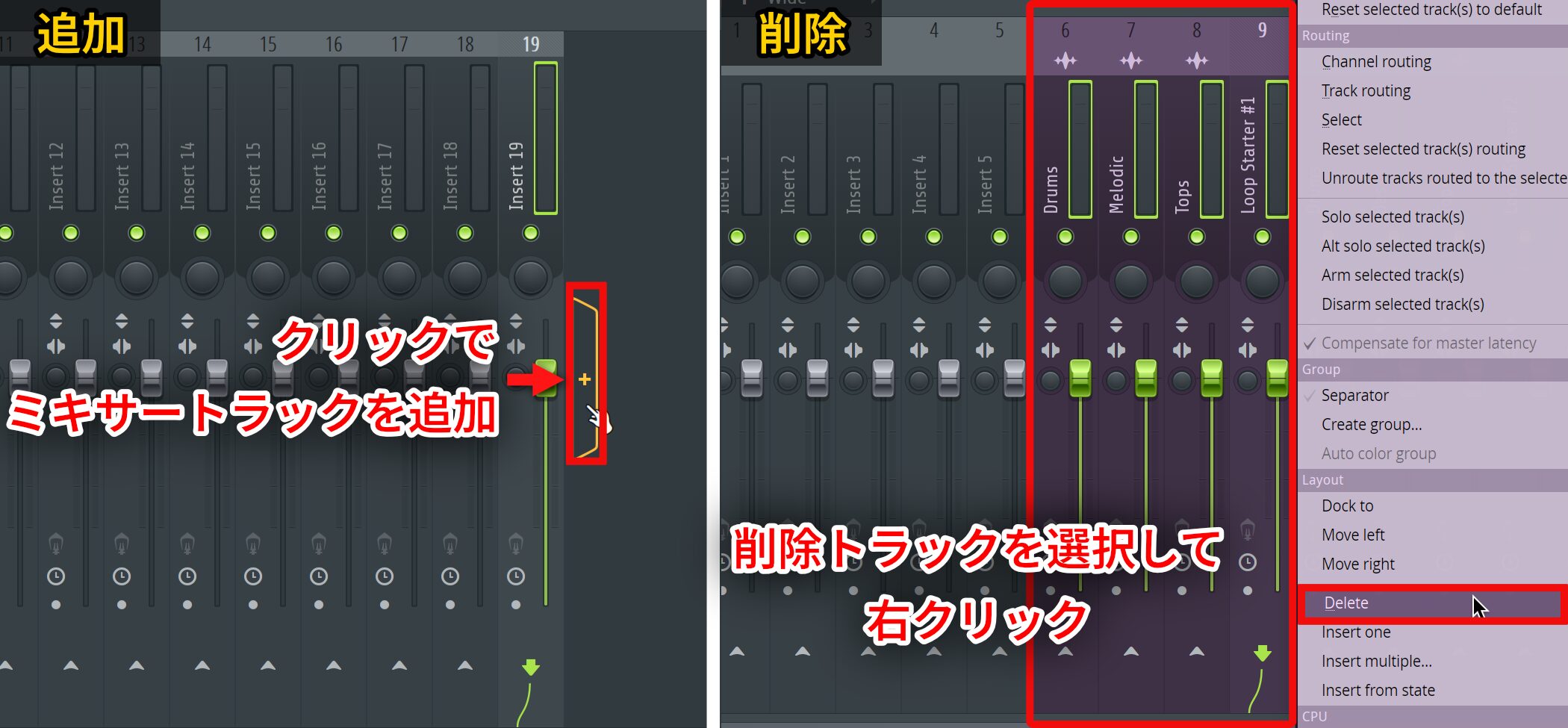
- Add: Click the + icon at the end of the insert tracks.
- Delete: Select a track, right-click, and choose Delete.
You can restore a deleted track with Undo.
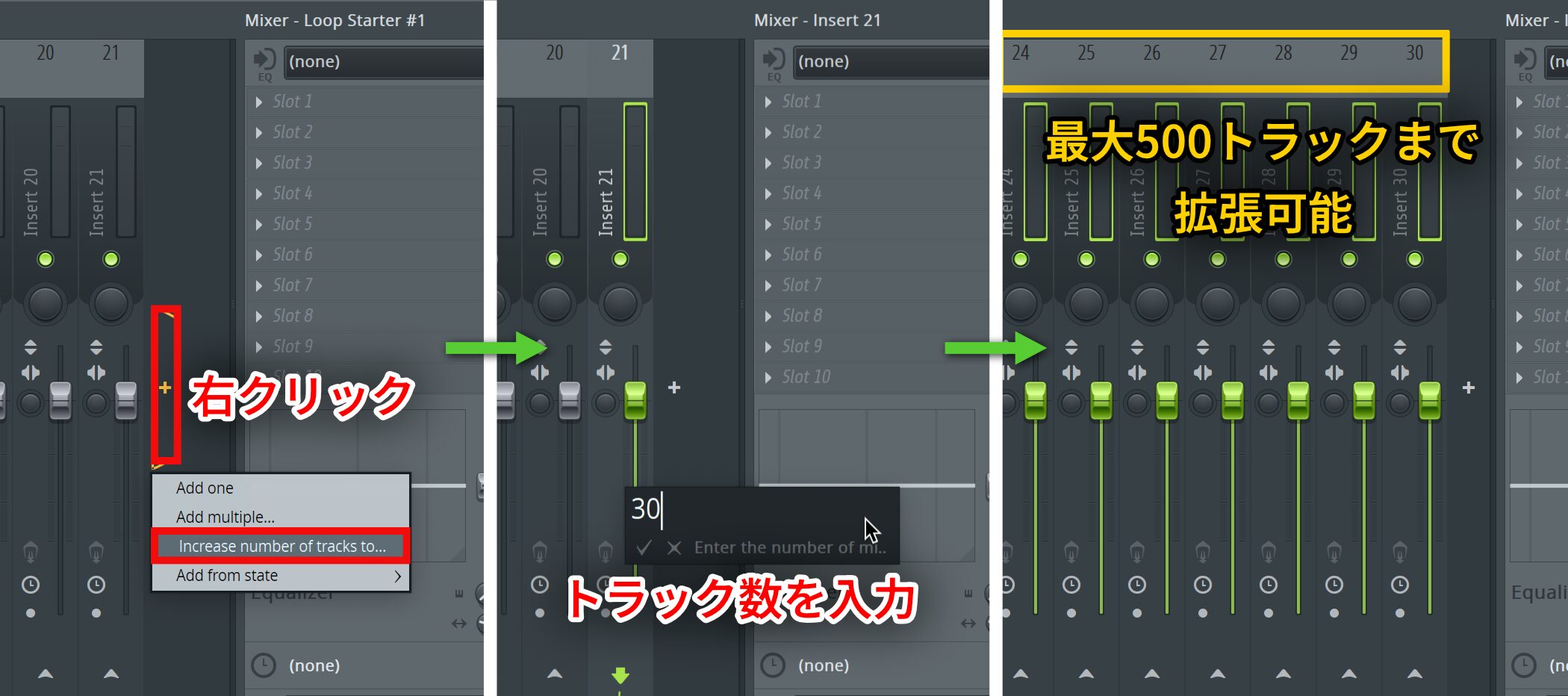
You can also right-click the + icon, choose “Increase number of tracks to…,” and enter the track count you want.
The Mixer track limit has also increased, allowingas many as 500 tracksin a project.
More audio clip editing options
You can now pitch-shift, reverse, and time-stretch audio clips directly, which can save time during editing.
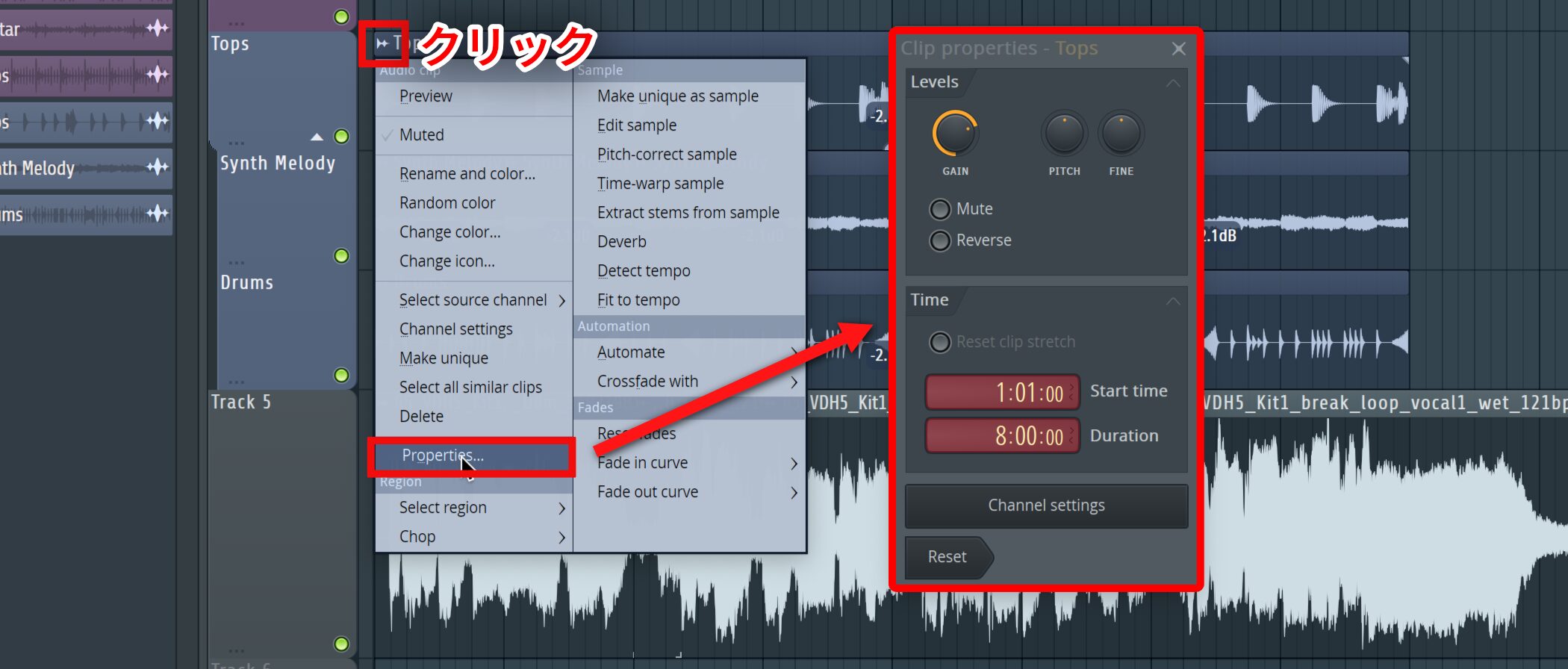
Open the menu at the upper left of an audio clip in the Playlist and select “Properties…” to open that clip's Clip properties window.
Mobile Rack and a new plugin
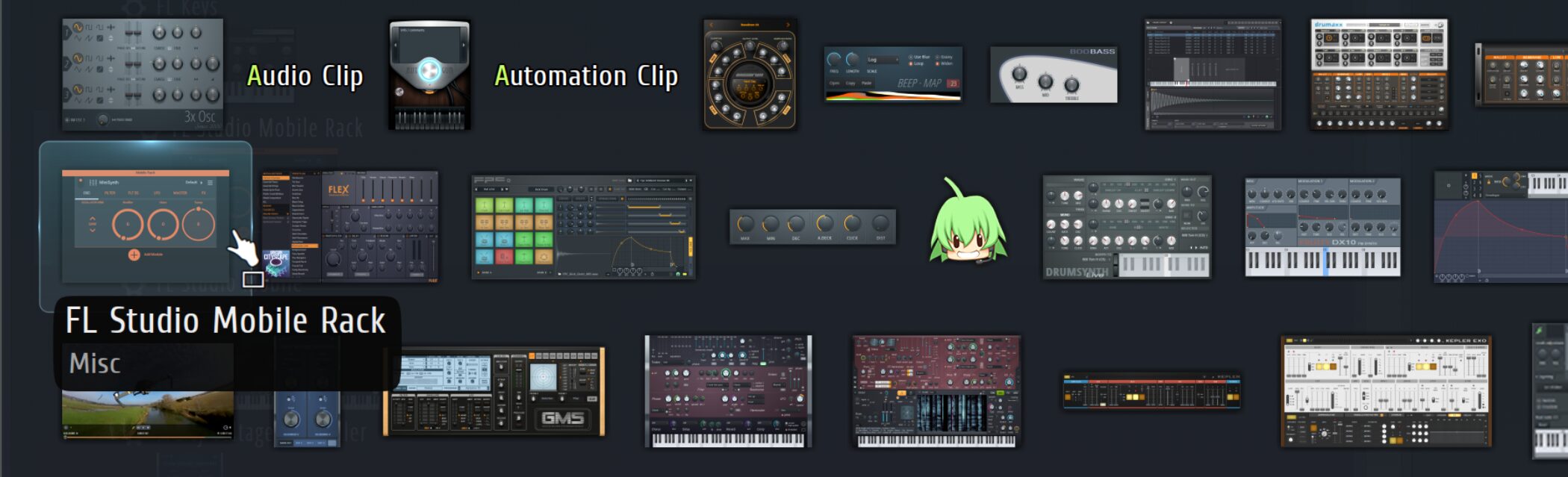
FL Studio Mobile Rack brings seven instruments and 29 effects from the mobile versionto desktop FL Studiofor your productions.
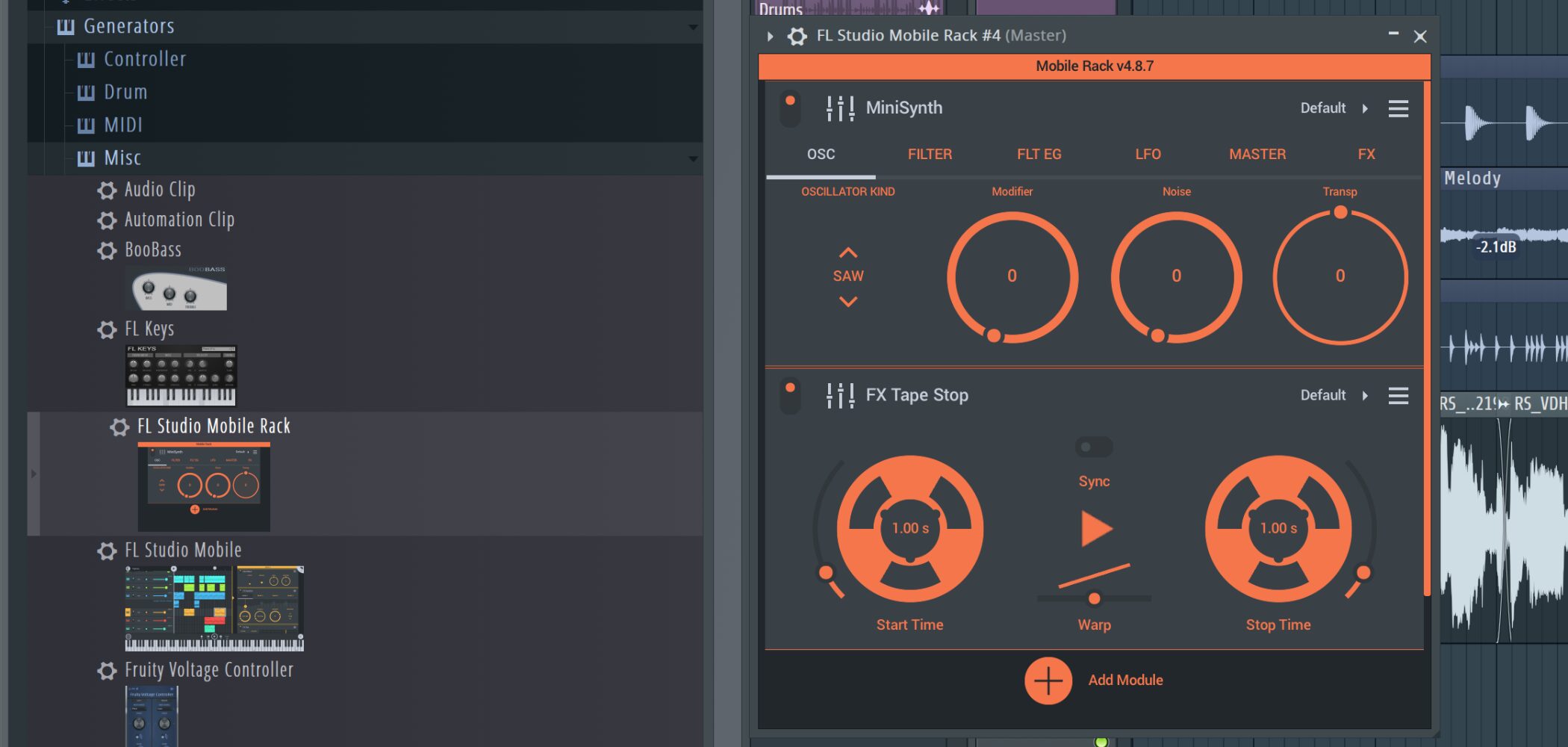
You can use popular plugins such as Minisynth alone or together, with a relatively light CPU load.
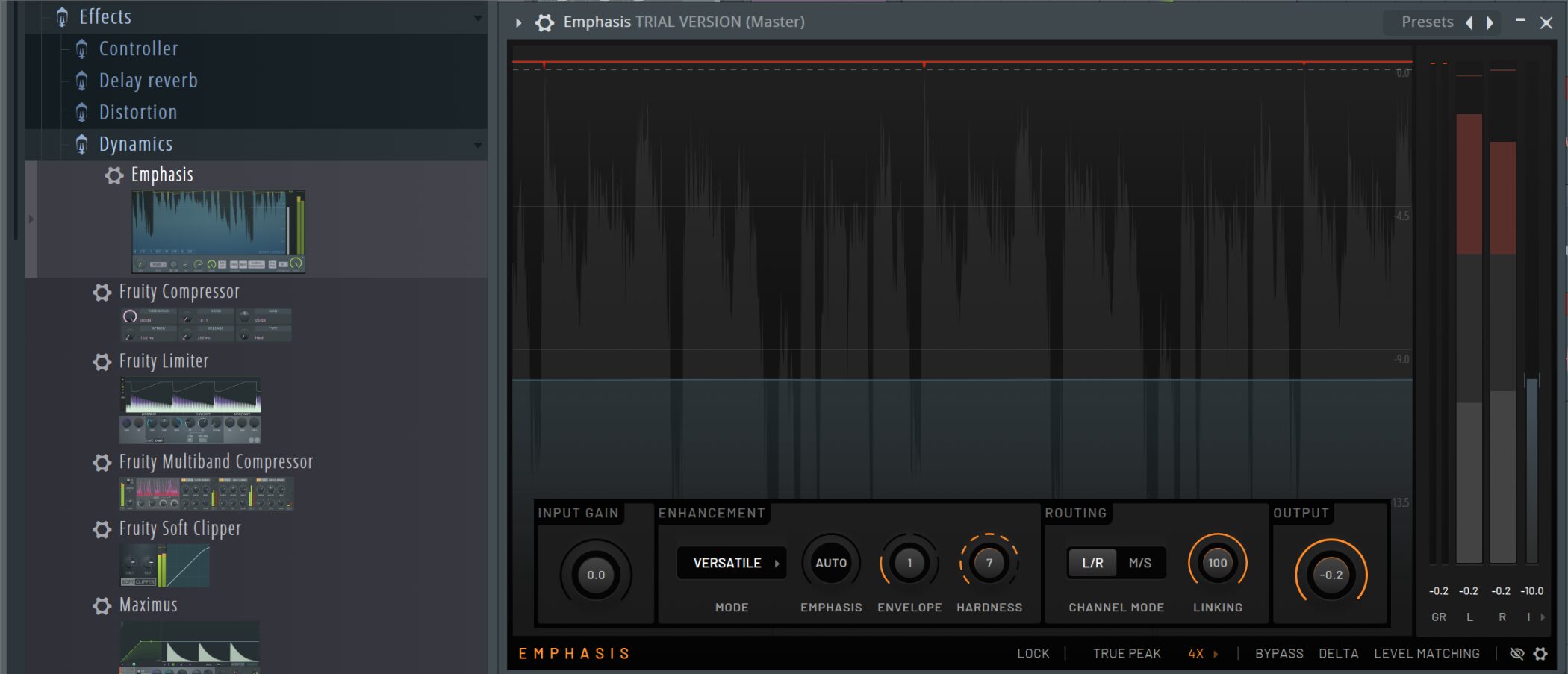
The update also introducesEmphasis, a multistage mastering limiteras a new plugin.
It is designed to maintain clarity at high gain levels and to make professional mastering adjustments with minimal controls.
Note:Emphasis is exclusive to the All Plugins Editionof FL Studio.
How to install FL Studio 2025 and try it for free
Anyone can try FL Studio 2025's new features for free.
If you already own FL Studio
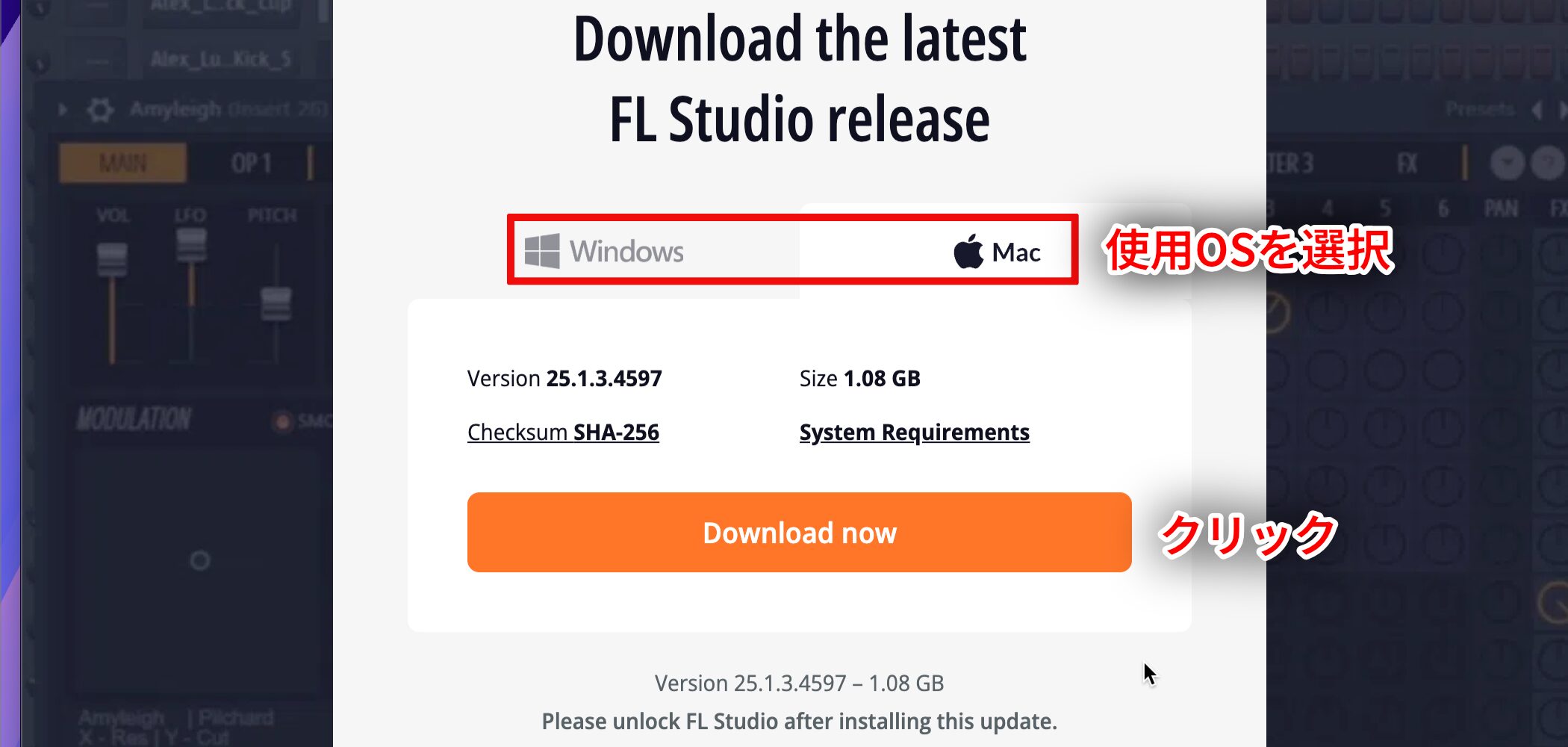
Visit the official download pageto install the latest version.
With Lifetime Free Updates, eligible existing users caninstall the latest versionwithout an additional purchase.
If you are new to FL Studio
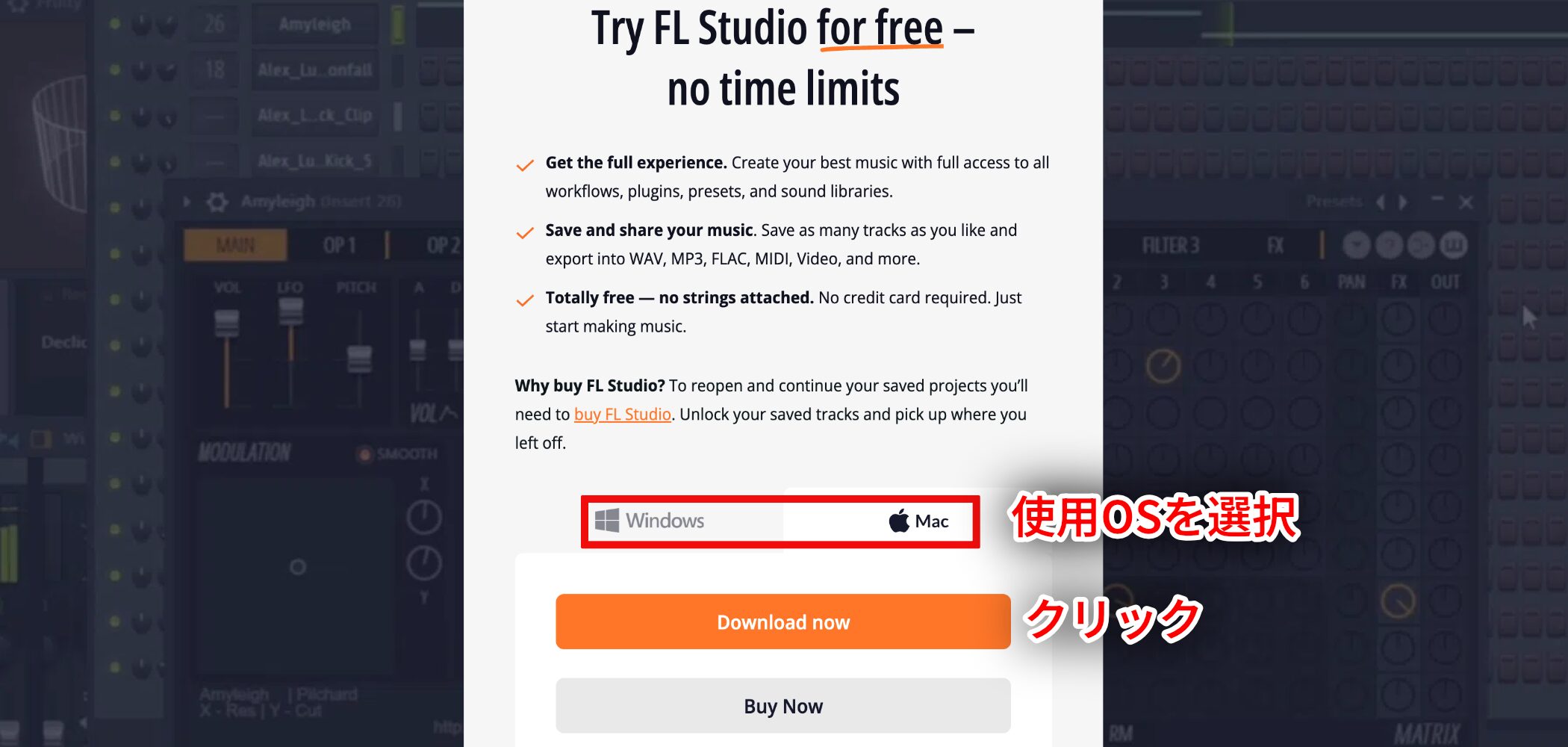
Visit the official download pageto get the trial version.
After installation, launch FL Studio touse it in trial modeautomatically.
What you can do with the trial
• No account registration or license purchase is required.
• You can try almost every feature without a time limit.
• You can save projects, but reopening a saved .flp project requires a paid edition.
• You can export audio, including WAV and MP3.
FL Studio 2025 feels like more than a routine update: working with AI opens up new possibilities for music production.
Give it a try and explore what these new tools can do for your own tracks!
NEW ARTICLES
Latest English Articles





























