
In progressive house and trance production, pads fill gaps in the sound, emphasize the harmony, and add thickness and depth to a track. This article explains basic MIDI programming techniques using a synth pad preset included with Logic. Learn how to program notes to match the chord progression, add thickness with sevenths and octave doublings, and create movement with sidechain compression. Different voicing approaches in the verse and chorus can also give the arrangement a stronger sense of dynamics.
Pads That Fill the Gaps

For those looking to produce progressive house or trance,
here are some MIDI programming tips for commonly used sounds.
This time, we will look at pads.
Video Navigation
Role and Sound
Pads fill gaps in the sound and help bring out the harmony.
They can also make a chorus sound fuller and add depth and width, strongly shaping the atmosphere of a track.
For this track, we used Logic’s built-in synth pad preset Pulse Strings.
Adding other pads in the more energetic sections can also be effective.
Note: The reference track uses just one sound.
MIDI Programming
Start by programming notes that follow the chords of the track.
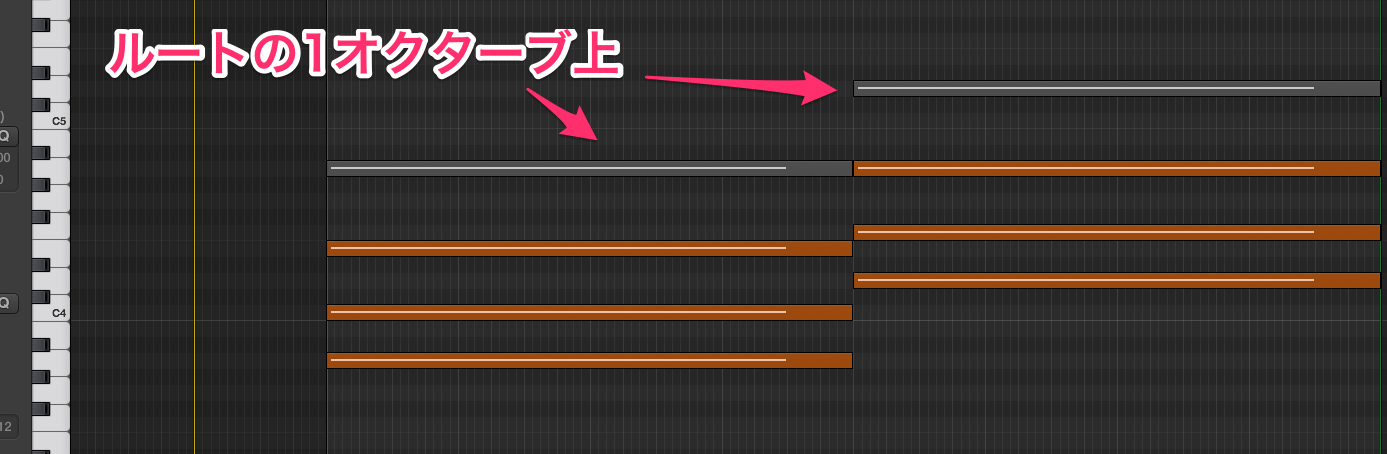
To create a fuller, wider sound, try adding a seventh (fig. 1) or doubling the root an octave higher or lower (fig. 2).
Fig. 1
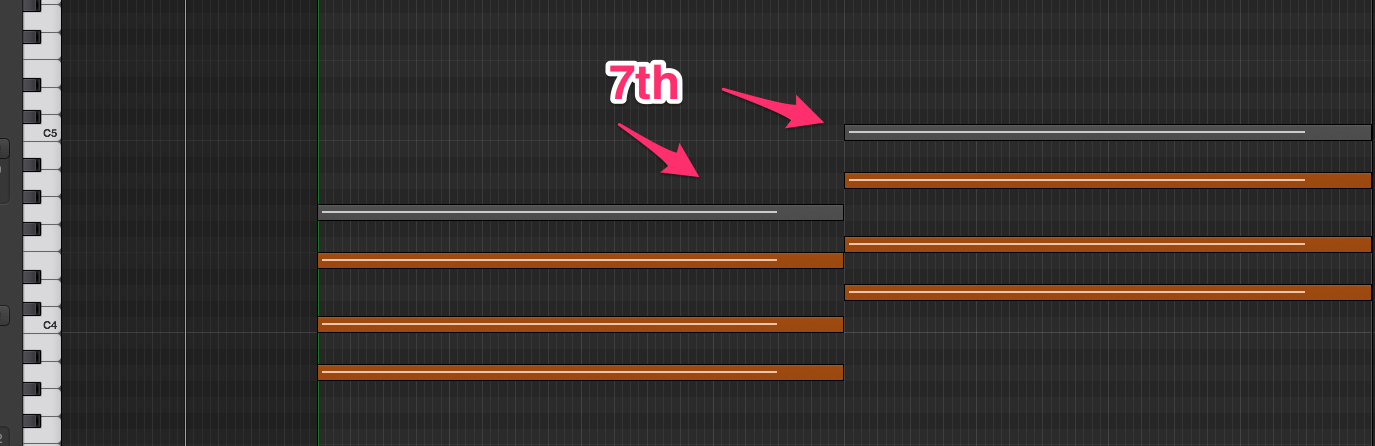
Fig. 2
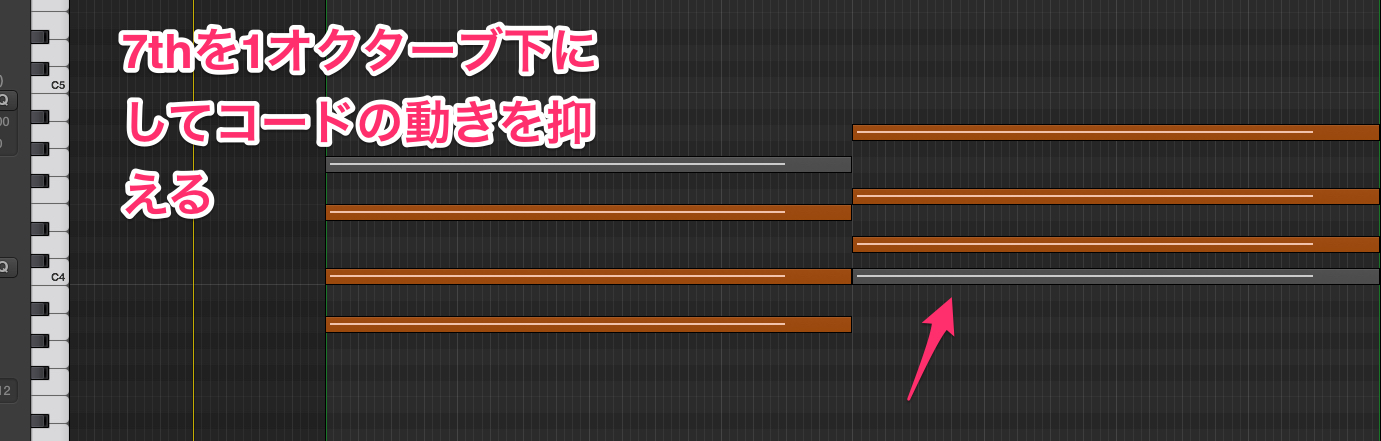
In the verse, keep the voicing relatively stationary (fig. 3).
In the chorus or drop, or where the rhythm section drops out,
using voicings with larger movements can help create contrast and dynamics.
Fig. 3
Effects
As with noise, it can also be effective to create movement
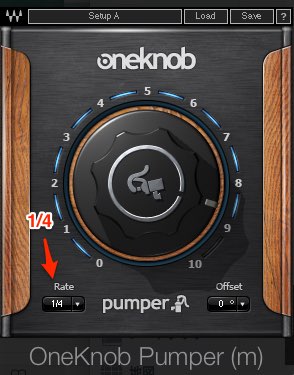
by applying sidechain compression on quarter-note beats.
Note: The reference track achieves a similar effect using Waves OneKnob Pumper.
For a way to apply sidechain without using a plug-in, see the following:
https://sleepfreaks-dtm.com/dtm_word/side_chain/
Frequently Asked Questions
Q1. What role do pads play in progressive house and trance?
Pads fill gaps in the sound and bring out the harmony. They can also make a chorus fuller and add depth and width, helping shape the atmosphere of a track.
Q2. How can I make a pad sound fuller when programming MIDI?
In addition to following the track’s chords, try adding a seventh or doubling the root at the octave to create a fuller, wider sound.
Q3. What effect is recommended for pads?
Sidechain compression timed to quarter-note beats can add movement to a pad. There are also ways to set up sidechain without using a plug-in.
Q4. How should I vary pad voicings between the verse and chorus?
Use restrained voicings with little movement in the verse, and voicings with larger movements in the chorus or drop to create contrast and dynamics.
NEW ARTICLES
Latest English Articles




























































































































































































































































































































































































































































































