Ableton Live’s Audio Effect Rack groups multiple effects for convenient management. You can change their left-to-right order to shape the resulting sound. The version shown here provides eight Macro controls, and each Macro can control multiple mapped parameters at once. This makes complex sound design easier and speeds up your workflow.
Group and Control Effects with an Audio Effect Rack
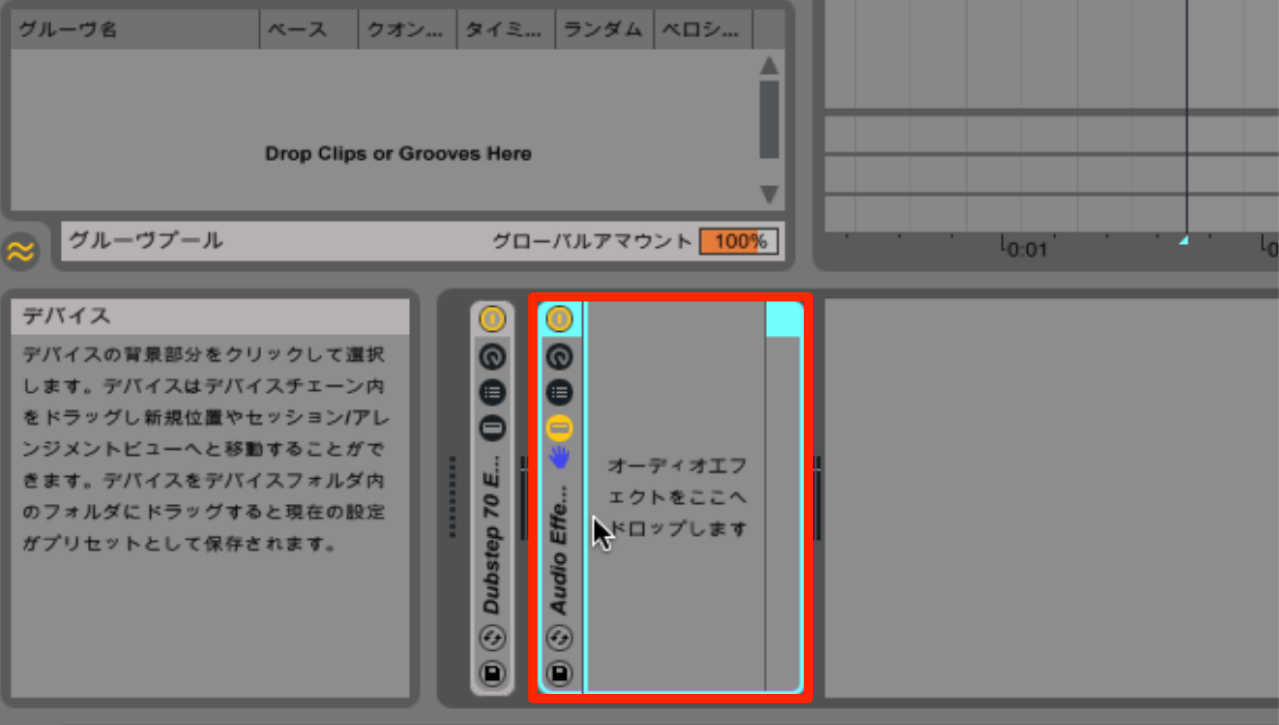
An Audio Effect Rack groups multiple effects together
so you can control them as a single unit.
Here we will explain the basics.
Audio Effect Rack, Part 1
Visit the product information page

How to Use It
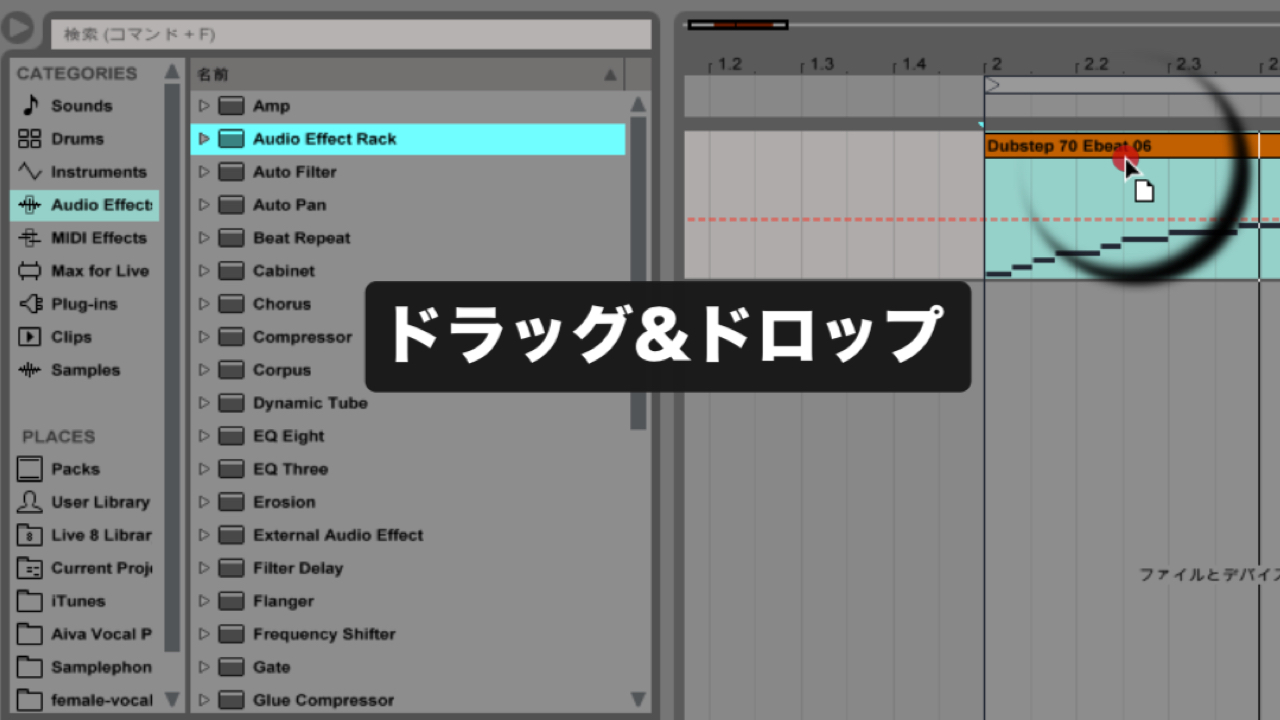
Add Audio Effect Rack from Audio Effects.
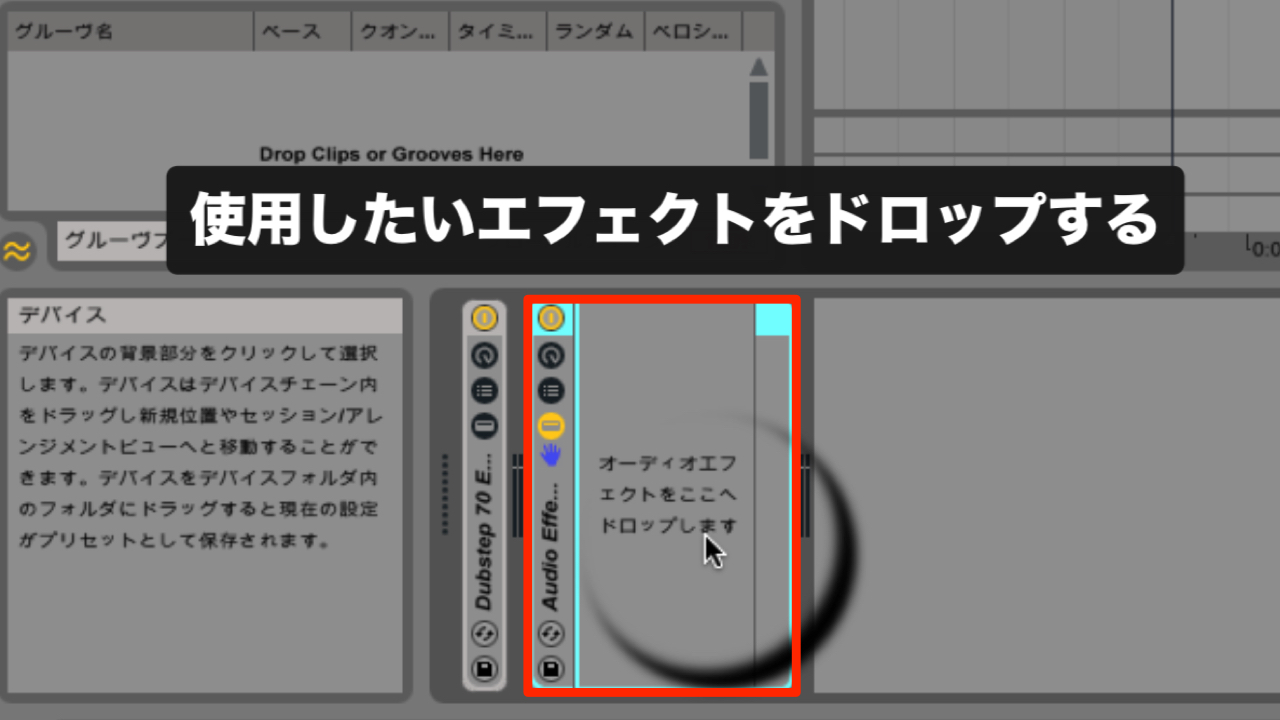
Into the area labeled “Drop Audio Effects Here,”
drag and drop the effects you want to use.
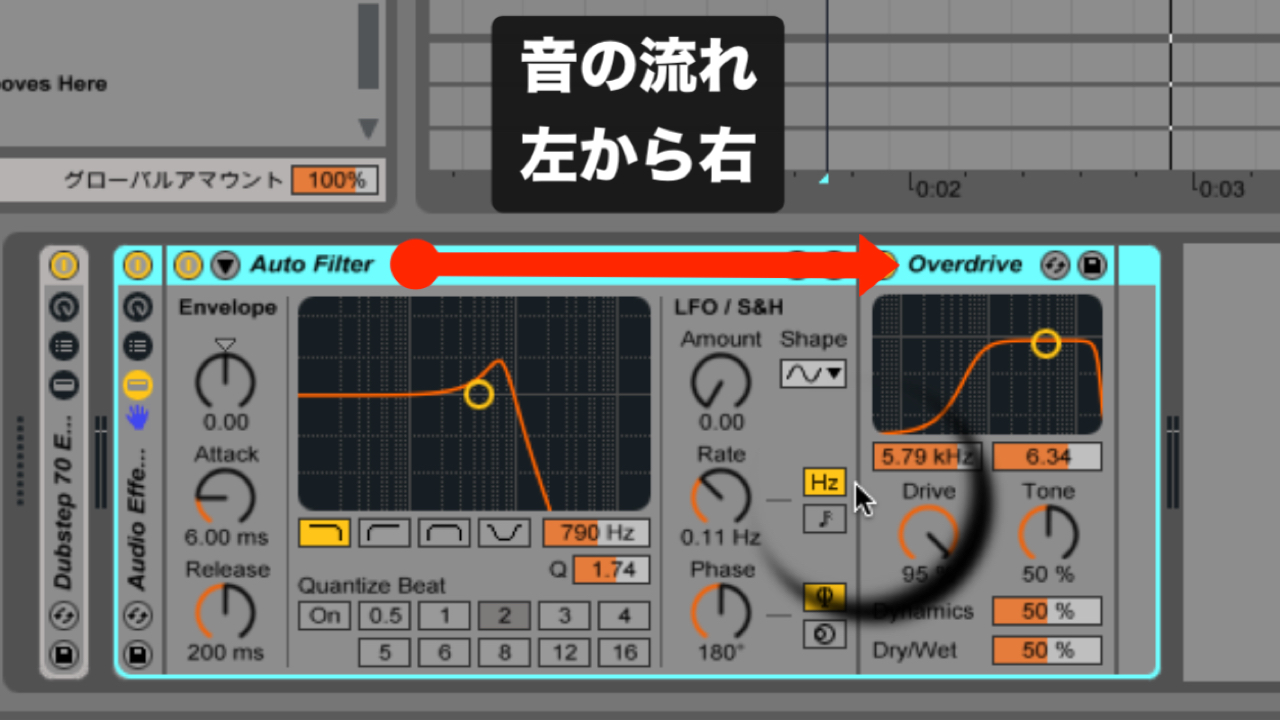
Audio flows from left to right,
so the order of the effects changes the resulting sound.
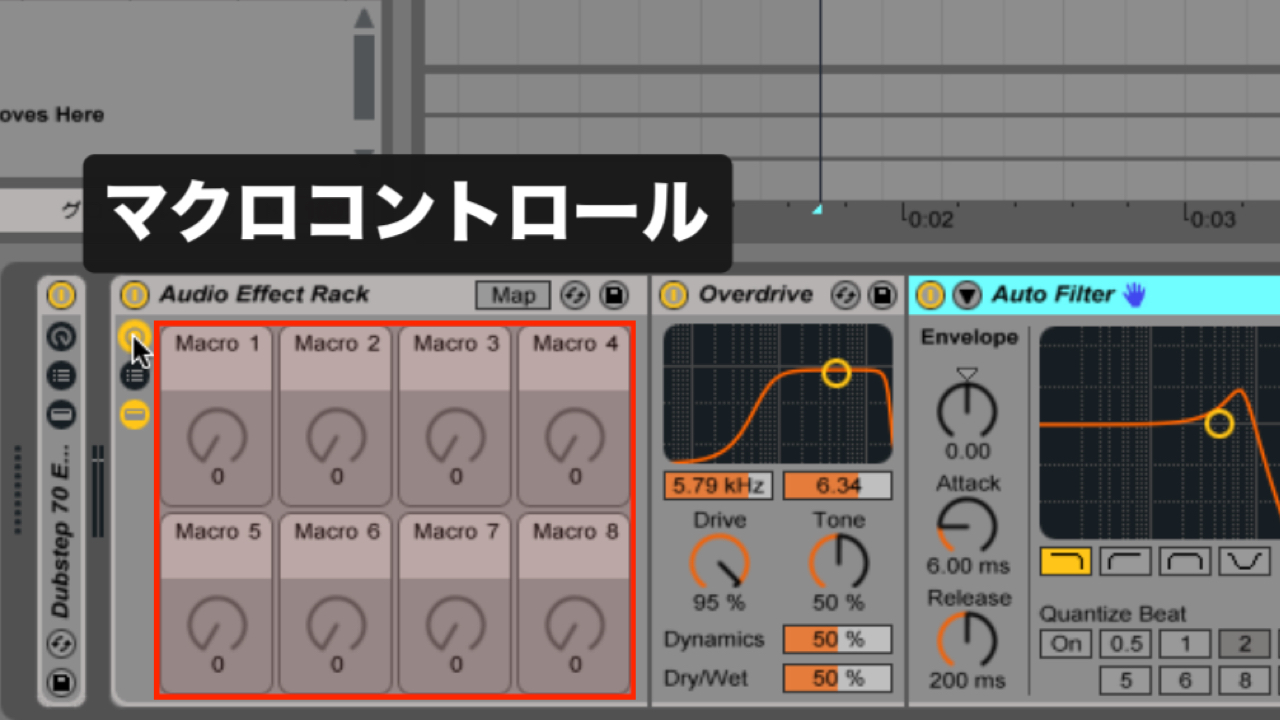
Macro Controls
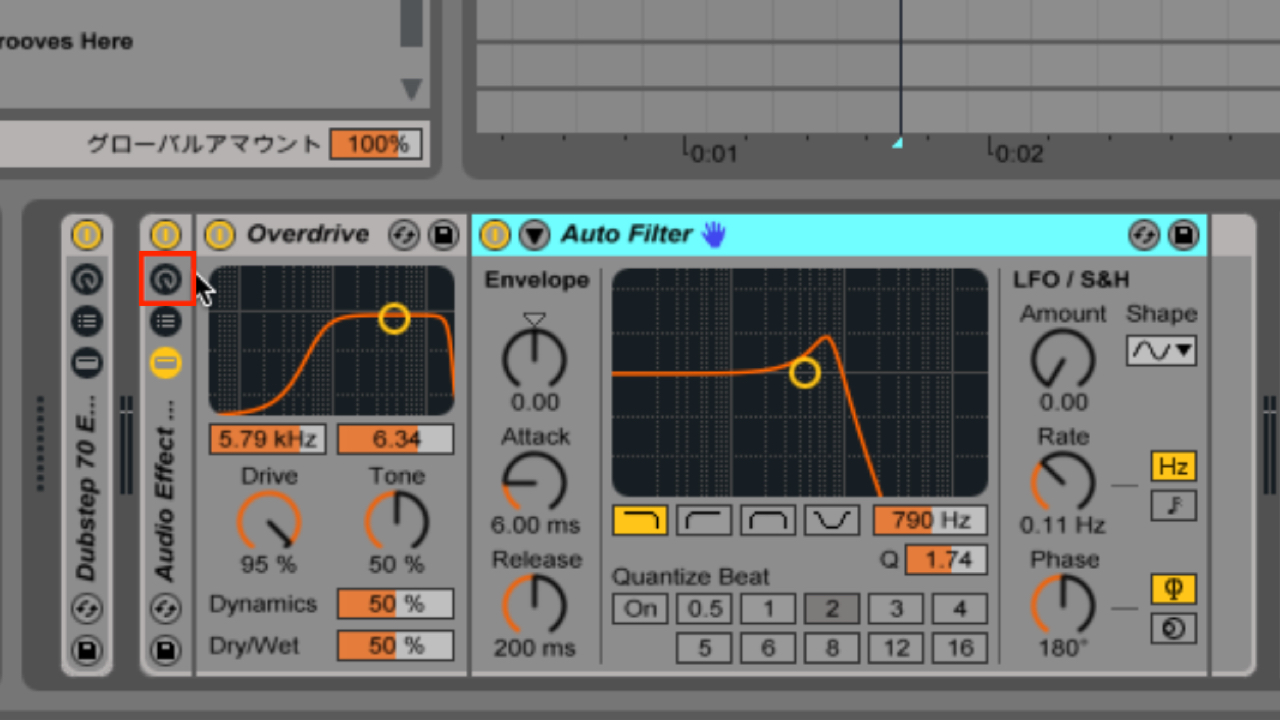
Click the area outlined in red to show the Macro controls.
Assign effect parameters to the Macro controls
to control them in different ways.
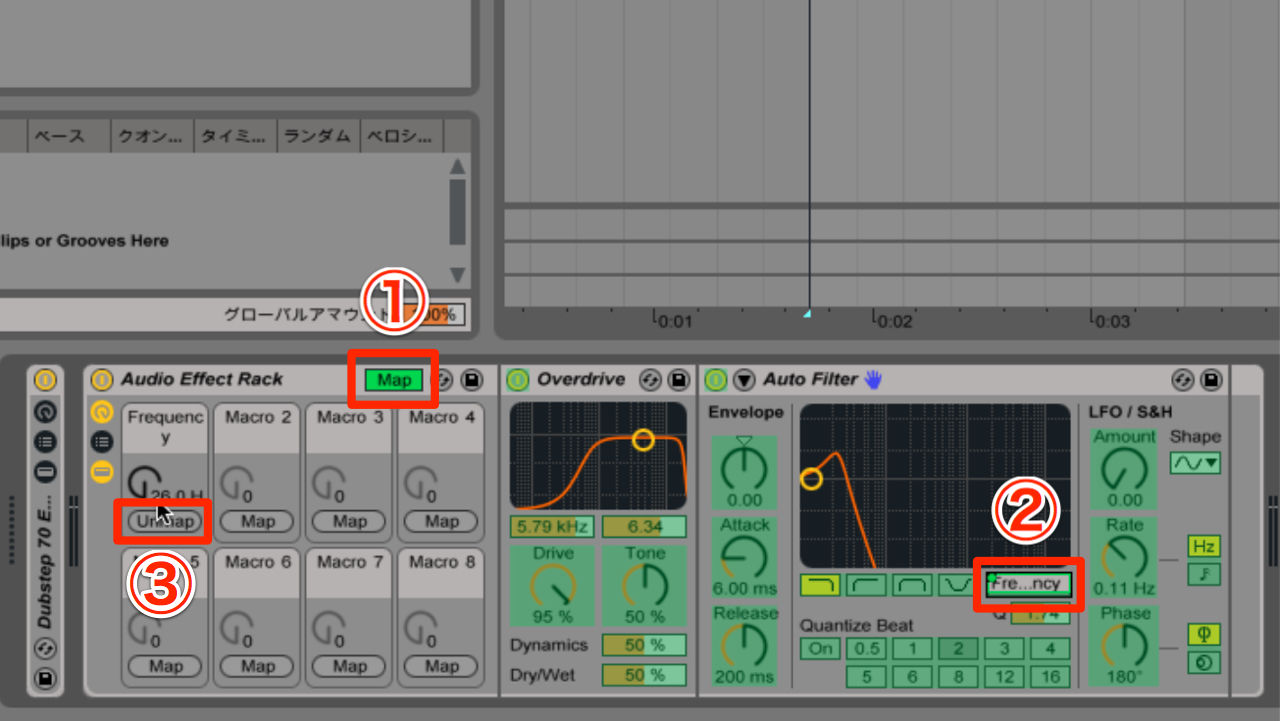
- 1. Click Map.
- 2. Click the parameter you want to control.
- 3. Click Map on one of Macros 1–8.
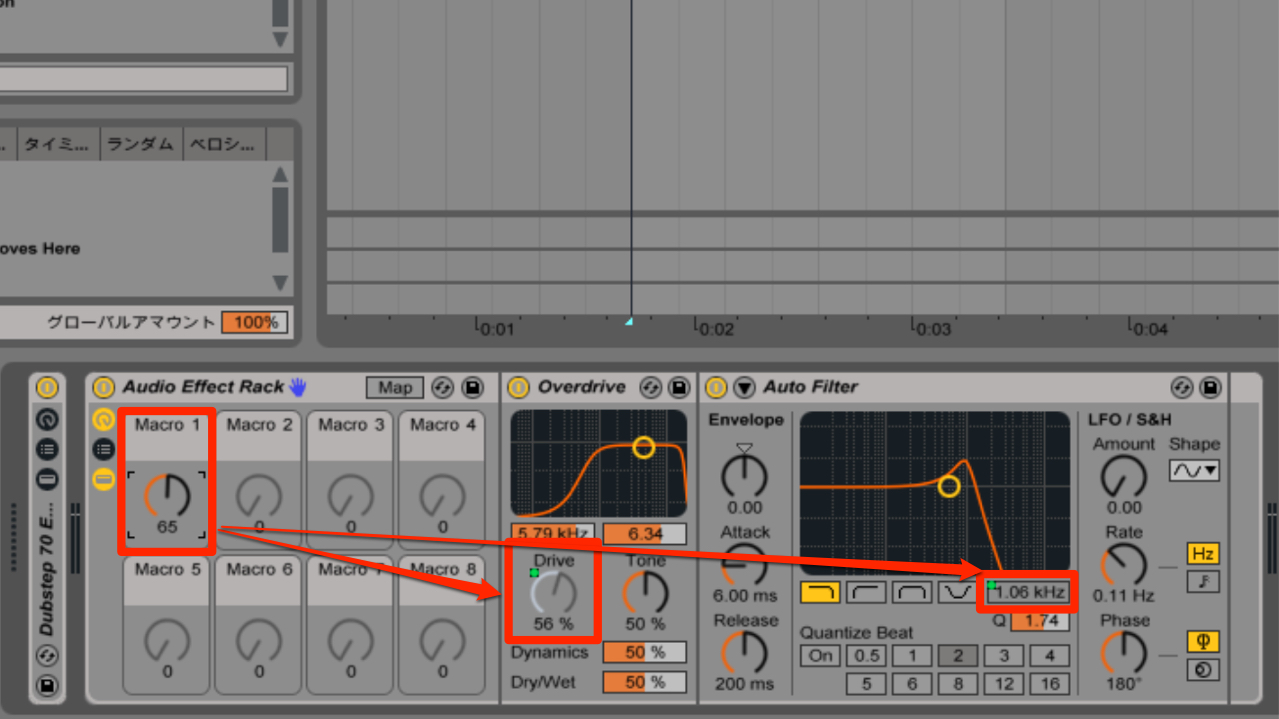
One Macro can also control multiple parameters.
Give it a try.
Frequently Asked Questions
Q1. What is the difference between an Audio Effect Rack and Macro controls?
An Audio Effect Rack groups multiple effects, while its Macro controls let you operate mapped parameters together. The version shown provides eight Macros, and one Macro can control multiple parameters at once.
Q2. How many parameters can be assigned to Macro controls?
The version shown has eight Macros, numbered 1 through 8, and each can be assigned multiple parameters. A single Macro can control several parameters simultaneously, allowing flexible sound design.
Q3. How does changing the effect order affect the sound?
Audio flows through the rack from left to right, so the order of the effects can substantially change the final tone. Even the same effects can produce different results when reordered.
NEW ARTICLES
Latest English Articles