
This beginner-friendly guide explains how to set up sidechain compression in Studio One. Widely used in club music and EDM, this technique automatically lowers the level of a bass or synthesizer when the kick drum plays. By sending the kick track to a compressor on the bass track, you can create a rhythmic pumping sound. Adjusting parameters such as threshold and ratio lets you fine-tune the effect.
Sidechain Compression in Studio One: A Club Music Staple

Listen to this sound.
That pulsing sound:
you have probably heard it before.
This sound is made using a technique called sidechain compression.
It is a staple of club music:
the bass or synthesizer is set to drop in volume whenever the kick hits.
Here we will show you how to set up this sidechain effect.
Sidechain Tutorial Videos
How to Set Up Sidechain Compression
We will set the bass or synthesizer level to drop
when the kick plays.
For this we use a volume-control plug-in:
a compressor.
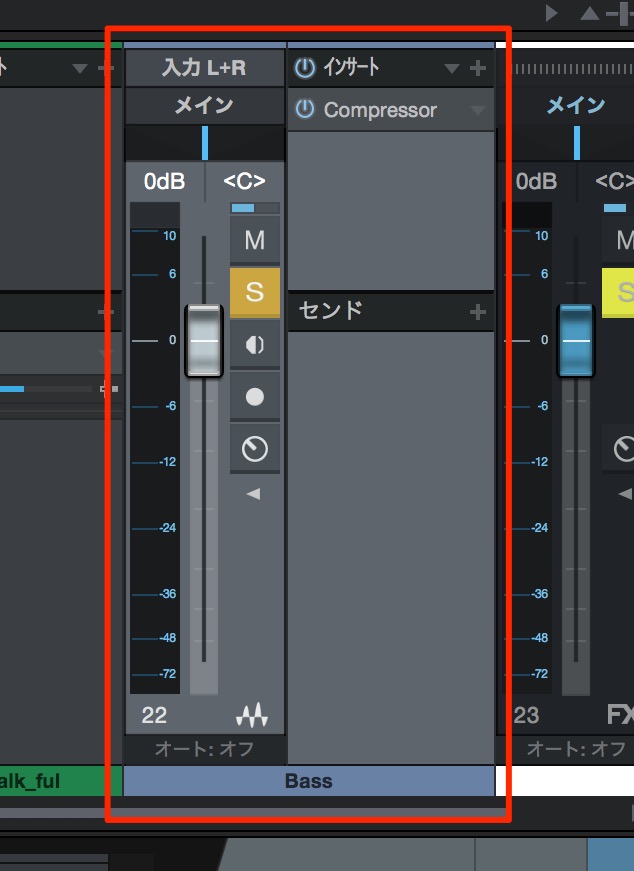
↑ Insert a compressor on the track you want to respond to the kick.
Here, we will use the bass track.
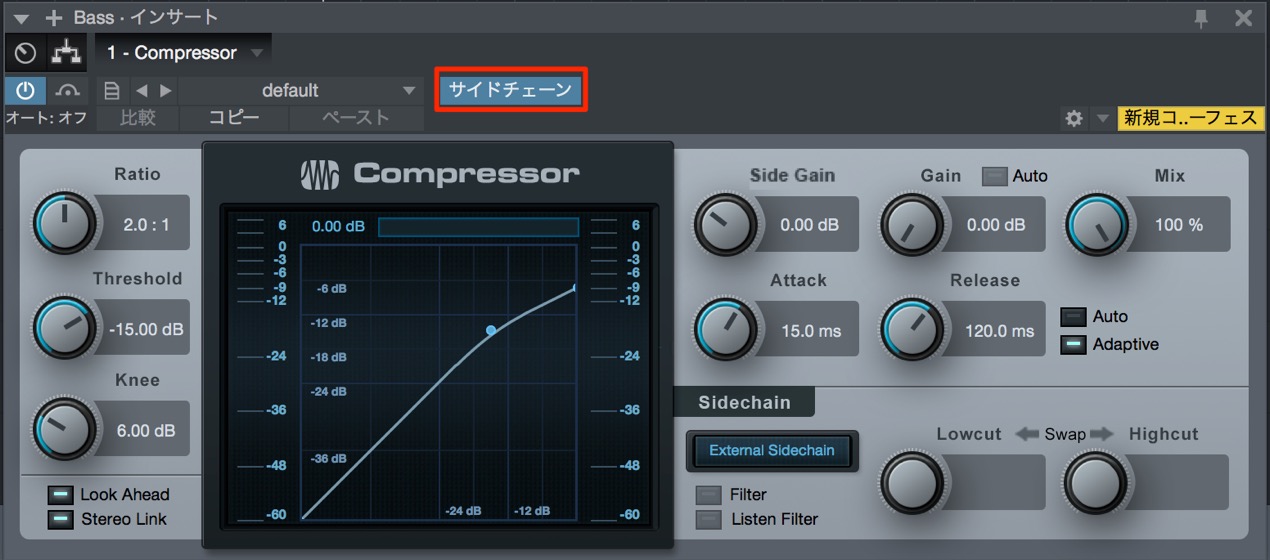
↑ This is the compressor on the bass track.
Turn on sidechain by activating the control outlined in red.
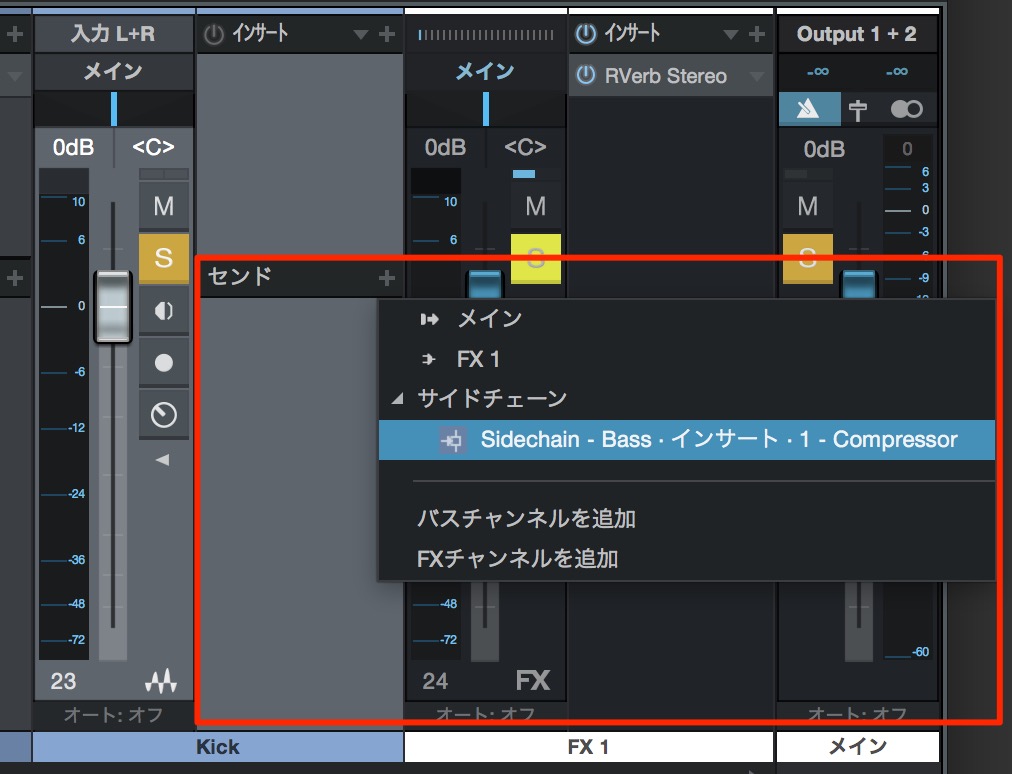
↑ Open the sends on the kick track.
The compressor inserted on the bass track appears as a destination.
Select it.
That completes the routing.
The bass track’s level now changes in response to the kick.
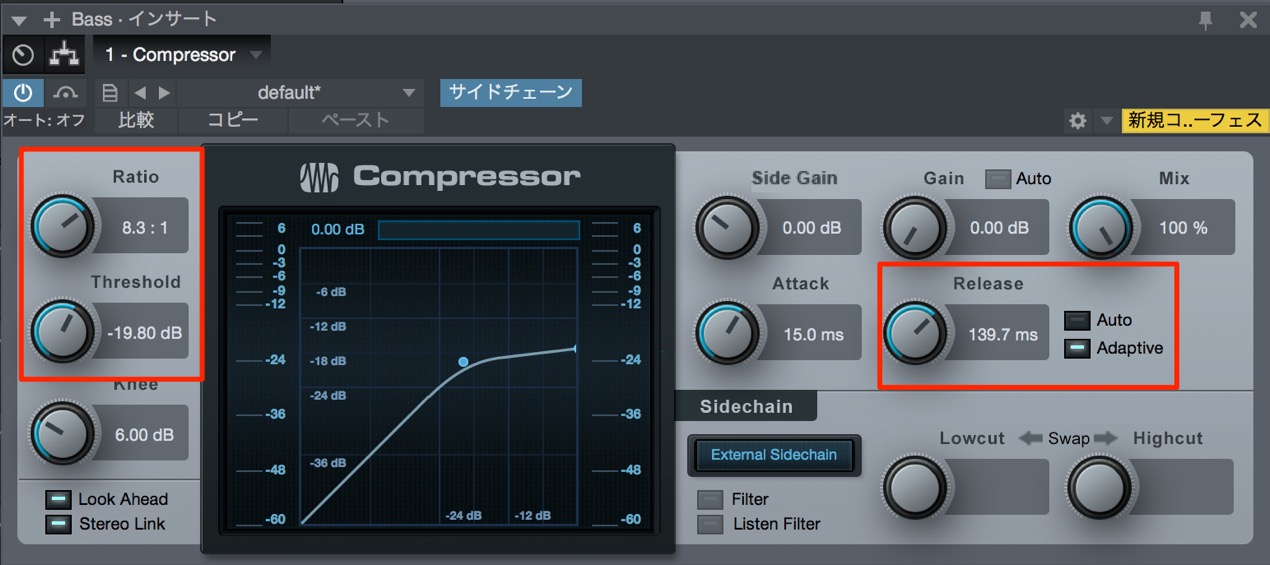
↑ This is the compressor on the bass track.
Use threshold, ratio, release, and other settings
to adjust the shape of the pumping effect.
We used bass in this example,
but you can choose other combinations.
You can apply the same method to a synthesizer and other sounds.
Experiment with different combinations and create interesting sounds.

Frequently Asked Questions
Q1. What is sidechain compression?
In this example, a compressor responds to a signal such as a kick drum and automatically lowers the level of another track, such as a bass or synth. This common club-music technique creates a dynamic, pulsing sound.
Q2. What do I need to set up sidechain compression in Studio One?
You need a compressor plug-in, a kick track, and a track whose level you want to change, such as a bass or synth. Insert the compressor on the latter track, enable its sidechain input, and connect a send from the kick track.
Q3. Can I adjust the movement of the sidechain effect?
Yes. Adjust the compressor’s threshold, ratio, release, and other parameters to change the depth and shape of the pumping effect. The trigger pattern determines when it occurs.
NEW ARTICLES
Latest English Articles








































































































































































































































































































































































































































































































































































































































































