
To get more from Ableton Live’s Arpeggiator, it helps to understand how Retrigger controls its behavior. This article explains the Off, Note, and Beat retrigger modes, the repeat count, and the Velocity controls for shaping dynamics. Combining these parameters can turn a repetitive arpeggio into a more expressive and complex pattern, opening up more possibilities for your music.
Advanced Arpeggiator Control in Live
In the previous Arpeggiator tutorial, we covered the basic functions.
This time, we will build on those basics and explore more flexible control.
Each parameter can change the sound considerably,
revealing just how much depth the device offers.
Arpeggiator Video
View product details

Control Retriggering
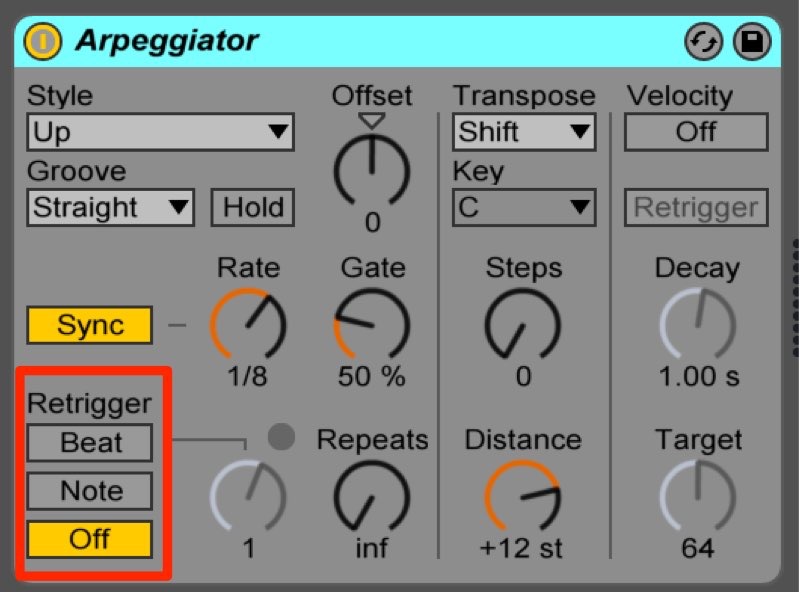
Retrigger determines how the Arpeggiator restarts its pattern.
Off
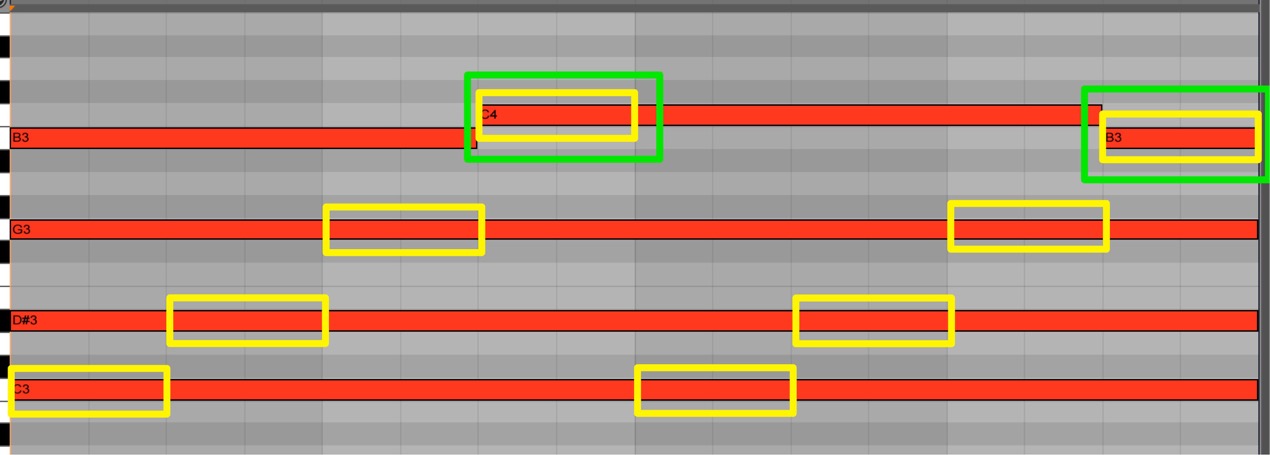
While the Arpeggiator is running,
playing a new note does not restart the pattern.
Note
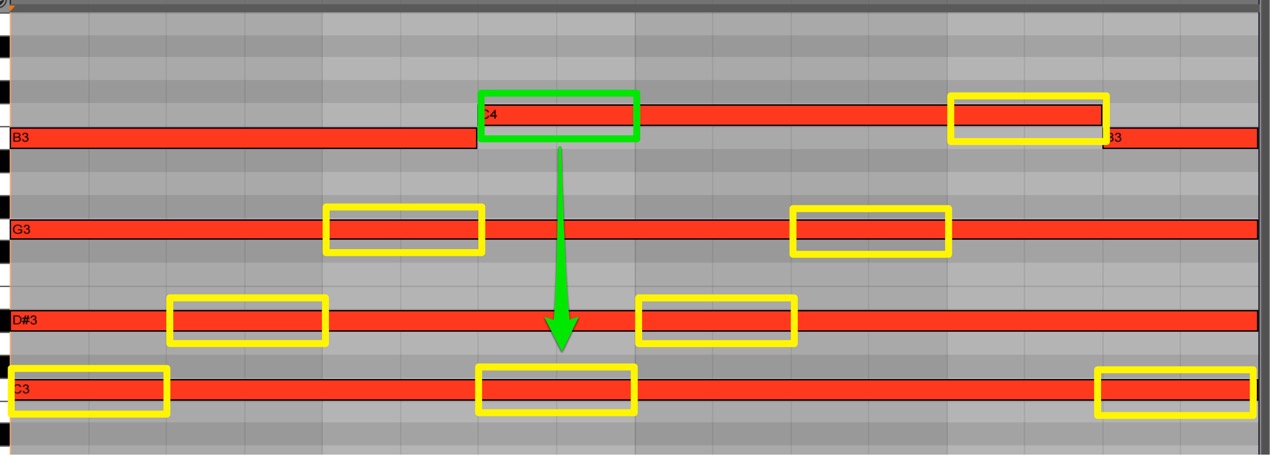
While the Arpeggiator is running,
playing a new note restarts the pattern from the beginning.
Beat
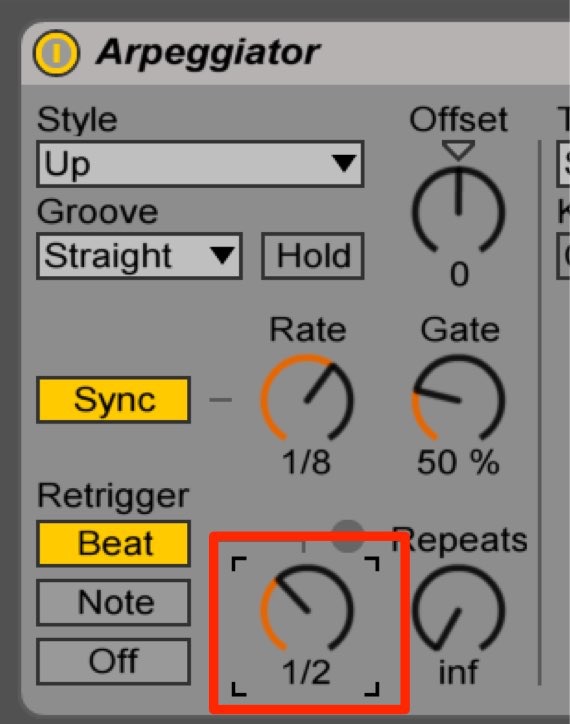
When should the Arpeggiator restart?
You can set the timing in beats or bars.
Arpeggiator Repeat Count
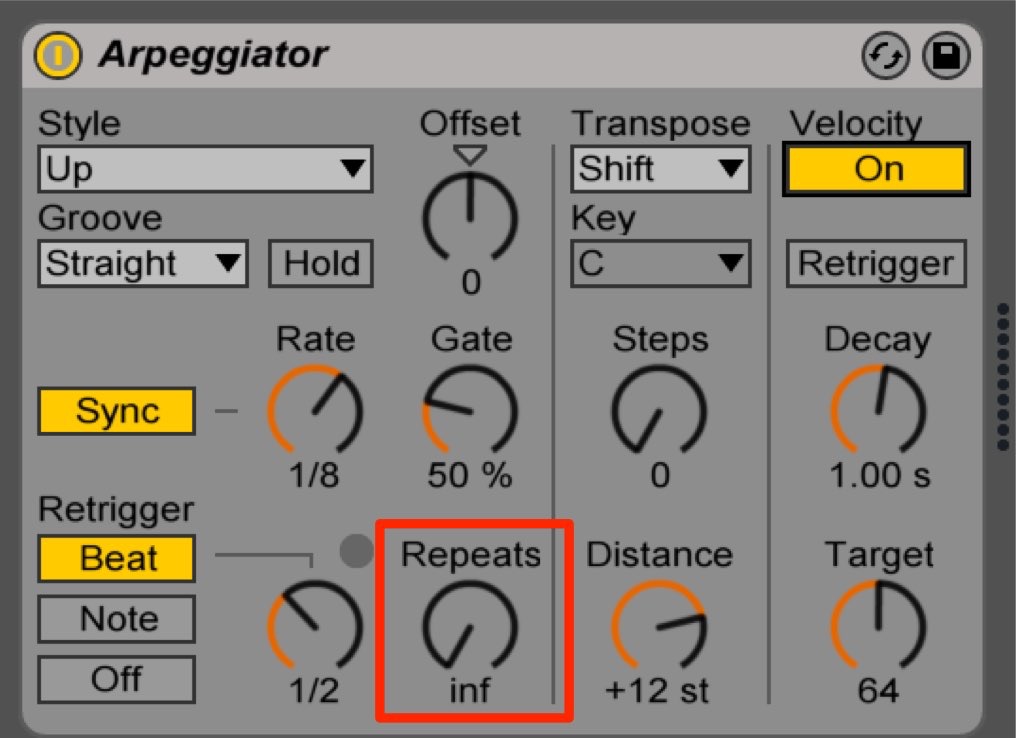
How many times should the Arpeggiator repeat its phrase?
You can set the number of repetitions here.
Dynamics
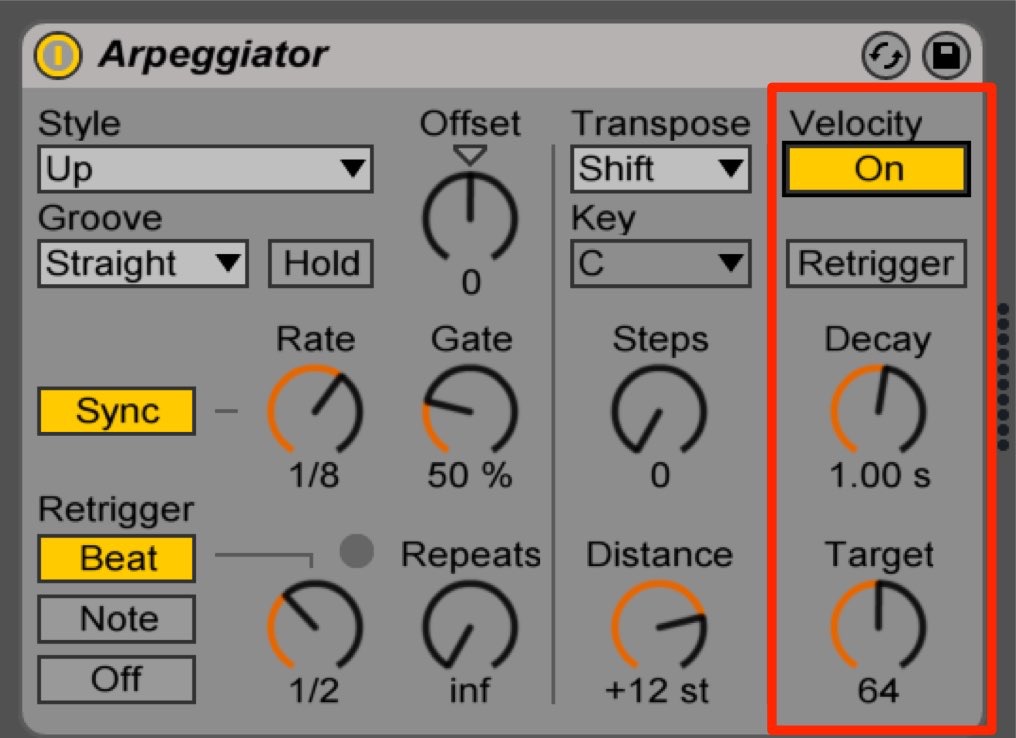
The Velocity section lets you shape the dynamics of the notes. How velocity affects loudness depends on the instrument.
- Target: The final velocity value.
- Decay: The time it takes to reach the Target velocity.
The idea is similar to an ADSR envelope on a synthesizer.
Frequently Asked Questions
Q1. What is the difference between the Arpeggiator’s Note and Beat Retrigger modes in Ableton Live?
Note mode restarts the pattern whenever a new note is played. Beat mode resets it at a specified beat or bar interval. Use Beat when you want a regular reset independent of when you play notes.
Q2. What do Target and Decay mean in the Velocity section?
Target sets the final MIDI velocity value, and Decay sets how long it takes to reach that value. The idea is similar to a synthesizer’s ADSR envelope and can shape the dynamics of the resulting notes, depending on the instrument.
Q3. What is the benefit of limiting the number of arpeggio repetitions?
Setting a repeat count lets the pattern stop after a chosen number of cycles instead of continuing indefinitely. This makes it easier to fit rhythmic phrases to the structure of a song. The pattern can start again when retriggered.
NEW ARTICLES
Latest English Articles






































































































































































































































































































































































































































































































































































































































