
Native Instruments’ REPLIKA is a powerful delay plug-in that was available free until December 31, 2014. It offers three delay models and combines Phaser and Filter effects for uses ranging from vocals to synth sounds across many genres. Its warm character and intuitive controls allow detailed sound design. The 2014 offer also included a ¥2,500 coupon for other Native Instruments products.
A powerful delay for a variety of genres

Native Instruments offered REPLIKA as a free gift through December 31, 2014.
URL: http://www.native-instruments.com/jp/specials/happy-holidays-2014/
- Choose a delay type from three models
- Apply Phaser or Filter to the delayed sound
- Set the stereo image of the delayed sound
You can shape the sound in detail,
making it useful across a range of genres.
Its warm sound can also help a track blend into a song.

The page also displayed
a ¥2,500 coupon for the Native Instruments online shop as part of the 2014 offer.
The offer was an opportunity to consider buying other products you were interested in.
- How to use
- Download and authorization
Using REPLIKA
Feedback explained
Phaser explained
Selecting a model
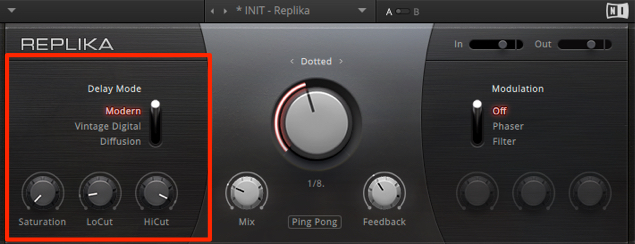
Choose the character of the sound.
In particular, Vintage Digital and Diffusion have a very appealing character.
Delay settings
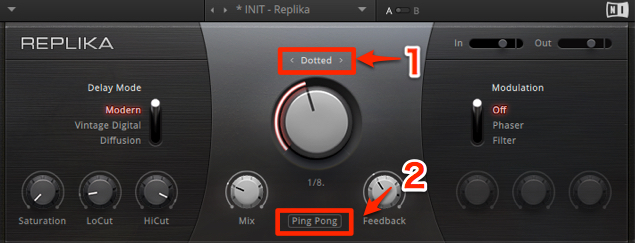
- 1. Triplets, Dotted, Straight, or ms
Choose the timing you want from these options. - 2. Wide, Ping Pong, or Normal
Choose the desired stereo image for the delay.
Modulation settings
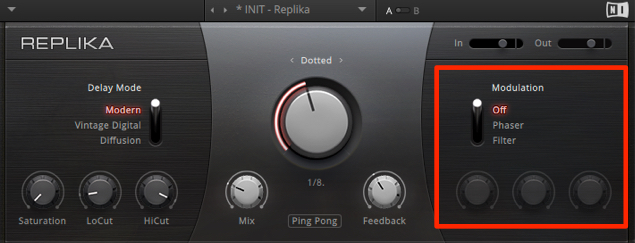
This section lets you add movement to the delayed signal.
- Phaser: Creates a swirling effect.
It can sound particularly cool on vocals. - Filter: Automatically creates the effect of moving an EQ cutoff.
Use it to add interest when an ordinary delay is not enough.
Downloading REPLIKA
The original 2014 giveaway instructions began by opening the offer page.
URL: http://www.native-instruments.com/jp/specials/happy-holidays-2014/
Click “Download.”
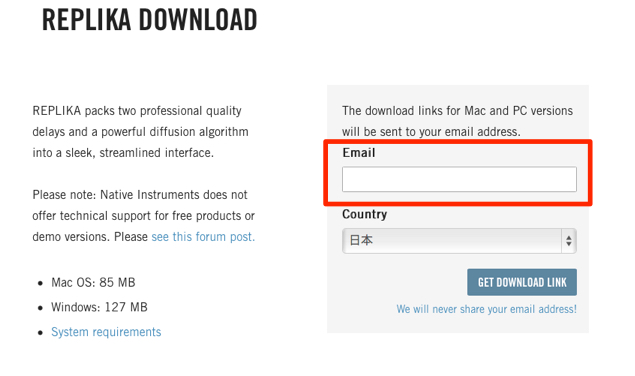
Enter your email address and click “GET DOWNLOAD LINK.”
An email is sent to the address entered above
containing a download link and serial number.
Click the download link to download the installer.
Installing and activating REPLIKA
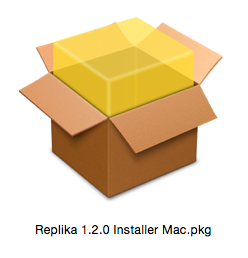
Launch the installer and install the software.

After installation, activate the product.
Open Service Center.
- Mac: System drive → Applications → [folder omitted in original] → Service Center
- Windows: C drive → Program Files → [folder omitted in original] → Service Center
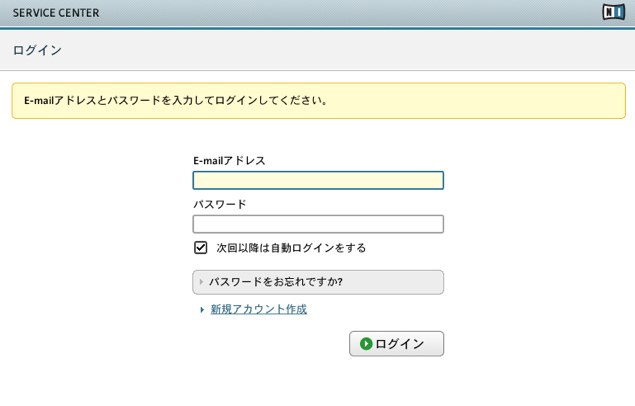
- Existing users: Log in.
- New users: Click “Create new account” and create an account.
After logging in, enter the serial number from the email mentioned above.
Activation is now complete.
- How to use
- Download and authorization
Frequently asked questions
Q1. Could REPLIKA really be downloaded for free?
Yes. During Native Instruments’ 2014 promotion, it was available to download and activate free of charge through December 31, 2014. The original process required an email address and a serial number.
Q2. Can REPLIKA’s Phaser be used on vocals?
Yes. Phaser creates a swirling, moving effect that can sound great on vocals. It can be especially useful for adding interest when an ordinary delay is not enough.
Q3. What delay stereo-image options are available?
There are three choices: Wide for a spacious image, Ping Pong for alternating left and right repeats, and Normal for a standard image. Choosing the right image for the arrangement can create a more dimensional sense of space.
NEW ARTICLES
Latest English Articles
































































































































































































































































































































































































































































































































