
Heavier7Strings is a virtual instrument that simulates a seven-string guitar, allowing even those without guitar experience to recreate realistic performances. Its approximately 6 GB sample library and drop-A tuning support cover a wide range at high quality. This article explains the basics, including master volume, pitch and tuning in the Mixer tab, individual string levels, picking modes and pickup positions.
An Electric Guitar Instrument Built for Heavy Low-End Sounds
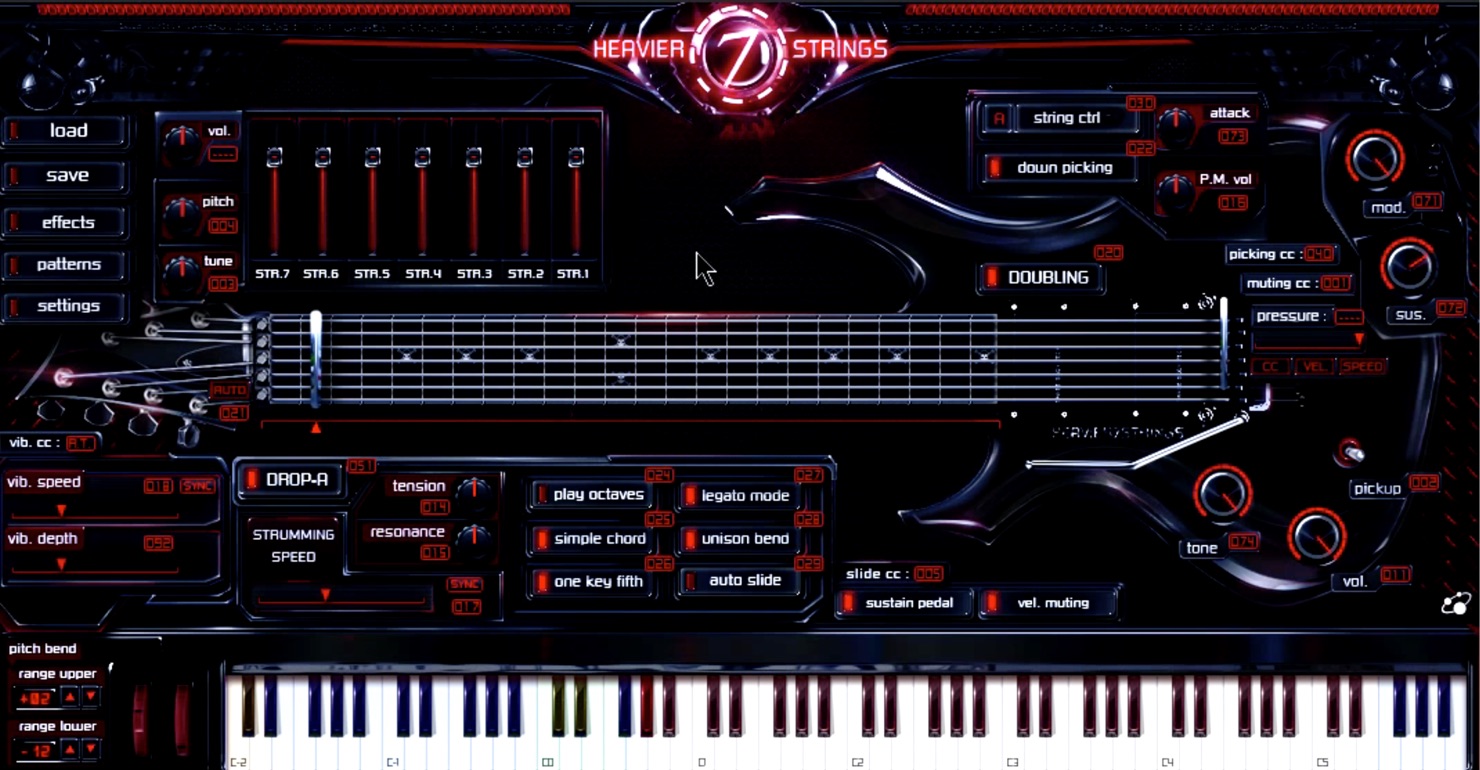
Three-Body Technology’s Heavier7Strings, a virtual instrument that simulates a seven-string guitar, has been released.
Even without guitar knowledge or experience, you can recreate authentic guitar performances with straightforward MIDI programming. Its approximately 6 GB sample library and support for drop-A tuning on the seventh string allow it to cover a very wide range at high quality.
In this first installment, we will cover the basic controls.
Heavier7Strings Tutorial 1: Basic Overview
- 1Heavier7Strings Tutorial 1: Basic Overview
- 2Heavier7Strings Tutorial 2: Playing Techniques
- 3Heavier7Strings Ver. 1.2.1: Installing the Latest Update and Important Notes
Purchase the Product
- Standard version (SONICWIRE product page): http://sonicwire.com/product/A4068
- Demo version: http://forums.threebodytech.com/viewtopic.php?f=12&t=60
String Settings
The instrument opens on the “Mixer” tab by default.
The mixer lets you adjust master volume, pitch, tuning, and the volume of each string from seven to one.
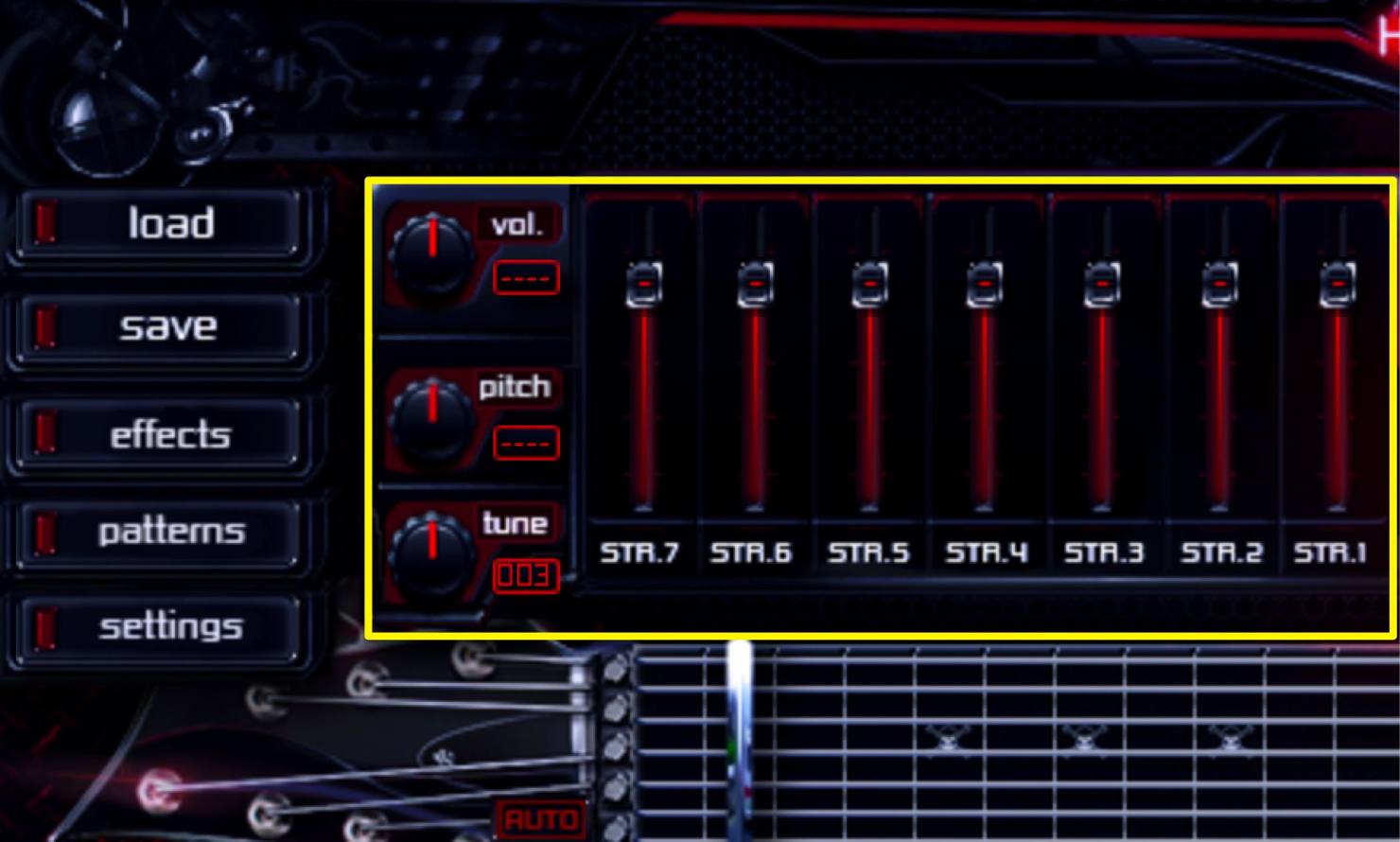
- vol: Sets the final output level sent to your DAW.
- Pitch: Adjusts pitch in one-semitone increments.
- Tune: Adjusts tuning from −99 to +99 cents.
- String Volume Mixer: Use the sliders to adjust the volume of each of the seven strings.
With Heavier7Strings, you can change the tuning as though turning the tuning pegs on a real guitar.
(The tuning can be changed globally, but not for individual strings).
This helps the instrument reproduce heavier sounds.
Basic Performance Settings
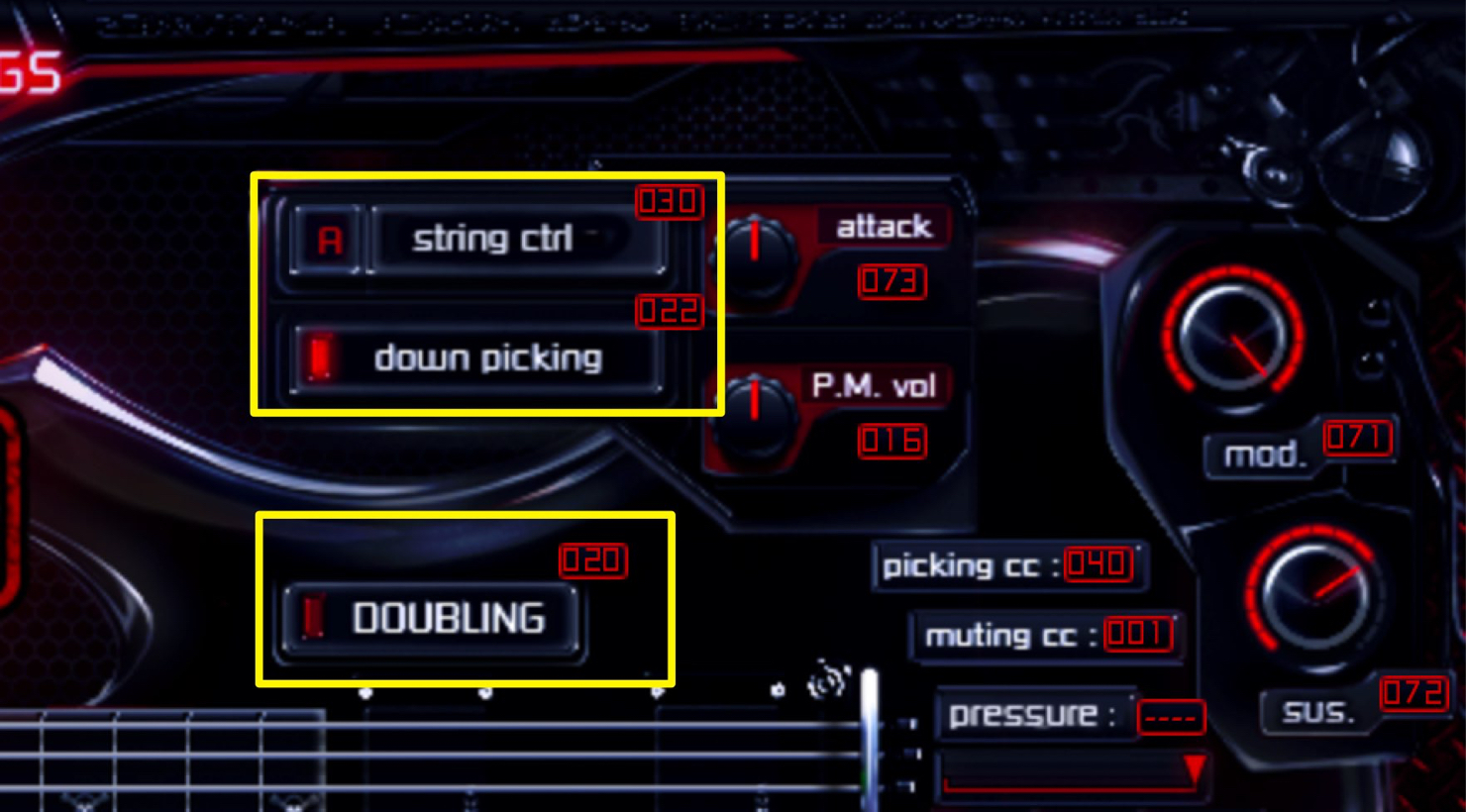
- string ctrl
Click to select “A” or a string from 7 to 1.
When string ctrl is set to “A,” an appropriate string and fret are selected automatically. When set to one of strings 7–1, notes are played on that string as long as they remain within its pitch range.
- down picking
When off, the instrument automatically chooses upstrokes or downstrokes. Turn it on when you want to use more down-picking.
- DOUBLING
When on, guitar parts are spread left and right to create the impression of two guitarists playing. When off, the output is mono.
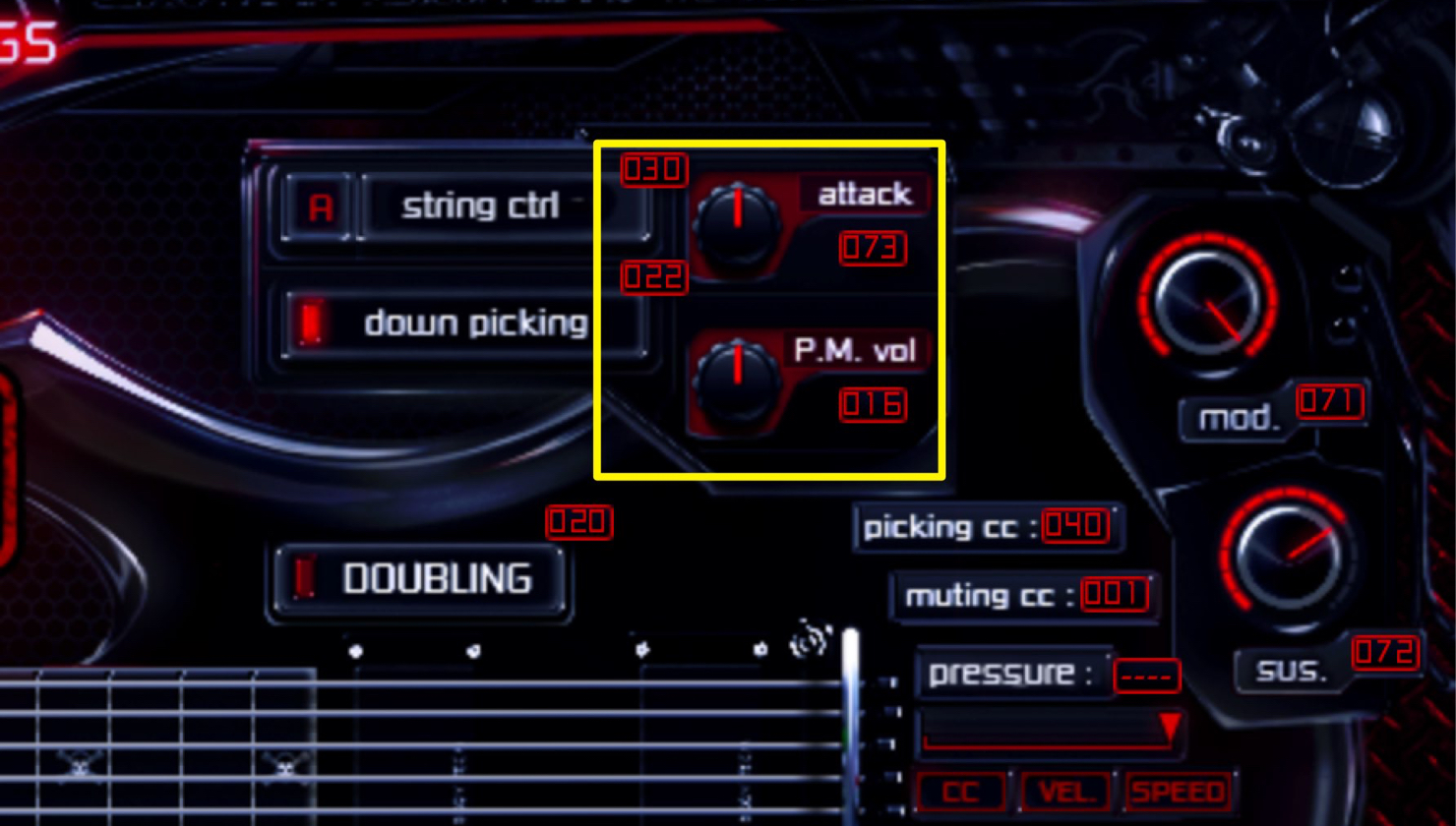
- attack
Adjusts the onset of the sound when a string is picked. A low setting produces a fade-in-like sound, while a high setting gives a stronger attack.
- P.M.vol (Palm Muting volume)
Adjusts the strength of the palm-muting effect.
Guitar Tone Controls
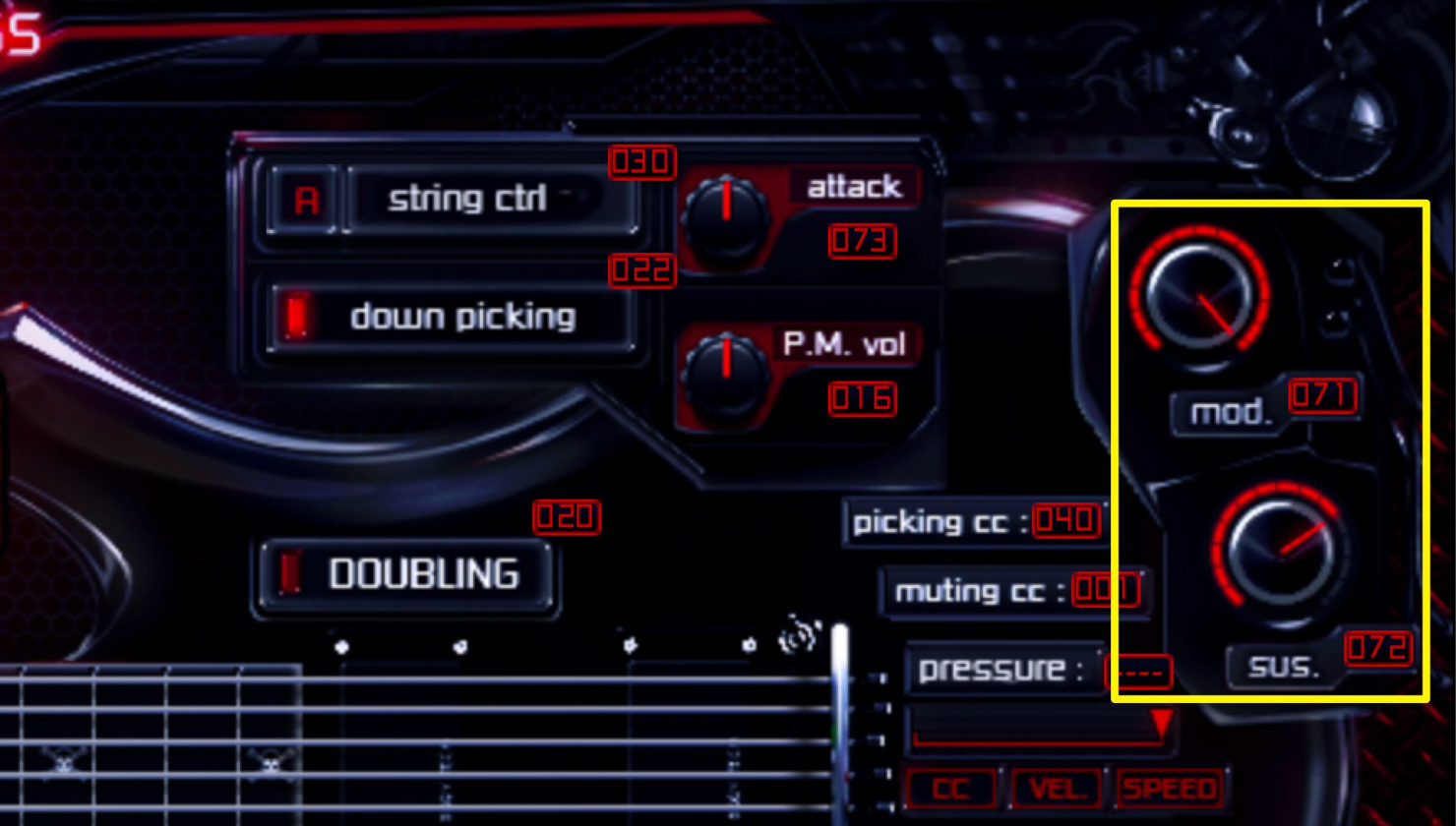
- mod.
Produces the second and third harmonic series (overtones) while holding a note.
- SUS.
Adjusts how long the sound sustains.
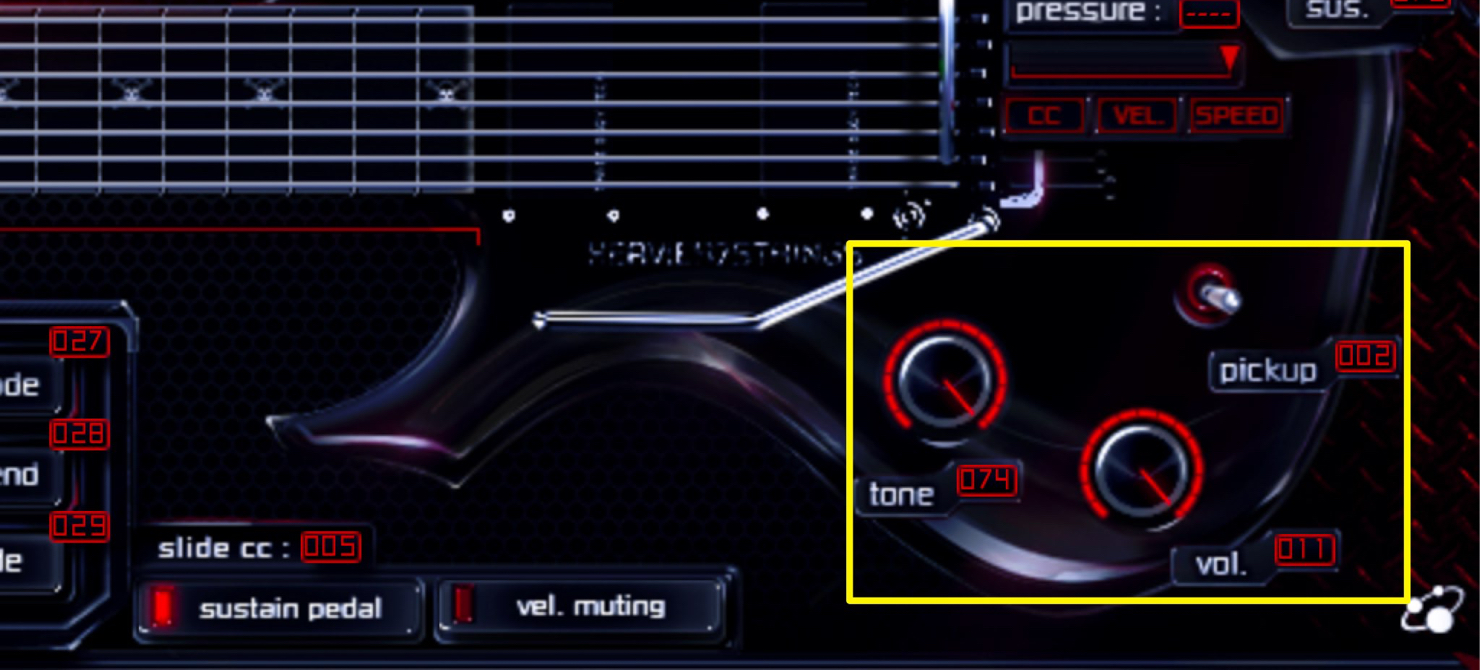
- pickup
Click the toggle switch to choose one of three positions: neck (front), mix (center), or bridge (rear). For example, choose neck for high-fret solos, bridge for backing, or mix for clean tones.
- tone
Turn left to cut high frequencies with a low-pass filter.
- vol.
This adjusts the guitar’s volume. As noted above, the Mixer tab also has a volume control, but there is an important difference: the guitar’s “vol.” knob is built into the instrument and slightly changes its characteristic tone, whereas the Mixer tab’s “vol.” knob lets you lower the level cleanly without changing the tone.
- Other Useful Features
To reset a knob, slider, or toggle switch to its default value, double-click it.
Hold Command on Mac or Ctrl on Windows while dragging a knob or slider to make fine adjustments.
As we will cover next time, these parameters can also be changed during a song using MIDI CC.
See you in the next installment!
Article author
Twitter ID: @k5_stud1o
YouTube: K5 STUDIO
Frequently Asked Questions
Q1. Can Heavier7Strings produce seven-string guitar sounds in a DAW without a guitar?
Yes. You can recreate authentic guitar performances through straightforward MIDI programming without guitar knowledge or experience. As a simulation instrument, it can produce high-quality sounds without an actual guitar setup.
Q2. Can I control down-picking and up-picking?
Yes. With “down picking” off, the instrument chooses automatically. Turn it on to explicitly favor down-picking.
Q3. What is the difference between the Mixer tab’s “vol.” and the guitar’s “vol.”?
The guitar’s “vol.” slightly changes the tone, while the Mixer tab’s “vol.” adjusts the level cleanly. Use either as needed for more precise sound design.
NEW ARTICLES
Latest English Articles



































































































































































































































































































































