
Logic Pro 12 adds a new Session Player focused on synth sounds, capable of automatically generating dynamic synth performances with modulation controls. Chord ID analyzes chord progressions from audio or MIDI, making it easier to work with downloaded loops and have Session Players follow their harmony. A redesigned Sound Library interface and expanded Step Sequencer randomization also speed up the production workflow. Together, these updates support creators from beginners to advanced users.
Synth Session Players and Chord ID arrive
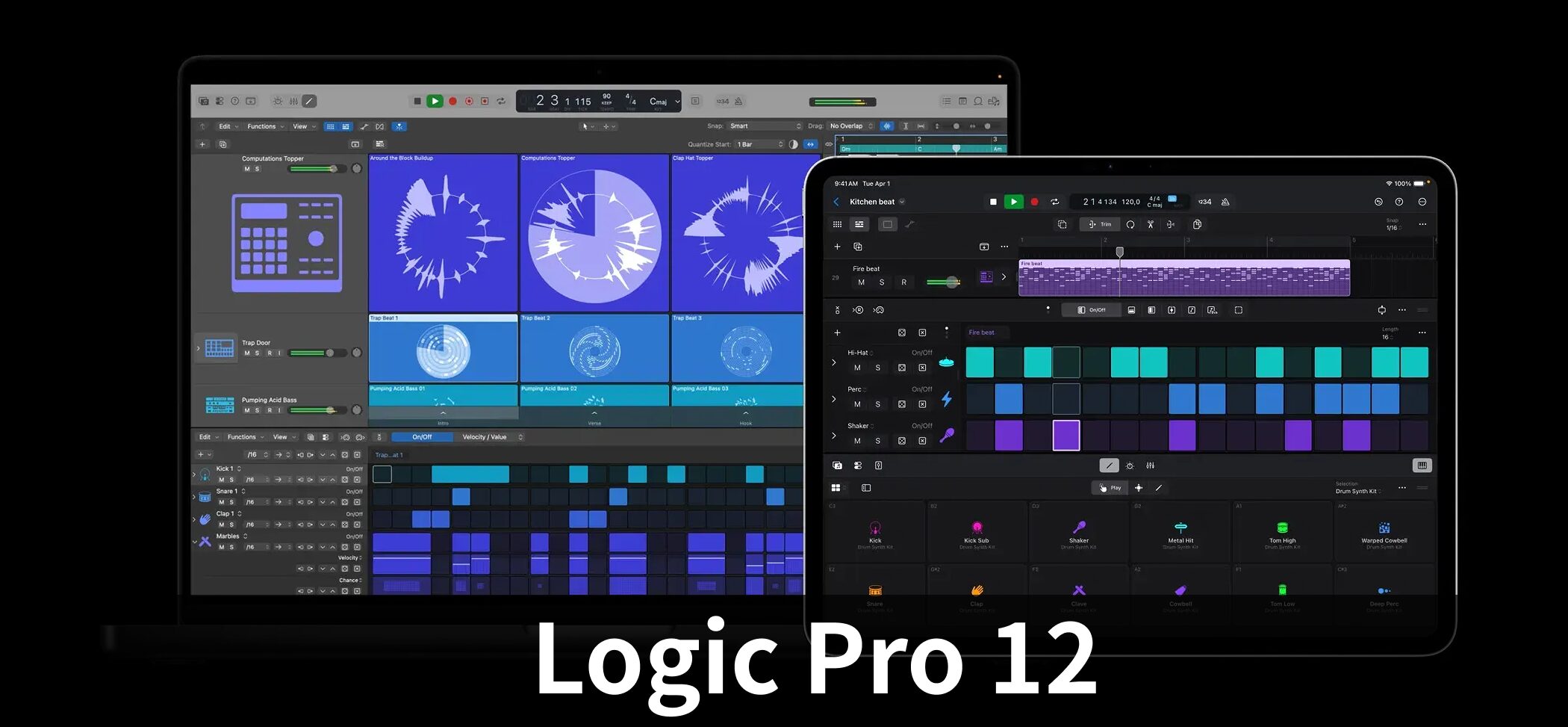
Logic Pro 12 adds a new Session Player focused on synth sounds, capable of generating dynamic synth performances with modulation controls.
Other additions include Chord ID, which automatically analyzes chord progressions from audio or MIDI, and a redesigned Sound Library management interface, all intended to speed up production.
This article takes a detailed look at Logic Pro 12's major new features.
Selected Questions and Answers From the YouTube Video

After I close Logic Pro with the red X button at the upper left, I can't open it again. Is there a fix?

On a Mac, the red button closes the window rather than quitting the app, so Logic may still be running in the background. Quit it completely with Command-Q. If it still won't open, use Option-Command-Escape to force quit, then try again.
Can I make my own musical scale? I'd like to make music in eight-tone equal temperament.
Logic Pro 12 does not readily support eight-tone equal temperament with its standard features alone.
After updating, I get a message saying, “This application cannot be used because App Store authentication failed or the network is unavailable,” and it won't launch. Does anyone know why?
I found reports of Logic Pro 12 failing to launch after an update because App Store purchase verification did not complete. Fixes reported to work include checking that the App Store is signed in with the Apple ID that purchased Logic (sign out and in, then restart), or deleting the app and downloading it again from the App Store. * Even with Family Sharing, verification with the purchasing Apple ID may sometimes be required.
New Session Players — Synth-Focused Performers
Logic Pro 12 adds Synth types to Keyboard Player and Bass Player in the Session Player lineup.
These players have their own modulation controls. In addition to notes, they can automatically generate tonal changes using envelopes and LFOs.
Keyboard Player — Synth Types
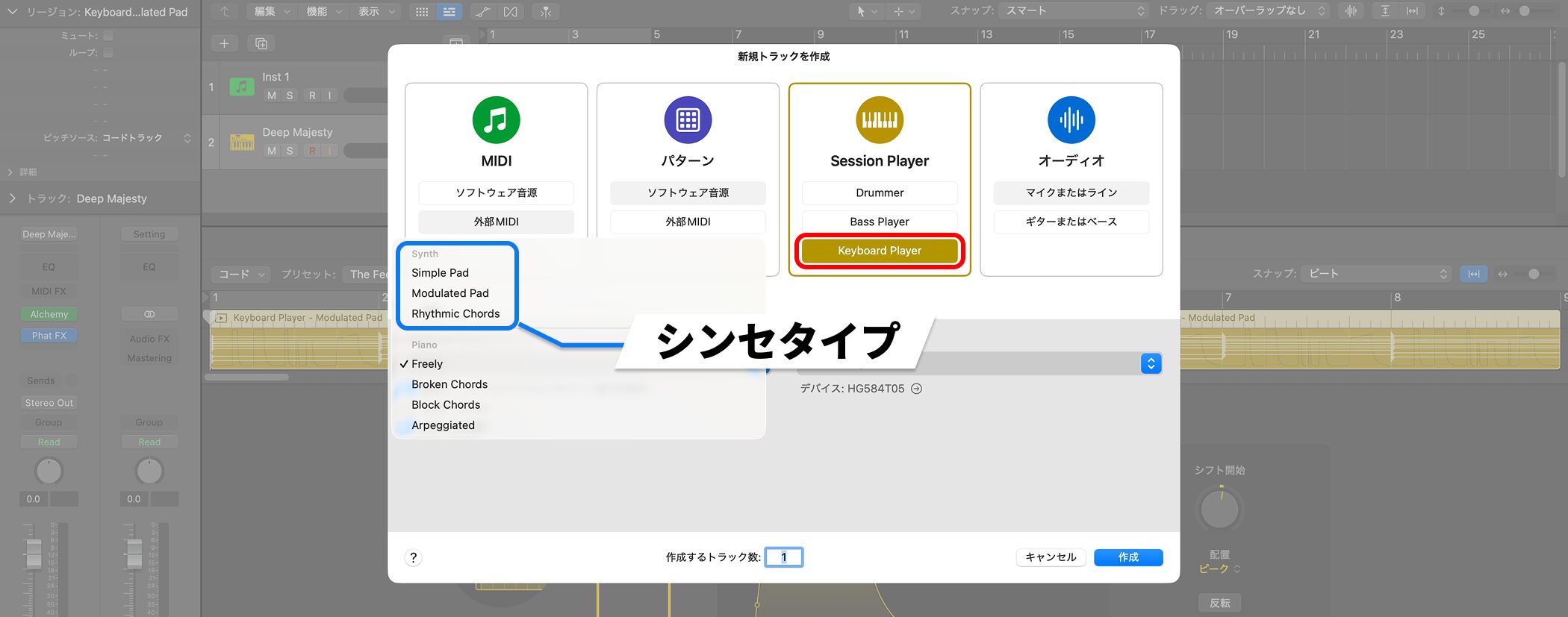
When you choose Keyboard Player in the New Tracks window, you can select the new Synth types Modulated Pad and Rhythmic Chords.
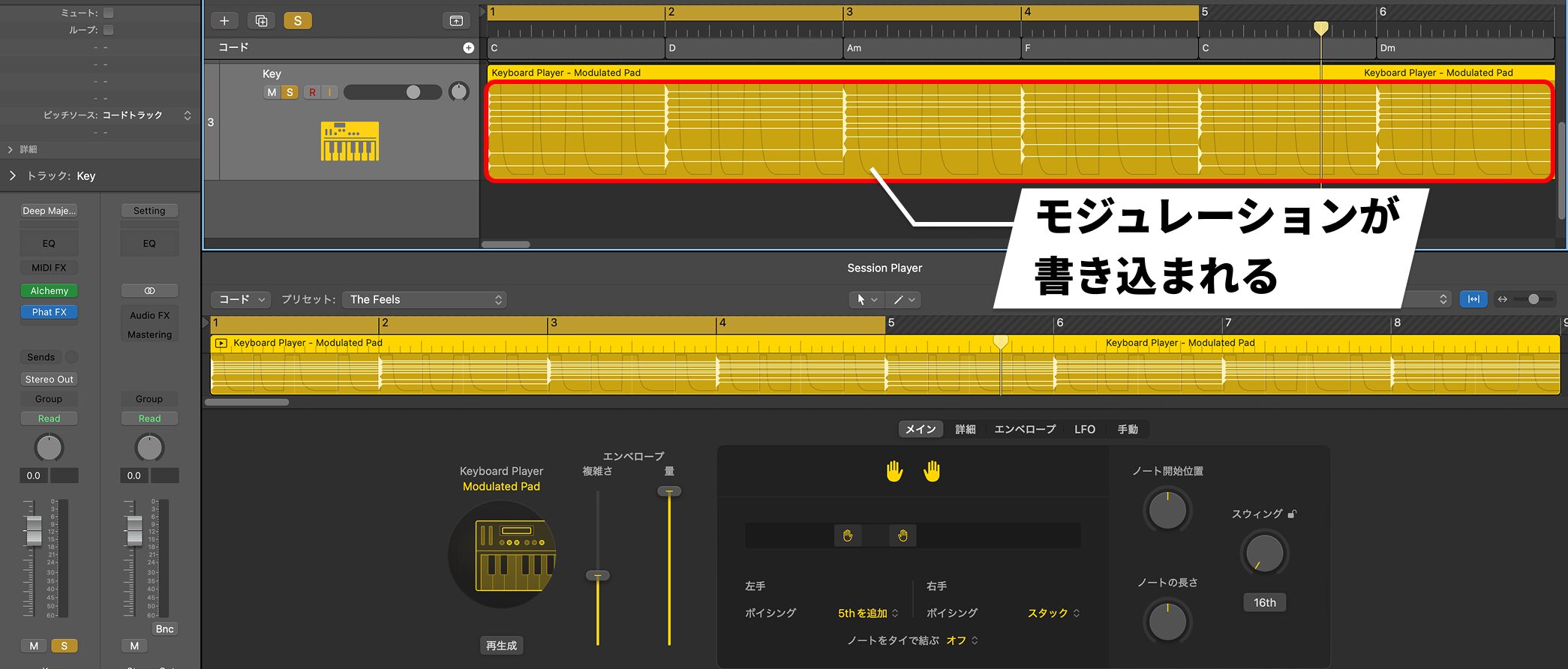
Selecting Modulated Pad writes modulation into the Session Player region.
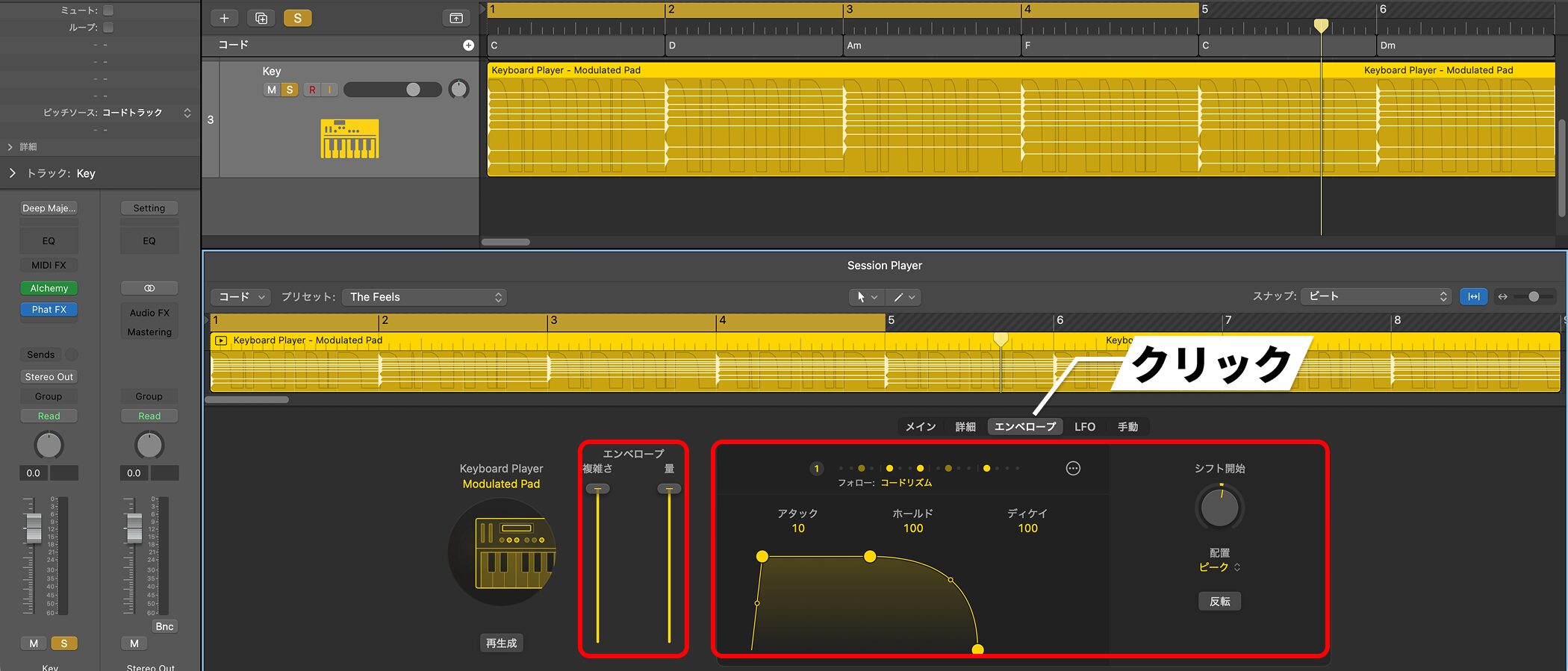
You can adjust the complexity and amount of envelope modulation, and fine-tune the envelope's attack, hold, and decay.
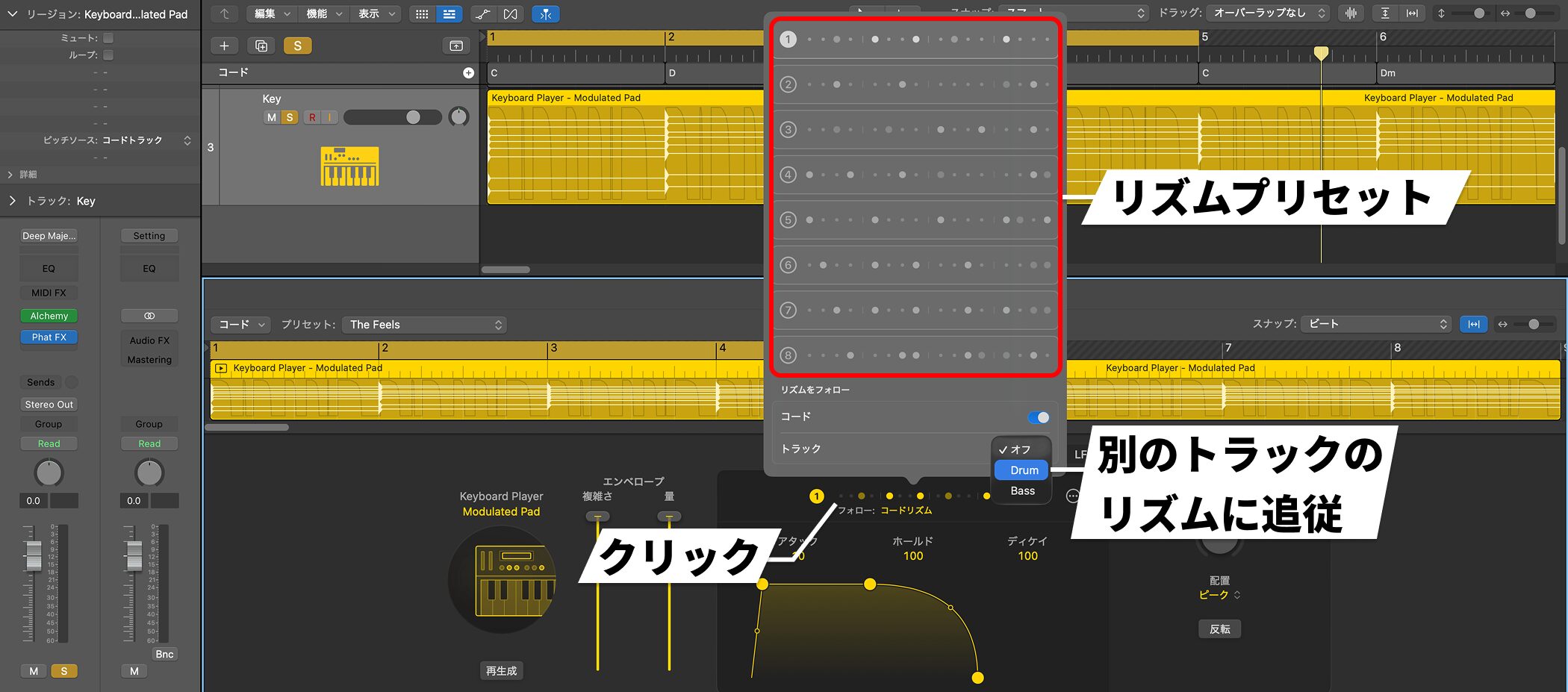
You can select a rhythm preset or make it follow another track's rhythm.
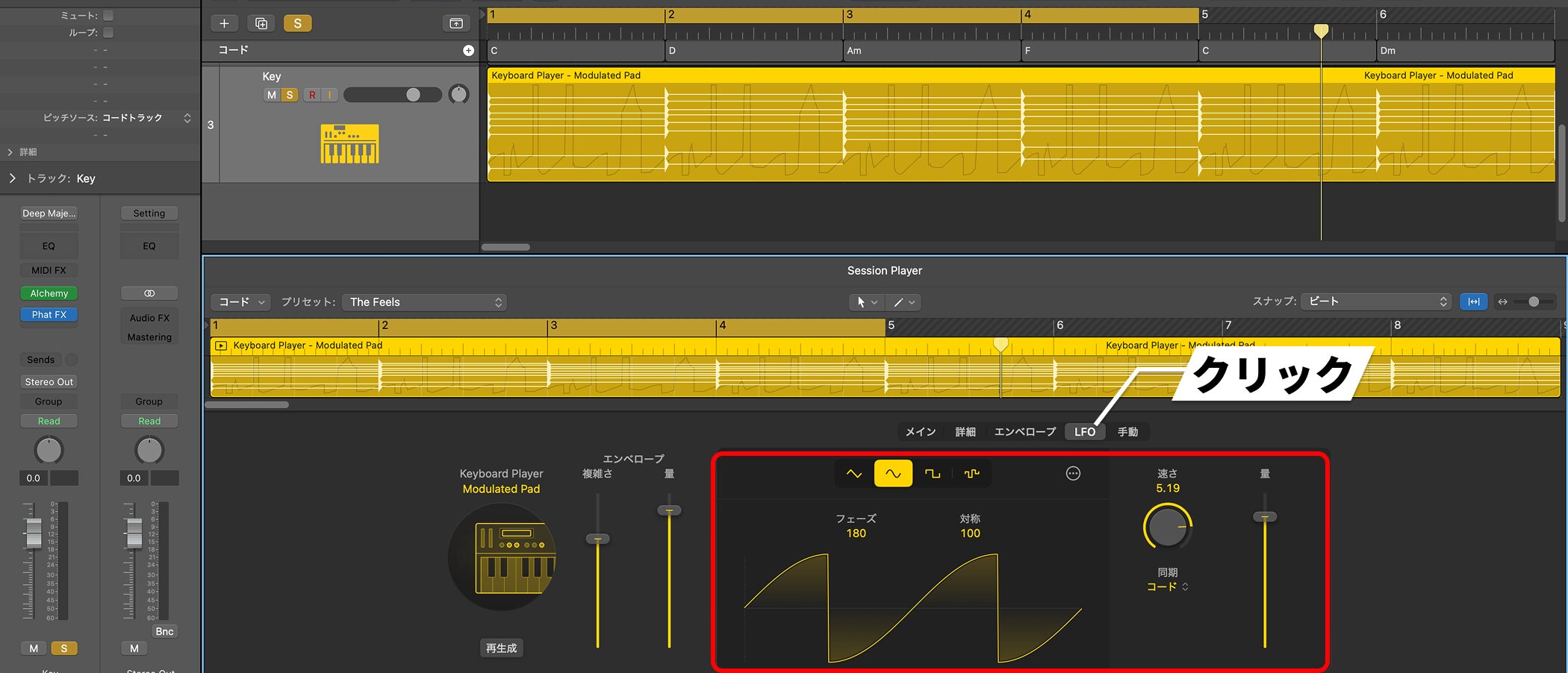
An LFO is applied at the same time. You can adjust its waveform shape and speed, and synchronize it to the chords.
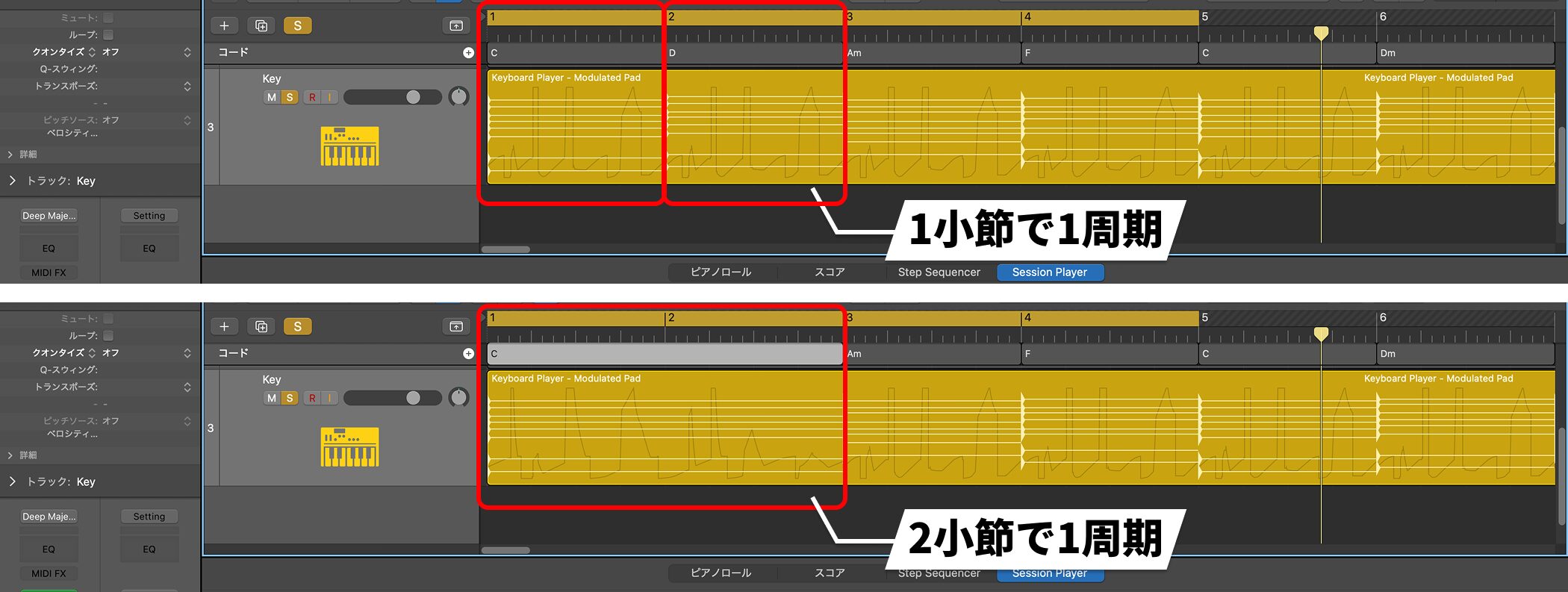
The LFO follows chord changes.
For example, if the same chord lasts two bars, the LFO completes one cycle over those two bars.
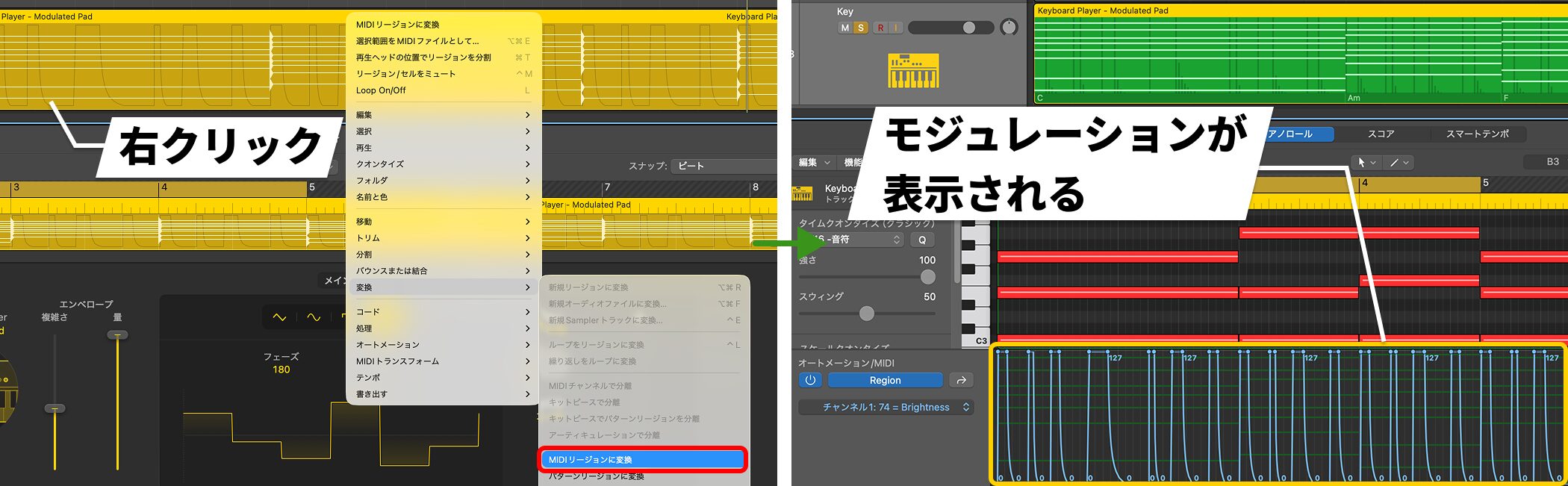
A useful aspect of these new modulation controls is that, when you convert the region to MIDI, the modulation appears in the MIDI editor.
You can then edit the automation manually or use MIDI CC to control third-party instruments and effects.
Bass Player — Synth Types
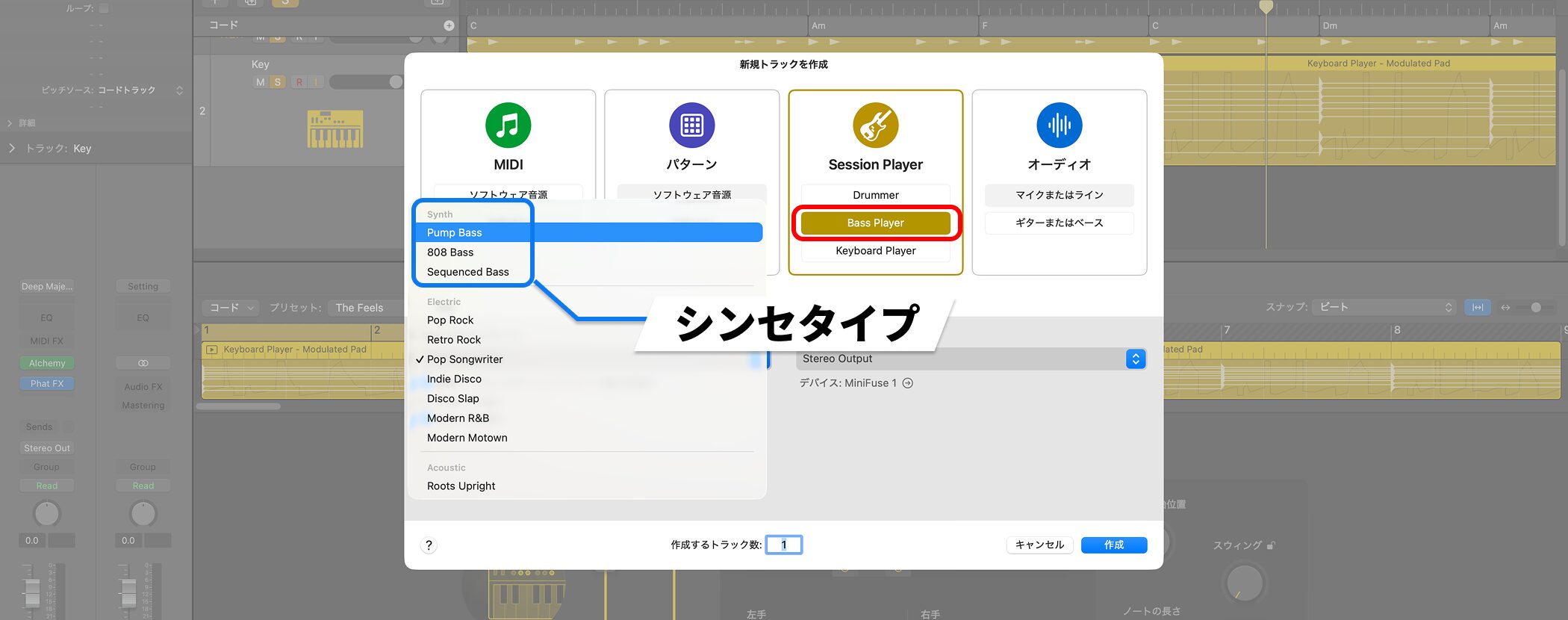
In addition to the existing electric and acoustic bass options, Bass Player gains three Synth types: Pump Bass, 808 Bass, and Sequenced Bass.
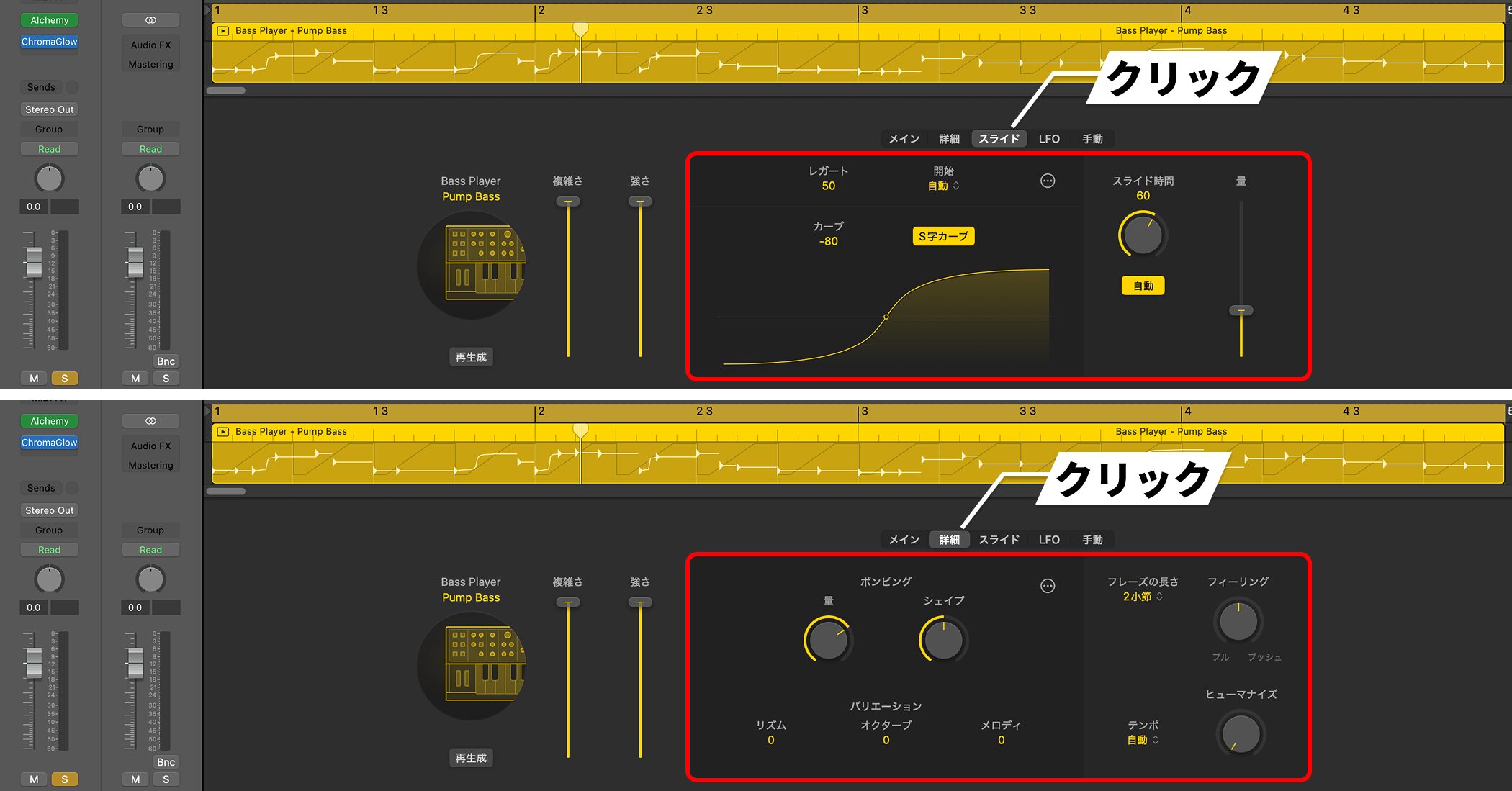
Pump Bass includes a classic sidechain ducking, or pumping, effect.
You can customize slides, and adjust the ducking amount and shape in the Details section.
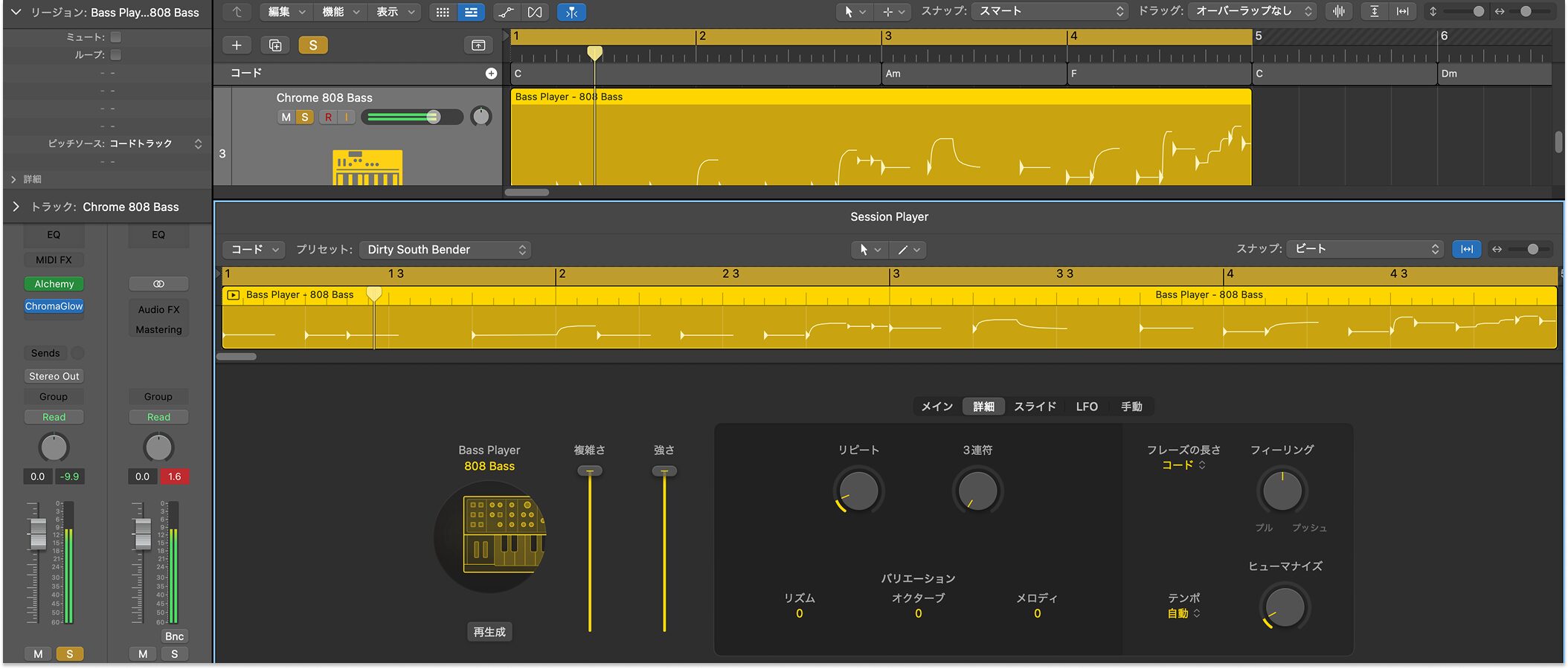
808 Bass generates the deep bass sound associated with the TR-808.
It offers an easy way to bring a staple hip-hop and trap bass sound into a production.
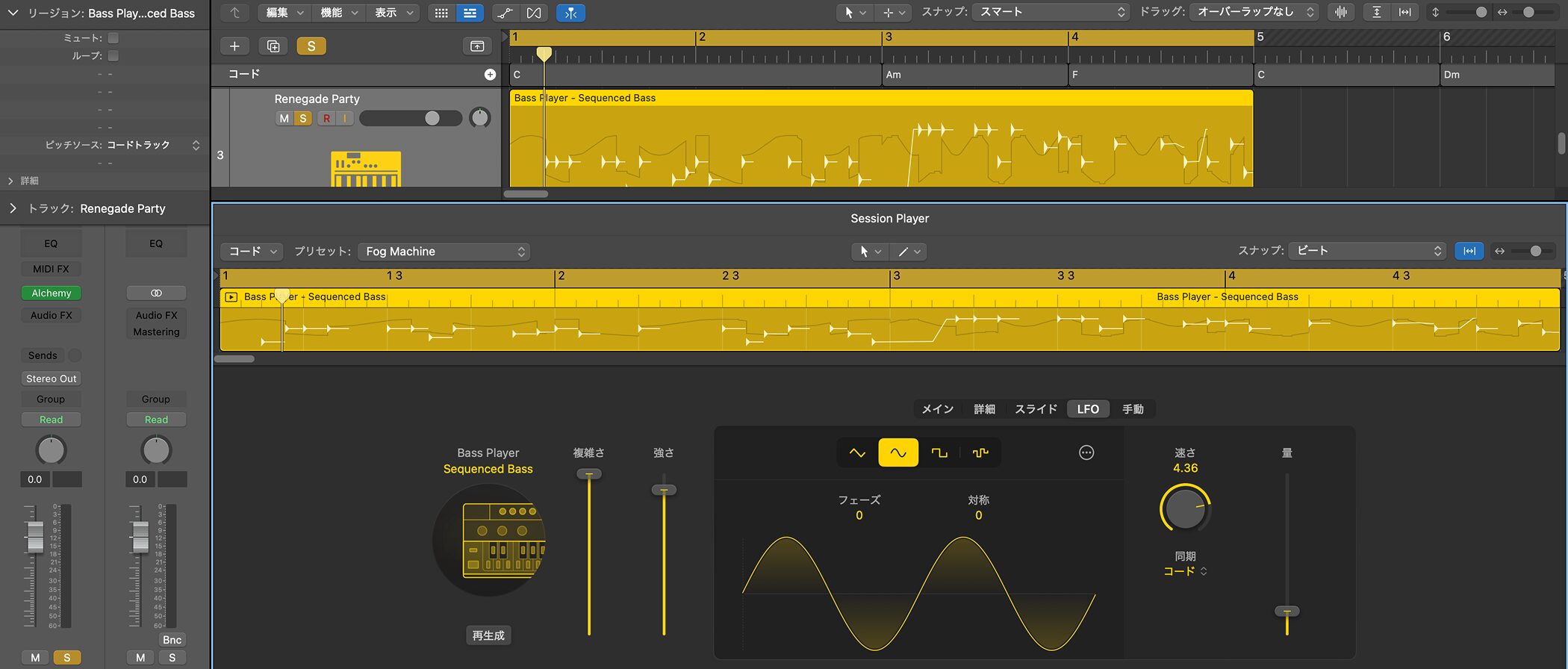
Sequenced Bass can generate more complex patterns, including LFO modulation that opens and closes a filter.
Chord ID — Automatically Analyze Chords From Audio and MIDI
Chord ID is a feature many users have been waiting for.
Simply drag a MIDI, audio, or pattern region to the Chord track to automatically analyze its chord progression and add it to the track.
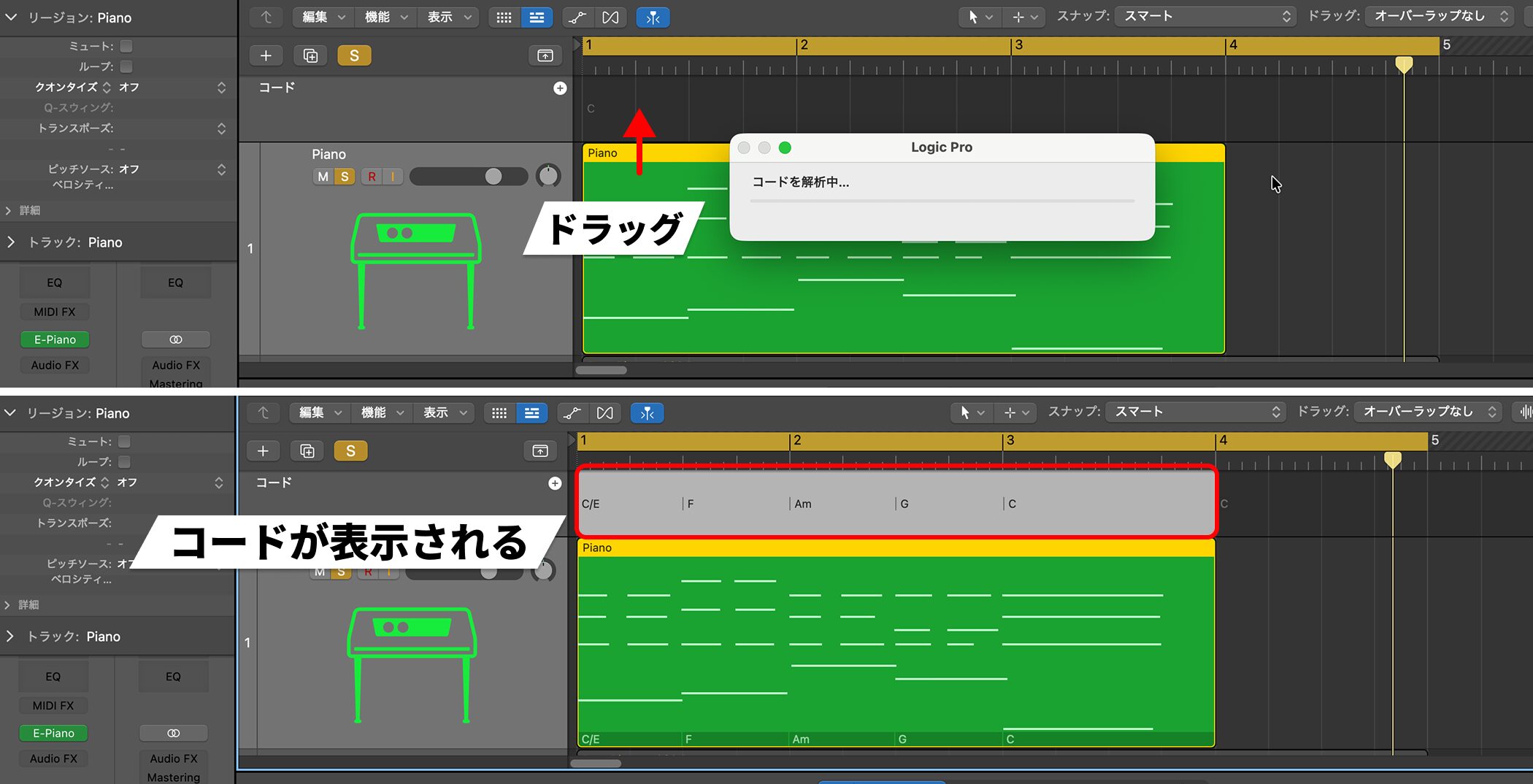
The workflow is straightforward.
Drag an audio or MIDI region onto the Global Tracks area (the Chord track), and Logic automatically analyzes the chord progression.
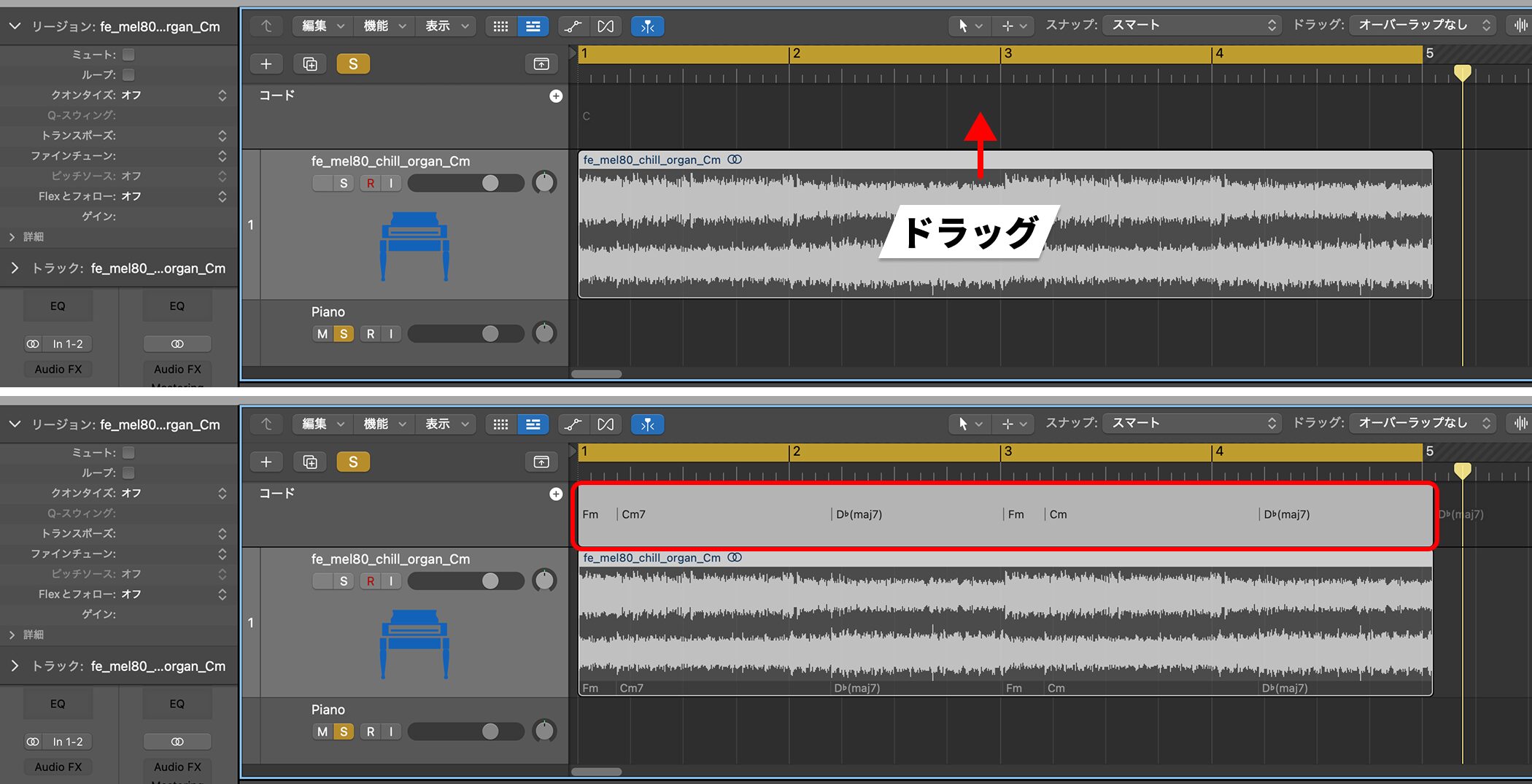
This is useful when working with downloaded loops.
You may know the key of a loop without knowing its chord progression.
Drag the audio loop to the Chord track and its chords will be analyzed automatically, allowing Session Players to follow that progression.
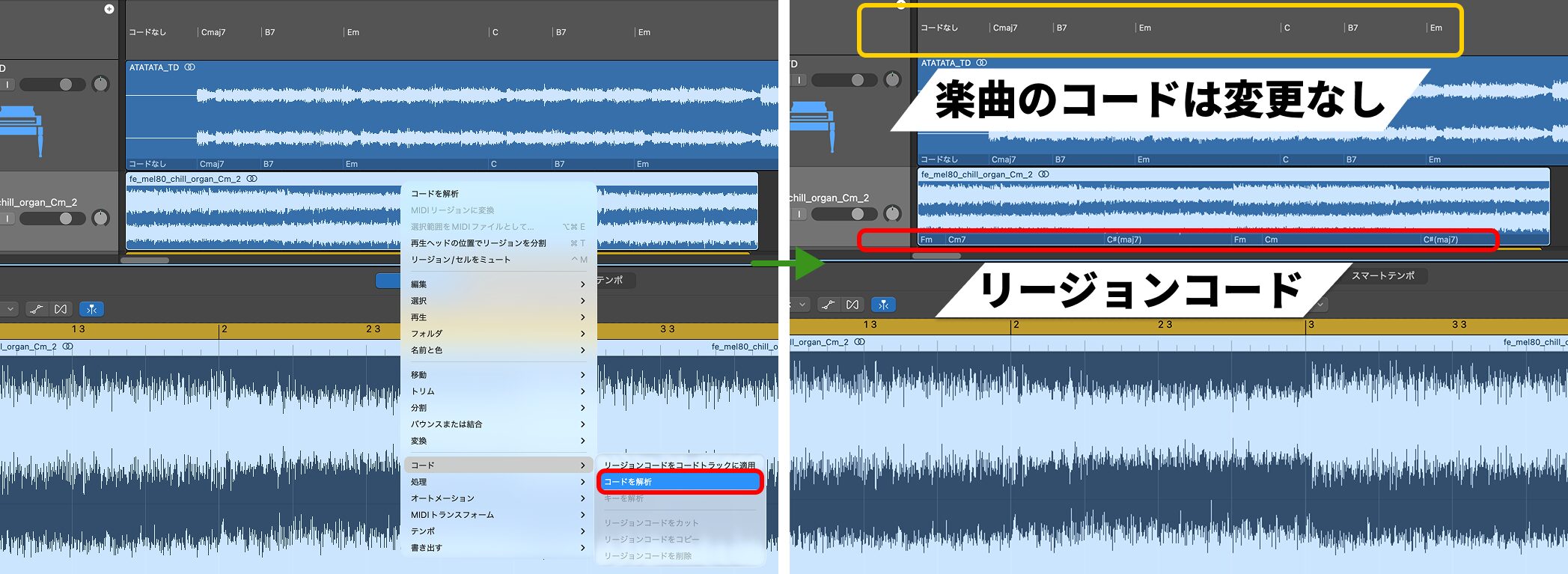
Dragging a region to Global Tracks registers the result as the chord progression for the whole song.
Sometimes you only want to identify the chords in one region without changing the song's chord progression.
In that case, right-click the region and choose Chord → Analyze Chords.
The analysis applies only to that region and does not affect the Global Tracks Chord track.
Redesigned Sound Library
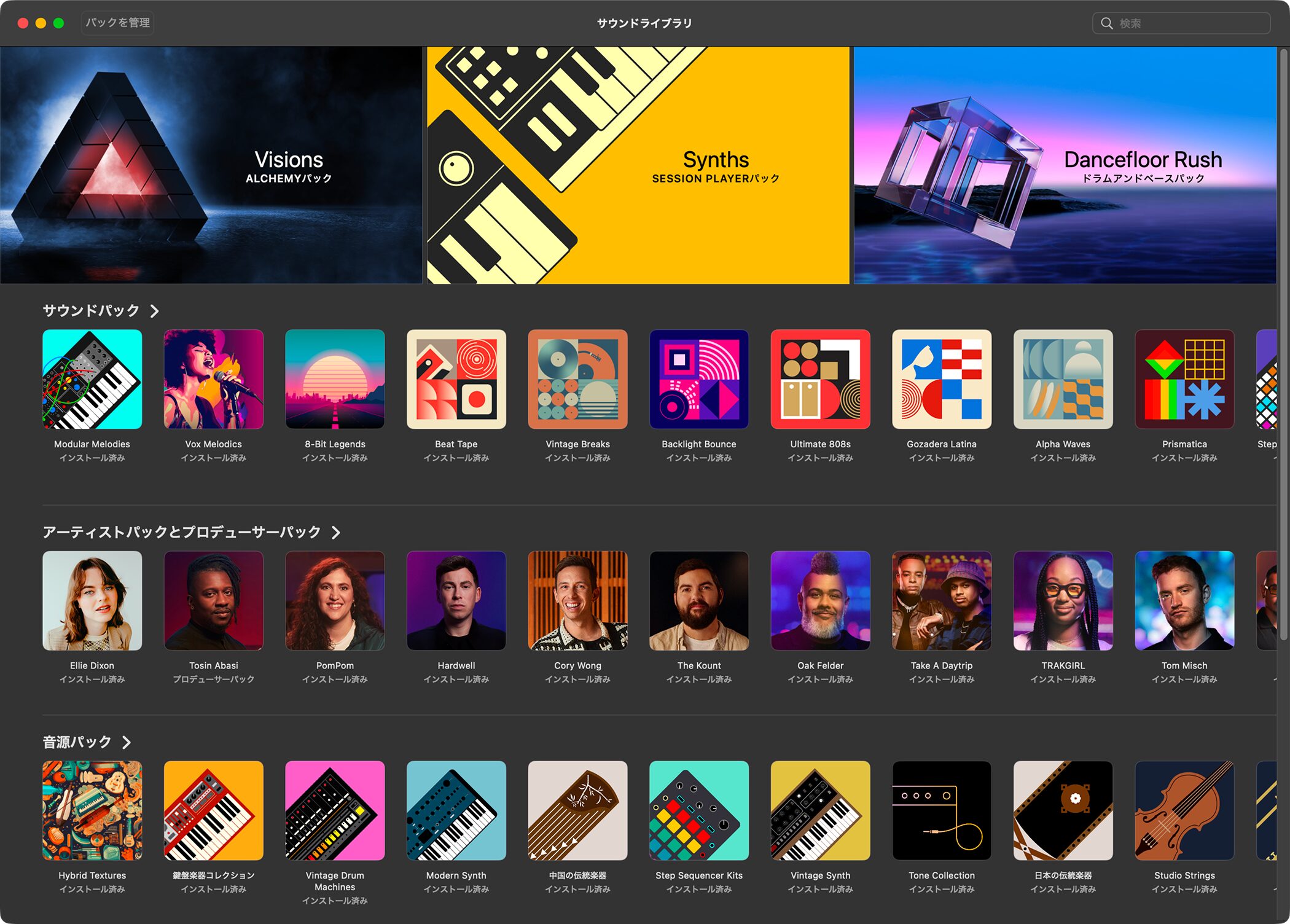
Logic Pro 12 gives Sound Library management a visual interface like the iPad version.
You can preview, download, and delete sound packs and inspect their contents, making storage easier to manage.
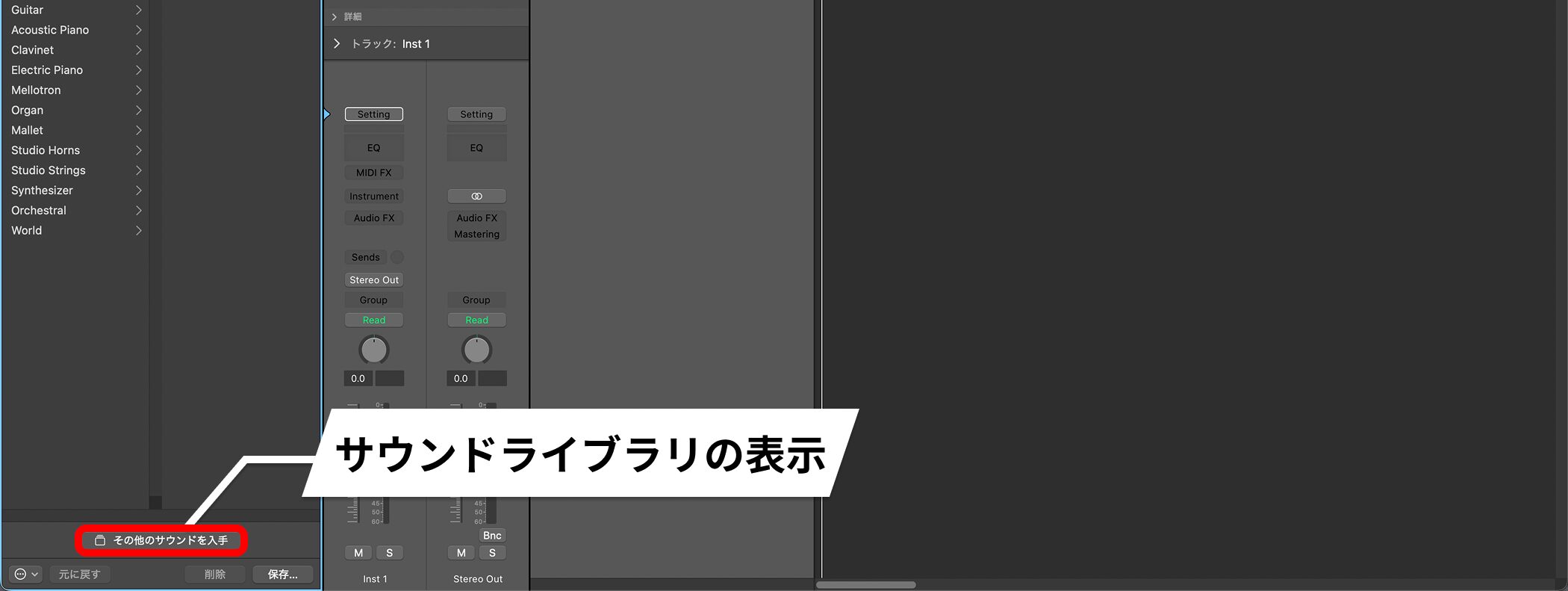
The Sound Library appears when you click Get More Sounds.
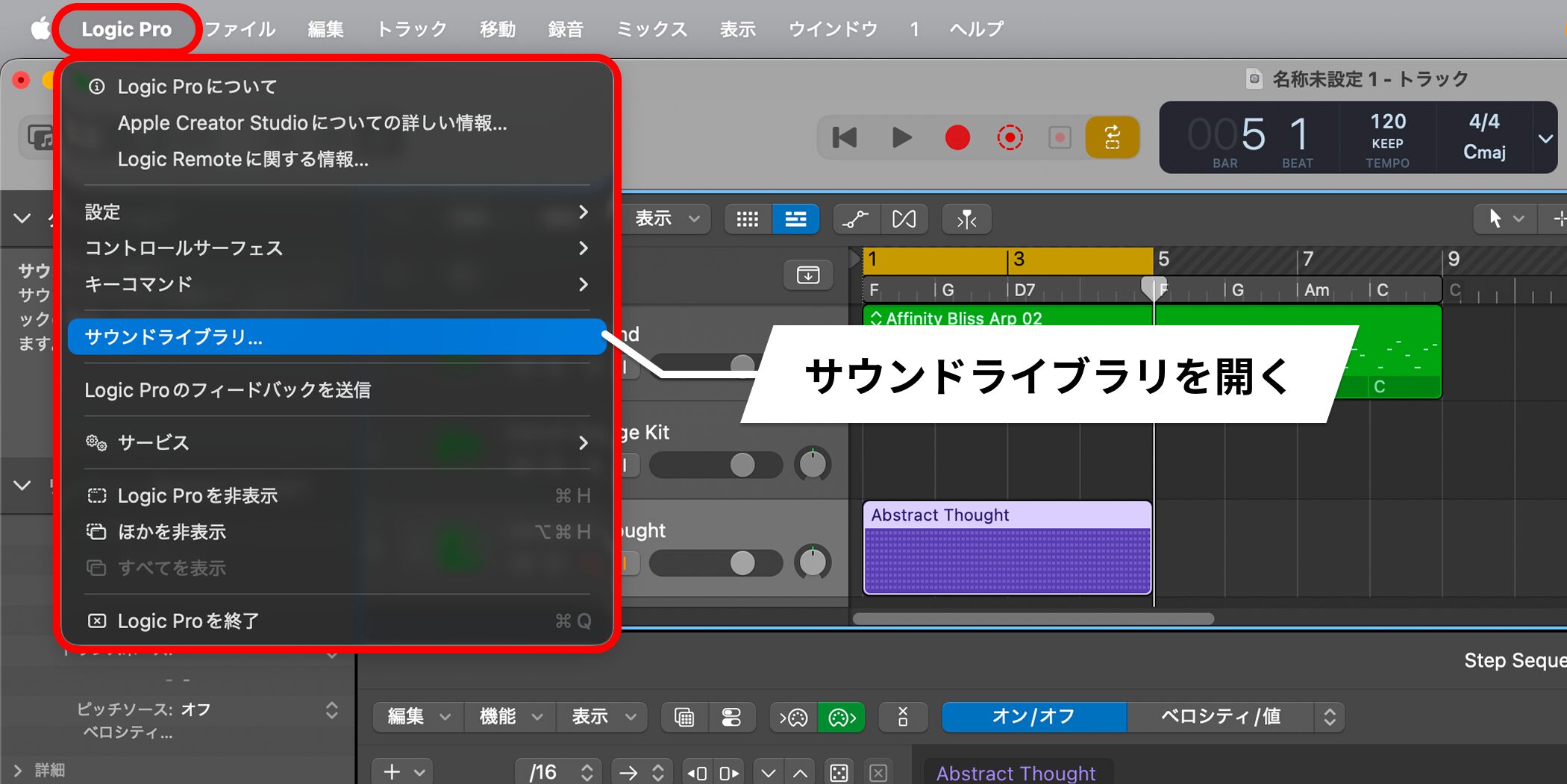
You can also open it from Logic Pro → Sound Library in the menu bar.
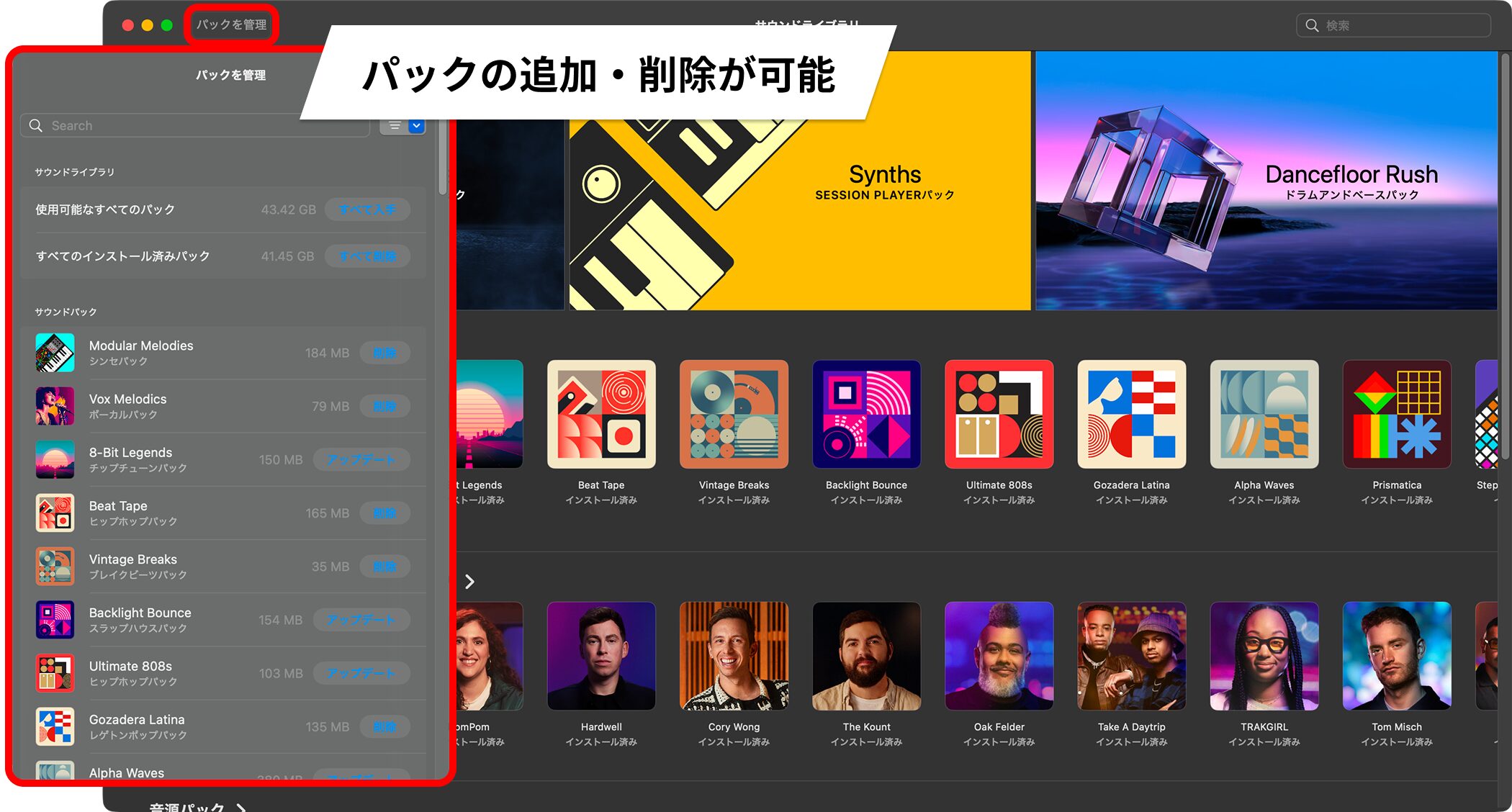
Manage Packs lets you download all available packs, review installed packs, delete everything at once, or delete or update individual packs.
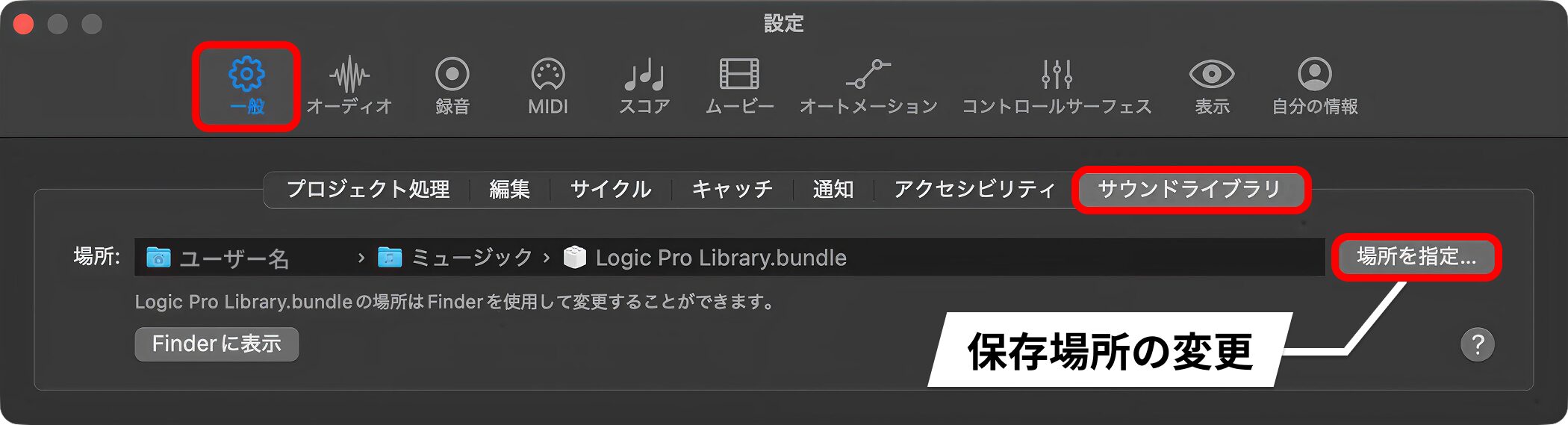
To change where the Sound Library is stored, go to Logic Pro → Settings → General → Sound Library.
Step Sequencer Enhancements
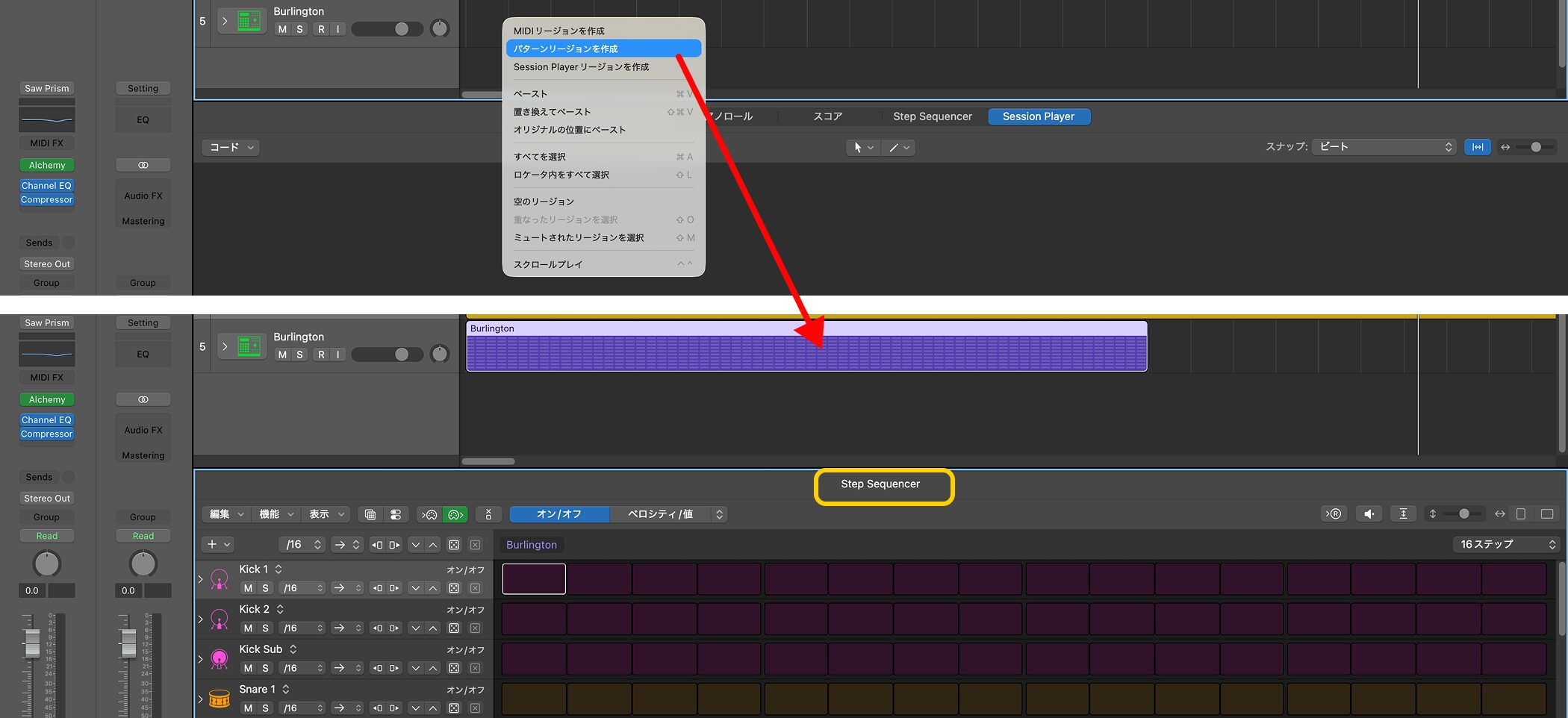
Step Sequencer adds more randomization options and new playback modes.
Expanded Randomization
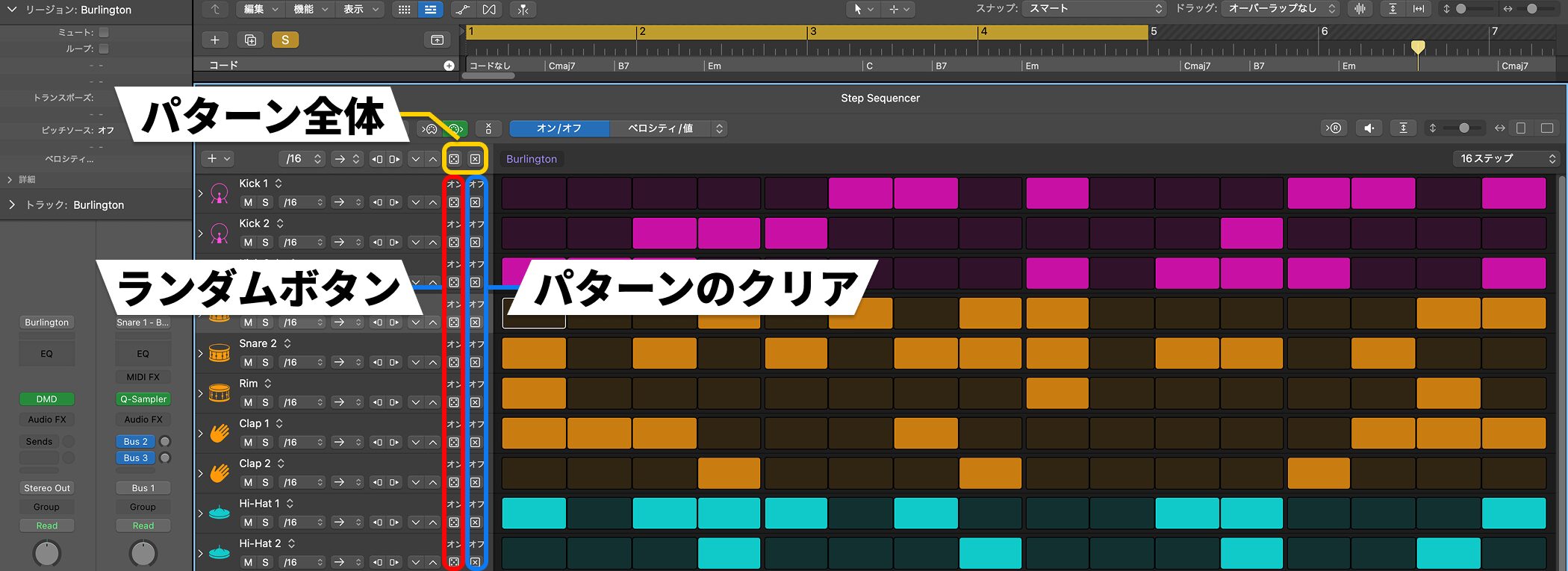
Click the random button on a row to generate a random pattern for that row.
You can still clear or randomize the entire pattern.
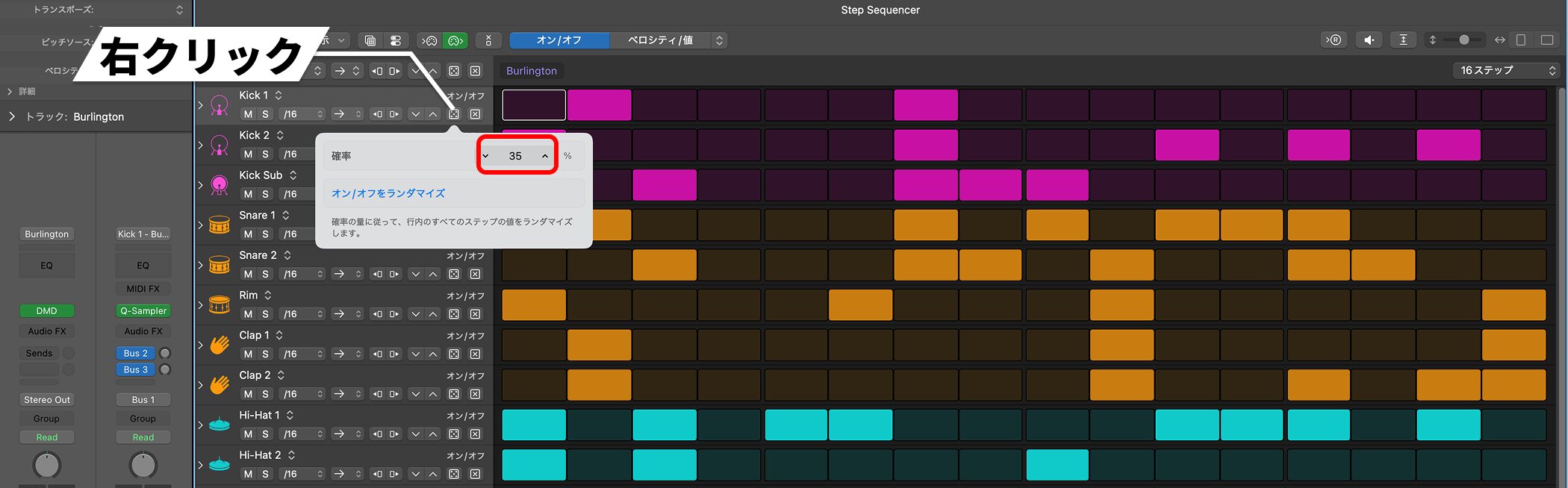
The new addition is control over the probability that a step will appear when randomizing.
Right-click the random button to set the probability.
A low setting produces fewer steps; at 100%, every step receives a note.
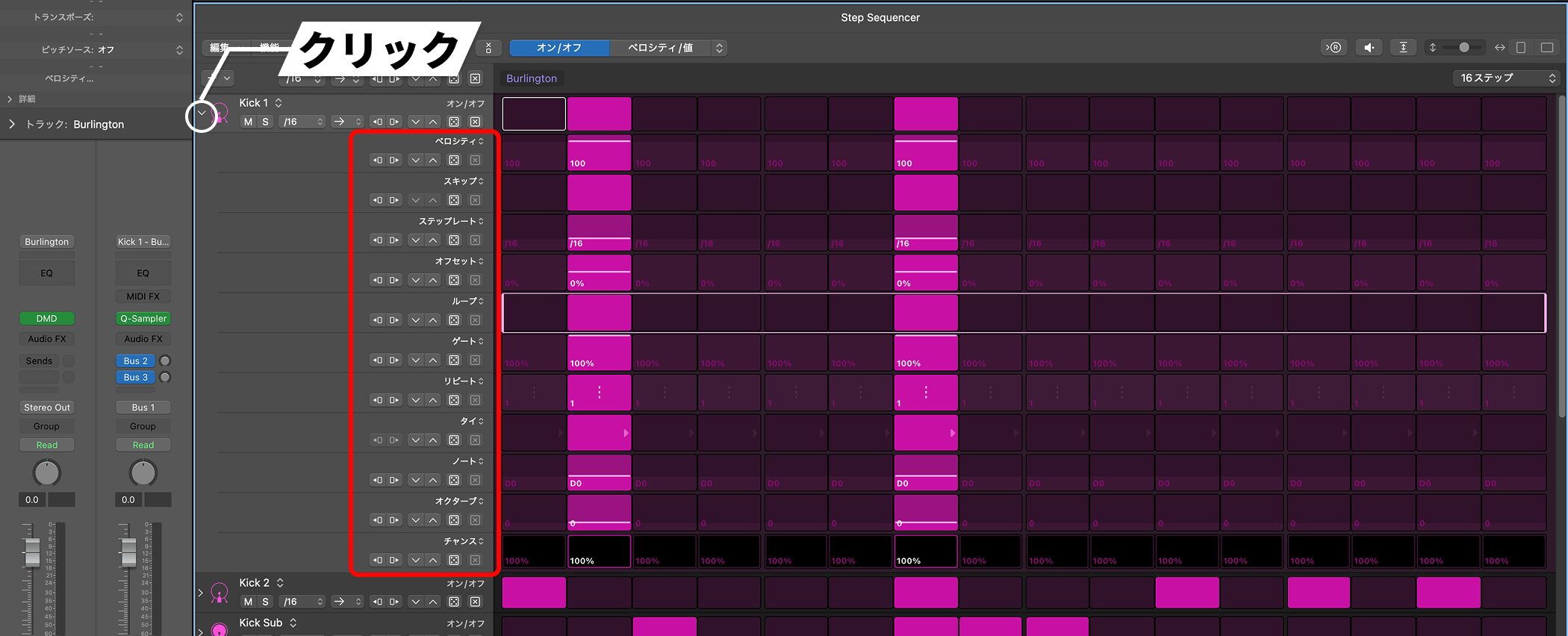
Expand a row by clicking its left edge and you can randomize parameters such as velocity and note repeat.
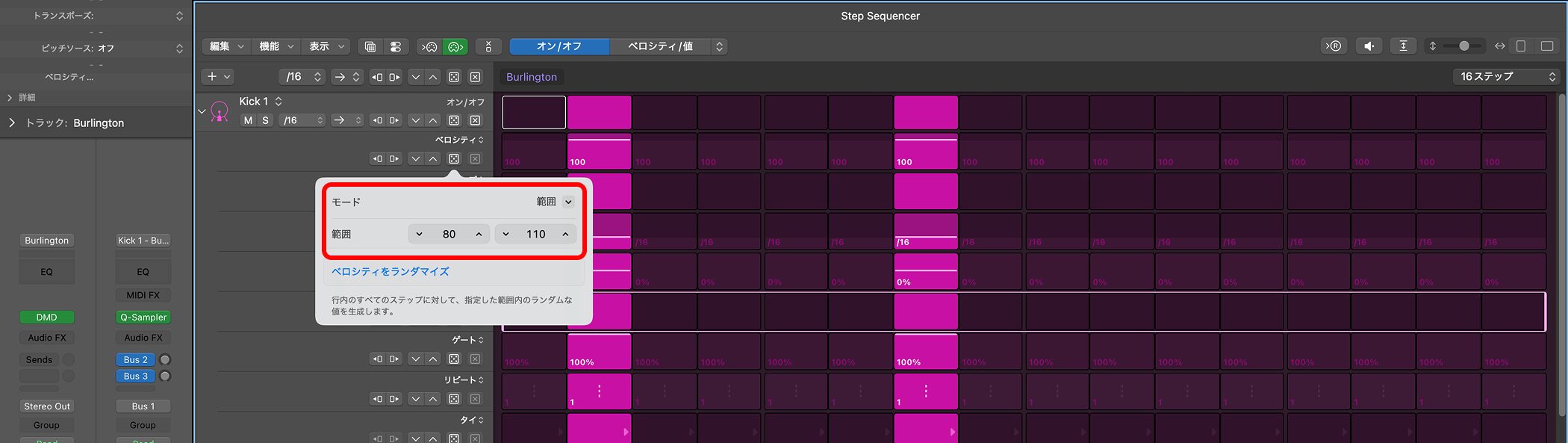
Selecting a range in the mode lets you randomize only within that range.
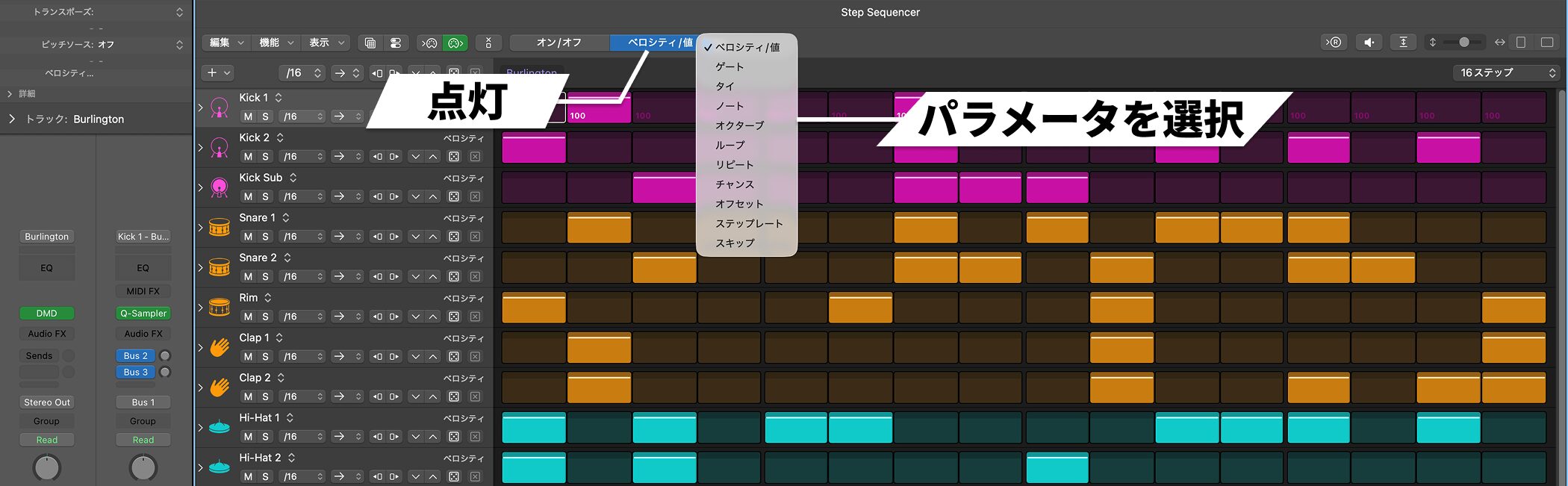
With an Edit Mode selected at the top, applying randomization affects only that parameter across the entire pattern.
New Playback Modes
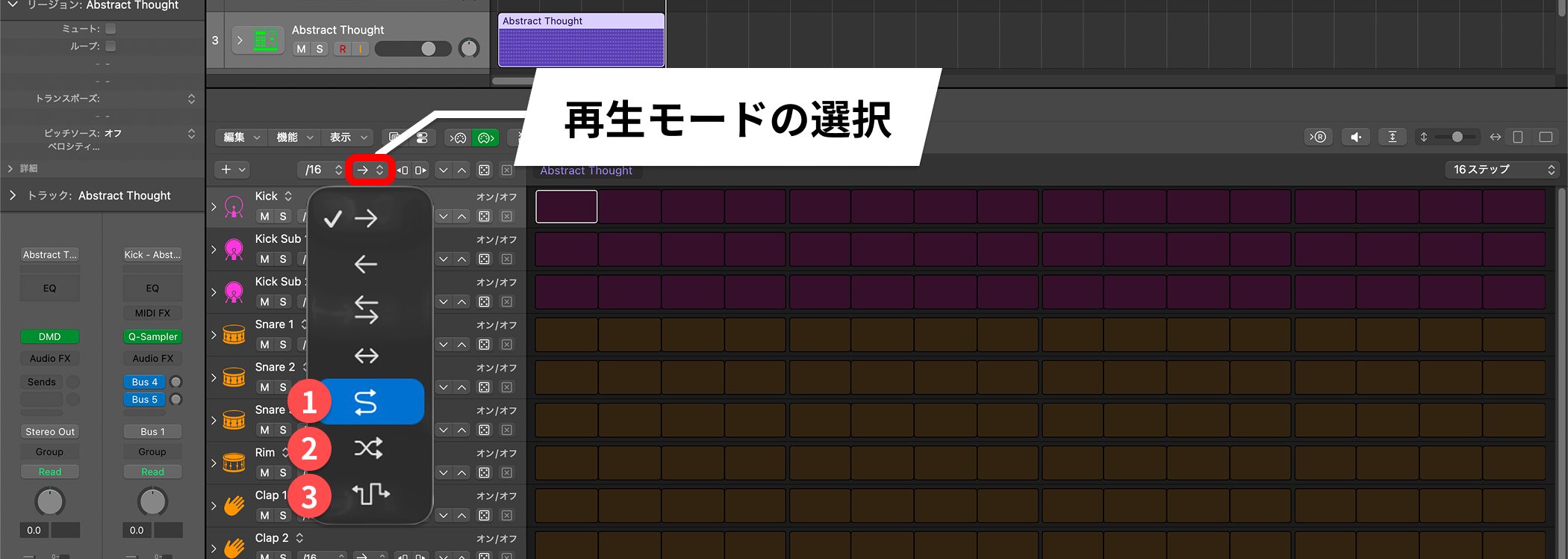
The following modes have been added alongside the existing playback modes:
1. Like Ping Pong, but it moves back and forth without repeating the first and last steps.
2. A Shuffle playback mode that moves forward and backward from a point and eventually travels through the whole pattern.
3. A true random mode that may repeat a step before all steps have been played.
Snap to Scale — Scale-Aware Notes in the Piano Roll
The Piano Roll editor now has a snap function based on the Scale Quantize setting.
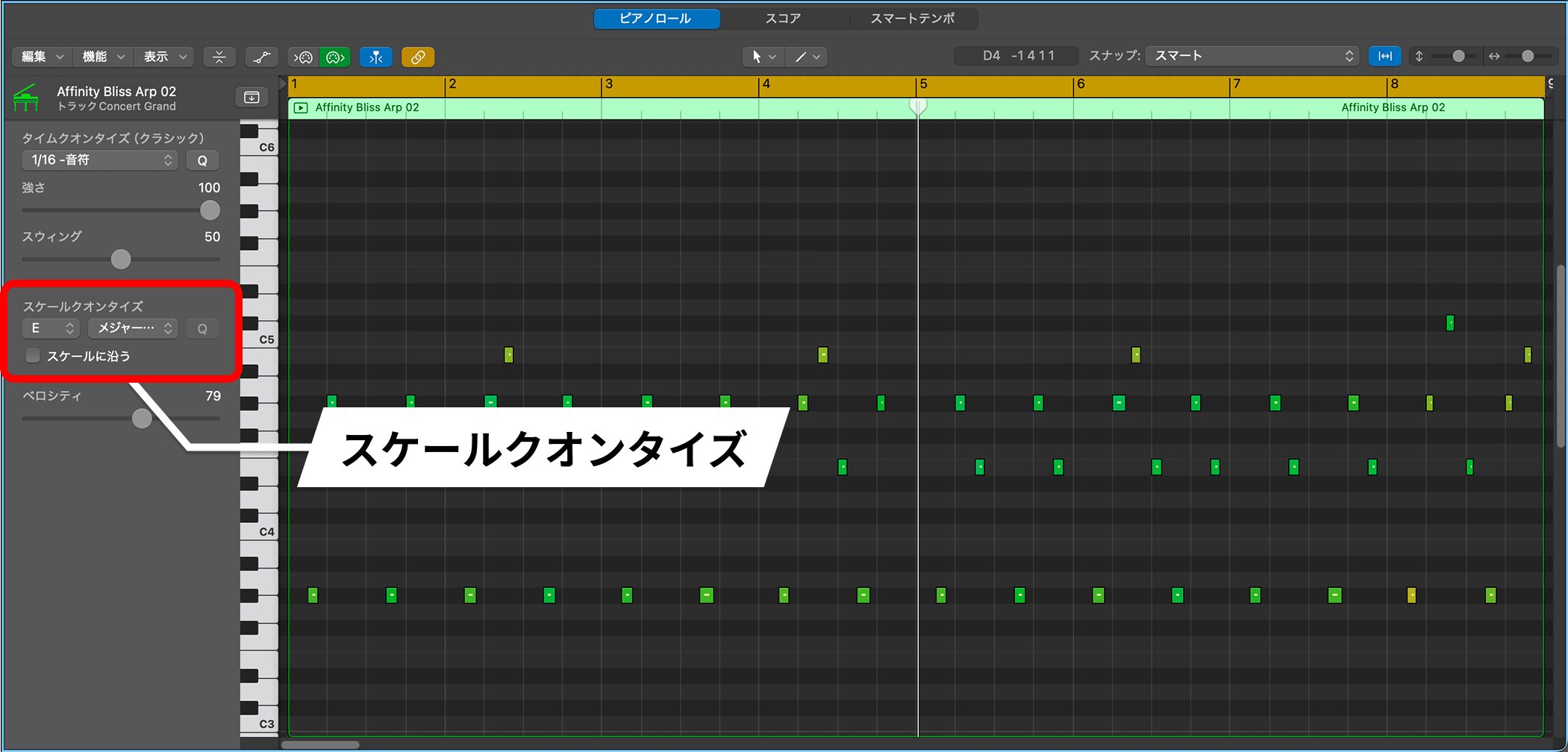
First, set the song's scale using Scale Quantize.
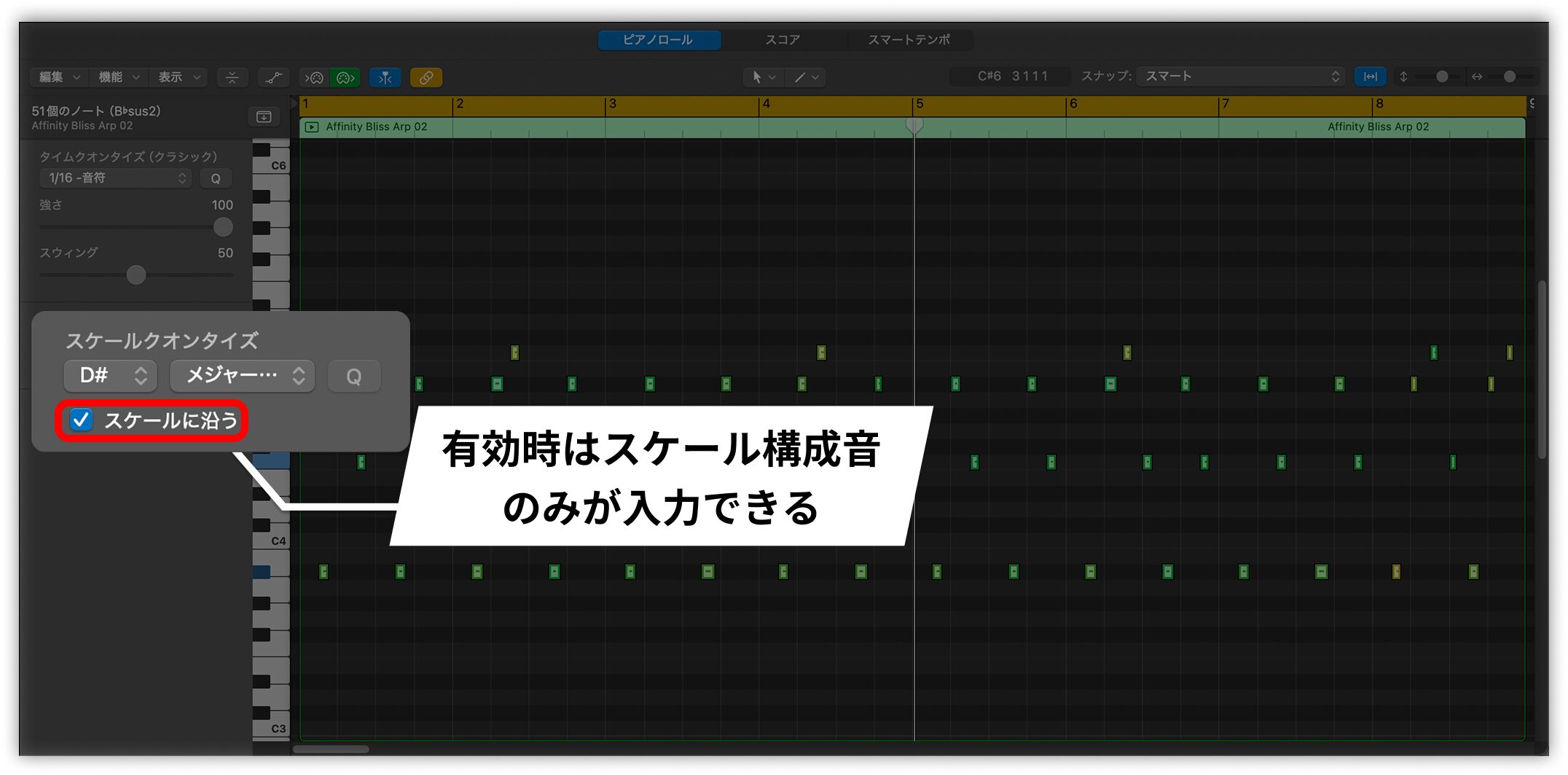
Then turn on Snap to Scale. If you try to enter a note outside the scale, it is automatically changed to a note within it.
This helps when you are learning music theory or checking which notes fit a particular scale as you work.
Availability
Logic Pro 12 is also offered as part of Apple Creator Studio, a new Apple subscription service that includes Logic, MainStage, Final Cut Pro, and other apps.
A monthly or annual plan gives access to Logic Pro on both iPad and Mac.
The traditional one-time purchase option also remains available, and existing purchasers can upgrade to Logic Pro 12 for free.
Logic Pro 12 requires macOS 15.6 or later and a Mac with Apple silicon.
Logic Pro 12 adds many features that strengthen the production workflow, including Synth Session Players and Chord ID.
Update and try the new features for yourself!
Frequently Asked Questions
Q1. What do the new Session Players in Logic Pro 12 do?
Synth-focused Keyboard Player and Bass Player types add automatic modulation using envelopes and LFOs. After conversion to MIDI, you can adjust them manually.
Q2. How do I use Chord ID?
Drag an audio or MIDI region to the Chord track in Global Tracks for automatic analysis. To analyze only one region, right-click it and choose Analyze Chords.
Q3. What changed in the Logic Pro 12 Sound Library?
It now has a visual interface like the iPad version, making previews, downloads, deletion, and storage management more intuitive. You can also change its storage location in Settings.
Q4. What is new in Step Sequencer?
You can now adjust the probability that a step appears when randomizing. Right-click to set it and control the density of generated patterns.
NEW ARTICLES
Latest English Articles

















