
Slate Digital Trigger 2’s advanced features help you detect and edit a target drum sound in a sample containing several instruments. RETRIGGER prevents unwanted detections, while low-cut and high-cut filters restrict the frequency range used for detection. Detected attack points can be exported as MIDI for adjustment or replacement with another instrument. A gate also controls the length and decay of the original sound, from an abrupt cut to a natural fade. Together, these tools make it easier to edit complex rhythm tracks precisely.
Use advanced triggering tools to edit sound

Following our introduction to the basics, we will explore Trigger 2’s advanced features.
Here we use a rhythm sample containing several drum sounds
and edit the desired instrument.
Trigger 2 also includes a useful gate,
which can create special sounds with a short decay.
Trigger 2 tutorial videos
1. Overview and main parameters
2. Advanced features — this article
Prevent false detections with RETRIGGER
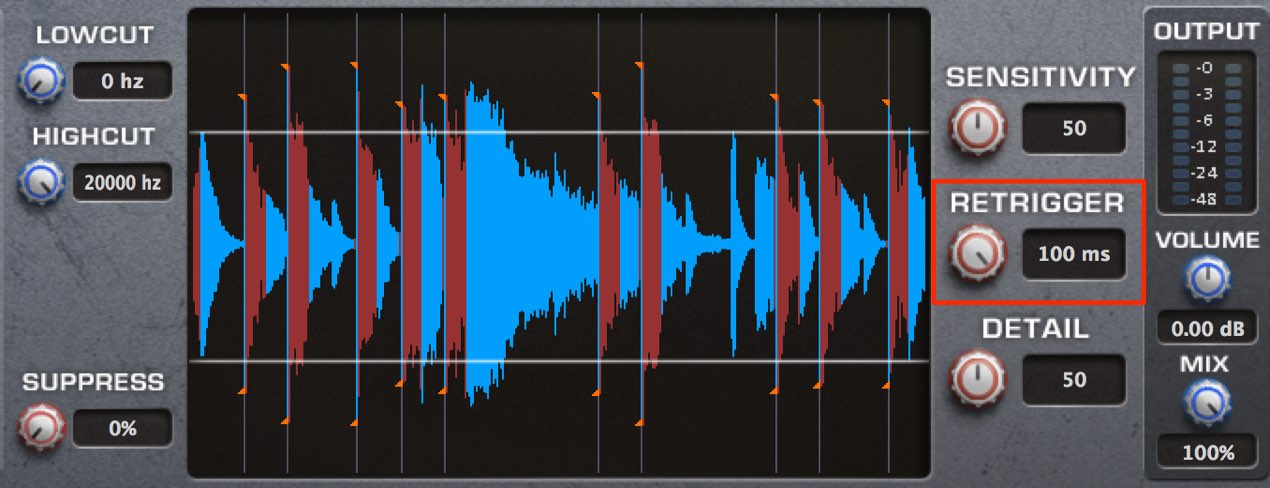
We have applied Trigger to a sample containing kick, snare and hi-hat.
DETAIL and SENSITIVITY are set as in the previous article.
This is where RETRIGGER comes in handy.
After an attack is detected,
it prevents further attacks from being detected for a specified time in milliseconds (ms).
The affected area is shown in red.
In the image above, the setting is 100 ms, so no further detection occurs for 0.1 seconds.
This is useful for excluding details you do not want to detect, such as subtle performance nuances.
Low cut and high cut
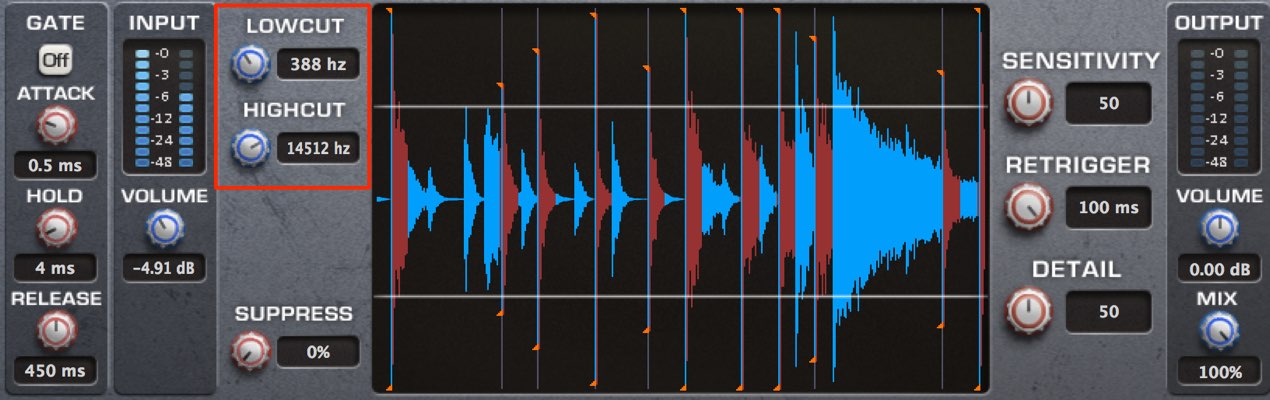
The filters are useful when a sample contains instruments such as hi-hat and kick.
By specifying frequencies in hertz (Hz) to exclude from attack detection, you can detect selectively.
- LOWCUT: The default is fully left. Turning right excludes more low-frequency content from detection.
This is useful when you do not want to detect the kick. - HIGHCUT: The default is fully right. Turning left excludes more high-frequency content from detection.
This is useful when you do not want to detect the hi-hat.
Exporting MIDI
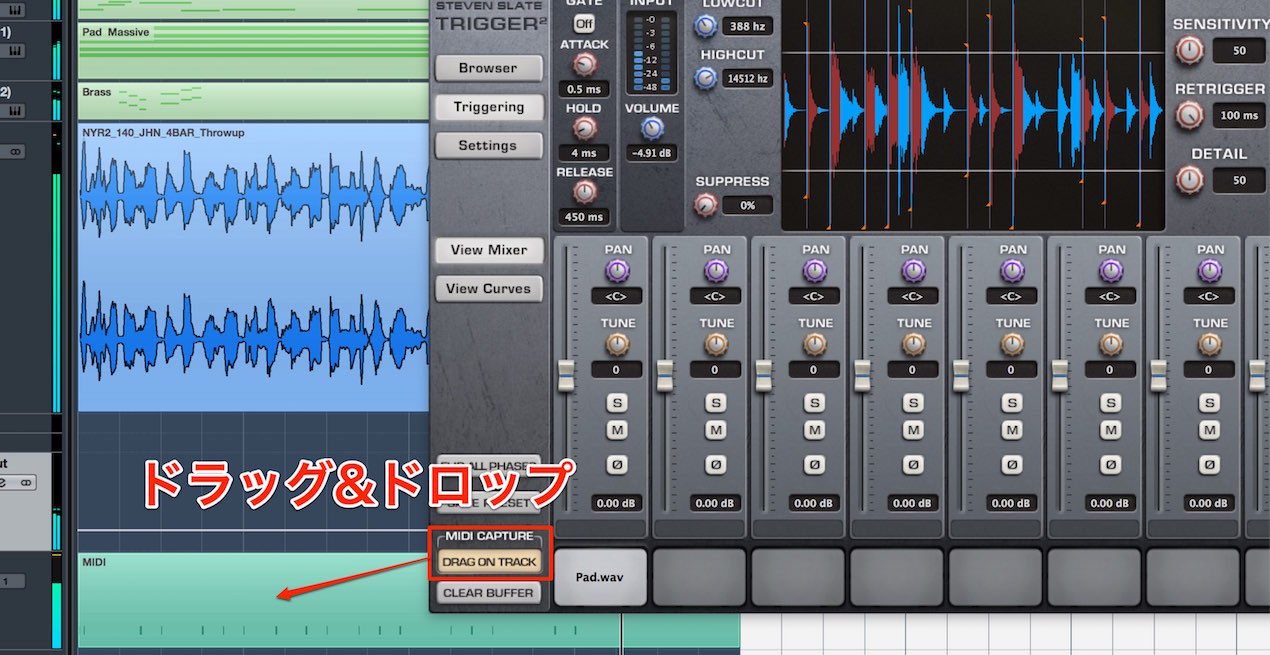
You can export the detected points as a MIDI file.
Drag and drop from “DRAG ON TRACK” into your DAW to export.
This makes it easy to:
- Fine-tune material that was not detected accurately
- Assign sounds from another software instrument
These options give you more control over the result.
Control length with the gate
You can apply a gate to adjust the length of the original material.
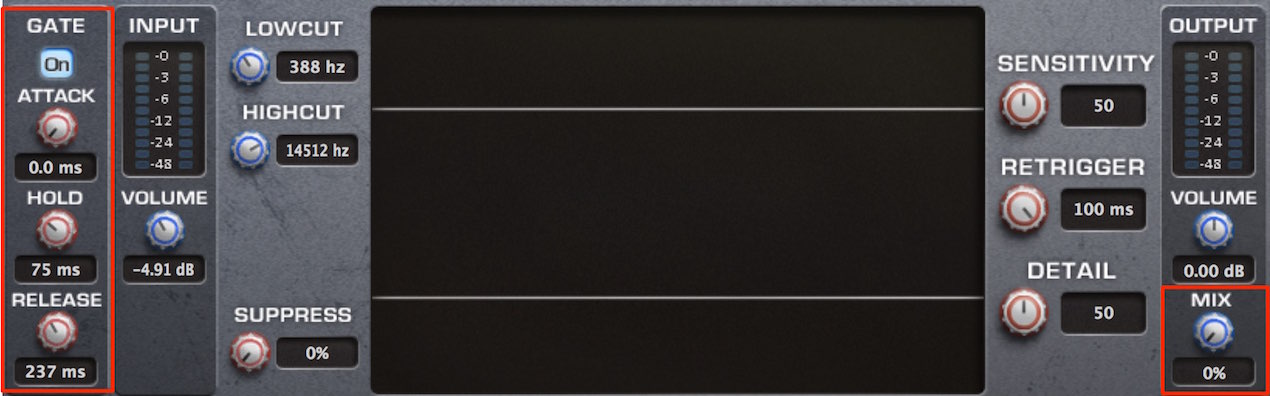
The gate acts on the original signal.
At 100% MIX, you will not hear the gate’s effect.
At 0% MIX, only the gated original signal is heard.
Enable the ON switch in the GATE section.
- ATTACK: Sets the volume rise time in milliseconds.
Set it to 0 for an immediate onset.
Higher values create a fade-in effect on each hit. - HOLD: Use this when large volume changes cause the gate to open and close too often.
The gate remains open for the time set here.
If the value is too high, the gate will no longer have the desired effect. - RELEASE: Sets how quickly the gate closes.
Higher values produce a more natural fade-out,
but if set too high, the gate will no longer have the desired effect.
For a deliberately chopped sound, use a shorter setting.
Frequently asked questions
Q1. When is RETRIGGER useful?
It prevents another detection during a specified period after an attack, making it useful for excluding performance nuances and small noises. For example, it can help avoid false triggers from subtle touches or cymbal decay and isolate the intended hits.
Q2. How should I use LOWCUT and HIGHCUT?
Turn LOWCUT right to exclude low-frequency content such as kick from detection. Turn HIGHCUT left to exclude high-frequency content such as hi-hat. Selecting the detection range helps isolate an instrument in a mixed drum sample.
Q3. How do ATTACK, HOLD and RELEASE differ?
ATTACK controls the onset speed, HOLD determines how long the gate stays open, and RELEASE controls how quickly it closes. Use moderate settings for a natural sound, a shorter RELEASE for a chopped effect, or a longer ATTACK for a fade-in.
NEW ARTICLES
Latest English Articles


















































































































































































































































































































































































































