
Positive Grid BIAS AMP 2 is an amp simulator plug-in with extensive customization options. Swapping the preamp and power amp sections as complete blocks can dramatically change its tonal character. You can further fine-tune the sound by choosing tube types and speaker cabinets, and by using microphone models based on familiar microphones such as the SM57 and MD421. Combining these features lets guitarists shape detailed amp tones in a DAW, helping improve the sound of recordings and live streams.
Advanced Amp Settings and Tone Shaping
Continuing from the previous installment, we will explore the BIAS AMP 2 amp simulator.
One of this product’s defining features is the ability to customize the amp’s internal components.
Being able to intuitively adjust details such as tube types, tone circuits, and output transformers gives you more ways to approach your tone.
Positive Grid BIAS AMP 2 Tutorial Video, Part 2
Product Purchase Links
Make Dramatic Tonal Changes by Swapping Entire Sections
Even if you know you can change the amp’s internal components, you may be unsure where to start.
In that case, we recommend replacing an entire preamp or power amp section, since these sections form the core of the sound.
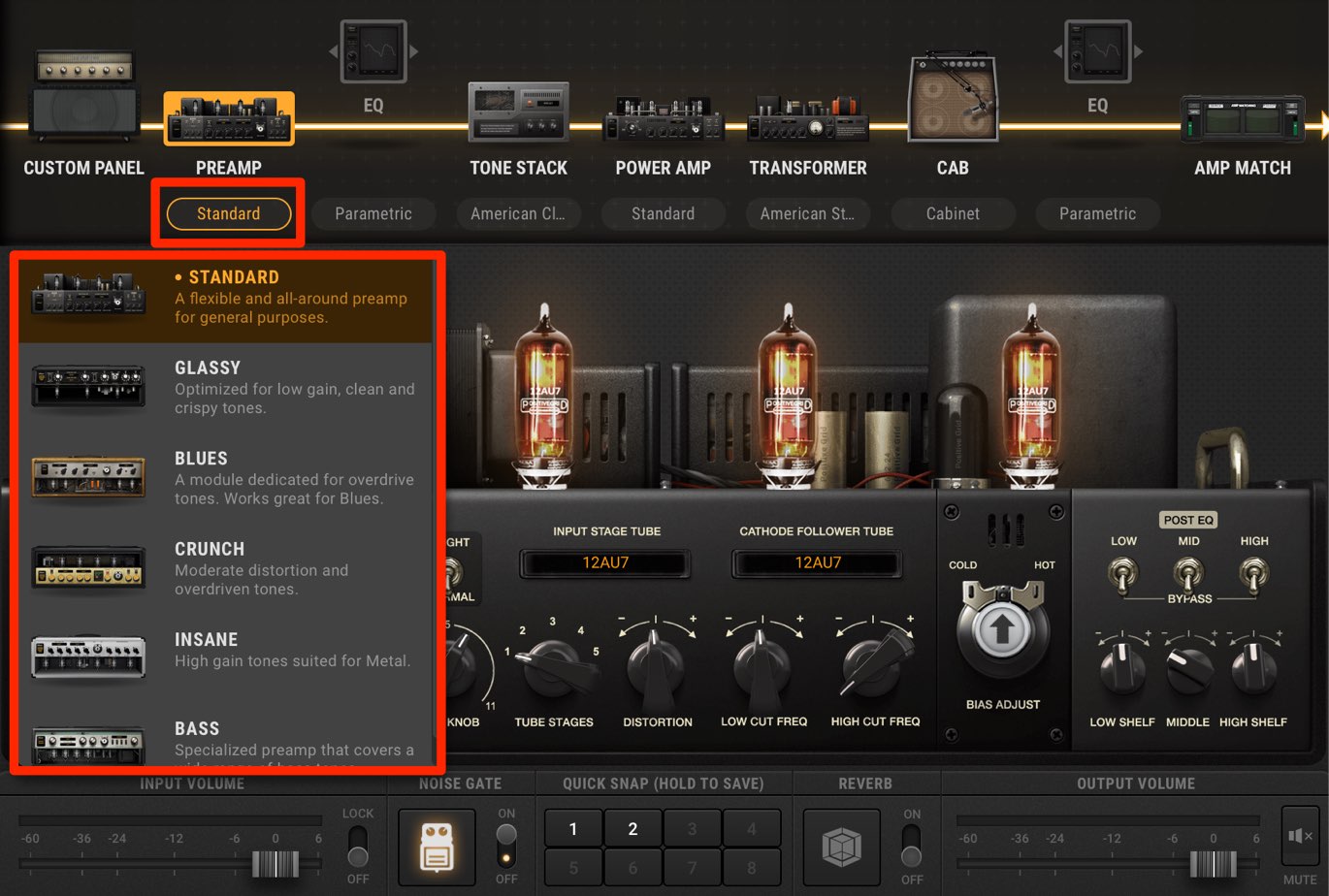
The PREAMP section offers a variety of configurations suited to different genres and types of sound.
Try them while playing, and look for a sound close to what you have in mind.
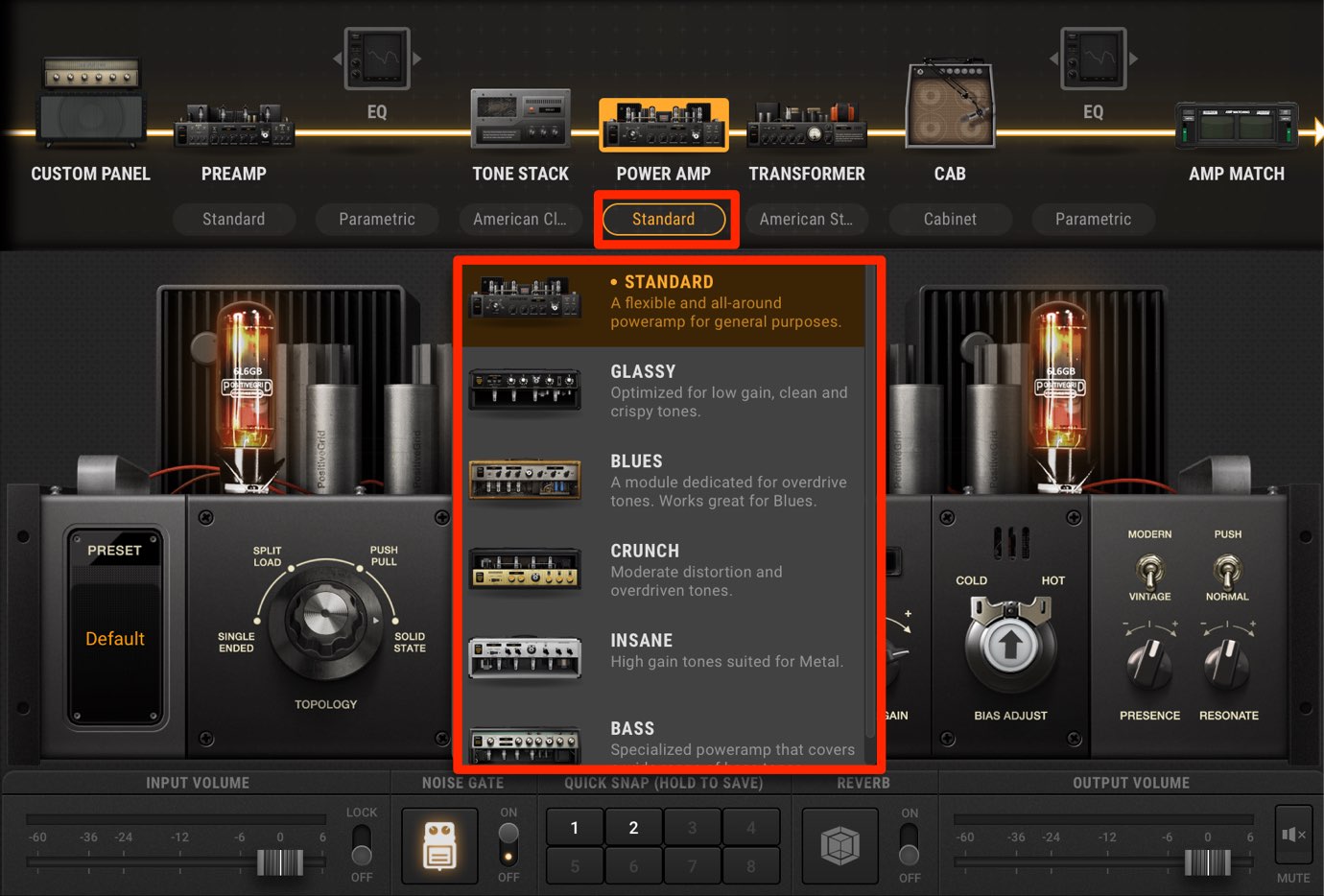
You can change the POWER AMP section in the same way.
Combining these two sections can dramatically transform the amp’s tonal character.
Tube Types
For more detailed customization, try changing the tubes in the preamp section.
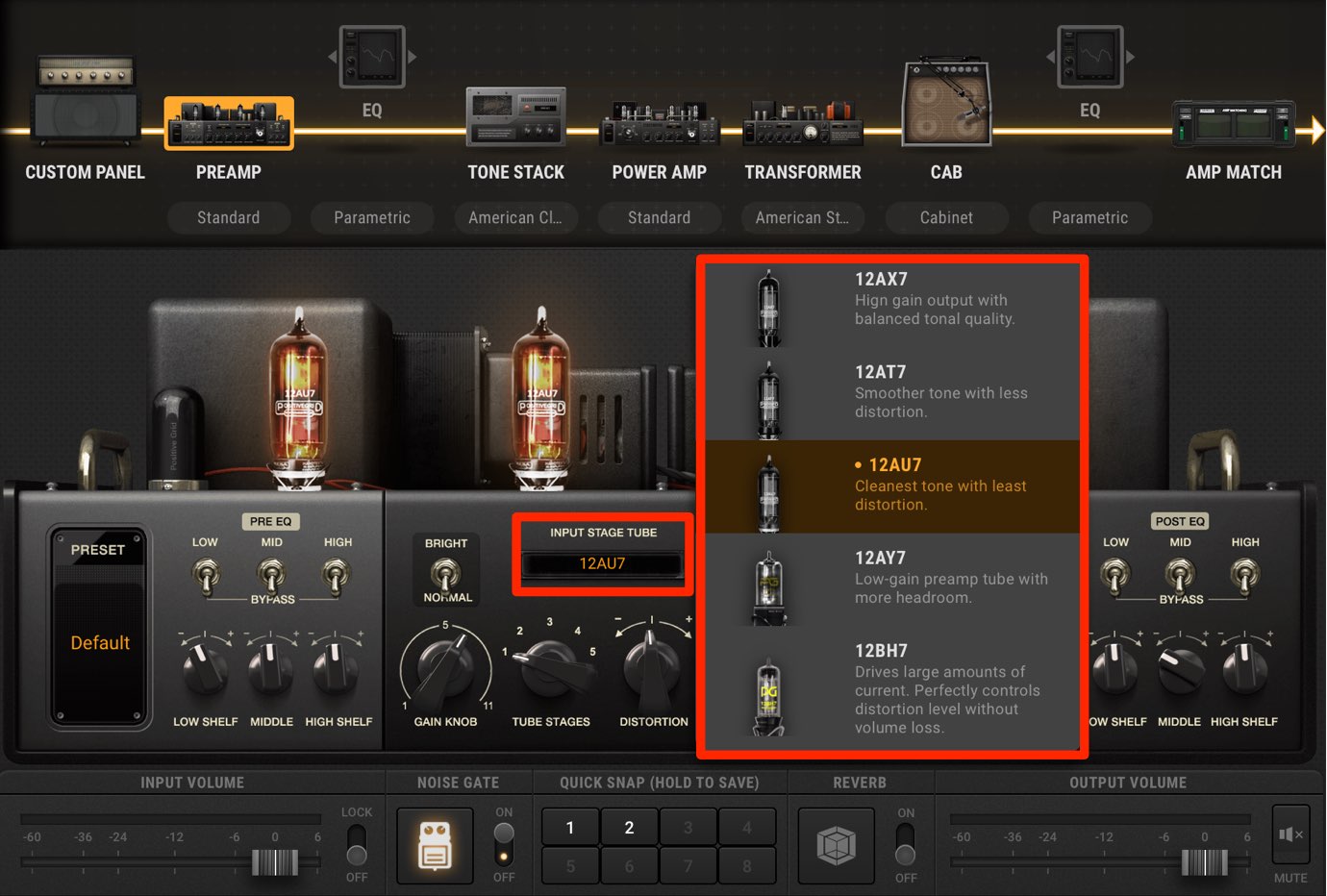
As shown here, the selected tube type changes the sound.
Using the Cabinet and Microphone Section
The speaker cabinet is an essential part of shaping your sound.
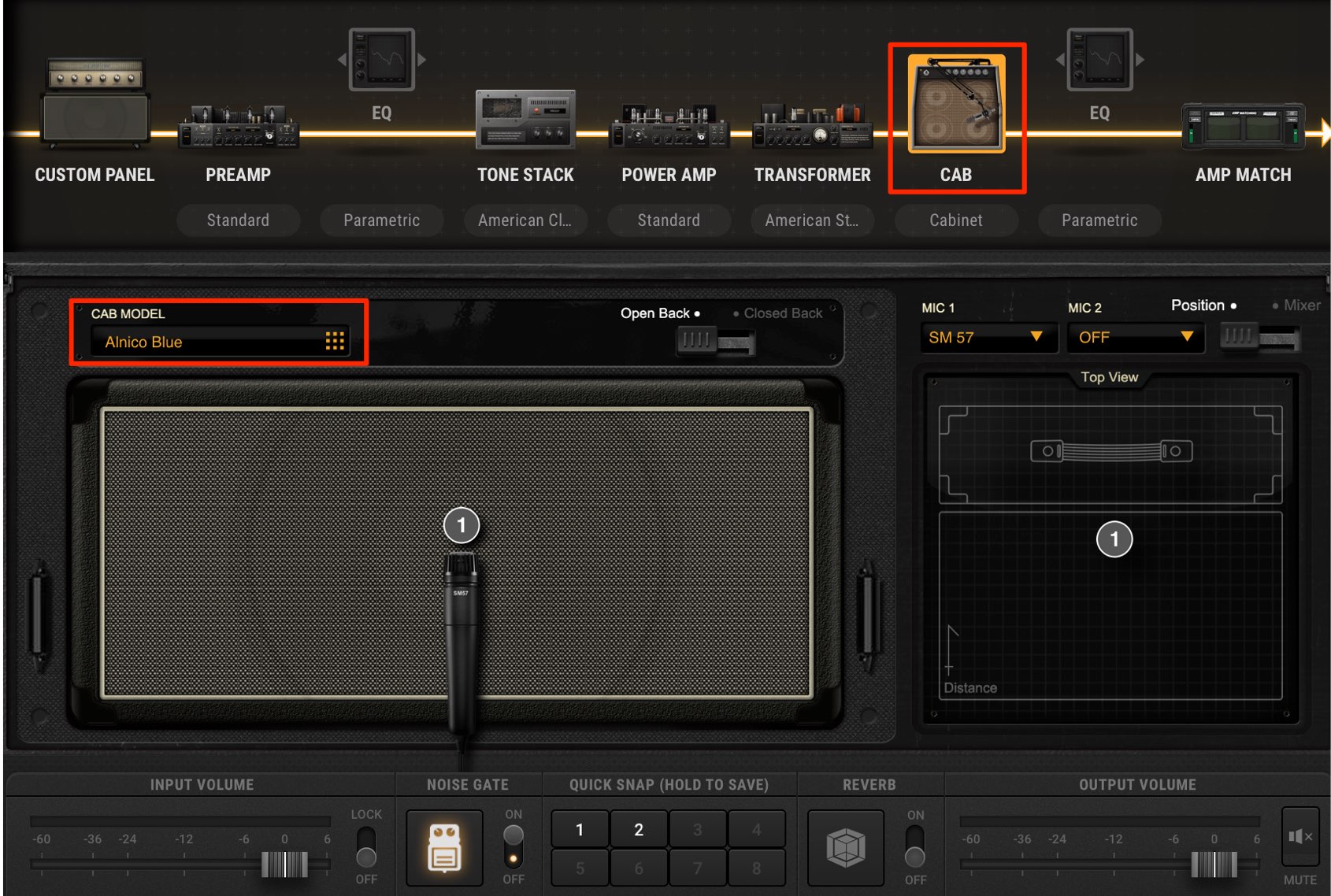
BIAS AMP 2 includes a variety of cabinet types.
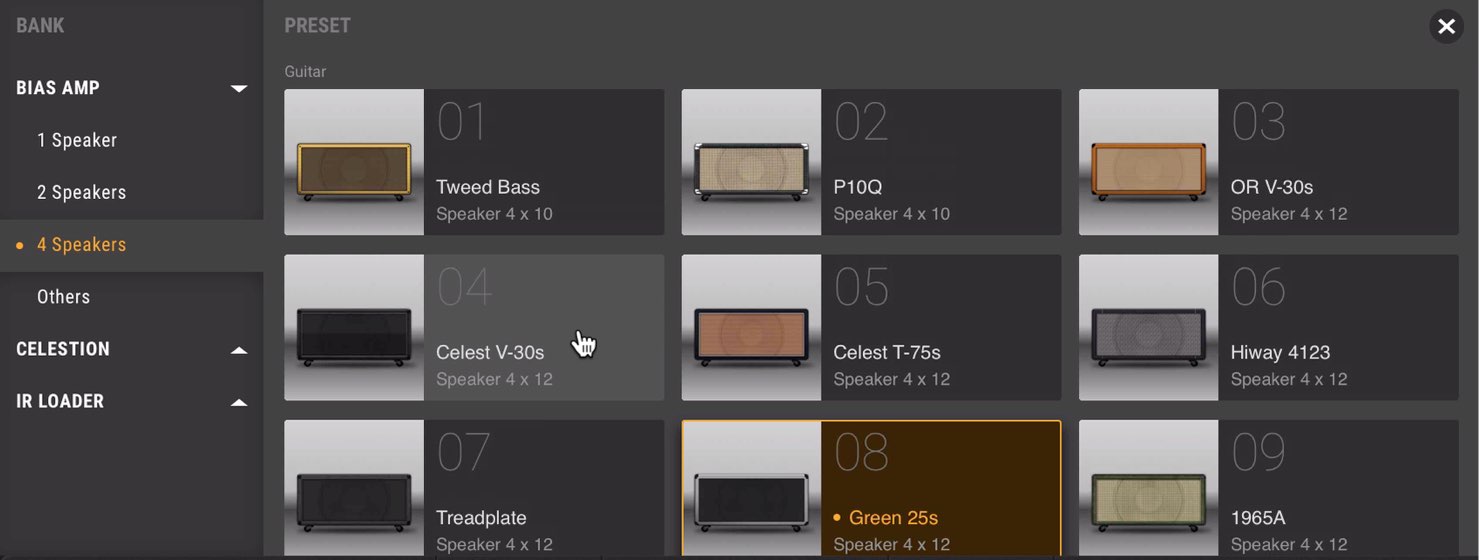
Choosing a cabinet lets you further refine the sound you created with the preamp and power amp sections above.
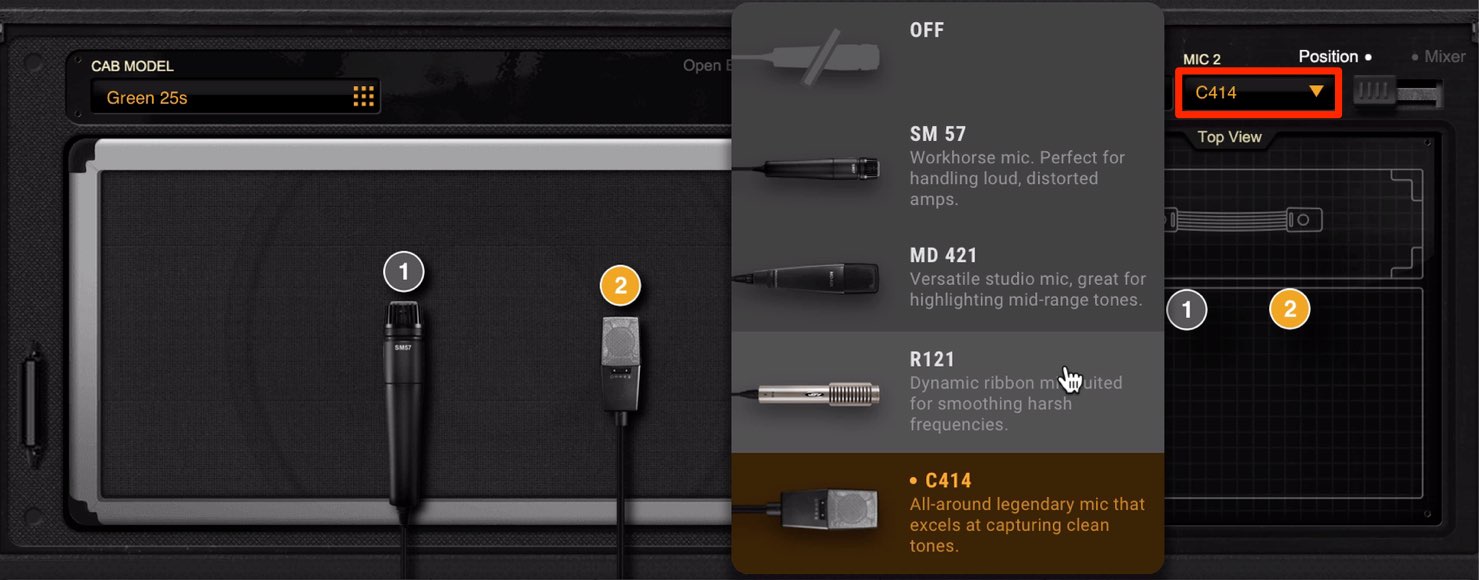
You can also blend up to two microphones selected from four familiar models: the SM57, MD421, R121, and C414.
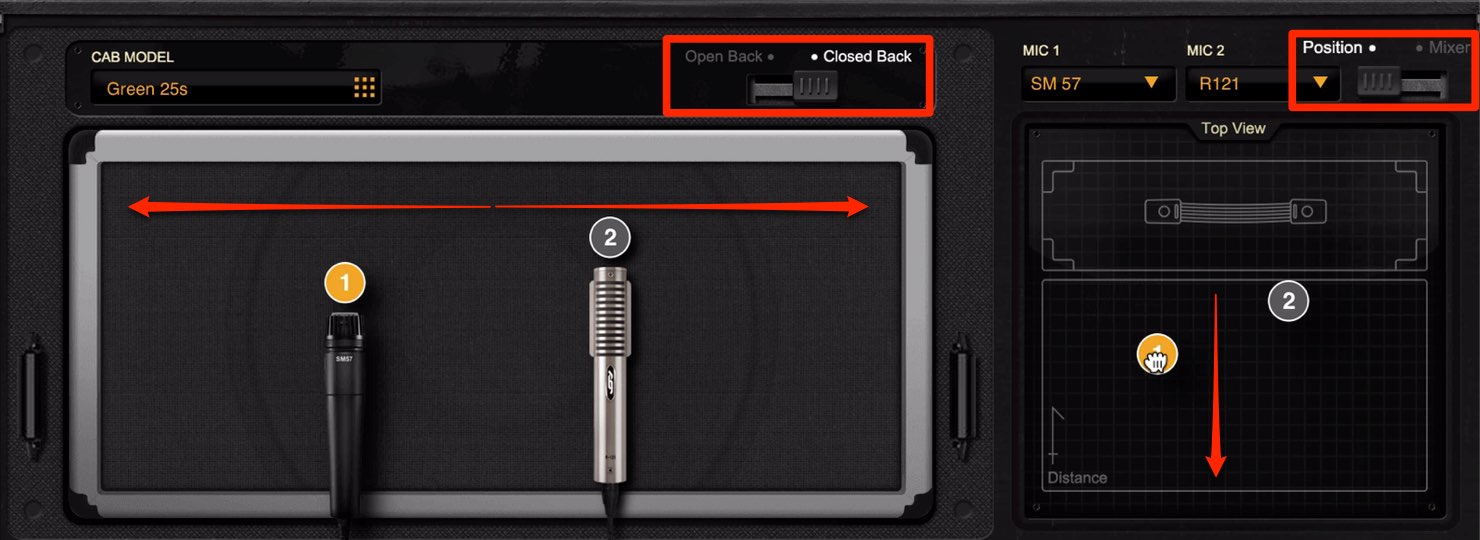
You can fine-tune the cabinet and microphone setup, including open-back/closed-back options and microphone positions.
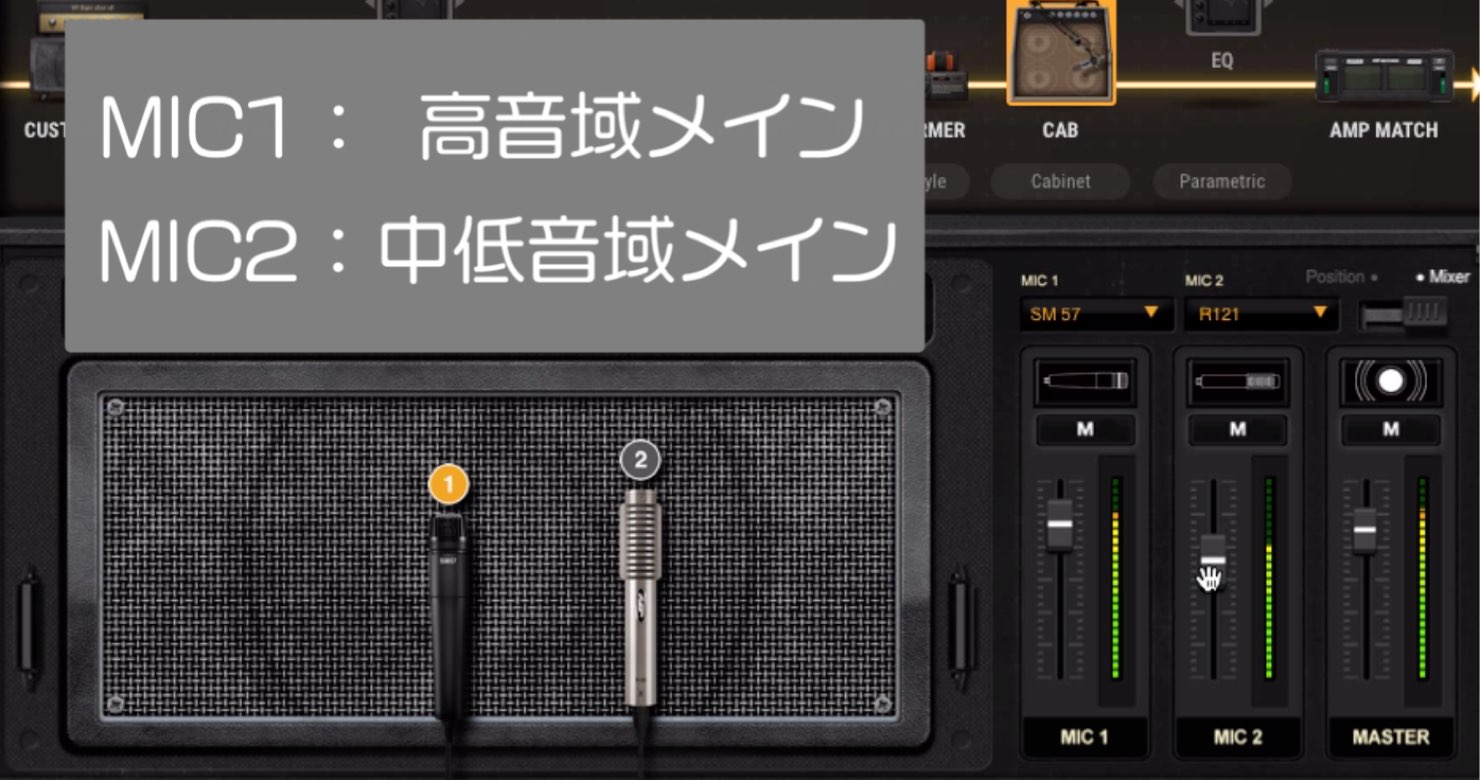
Here is a suggested way to divide the roles when shaping your sound with two microphones:
(You can also reverse the roles of MIC 1 and MIC 2.)
- MIC 1: Focus on the high frequencies
- MIC 2: Focus on the low and mid frequencies
What did you think?
In this installment, we covered tone shaping inside the amp.
In the next installment, we will look at the distinctive Amp Match feature and cloud-based presets.
Stay tuned!
BIAS AMP 2 Editions and Pricing at the Time of This Article
Standard: Regular price US$99
Professional: Regular price US$199
Elite: Regular price US$299
Where to Buy
Manufacturer: Positive Grid
Japanese distributor: Media Integration, Inc.
International retailer: Plugin Boutique
Product Purchase Links
Frequently Asked Questions
Q1. I’m new to customizing amps in BIAS AMP 2. Where should I start?
Start by auditioning configurations in the PREAMP section and choosing one that suits your genre or desired sound. Then combine it with a POWER AMP section to establish your basic tone. From there, refining the cabinet and microphone settings is an efficient way to fine-tune the sound.
Q2. How much does changing the tube type affect the sound?
Different tube types produce distinct tonal characters. Changing the preamp tubes alters the gain characteristics and harmonics, letting you achieve different tones with otherwise identical amp settings.
Q3. How should I divide the roles when using two microphones?
One suggested approach is to use MIC 1 for the high frequencies and MIC 2 for the low and mid frequencies. You can also reverse their roles, so adjust the balance to suit your preferences.
Q4. What speaker cabinets are included in BIAS AMP 2?
The article does not list the individual cabinet models, but several cabinet types are available. You can fine-tune the cabinet and microphone setup, including open-back/closed-back options and microphone positions. Choosing a cabinet lets you further refine a sound created with presets.
Customize your amp to suit your taste! 💡 BIAS AMP 2 lets you intuitively adjust details such as tube types, tone circuits, and output transformers, as well as choose cabinets and microphones. 👌
Positive Grid BIAS AMP 2 Tutorial, Part 2
Details: https://t.co/05e8haukfKPresented by Kenji Suzuki (@kenjisuzuki_) pic.twitter.com/Ll7XvDiJVI
— SLEEP FREAKS (@SLEEPFREAKS_DTM) February 23, 2019
NEW ARTICLES
Latest English Articles










































































































































































































































































