
Compressors are essential tools for controlling dynamics and loudness in music production, but even Waves alone offers many different options. This article compares six selections, including C1 Compressor, Renaissance Compressor, H-Comp, and MV2, and explains their characteristics and when to use them. C1 offers detailed parameter adjustment, the Renaissance series makes sound shaping quick and easy, and H-Comp adds punch and tempo-synced operation. Choosing a compressor that suits the source and task can improve both sound quality and workflow efficiency.
Understand Each Compressor’s Character and Choose the Right Tool
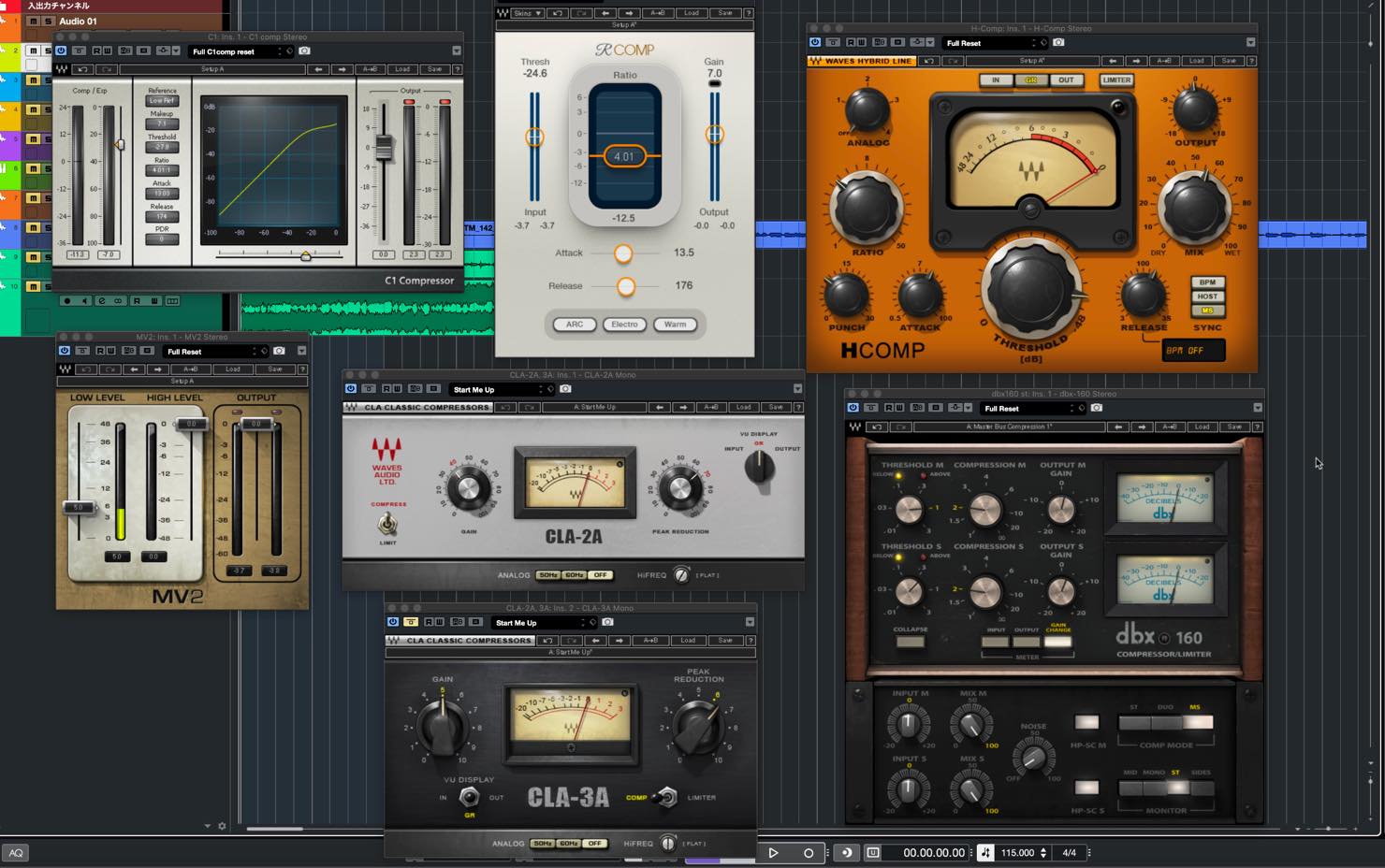
In this article, we will compare some representative Waves compressors, focusing on how to choose between the different types.
Here are the compressors we will cover.
If you are a beginner, you may be wondering why there are so many different compressors.
Part of the answer is that compressors have evolved over time. Each also has its own characteristics, and choosing one to suit the source and situation can improve quality and help you work more efficiently.
Let’s look at them one by one.
Comparing Six Waves Compressor Selections and When to Use Them: Video
Selected Questions and Answers from the YouTube Video

Can I use Waves with the new version of Logic?

For the versions discussed in this 2020 Q&A, Waves V11 supports Logic Pro X 10.5.1. Waves V11 plug-in system requirements: https://bit.ly/2WzCzll If you cannot find your Waves plug-ins when trying to load them in Logic Pro X, see the following guide: How to Find Your Plugins in Logic Pro X. https://bit.ly/2ZKWjEl
C1 Compressor
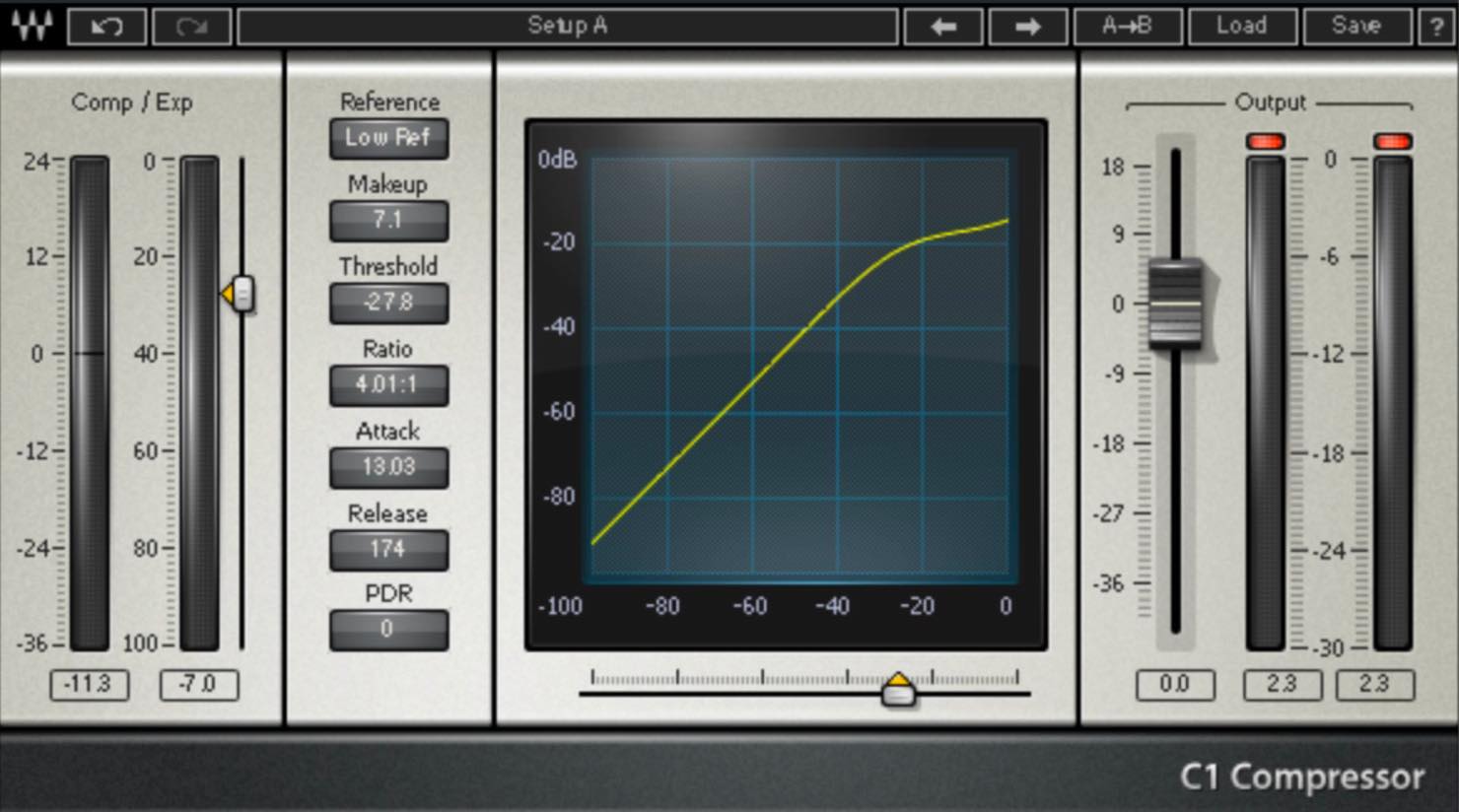
First, let’s look at C1 as our reference compressor.
It displays the familiar compressor graph and provides fine decimal-value adjustment, suggesting a tool built for precise control. It also allows fairly extreme settings, including a very fast minimum attack time of 0.01 ms.
Its sound is straightforward and responds as you would expect from the settings. Its neutral character makes it versatile enough for everything from natural compression to an obviously squashed sound.
Original: compression bypassed
C1: example 1
C1: example 2
The downside is that this level of detail can make setup more time-consuming and present a hurdle for beginners.
On the other hand, that precision may be exactly what experienced users appreciate.
Compressor Attack: Video
Compressor Release: Video
Renaissance Compressor
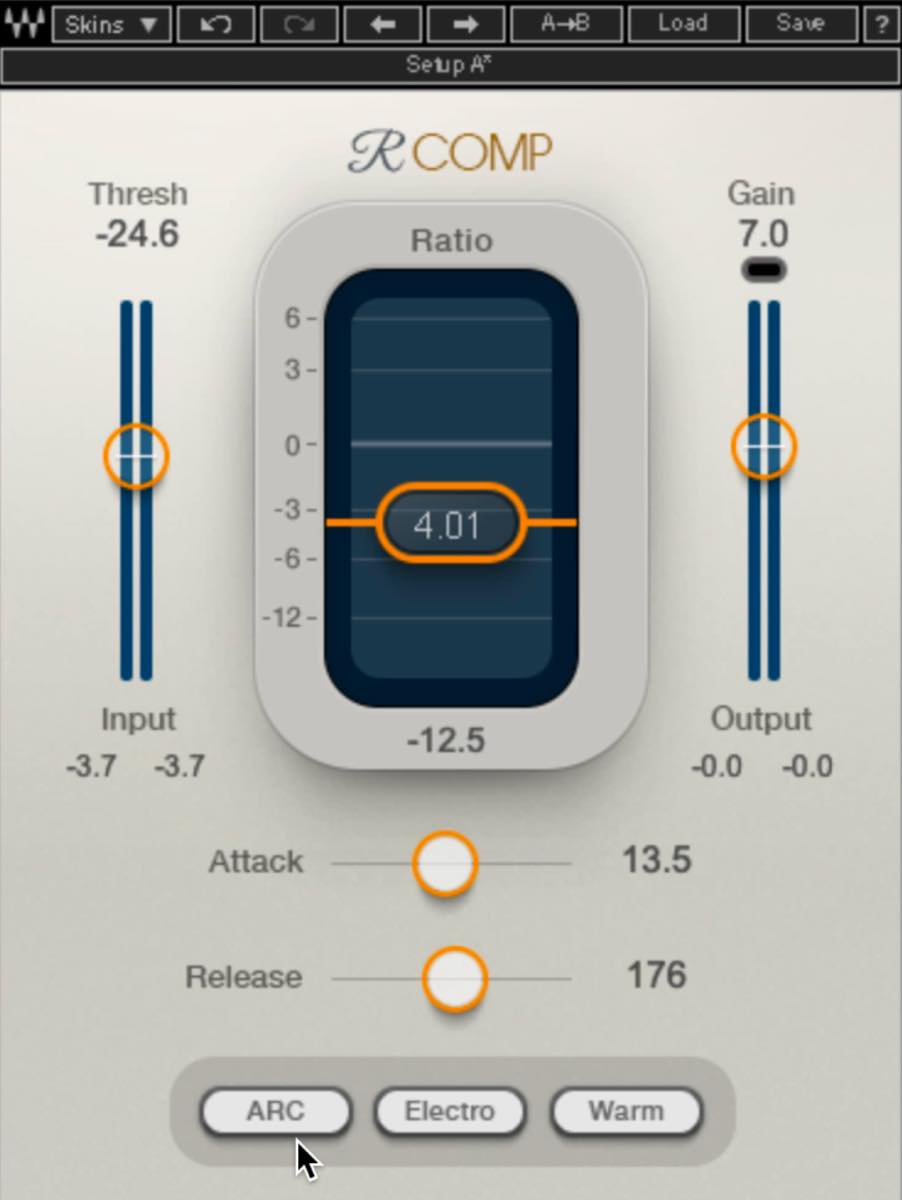
Next is Renaissance Compressor, commonly known as RComp.
It remains a popular member of the Renaissance series, and many producers have used it for years.
One of its main strengths is that it has relatively few parameters, allowing you to shape the sound quickly.
This straightforward design is supported by ARC—Auto Release Control—which adapts the release behavior to the source and your settings.

Although ARC adjusts the release, it is not completely automatic: you can still choose a generally slower or faster response.
A particularly useful feature is that even with a slower setting, the gain reduction recovers in time for the next attack.
Another feature is the ability to add character, something C1 does not offer in the same way.
One option is the Electro/Opto switch, which changes the release character.

Electro releases more slowly above 3 dB of gain reduction and more quickly below 3 dB. Opto does the opposite. This changes how the compression feels, so choose the response you prefer.
Let’s compare them.
RComp: Electro
RComp: Opto
In this example, Electro seems to leave slightly more sustain, while Opto sounds a little cleaner and tighter.
The neighboring Warm/Smooth switch provides another way to change the character.
Warm adds low-frequency harmonics for a fuller, warmer sound. Smooth does not add that particular coloration.

Let’s compare them.
RComp: Smooth
RComp: Warm
Warm seems to give the kick a fuller sound.
This compressor is versatile enough that it is hard to identify a major weakness. If we had to name one, it would be the lack of C1’s fine numerical control.
It also adds some coloration even with Electro and Smooth selected. If you want a completely neutral response, C1 is the better choice.
Compressor Gain Reduction: Video
H-Comp
Next is H-Comp, another established favorite with many devoted users.
The first thing you notice is its appearance: an analog-style meter and knob-based controls. Whether you prefer that interface is a matter of taste.
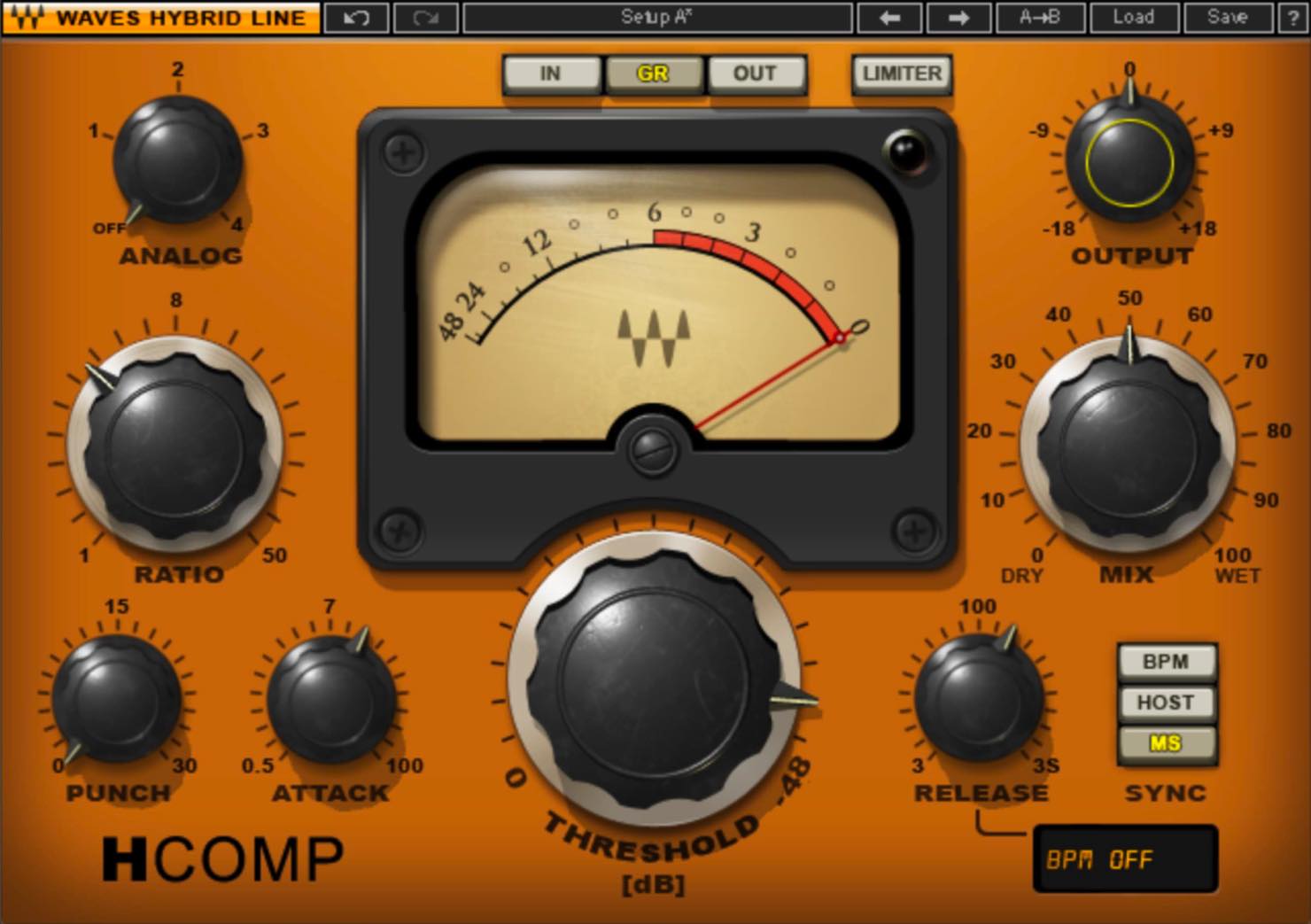
In addition to the standard compressor controls, it includes PUNCH, ANALOG, and MIX.
PUNCH allows a certain amount of the initial signal through when compression begins, independently of the attack-time setting. This preserves sharper transients and creates a literally punchier sound.
To make the effect easy to hear, let’s use the fastest attack setting and turn up PUNCH.
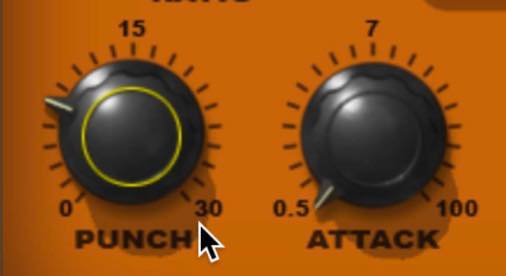
H-Comp: PUNCH
As you can hear, it allows very aggressive sound shaping—something that would be difficult to imitate with C1.
Next is MIX.
This blends the compressed signal with the original, uncompressed source.
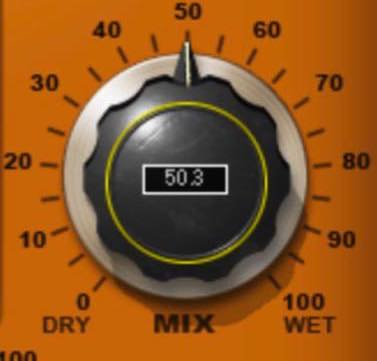
Apply strong compression and then lower MIX, and you may find a balance that an ordinary compressor cannot produce on its own.
To do this with C1, you would need to place it on an Aux or FX track and send the signal there. Having the blend control built in saves that extra step.
Mixing Technique: Parallel Compression—Video
ANALOG offers the character of four types of analog equipment, each with a different harmonic response.
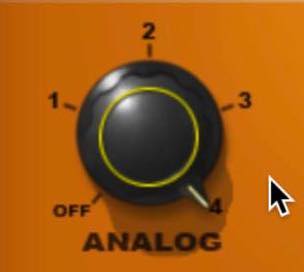
You can choose the character you like or turn it off entirely.
Another major feature is the ability to synchronize the release time to the tempo.
This is useful for sidechain ducking. Syncing to the host tempo lets you set the release in note values.
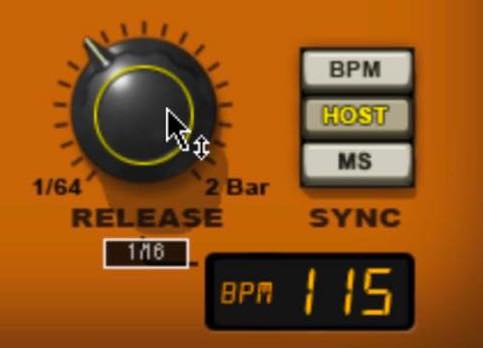
H-Comp: tempo-synced ducking
This makes the ducking feel musical and simplifies release-time adjustment.
H-Comp is also very versatile. One limitation is that its gain-reduction readout does not provide especially fine numerical detail.
If you do not need H-Comp’s distinctive features and want to fine-tune exact values, choose C1.
Creating Groove with Sidechain Processing: Video
MV2
So far we have covered fairly conventional compressors. Now let’s turn to some more distinctive options.
MV2 has an extremely simple set of controls—LOW LEVEL and HIGH LEVEL—but LOW LEVEL is its standout feature.
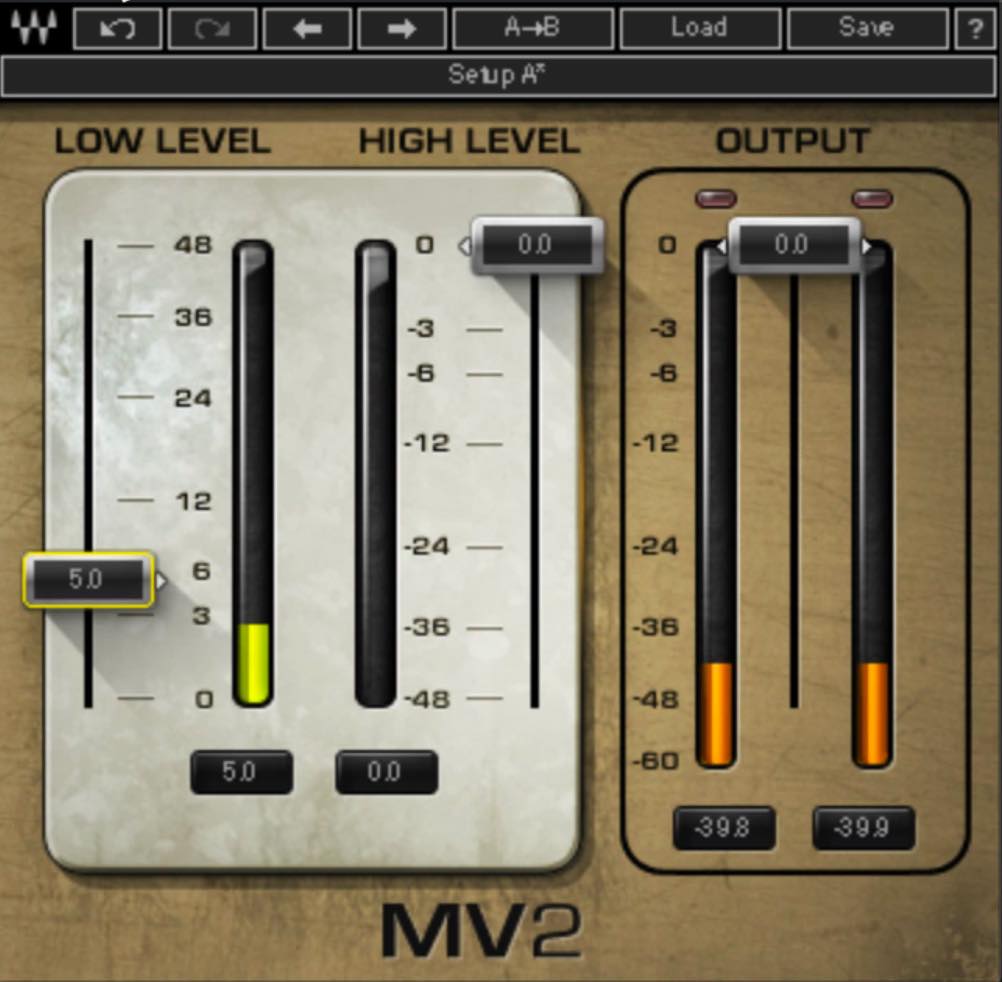
A conventional compressor reduces louder passages, whereas LOW LEVEL raises quieter passages.
It does so while minimizing the effect on loud passages, making it useful when you want to preserve the nuances of a performance.
For example, listen to this rhythm-guitar part.
Rhythm guitar: bypassed
You may want to bring up the muted strums, yet find that compressing the signal changes the feel of the performance.
Let’s try adjusting LOW LEVEL instead.
Rhythm guitar: MV2
The muted strums have come forward nicely.
This would be difficult to reproduce with the other compressors discussed here. Try it whenever you want to adjust levels without an obvious compressed character.
CLA-2A/CLA-3A
Next are CLA-2A and CLA-3A.
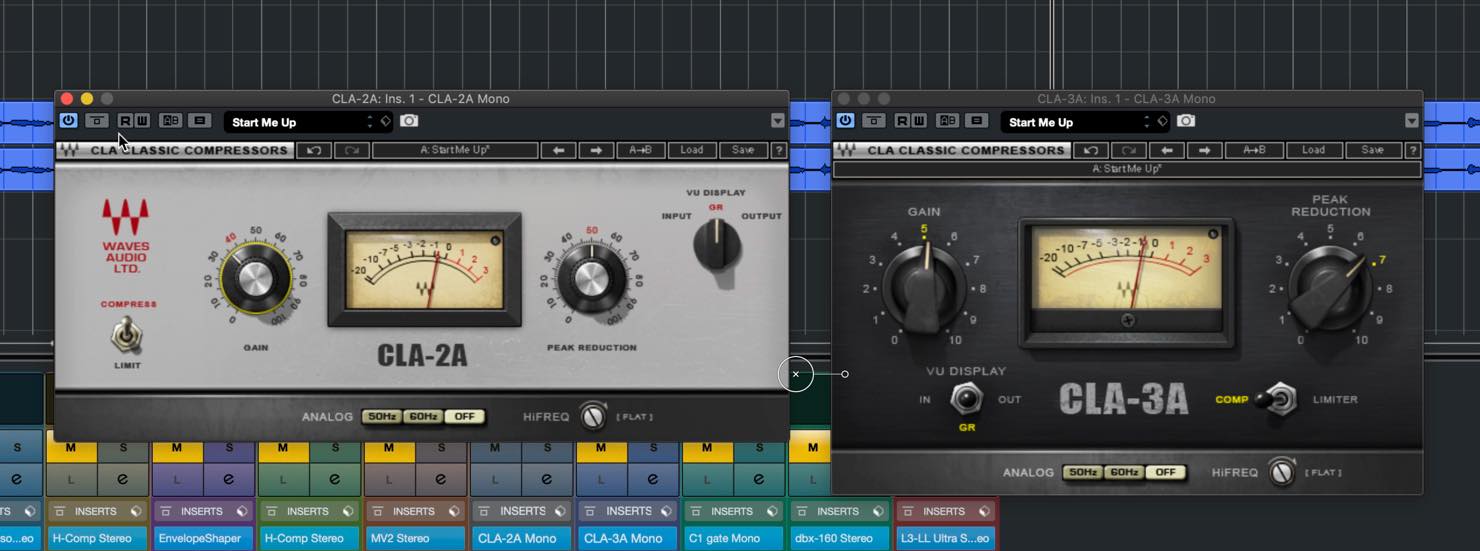
These use an optical compression design, an early approach to compression. There are no adjustable attack or release controls: Peak Reduction sets the amount of compression, and Gain adjusts the output level. Their attack behavior is comparatively slow.
That slower response can provide pleasantly natural compression, which is why these compressors are frequently used on vocals.
Choosing Compressor Types, Part 2: Optical—Video
Let’s listen to the 2A.
Vocal: bypassed
Vocal: CLA-2A
The meter’s gentle movement shows how it smooths out the dynamics naturally.
One difference between the 2A and 3A is that the 3A has a slightly faster attack and release. Even on the same vocal, the resulting feel changes, so choose according to the song and source. The 3A also changes the tone more noticeably; it seems to add more harmonics than the 2A.
Listen to the 3A and compare it with the 2A example above.
Vocal: CLA-3A
The quicker response and additional harmonics seem to give the 3A a slightly more forward sound.
Their simplicity makes these optical compressors less suitable for detailed fine-tuning, but they can produce results very quickly when you just want to smooth out a performance.
dbx160
Our final compressor is the dbx160.
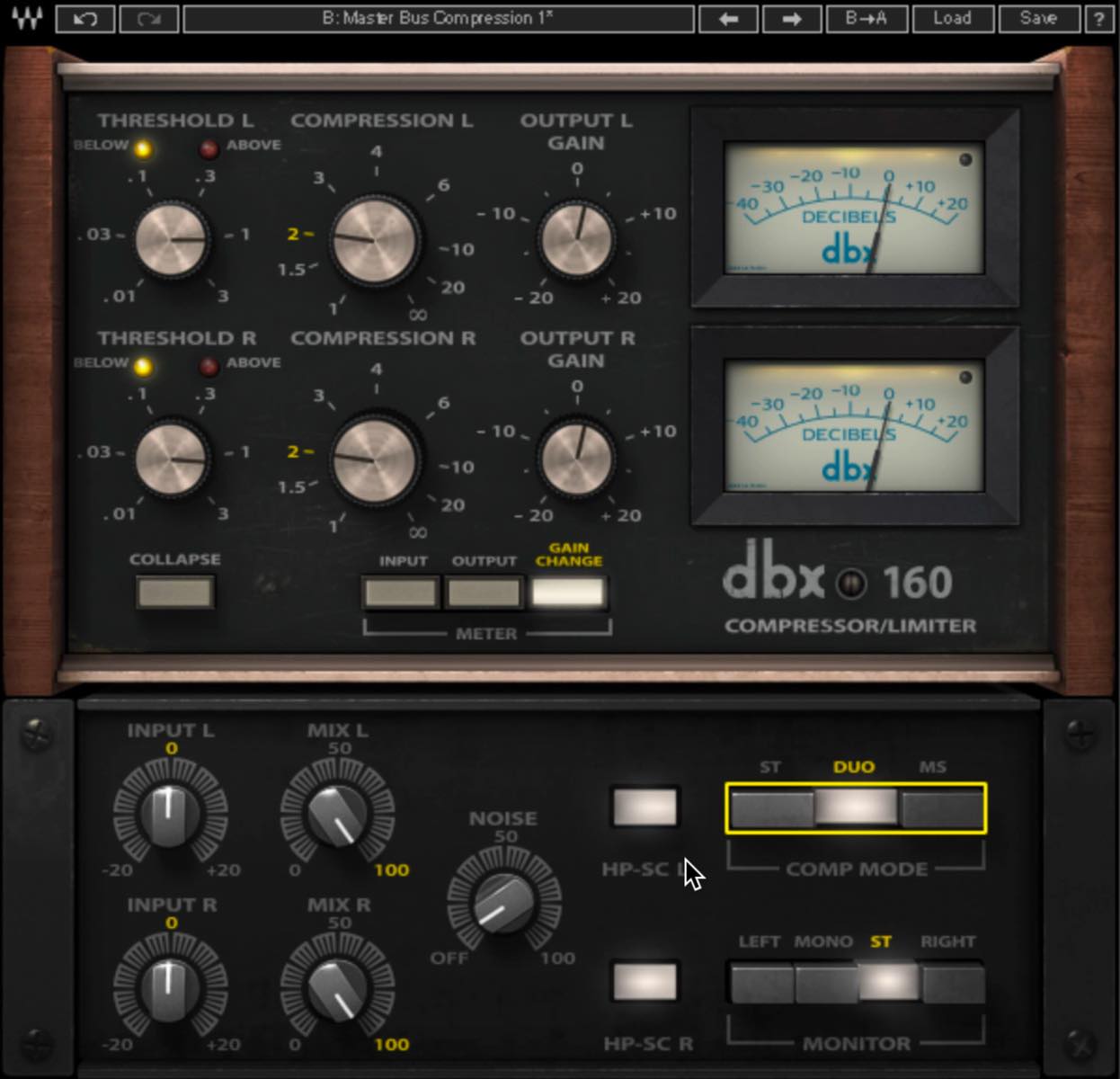
It is a VCA-type compressor—a comparatively newer approach to compression—with a quick, clear response.
Choosing Compressor Types, Part 1: FET, VCA, and Tube—Video
Because its effect does not sound excessively compressed, it is often used to help a master or bus track feel more cohesive.
For this application, the trick is to avoid pushing it too hard and keep gain reduction to around 2 dB. The dbx160 also has no attack or release controls; adjustment centers on THRESHOLD and COMPRESSION.
Compressor Threshold: Video
Here is an audio example using settings intended for the master bus.
Master: bypassed
Master: dbx160
The result feels more cohesive without sounding obviously compressed.
One additional feature specific to the plug-in is separate Mid/Side compression.
Press the MS button at the lower right to assign the upper row of controls to Mid and the lower row to Side.
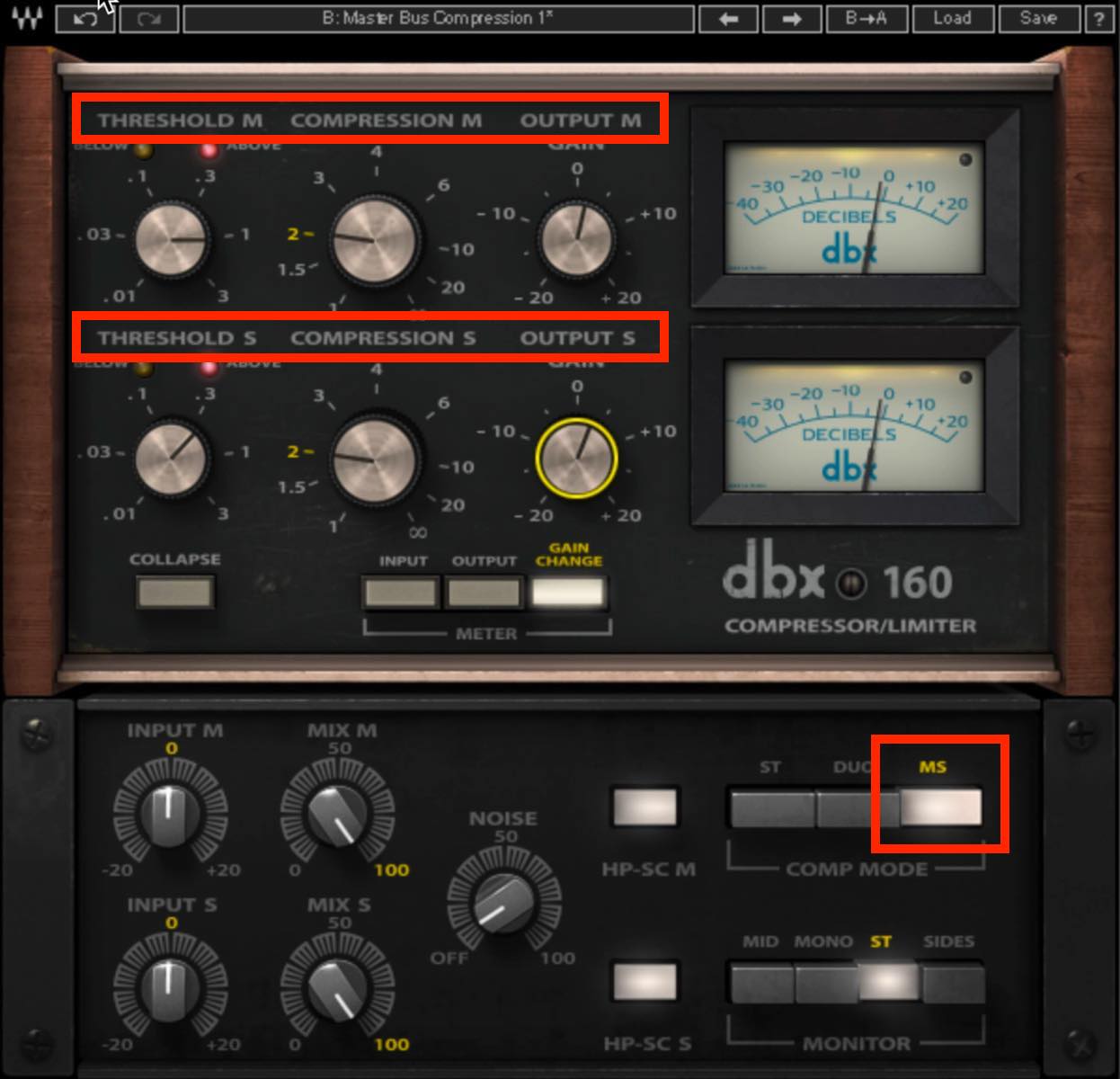
Here, I compressed Mid a little more strongly and raised the Side output to add width and impact.
Master: dbx160 Mid/Side
Of course, the dbx160 can be used for much more than the master bus. You can push it harder for a deliberately squashed sound, too. With relatively few controls to adjust, it is a good candidate to try quickly and keep if it suits the source.
That concludes our look at how to choose between a range of Waves compressors.
Developing your skills with a versatile digital compressor is useful, but choosing a compressor that suits the task can make your workflow much more efficient.
Get to know their individual characteristics and try using each where it works best.

Frequently Asked Questions
Q1. Which compressor should a music-production beginner start with?
Renaissance Compressor is a good starting point. Its small number of controls makes sound shaping quick, while Electro/Opto and Warm/Smooth provide options ranging from natural to more distinctive results. This makes it practical and approachable for beginners.
Q2. What is the main difference between C1 Compressor and Renaissance Compressor?
C1 offers detailed parameter adjustment and neutral compression. Renaissance Compressor has fewer controls, is easy to operate, and adapts its release response using Auto Release Control. Choose C1 for precision or Renaissance Compressor for efficiency.
Q3. When is H-Comp’s PUNCH feature useful?
PUNCH lets the initial transients through independently of the attack-time setting, allowing compression while preserving the instrument’s sharpness and impact. It is useful for aggressive sounds such as kicks, drums, and vocals.
Q4. How does MV2’s LOW LEVEL feature differ from a conventional compressor?
A conventional compressor reduces louder sounds, whereas MV2’s LOW LEVEL raises quieter sounds. This can increase overall perceived loudness and help reveal buried details in sources such as vocals and bass.
Improve Your Mixing: Comparing Six Waves Compressor Selections and When to Use Them
If you are new to music production, the number of different compressors available can be confusing.
In this article, we select six representative Waves compressor options and explain their features and when to use them.Details: https://t.co/aBw2LZdxGV pic.twitter.com/4wNILy1GmG
— SLEEP FREAKS (@SLEEPFREAKS_DTM) July 20, 2020
NEW ARTICLES
Latest English Articles




























































































































































































