
This article explains how to create the sound effects, often called SE or FX, that are essential to electronic and club music using Cubase Pro. Learn to make six types of effects—impacts, boom kicks, drop bass, reversed impacts, risers, and snare rolls—to add contrast and a sense of presence to your tracks. Understanding EQ and reverb processing, pitch bend, and automation will help you bring your productions closer to professional quality.

In this installment of our electronic music production series, we will create the sound effects—often called SE or FX—that are essential to club music.
These tracks play a major role in giving the transitions between sections more contrast and impact.
Creating Sound-Effect Tracks to Build Excitement — Video Tutorial
Download the Cubase Song Project Here!
If the sampler tracks in the project do not play:
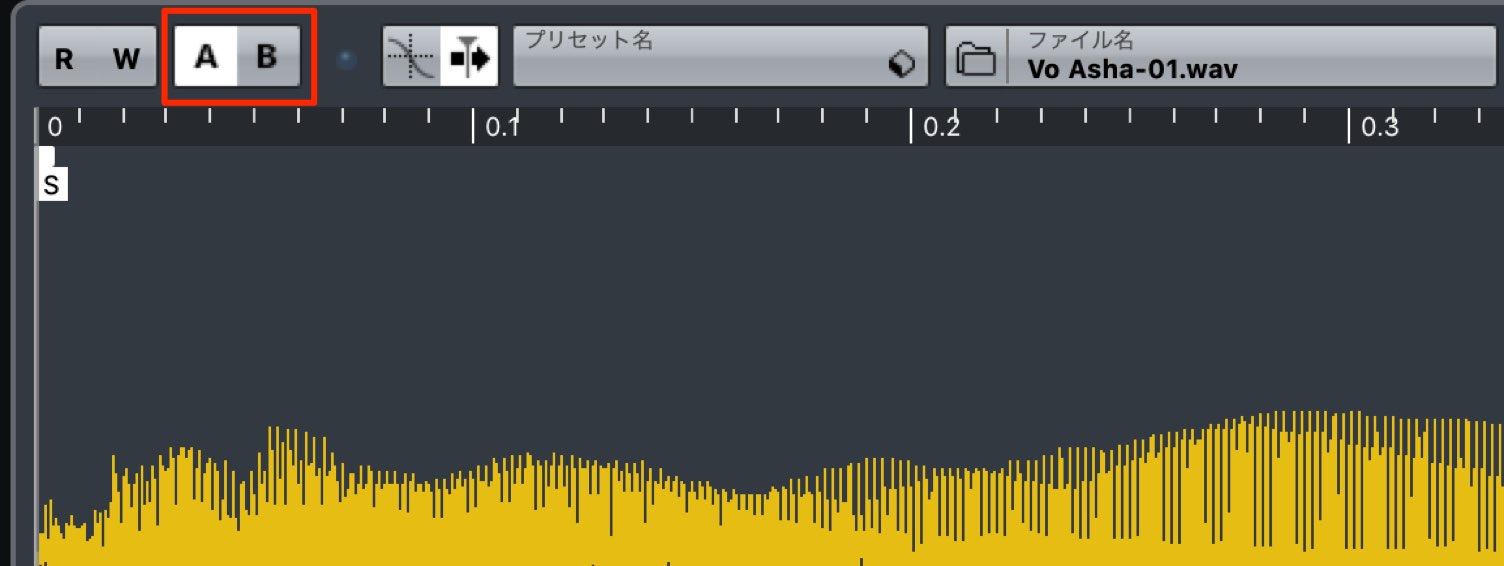
Switch the sampler track's A/B comparison button, then try playback again.
- 1Choosing Drum Sounds and Creating Patterns
- 2Piano Chord Progressions
- 3Bass Sound Design and Phrase Creation
- 4Using a Harmonizer with Vocal Samples
- 5Adding Weight and Impact to the Chorus with Backing Synths
- 6Creating Sound-Effect Tracks to Build Excitement
- 7Applying Effects to the Master Channel
Selected Questions and Answers from the YouTube Video

This may be a basic programming question, but how do you gradually increase the velocity of only the softer sixteenth notes in the snare roll, as shown from 6:55?

In the video, I simply raise the velocities of the softer notes one by one. You can also select all the softer MIDI notes and change them together with the Line tool. I recorded a demonstration: https://app.box.com/s/rfv94fb66kkx1gc880qfkoijwrjhovxd
Impact Sounds
Let's create an impact sound, one of the most commonly used types of sound effects.
Use impacts wherever you need an accent, much as you would use a crash cymbal.
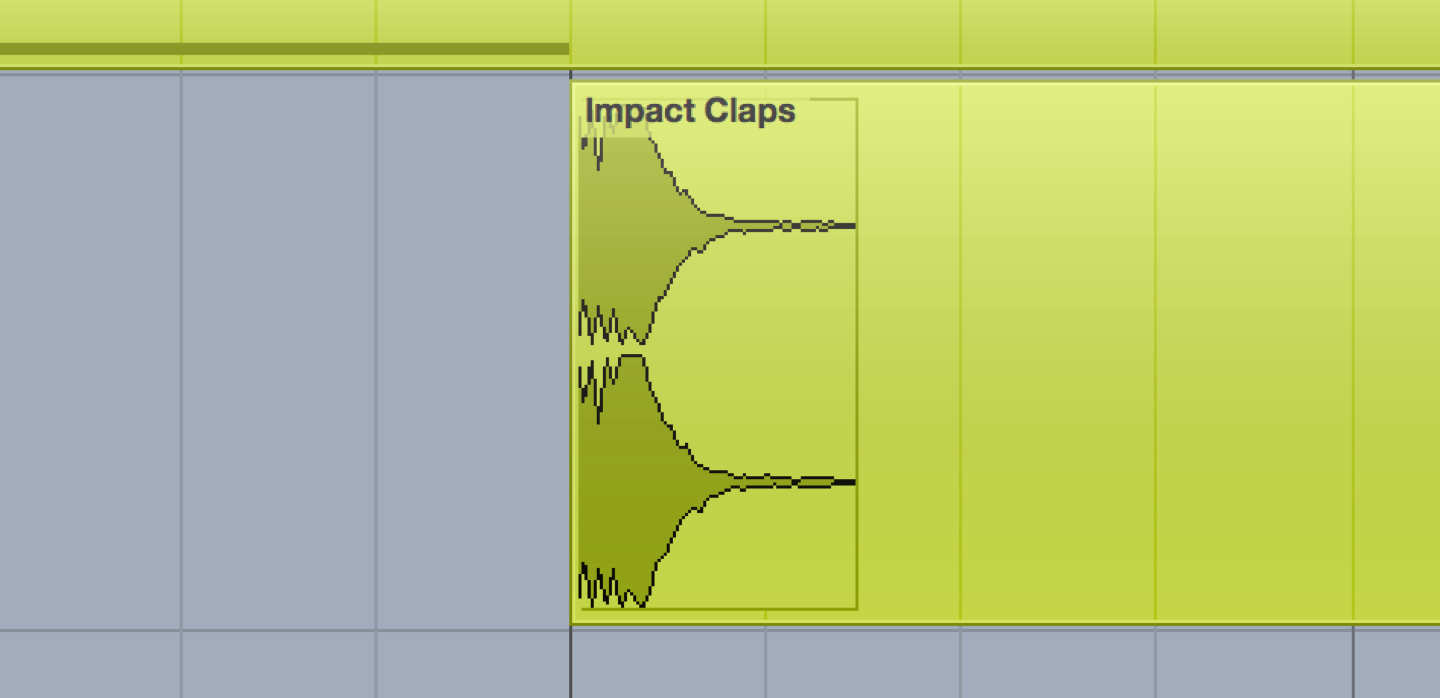
We will use this clap sound as the starting point.
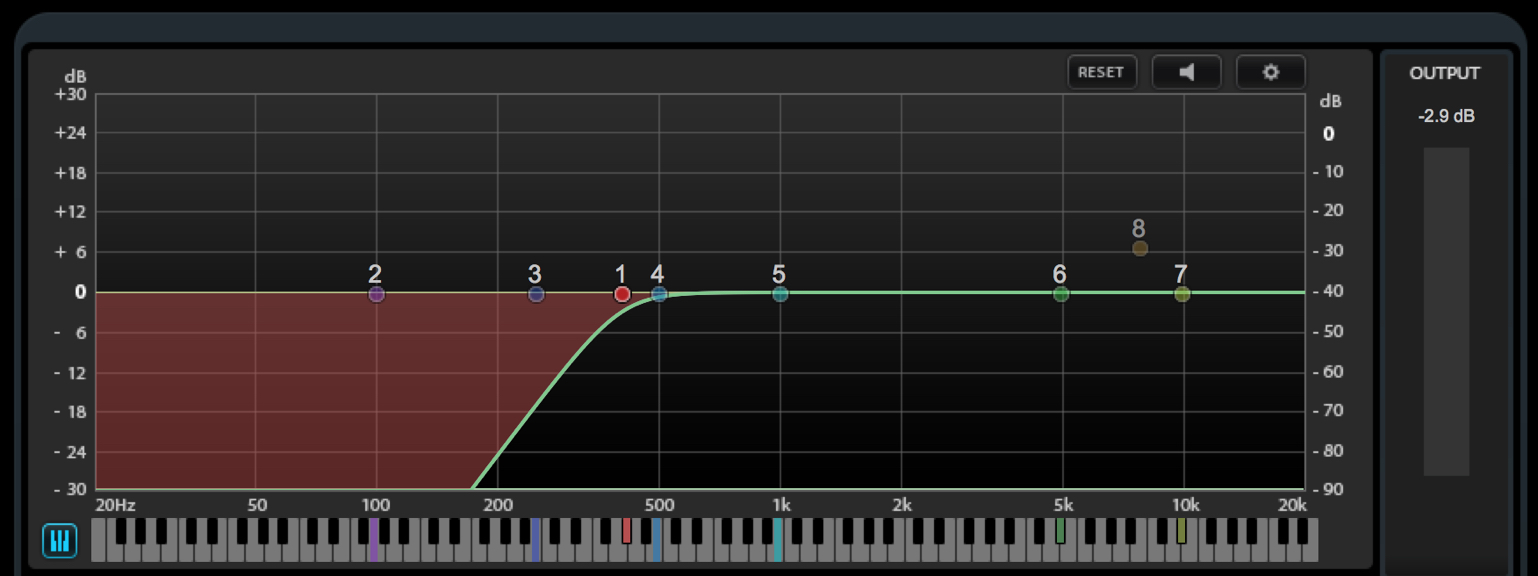
Apply a low-cut filter with Frequency (EQ) to avoid unnecessary buildup in the low end.
With sound effects in particular, it is important to keep the low end under control.
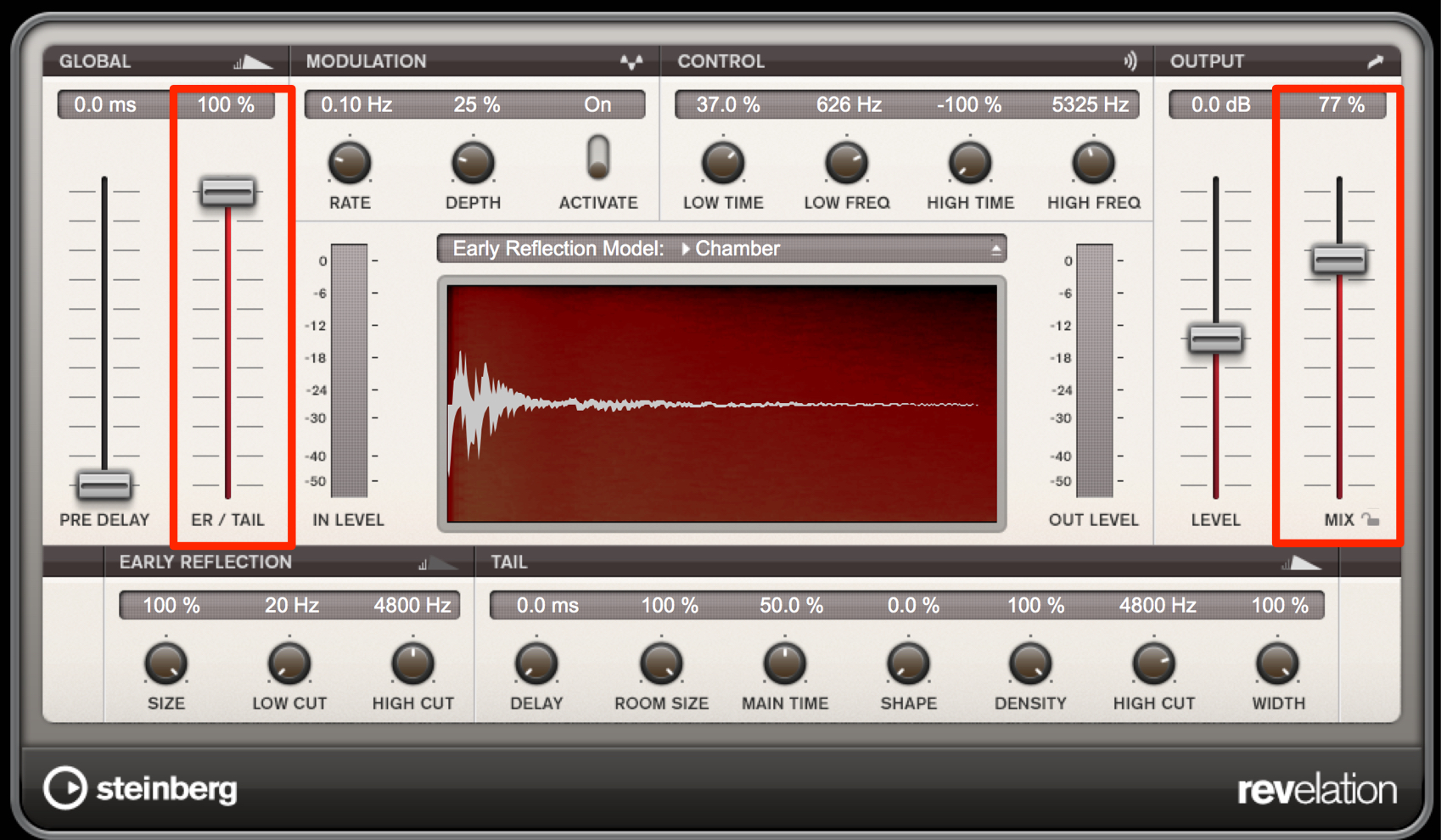
Use REVelation (reverb) to add sustain, depth, and stereo width.
Start with a hall preset with a long decay, and move ER/Tail toward Tail to create a deep reverb sound.
Set Dry/Wet relatively high toward Wet, adjusting it to blend with the song.
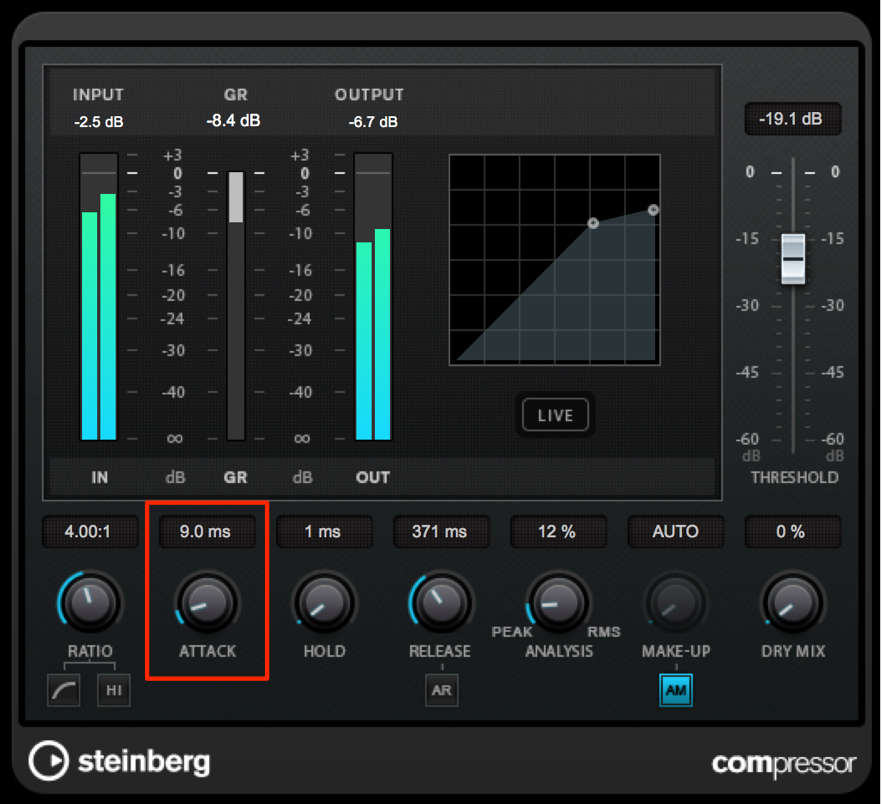
The original sound's attack feels a little too strong here. In a situation like this, apply compression with a fast attack time to help the sound blend into the track.
Another key point is that reducing the attack lets you control the sound's perceived distance.
Boom Kick
Let's add a boom kick to fill out the low-midrange that is missing from the impact sound above.
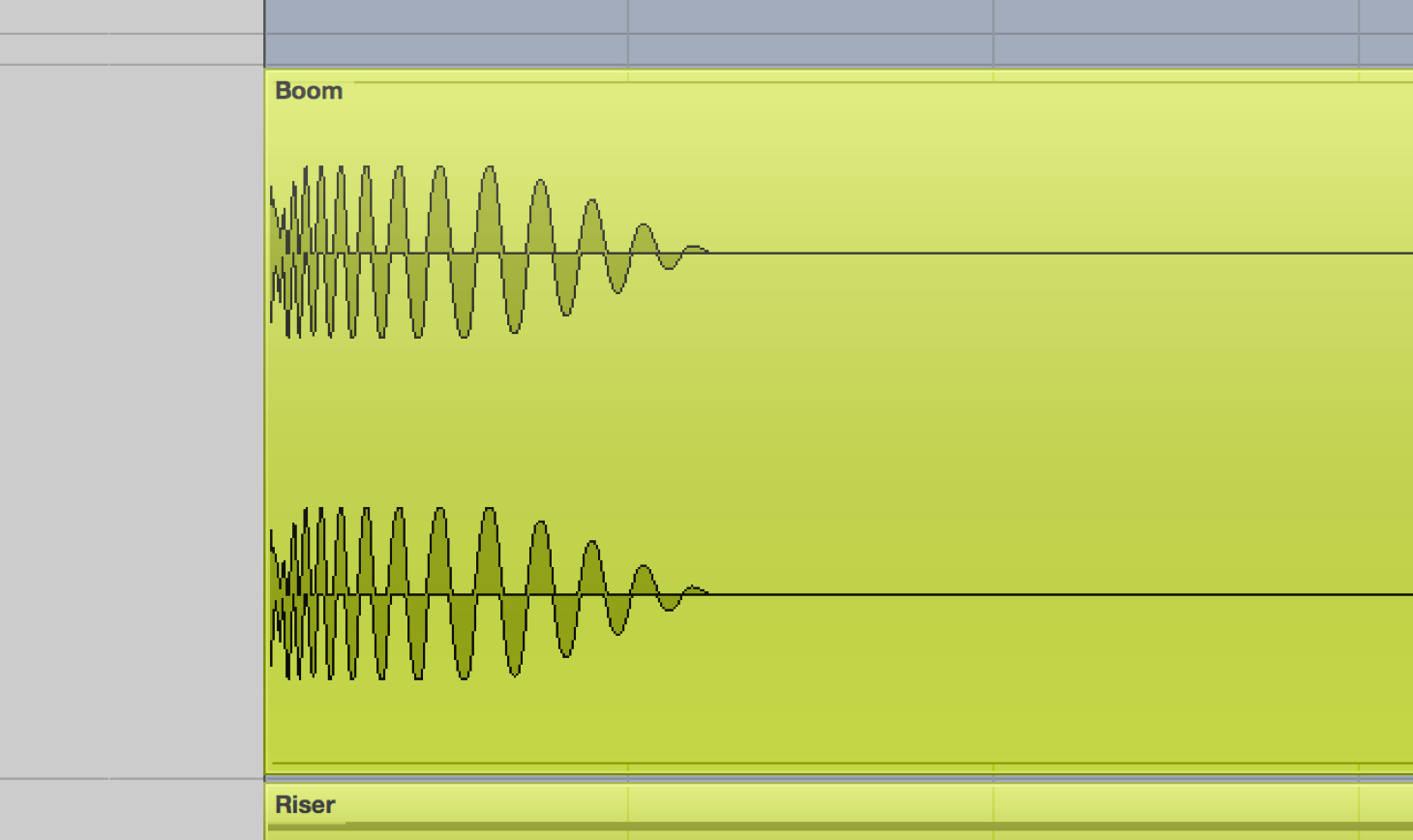
As the name suggests, this sound is often made from a kick drum.
As with the clap, we will use reverb as the main sound-shaping tool.
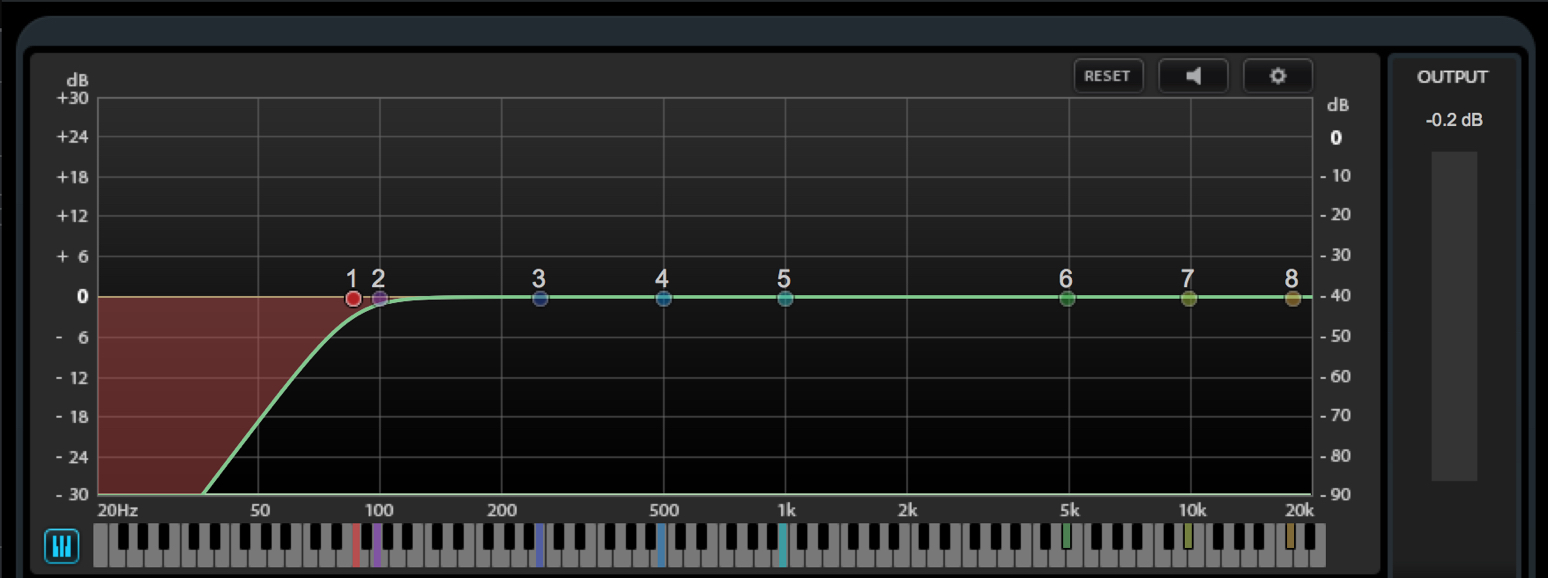
Kick samples contain a lot of low-frequency energy.
To avoid competing with the bass, use Frequency (EQ) to apply a low cut up to around 100 Hz.
This keeps the sound weighty while helping it sit in balance.
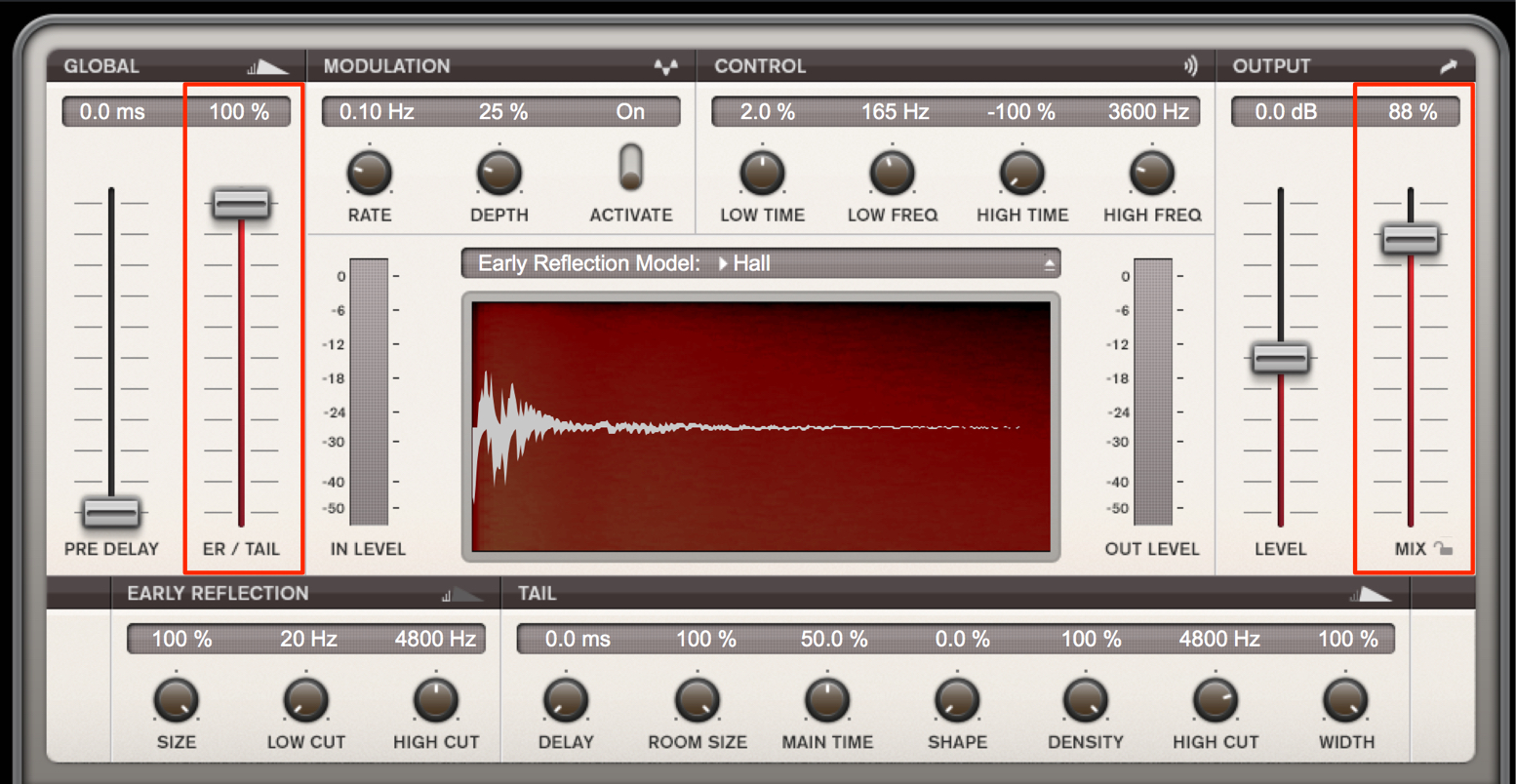
The basic approach is to move REVelation's ER/Tail balance toward Tail, then adjust Dry/Wet while listening to the depth of the reverb.
Drop Bass
Let's create a sound called drop bass, in which the pitch slides downward.
It is a staple of electronic music, often used in breaks.
Because it is difficult to layer this sound with a kick or bass, the key is to use it in sections where no other low-end tracks are playing.
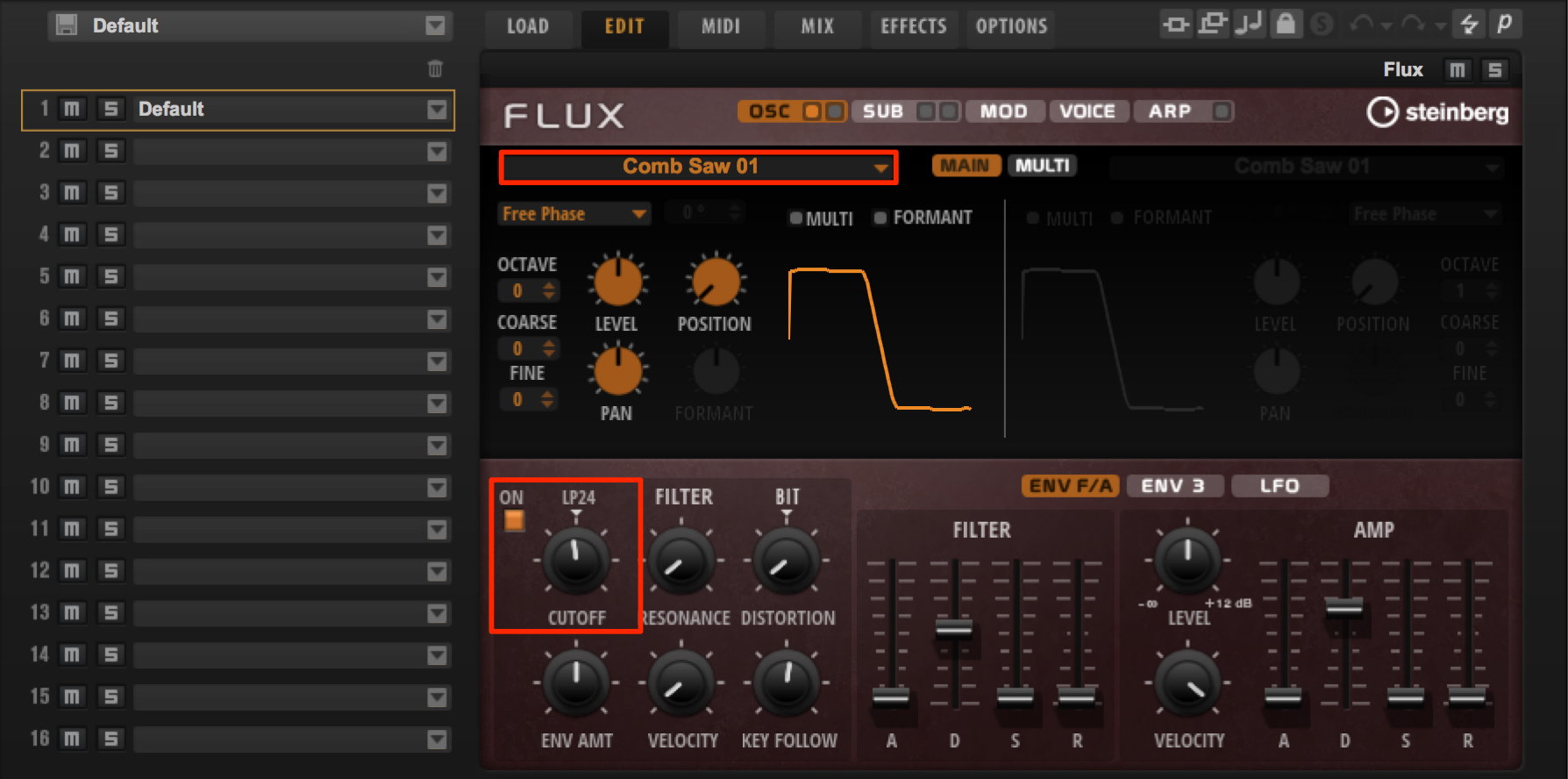
Use a waveform between a saw and a square wave, then reduce the high frequencies with a low-pass filter to round out the sound.
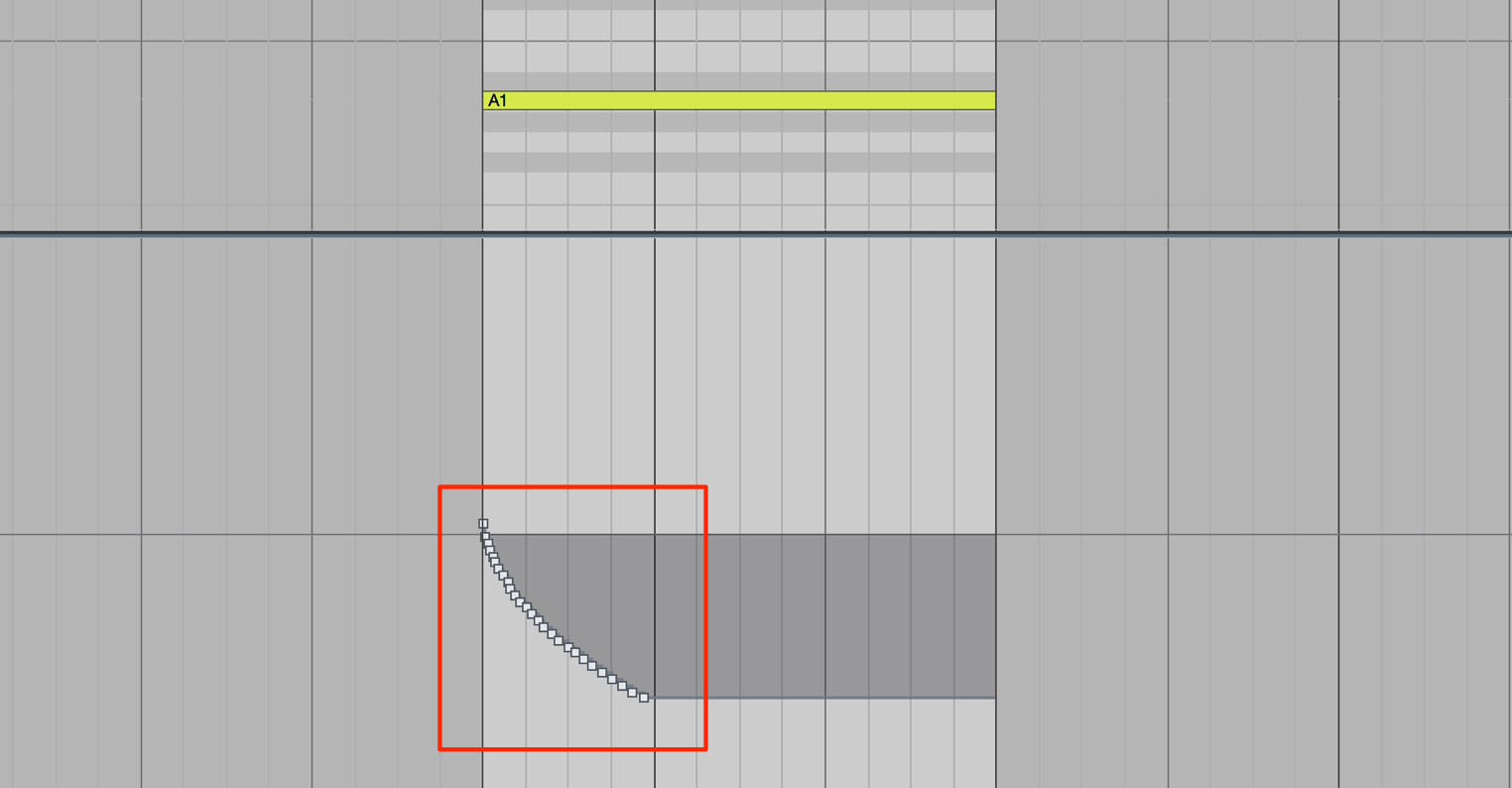
Program pitch bend to make the pitch descend.
Adjust the rate of the pitch change and the pitch-bend range while listening to the song as a whole.
Reversed Impact
Reversed cymbals are a familiar example, but reversing an impact sound is also effective.
Reversed effects generally grow louder over time, creating a fade-in, so they work well just before a section where the music intensifies.
Here, we use one to build anticipation right up to the break.
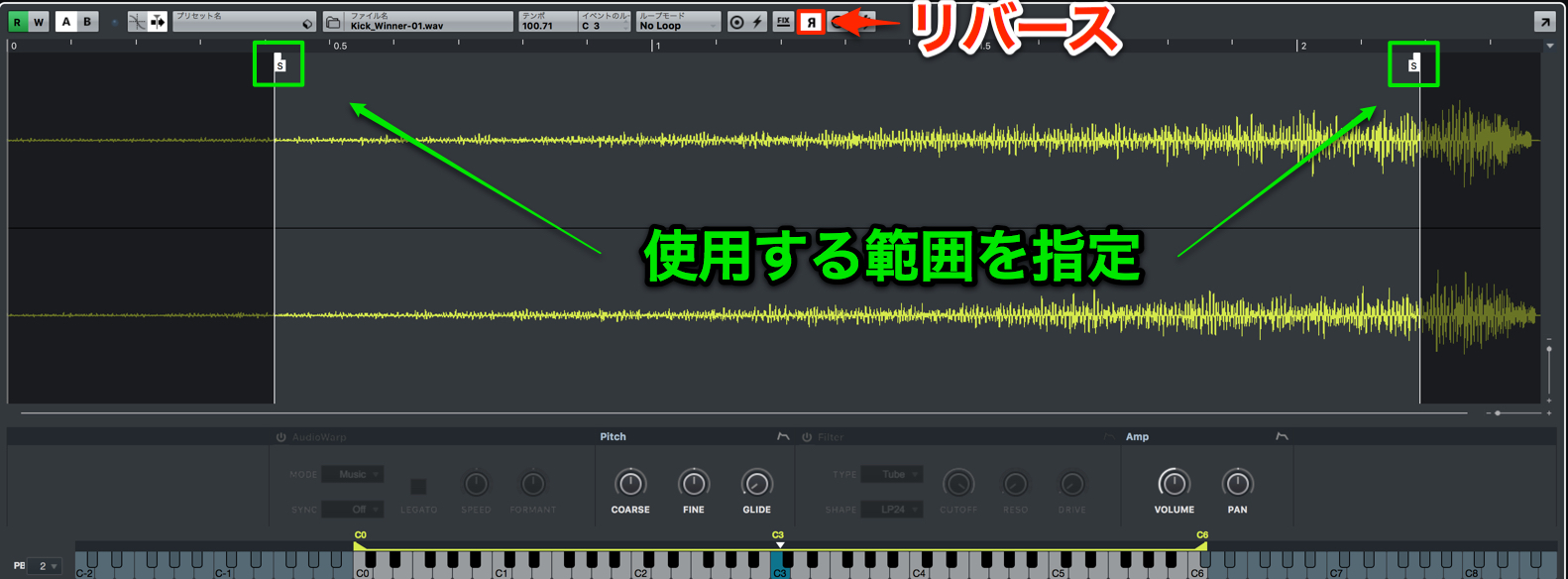
With reversed sounds, deciding exactly where the sound stops is important.
Import an impact sound into a sampler track and turn on the R button to play it in reverse.
You can also set which portion of the sample is used.
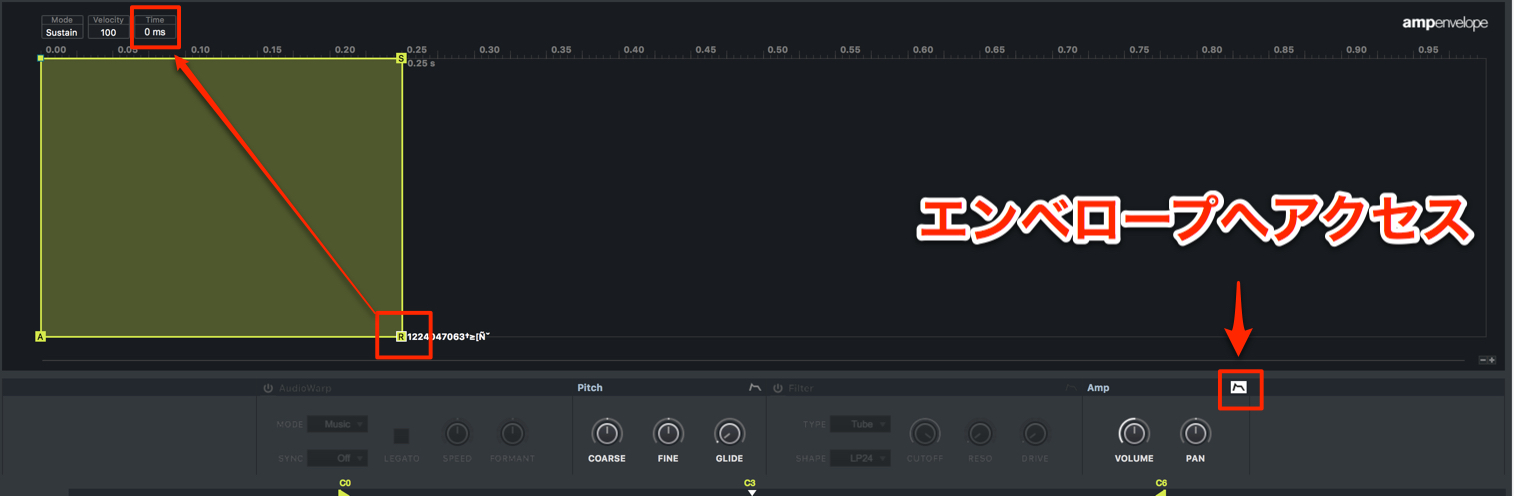
Set the amp envelope's release time to 0 so that the MIDI note length controls how long the sound plays.
Riser Sounds
Let's create a riser: an ascending effect used to build excitement in a song.
As the name suggests, its pitch rises. Here, we will also add stereo movement and a rhythmic element.
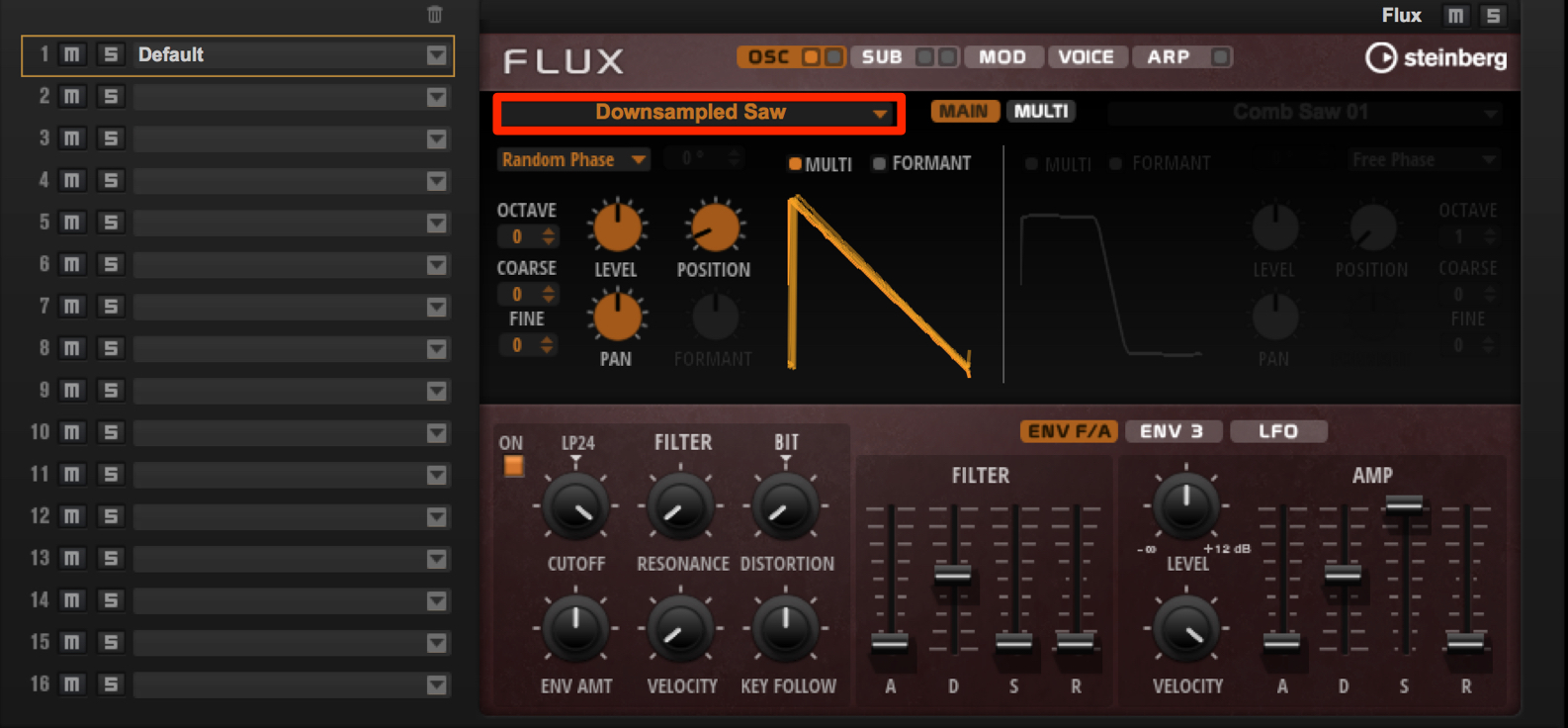
We will use Flux again.
Feel free to choose an oscillator sound that you like and that suits the song.
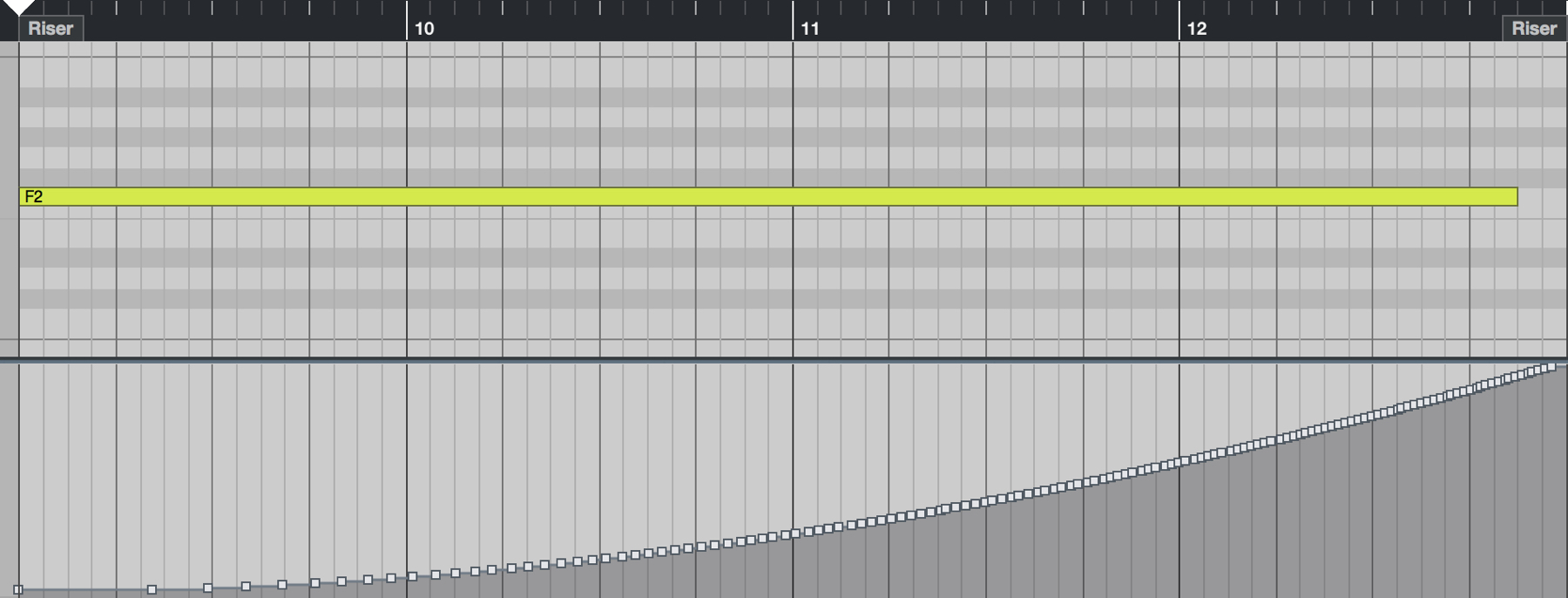
Draw in pitch bend to follow the song's buildup, as shown here.
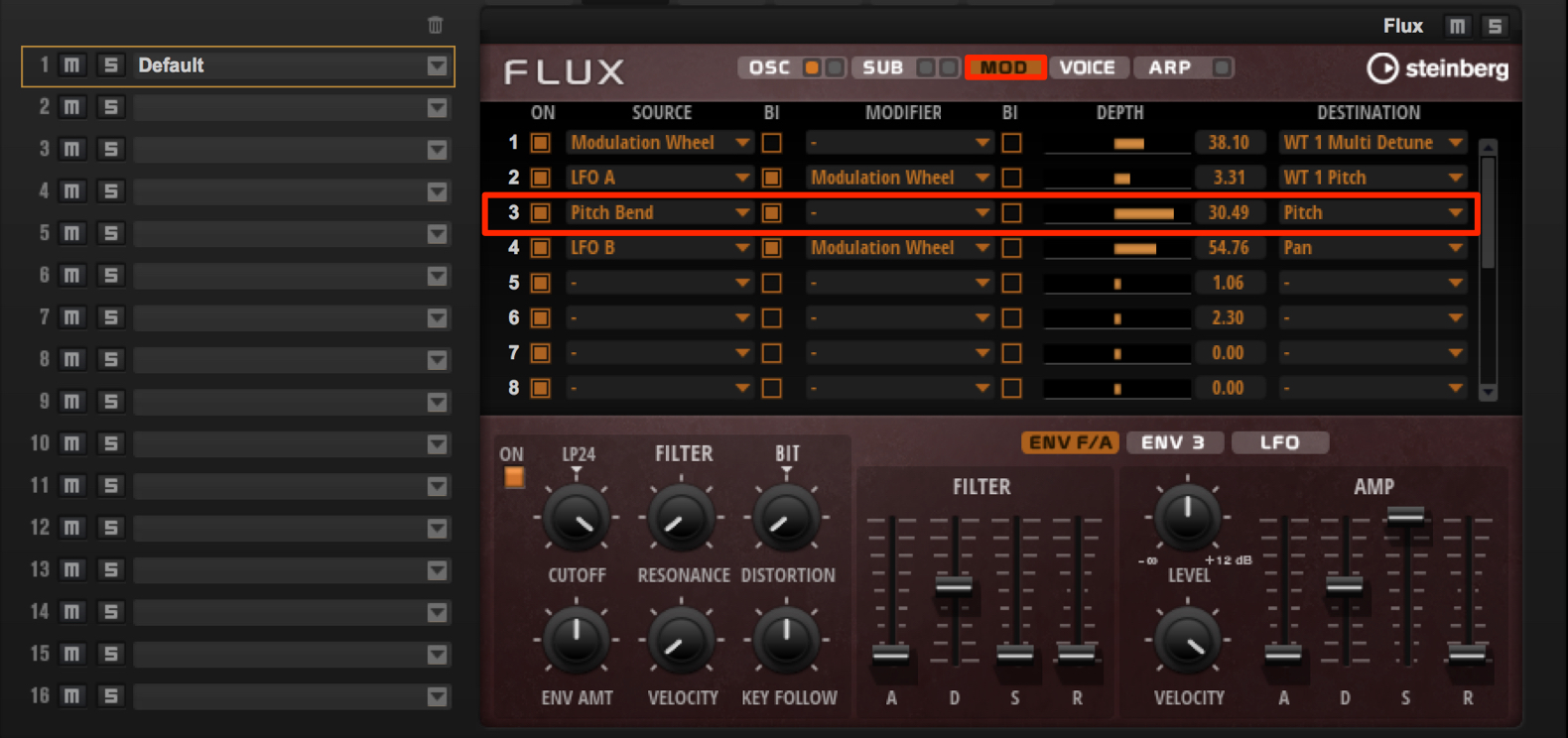
Click MOD, then use DEPTH under Pitch Bend to set the pitch-bend range.
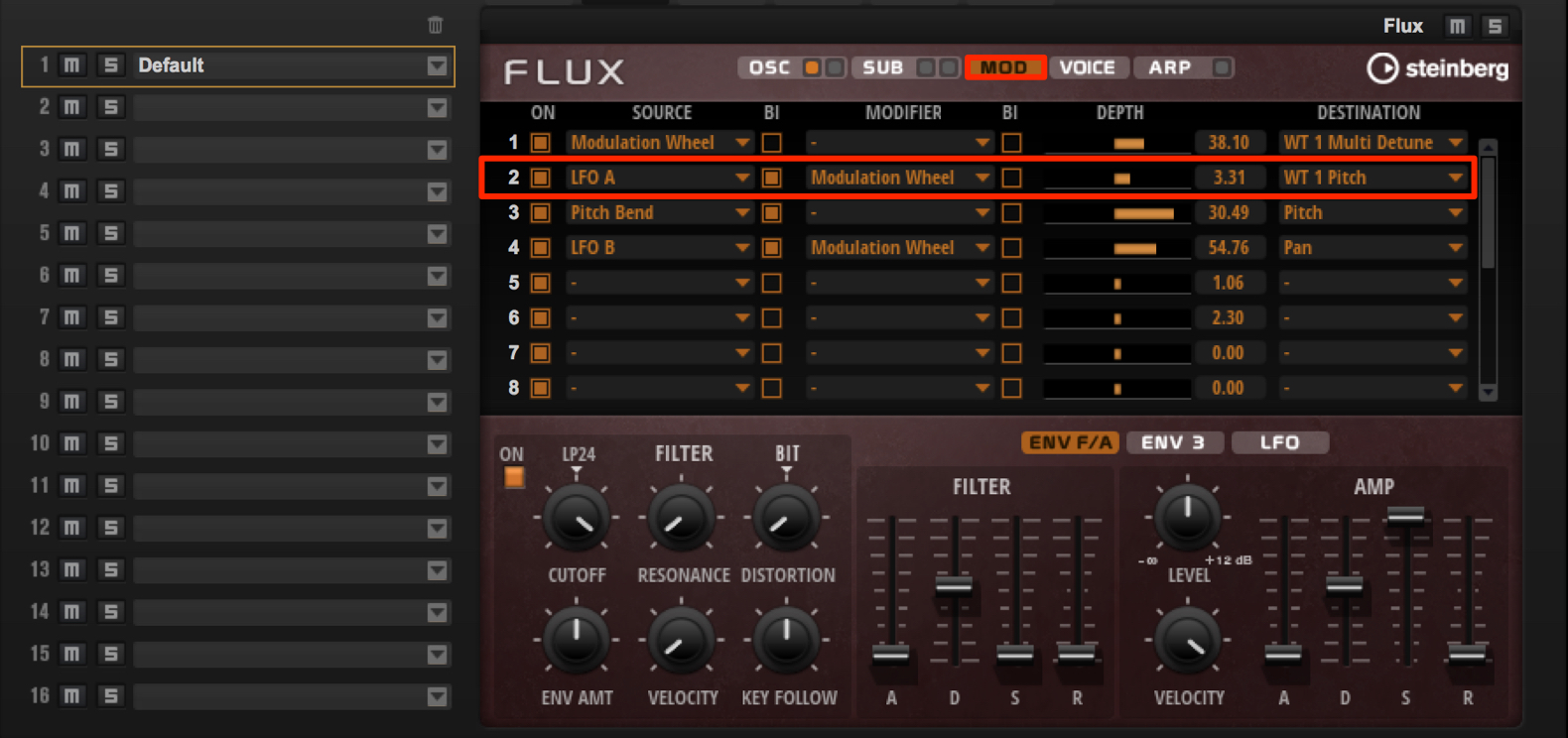
Route LFO A to WT 1 Pitch (oscillator pitch) to make the sound more percussive.
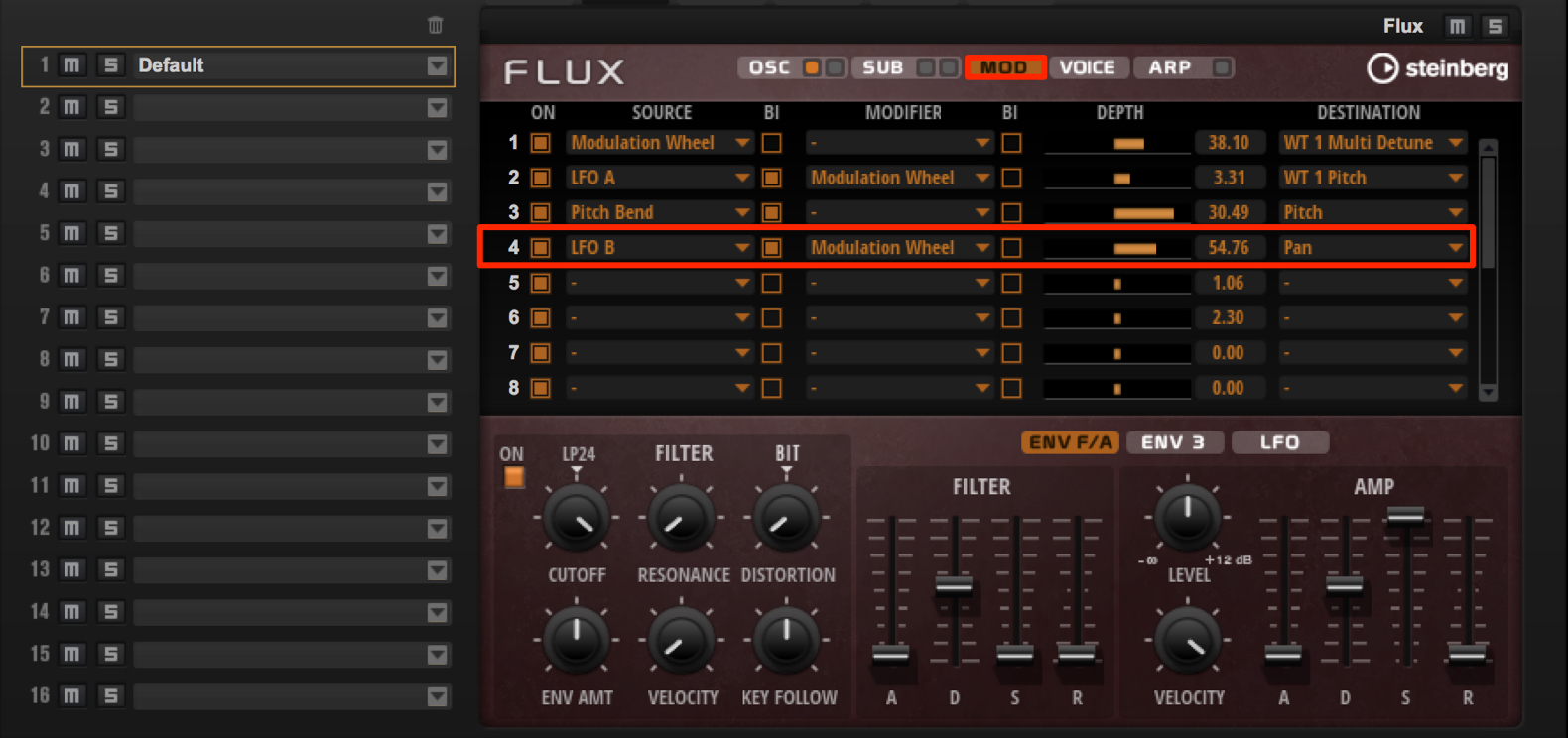
Assign Pan to LFO B to create movement similar to auto-pan.
Paying attention to other parameters alongside pitch lets you create distinctive sounds.
Try out a variety of ideas.
Rising Snare Rolls
Let's create the rising-pitch snare roll often heard in contemporary dance music.
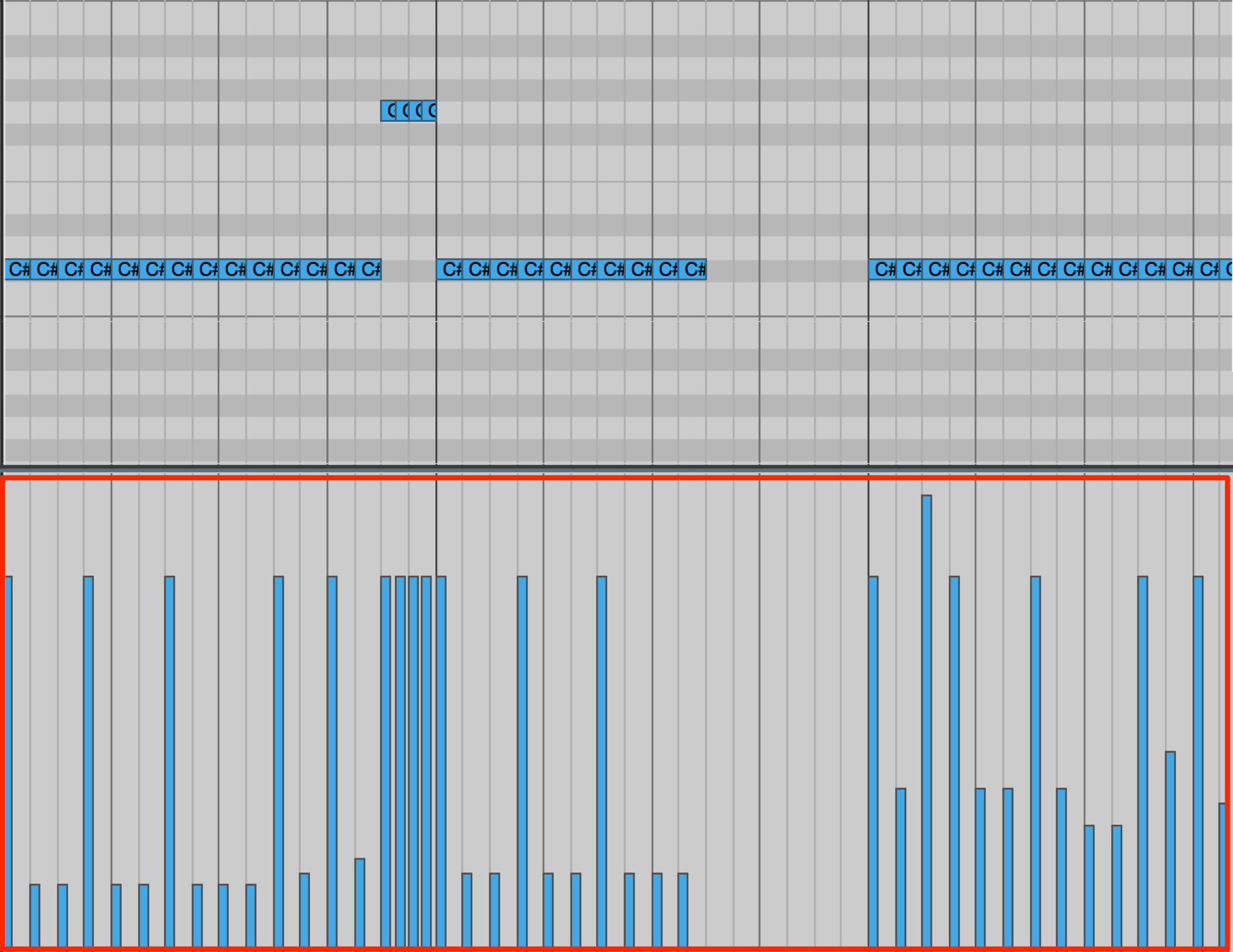
The pattern is based on sixteenth notes. The key to adding variation is to create strong dynamic contrasts with velocity.
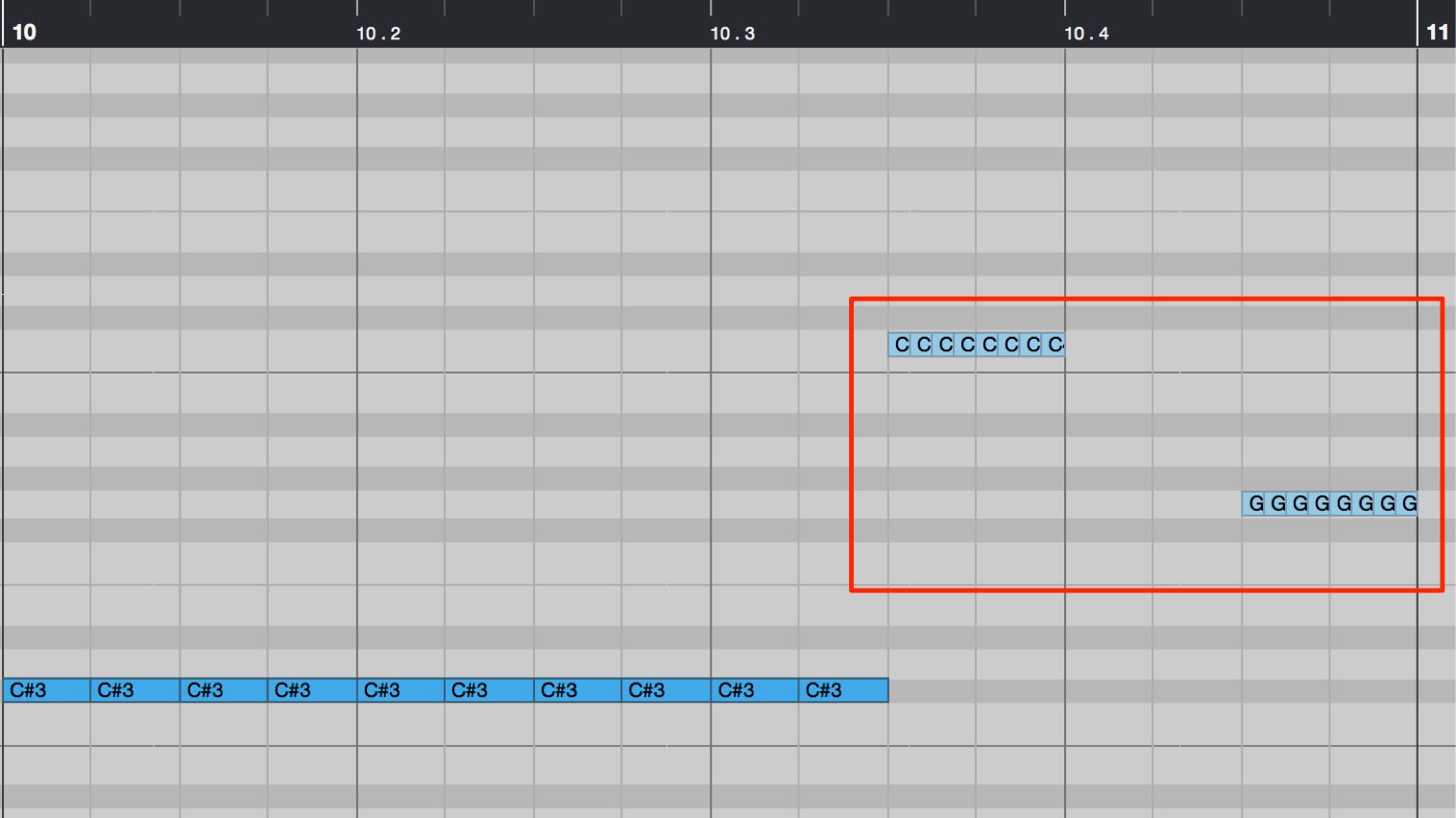
We also add very fast sixty-fourth notes in selected places as accents.
This technique is called a buzz.
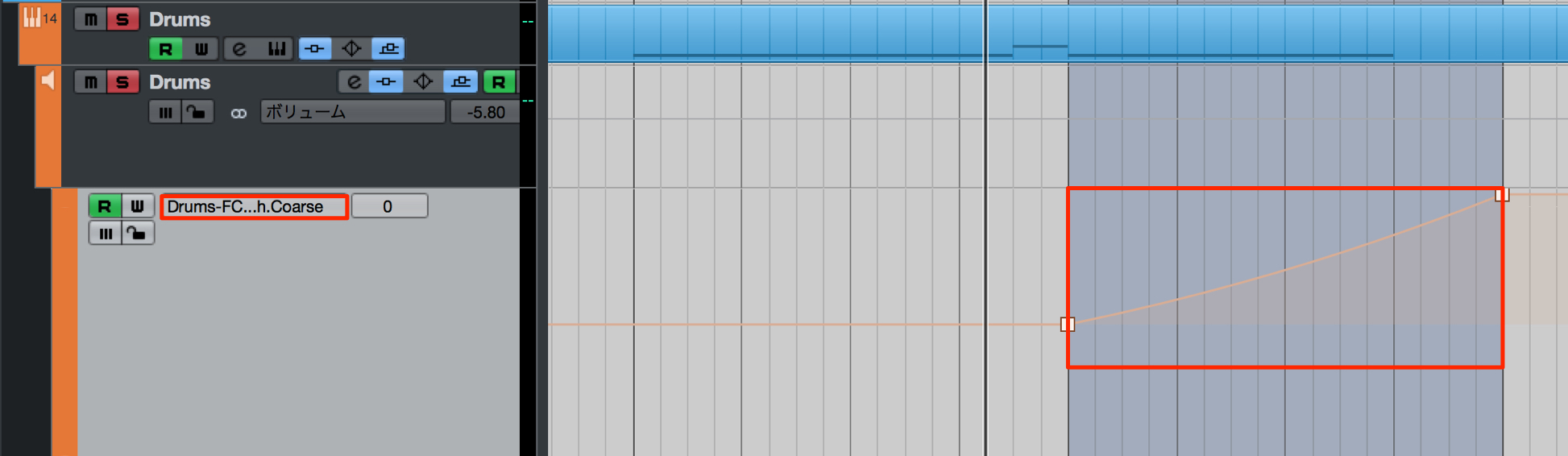
In the final bar, make the snare roll rise in pitch.
Draw a gradually rising pitch curve in the automation lane.
Steinberg Distributor — Resources from Yamaha Music Japan Co., Ltd.
- Yamaha Music Japan MPP (YouTube) https://www.youtube.com/user/SteinbergJapan
- MPP (Twitter) https://twitter.com/SteinbergJP
- Sound Roster Music Production Show (Fresh!) https://freshlive.tv/ymjsoundroster

Product Page: https://japan.steinberg.net/jp/products/cubase/start
Frequently Asked Questions
Q1. What should I do first when creating sound effects in Cubase Pro?
Start by cleaning up the low end with a low-cut EQ filter. Avoiding clashes with the bass and kick helps produce a clearer sound that blends into the track.
Q2. What matters when using reverb to create sound effects?
Move ER/Tail toward Tail for a deep reverb sound, then adjust the Dry/Wet balance to find a depth that blends naturally with the song. A hall preset with a long decay is a useful starting point.
Q3. How can I make a riser sound more distinctive?
In addition to pitch bend, use LFOs to control pan and other parameters at the same time. This creates a more spacious, engaging sound instead of a monotonous one. The key is to pay attention to several parameters.
Q4. Where does drop bass work best?
Because it can clash with kick and bass parts, use it where other low-end tracks leave space, such as a break. It is especially useful at transitions between sections.
NEW ARTICLES
Latest English Articles






























































































































































































































































































