
NI MASCHINE is more than a dedicated drum production instrument: switching it to MIDI mode lets it work as a general-purpose MIDI controller. After entering MIDI mode by pressing Shift and Control together, you can assign DAW controls and software synthesizer parameters to MASCHINE knobs and pads. The accompanying MaschineController software lets you configure MIDI CC messages in detail for use with major DAWs such as Pro Tools, Logic, Cubase, and Ableton Live. For example, you can use MASCHINE pads to play and program synthesizer parts, giving you more flexibility and hands-on control.
Using MASCHINE as a MIDI Controller
Switch Maschine to MIDI mode
and you can control DAW knobs or play and program other software synthesizers.
MASCHINE Video Tutorials
- 1Main Windows
- 2Programming Drum Patterns
- 3Understanding Effects
- 4MIDI Integration with a DAW
- 5Using MASCHINE as a MIDI Controller (this article)
Questions and Answers from the YouTube Video

Can this machine take a section I like from a record and put it on a pad?

Yes. Connect the record player’s output to Maschine and sample it. You can slice the recorded sound and place the slices on individual pads. https://sleepfreaks-dtm.com/maschine/hardware/slice-maschine/
How can I control Massive with Maschine knobs and record the data as well?
Using the method shown in this video, try right-clicking the Massive knob you want to control, selecting “MIDI Learn,” and then moving the Maschine knob you want to assign. Please give it a try.
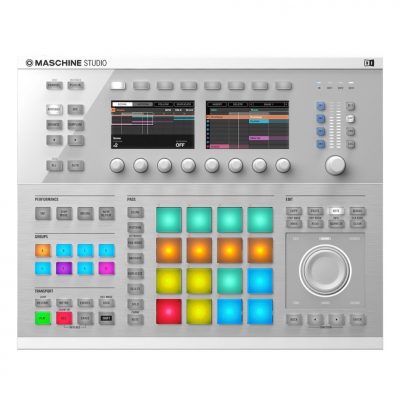
Video Tip: Switching to MIDI Mode

↑ Press “Shift” and “Control” on Maschine at the same time.
This switches Maschine to MIDI mode.
Video Tip: Assigning Controls
DAW controls and software synthesizer knobs
can be assigned to Maschine knobs.
Assignments by DAW
 Logic
 Cubase
 Ableton Live
 Studio One
 FL Studio
Video Tip: Managing Assignments with MaschineController
When you install Maschine, software called “MaschineController” is also installed.

You can choose the MIDI CC messages sent to your DAW.
Click the knob or button you want to change, then make the assignment using “Assign” in the upper right.
This also lets you use Maschine pads to play and program the included software synthesizer.
Frequently Asked Questions
Q1. How do I use MASCHINE as a MIDI controller?
Press the “Shift” and “Control” buttons on the MASCHINE hardware at the same time to switch to MIDI mode. Then configure your DAW to recognize MASCHINE so that you can use its knobs and pads.
Q2. Which DAWs are supported?
Major DAWs including Pro Tools, Logic, Cubase, Ableton Live, Studio One, and FL Studio are supported. Assignments can be configured for each DAW.
Q3. What can I configure in MaschineController?
You can set the MIDI CC messages sent to your DAW by clicking a knob or button and changing its assignment under “Assign” in the upper right. This provides flexible control over more complex parameters.
NEW ARTICLES
Latest English Articles










































































































































































































































































































































































































































































































































































































































































