
Universal Audio's LUNA 2.0 is a completely free DAW for Mac and Windows, yet it includes professional recording and mixing features. Even the free version supports unlimited tracks and every stage of production. AI features such as automatic tempo detection and track setup can save significant time. Its greatest appeal is that beginners and people who already own plug-ins alike can build a serious music production environment without paying for the DAW itself.
AI assistance meets an analog-inspired workflow: The future of LUNA 2.0
Have you tried a free DAW only to find that its limitations keep you from finishing a project?
Universal Audio's LUNA 2.0 is completely free on both Mac and Windows, yet it supports professional recording and mixing.
Version 2.0 also adds advanced AI features that can greatly reduce production time.
Media Integration took over domestic distribution in Japan on October 28, 2025. At the time, the company also planned Japan-only bonuses during sales such as Black Friday, including seminar videos by internationally active engineers.
There are three main reasons to look at LUNA 2.0:
- No DAW-function limits in the free version: Record, edit, mix, and export
- AI saves setup time: Automatic tempo detection and track setup
- The Pro edition adds analog sound: 28 UAD plug-ins valued at about ¥450,000
Let's explore these strengths in more detail.
Selected questions and answers from the YouTube video

What did you use for the vocals in this video? Is it Vocaloid, or did someone sing them?

The song used in this video was sung by a voice actor, not generated with vocal-synthesis software.
Can I use the plug-ins without a UAD audio interface?
Yes, you can.
I want to use AmpliTube 5 here. How can I do that?
First, go to LUNA > Settings > PLUG-INS and check that ENABLE is lit for AU and VST3. Then click Rescan All or Scan New Plug-Ins under Scan. After scanning, click an INSERTS slot and the plug-in should appear in the list on the left.
What the free version can do: Unlimited tracks and formats
With Studio One Prime now requiring payment, an accessible full-featured DAW is particularly valuable for beginners.
The free version of LUNA 2.0 has no restrictions on the DAW's core functions
. Recording tracks are unlimited and the DAW supports both audio and MIDI. You can program music, record, mix, master, and export—complete every stage of production within LUNA.
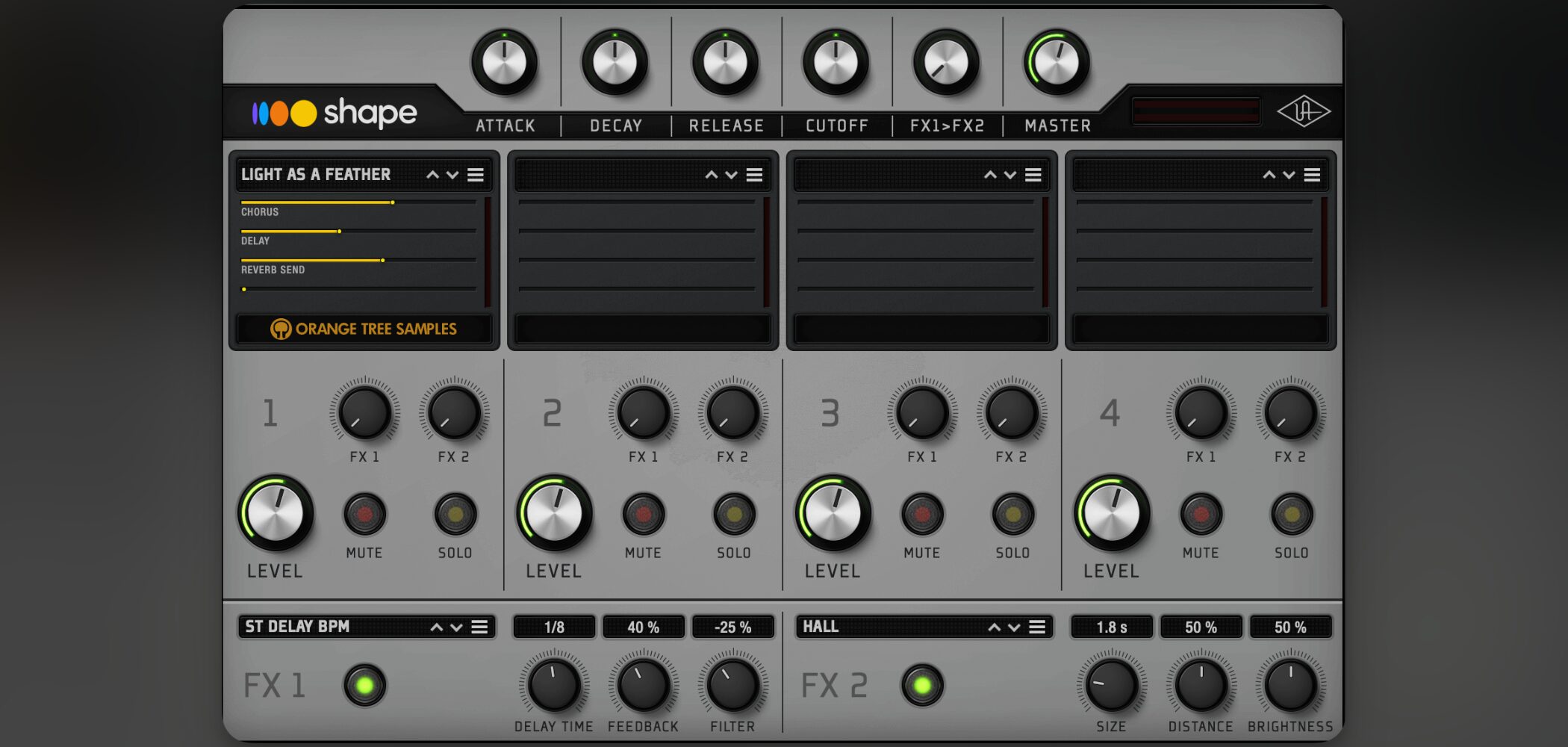
It also includes the Shape instrument with a substantial 5–6 GB sound library.
From synthesizers to acoustic instruments, it covers essential sounds so beginners can start creating immediately, even without other plug-ins.
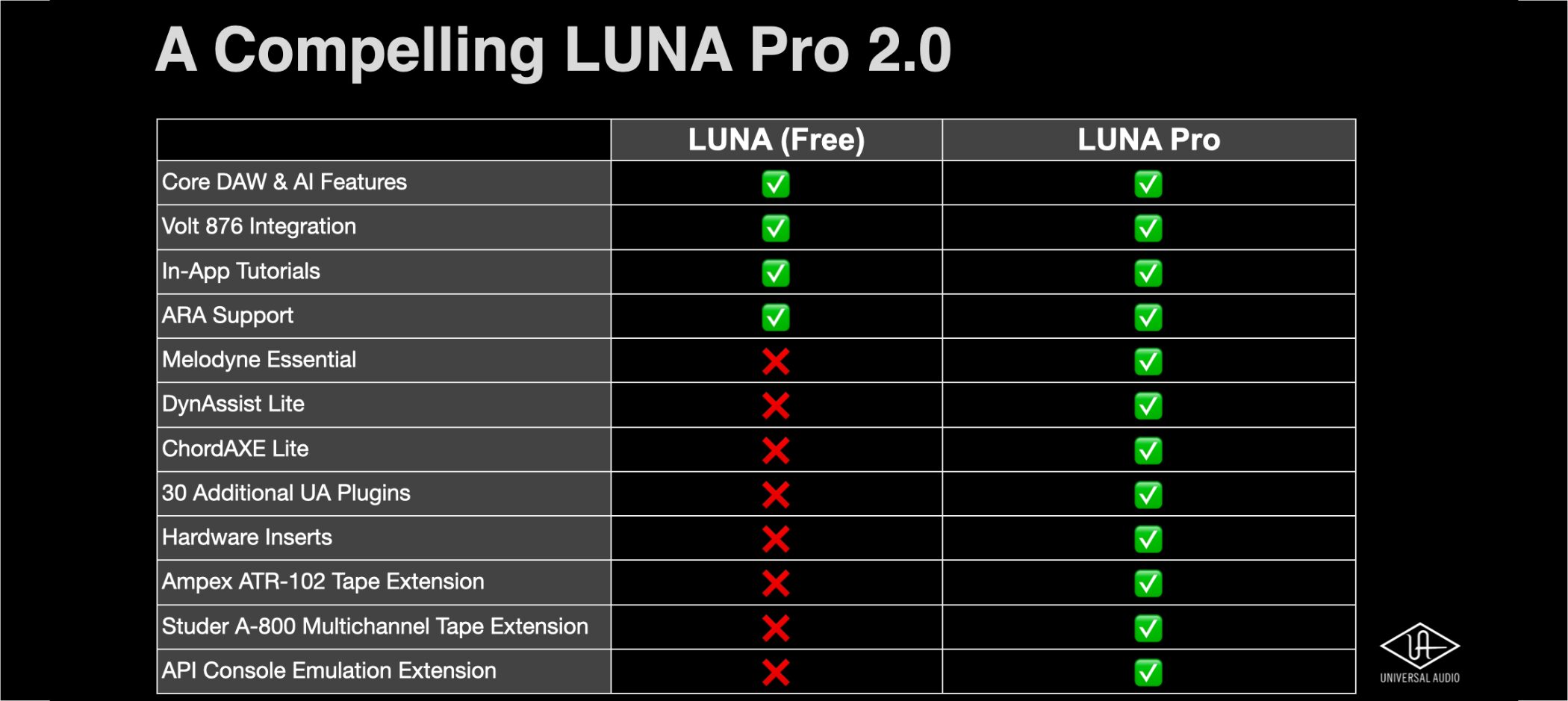
The only difference between the free and paid LUNA Pro 2.0 editions, on top of these core features, is the additional high-quality plug-ins and instruments included with Pro.
If you already own third-party plug-ins, the free edition alone can provide a professional production environment.
AI assists production: Less time spent on setup
LUNA 2.0 uses several AI-powered features to automate tasks that previously required manual work.
Detect a song's tempo in seconds
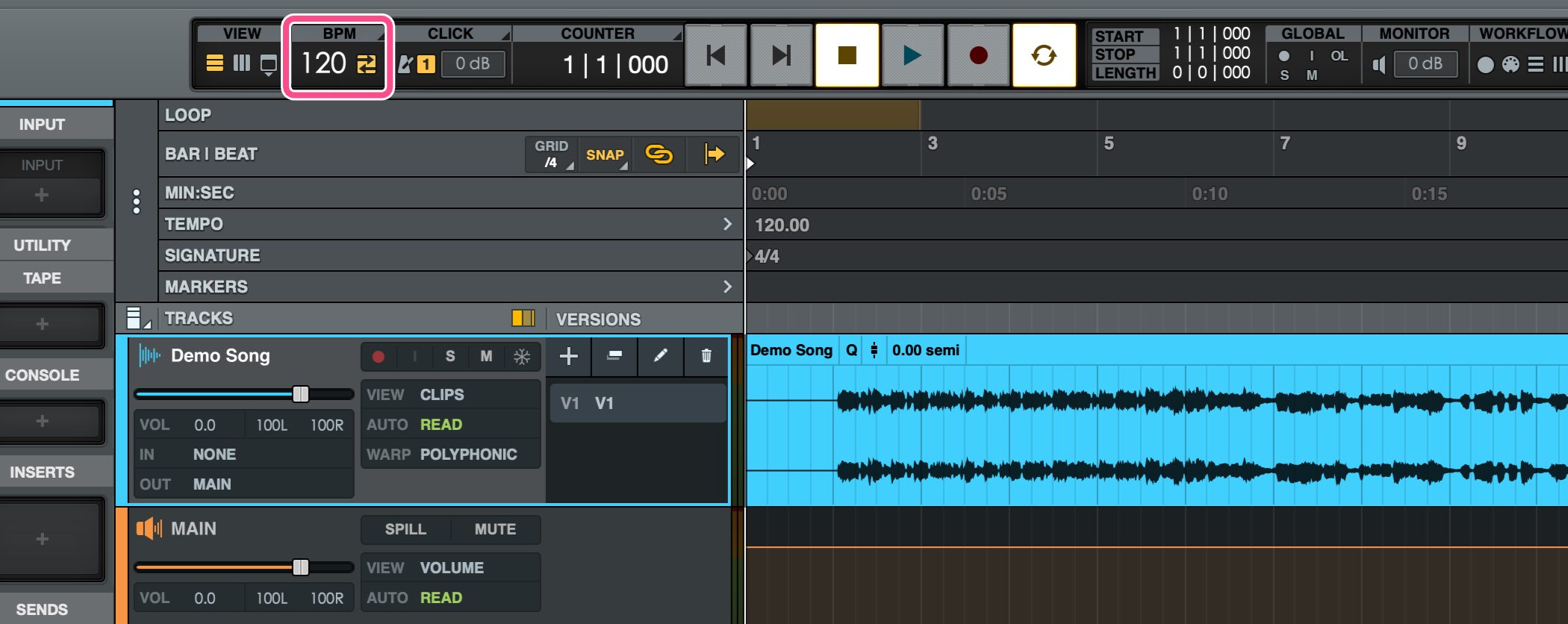
A particularly useful feature for cover-song videos and recording over a karaoke backing track is AI-powered automatic tempo detection
. Previously, if the tempo of a supplied backing track was unknown, you had to work it out manually.
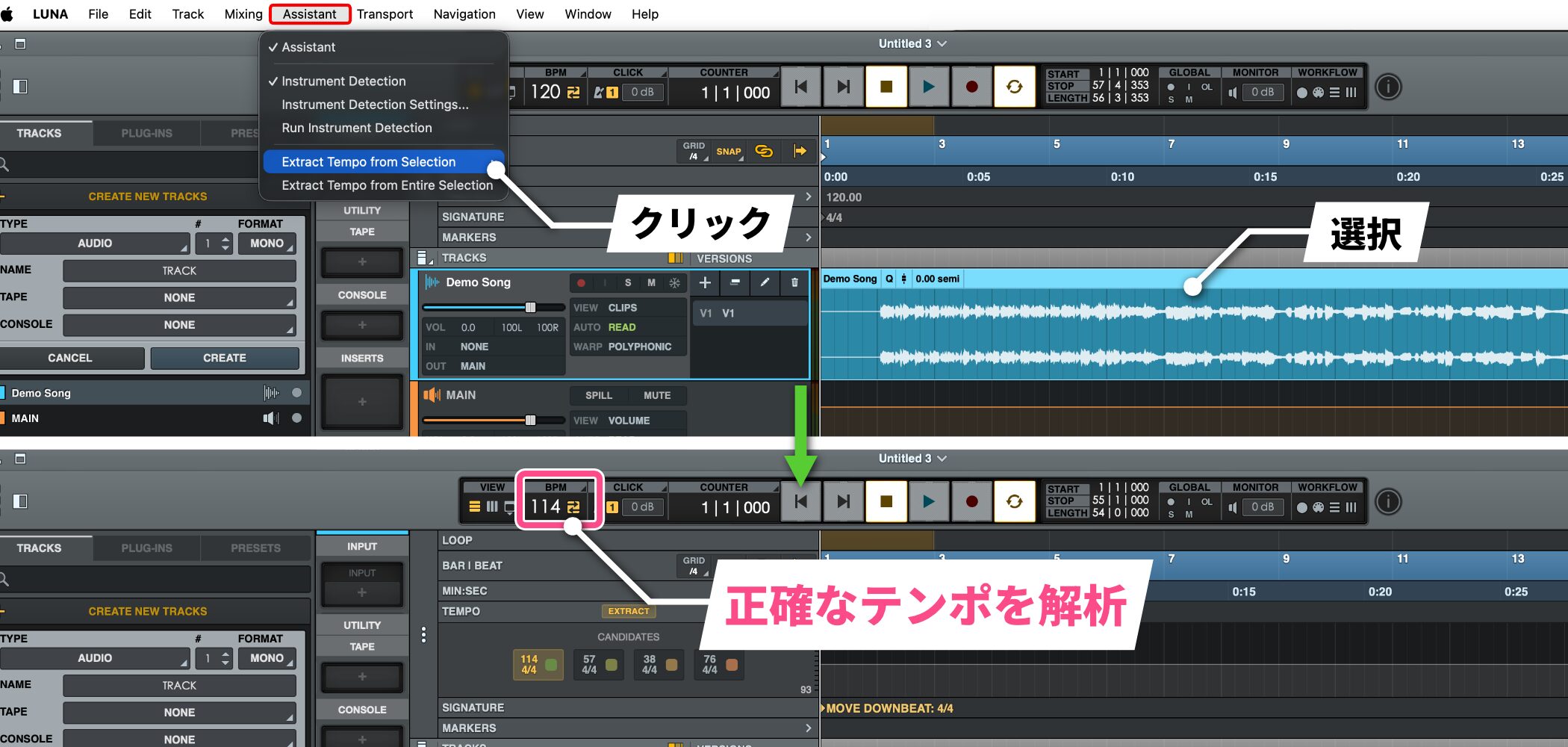
In LUNA 2.0, select an audio file and choose Extract Tempo from Selection under Assistant to analyze the tempo quickly and accurately.
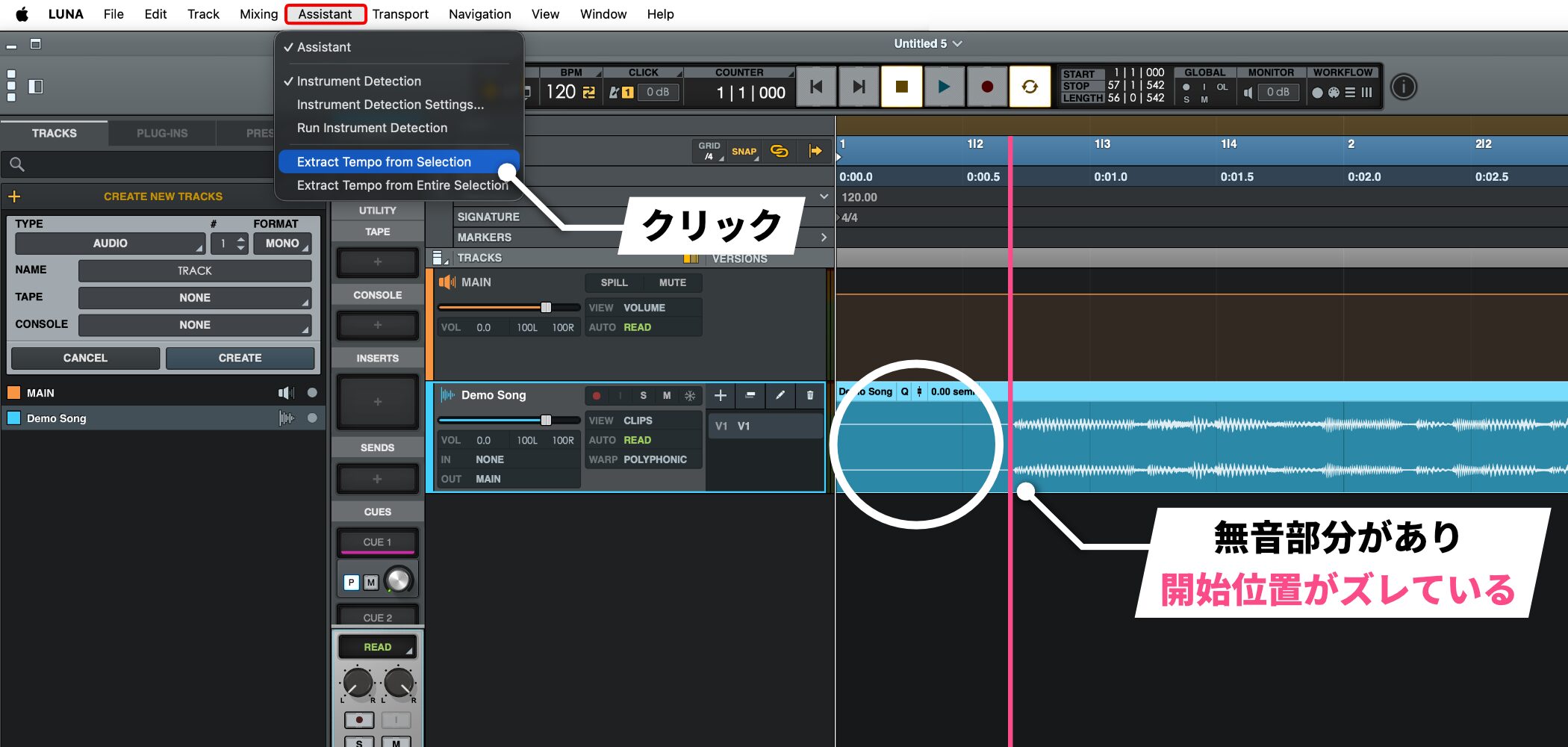
It can also help when an audio file begins with silence and the actual sound starts later: AI detects where the sound begins.
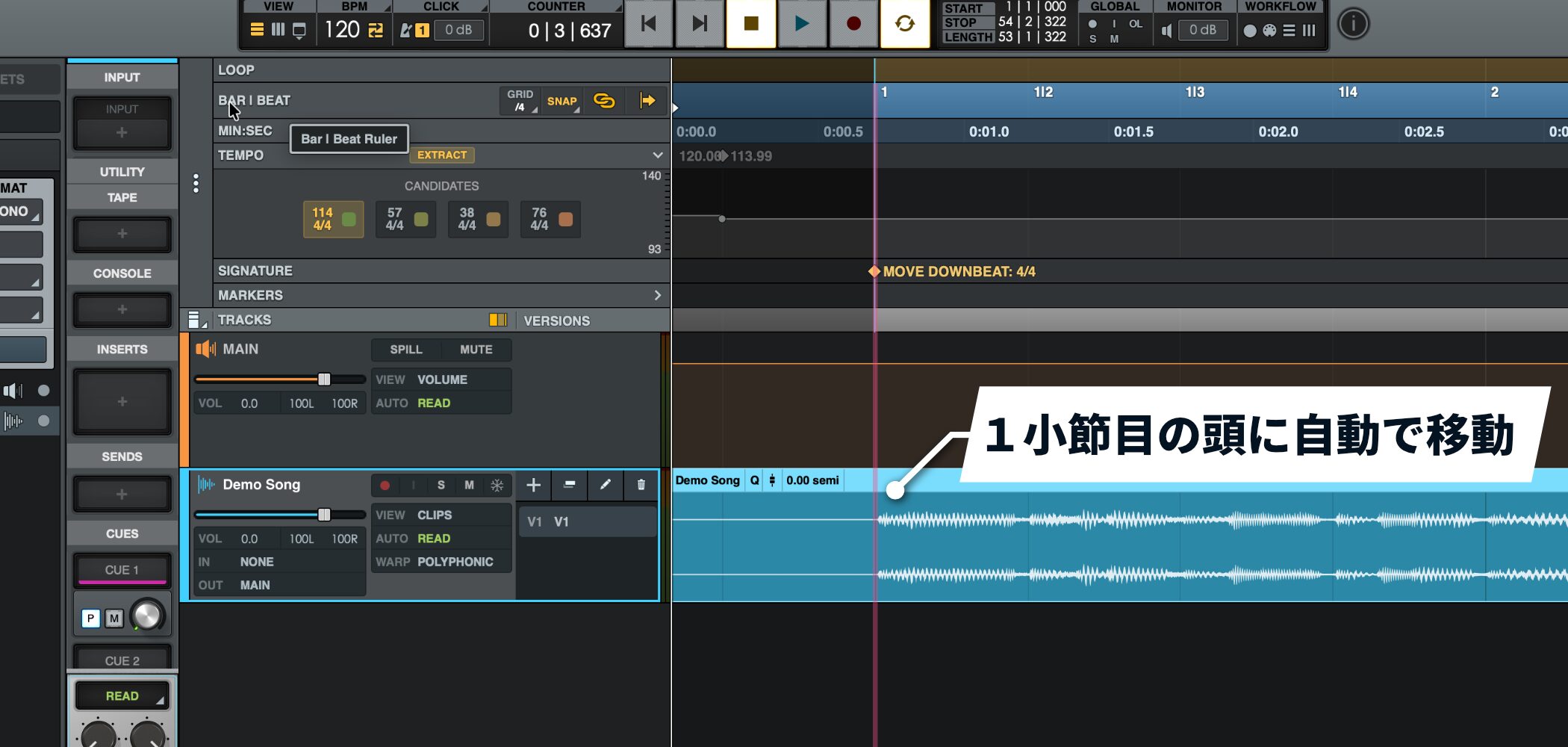
Aligning the beginning manually can take time, but LUNA 2.0 can align the song's start with the beginning of a bar on the grid, so you can start recording right away.
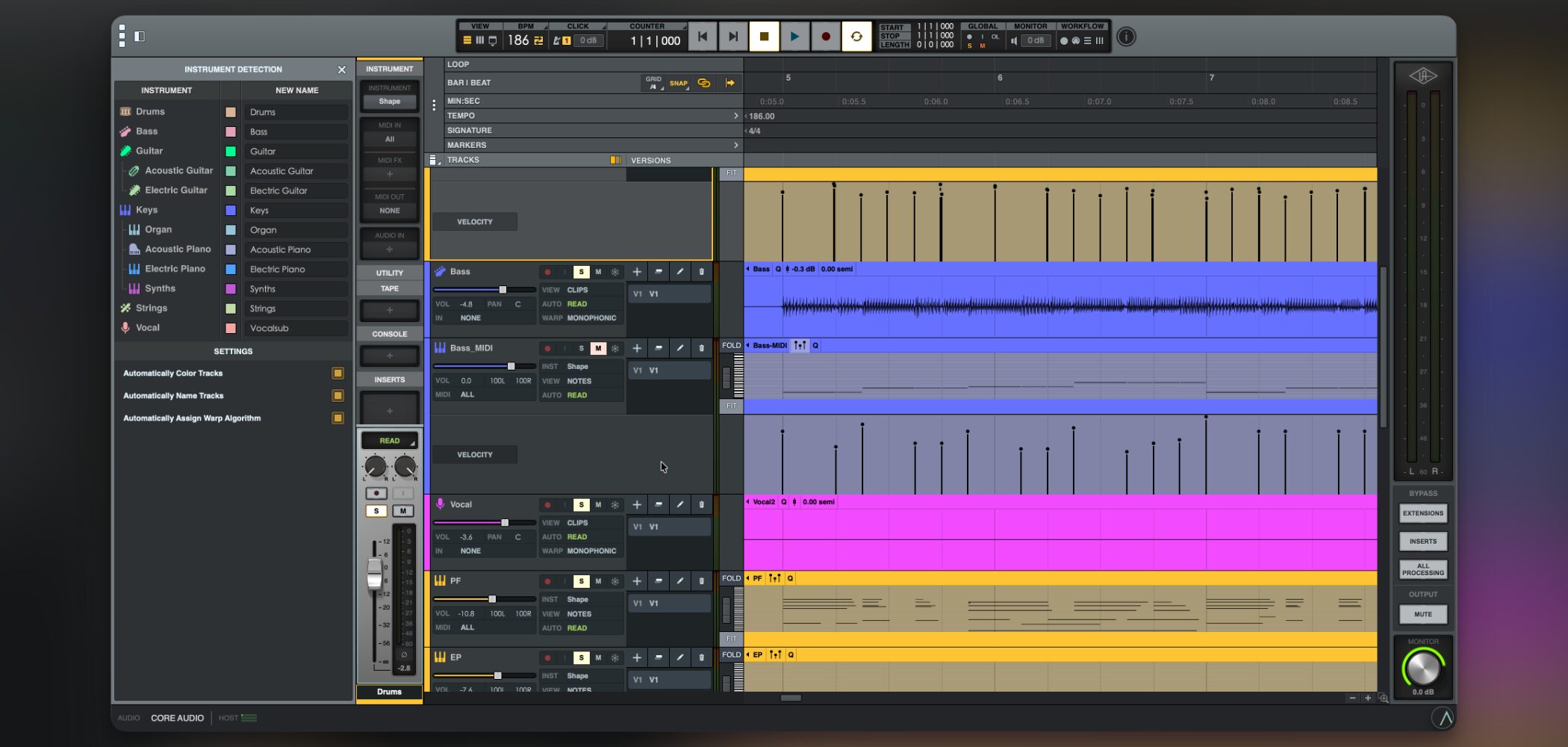
Automatically color-code and rename tracks (Instrument Detection)
When you import several audio files, manually identifying the instrument on each track can be tedious.
LUNA 2.0 can analyze the audio and organize those tracks automatically.
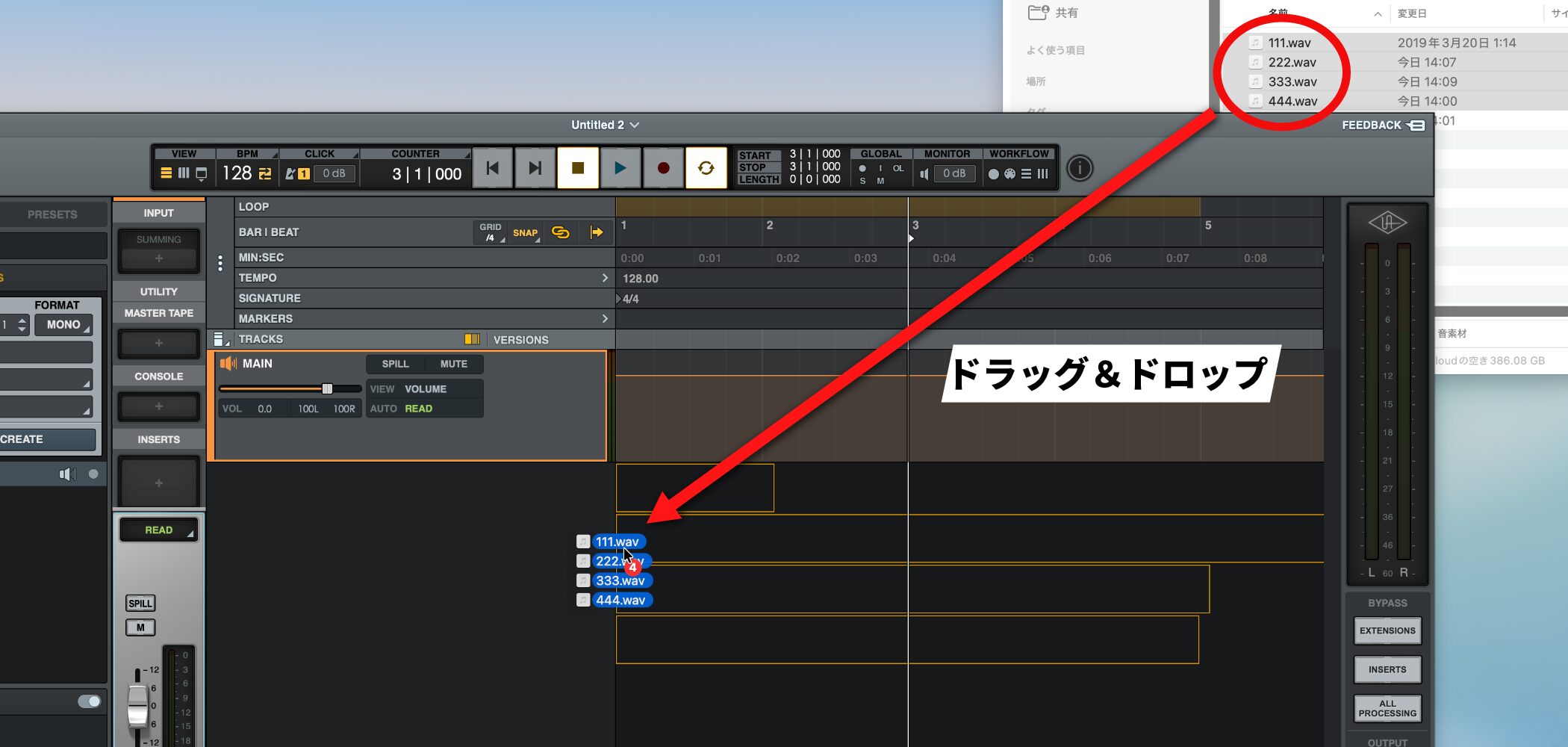
Just drag and drop the audio files onto the timeline.
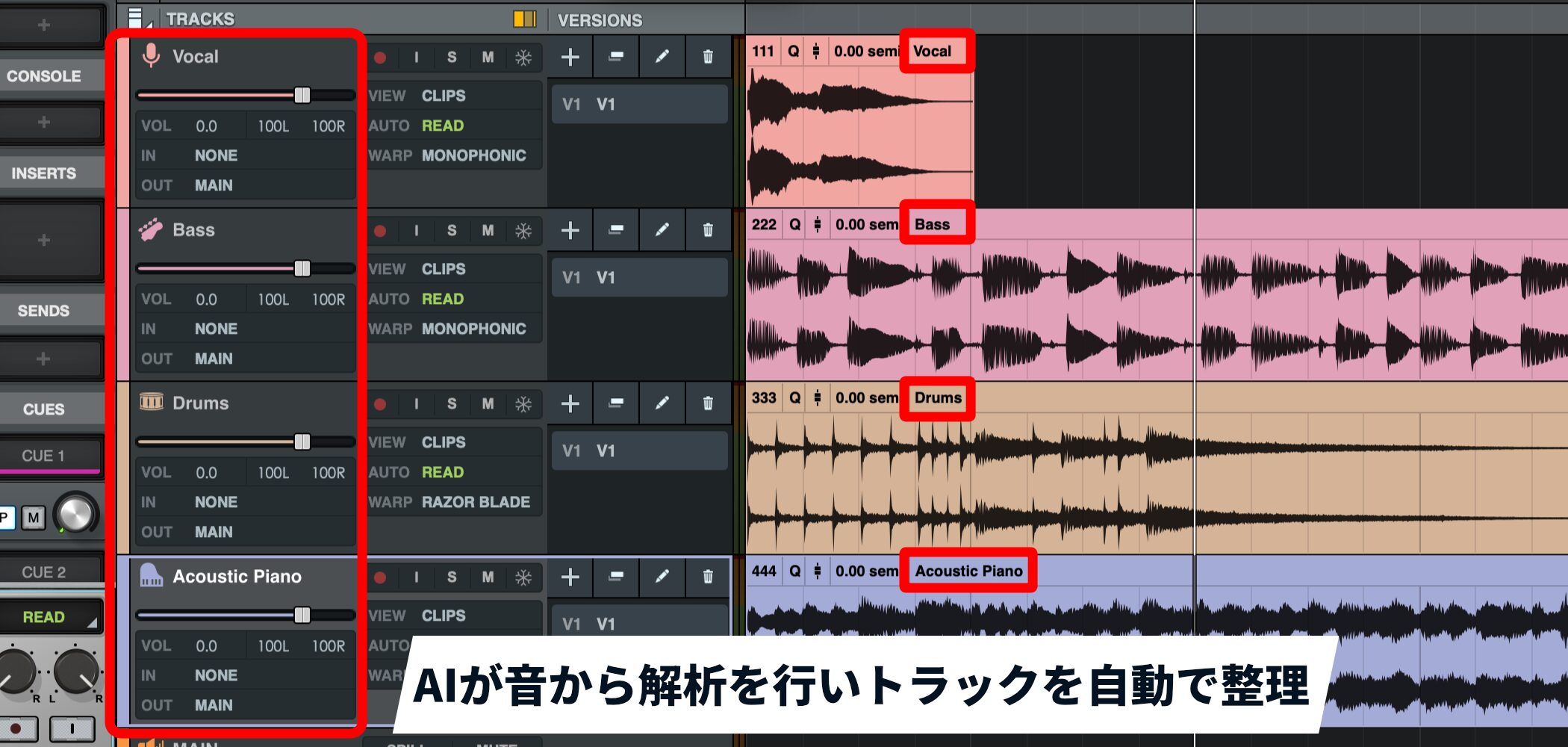
Even when the original file names are uninformative, such as 1 or 2, AI analyzes the sound and assigns suitable clip names, instrument icons, and colors, such as Vocal, Bass, or Drums.
If another creator sends you audio files with unclear track names, this can reduce the work of organizing them and save considerable time.
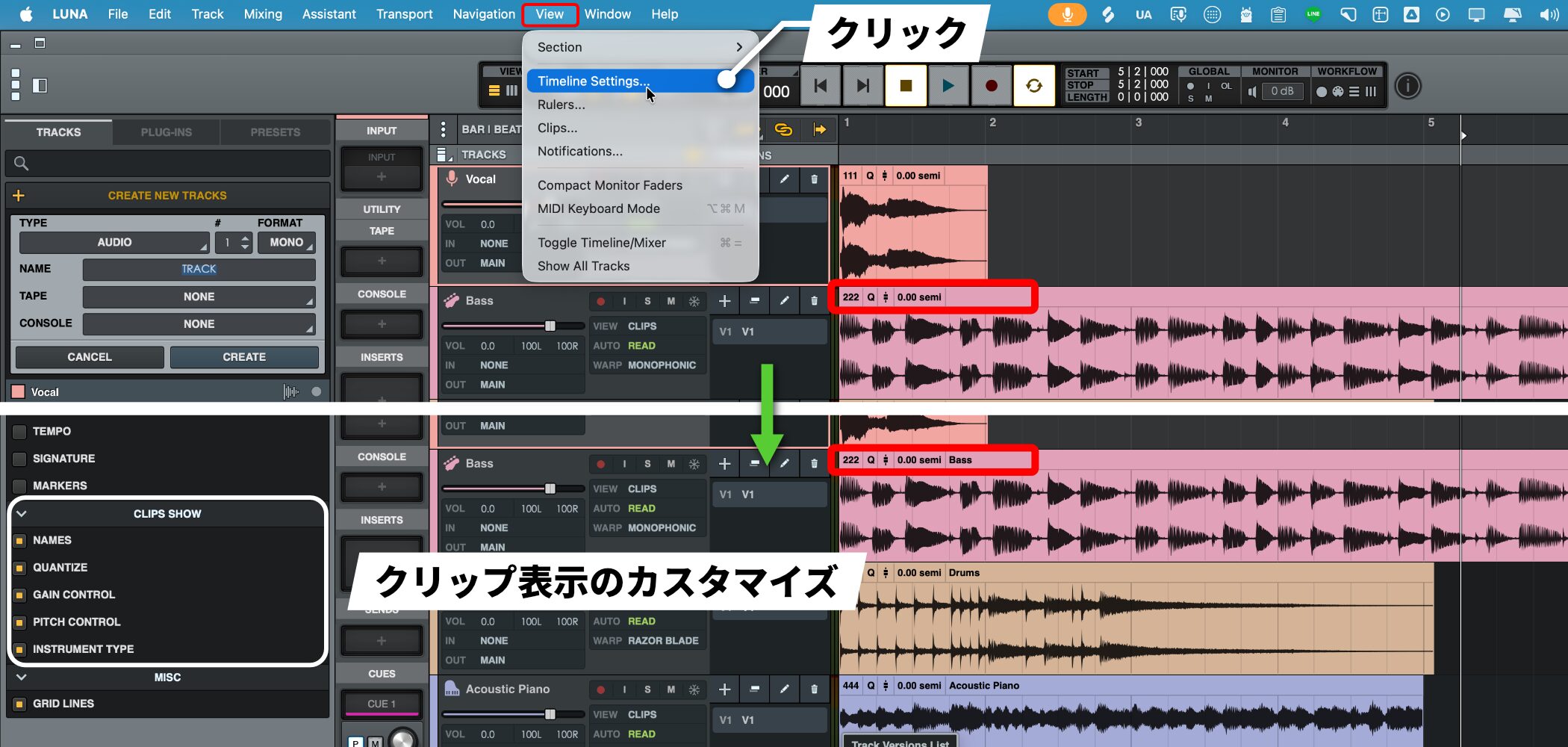
You can customize what clips display under View > Timeline Settings > CLIPS SHOW.
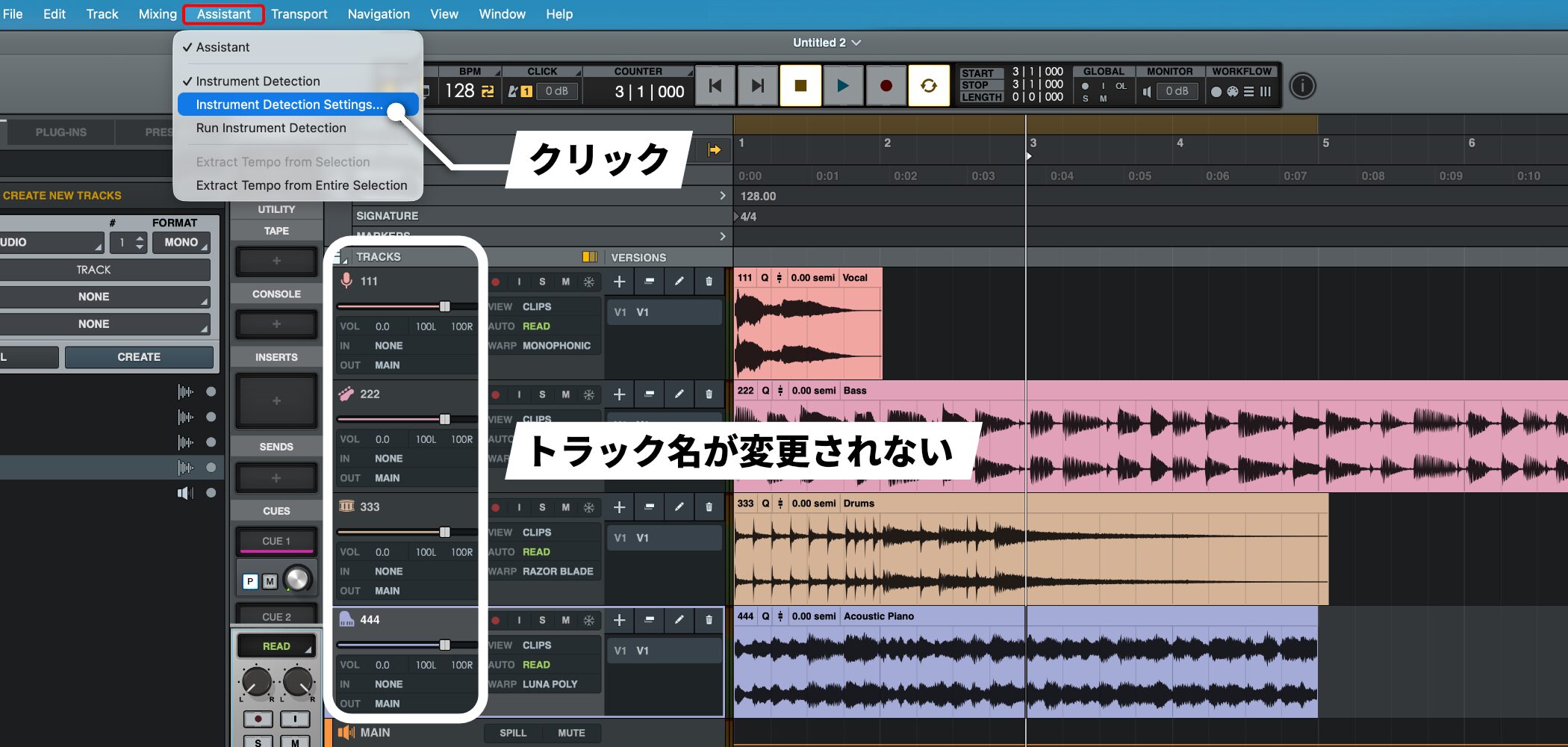
If track names do not change, choose Assistant > Instrument Detection Settings from the top menu.
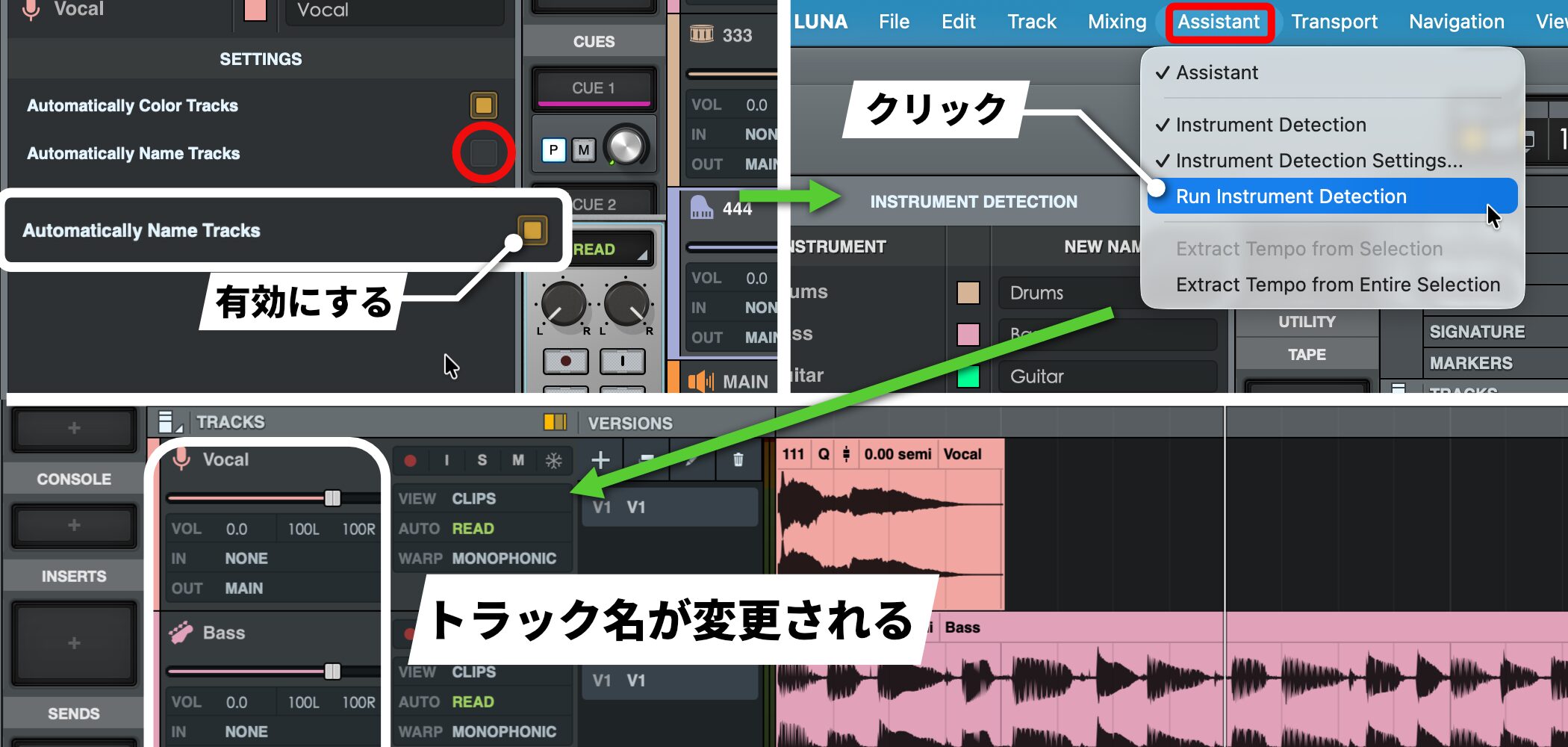
In SETTINGS, enable Automatically Name Tracks. Then choose Assistant > Run Instrument Detection to update the track names.
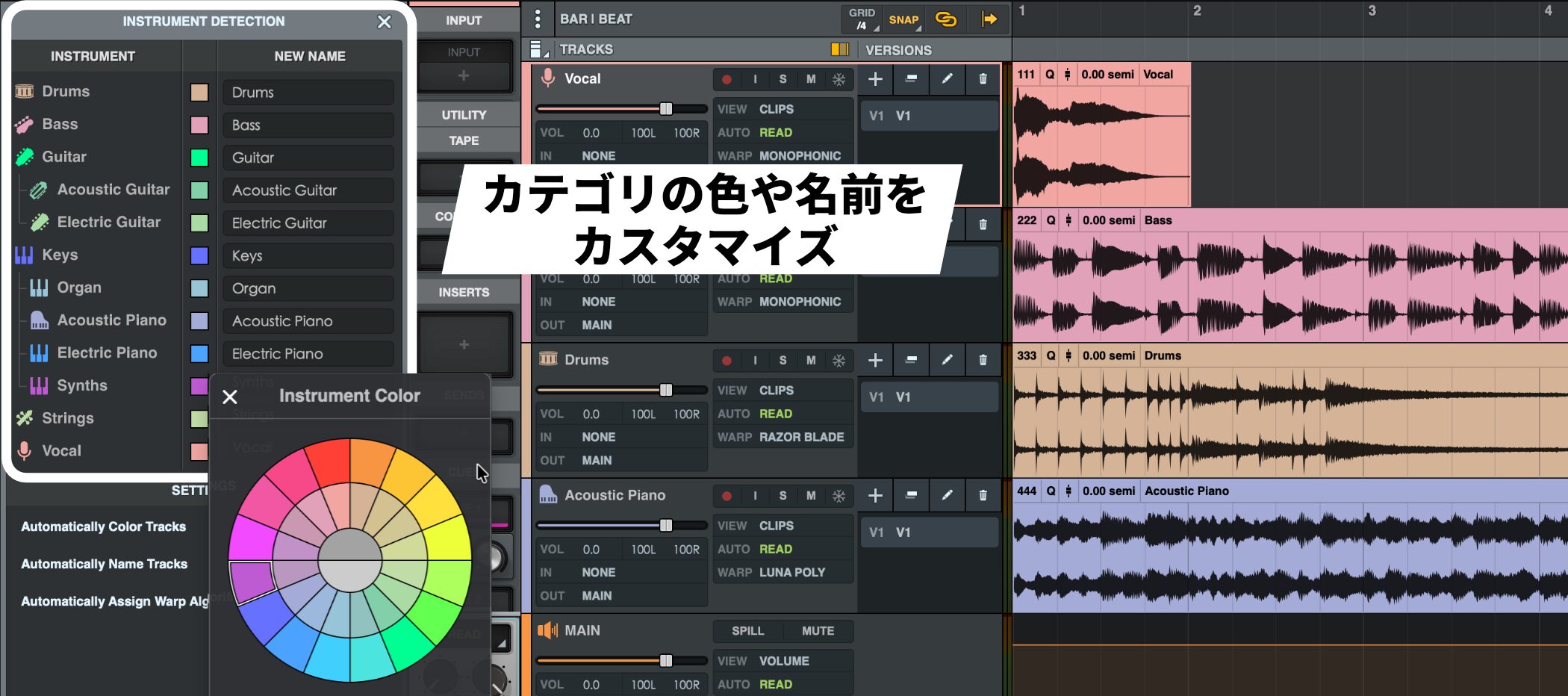
The INSTRUMENT DETECTION section above SETTINGS lets you customize the colors and names for each instrument category.
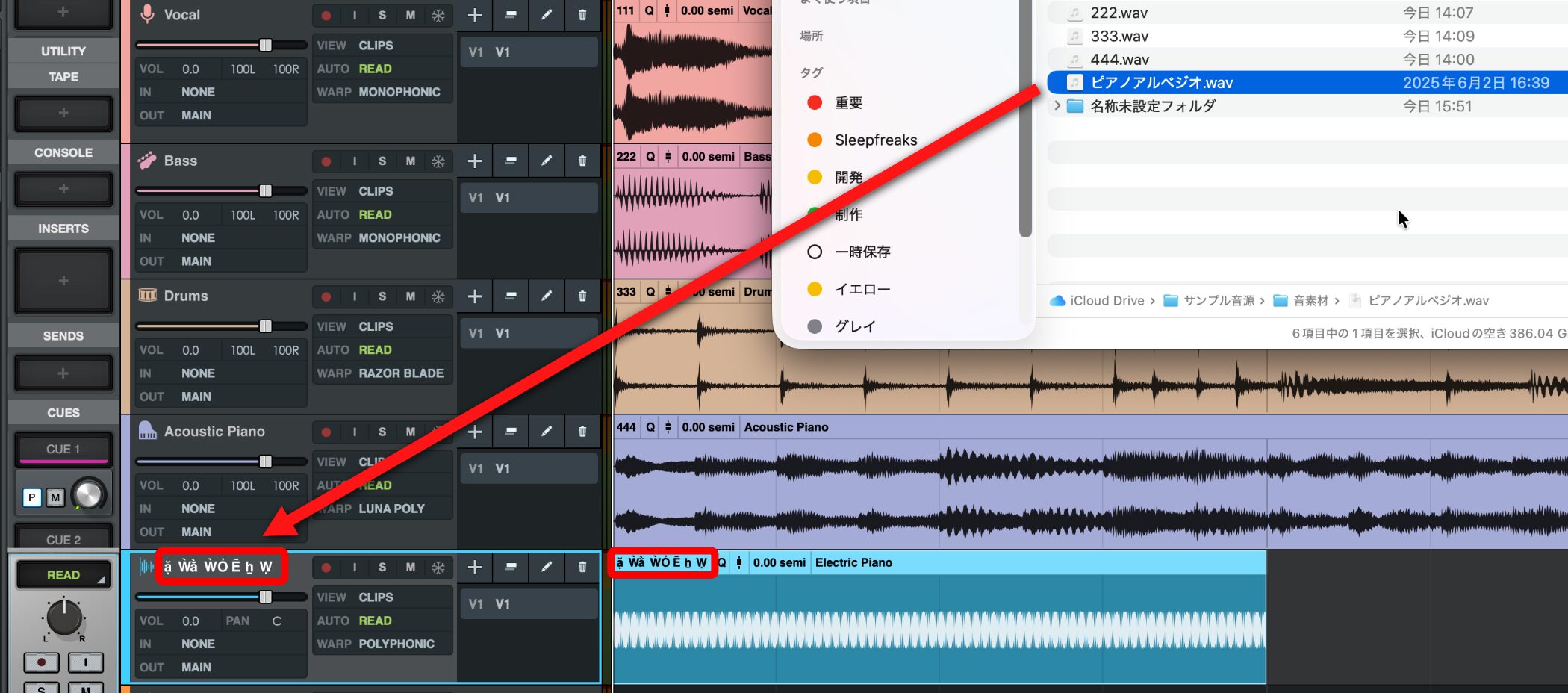
A note when importing audio: because LUNA 2.0 is English-language software, Japanese characters in file names may not display correctly.
To avoid problems, it is generally best to use Latin letters and numbers in file names.
Control the DAW by voice (Voice Control)
Like 'Hey Siri' or 'Alexa,' LUNA 2.0 has a feature that lets you control the DAW by voice.
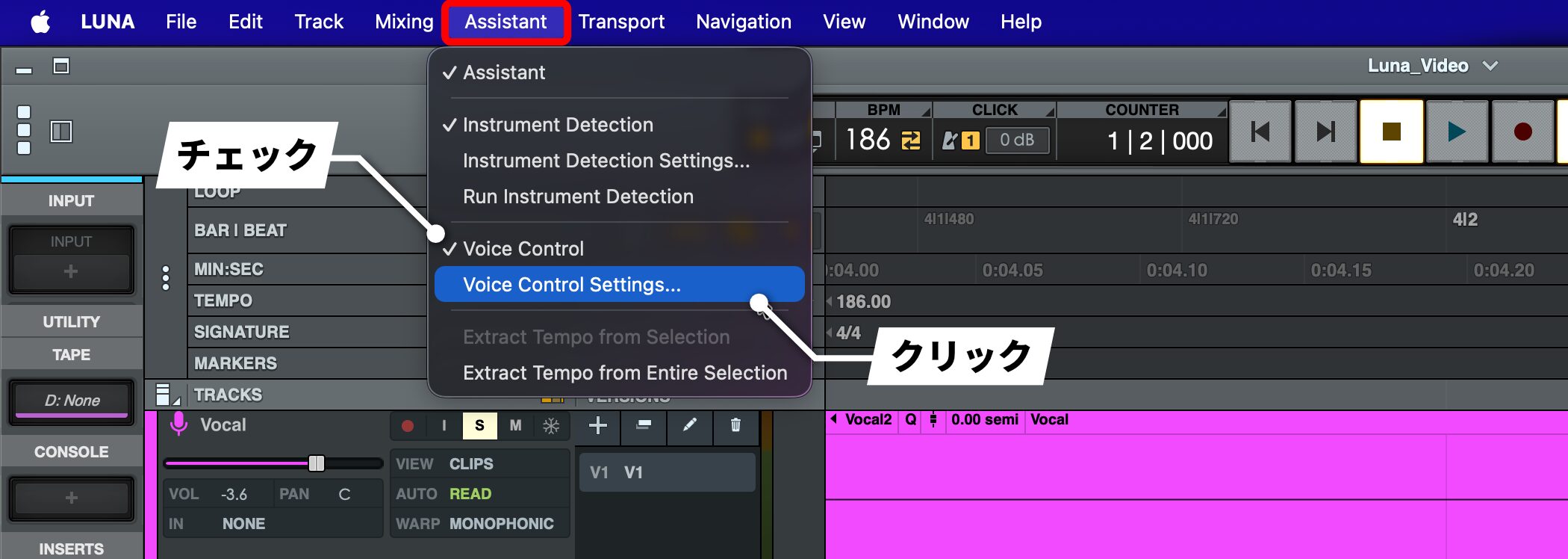
To use it, open Assistant in the top menu and, with Voice Control checked, choose Voice Control Settings.
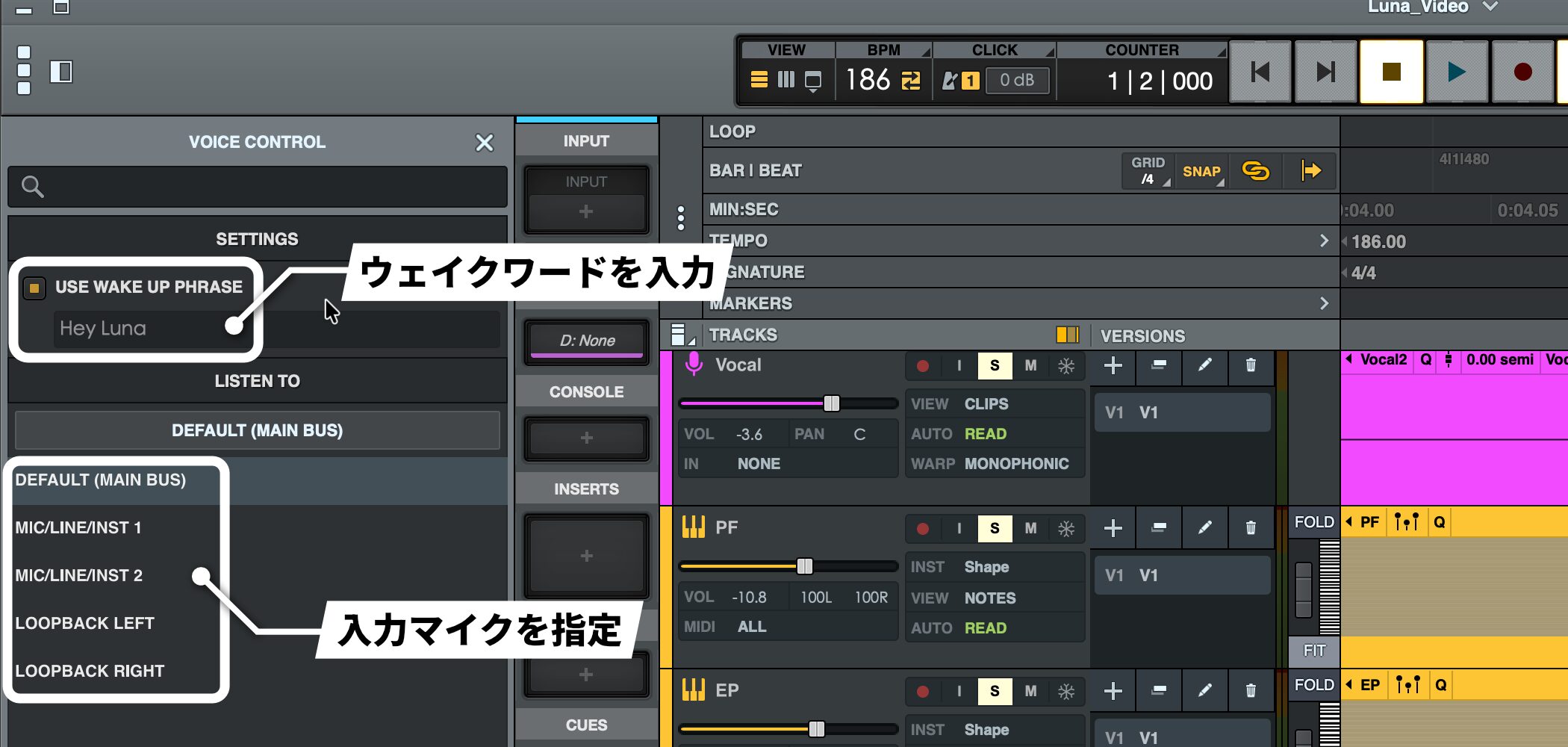
In the settings panel on the left, enter a wake word under SETTINGS and choose the microphone that will receive commands under LISTEN TO.
You can then say Play after the wake word to start playback, or Stop to stop it.
However, this feature is exclusive to Macs with Apple Silicon and, at the time of this article, recognizes English pronunciation only, so accurate pronunciation is important.
Improved recognition of Japanese in a future update could make it more practical. It will be interesting to see how the feature develops.
If Voice Control does not appear
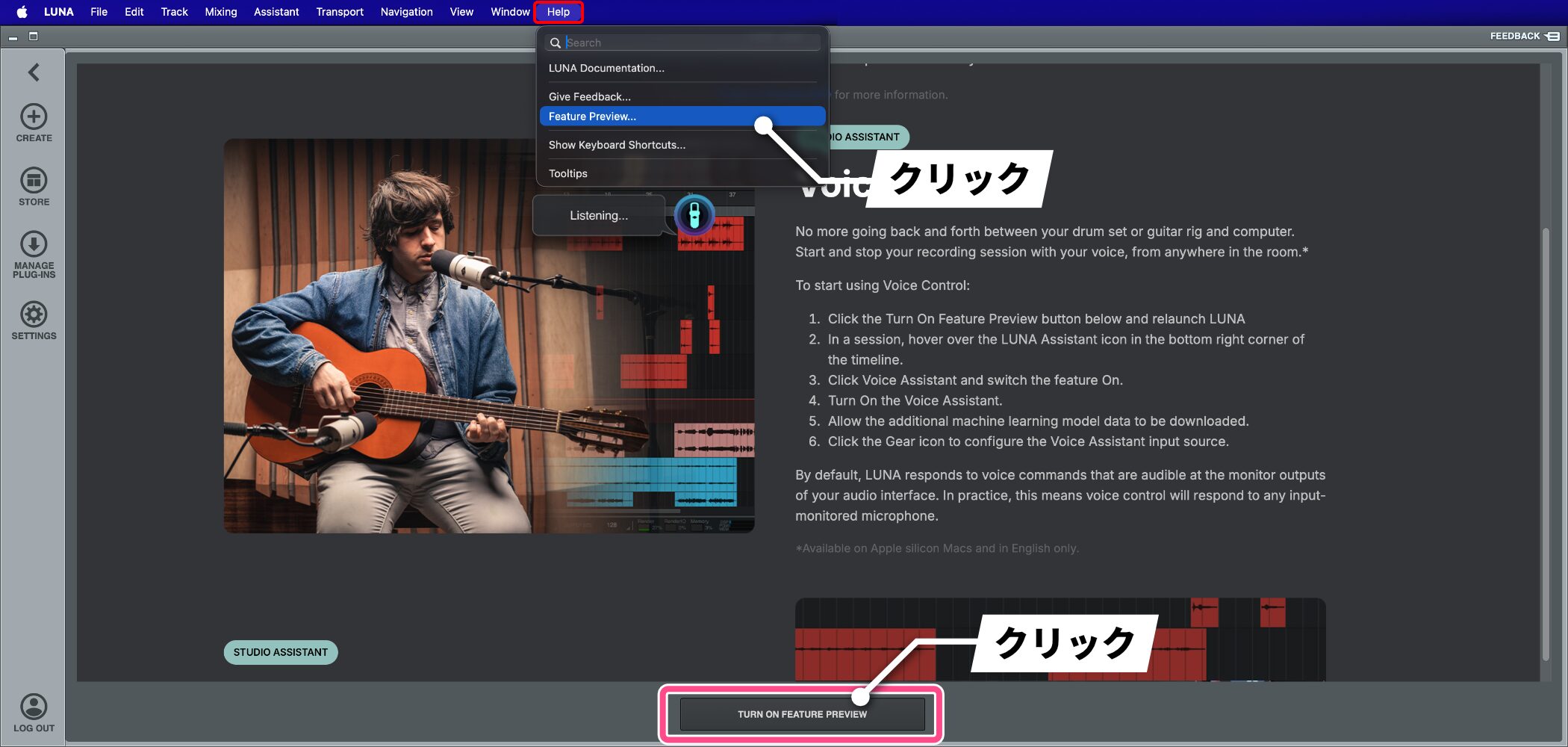
If Voice Control is missing, the speech-recognition model may not be installed.
Open Help > Feature Preview and click TURN ON FEATURE PREVIEW at the bottom of the screen.
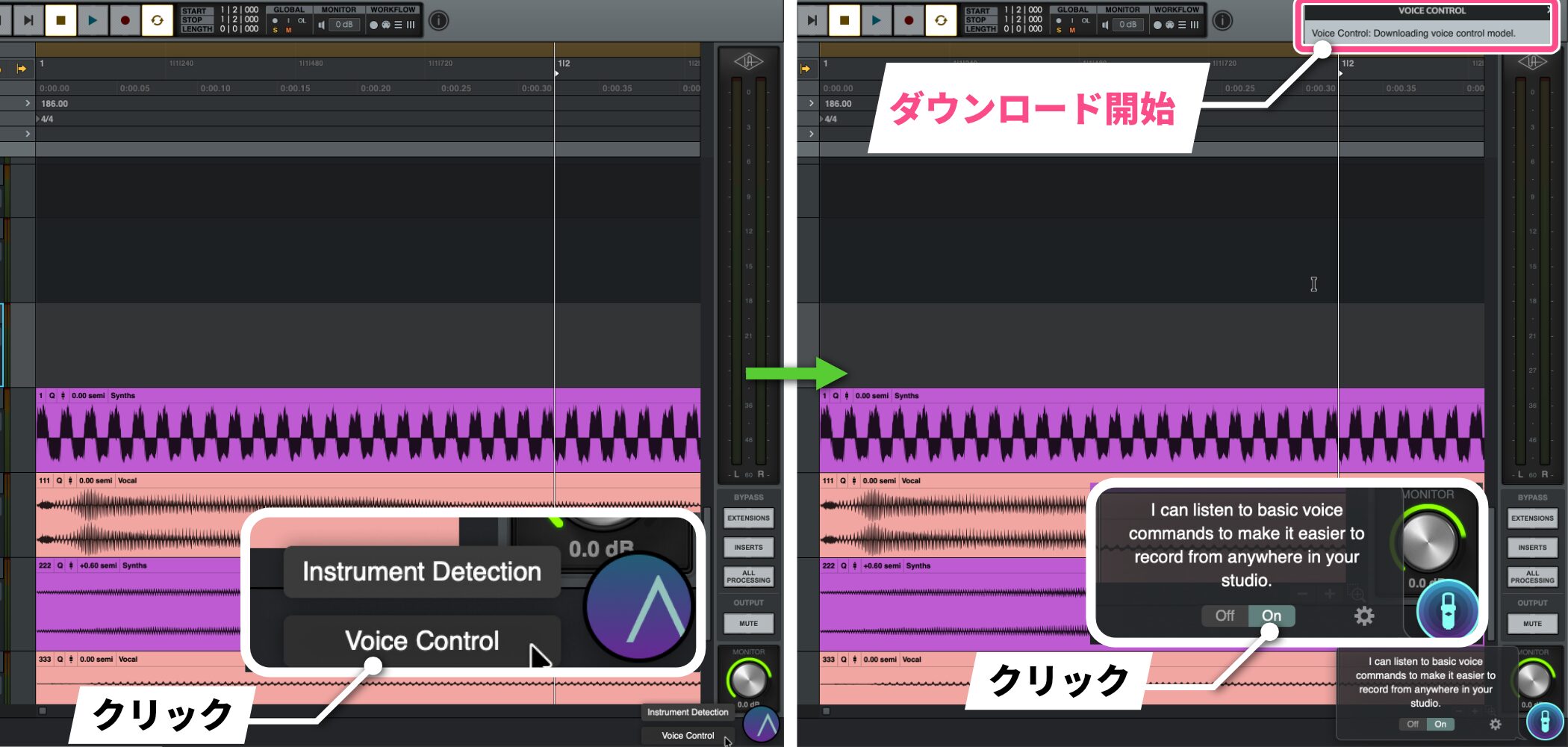
After answering the survey and restarting LUNA 2.0, Voice Control should appear. Enabling it will start downloading the required data.
A streamlined interface that is easy to use in English
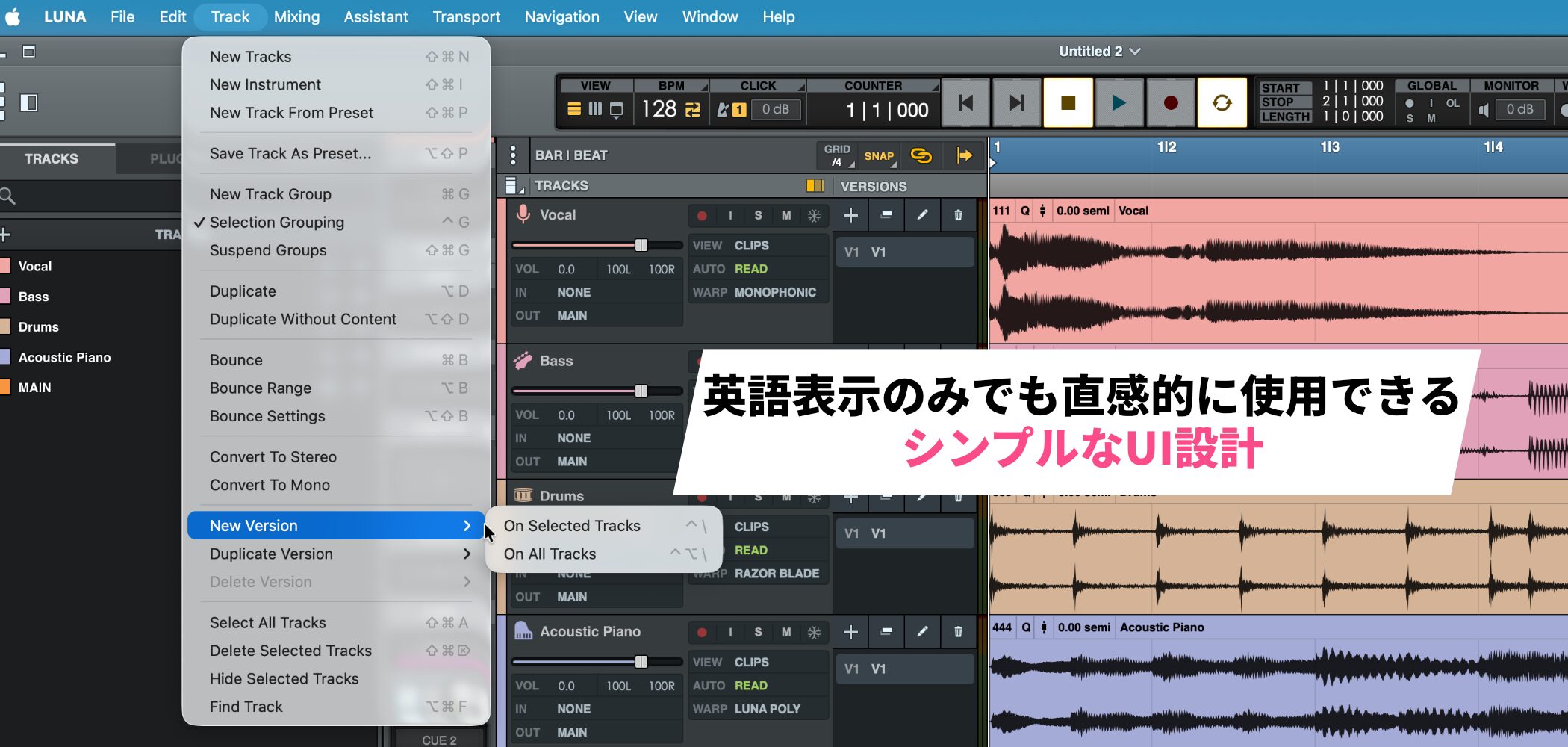
At the time of this article, LUNA 2.0 has not been localized into Japanese, but its simple interface is characteristic of a relatively new DAW.
It uses straightforward English labels and few deeply nested menus, making it fairly intuitive to use.
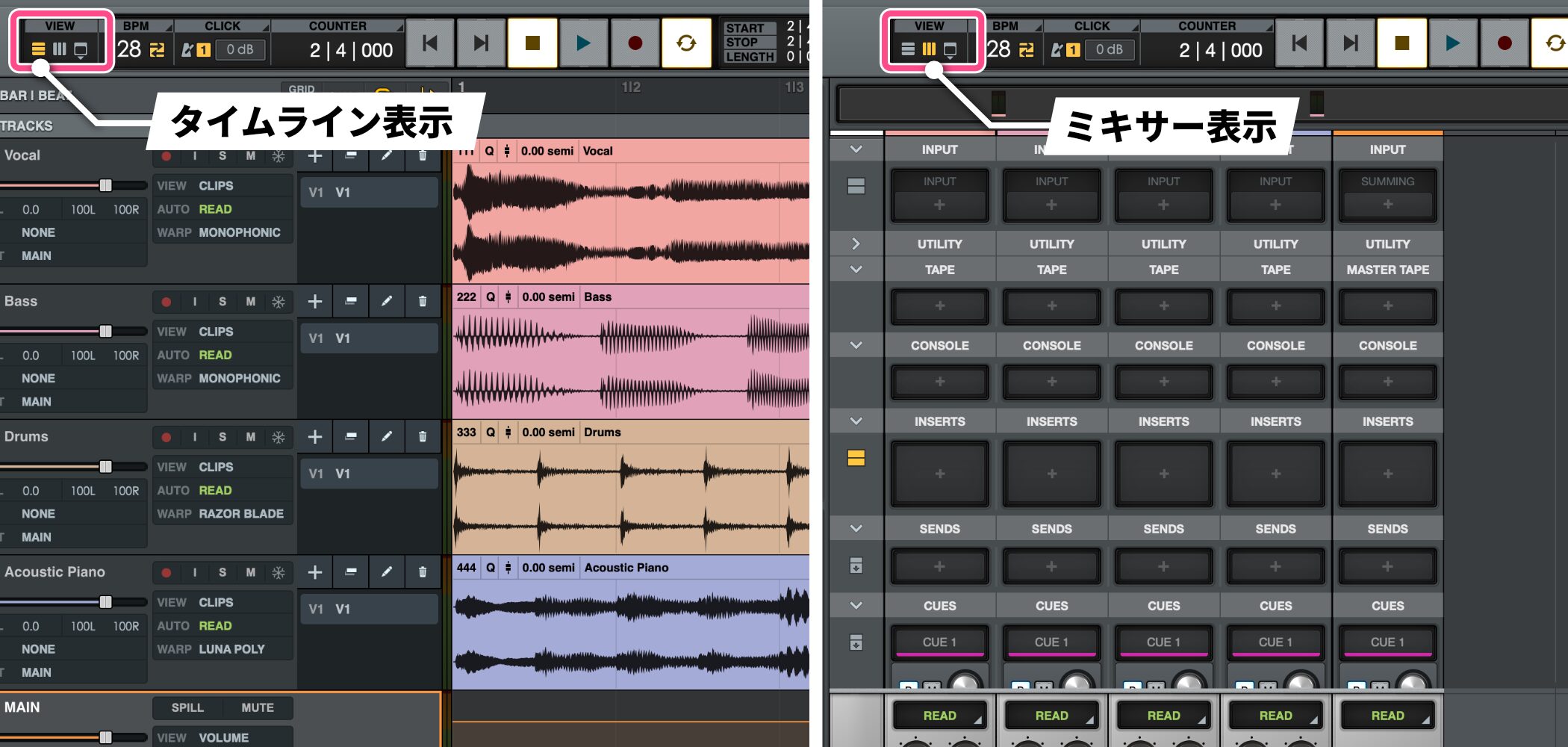
Most work can be done by switching between the timeline and mixer views.
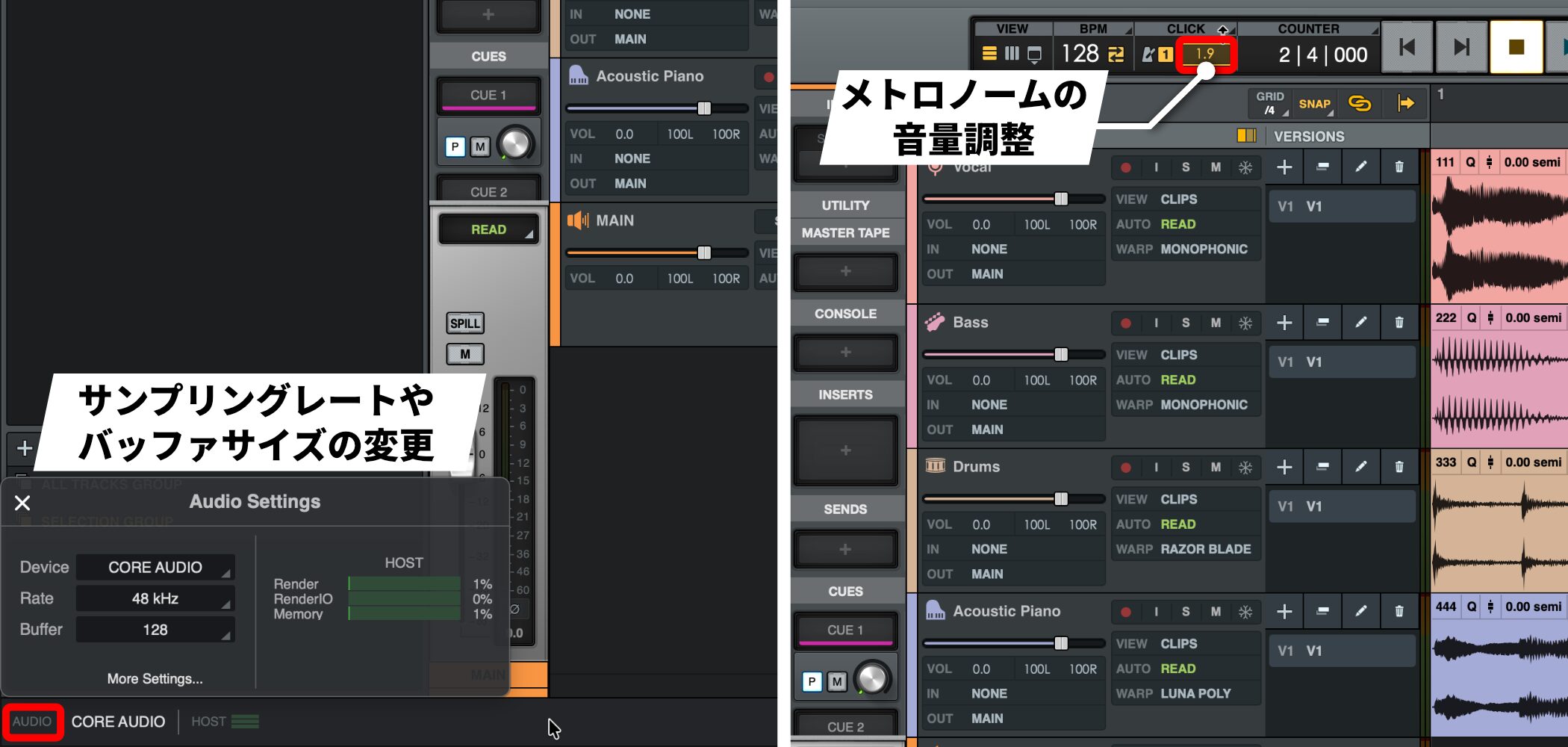
Frequently used settings are placed where they are easy to reach
. For example, the Audio section at the bottom of the screen gives you immediate access to sample rate and buffer size, and you can adjust metronome volume without opening a separate window.
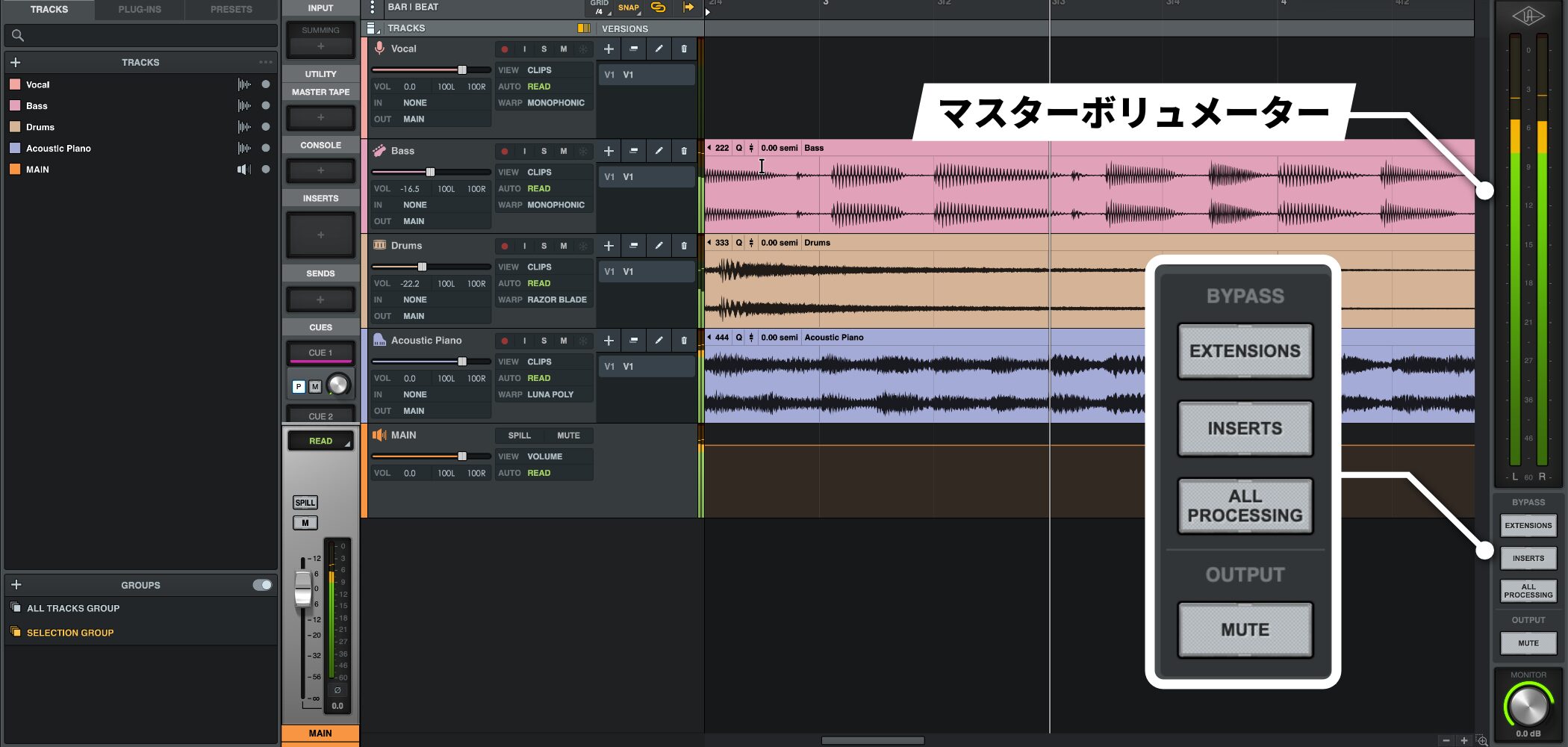
The master volume meter on the right is wide enough to read without crowding the screen.
The global bypass button for insert effects is also accessible with one click.
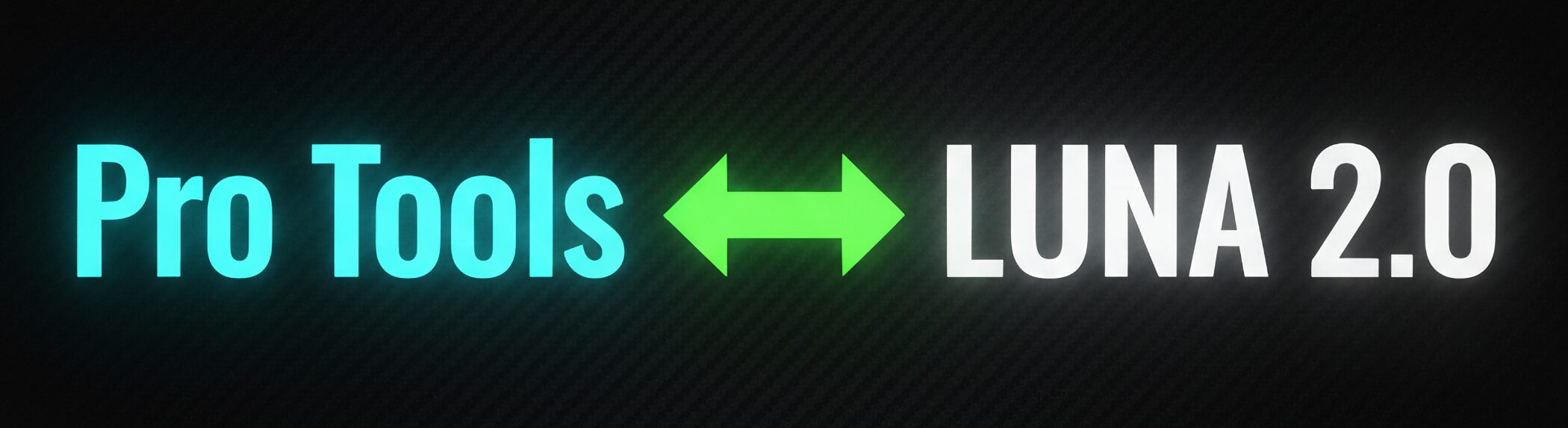
LUNA 2.0 is also designed to feel familiar to Pro Tools users, including its shortcuts, making the transition easier.
ARA support improves editing workflows: Seamless plug-in access
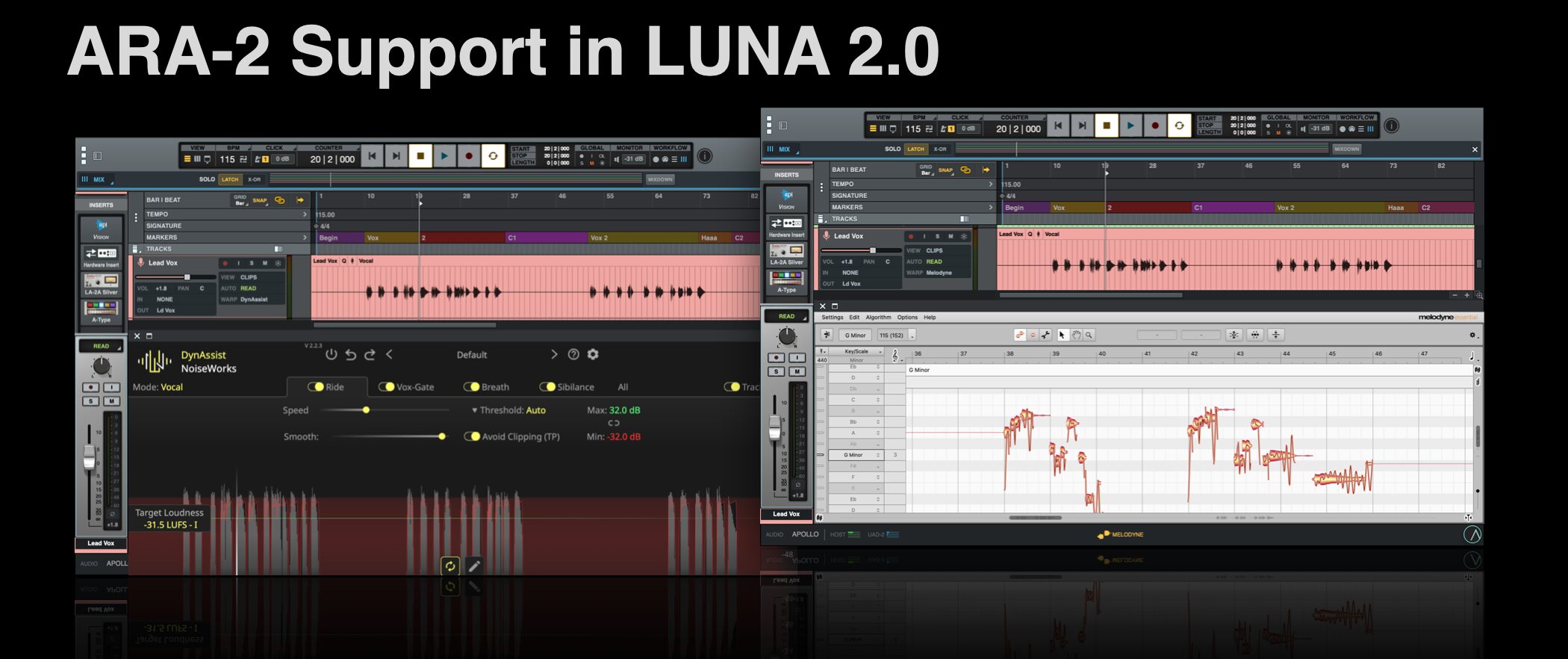
LUNA 2.0 supports the ARA (Audio Random Access) plug-in standard.
Even in the free version, a compatible third-party ARA plug-in can work almost like a feature integrated into the DAW.
The Pro edition also includes the Melodyne essential pitch-correction tool and DynAssist Lite dynamics tool.
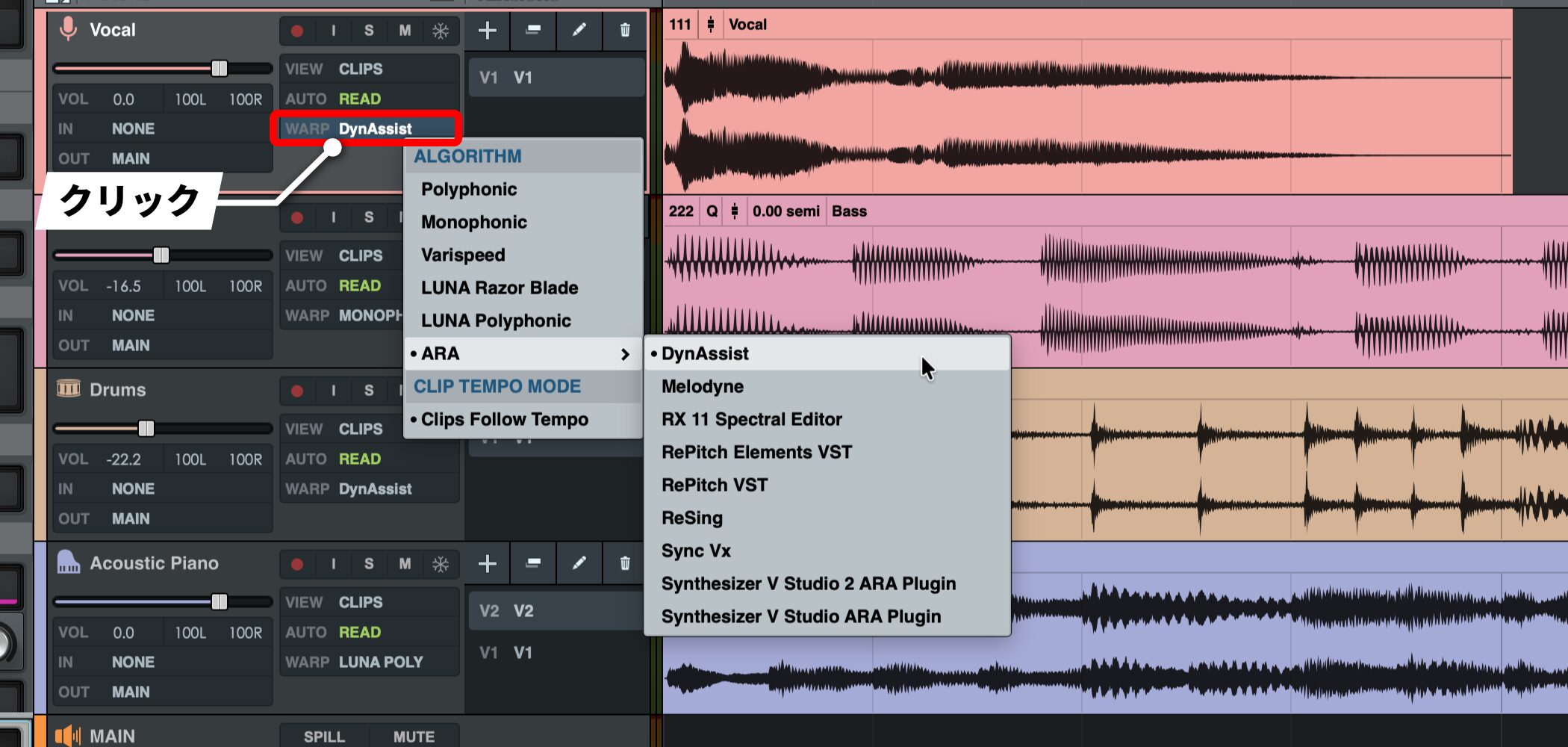
Open ARA-compatible plug-ins from WARP > ARA on a track.
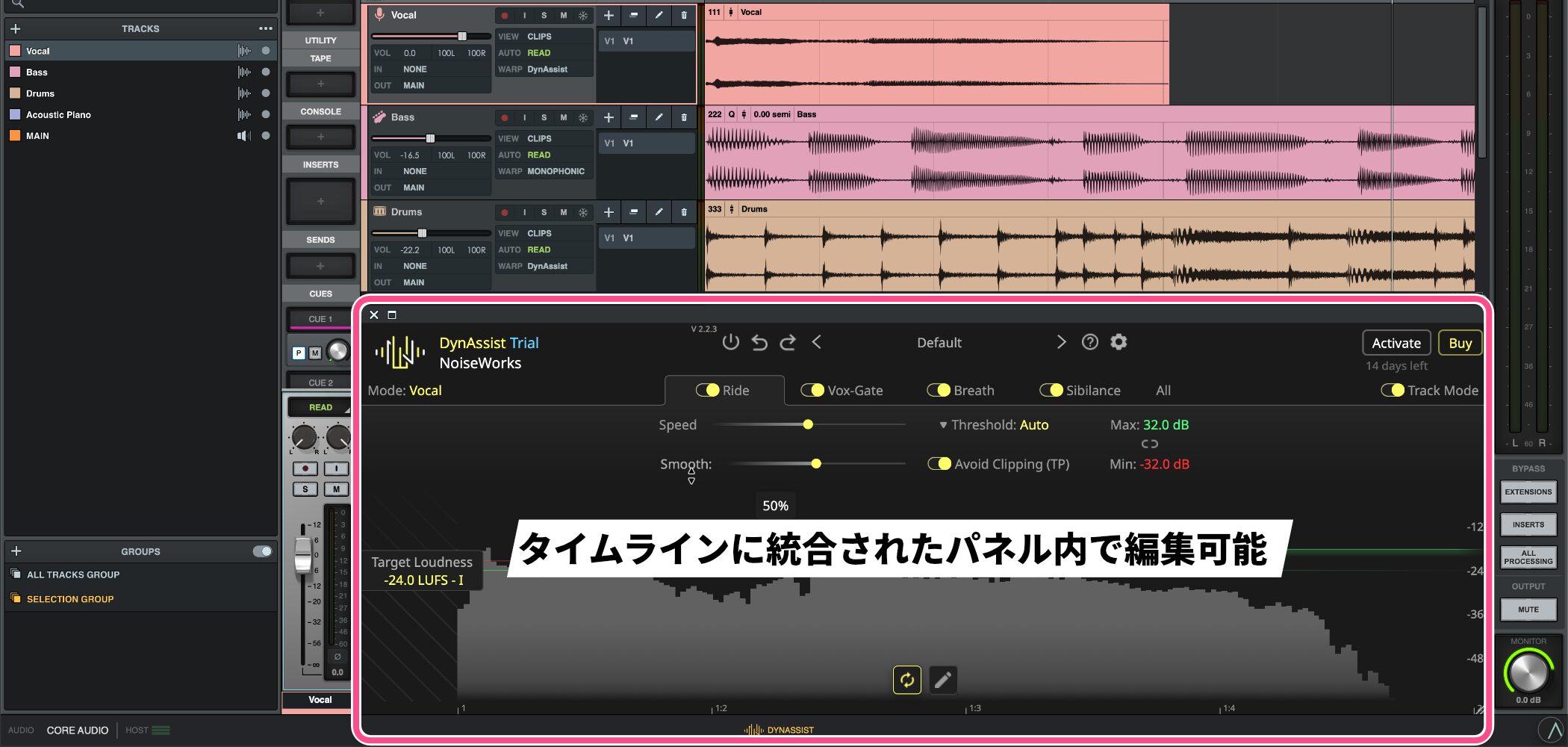
Without opening a separate window, you can edit in a panel integrated into the timeline.
From vocal pitch correction to leveling dynamics, this helps you keep working without breaking your flow and can greatly improve the efficiency of vocal mixing.
LUNA Pro: Add analog character to your sound
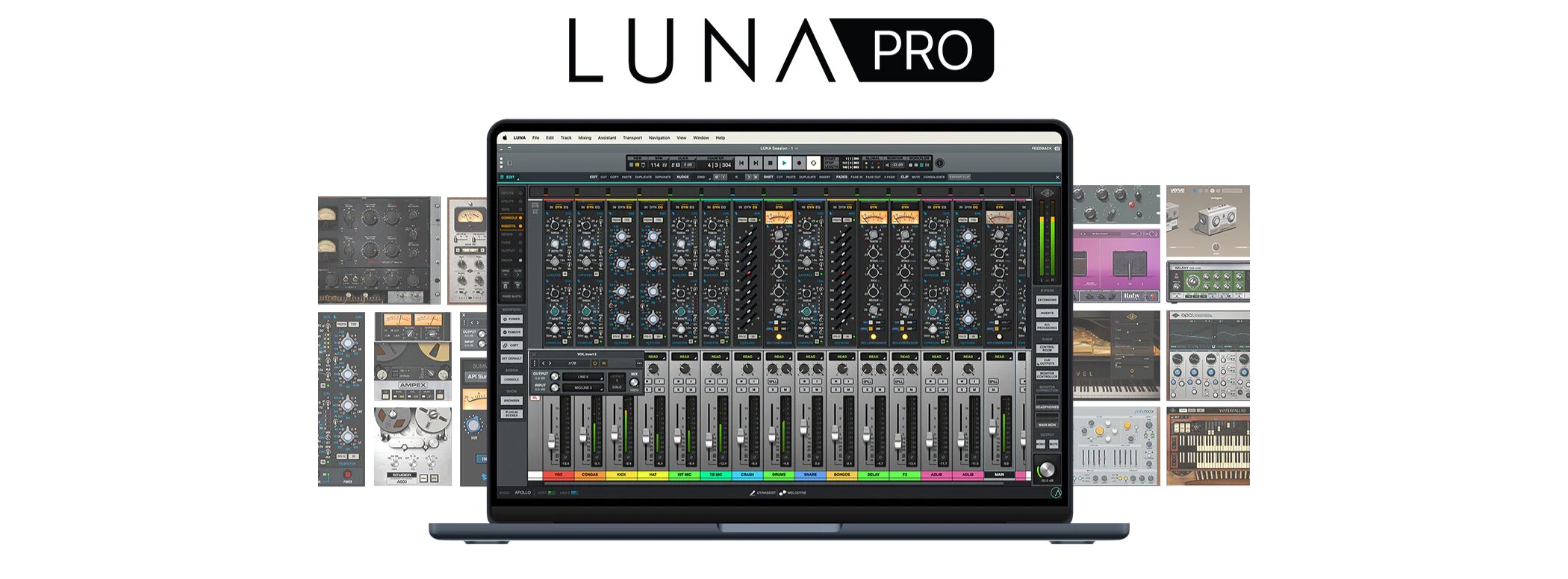
The free LUNA 2.0 edition is already capable, but upgrading to the paid LUNA Pro 2.0 edition makes it a powerful DAW focused on mixing.
Plug-ins and instruments valued at about ¥450,000 are included
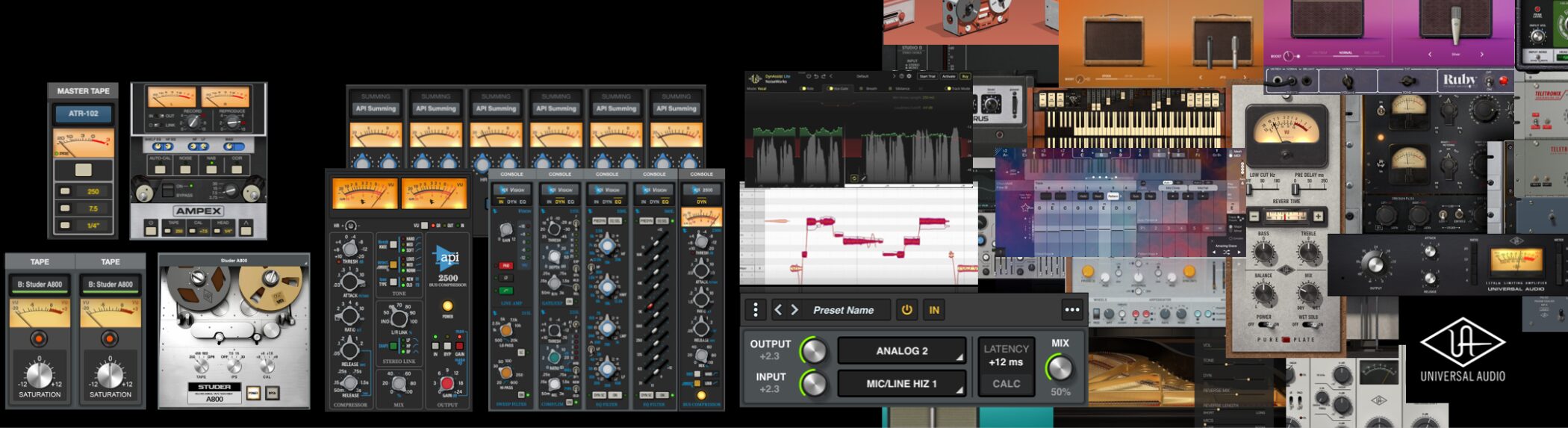
LUNA Pro 2.0 includes UAD plug-in licenses whose separate purchase prices would total more than ¥450,000.
The lineup ranges from emulations of studio recording classics to UA's flagship virtual instruments:
- Compressors: Fairchild Limiter Collection, Teletronix LA-2A, 1176 FET Compressor, API 2500 Bus Compressor
- EQ: Pultec Passive EQ Collection, API Vision Channel Strip Collection
- Tape machines: Studer A800, Ampex ATR-102
- Virtual instruments: Opal Morphing Synthesizer, Waterfall B3 Organ, Ravel Grand Piano, PolyMAX Synth
- MIDI effects: ChordAXE Lite
These plug-ins can also be used in other DAWs besides LUNA.
Buying LUNA Pro 2.0 therefore gives you access to these plug-ins in the DAW you already use, too.
Analog emulation integrated into the channel strip
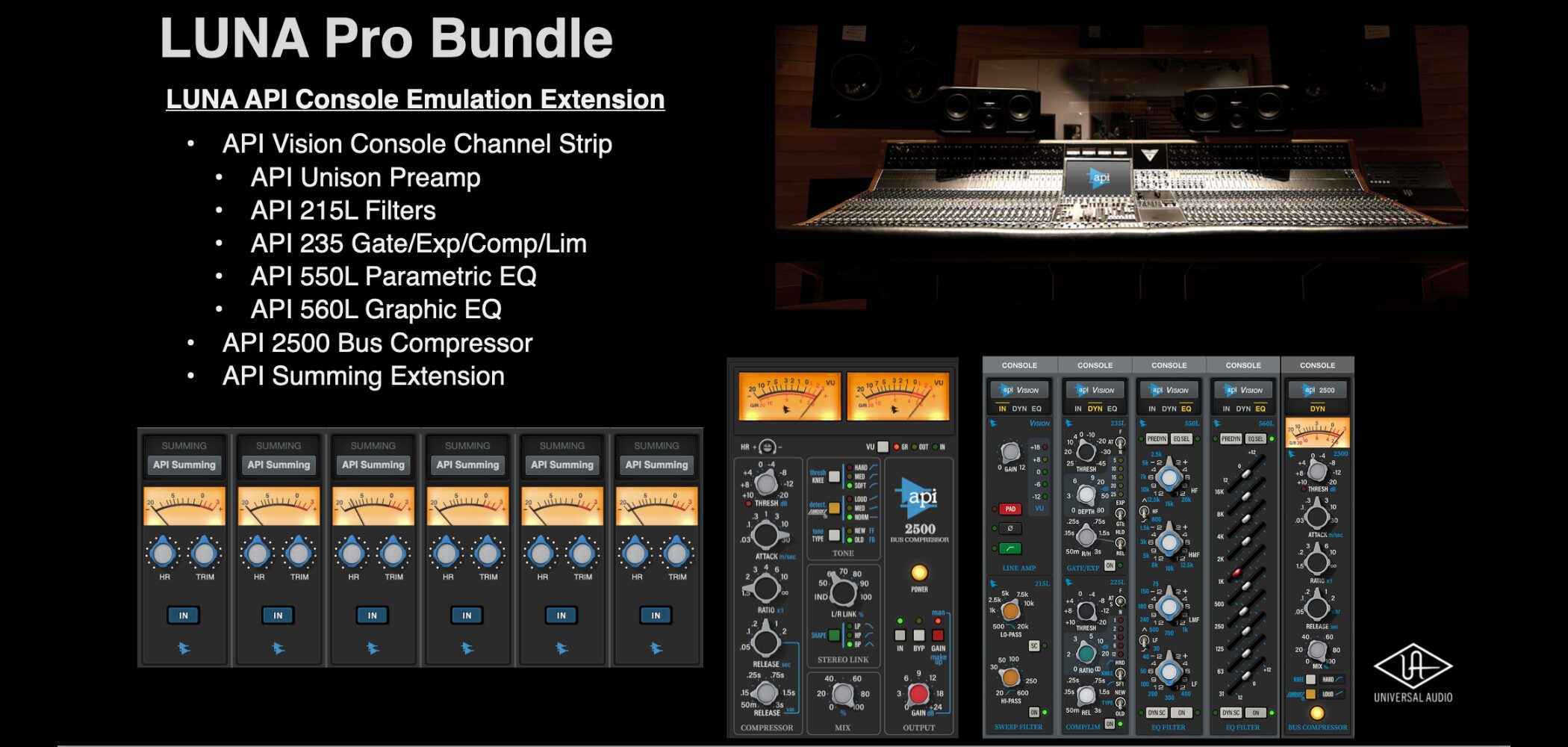
A defining feature of LUNA Pro 2.0 is analog emulation integrated into the channel strip.
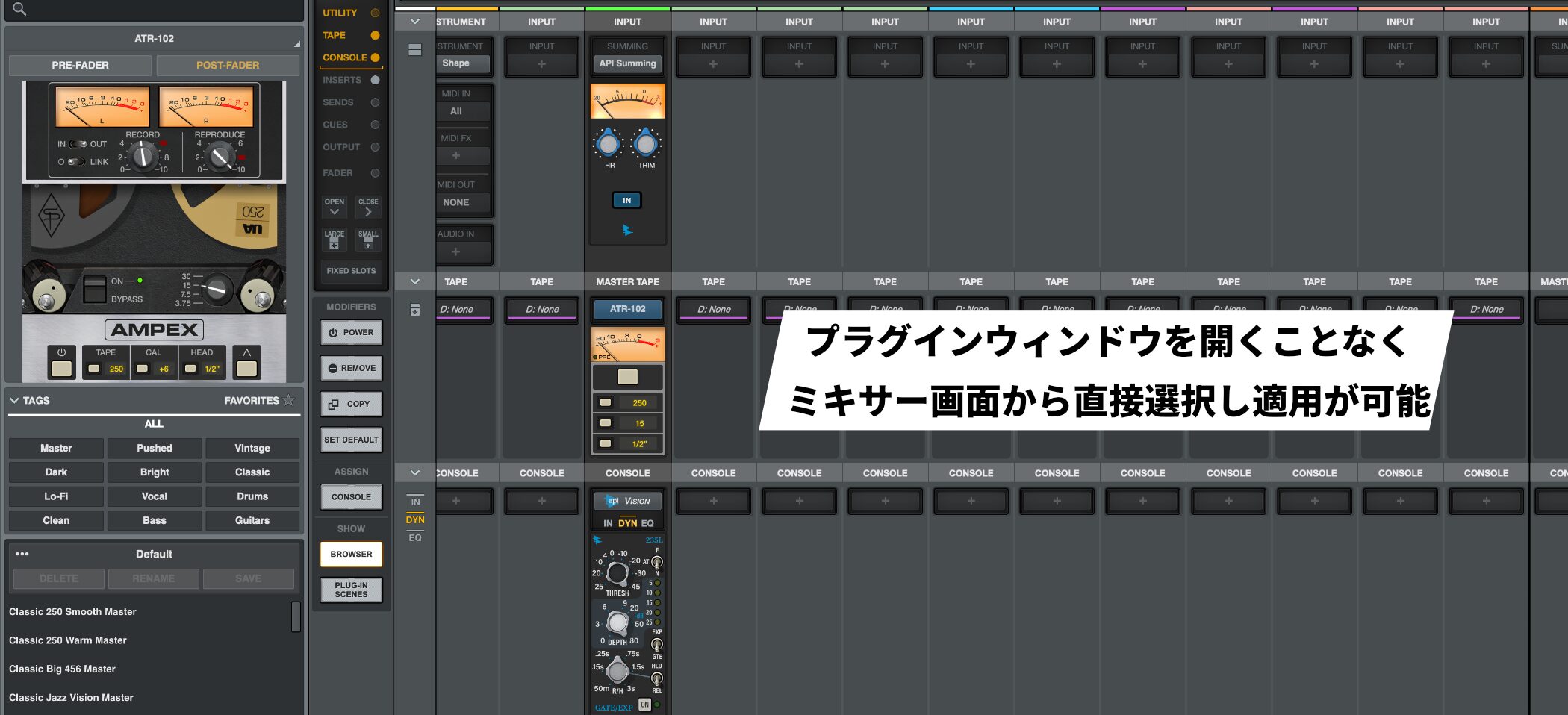
Each channel has dedicated Console, Summing, and Tape sections in addition to ordinary insert slots.
This lets you choose and apply the sound of classic hardware from API, Studer, and Ampex directly from the mixer without opening a plug-in window.
LUNA 2.0 system requirements
Mac
OS: macOS Big Sur 11, Monterey 12, Ventura 13, Sonoma 14, or Sequoia 15
Windows
OS: Windows 10 or later
Common requirements
CPU: Intel quad-core i7 or better, or Apple Silicon
Memory: 16 GB or more recommended
Storage: At least 600 MB of free space on the system volume
How to get LUNA 2.0: Download and activation
LUNA 2.0 is available from Universal Audio's official website.
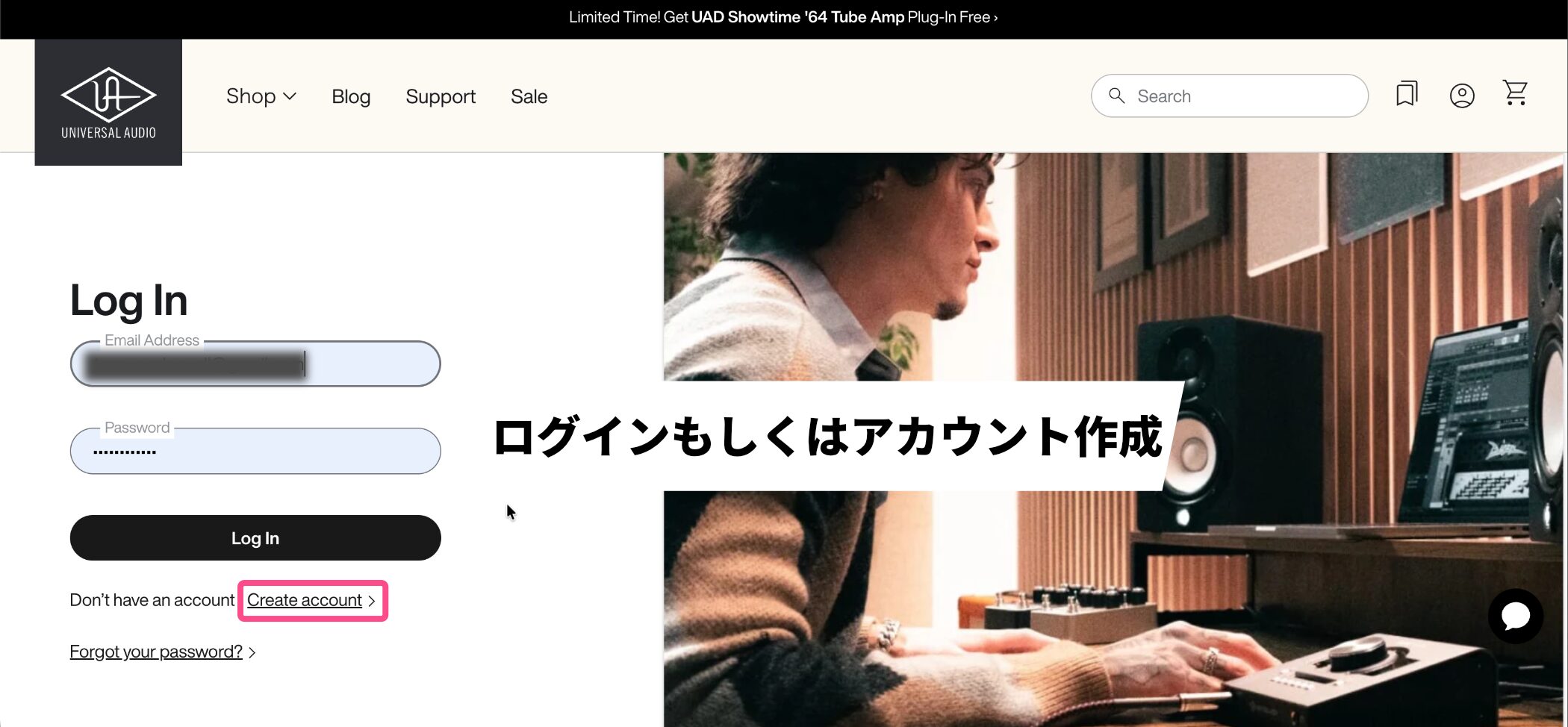
First, use the login page to sign in, or create an account and sign in if you do not have one.
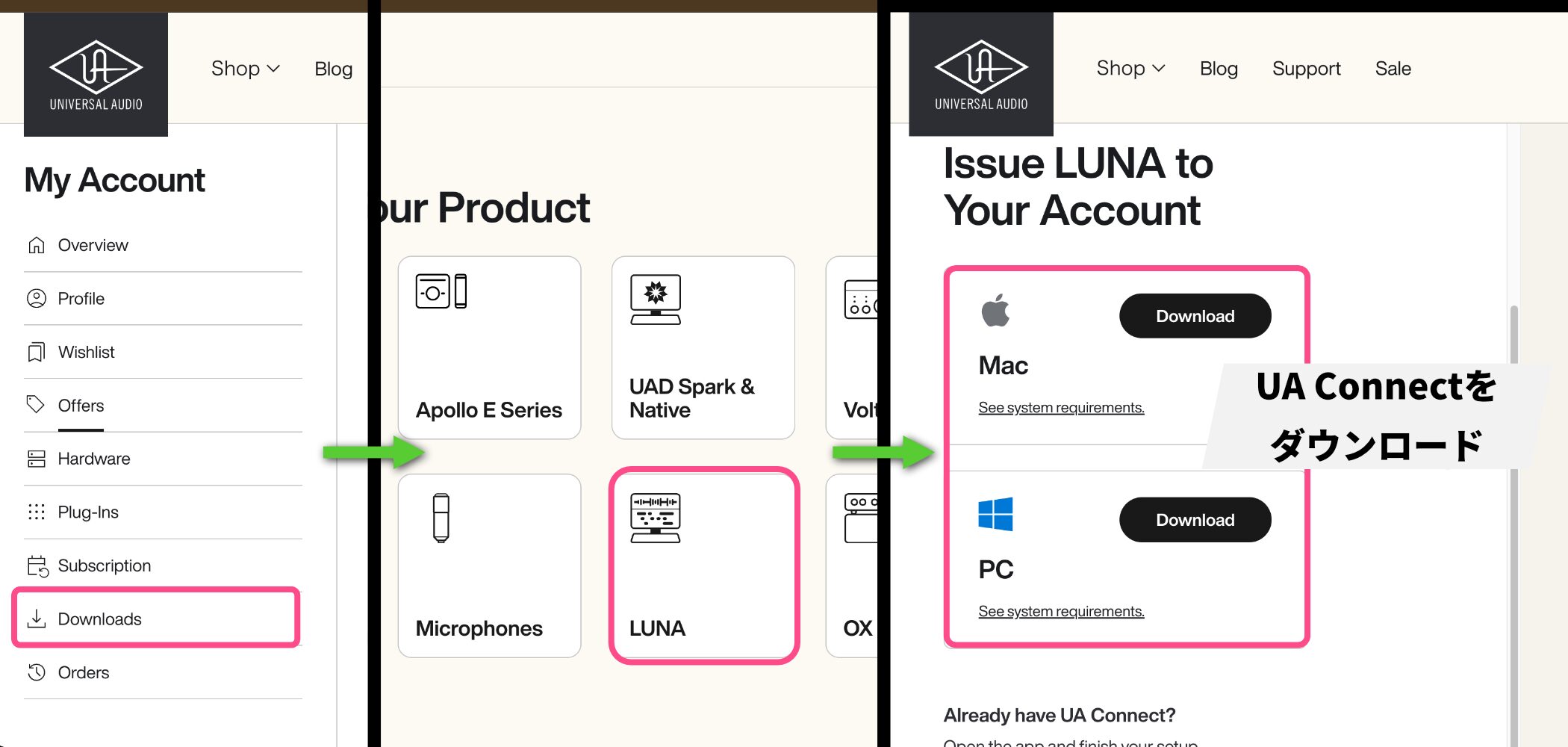
Go to Downloads > LUNA, then download and install the UA Connect management software.
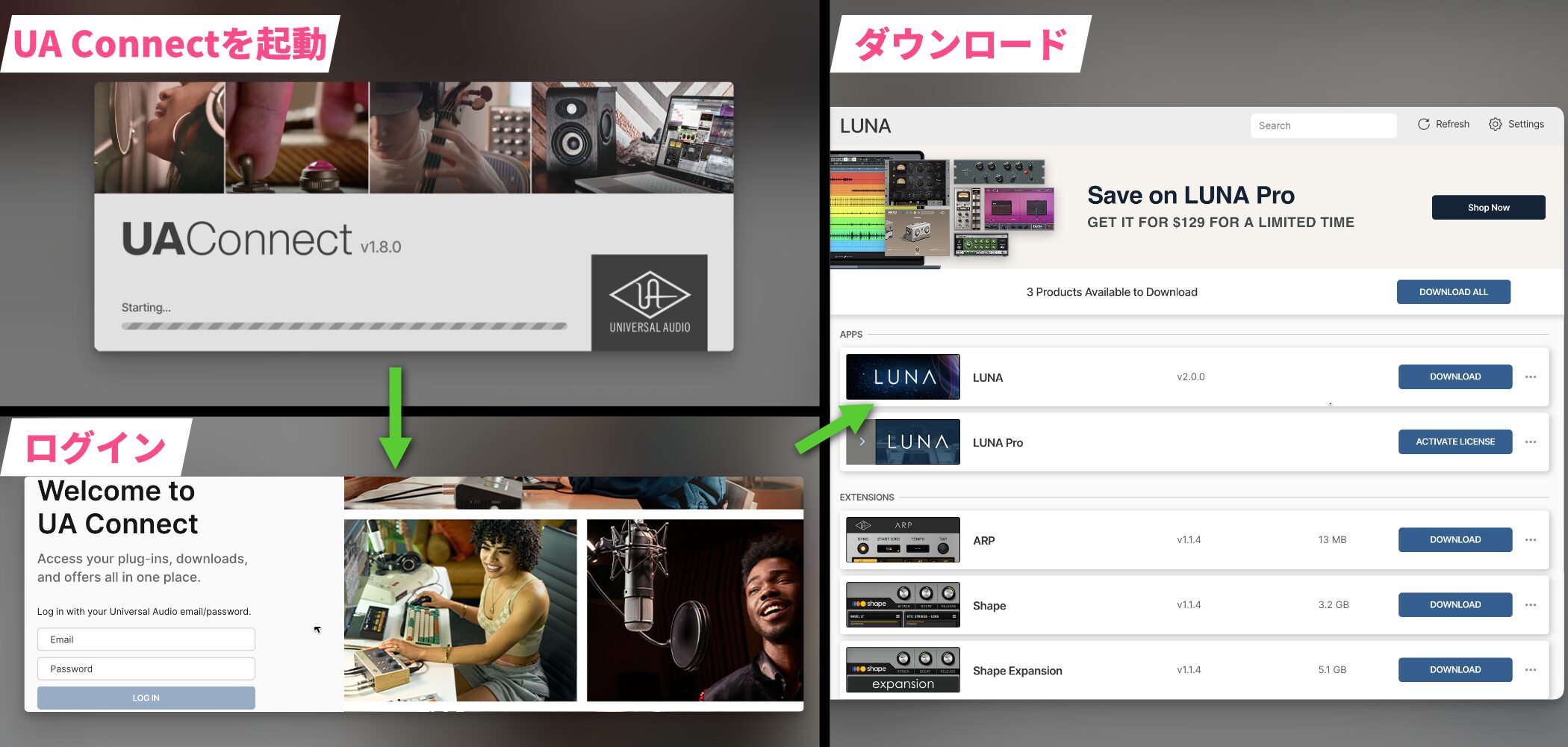
Open UA Connect and sign in with the account you created to download and activate LUNA 2.0.
Conclusion
LUNA 2.0 is especially well suited to:
- People who focus on audio recording and mixing
- People who record live performances such as acoustic instruments and vocals
- People who bring material created in another DAW into LUNA for a dedicated mixing environment
It is better suited to recording live performances and mixing afterward than to complex programming-heavy production that relies heavily on MIDI.
You can start with the free edition to see how it feels, then consider LUNA Pro 2.0 if you want its analog sound. That flexibility is a major attraction.
If you were affected by Studio One Prime becoming paid or have been curious about analog sound, LUNA 2.0 is worth a try.
Frequently asked questions
Q1. What is the main difference between the free and paid versions of LUNA 2.0?
The free edition places no restrictions on core DAW functions: you can record, mix, and export. The paid edition adds high-quality plug-ins and instruments. If you already own plug-ins, the free edition can still provide a professional-level environment.
Q2. Why is LUNA 2.0 useful for cover-song video production?
Its AI-powered tempo detection can analyze the tempo of a karaoke backing track in seconds. It can also locate the start of the sound automatically, reducing complicated setup and speeding up production.
Q3. What do I need to use Voice Control?
You need a Mac with Apple Silicon. At the time of this article, the feature recognizes English pronunciation. Set a wake word, then say commands such as Play and Stop in English.
Q4. What should I know about using Japanese characters in file names?
Because LUNA 2.0 is English-language software, Japanese characters in file names may become garbled. Using Latin letters and numbers in file names can help avoid this problem.
NEW ARTICLES
Latest English Articles























