
KORG Keystage is a MIDI keyboard controller with MIDI 2.0 Property Exchange support, available in portable, USB-powered 49- and 61-key models. This review explores its polyphonic-aftertouch keyboard, built-in audio output and bundled software, including KORG Gadget Producer Bundle and Ableton Live 11 Lite. It also demonstrates Live integration, automatic device-parameter mapping and hands-on control. Software versions, compatibility observations and bundle details reflect the original review period; check current support information for later updates.
Experience closer integration with your DAW What can this next-generation MIDI controller do?
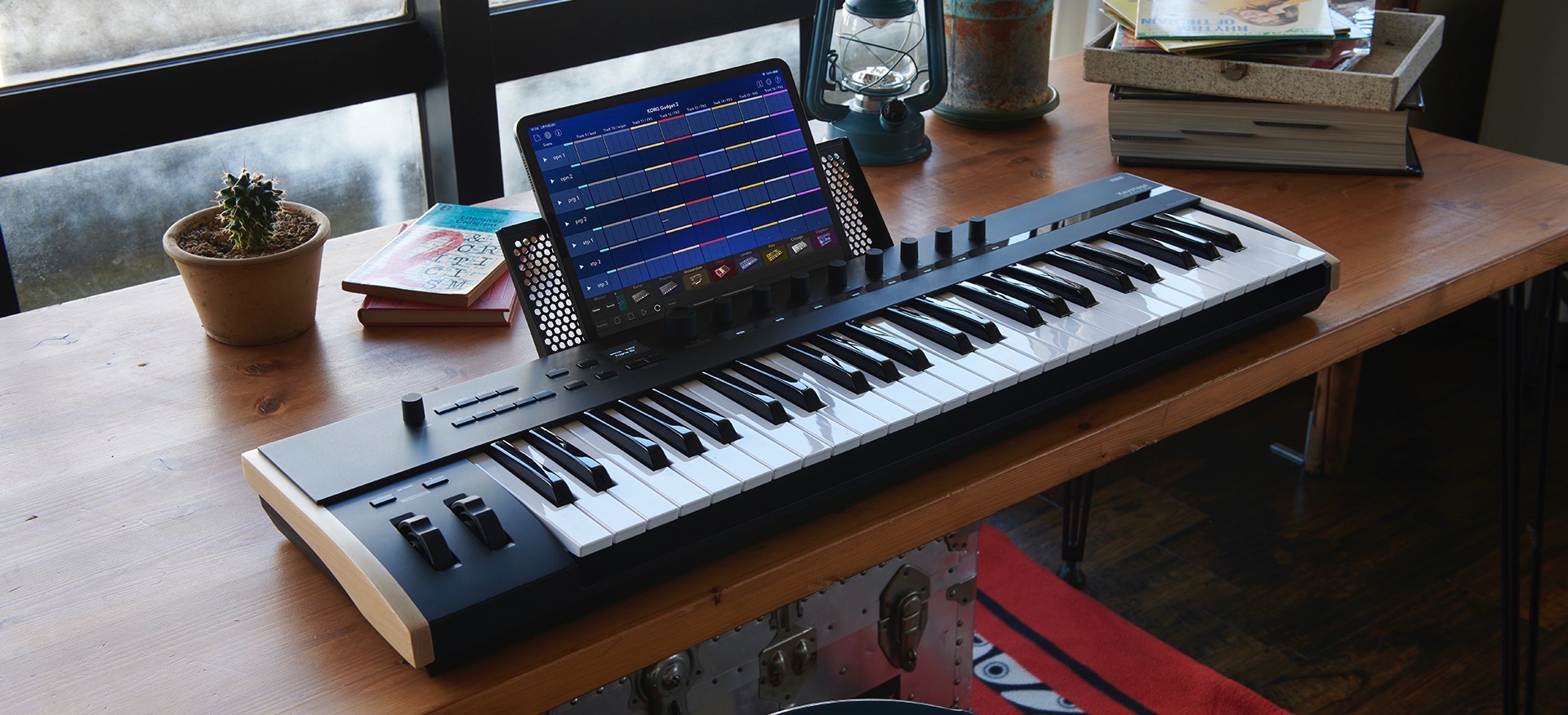
Released as a keyboard controller supporting MIDI 2.0, KORG Keystage
attracted plenty of attention. How does it differ from a conventional MIDI keyboard?
Let's use it with a DAW to explore its features in detail.
Video: KORG Keystage
Selected questions and answers from the YouTube video

“Can I use one-finger chords on the left side of a split keyboard while playing a solo on the right? For example, electric-piano chords layered with strings or strings controlled by aftertouch on the left, and grand piano on the right?”

In our investigation at the time of the original review, the keyboard's MIDI-channel setting applied to the entire key range; we could not find a mode assigning different channels to separate keyboard zones. Chord mode also turned all played notes into chords, so simultaneous single-note melodies and one-finger chords were difficult with that setup. The original reply hoped future updates might add more options; it was not a promise of an update.
“Is it compatible with macOS Sonoma 14.0?”
At the time of the reply, we could not find an explicit statement on the official or retailer pages. Based on the available driver updater specifying Monterey or later and our own Mac testing, we expected it to work, but could not guarantee compatibility. This is a historical observation; check KORG's current OS and driver support for your system.
Specifications
First, let's look at the main specifications of KORG Keystage.
Size and weight
Keystage comes in two models:
- 49 keys: 814 × 234 × 82 mm; 4.2 kg
- 61 keys: 979 × 234 × 82 mm; 5.0 kg
Both are relatively lightweight and portable.
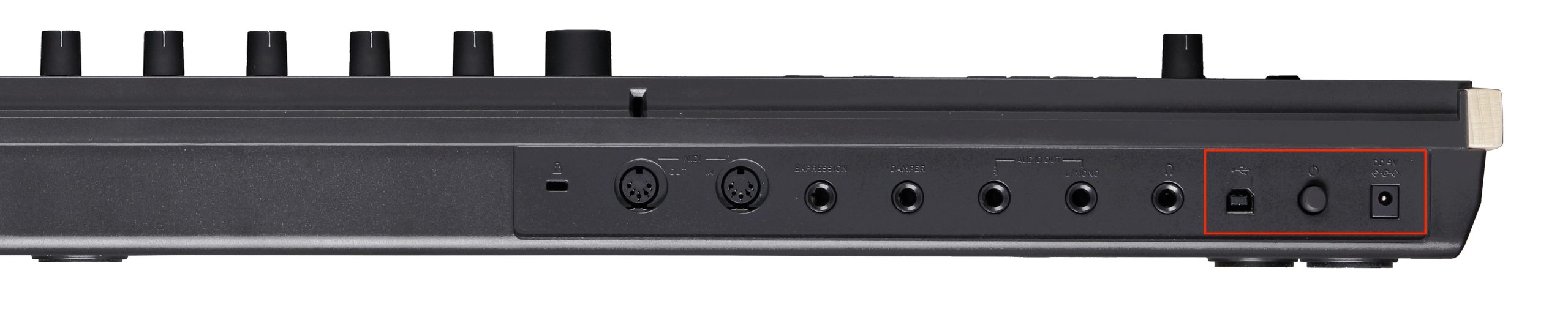
USB bus power means no additional power supply is needed when connected to a suitable computer.
With the optional AC adapter, it can also function as a standalone MIDI controller.
Audio interface

Alongside MIDI control, Keystage has built-in audio-interface functionality.
It is convenient to output your DAW's sound directly from the keyboard.
The original review lists the audio specification as 44.1 kHz, 16-bit. Those are modest figures. The reviewer felt this suited a product with a live-performance focus, as suggested by its name; that is an interpretation rather than a stated engineering rationale.
Keyboard feel and expression
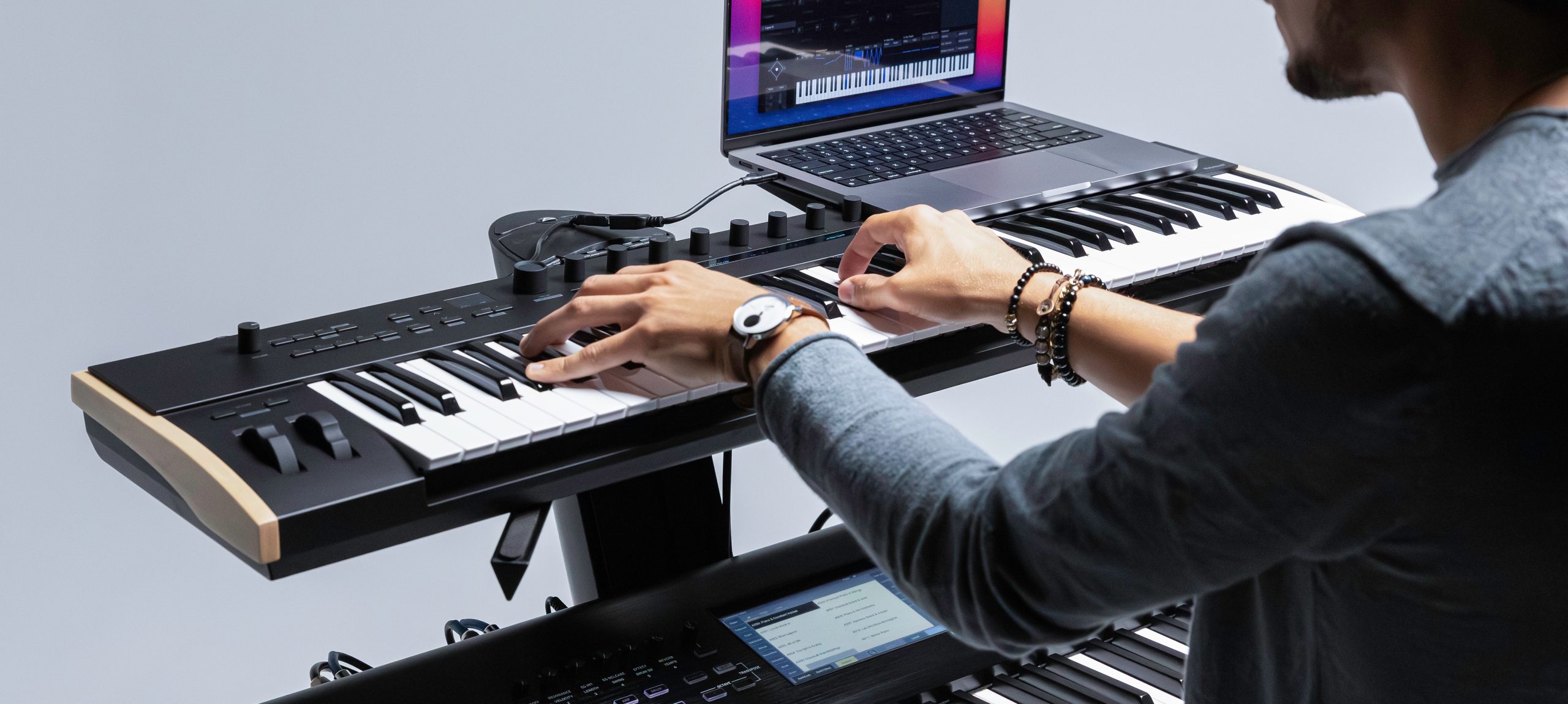
The reviewer found the keyboard's quality and feel appropriate to its price.
The touch felt shallower than a hammer-action or heavier semi-weighted keyboard, while still having some resistance. KORG describes Keystage's keybed as semi-weighted; this comparison describes the reviewer's subjective feel, not a different action specification.
It can also transmit aftertouch separately for each note, with polyphonic aftertouch support. That adds to its real-time expressiveness.
Bundled software
The review highlights the following three bundled products and their integration features. The kinds of integration differ: MIDI 2.0 Property Exchange should not be assumed to apply identically to every bundled application or to Live's control-surface integration.
KORG Gadget Producer Bundle
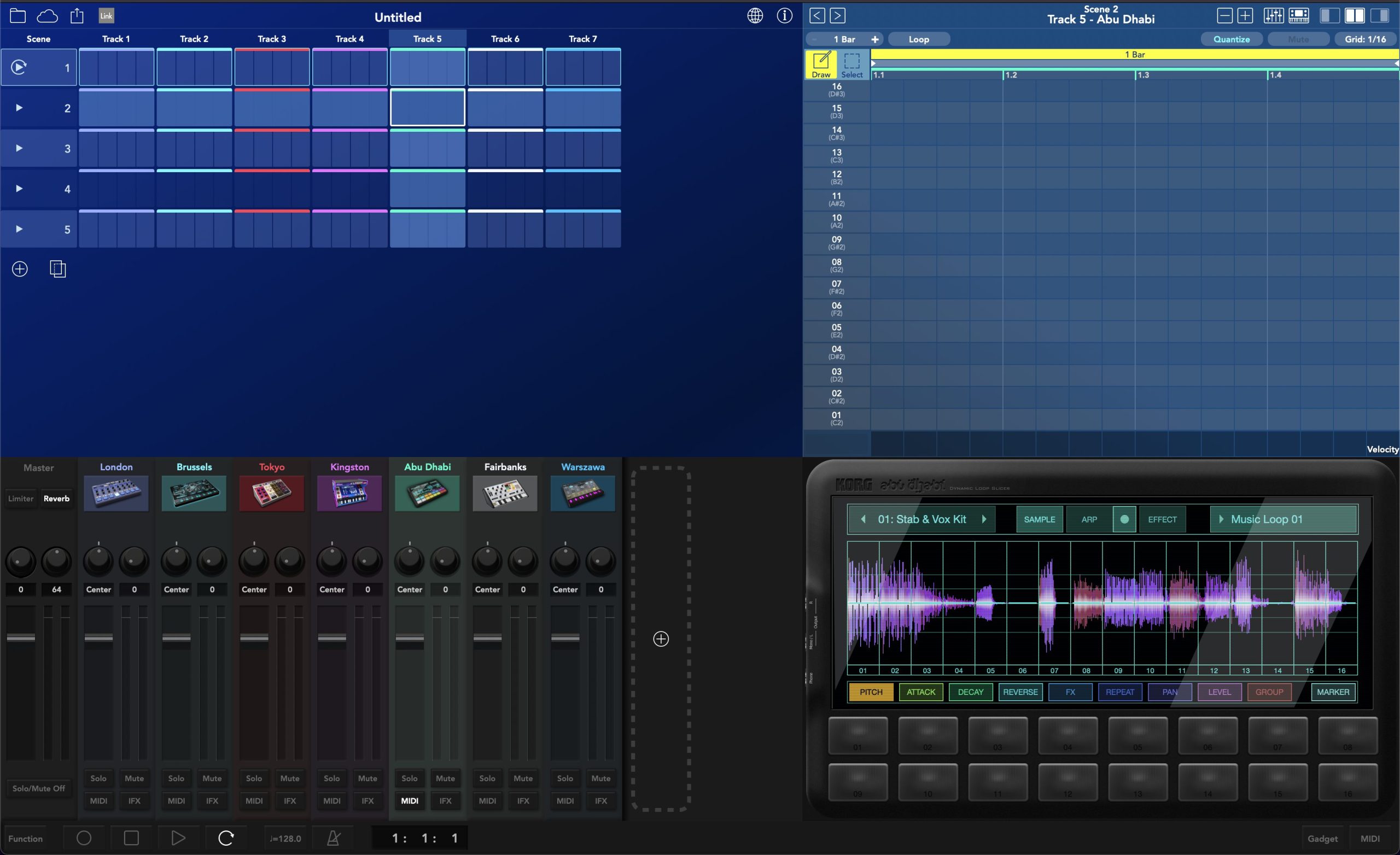
This edition of KORG's music-production software includes many synthesizer and effects Gadgets. Its distinctive workflow differs from a conventional DAW and has a devoted following.
Kamata, Stockholm, DeeMax, Ebina, Otorii and Lexington are not included in the Producer Bundle described here.
wavestate native LE
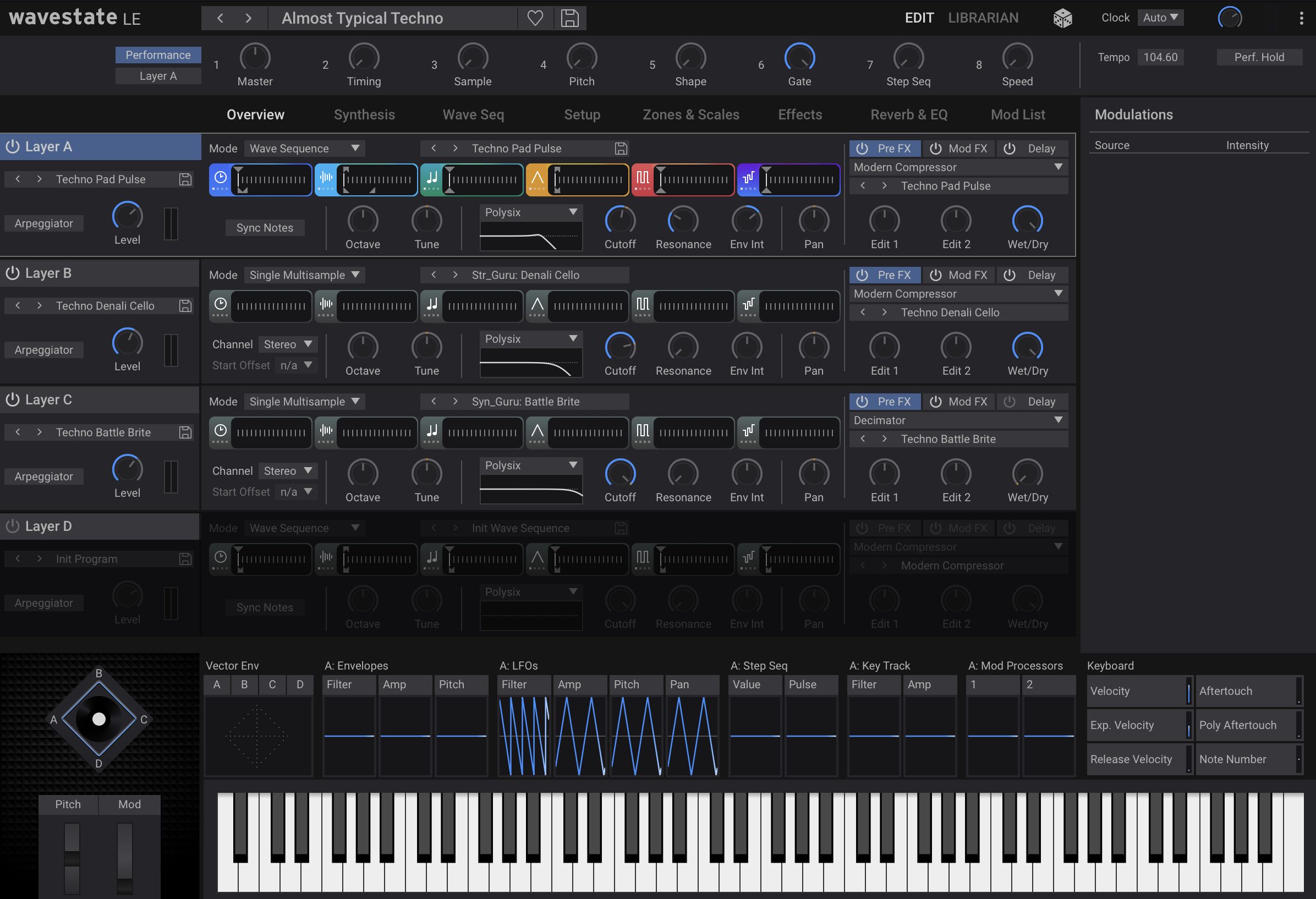
This synthesizer uses Wave Sequencing to manipulate samples, timing, pitch and other elements independently, creating distinctive musical patterns.
At the time described, MIDI 2.0 Property Exchange support was available in the standalone version. This does not mean the instrument had no plug-in version.
The LE edition permits one active plug-in instance per DAW project; otherwise, it offers substantially the same features as wavestate native.
Ableton Live
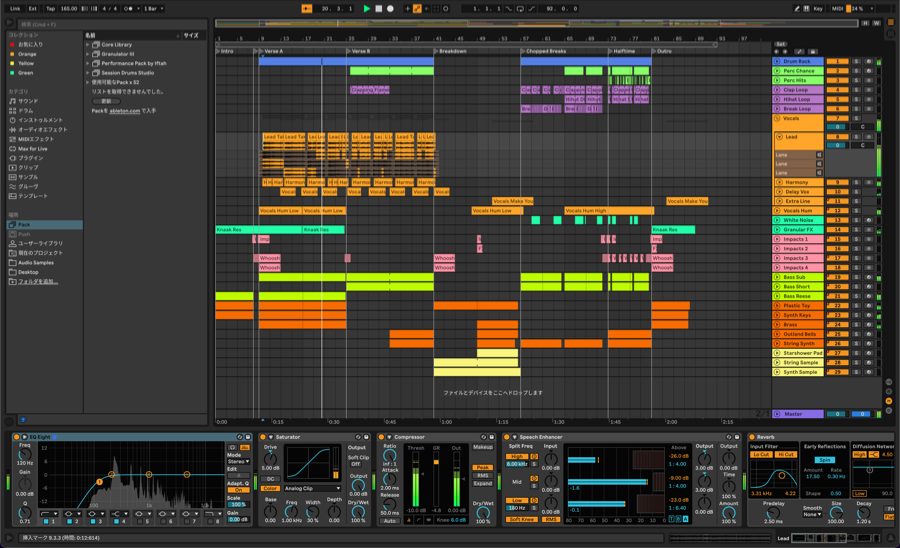
The bundle described in the review includes the entry-level DAW Ableton Live 11 Lite, allowing you to start making music.
As explained below, Keystage integrates closely with Live's editions through its control-surface features.
There are also many other bundled software titles.
For details, see the software bundle page. Check the current bundle terms there.
MIDI 2.0 features and applications
KORG Keystage supports aspects of MIDI 2.0, but the specification contains many different features. It is important to check which features a particular product implements. A MIDI 2.0 label alone does not imply support for everything in the specification.

The original article outlines these broader MIDI 2.0 capabilities:
- Higher-resolution control: finer message resolution for subtle changes in level and timbre.
- Bidirectional communication: exchanging information between devices for more responsive interaction.
- Profiles and Property Exchange: automatic recognition of settings and improved device interoperability.
- Expanded expression: new message types supporting independent pitch and level changes.
The Keystage features emphasized here are bidirectional communication and Property Exchange. Those are the particular capabilities discussed in this review. At the time, the compatible software instruments identified were wavestate native LE and KORG opsix native; broader third-party support was still developing.
In the setup described, the DAW did not support Property Exchange, so these functions required running the instrument standalone.
The reviewer therefore saw further DAW implementation of MIDI 2.0 features as a way to expand Keystage's usefulness in future.
Hardware modules supporting integration with Keystage
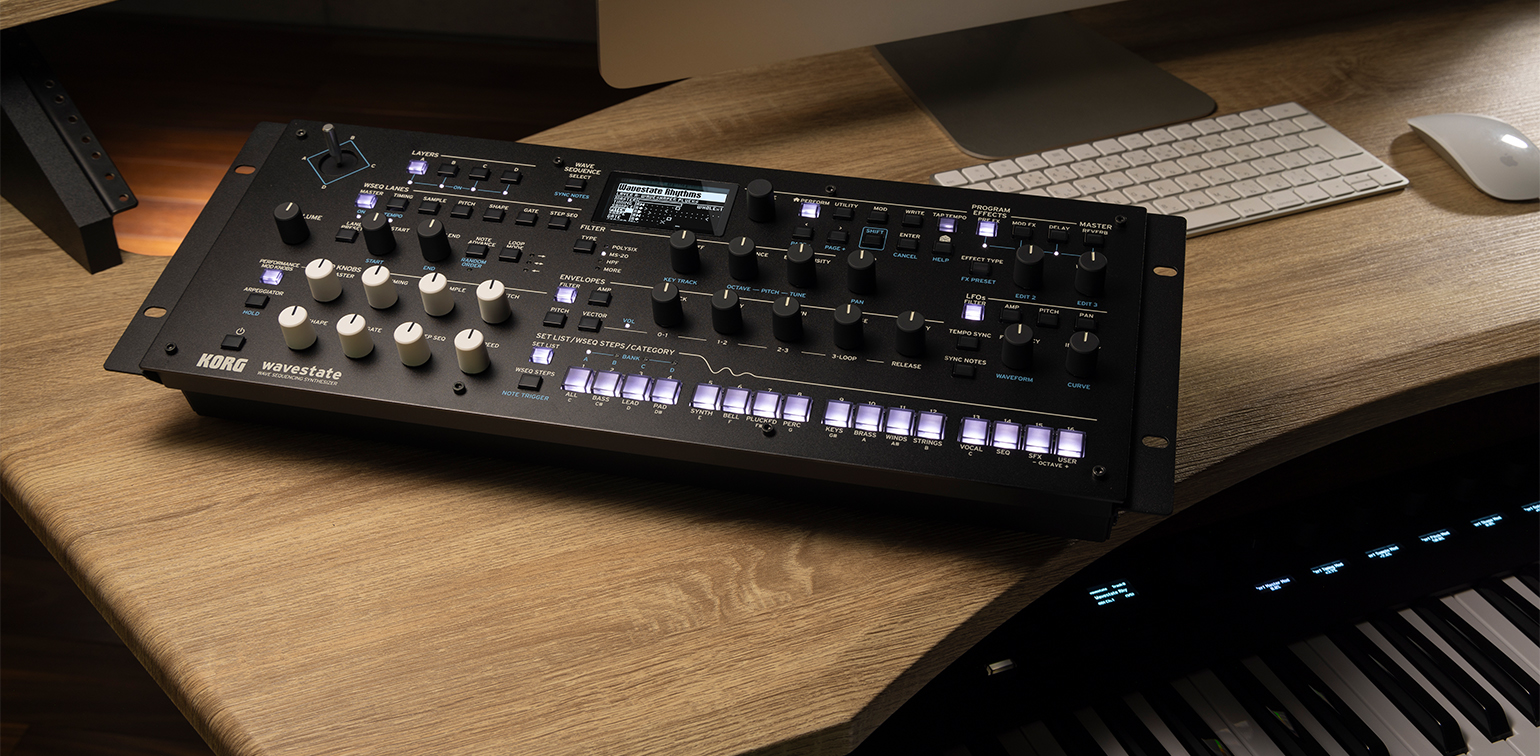
On January 19, 2024,
KORG announced module versions of wavestate , opsix and modwave with MIDI 2.0 integration with Keystage.
The original article saw this as a promising development.
Integration with Ableton Live 11
As mentioned above, Keystage integrates closely with Ableton Live 11, making hands-on production convenient in the reviewer's setup.
Let's look at the details.
Setup
First, configure the integration in Ableton Live.
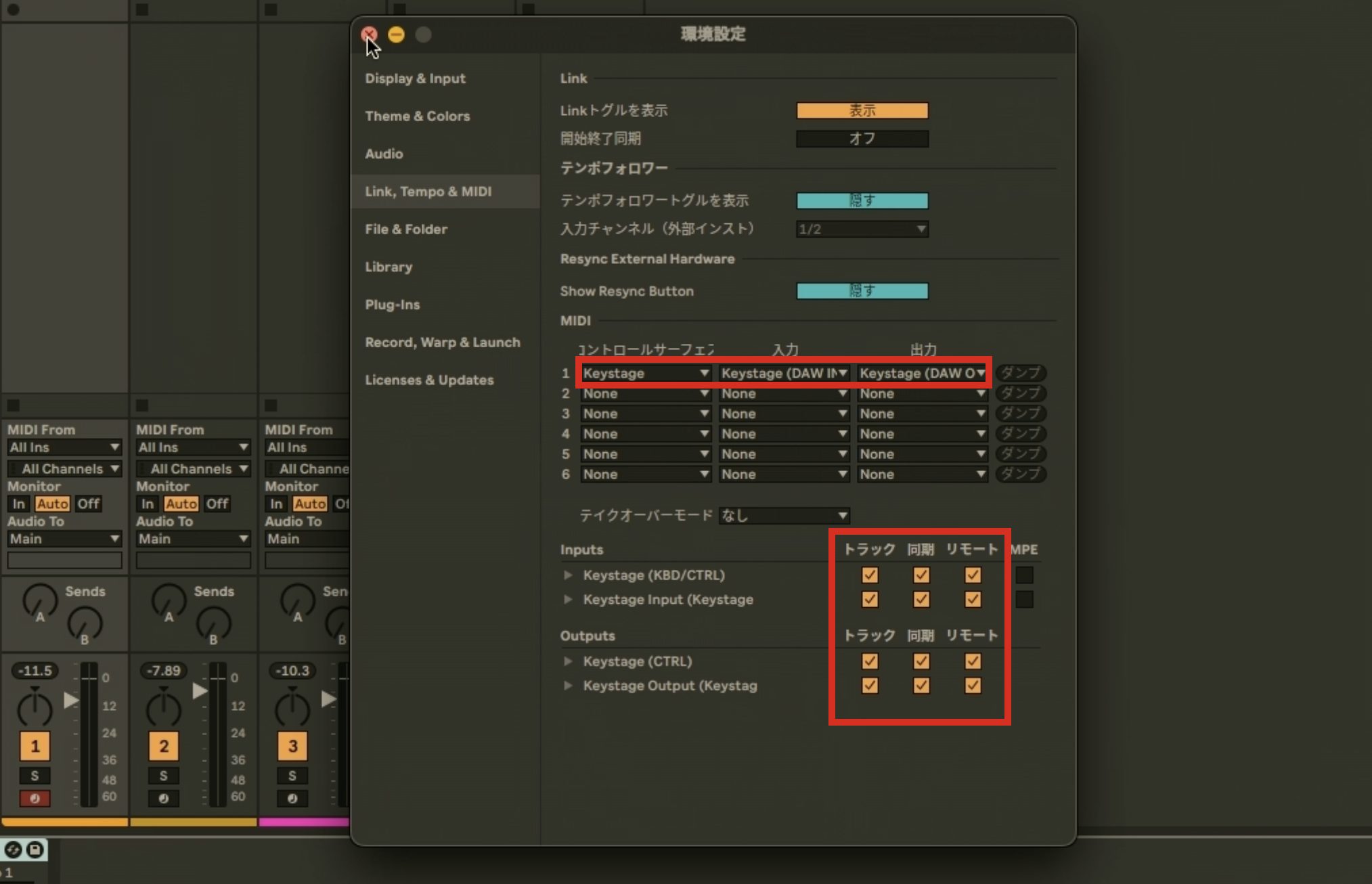
In Preferences, choose Keystage as the control surface and enable the relevant MIDI input and output options shown in the setup.
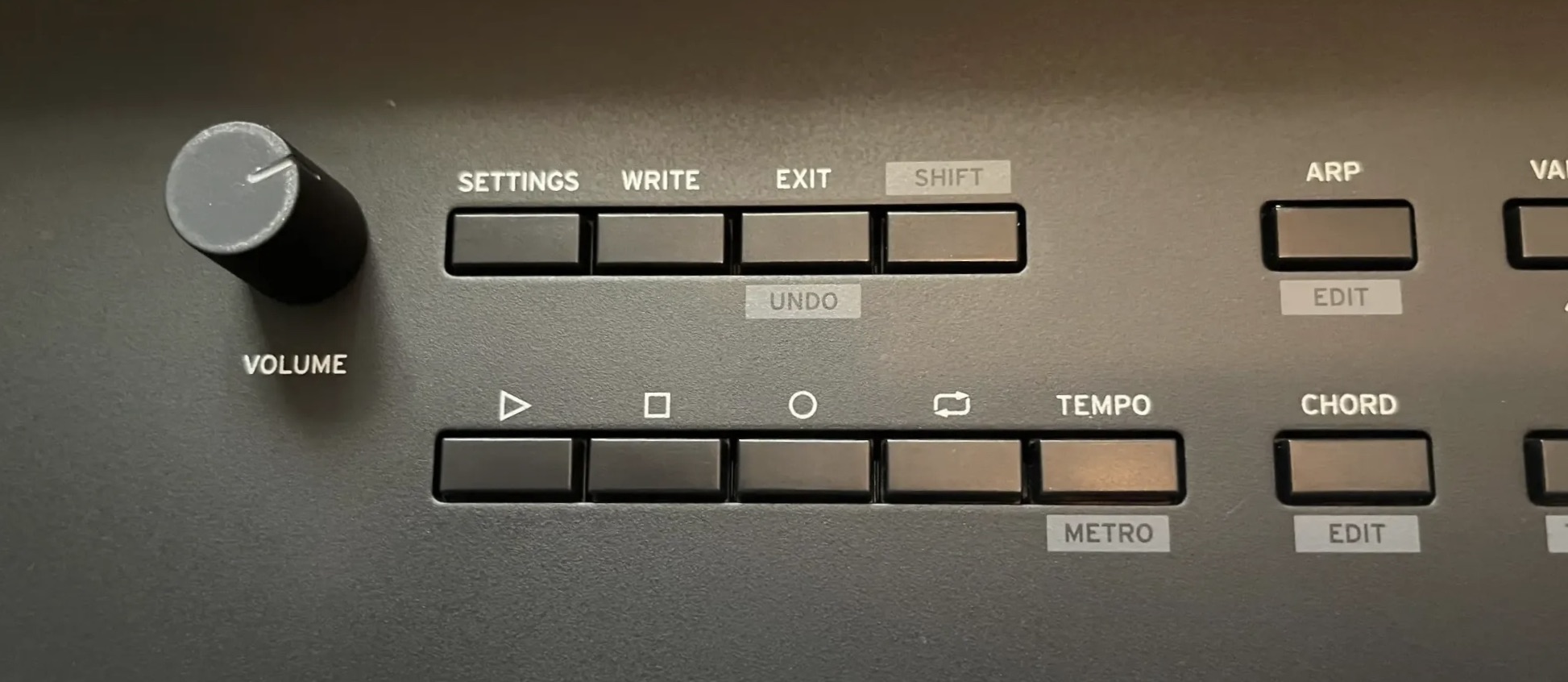
Keystage can then access various controls, including transport functions.
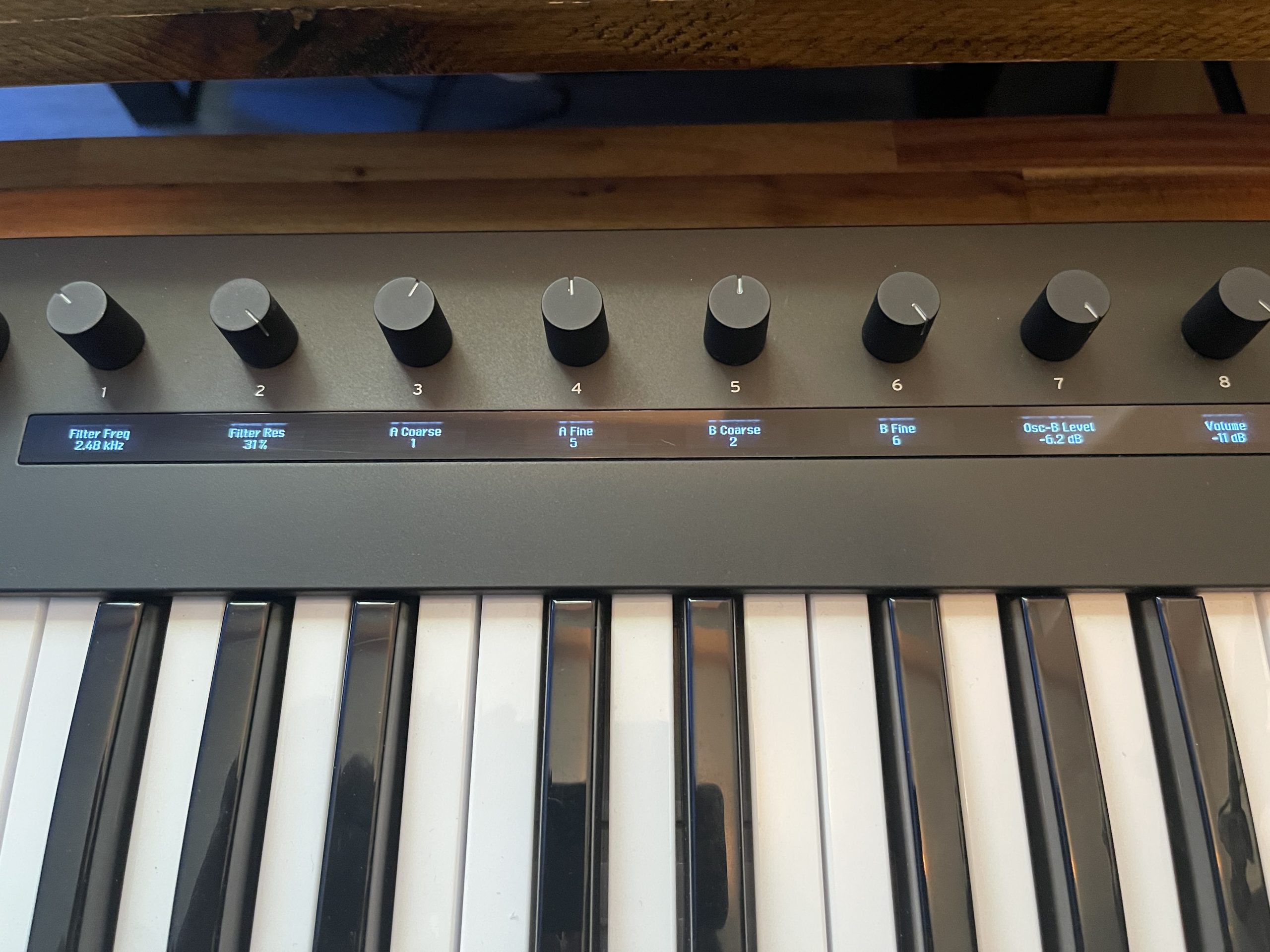
When a device included with Live is loaded, its mapped macro or device parameters appear automatically on Keystage's knob displays.
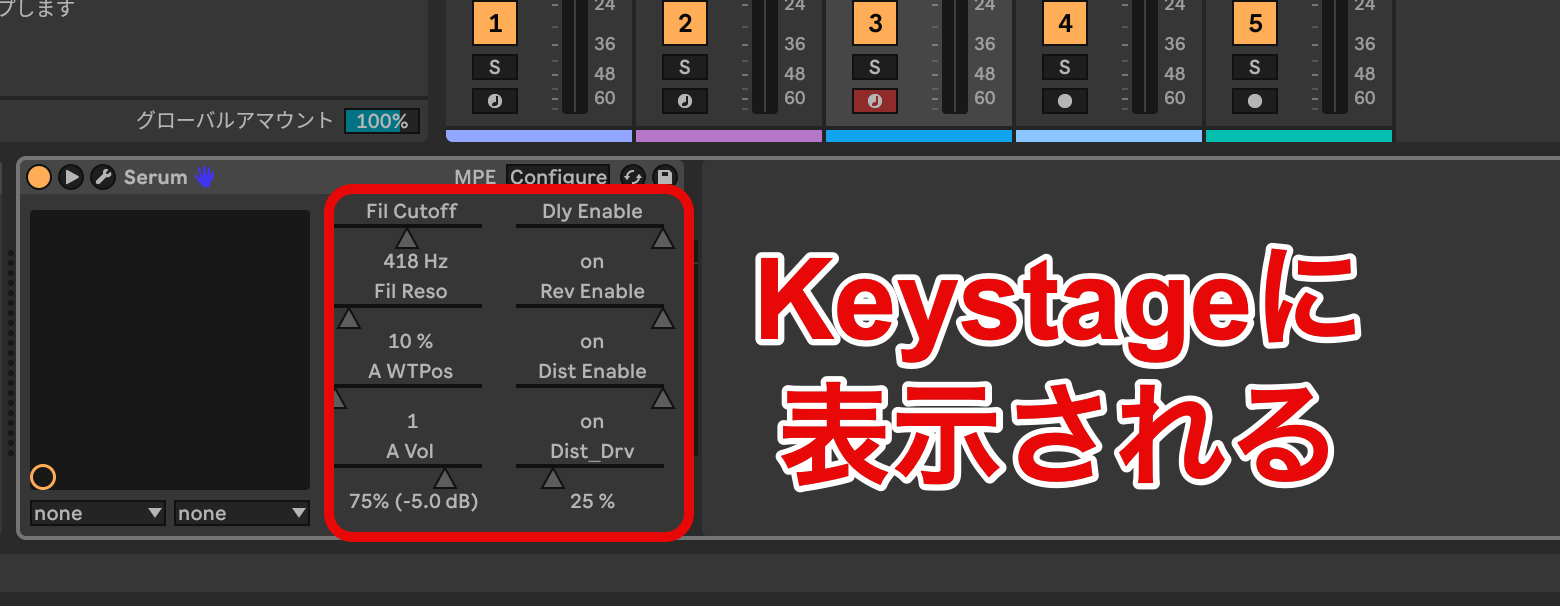
Working with third-party plug-ins is straightforward too.
Add the plug-in parameters to Live's device controls, and they appear on Keystage for hands-on adjustment.
Integration with other DAWs
The original review also lists Logic, FL Studio, Cubase, Studio One, Digital Performer, Pro Tools, Cakewalk and GarageBand, with more limited control features. Required setup and scripts depend on the DAW and version.
The accompanying table shows the controls available in the original comparison.
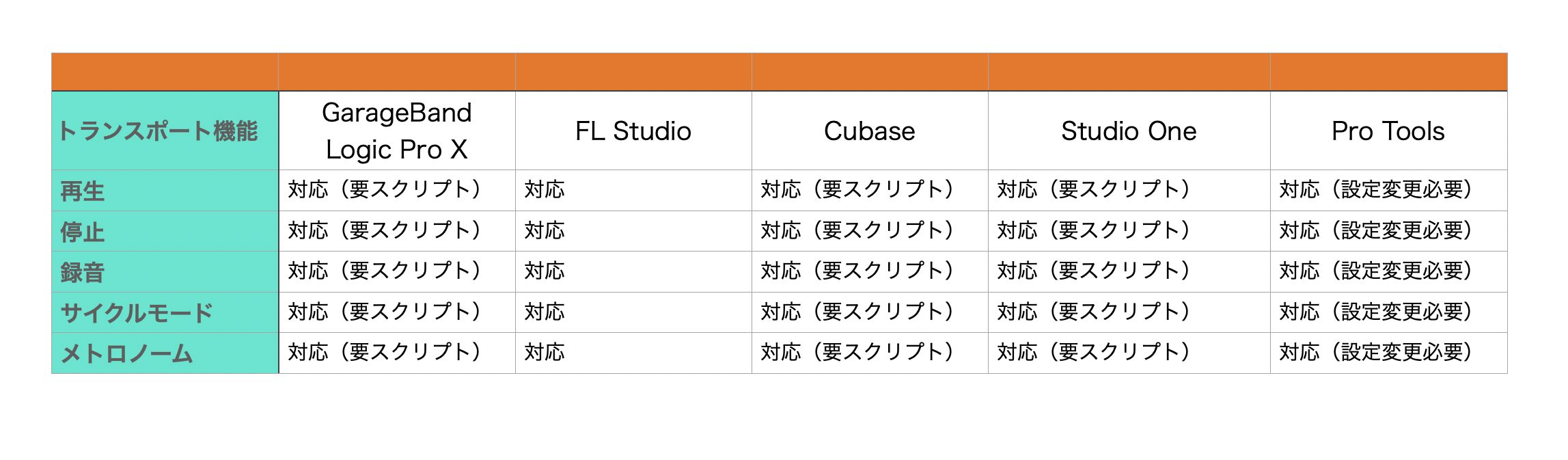
Although the available controls differ between DAWs, the review notes that these setups did not show parameter names beneath the knobs as Live did.
Keep this limitation of the tested setups in mind.
Making music with Keystage's creative features
Keystage includes several useful features for music production.
Two particularly interesting examples are chord mode and the arpeggiator.
Setting up chord mode
Chord mode lets you play a chord by pressing a single key.
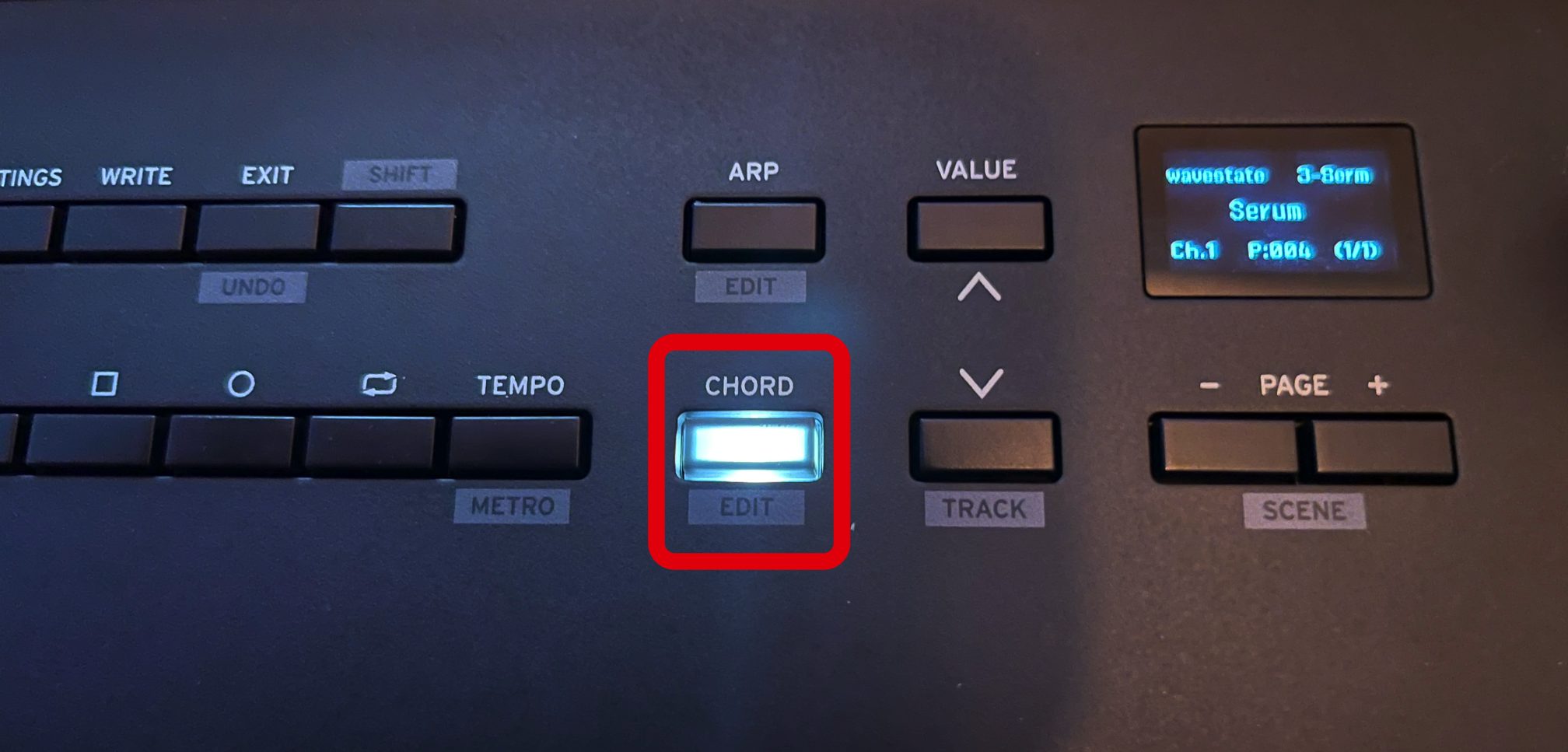
Press Chord so it lights up to activate the function. Hold Shift and press Chord to edit the settings.
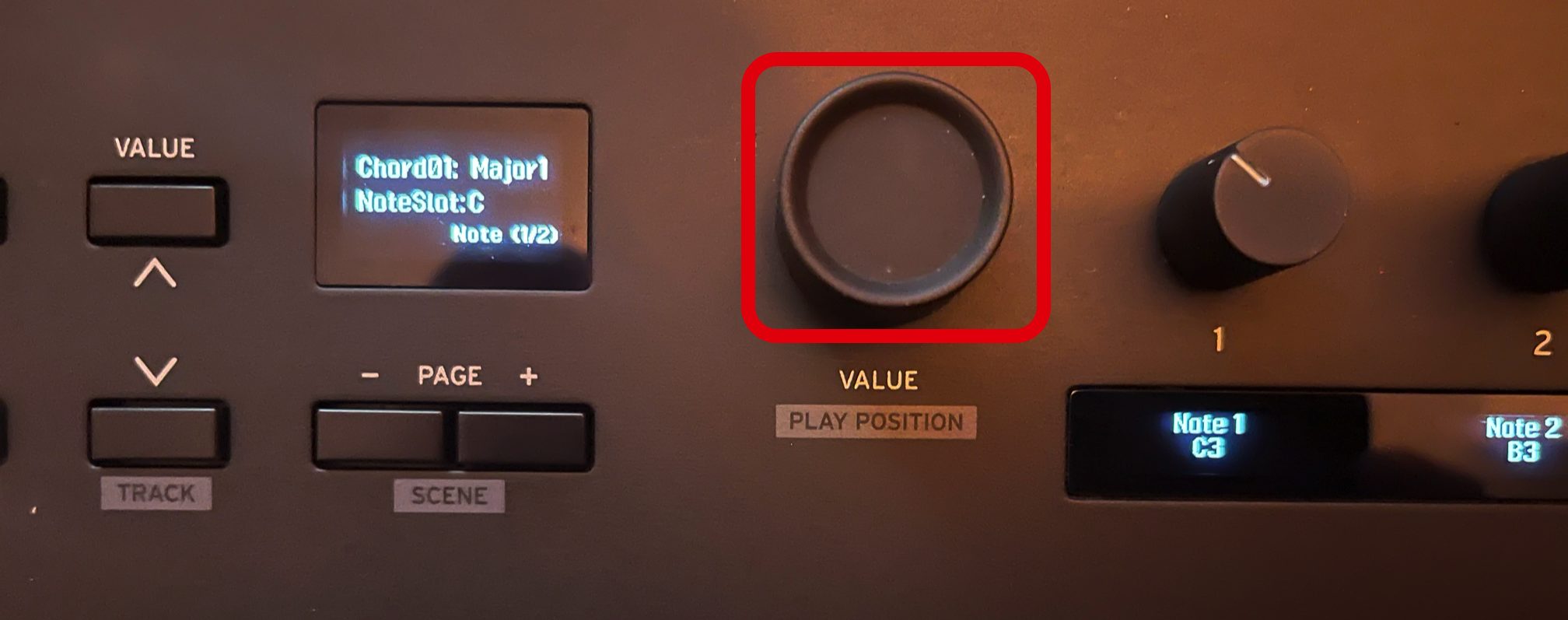
There are 32 factory chord sets and up to 32 user chord sets. Use the Value knob to select a preset.
To store your own chord voicings, use chord presets 33 onward. Those are the user slots.
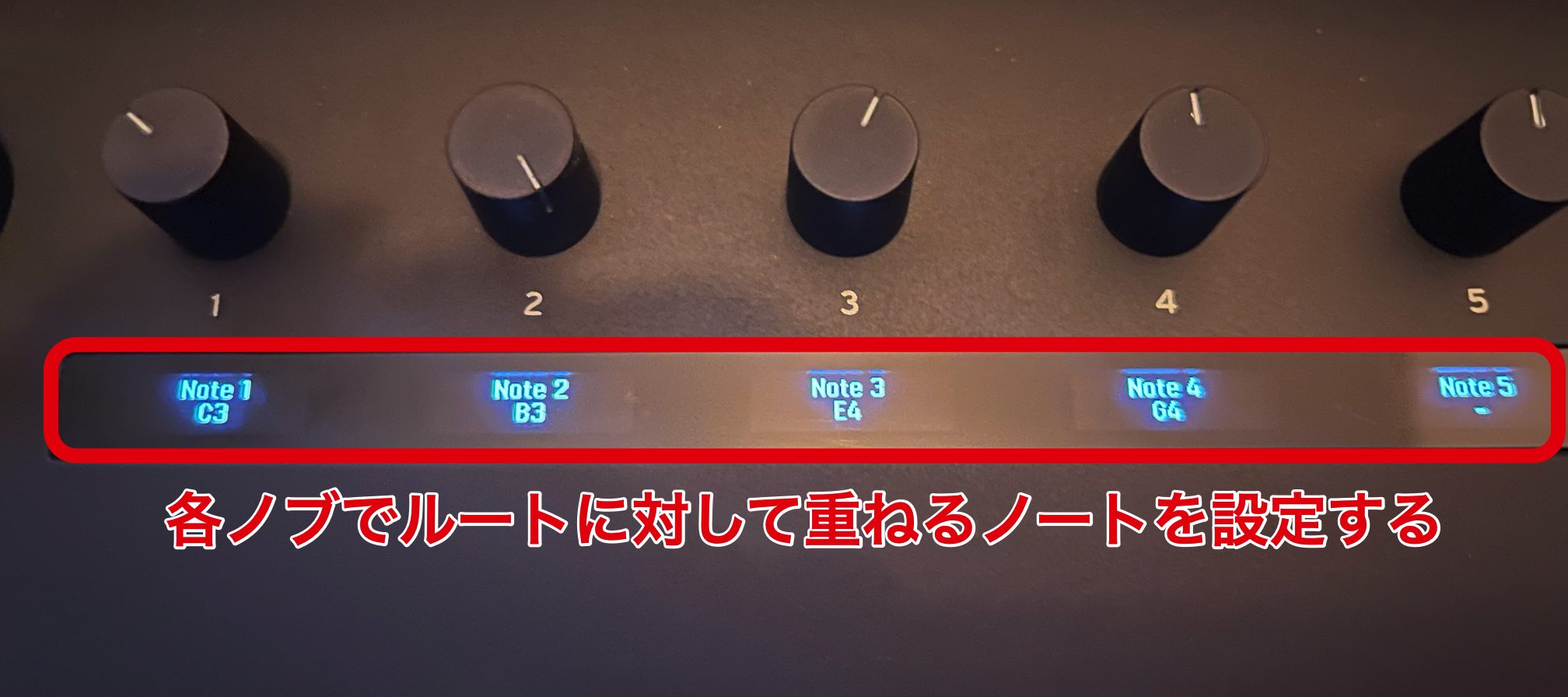
Select one of the 12 notes from C3 to B3 as the root, then use the eight knobs to choose the notes stacked above it.
You can combine notes freely, matching the song's key or building your own preferred voicings.
Setting up the arpeggiator
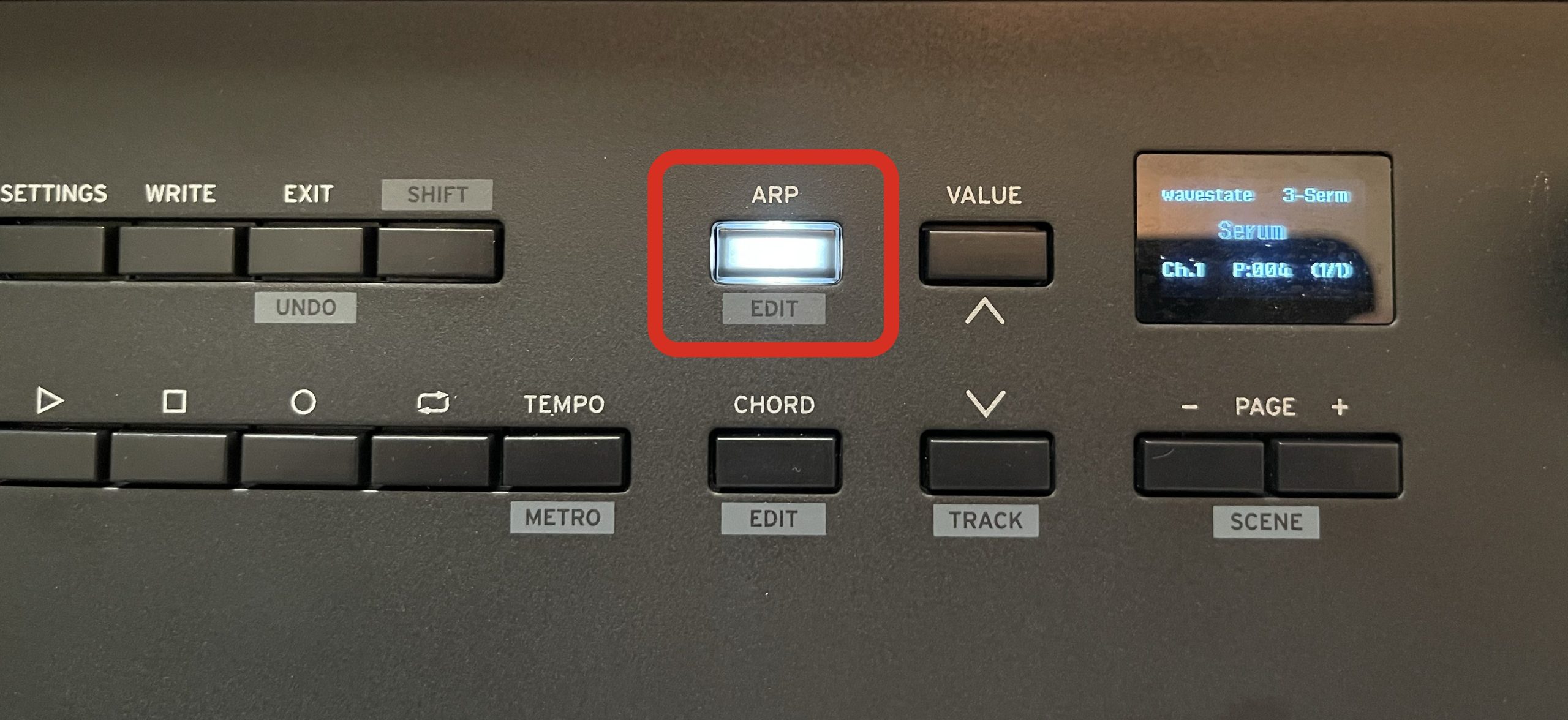
Keystage has an internal hardware arpeggiator that can be activated with a button.
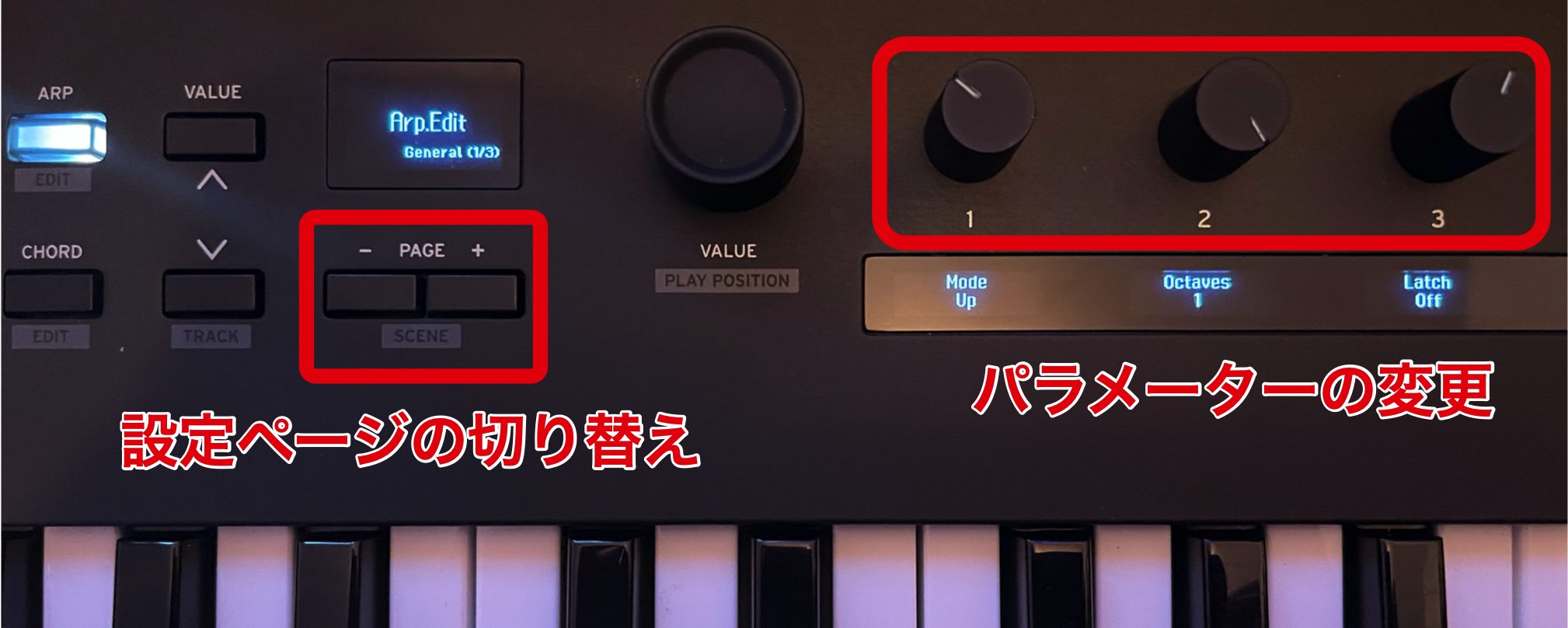
Hold Shift and press Arp to access the arpeggiator parameters on the eight knobs; use Page to move between parameter pages.
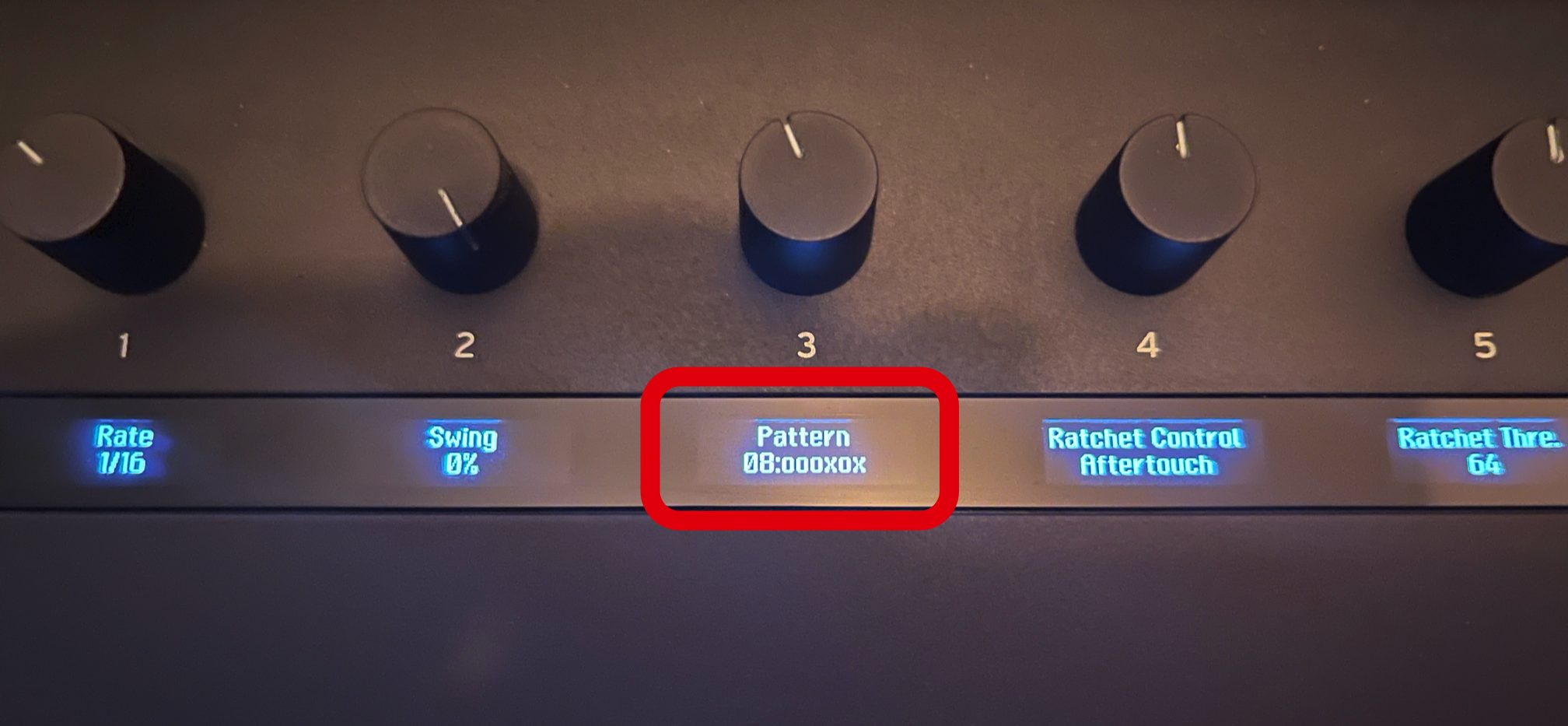
The Pattern parameter on the second page adds rhythmic variations to a basic arpeggio and can help generate phrase ideas.
Within the pattern, a circle marks a step that sounds and a cross marks one that does not.
Arpeggio phrase using a pattern
Ratchet is another distinctive function: MIDI controls such as the modulation wheel or polyphonic aftertouch can trigger a change in the arpeggio's note-repeat speed.
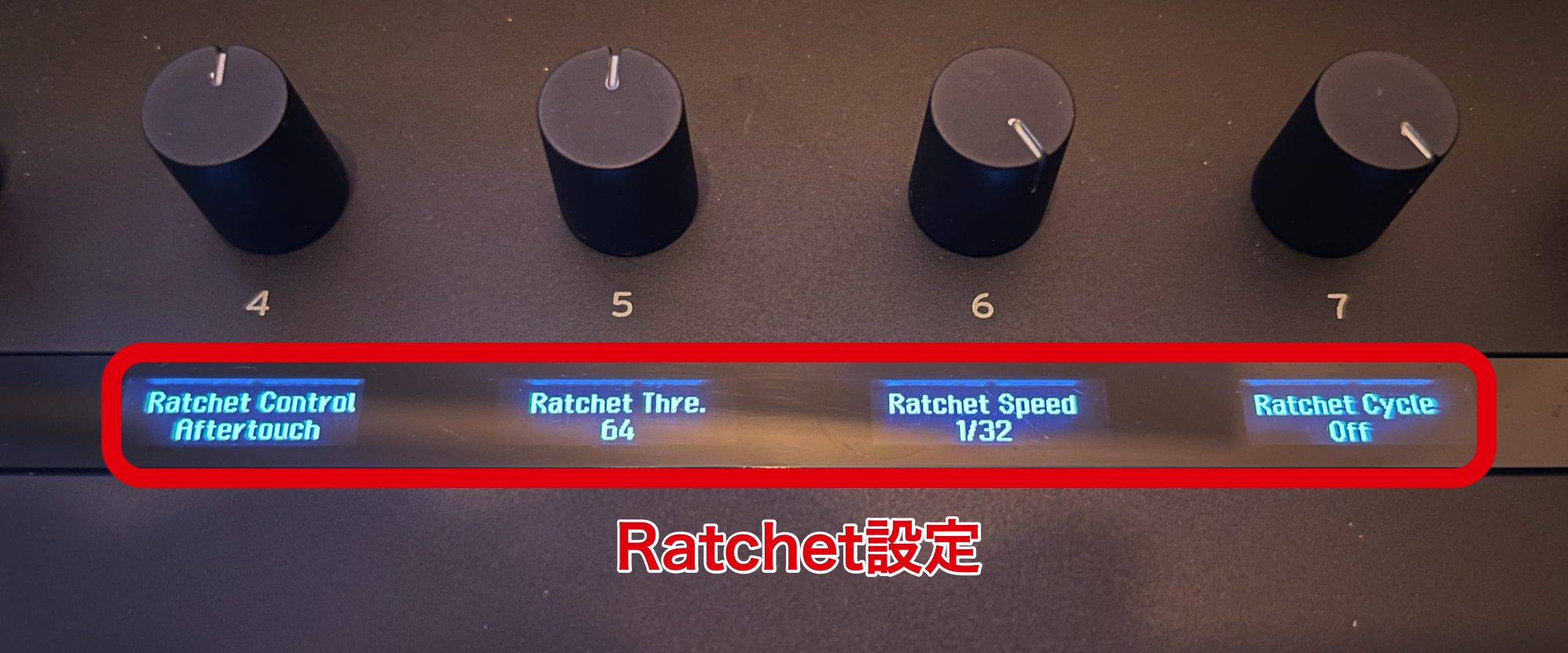
Ratchet Thre (threshold) sets the point at which the ratchet effect is triggered.
The effect activates when the selected controller's value exceeds that setting.
Ratchet Control selects the control source for the effect.
Sources include aftertouch, velocity and the modulation wheel. When the chosen source exceeds the threshold, ratcheting is triggered.
Ratchet Speed sets the note-repeat rate while the effect is active.
Its range runs from 1/1 (a whole note) to 1/128 (a 128th note).
Faster rates can create a stutter-like effect. Combining pattern and ratchet functions can produce phrases beyond a conventional arpeggio.
Phrase combining ratchet and pattern
These MIDI functions run inside Keystage, so synchronize its tempo with the DAW when using them in a project.
Other features
An included expansion plate can be mounted at an angle or horizontally to hold a tablet or another suitable device.
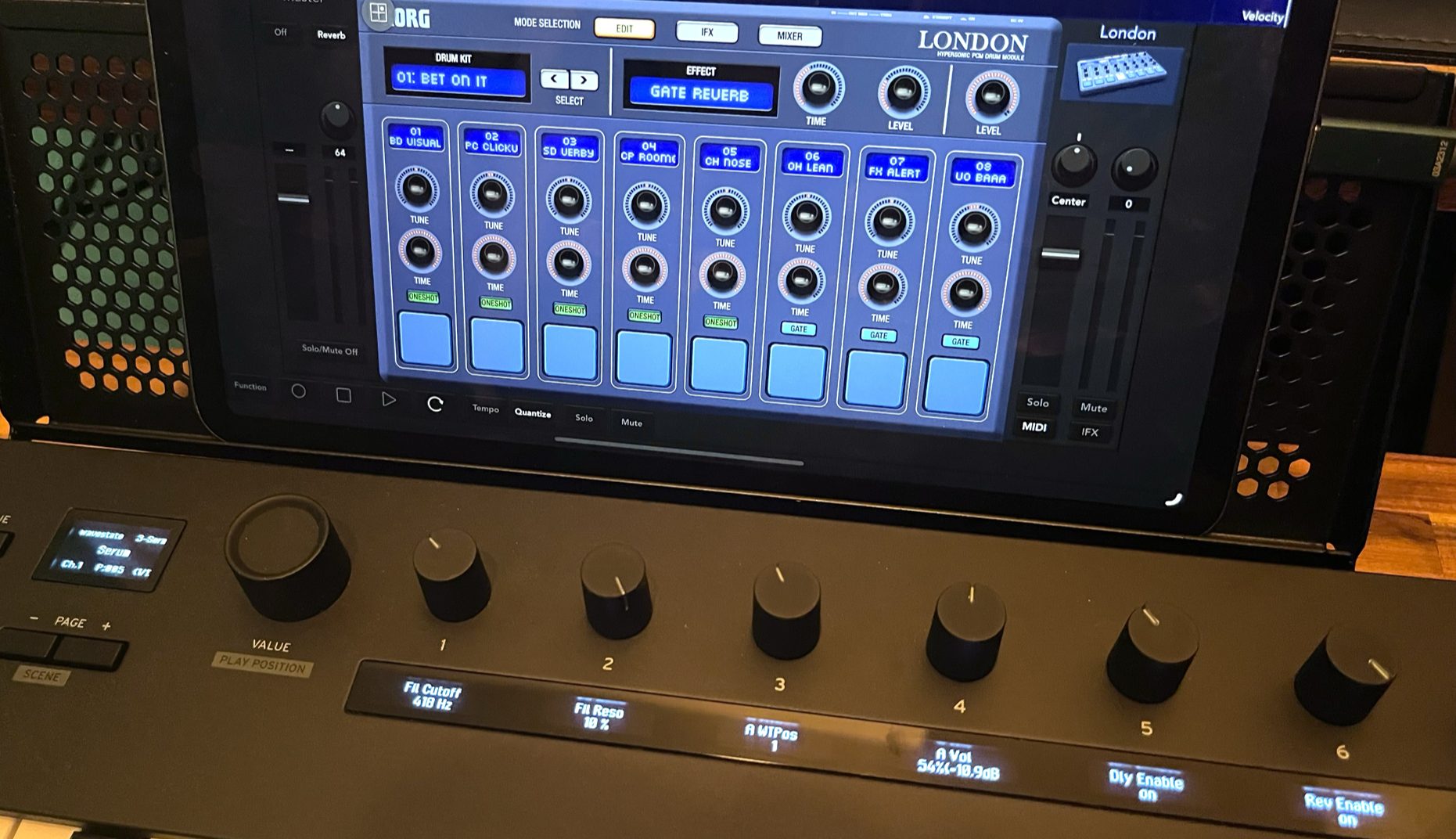
As mobile devices become more common in music-making, this can be useful both on stage and during production.
Integration with Gadget
Let's also check the integration with the included Gadget Producer Bundle.
As KORG's own software, it can provide a range of controls over USB without elaborate setup in the configuration demonstrated.
The review also tested the then-recently released KORG Gadget 3, and found the integration worked well.
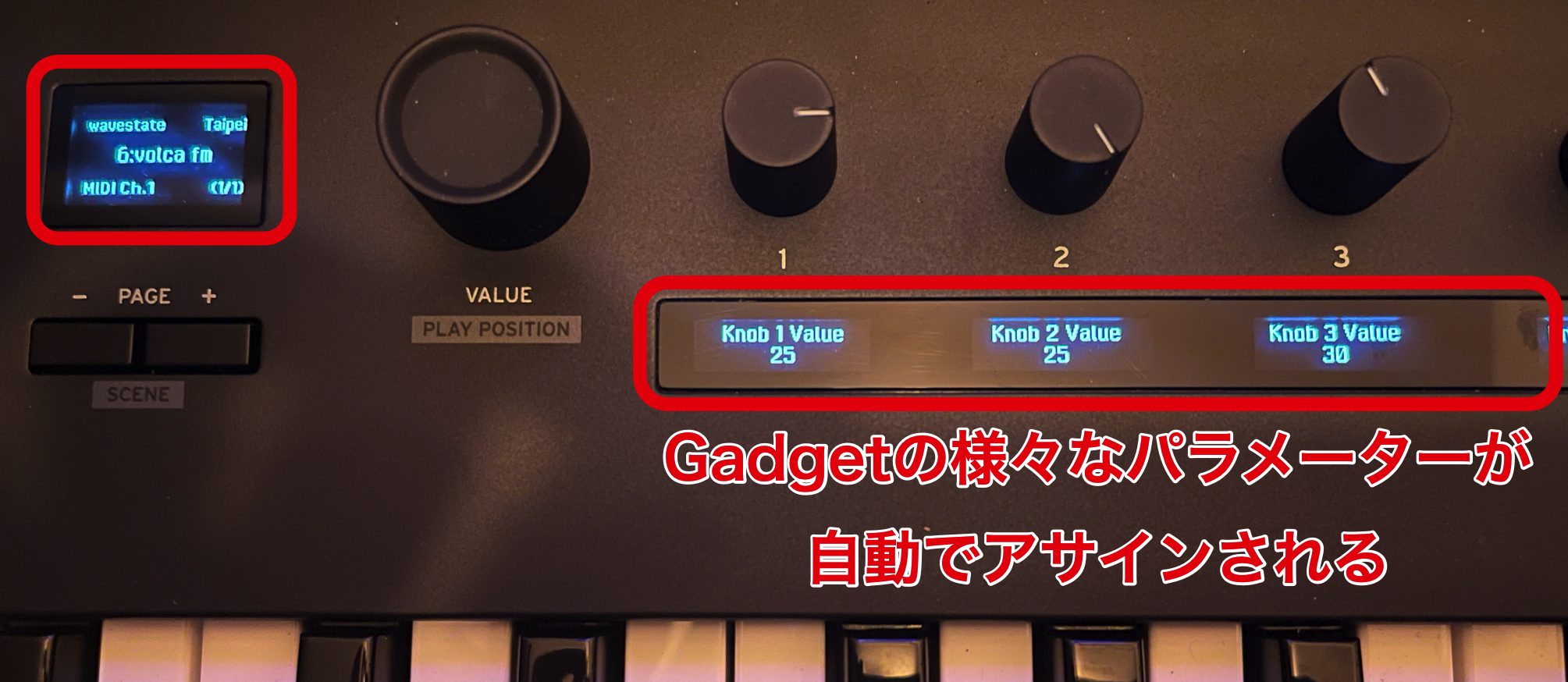
Keystage displays Gadget scene names, Gadget names, program names, the global MIDI channel and knob parameters, helping you find the controls quickly.
What did we think?
At the time of the review, few DAWs exposed all of the features discussed, but Ableton Live offered particularly close integration.
That made Keystage feel like a step forward in hands-on MIDI control.
For someone put off by complicated controller setup, the reviewer found it an appealing option that offered a more integrated experience than many similarly priced alternatives.
MIDI 2.0 Property Exchange support was still limited among software products at the time.
The reviewer saw future adoption as promising and considered Keystage an attractive forward-looking choice. That is an outlook from the original review, not a guarantee of support in any particular future product.
Frequently asked questions
Q1. What does MIDI 2.0 support add compared with a conventional MIDI keyboard?
The specific MIDI 2.0 feature emphasized in this review is Property Exchange for exchanging parameter information with compatible software. Keystage also offers expressive features such as polyphonic aftertouch. Its Live control-surface integration automatically maps device parameters, but that should not be confused with universal MIDI 2.0 support. The original FAQ's broad high-resolution claim does not establish that every MIDI 2.0 message type is implemented.
Q2. Can it be used standalone?
Yes, as a MIDI controller: an optional AC adapter can power it without a computer. USB bus power is used in a typical computer setup. Standalone MIDI control does not mean the keyboard contains its own sound engine.
Q3. Is it approachable for beginners?
The reviewed bundle includes Ableton Live 11 Lite and KORG Gadget Producer Bundle, and the demonstrated Live integration is straightforward to configure. Software versions and bundle terms may change, so check the current package and setup instructions.
Q4. Does it work the same way with other DAWs?
It supports control in several DAWs, including Logic, Cubase and Studio One, but available functions vary. The original review found Live's integration particularly extensive; check the current compatibility and script requirements for your DAW.
NEW ARTICLES
Latest English Articles

















































































