

This guide shows you how to make a Hard Pluck Lead—a synth sound often heard in melodic techno and EDM—with the free Vital synthesizer. Its sharp, plucked-string attack comes from four stages: oscillator settings, envelope control of volume and filtering, attack shaping at the master volume, and effects including distortion, phaser, and compression. Follow the steps to add a polished pluck sound to your own tracks.
What Is a Hard Pluck Lead? The Appeal of Its Sharp Attack
Questions and answers from the YouTube video

The recommended tracks will not play.

This can happen because of a problem with the Spotify app. If you like, try signing out of Spotify and signing back in, or clearing the app cache; either may fix it.

A Hard Pluck Lead has a sharp attack that sounds like a plucked string.
First, listen to the sound.
Notice the immediate onset and crisp tone.
This versatile sound is common in modern techno and EDM. It can carry the main melody while adding to a track's groove.
Now let's make one.
Step 1: Set up the oscillators
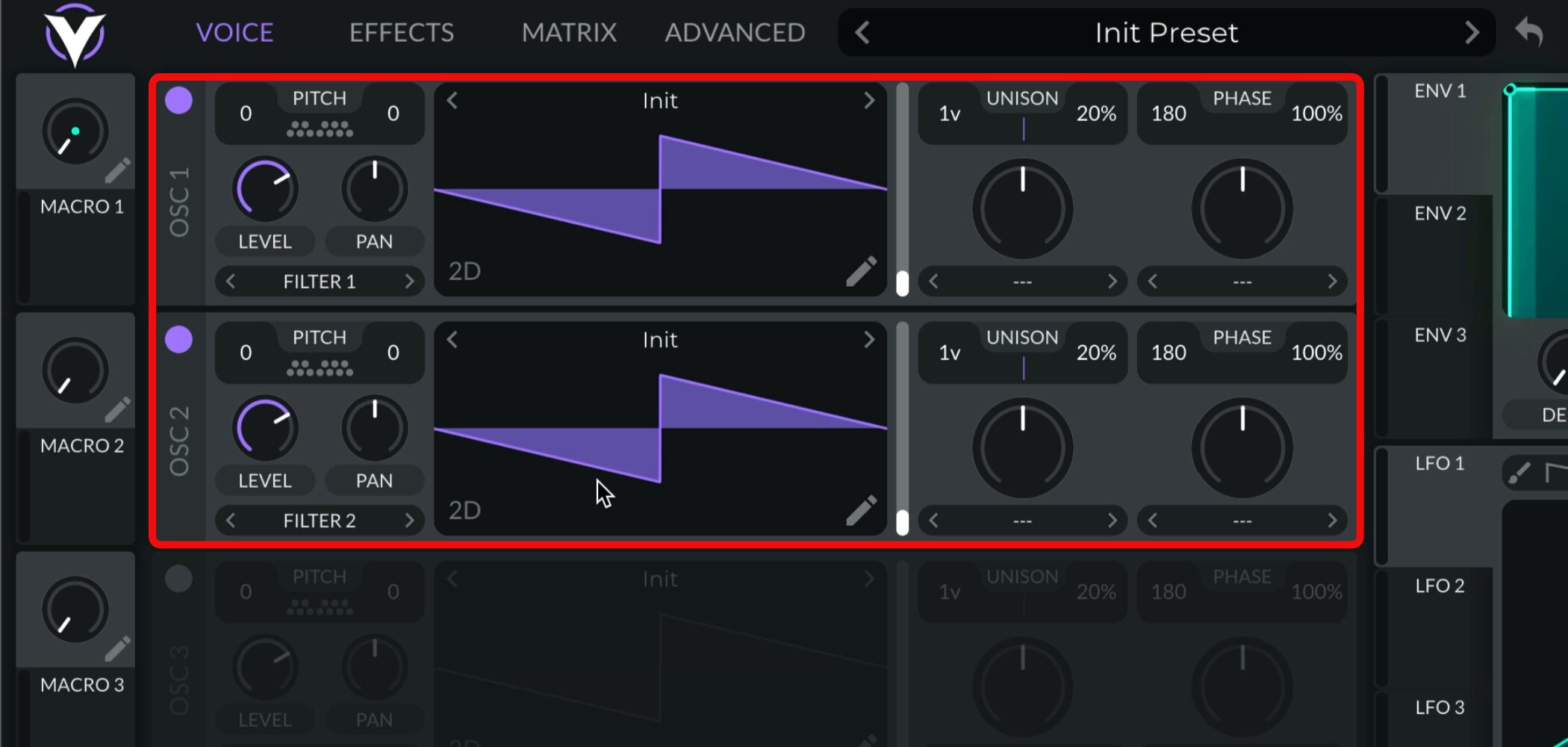
First, set up Oscillators 1 and 2.
Keep the default sawtooth waveform for both.
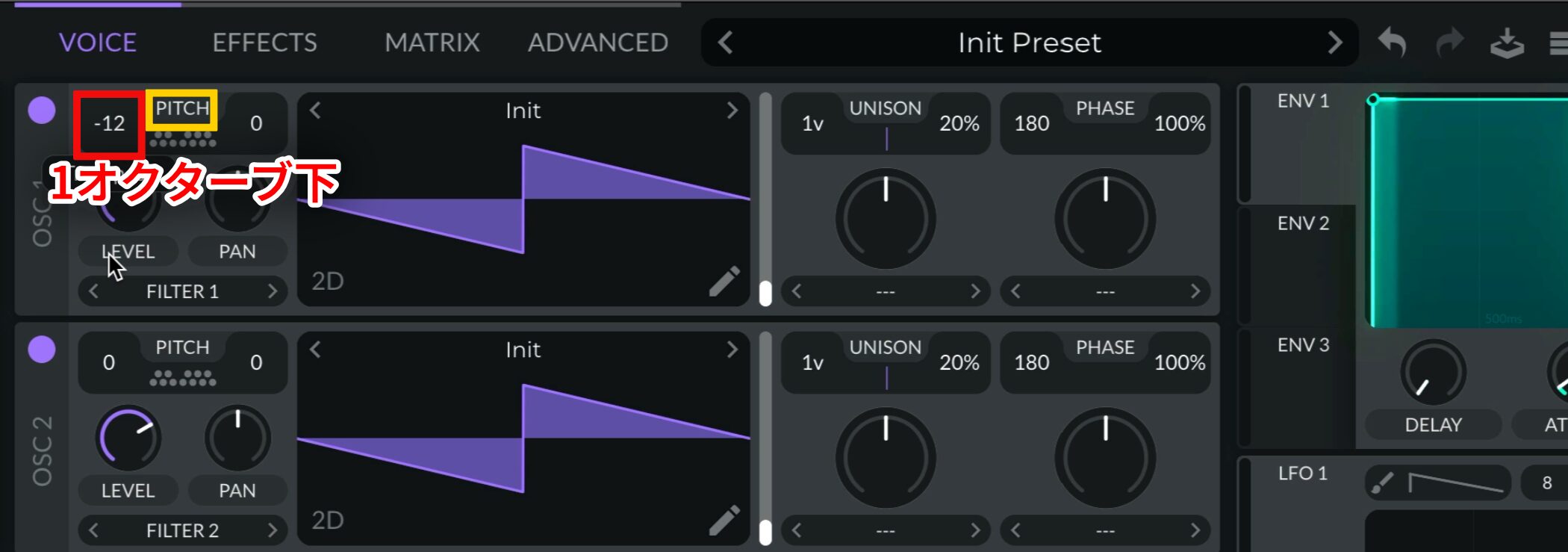
For the foundation of the sound,set Oscillator 1's PITCH to -12to lower it by one octave.
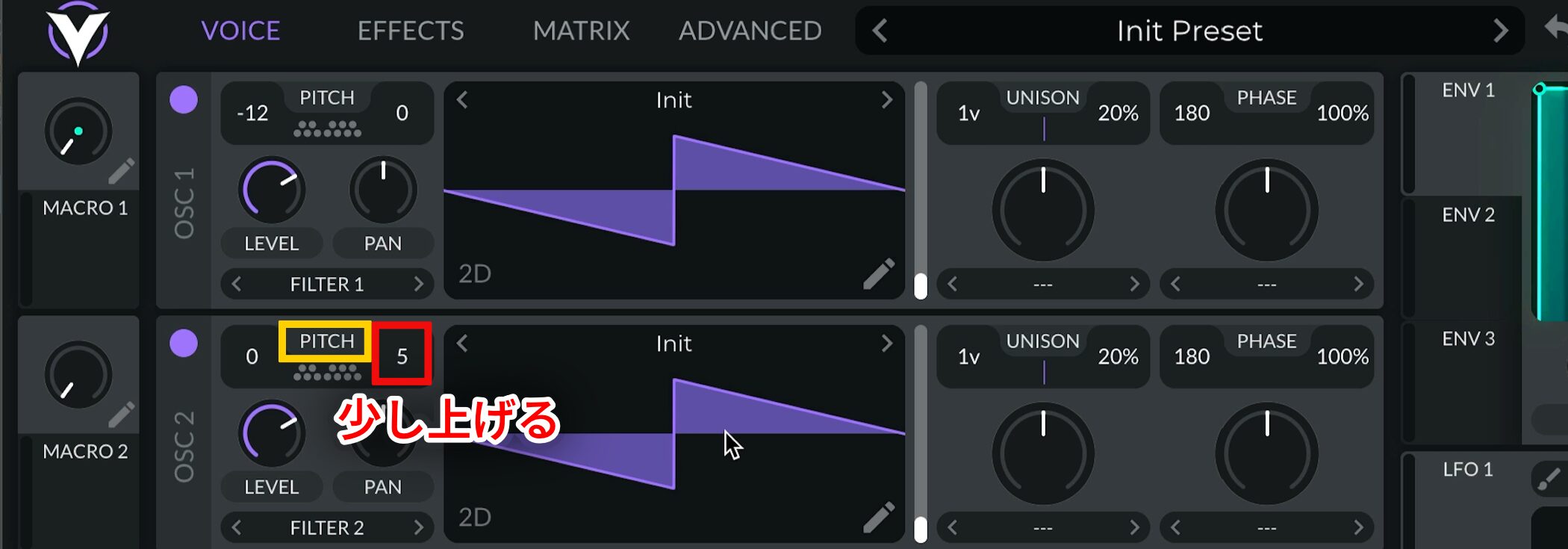
Raise Oscillator 2's Tune slightly toadd thickness to the sound.
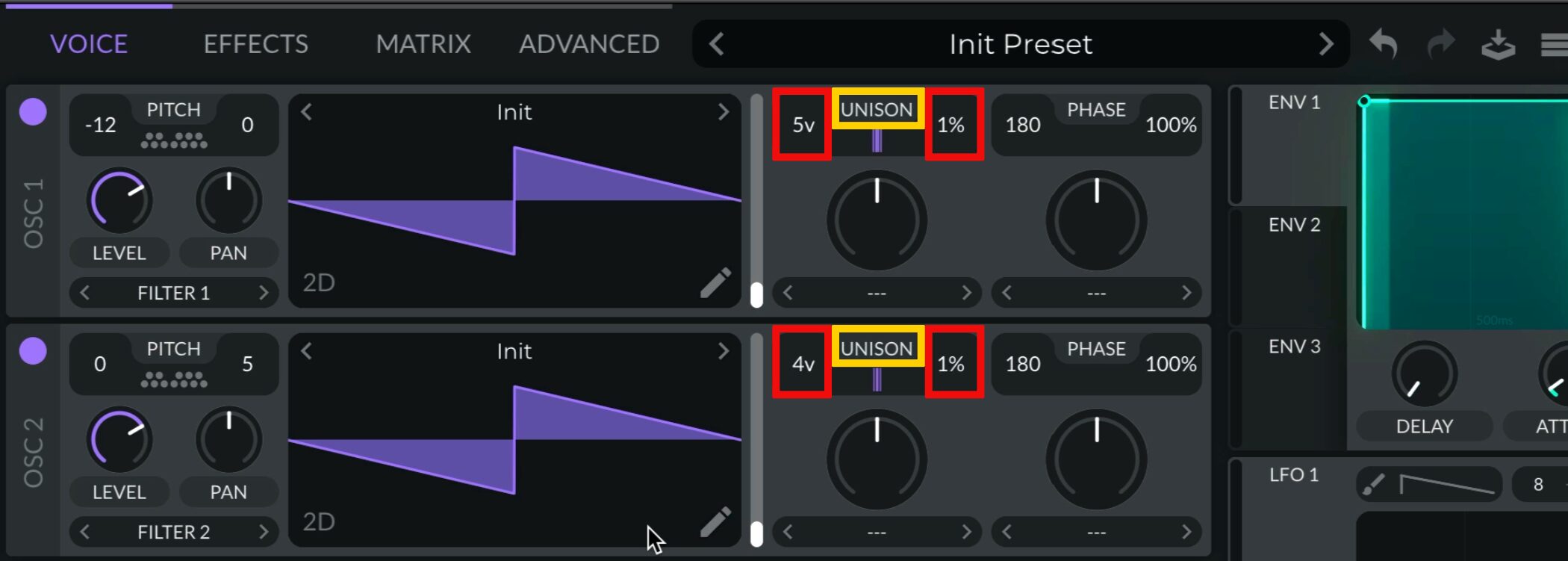
Next,set UNISON as followsfor the two oscillators.
- Oscillator 1: Set Unison Voices to 5 and Unison Detune to 1%.
- Oscillator 2: Set Unison Voices to 4 and Unison Detune to 1%.
This adds width while keeping a strong center to the sound.
Step 2: Shape the volume and filter with envelopes
To make the characteristic pluck attack,adjust Envelope 1 so that the volume decaysafter the initial hit.
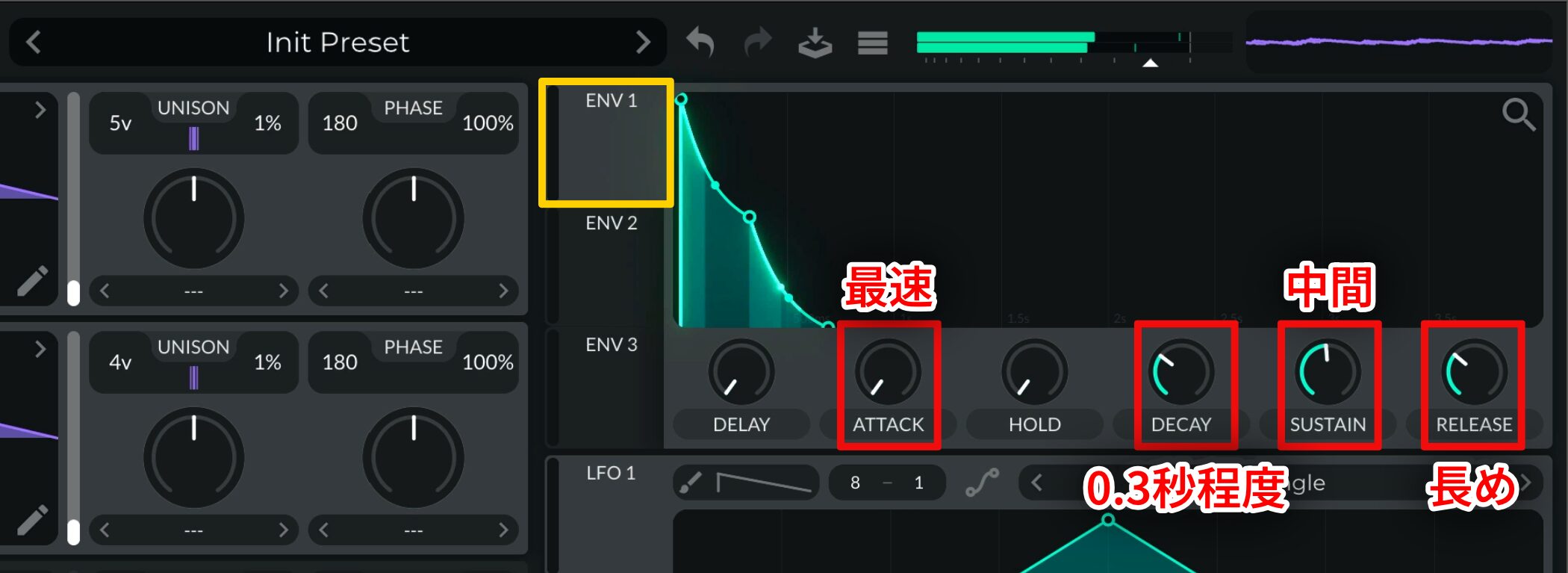
Use these settings:
- ATTACK: Set as fast as possible.
- DECAY: Set to about 0.3 seconds.
- SUSTAIN: Set around the middle.
- RELEASE: Set relatively long.
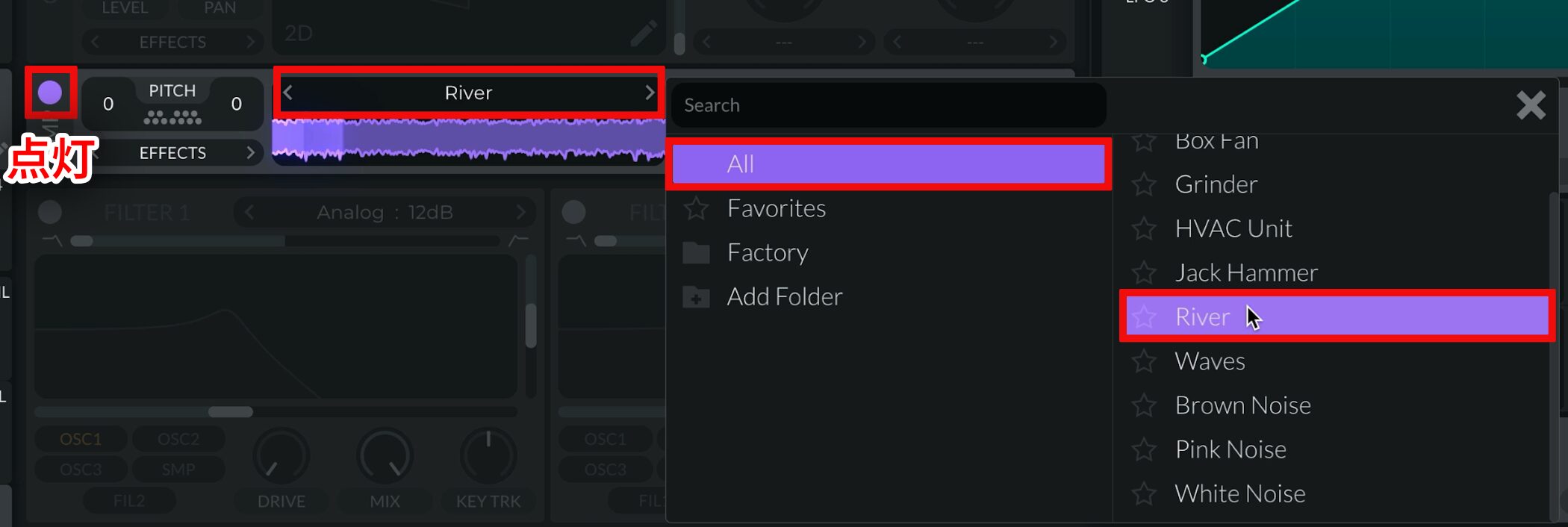
Next,turn on the Sampler,thenselect “River”to add noise to the sound.
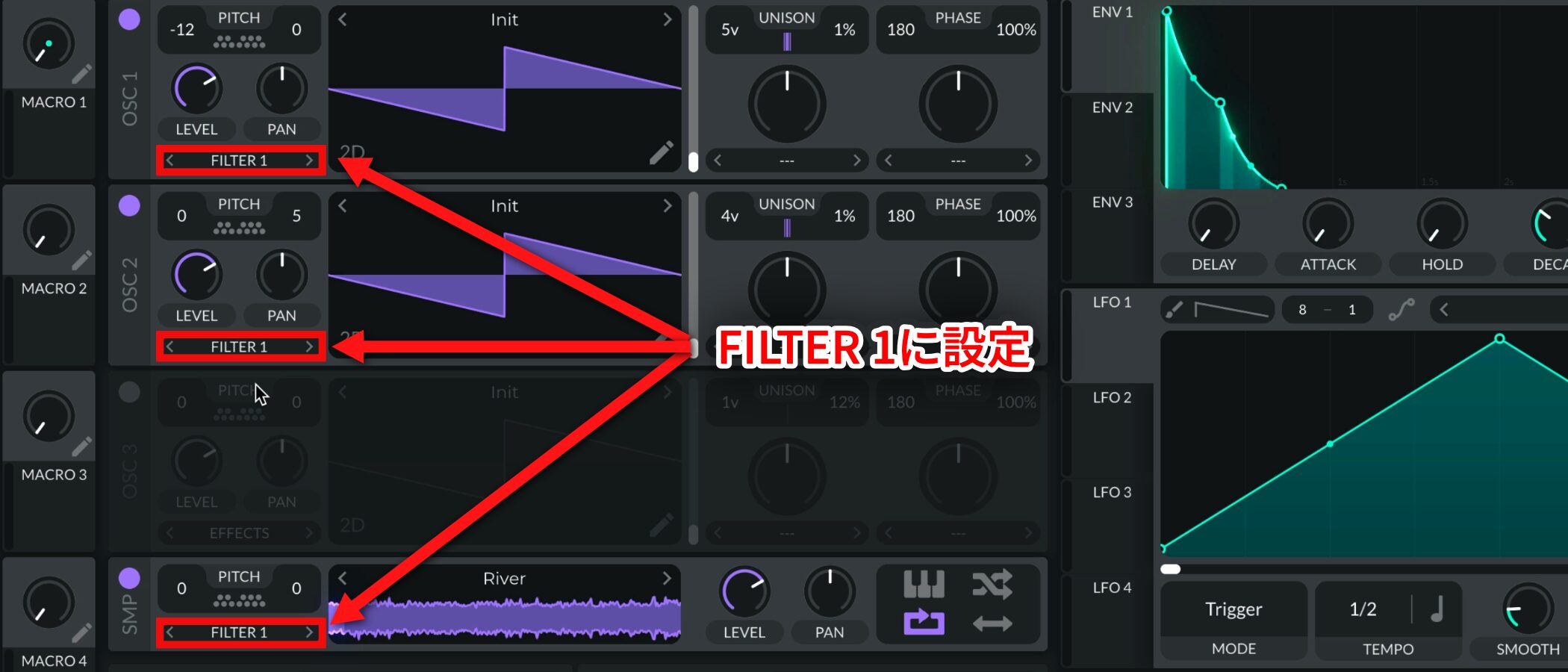
Route all three oscillators to FILTER 1to strengthen the attack further.
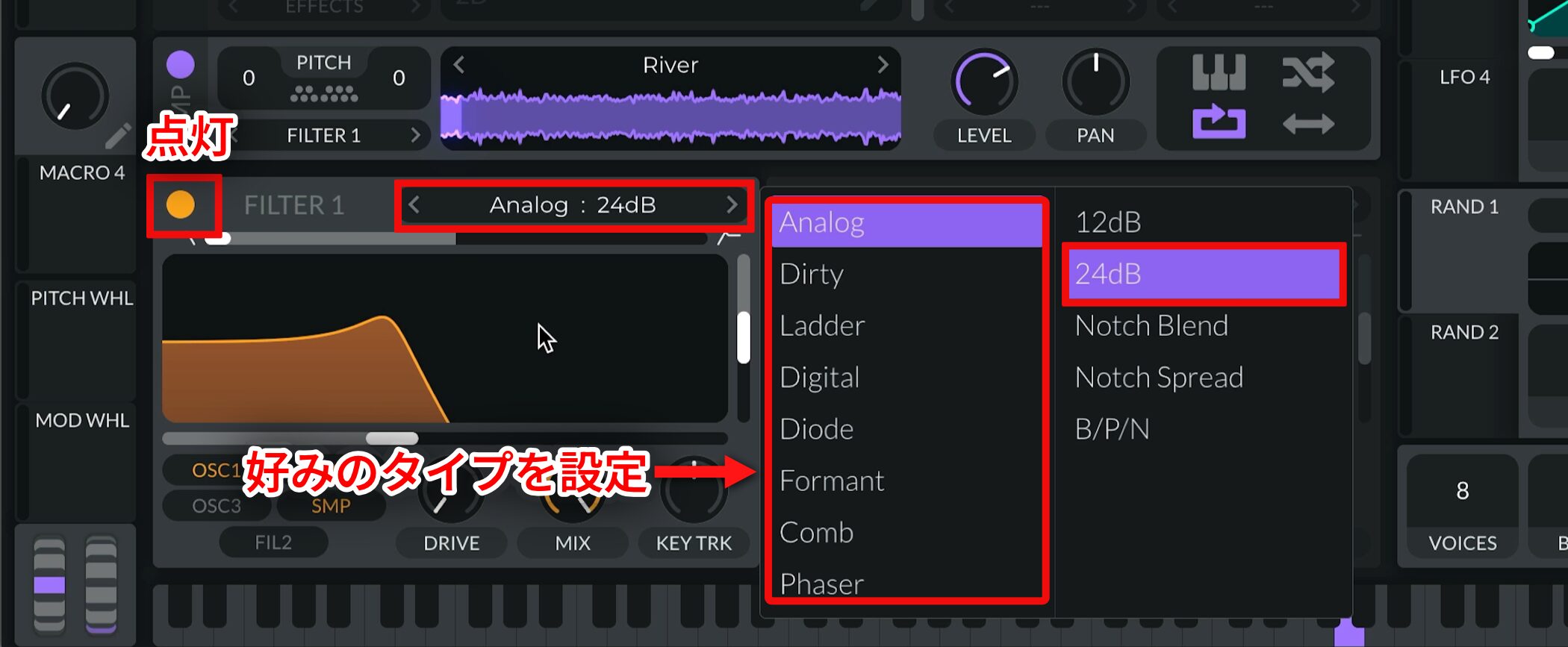
Turn on FILTER 1 andchange it to a 24 dB filter type you liketo shape the sound.
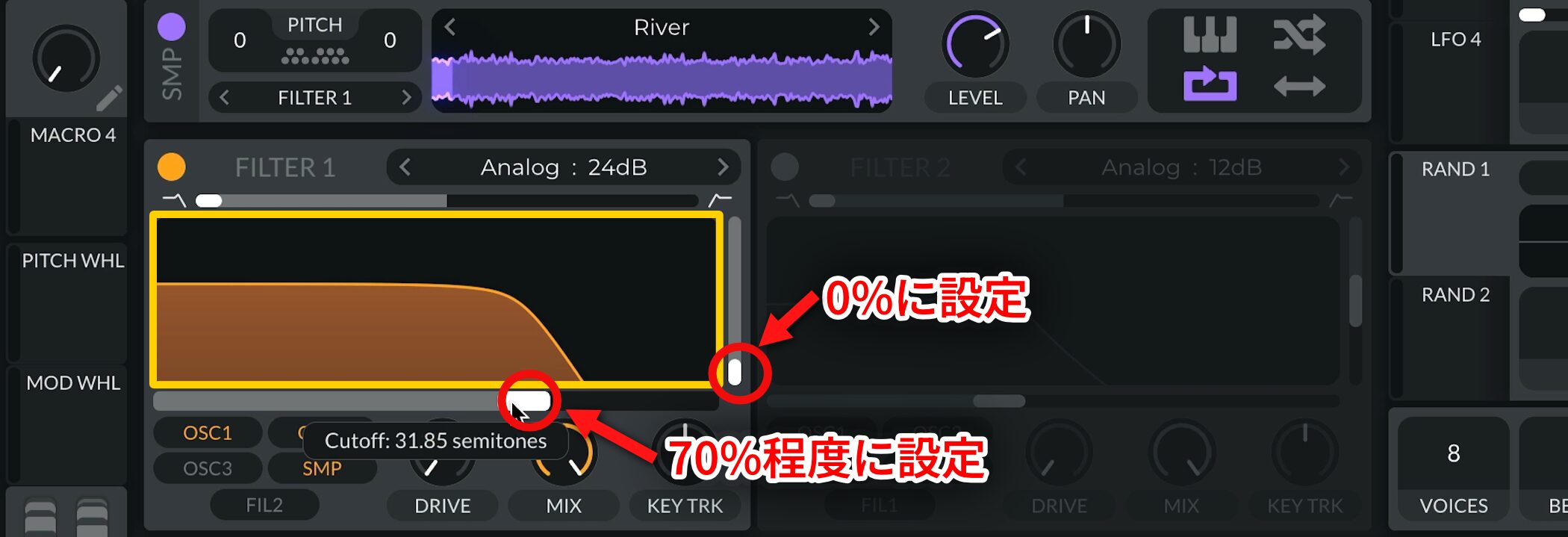
Set Resonance to 0% and Cutoff to about 70%for this filter.
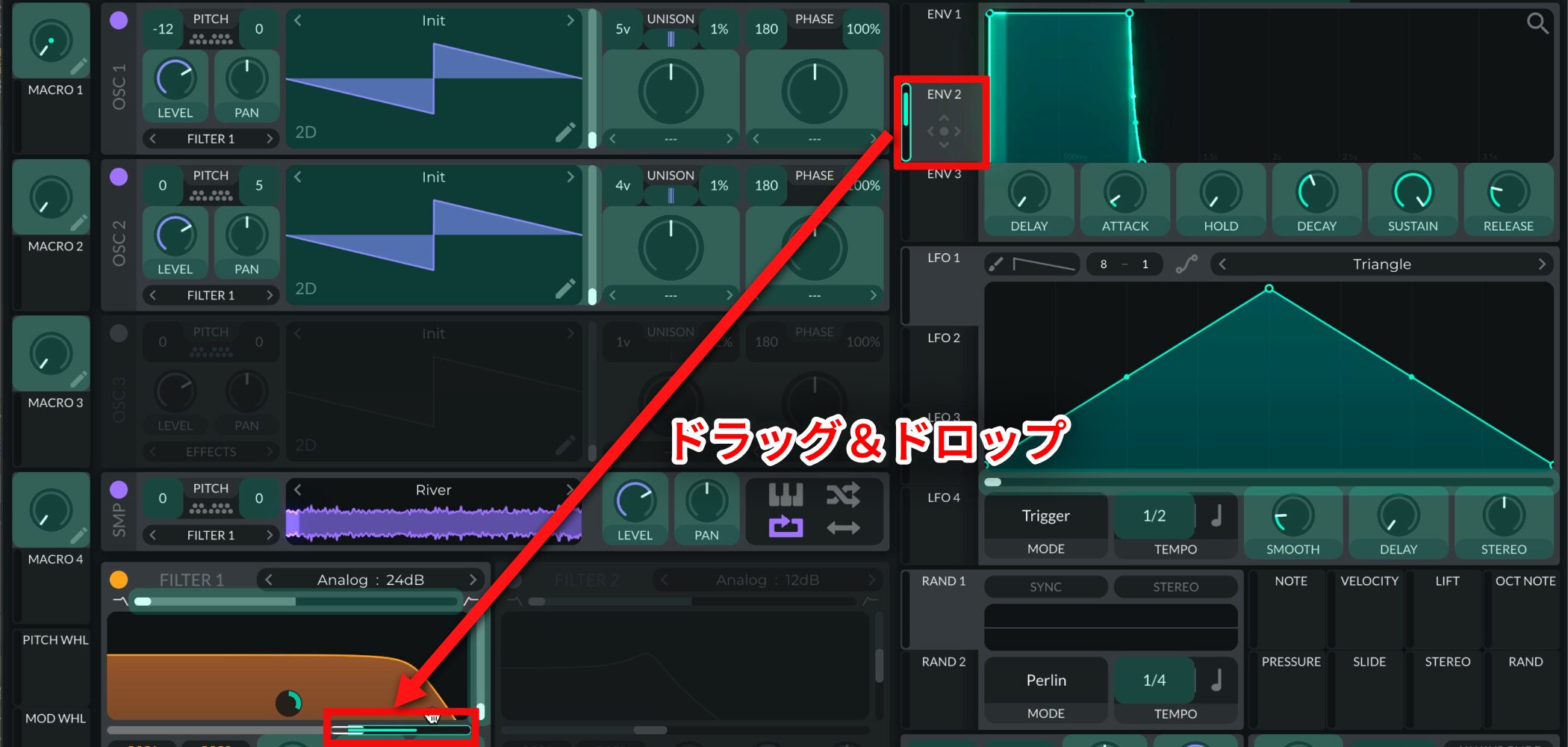
Thenassign Envelope 2 to Cutofffor modulation.
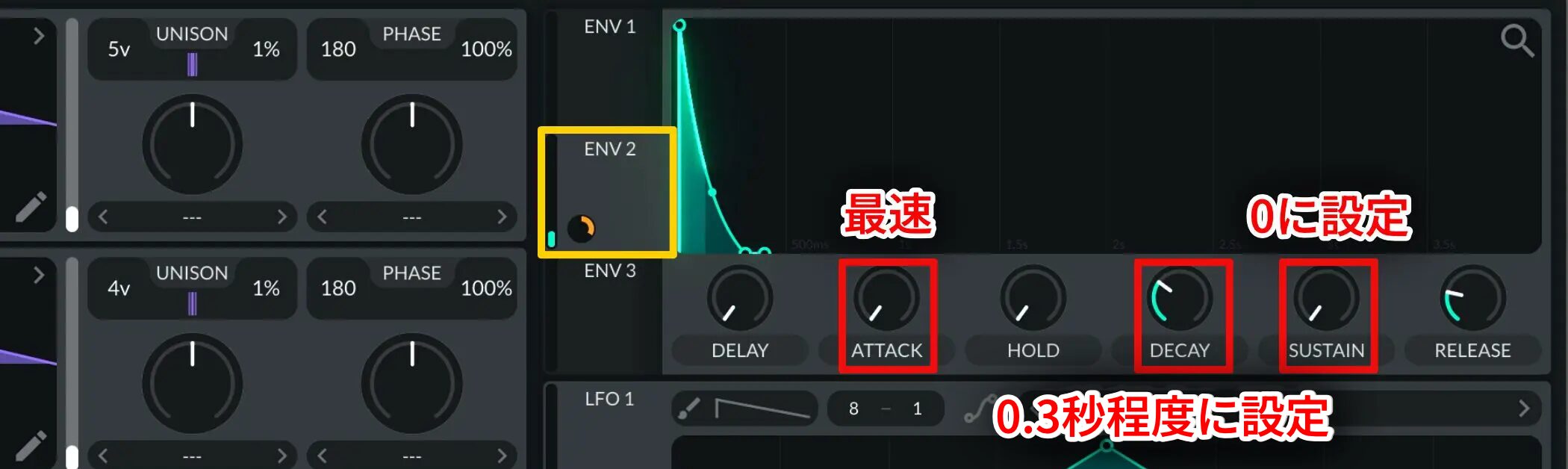
Use the following settings to modulate it:
- ATTACK: Set as fast as possible.
- DECAY: Set to about 0.3 seconds.
- SUSTAIN: Set to 0.
Step 3: Control the attack at the master stage
The key step is adding a sharp, percussion-like attack.
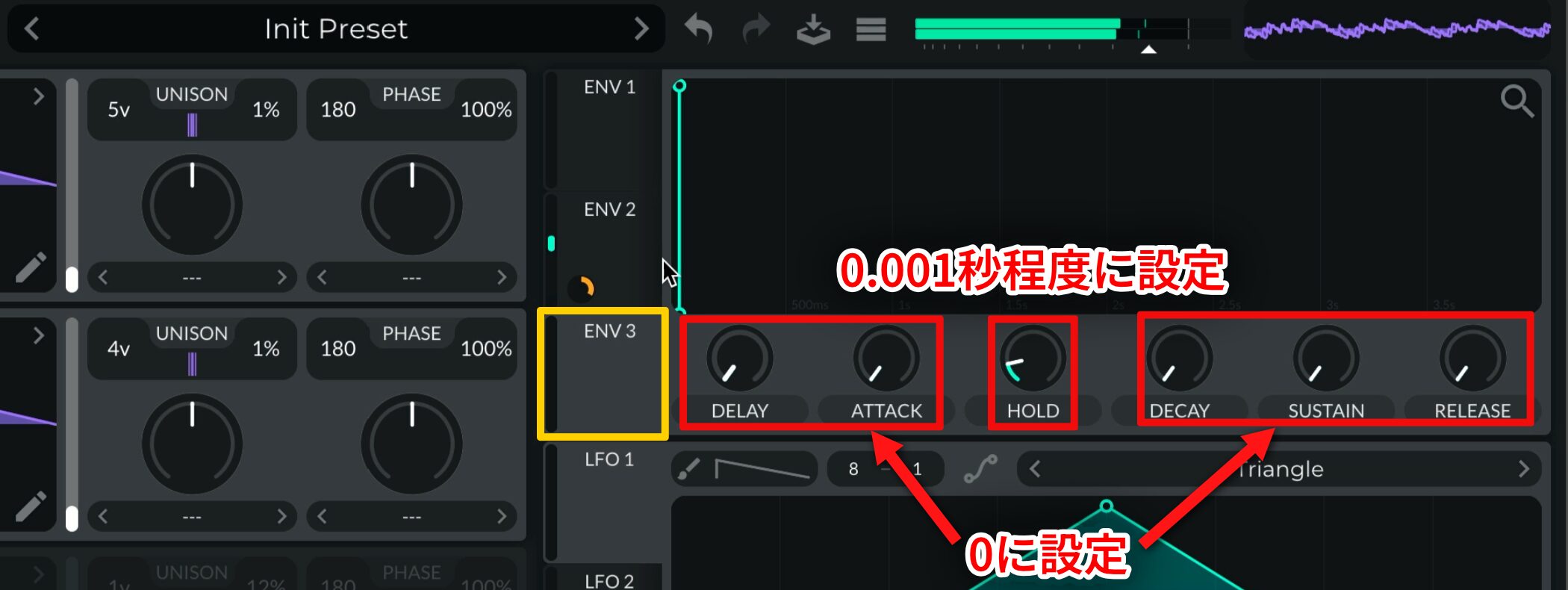
Use Envelope 3to create it:set Hold to about 0.001 seconds and everything else to 0.This creates a curve with an almost instantaneous attack.
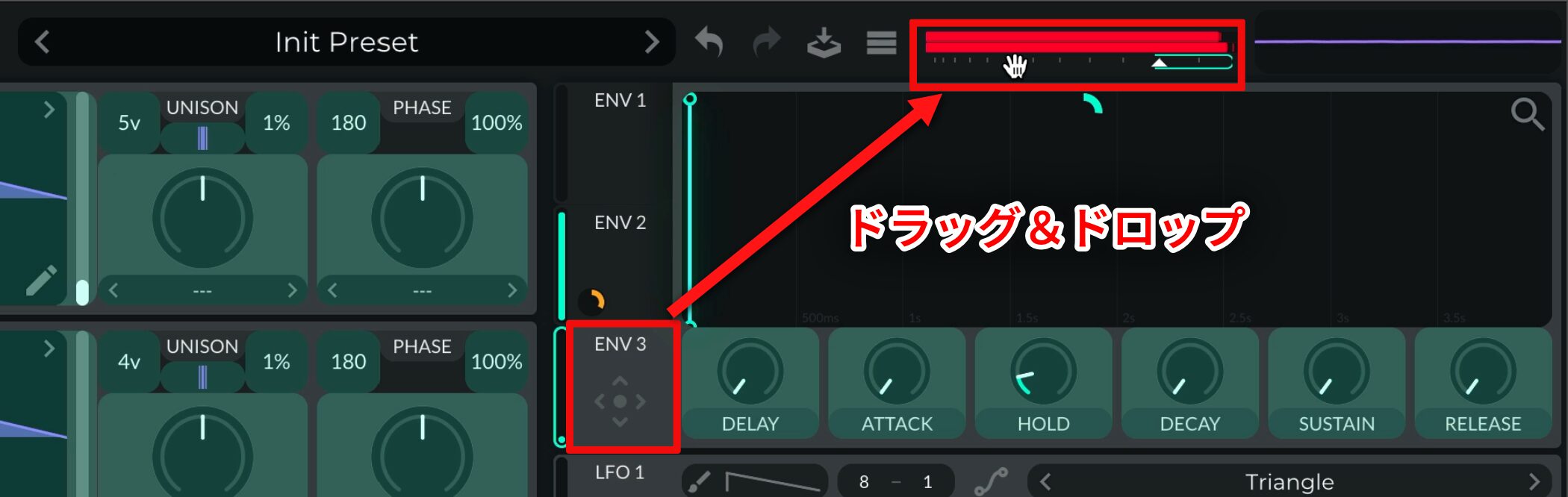
Apply that envelope at the final stage of the sound,to the master volume.This gives the lead its distinctive tight, punchy attack.
Step 4: Apply effects
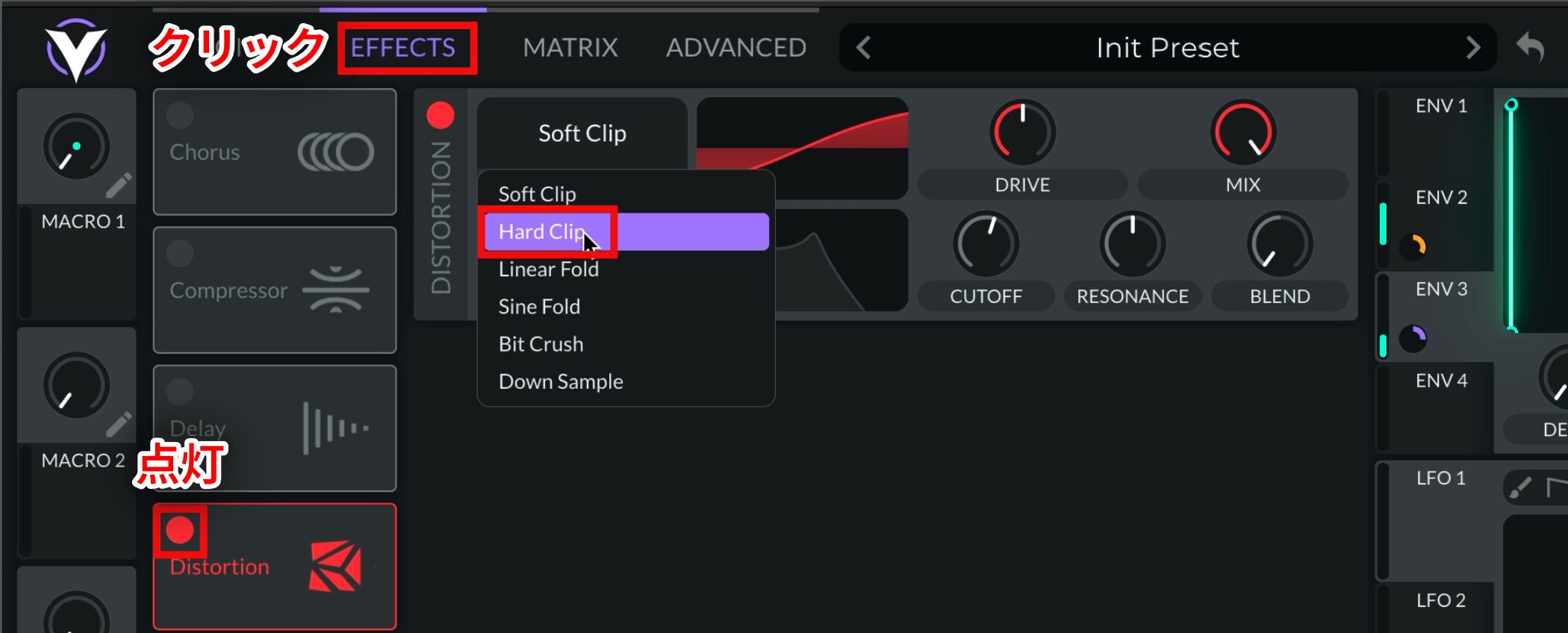
To finish the sound with effects, firstturn on Distortionandselect Hard Clip as the typefor this effect.
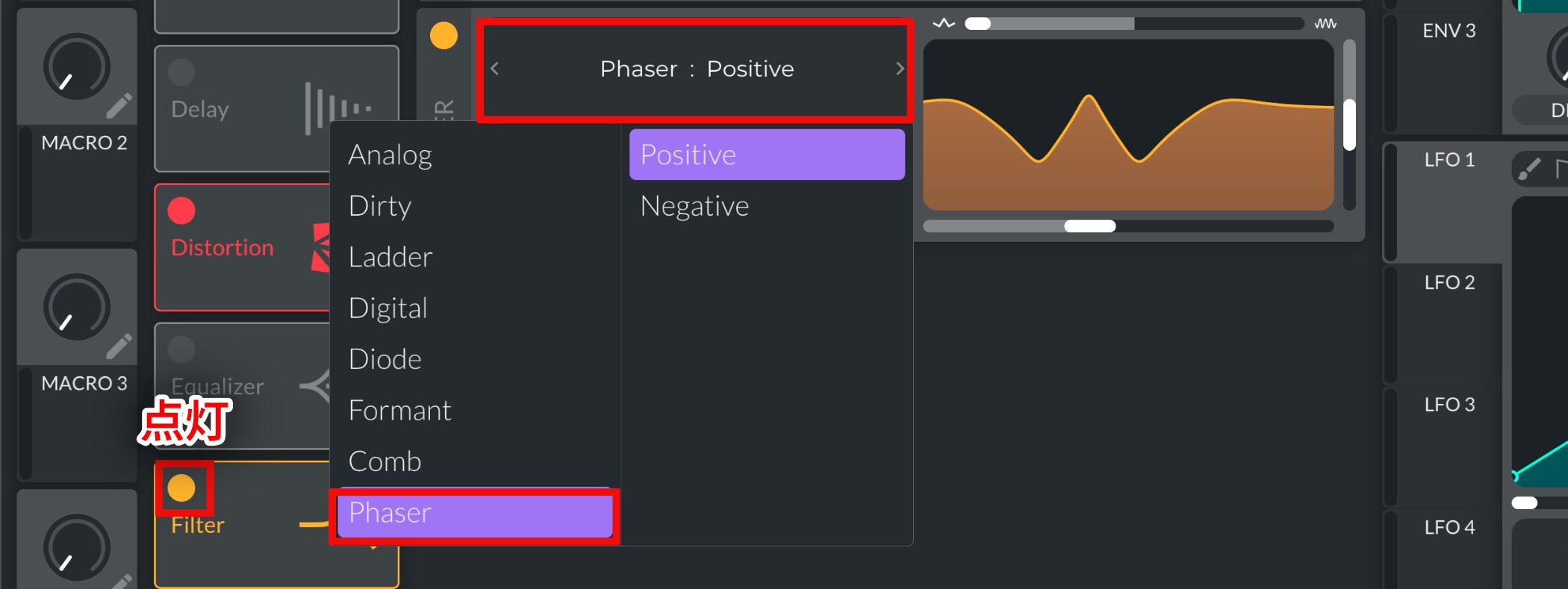
Next,turn on Filterandset its type to Phaserfor a different character.
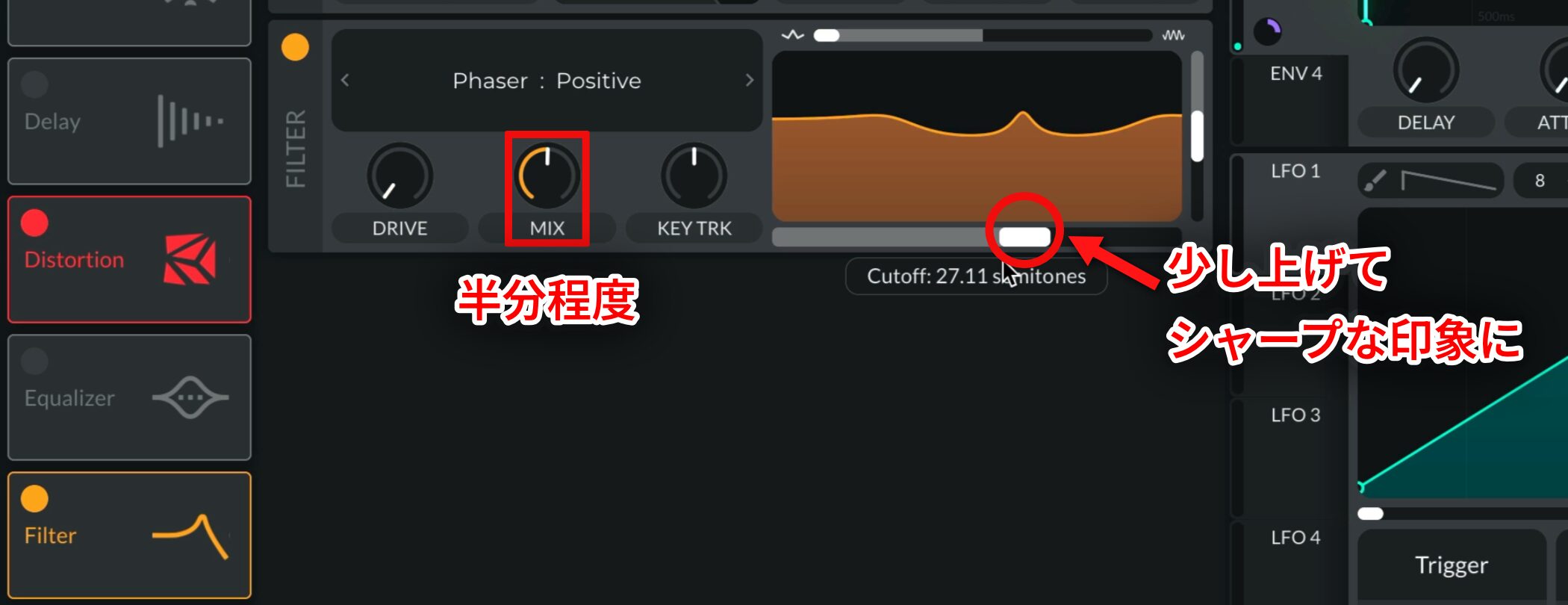
Set MIX to about halfway and raise Cutoff slightly toemphasize the midrange and create a sharper impression.
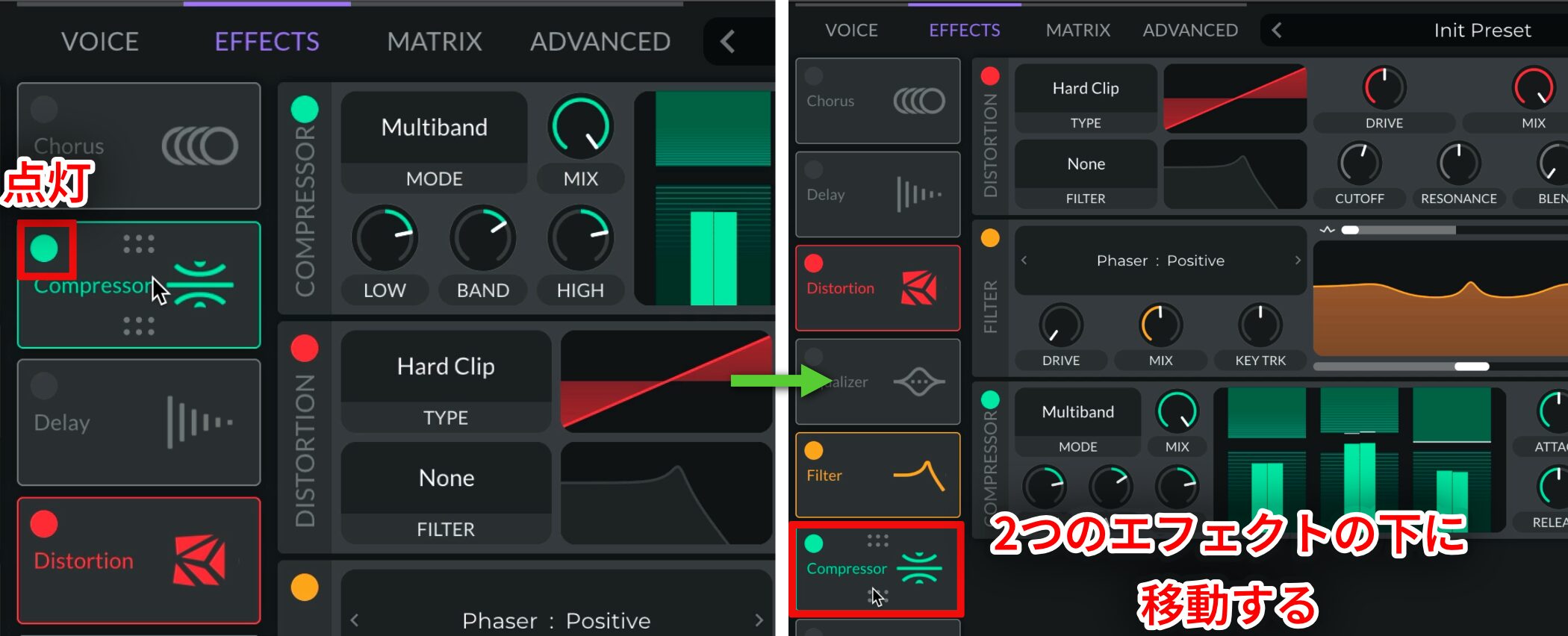
Turn on Compressor as well,thenplace it after the other two effectsin the chain.
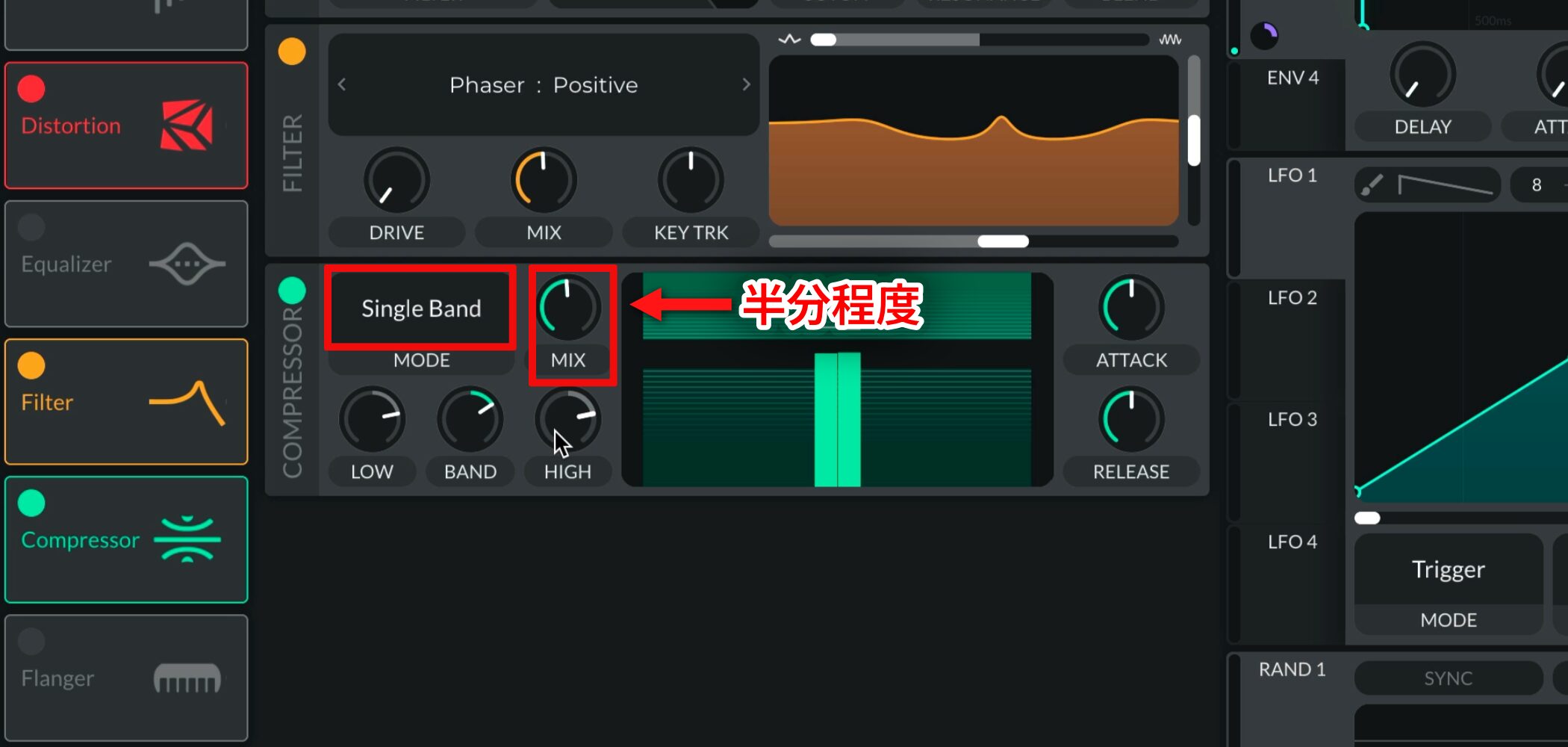
Set MODE to Single Band,thenadjust MIX to about halfwayto add a balanced amount of attack and loudness.
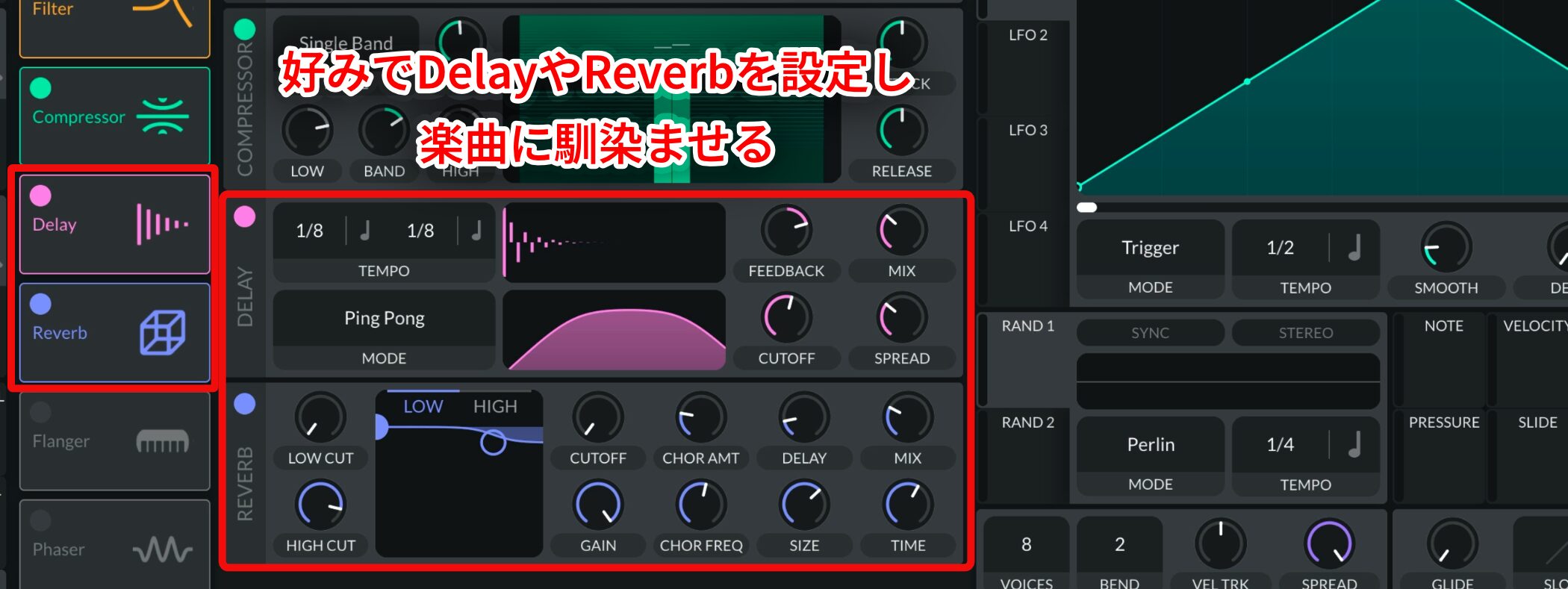
Finally, add Delay or Reverb to taste so the lead sits in your track.
Try these steps and bring a melodic-techno pluck sound into your own music!
At the end of the article, you will find a playlist of recommended tracks featuring Hard Pluck Leads. Use it as a reference, too.
Recommended playlist: Hear Hard Pluck Leads
Frequently asked questions
Q1. How does a Hard Pluck Lead differ from a Techno Lead or other lead sounds?
Its defining feature is an immediate, sharp attack like a plucked string. Compared with other leads, it starts much faster and sounds percussive, yet it can still carry a melody.
Q2. Can the free version of Vital really do everything needed here?
Yes. The free version includes the oscillators, envelopes, filters, and effects needed to make the Hard Pluck Lead in this guide. You can create polished sounds with those tools.
Q3. Can I set Envelope 3 to 0.001 seconds or less when shaping the attack?
Vital supports extremely short envelope times, including values below 0.001 seconds. Listen as you adjust it, and choose a value that works with the audible effect and the balance of the whole track.
NEW ARTICLES
Latest English Articles






























