
The Channel Rack is one of FL Studio’s defining features, offering an intuitive way to build rhythm patterns. This article covers how to open it, the basics of programming 16 steps (one step per sixteenth note and four per quarter note), playback with the spacebar, and a classic dance pattern using kick, clap, and hi-hat. Simple clicks and drags make it easy to place drums and start building rhythms.
Understanding the Channel Rack: A Defining FL Studio Feature
One concept unique to FL Studio is the Channel Rack.
It lets you build a track’s rhythm patterns intuitively,
and many features are built around it.
Understanding it is key to getting the most out of FL Studio.
Let’s go through it step by step.
Questions and Answers from the YouTube Video

I have wondered for a while: do I have to double the BPM to place notes shorter than sixteenth notes, such as sixteenth-note triplets?

We checked and found that this can be done through the song settings. https://app.box.com/s/3h65p2dffqt8unn1ukxktlv1xfja6xku
Can I program more than 16 bars? For example, I want a snare roll leading into an EDM drop to last more than 16 bars.
To program five or more bars in FL Studio, use the Piano Roll instead of step mode. You can create patterns of five bars or longer there. Note that C5 plays the sample at its original pitch. Thank you for your continued support.
Opening the Channel Rack
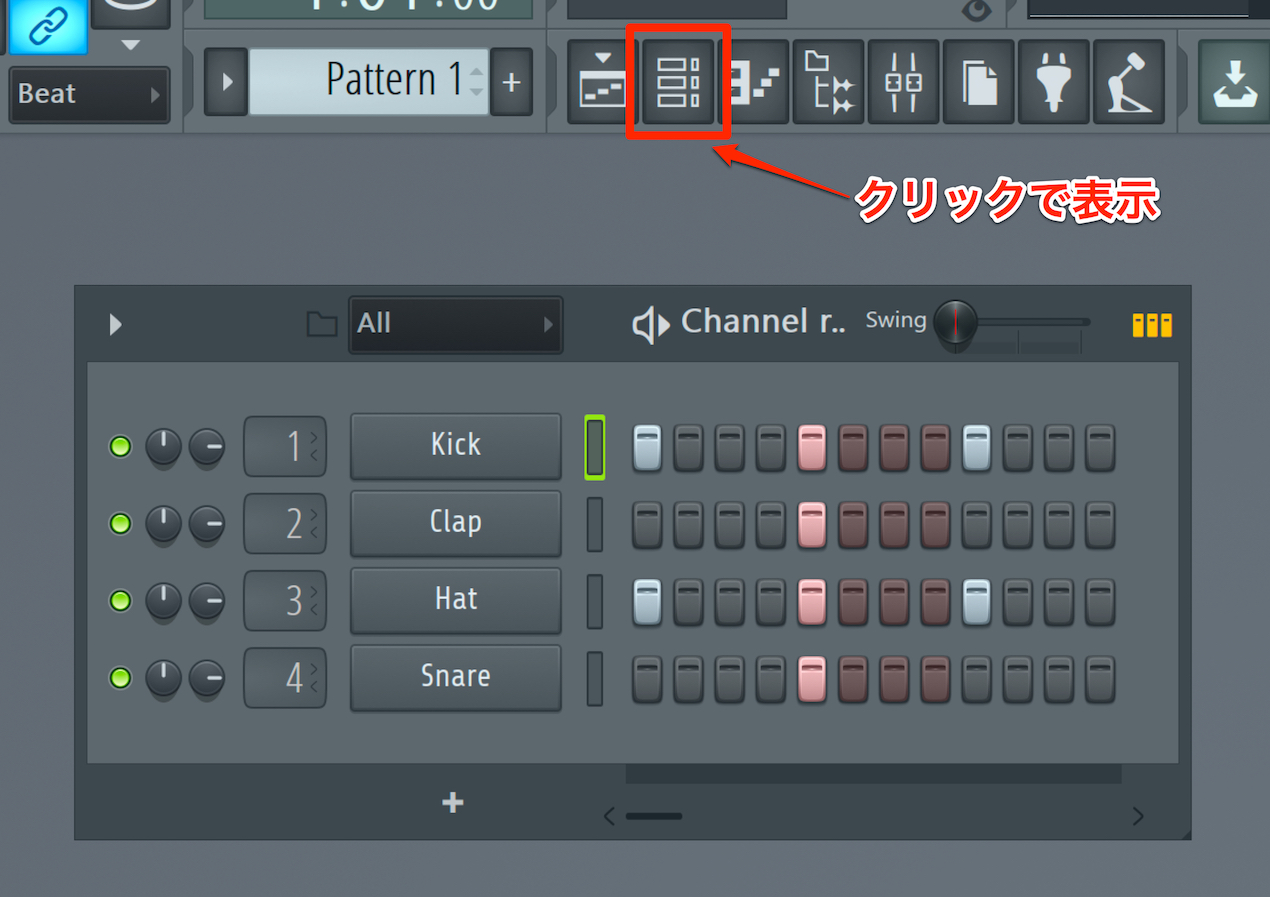
First, open the Channel Rack.
Click the area outlined in red in the image to show or hide it.
As shown, drum sounds are arranged here.
Let’s start by creating a rhythm.
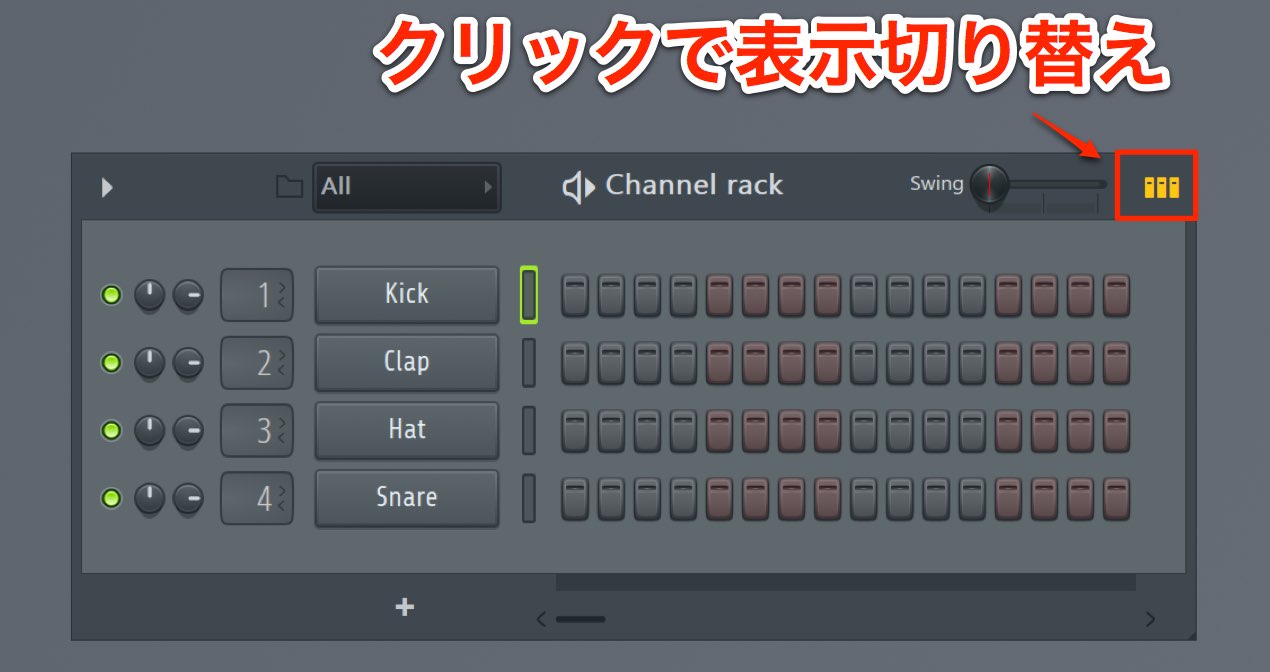
If you do not see the 16-step display shown here,
click the icon in the upper right to change the view.
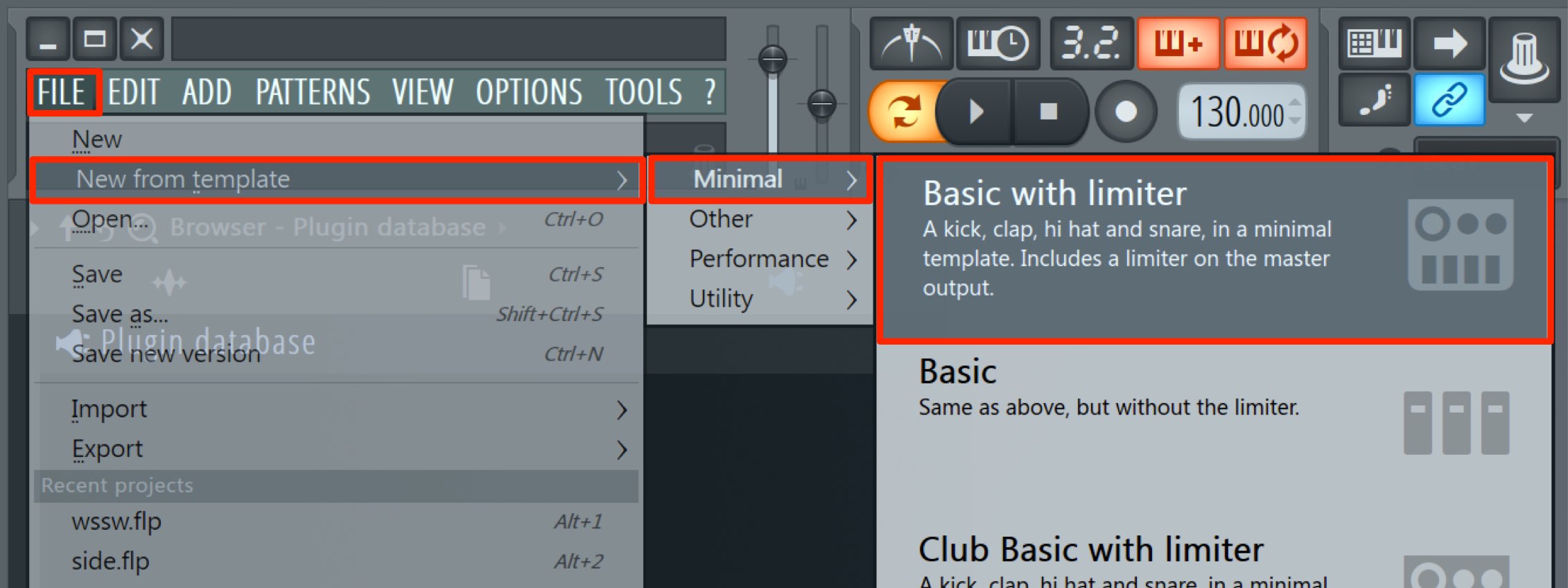
If the drum kit itself is not displayed,
choose File → New from template → Minimal → Basic with limiter.
Programming a Rhythm
Programming here is very simple.
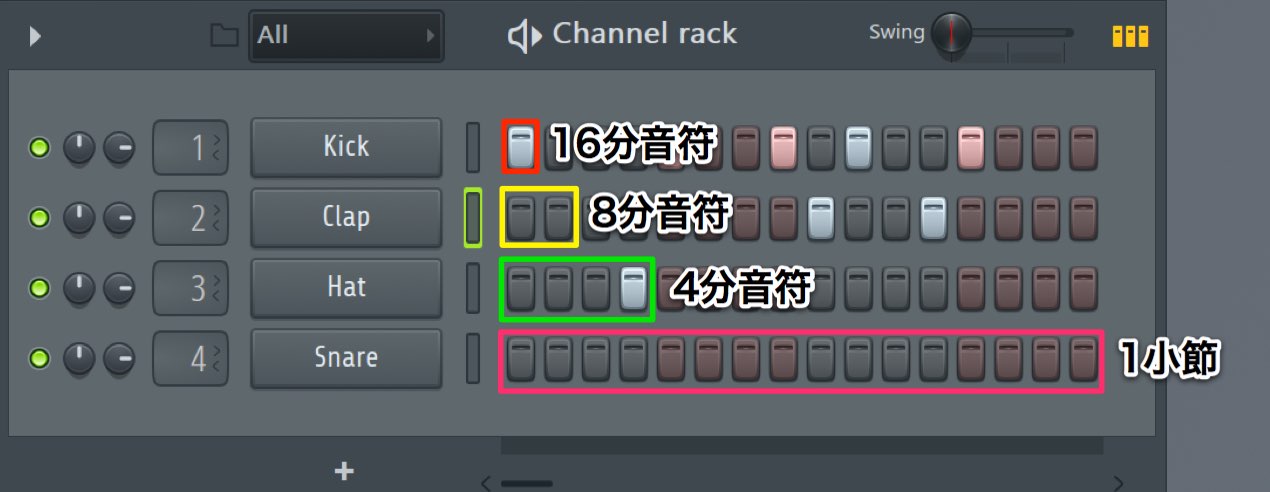
- 1 step = a sixteenth note
- 2 steps = an eighth note
- 4 steps = a quarter note
- 16 steps = one bar
This is the basic idea.
Once you understand it, the process is straightforward.
Place your chosen drums wherever you like.
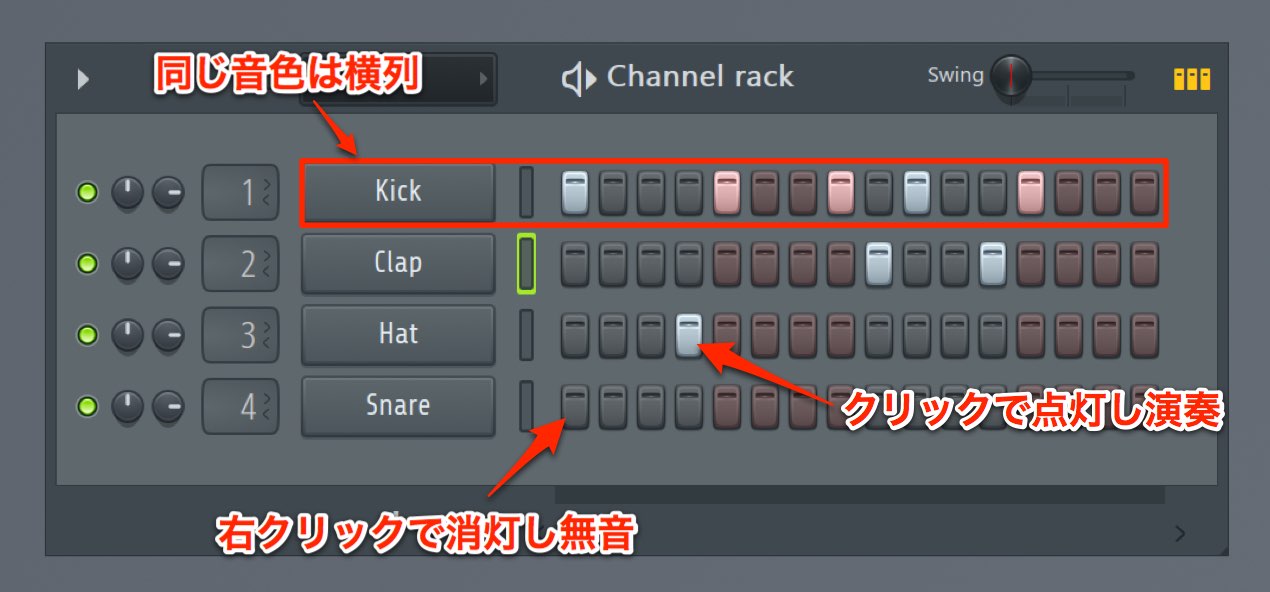
As a rule, each row contains the same sound.
The Kick row plays the kick sound, and the Clap row plays the clap.
- Left-click a step to light it up and play a sound there
- Right-click a step to turn it off and remove the sound
It’s that simple.
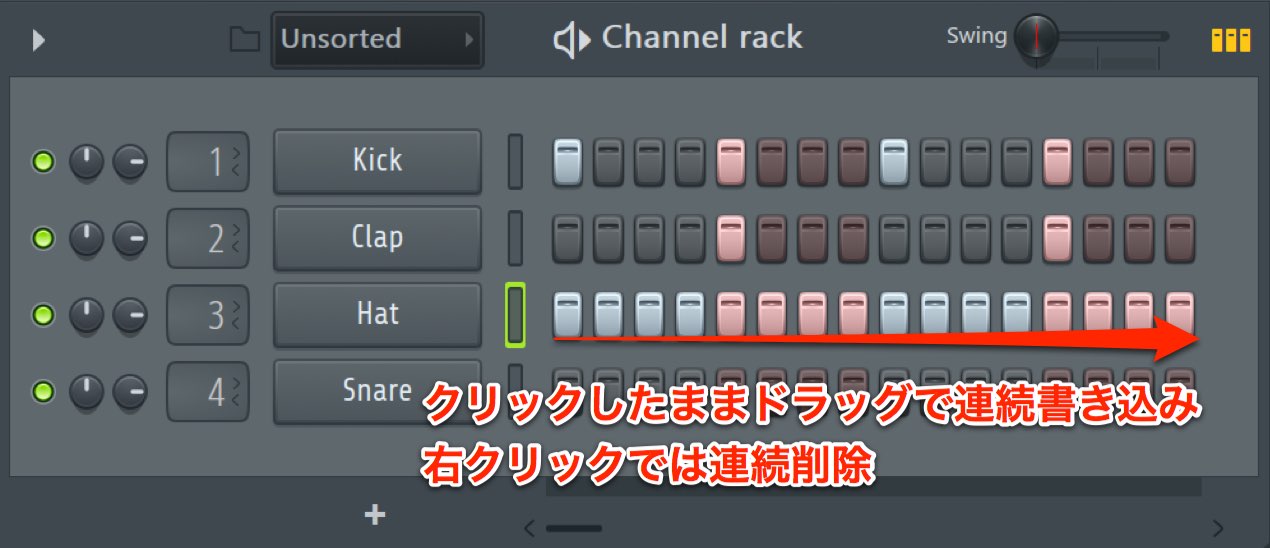
Hold the left mouse button and drag to enter consecutive steps quickly.
Similarly, right-click and drag to remove consecutive steps.
Playing a Rhythm Pattern
When creating a pattern, it helps to listen to the sound as you work.
This is simple too.
- Press the spacebar to play
- Press the spacebar during playback to stop
This shortcut is used very often.
It is likely to be your most frequently used shortcut, so learn it now.
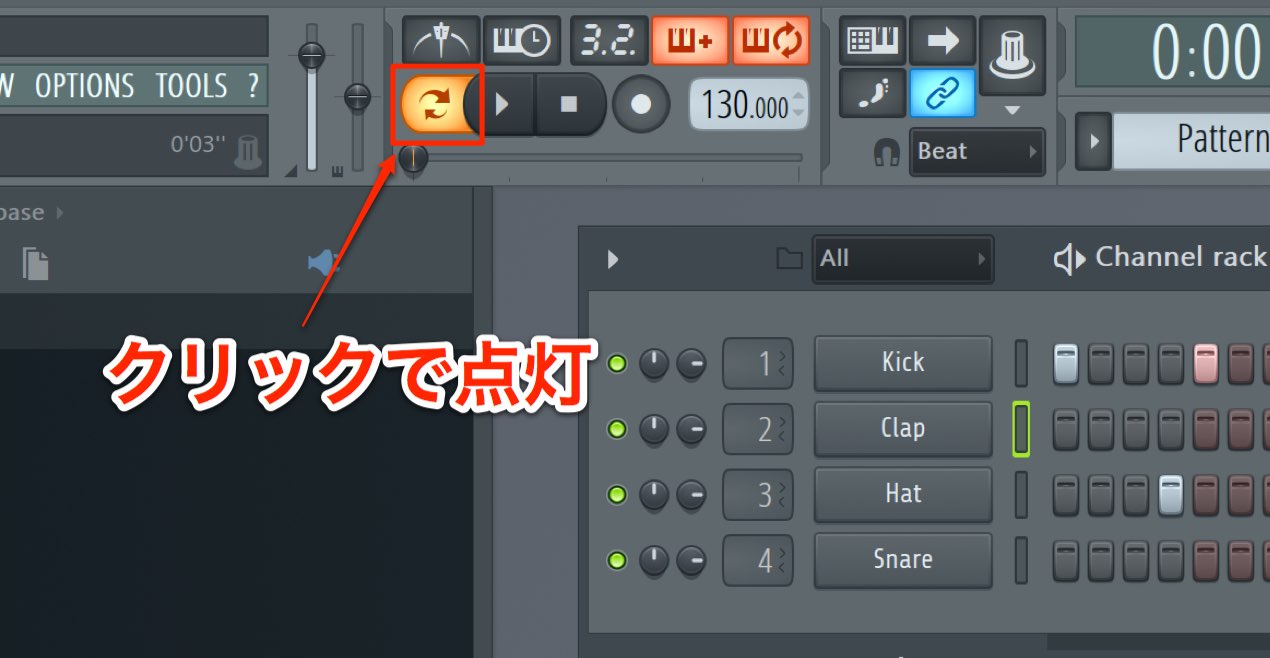
If you do not hear sound when you play,
turn on the playback mode icon shown in the image.
We will cover this later; use Pattern mode to play the Channel Rack pattern.
Extending the Programming Range
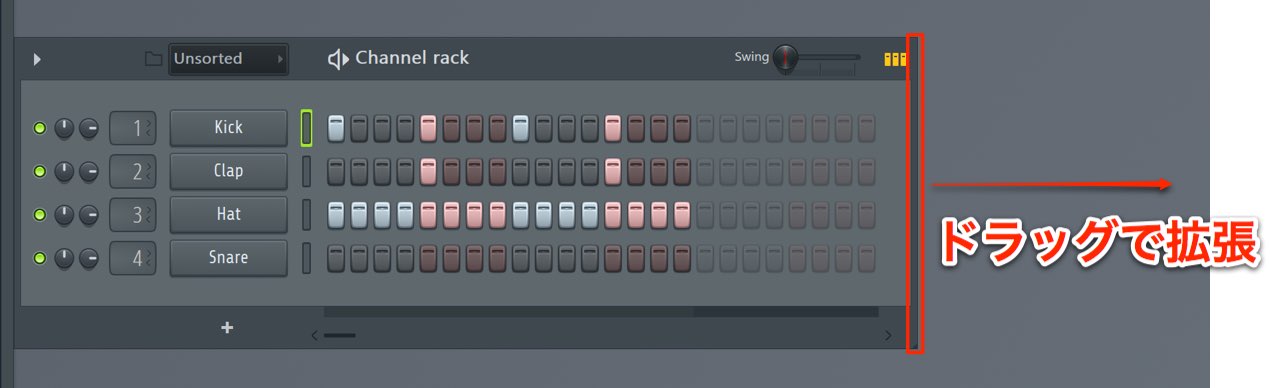
You may want to program a pattern of two bars or more.
Drag the right side of the Channel Rack to extend the step range to a maximum of four bars.
The Finished Pattern
Let’s put what we have learned into practice and make a pattern.
Here is an example.
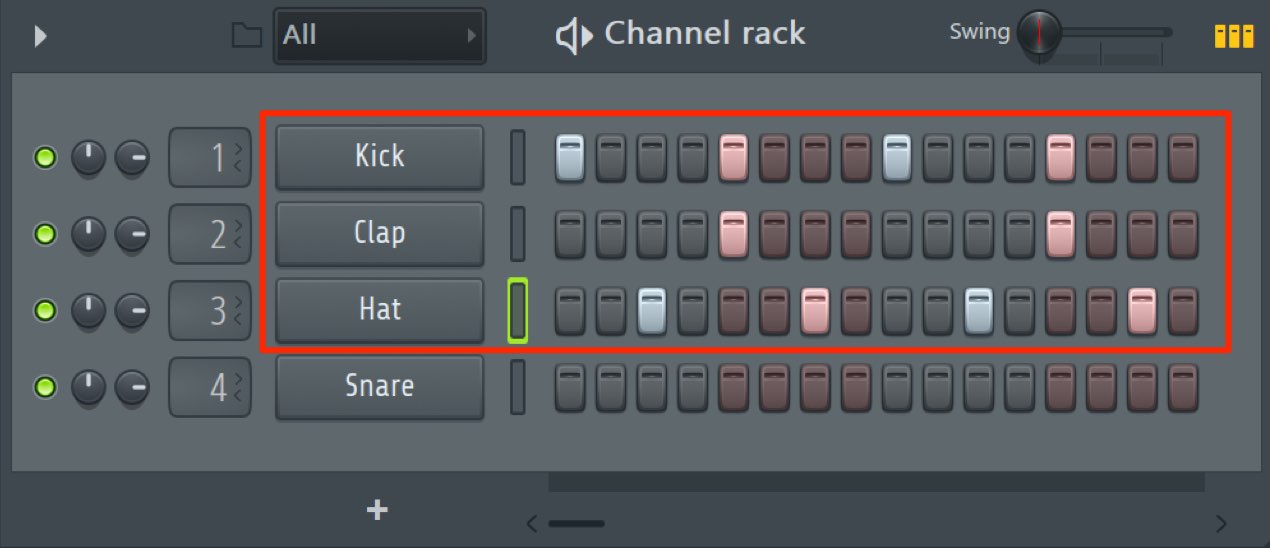
- Kick: A classic four-on-the-floor dance pattern, with a kick on every quarter note.
- Clap: Another standard placement, on beats 2 and 4 as strong accents.
- Hi-hat: Place it on the eighth-note offbeats to complement the four-on-the-floor kick.
This is a classic dance music pattern,
so it is worth practicing until you can make it quickly.

Frequently Asked Questions
Q1. What if the FL Studio Channel Rack is not visible?
Click the icon at the top of the screen to toggle its visibility. Alternatively, choose File → New from template → Minimal → Basic with limiter to load a new template with a drum kit.
Q2. The rhythm I programmed in the Channel Rack does not play.
The playback mode icon shown in the image may not be enabled. Select Pattern mode to play the rhythm pattern in the Channel Rack.
Q3. Can I create drum patterns of two bars or more?
Yes. Drag the right side of the Channel Rack to extend the step range to a maximum of four bars, allowing more complex rhythm patterns.
Q4. How do I create a basic dance music drum pattern?
Put a kick on each quarter note for a four-on-the-floor beat, a clap on beats 2 and 4, and a hi-hat on the eighth-note offbeats.
NEW ARTICLES
Latest English Articles




















































































































































































































































































































































































































































