
Waves Sync Vx is an ARA plug-in that automatically aligns the timing of multiple vocal tracks. It can bring harmonies and doubled vocals into alignment with a single click, replacing a time-consuming manual process. It also offers adjustable correction strength, manual editing, and pitch synchronization, making high-quality vocal editing intuitive for beginners and experienced users alike. It works with supported DAWs such as Cubase and Studio One and can use multiple reference tracks, making it a useful tool for modern music production.
A New ARA Plug-in That Makes Vocal Editing Much Faster
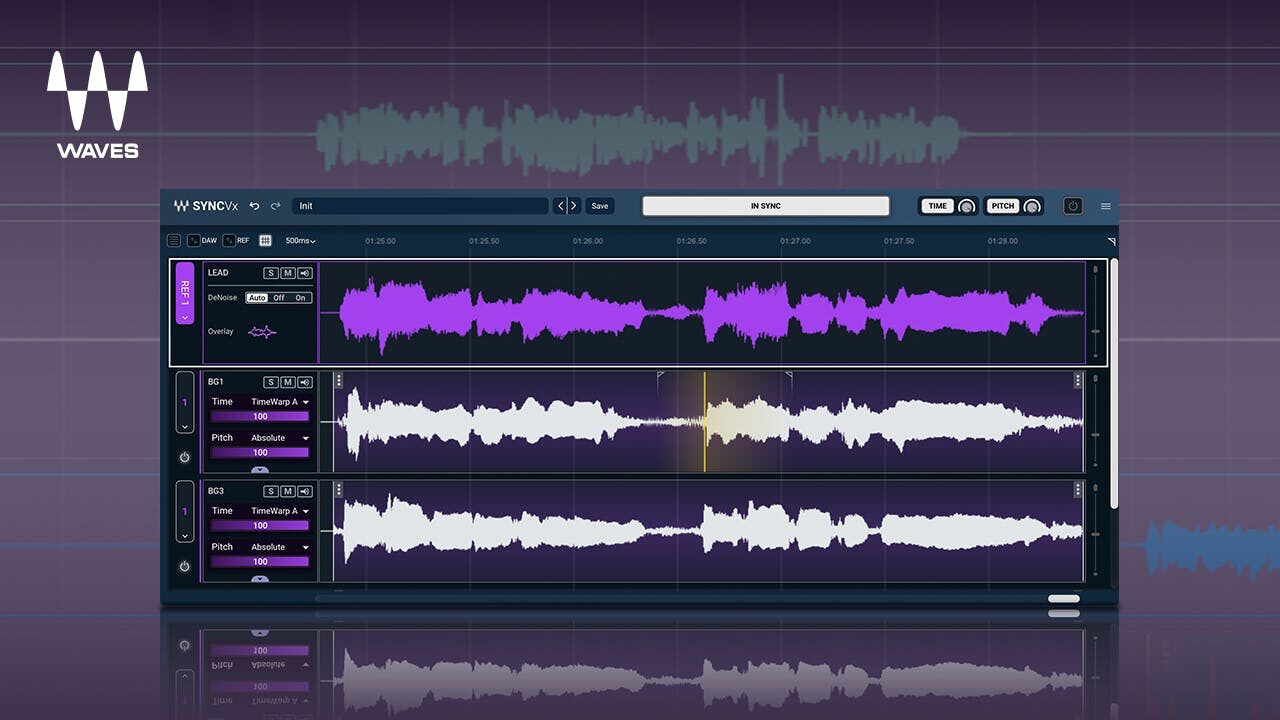
Many modern songs use multiple vocal takes, such as harmonies and doubled vocals.
When several vocals overlap, timing differences between the lead and backing takes can take away from an otherwise great performance.
Waves has released Sync Vx, an innovative ARA plug-in that automatically aligns vocal timing—a task that traditionally took considerable time.
Here, we’ll explore what the plug-in can do and explain how to use it in detail, in a way that’s easy for beginners to follow.
Waves Sync Vx: How to Use It (Video)
Selected Questions and Answers from YouTube Comments

Does it feel similar to Revoice Pro? I can hardly find Japanese tutorials about Revoice Pro. Could SLEEP FREAKS make one?

Yes. They’re similar, but honestly, Waves is easier to use. We actually filmed a comparison of the two products for this video, but a recording issue meant we couldn’t publish it. The opinion above is based on trying both.
I’m very interested in alignment plug-ins. Could I use one on the lead vocal for a cover, for example by extracting the vocal from the original track with iZotope RX and having my vocal follow it? Would the reverb make that difficult?
I tested it with a vocal that contained reverb. The correction aligned the reverb tail as well, so a dry guide track is recommended.
Perfect timing—this is a huge help! Does it work in Logic? Also, I’d love to know about plug-ins that automatically align kick and bass. I watched your video from five years ago: is MAutoAlign still easy to use? Thanks!
It can be used in Logic, but ARA plug-ins such as Sync Vx require Logic to run in Rosetta mode on Apple Silicon Macs (such as M1 or M3 models). For phase alignment between kick and bass, MAuto Align is easy to use, and Sound Radix has released the newer ARA-compatible AUTO-ALIGN 2.
Loading the Plug-in
Sync Vx is an ARA-only plug-in and works only in compatible DAWs such as Cubase and Studio One.
Its loading procedure is different from that of standard VST or Audio Unit plug-ins.
How to Load Sync Vx in Cubase
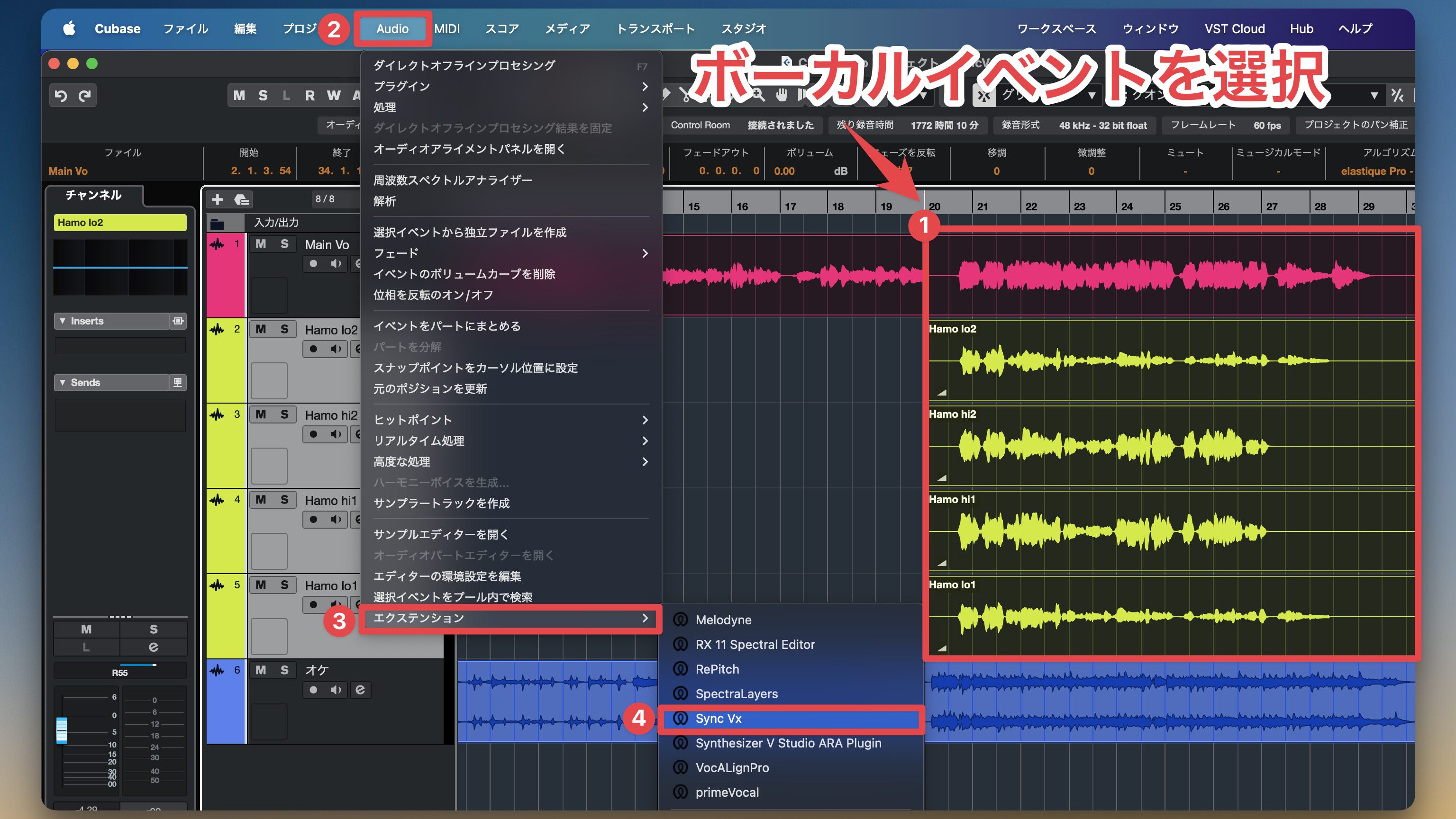
Select the vocal or harmony events you want to align, then choose Audio > Extensions. Select Sync Vx from the list that appears.
How to Load Sync Vx in Studio One
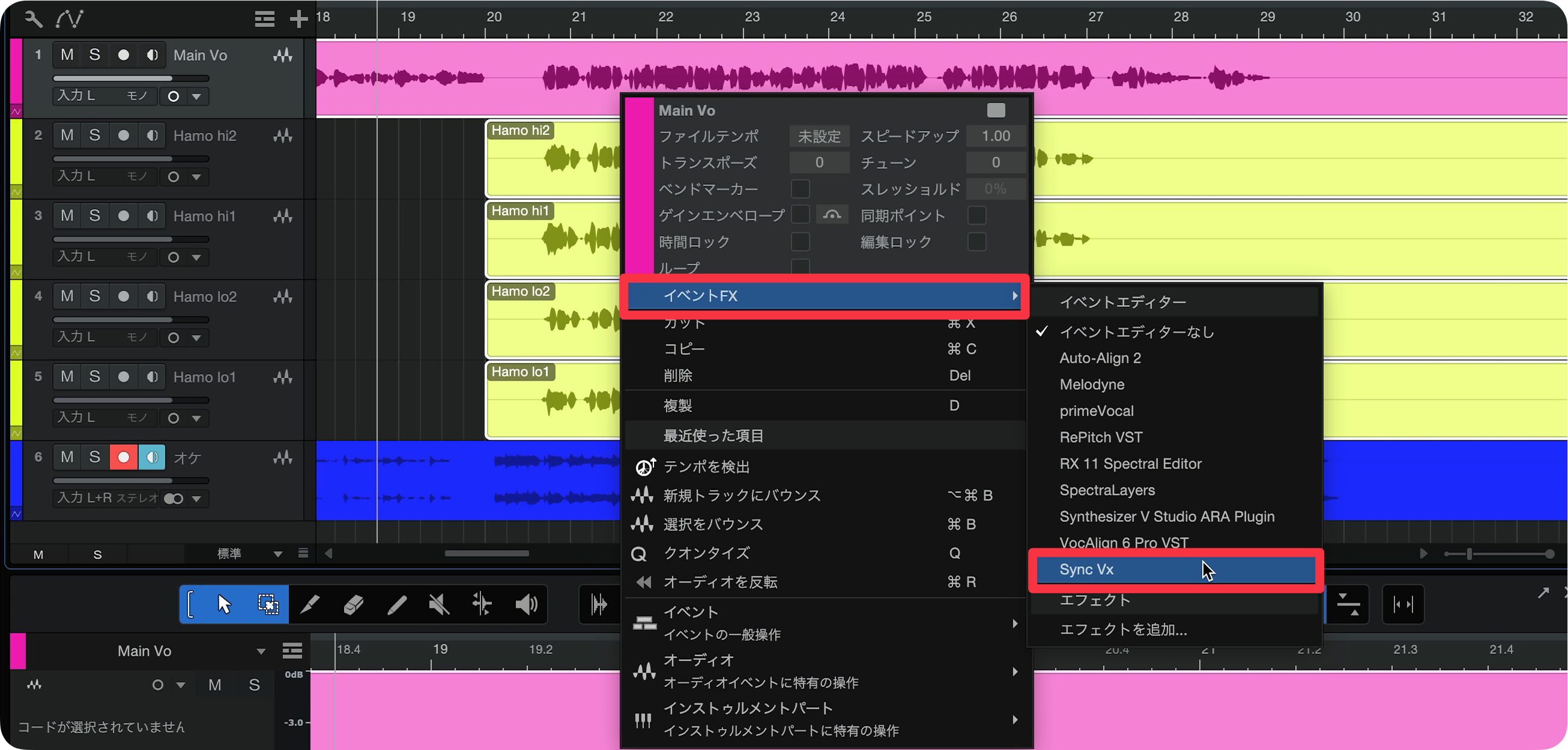
Select the vocal or harmony events you want to align, then add Sync Vx from Event FX.
Note:Sync Vx will not work if you insert it as a standard plug-in in a DAW plug-in slot.Be sure to load it as an ARA extension.
Setting Up Reference Tracks
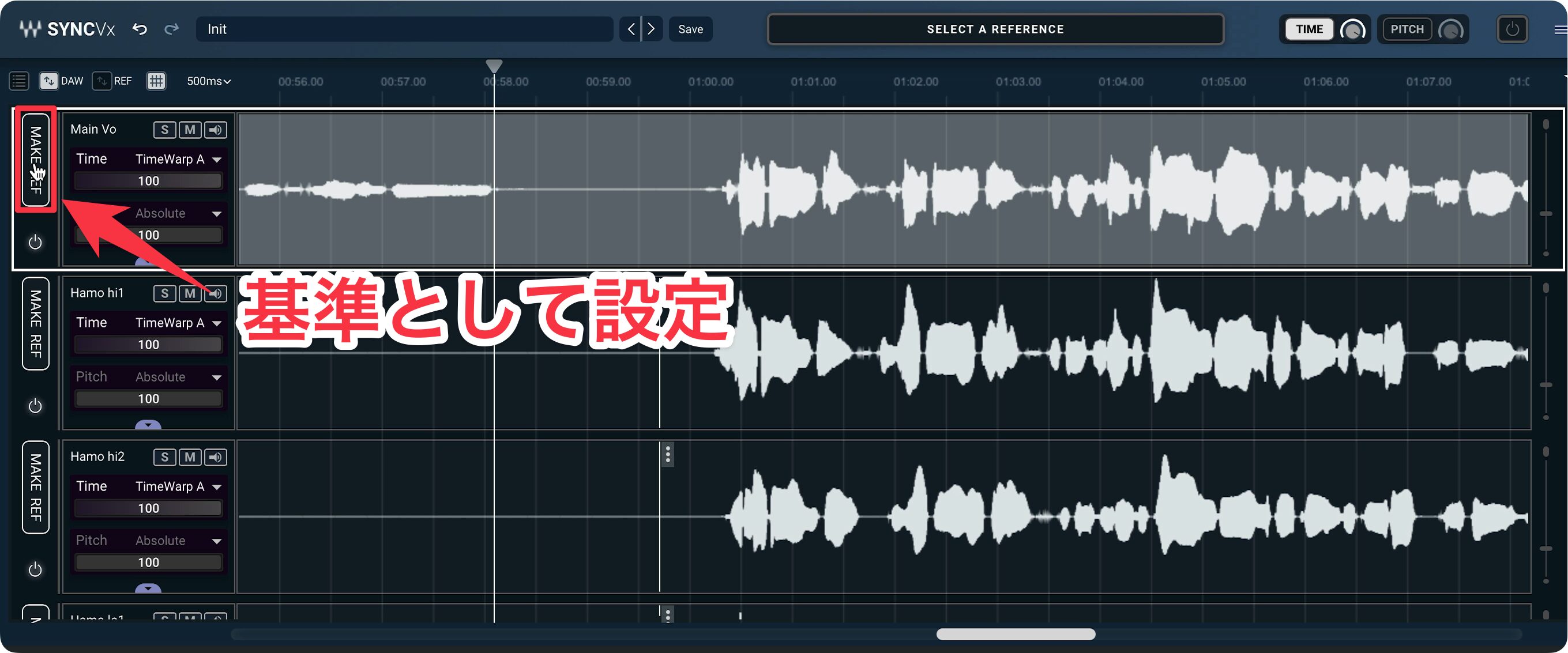
First, click the MAKE REF button on the track you want to use as the reference.
Once processing is complete, the indicator in the center of the window changes to IN SYNC, and all tracks are automatically aligned to the reference track.
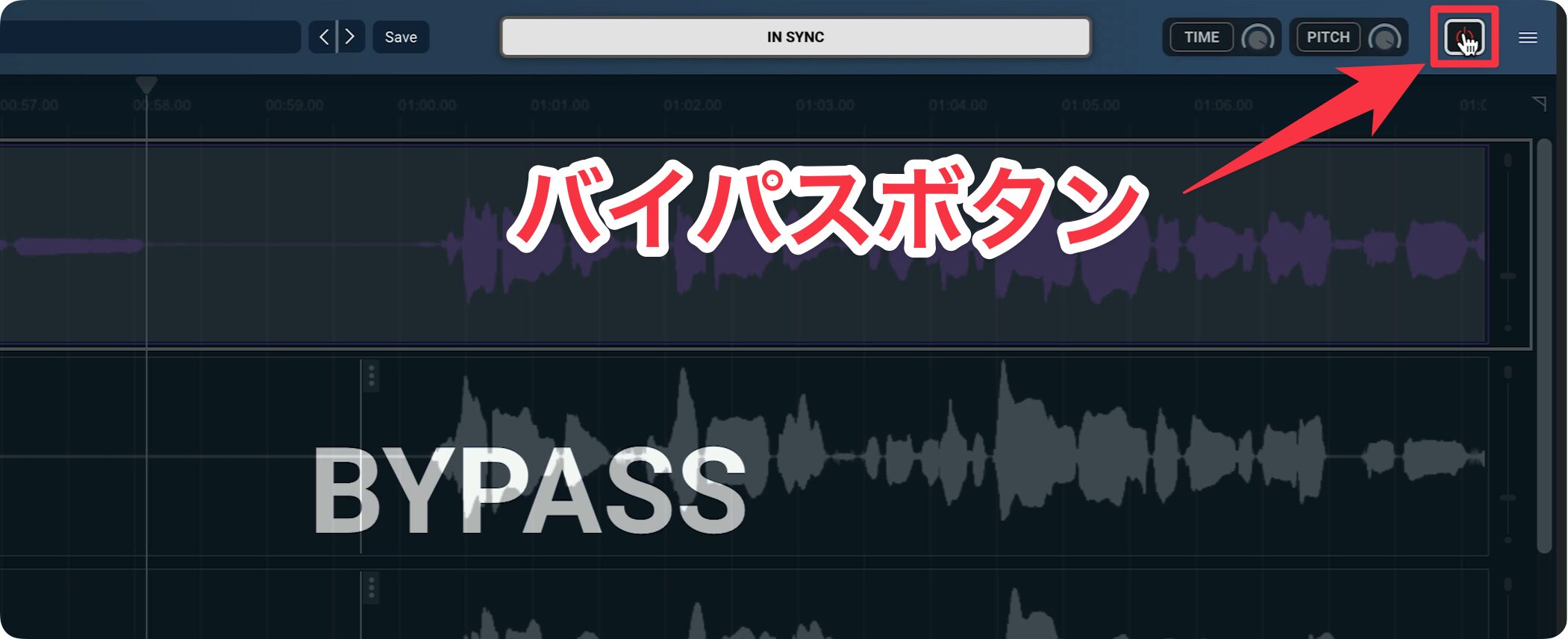
The Bypass button disables all correction at once, so try comparing the sound before and after applying Sync Vx.
You can achieve a natural result without extensive manual work, making it easy for beginners to align timing.
Adjusting the Timing Correction Strength
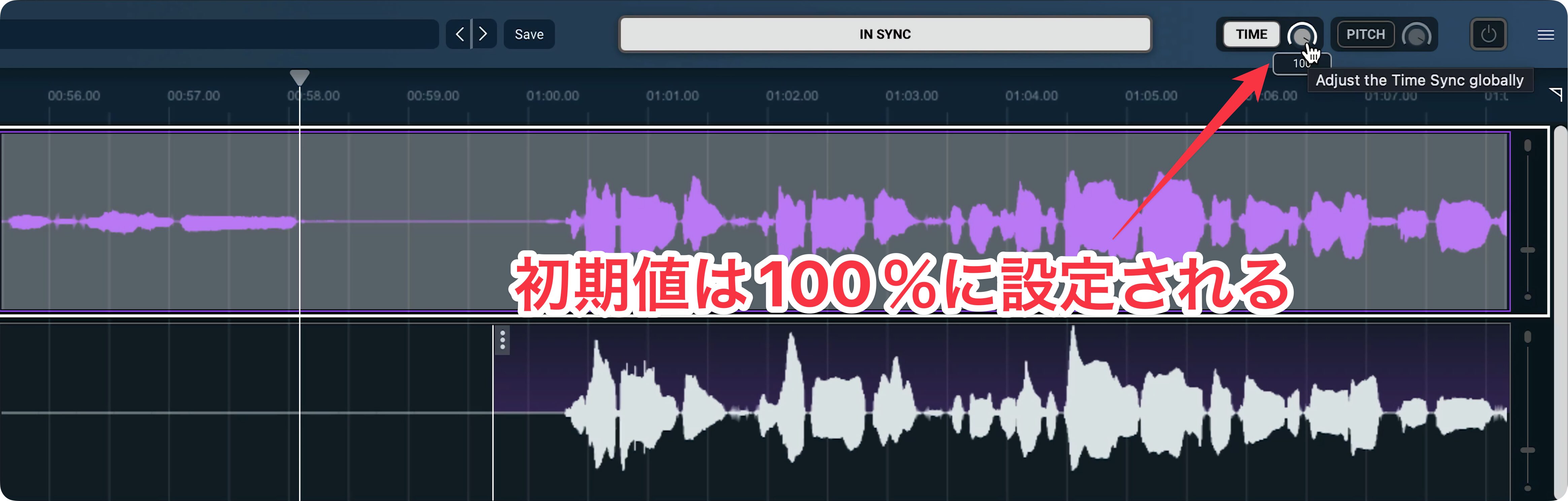
The correction is set to its maximum (100%) by default, which can sometimes sound artificial.
For a more natural result, you can adjust the correction strength.
Adjusting the Correction Strength for All Tracks
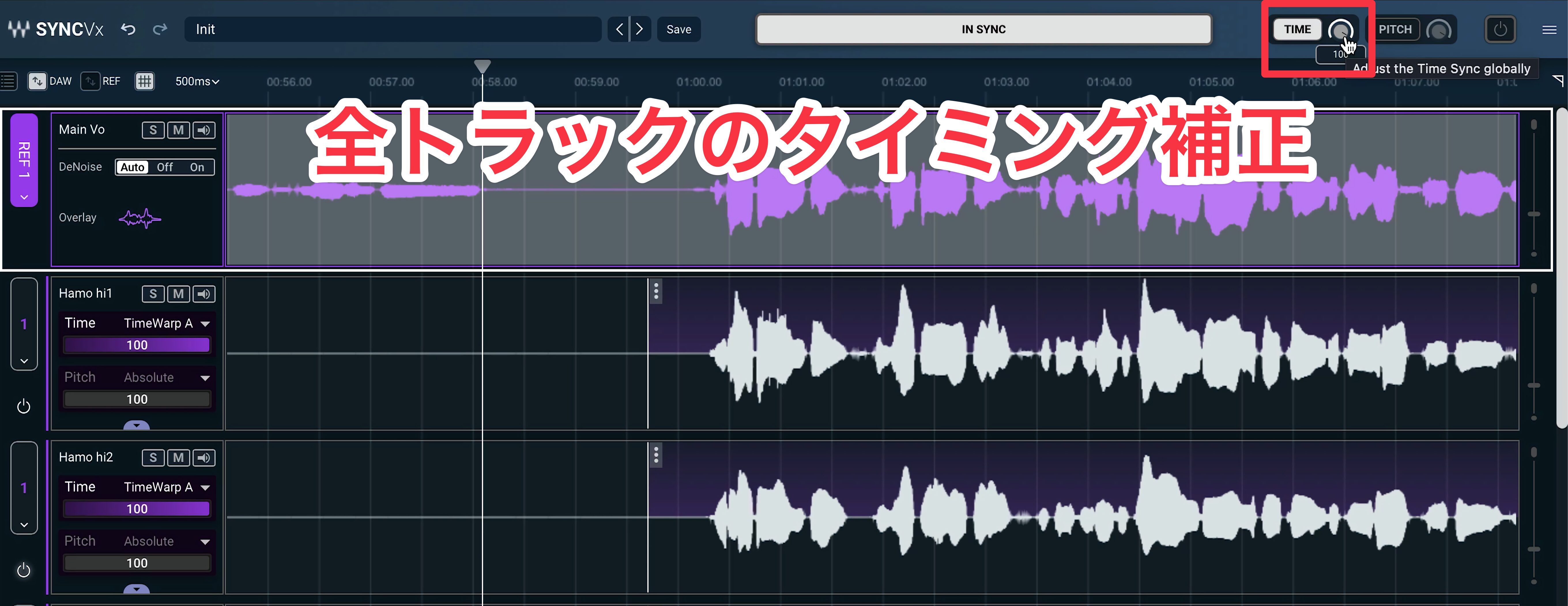
Turn down the Time knob in the top bar to adjust the correction strength for all tracks at once.
Adjusting Individual Tracks
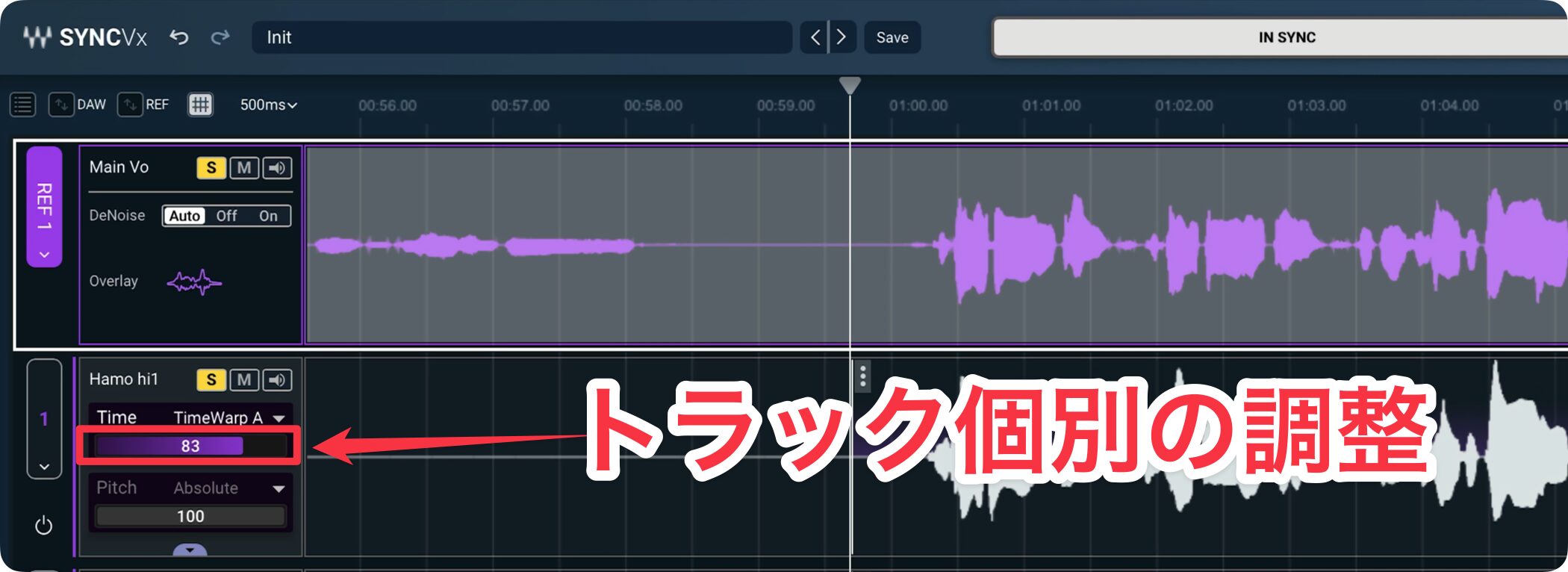
Use the Time slider shown on each track to set its correction strength individually.
For example, you can lower the value for a track you deliberately want to leave loose, such as a shout.
Making Fine Adjustments to Individual Events

Open the menu (three dots) at the beginning of an event to change the correction strength for that event.
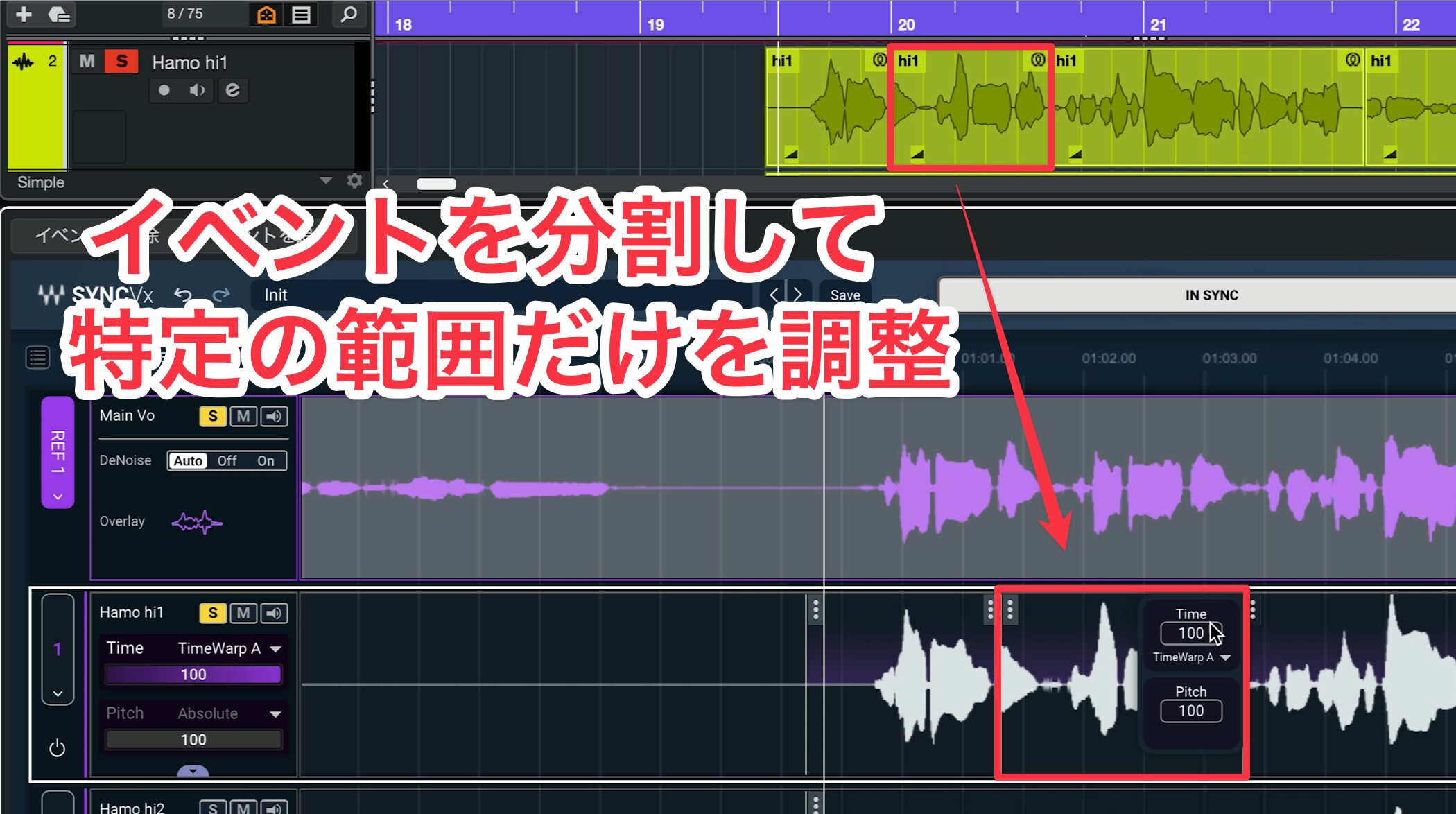
Splitting an audio event in the DAW keeps synchronization in real time, so you can make detailed adjustments to different sections within a single track.
Manual Correction (Sync Markers)
If the automatic timing alignment does not give you the result you want, you can make manual adjustments.
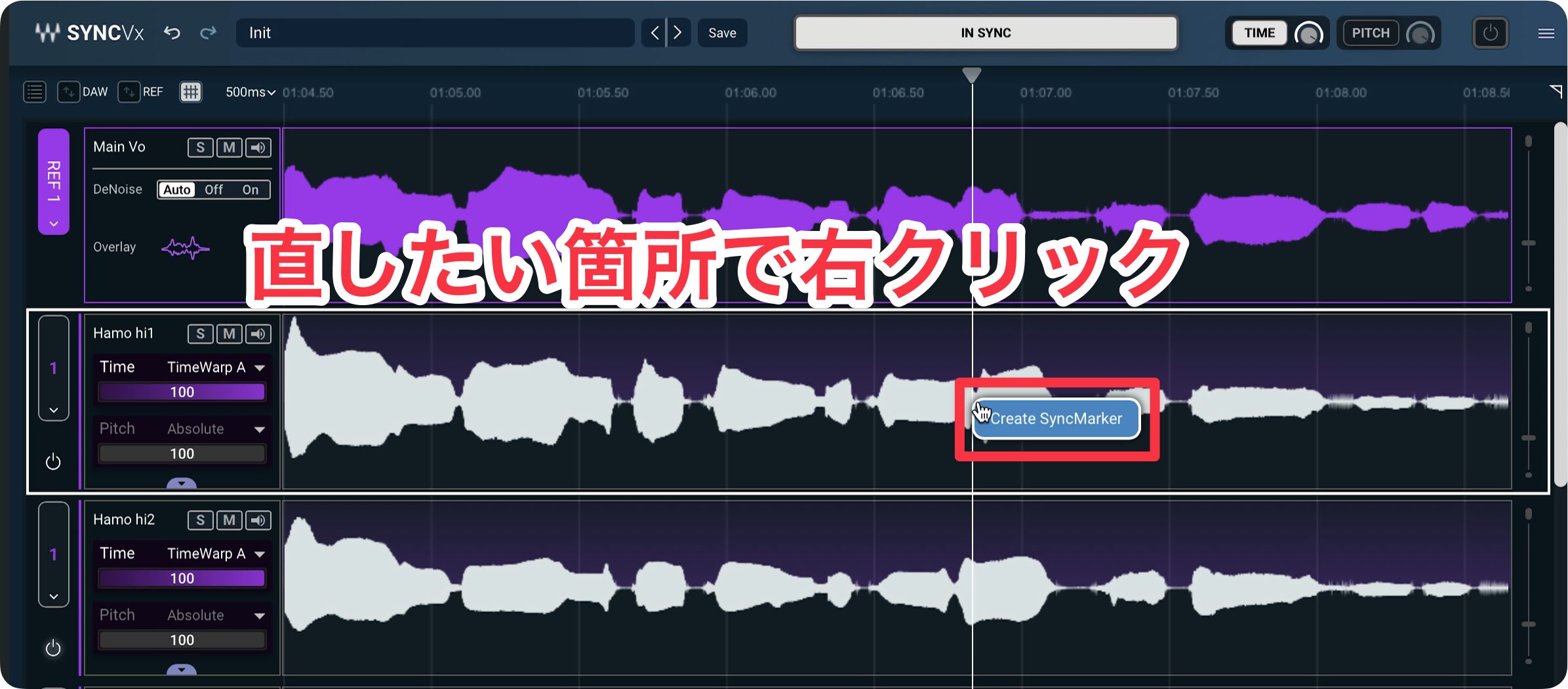
Right-click the area you want to fix and choose Create Sync Marker to add a marker.
Move the marker to shift the waveform and align the timing with the point you want.
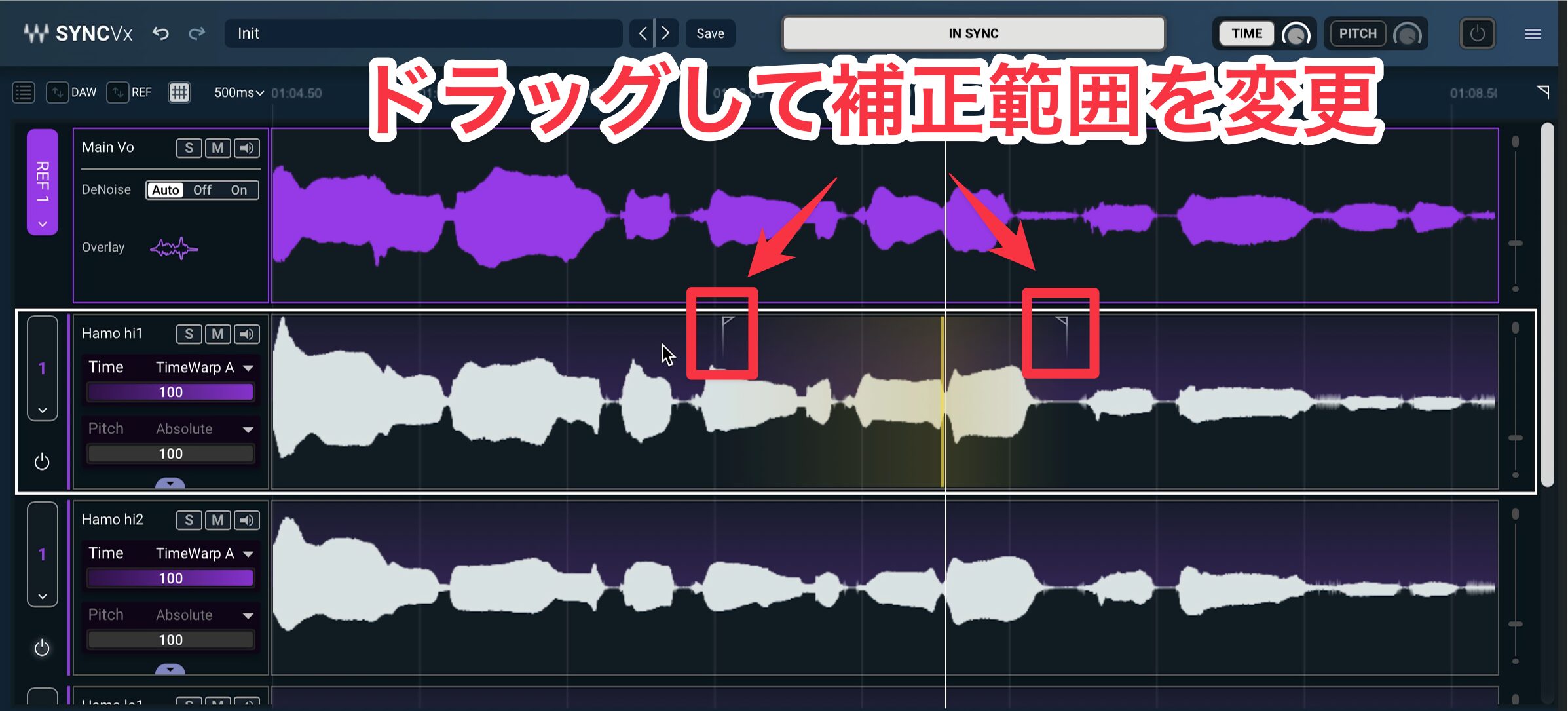
The range shown on either side when you create a Sync Marker determines the area over which the audio is adjusted so that the transition between the moved and unmoved sections sounds natural.
Other Advanced Controls
Using Multiple Reference Tracks
Sync Vx lets youset up to four reference tracksso it can handle larger projects that use many vocal tracks.

To choose or switch a reference, click the reference selector and select one from the Make Ref > menu.
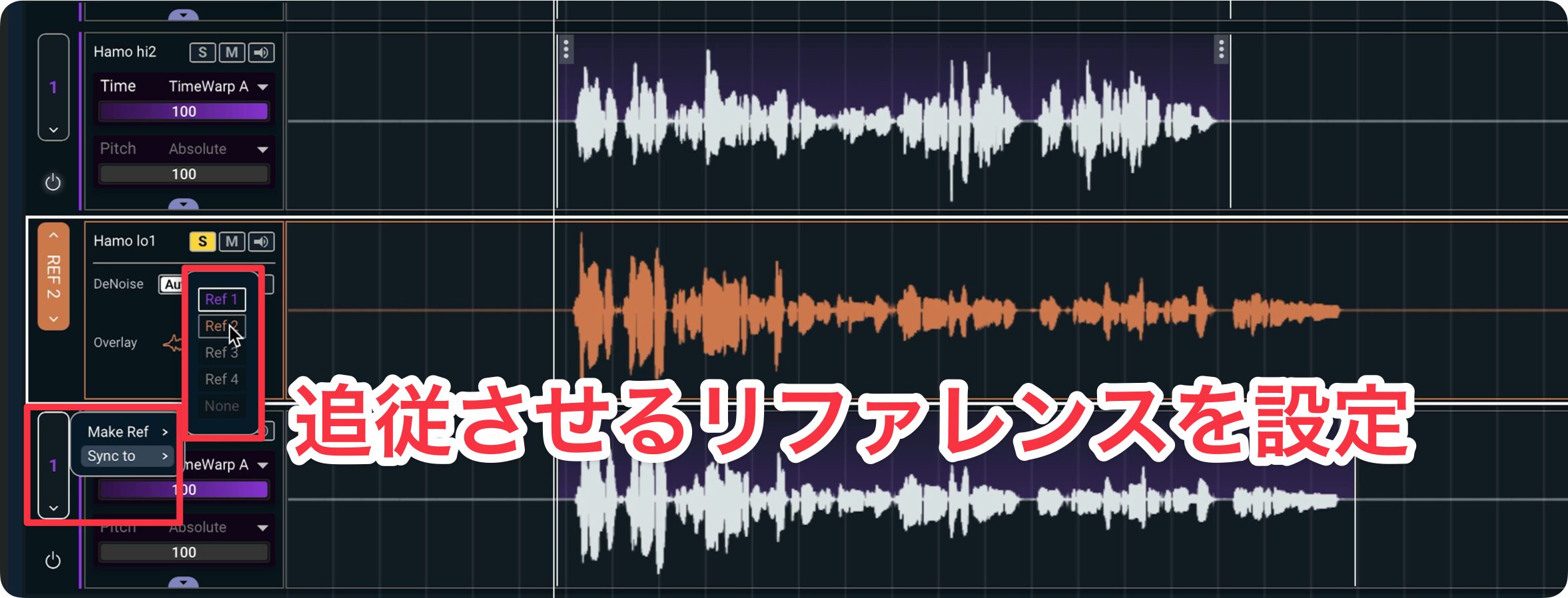
To switch a track to a different reference, choose the desired reference from the Sync to list.
Once you know how to do this,you can easily manage a project where the lead vocal switches to a different track partway throughthe song.
Disabling Correction for Part of a Track
You can also disable correction for a specific range.
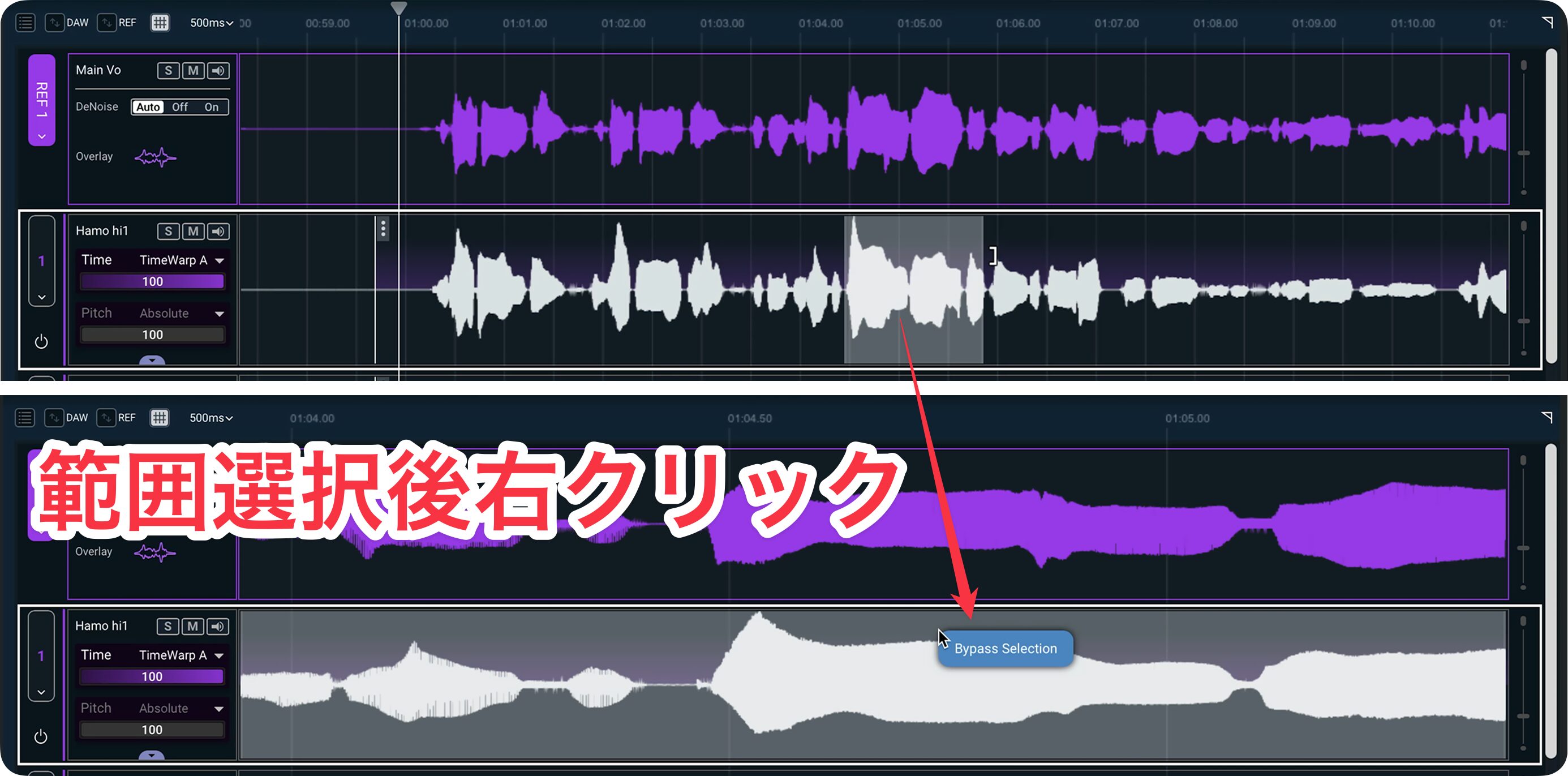
Select the range, then choose Bypass Selection from the right-click menu.
To re-enable correction, open the menu again and toggle the setting back on.
Choosing a Time-Warp Algorithm
When timing is corrected significantly, the sound can occasionally lose some of its natural character.
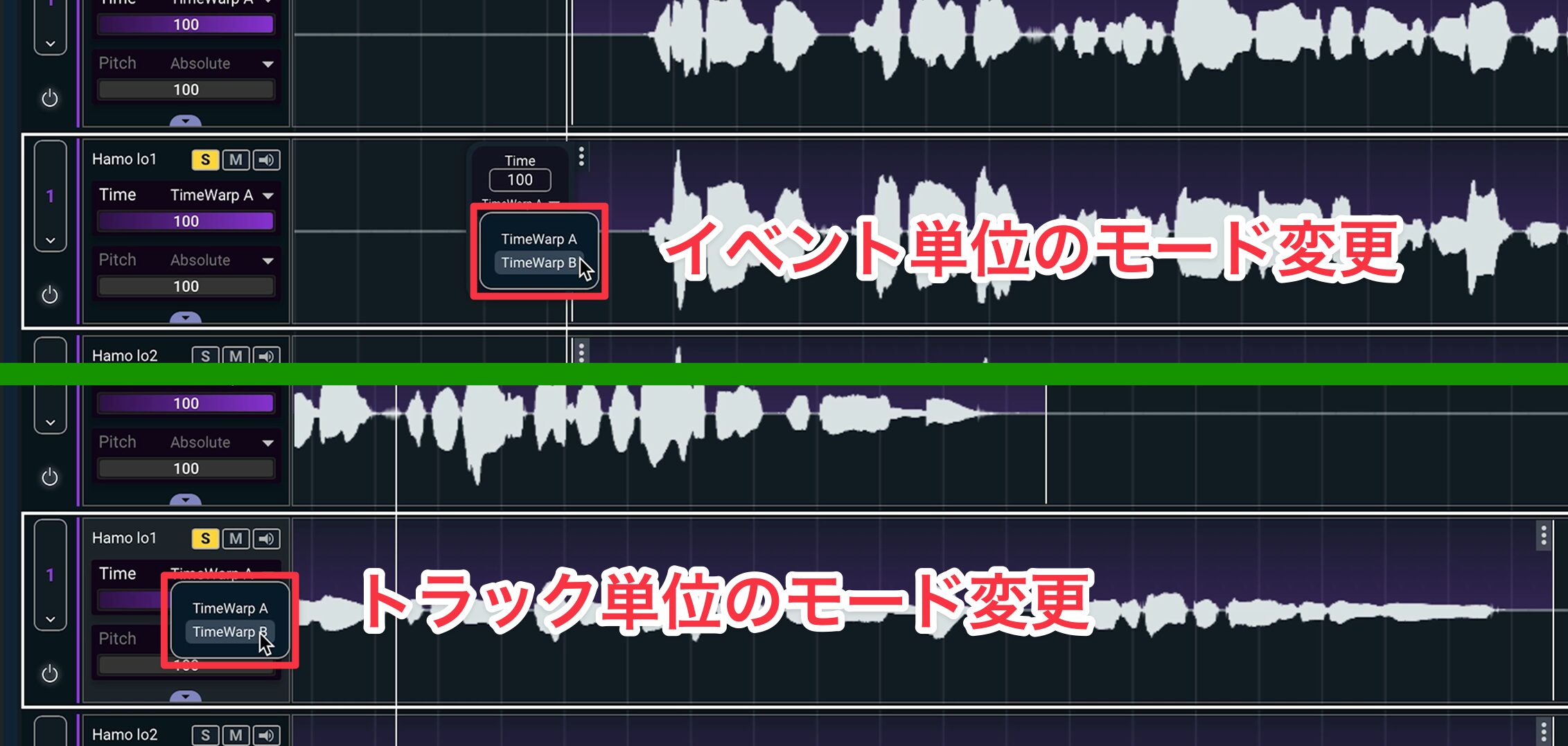
In that case, changing the TimeWarp mode may help.
Pitch Adjustment
Sync Vx can align not only timing but also the pitch of tracks performing the same part, such as doubled vocals.
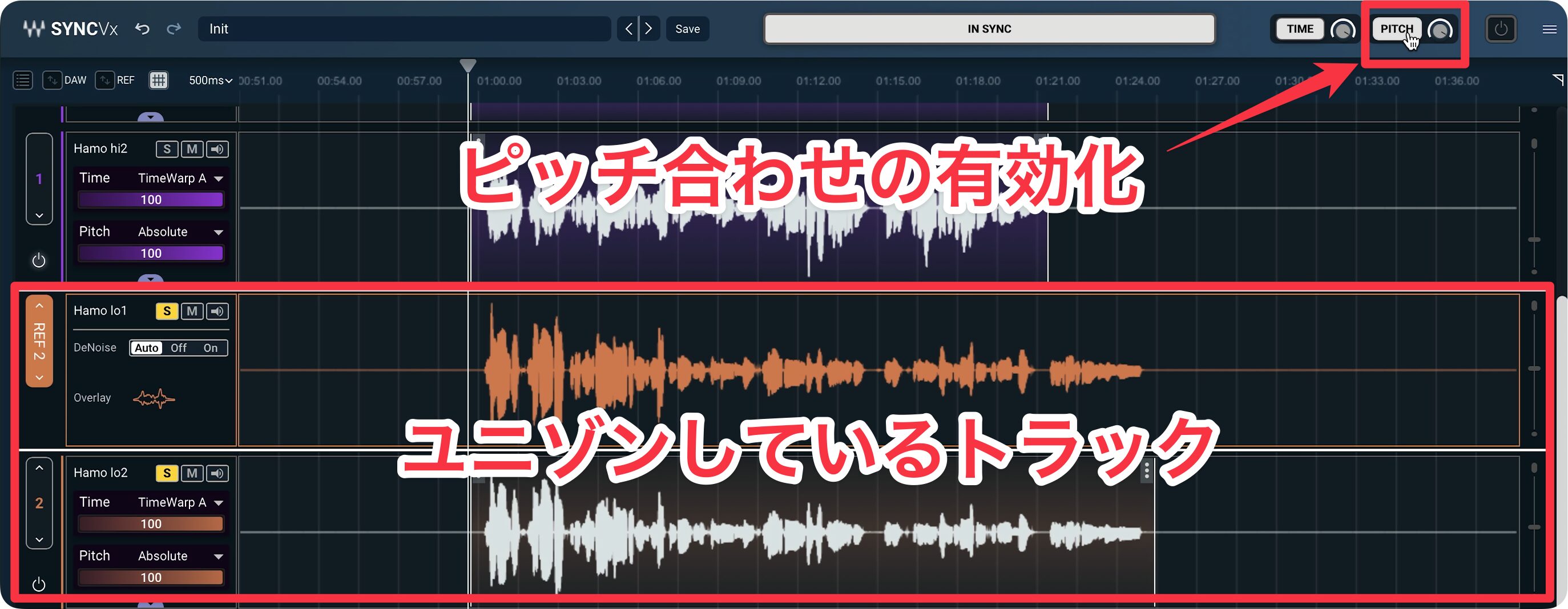
Set one track as the reference, have the other follow it, and enable pitch sync to align them easily.
As with timing, pitch correction strength can be adjusted globally, per track, or per event.
Adjusting Pitch and Formant
In addition to matching another track’s timing and pitch, Sync Vx can adjust the pitch and tone of an individual track.
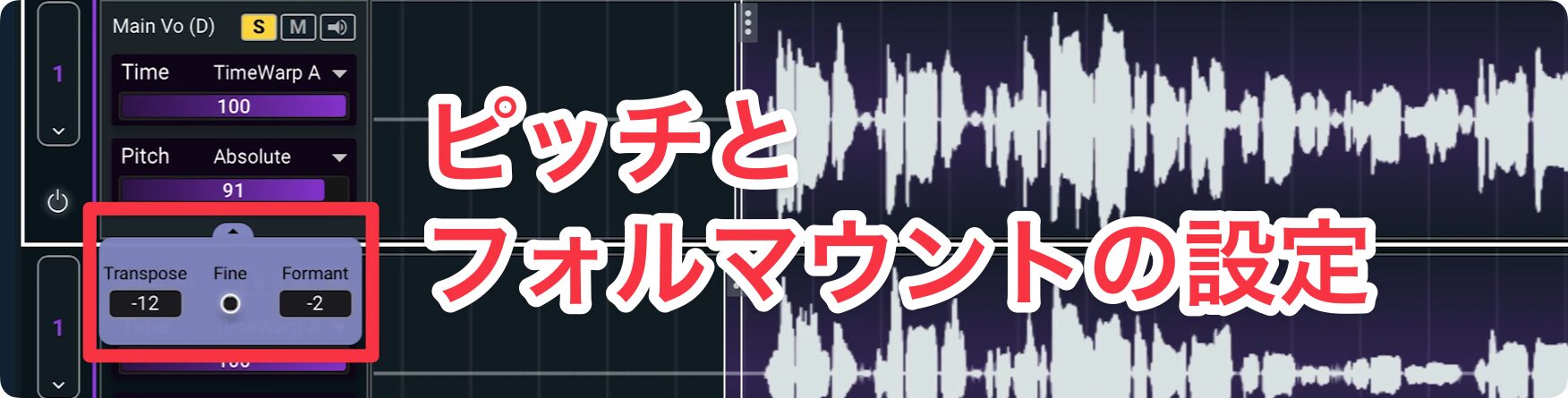
- Transpose: Use the down arrow on a track or the Transpose control at the end of an event to shift pitch in semitone steps.
- Fine: Adjust pitch in smaller increments.
- Formant: If changing pitch alters the character of the voice in an unexpected way, use Formant to adjust its tonal quality.
System Requirements
Compatible DAWs
- Pro Tools 2024.10
- Logic Pro 11 (Rosetta mode required on Apple Silicon)
- Nuendo 13
- Cubase 13, 14
- Studio One Professional 6, 7
- REAPER 7
- Cakewalk Sonar 2024.11
Windows
- OS: Windows 10 (64-bit) or Windows 11
- CPU: Intel or AMD processor
- Memory: 16 GB RAM
Mac
- OS: macOS Monterey 12, Ventura 13, Sonoma 14, or Sequoia 15
- CPU: Intel processor. See also the notes about Apple Silicon-based processors.
- Memory: 16 GB RAM
Sync Vx is a next-generation ARA plug-in that can make vocal timing alignment much more efficient.
With both automatic correction and detailed manual control, it can help a wide range of users, from beginners to experienced editors.
If you use an ARA-compatible DAW and edit vocals, give it a try!
Frequently Asked Questions
Q1. Can I use Waves Sync Vx like a standard plug-in?
No. Sync Vx is an ARA-only plug-in, so inserting it into a standard plug-in slot will not work. In Cubase, load it from Audio > Extensions; in Studio One, load it from Event FX.
Q2. Sync Vx changes the sound of my vocals. How can I get a more natural result?
Adjust the correction strength. You can reduce the overall correction with the Time knob in the top bar, make individual adjustments by track or event, or try changing the TimeWarp mode.
Q3. Can I adjust timing manually as well as using automatic correction?
Yes. Use Sync Markers for manual adjustments. Right-click the area you want to fix, choose Create Sync Marker, then move the marker to fine-tune the timing.
Q4. Can Sync Vx handle a project where the lead vocal changes partway through?
Yes. Sync Vx supports up to four reference tracks. You can switch the reference a track follows from Sync to, making it suitable for complex projects.
Q5. Can I adjust pitch as well as timing?
Yes. Sync Vx supports pitch adjustment, including pitch synchronization across multiple tracks and individual track pitch and tone controls such as Transpose, Fine, and Formant.
NEW ARTICLES
Latest English Articles


















































