
This beginner's guide explains how to program realistic guitar parts even if you don't play guitar. Work through guitar-specific chord voicings, dynamics, and timing adjustments using free instruments such as Ample Guitar M Lite and UI Standard Guitar. Learn to coordinate accents with the drums and recreate strumming and other playing styles to give your backing parts the nuances of a live performance.
Techniques for Better Guitar Programming
If you're struggling to program guitar parts, this guide focuses on practical ways to create backing tracks.
The first half covers the essential techniques and knowledge; the second walks through common accompaniment patterns. Follow the steps and try them in your own productions.
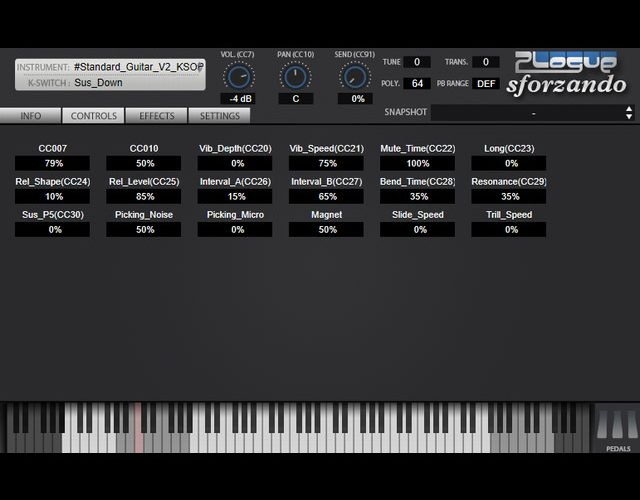
The video uses UI Standard Guitar, a well-regarded free electric-guitar instrument.
If you don't already have a dedicated guitar instrument, give it a try.
sforzando (SoundFont Player)
UI Standard Guitar Library
- 1Basics — Step 1: Guitar Chord Voicings
- 2Basics — Step 2: Dynamics
- 3Basics — Step 3: Timing Offsets
- 4Applications — Step 1: Strumming
- 5Applications — Step 2: Arpeggios
- 6Applications — Step 3: Power Chords
- 7Applications — Step 4: Funk Rhythm Guitar
First, compare a straightforward programmed chord part with a version incorporating the techniques we'll learn.
Plain Programmed Guitar Backing
Guitar Backing with Performance Nuance
Both use the same sound and rhythm, but careful programming adds nuances that bring the part closer to a live performance.
Step 1: Guitar Chord Voicings
Our first basic step is to arrange chord notes like a guitarist would.
The guitar's physical construction produces distinctive ways of stacking chord notes, known as voicings.
Reproducing them from scratch means learning how a guitarist fingers each chord. That can feel daunting if you simply want to program a guitar part.
For an easier way to check guitar voicings, we'll use the free instrument Ample Guitar M Lite.
- Download: Ample Guitar
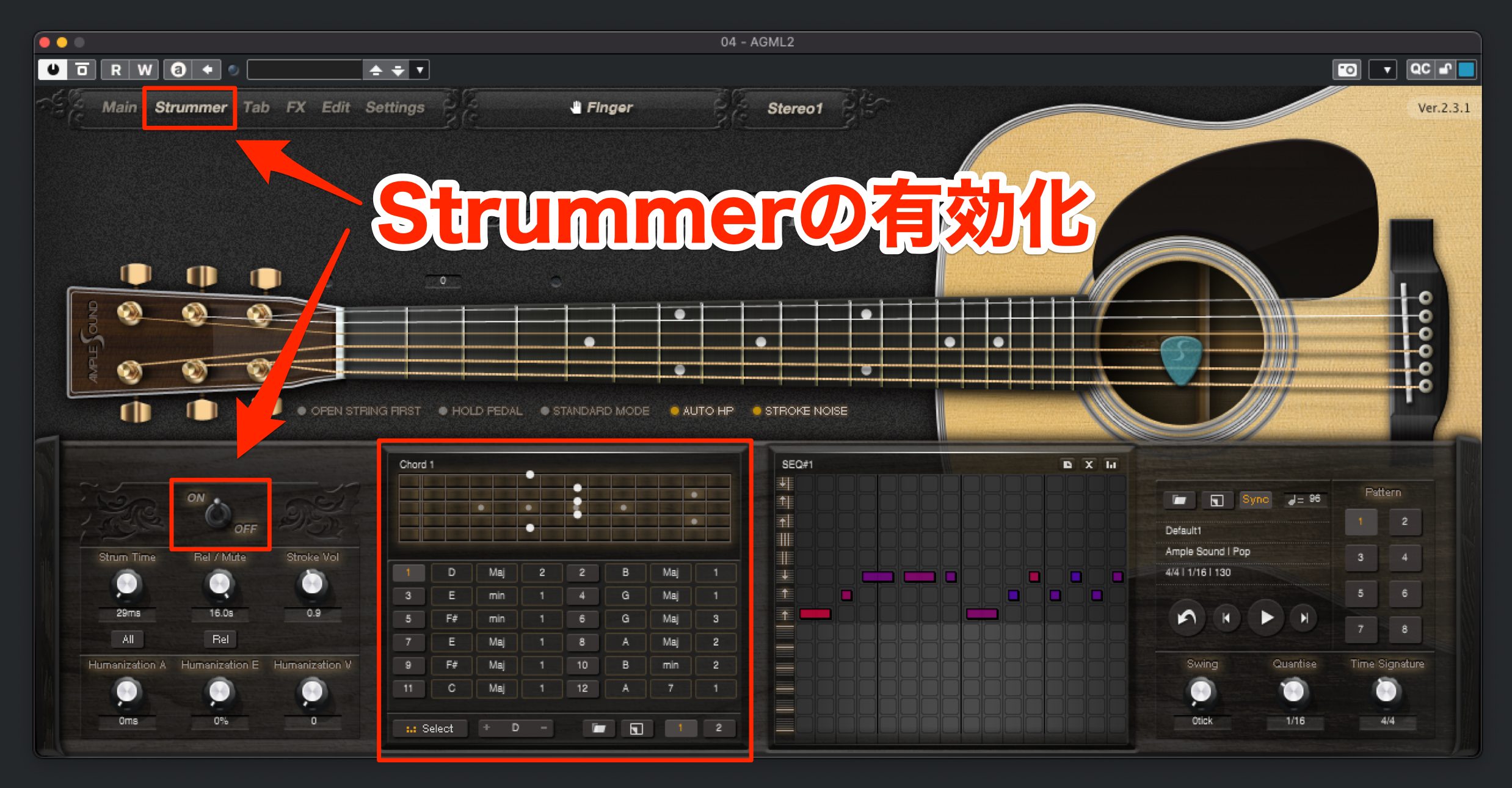
Ample Sound's guitar instruments include a Strummer feature that generates guitar chord voicings.
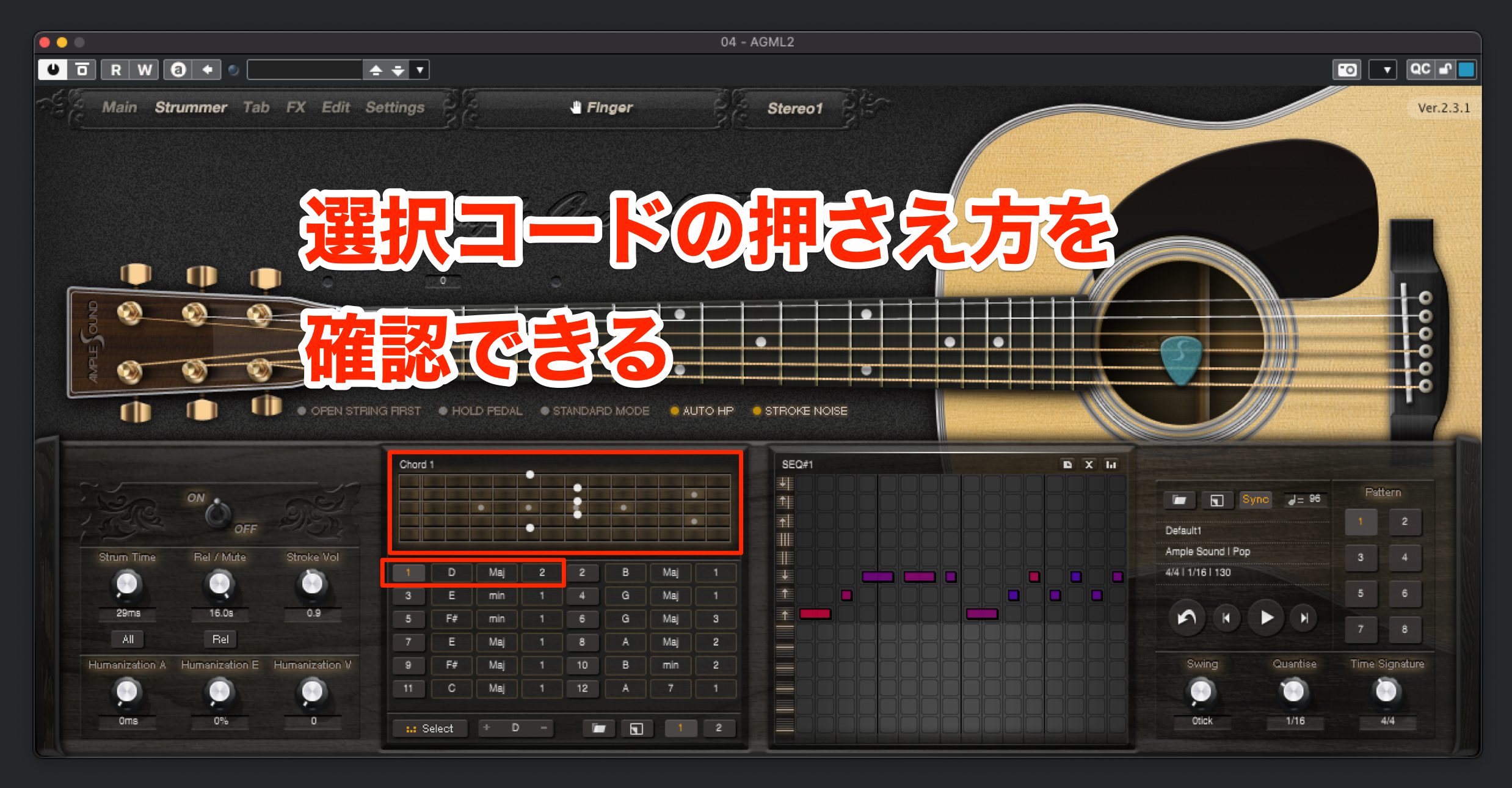
Click a numbered chord in the list to see which strings and frets are used. Hover over a fretted position to see its note name.
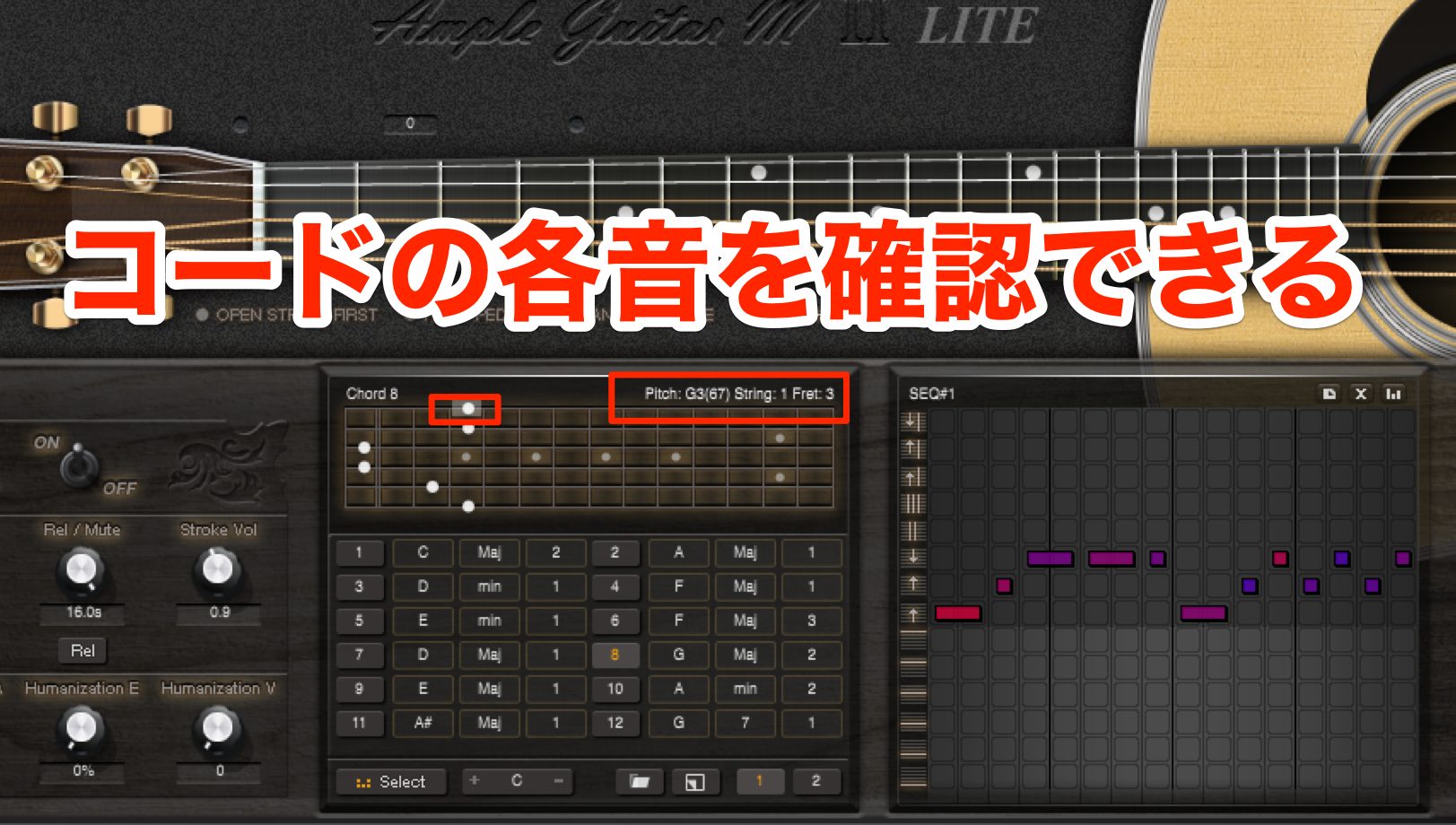
For example, to examine a G major chord, select number 8 and check the notes one by one.
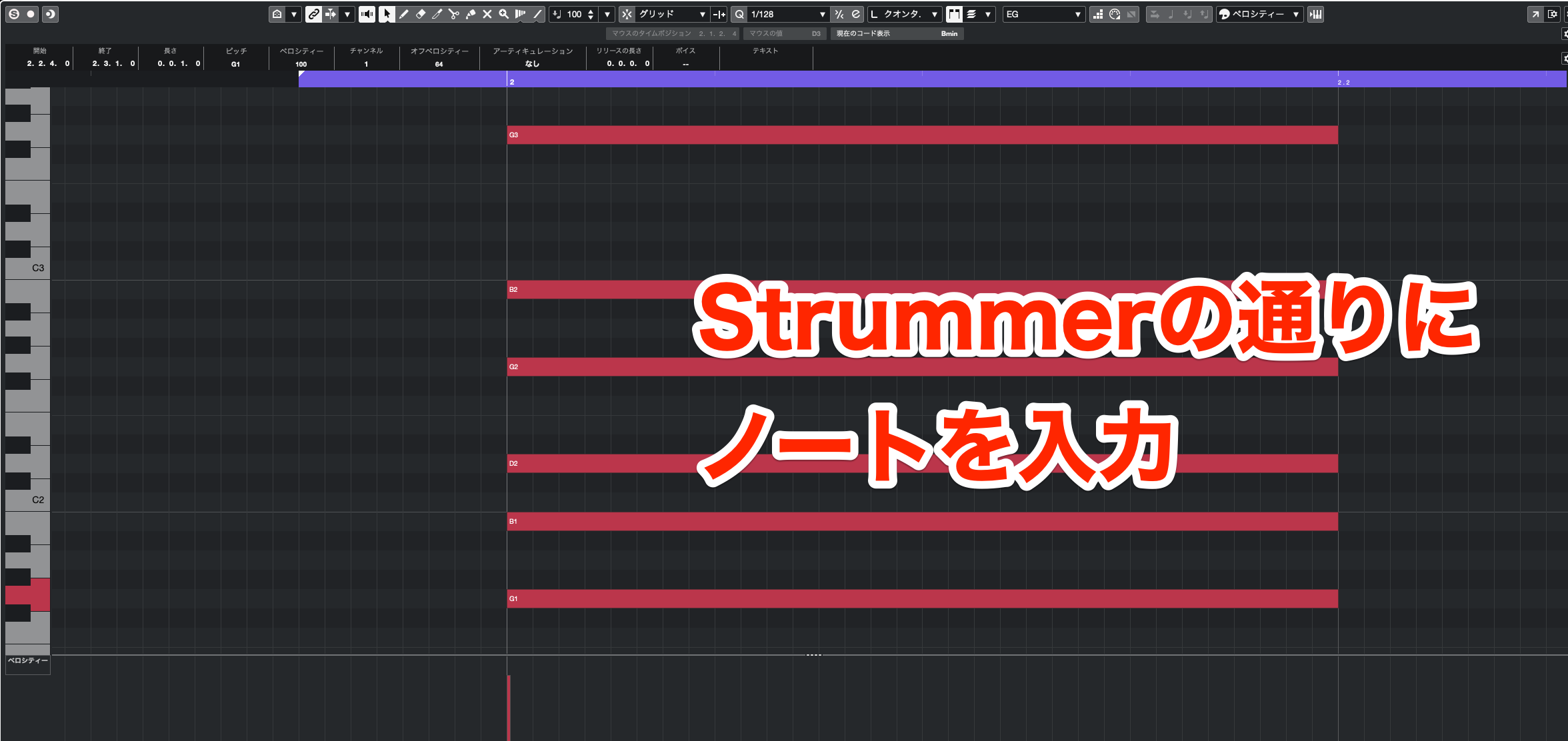
The six notes, from low to high, are G1, B1, D2, G2, B2, and G3. Enter these notes into the piano roll to reproduce this guitar voicing. (The original text repeats B2 in place of the lower B.)
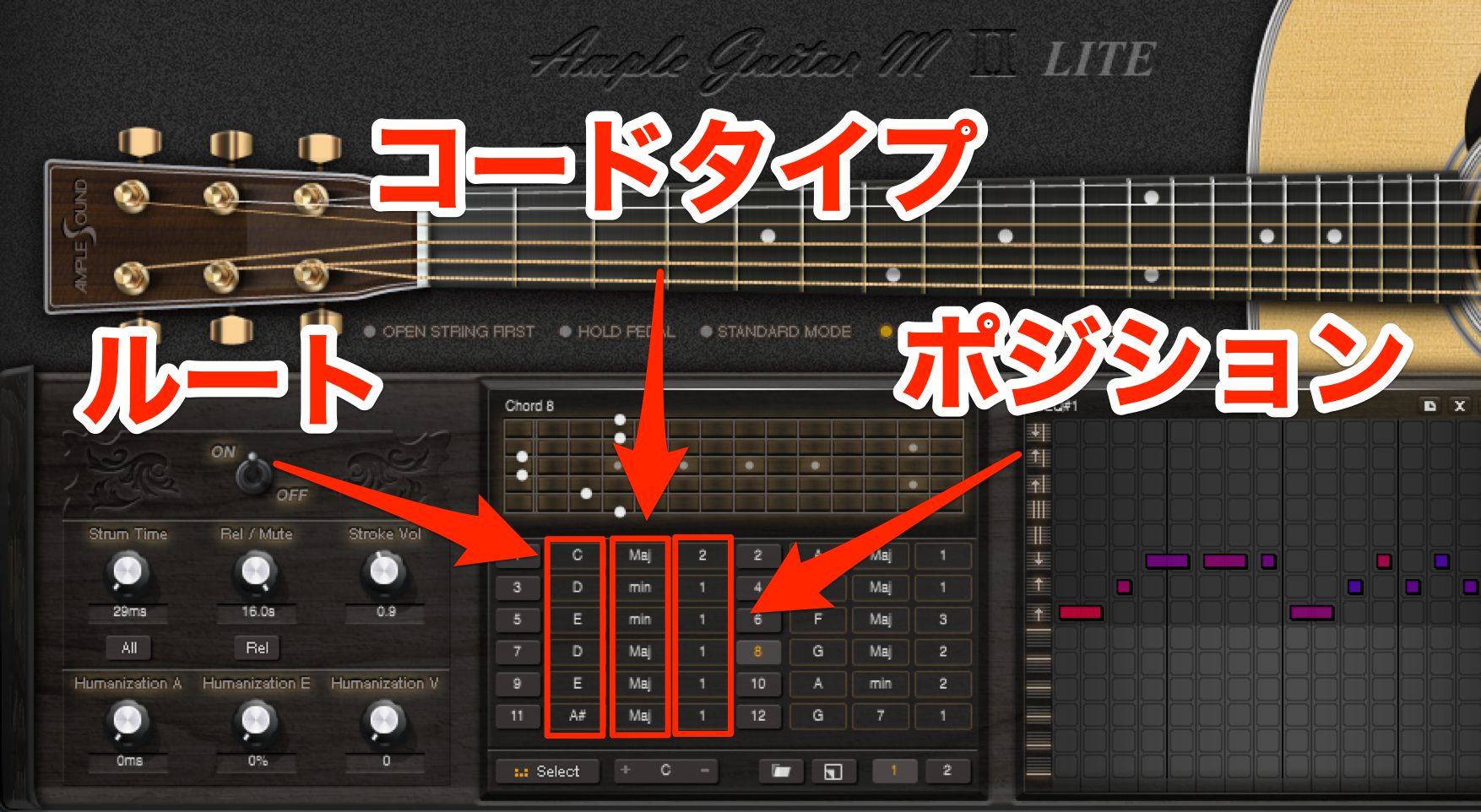
If the chord you want isn't in the Strummer list, change the root, chord type, or fingering variation.
Ample Guitar M Lite makes it easy to find chord variations that suit your song.
Step 2: Dynamics
The second basic step is to add dynamics.
For guitar and many other instruments, dynamics are one of the most important ingredients in recreating a live performance.
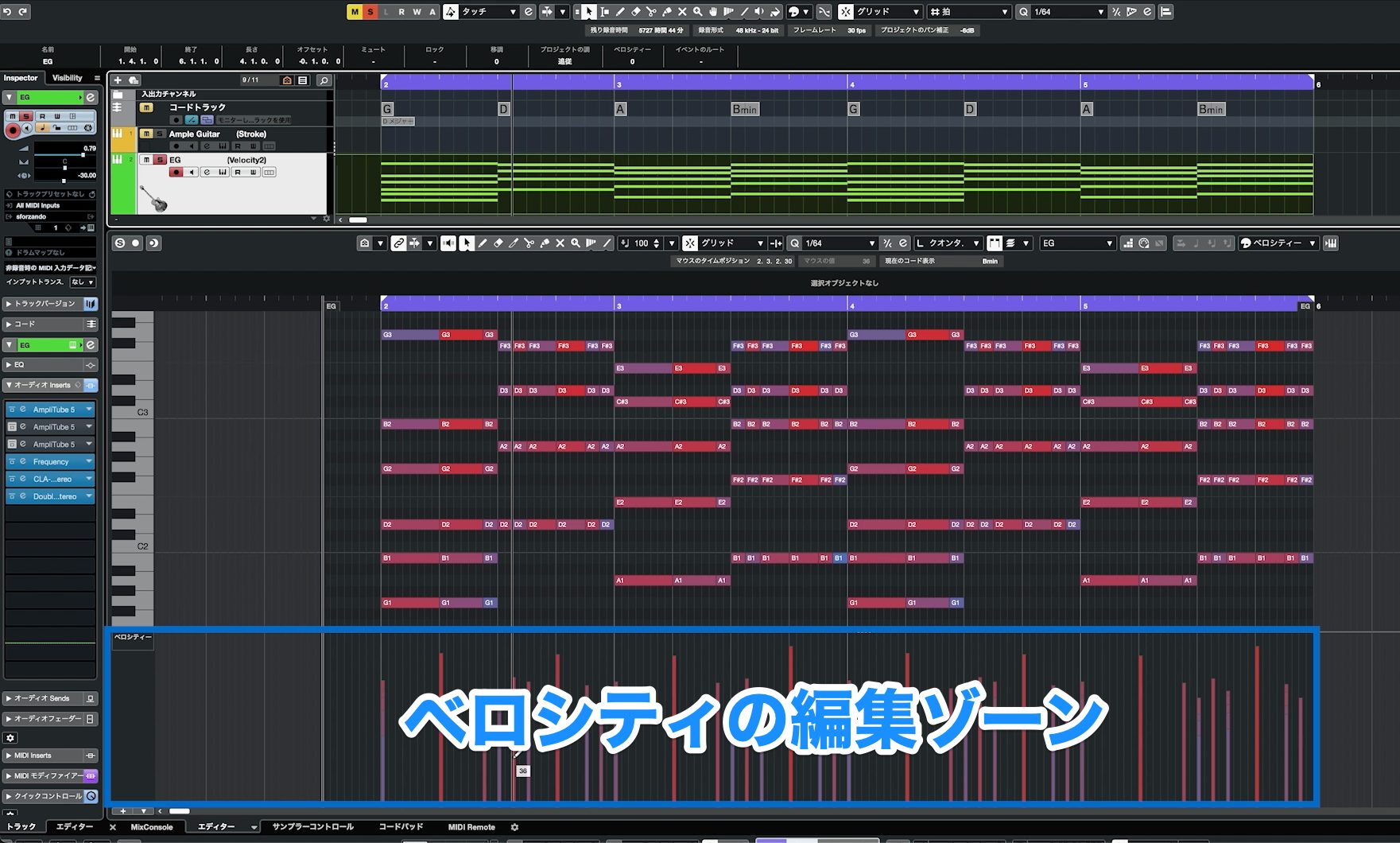
Control the dynamics with Velocity at the bottom of the Key Editor or piano roll.
Higher velocity values produce stronger notes; lower values produce softer notes.
Shape the Dynamics of the Phrase
First, let's shape the dynamics across the phrase.
Listen while adjusting velocity to decide which points in the rhythm should sound stronger or softer.
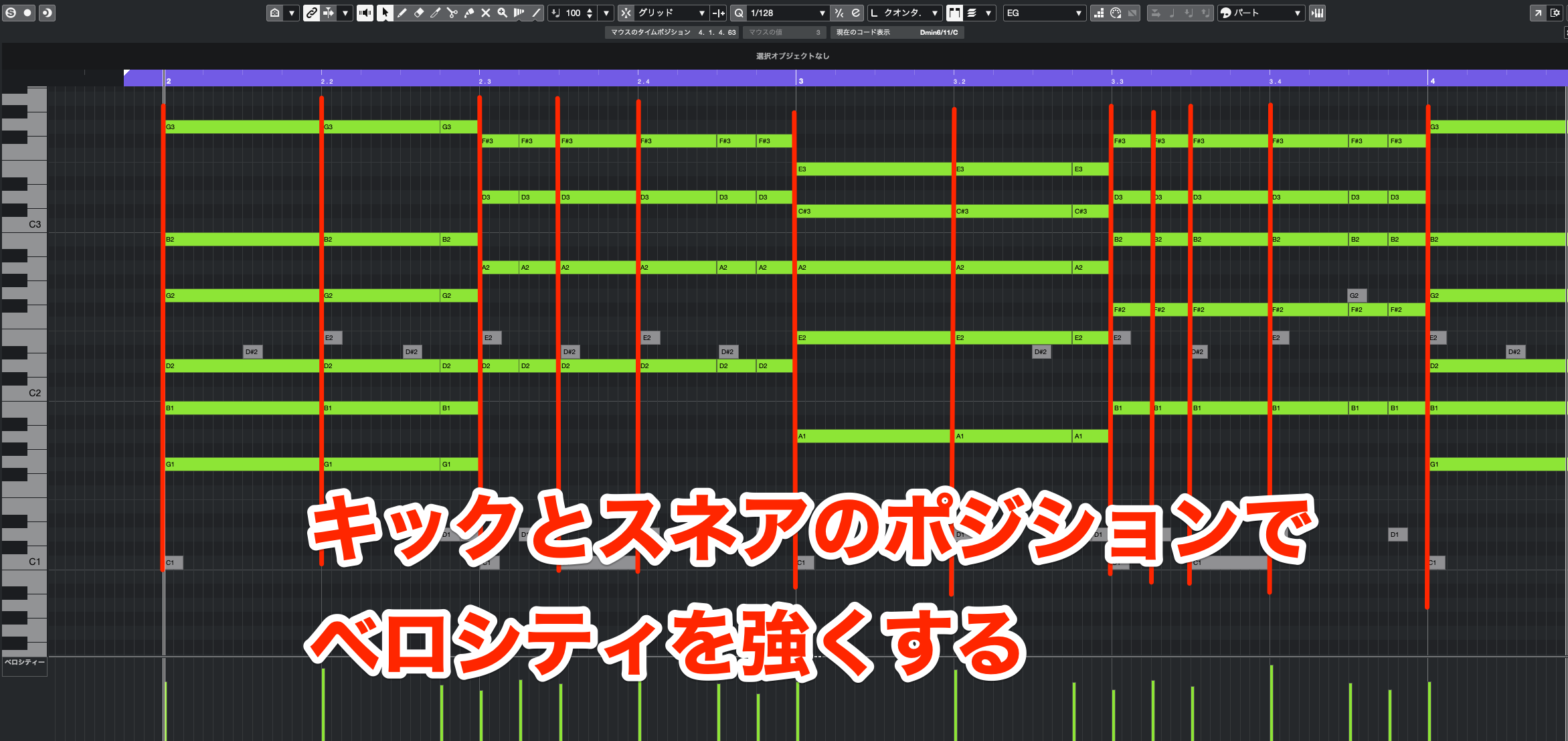
If you're unsure where to place accents, use the drum part as a guide and emphasize notes that coincide with the kick or snare.
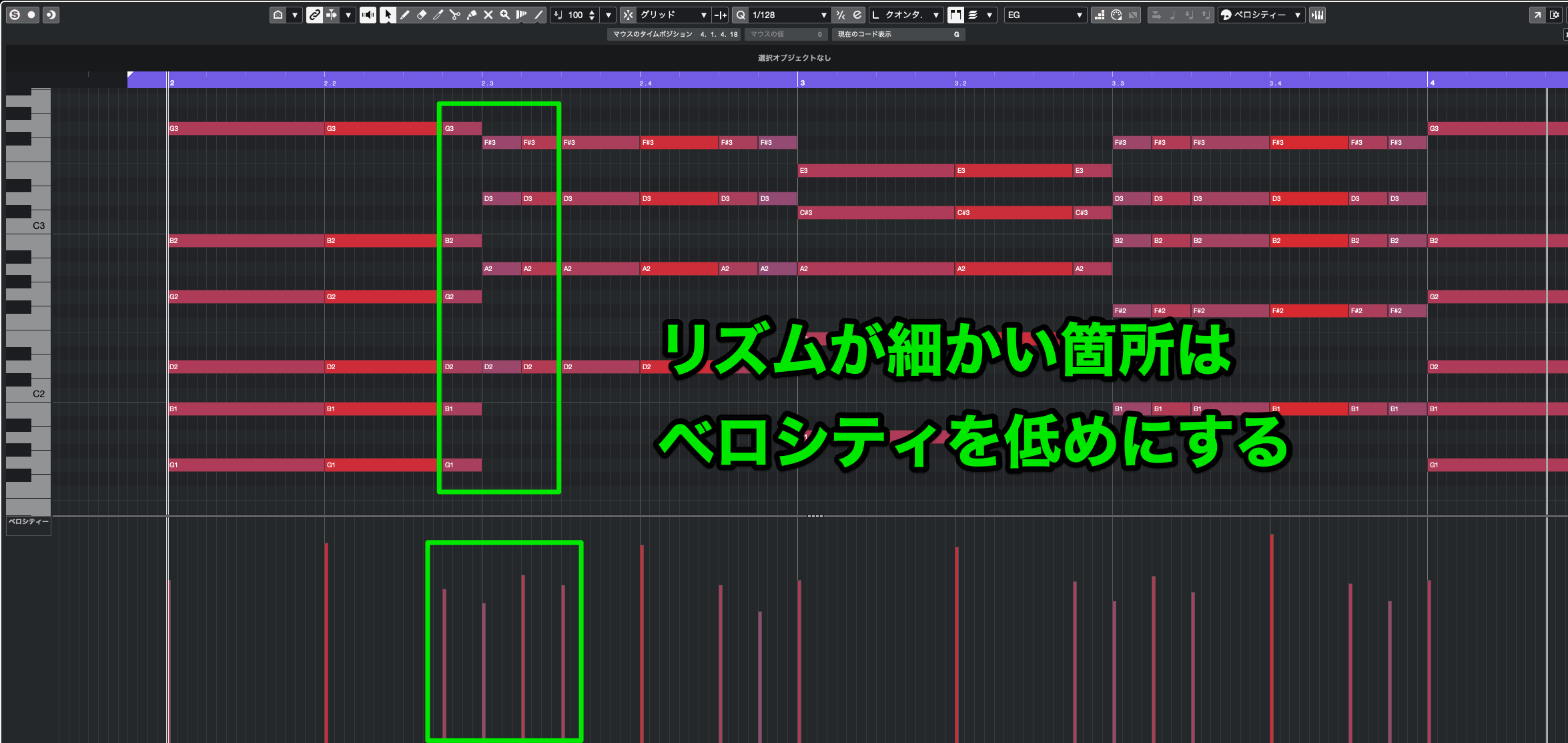
Guitarists also tend to play more lightly in faster rhythmic passages. Set a lower velocity for runs of sixteenth notes like these.
Vary the Strength of Individual Strings
Next, add dynamic variation between the strings.
When a guitarist plays a chord, the force applied to each string isn't identical; it varies with the playing technique.
Even with the same chord, emphasizing the higher or lower strings can make the part feel more like a live performance.
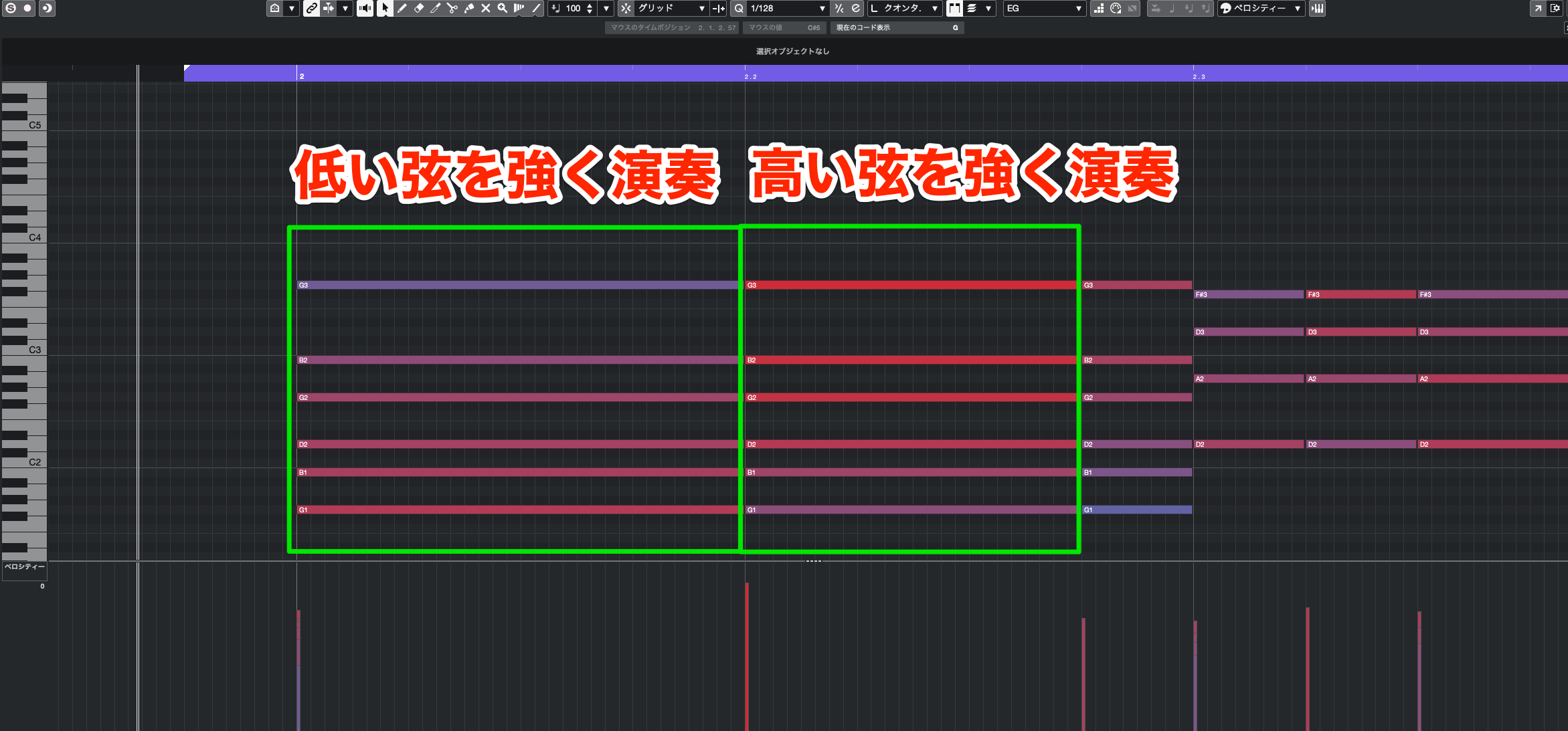
To emphasize the top note, give it the highest velocity and gradually increase the values from the lowest note to the highest.
To emphasize the bottom note, give it the highest velocity and gradually increase the values from the highest note down to the lowest.
If you're unsure when to emphasize high or low notes, think of the guitar as a drum kit.
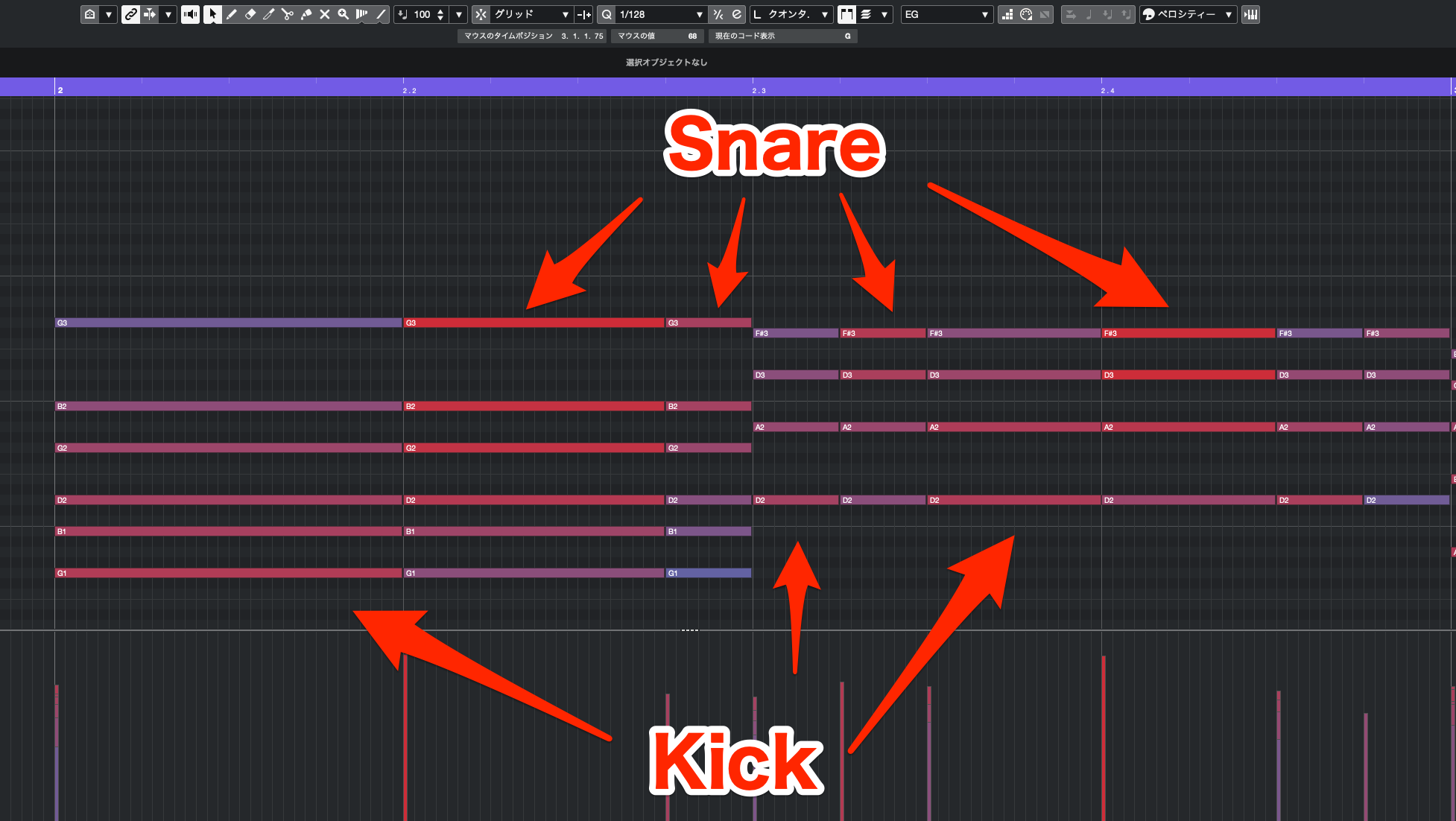
Imagine the low notes as the kick and the high notes as the snare, and translate the guitar rhythm into that pattern.
Step 3: Timing Offsets
The third basic step is to offset the timing of individual strings.
In a strummed guitar chord, the strings don't all sound at exactly the same moment as they can on a piano; there are small delays between them.
A downstroke moves downward across the strings, while an upstroke moves upward. Program the note order accordingly.
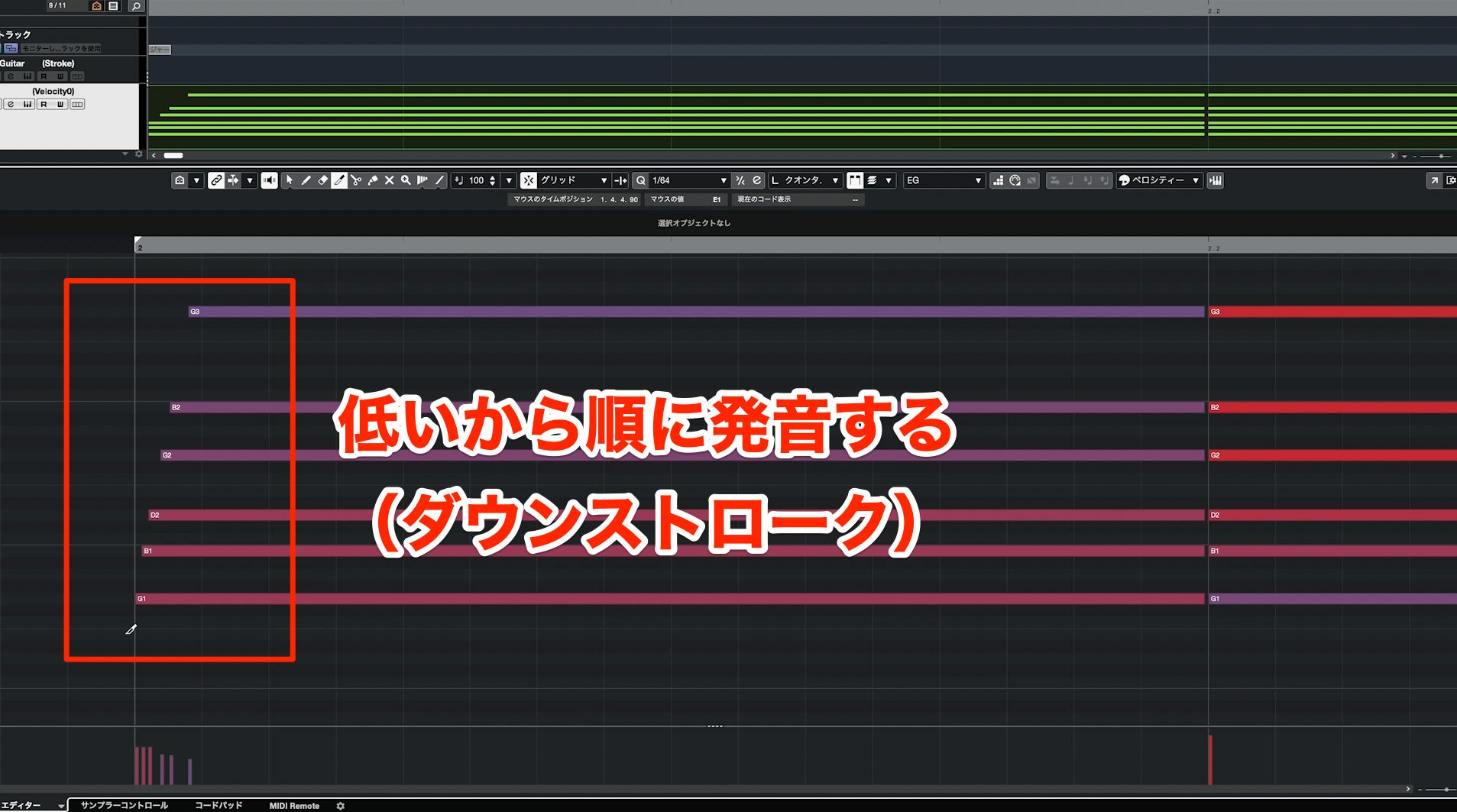
For a downstroke, offset the notes from low to high.
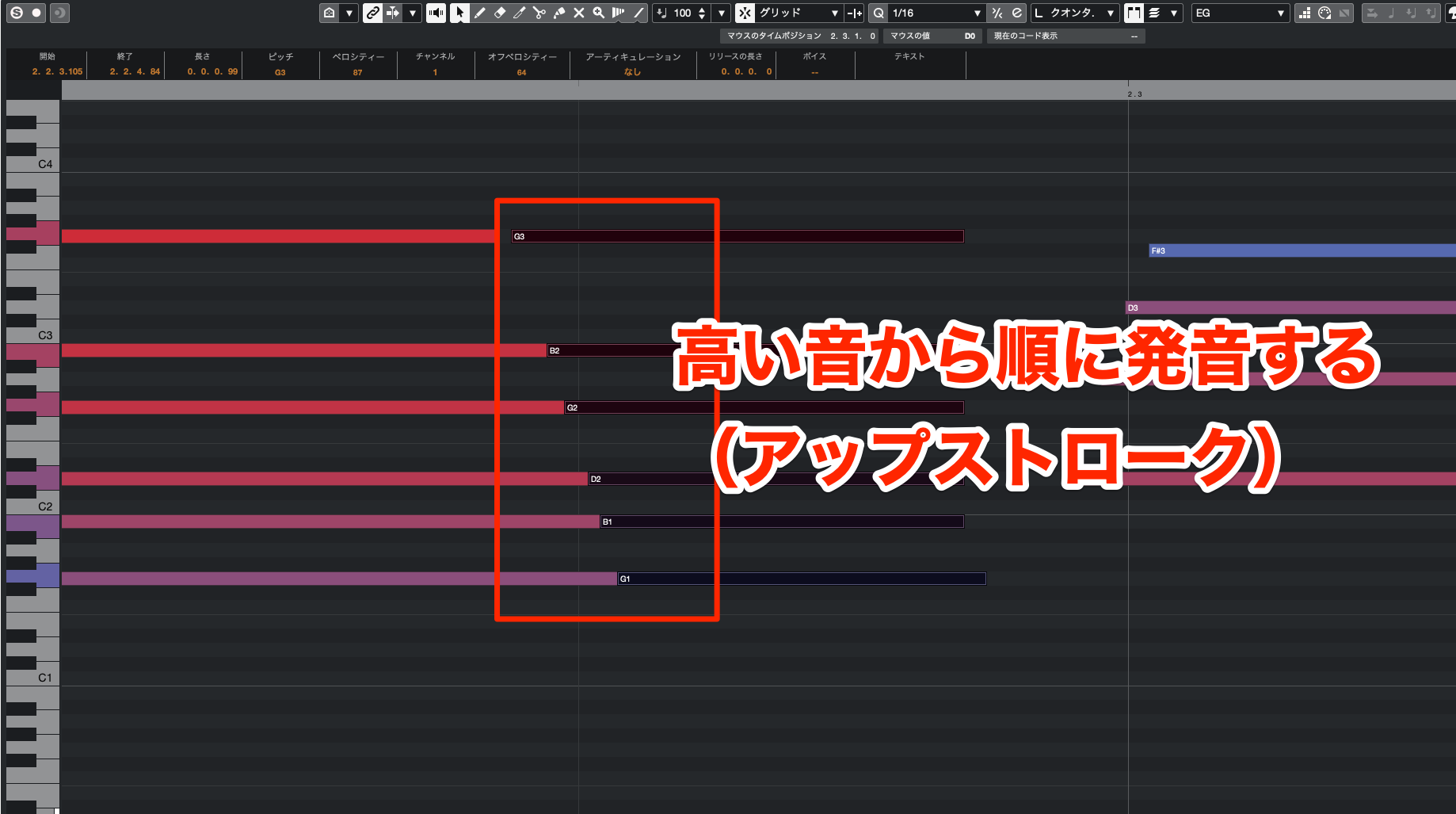
For an upstroke, offset the notes from high to low.
The gaps between strings aren't identical in every strum. They vary with the strength of the stroke, so recreate that variation as well.
A forceful strum typically moves across the strings faster, so use smaller timing gaps. A gentler strum moves more slowly, so use wider gaps.
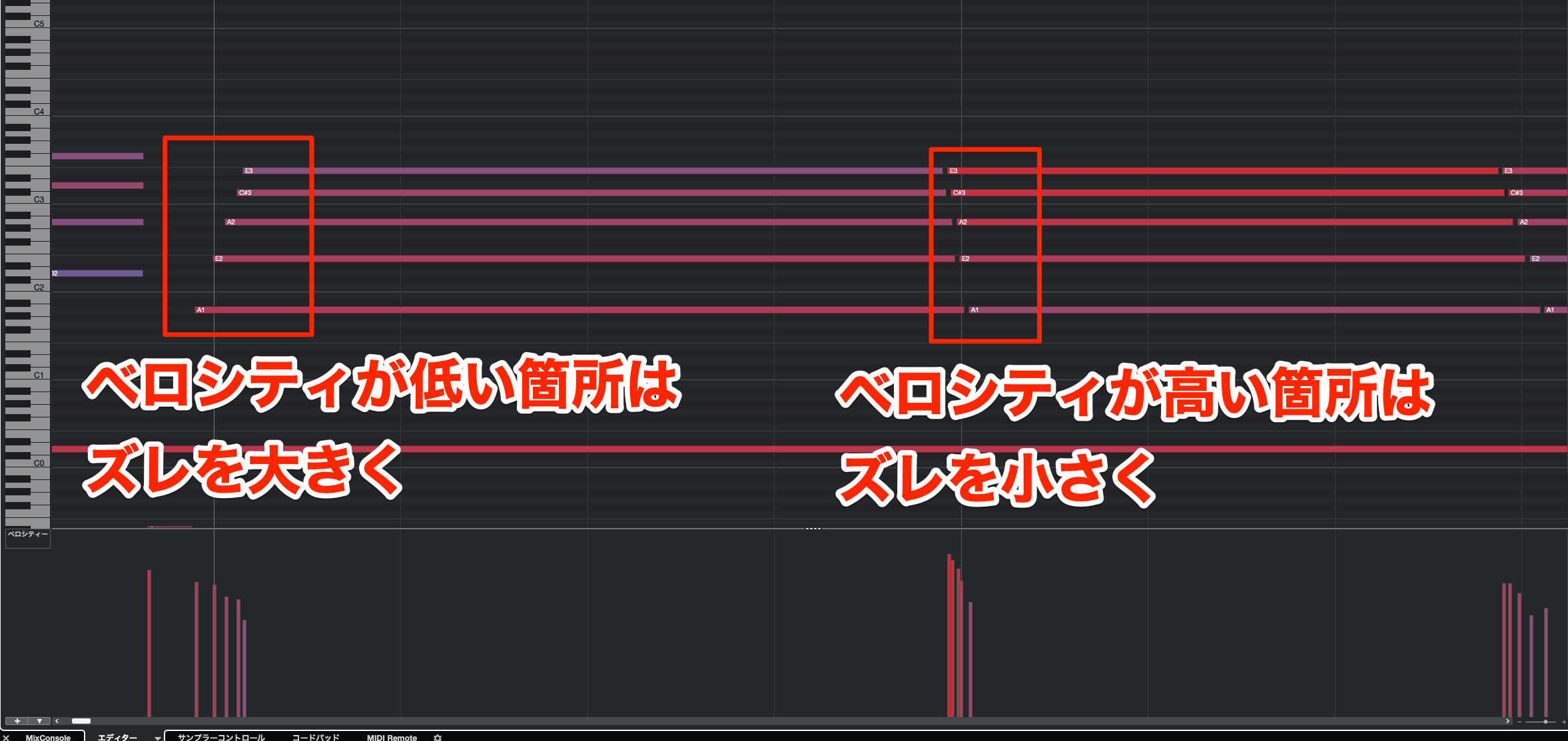
Use the phrase dynamics you set earlier as a guide: reduce the gaps at higher velocities and increase them at lower velocities.
This adds another layer of realism.
Applications — Step 1: Programming Strums
From here, we'll apply the basics to different styles of guitar accompaniment.
Guitar backing parts use a wide range of playing styles depending on the genre and song, and each calls for different programming choices.
We'll focus on a selection of familiar, commonly used techniques.
Strumming
First is strumming: playing chords with downstrokes and upstrokes.
It's a staple of singer-songwriter accompaniment, pop, and many other styles.
Because it's used on both acoustic and electric guitars, it's a fundamental accompaniment technique.
The part we programmed in the first half uses strumming. Let's listen again.
Strummed Chord Backing
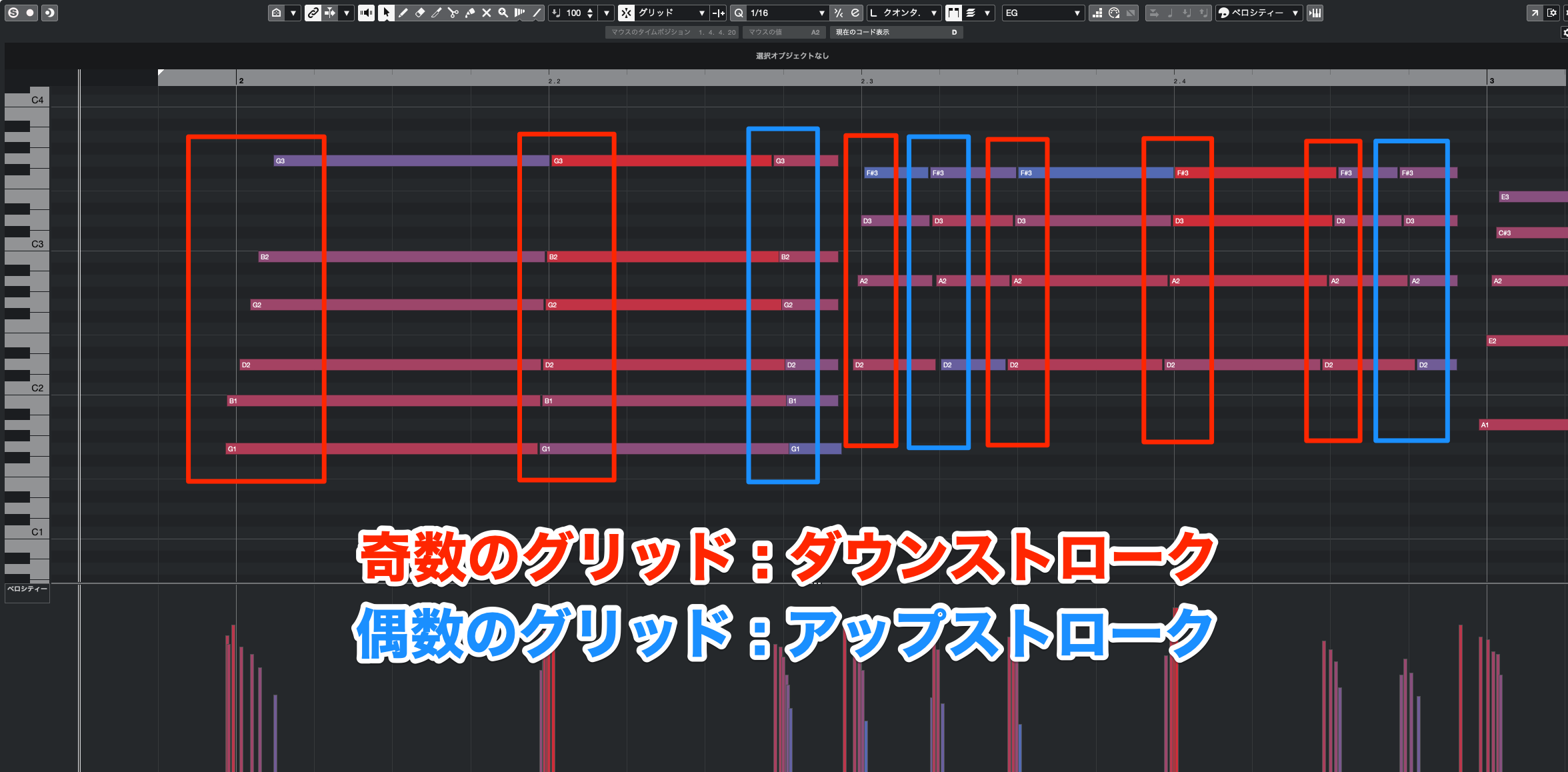
In this pattern, odd-numbered positions on the sixteenth-note grid—1, 3, 5, and so on—use downstrokes, while even-numbered positions use upstrokes.
Let's break down the programming process.
Set the grid to the smallest rhythmic subdivision you want to use.
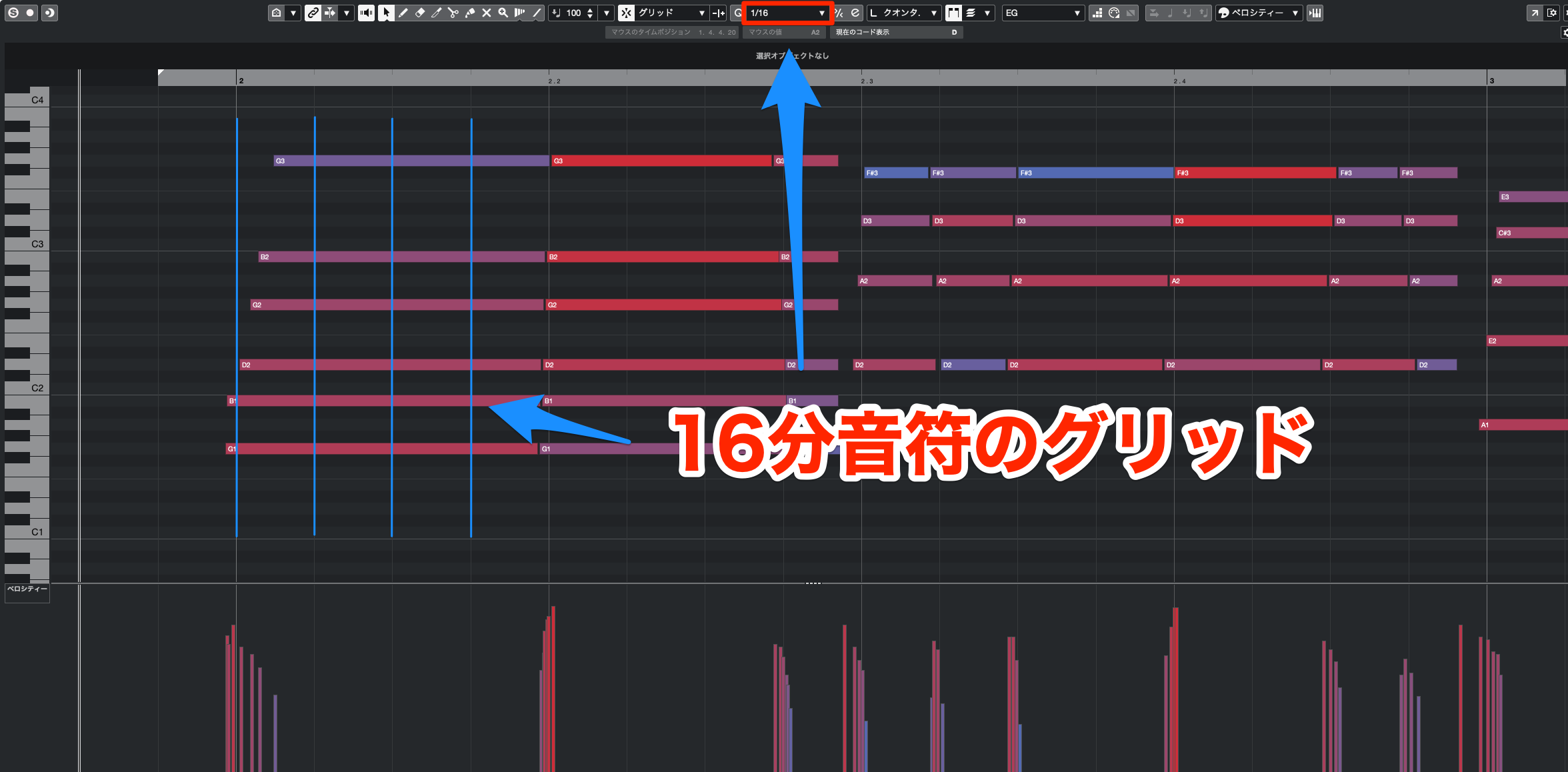
The smallest subdivision in this example is a sixteenth note, so set the grid to 1/16.
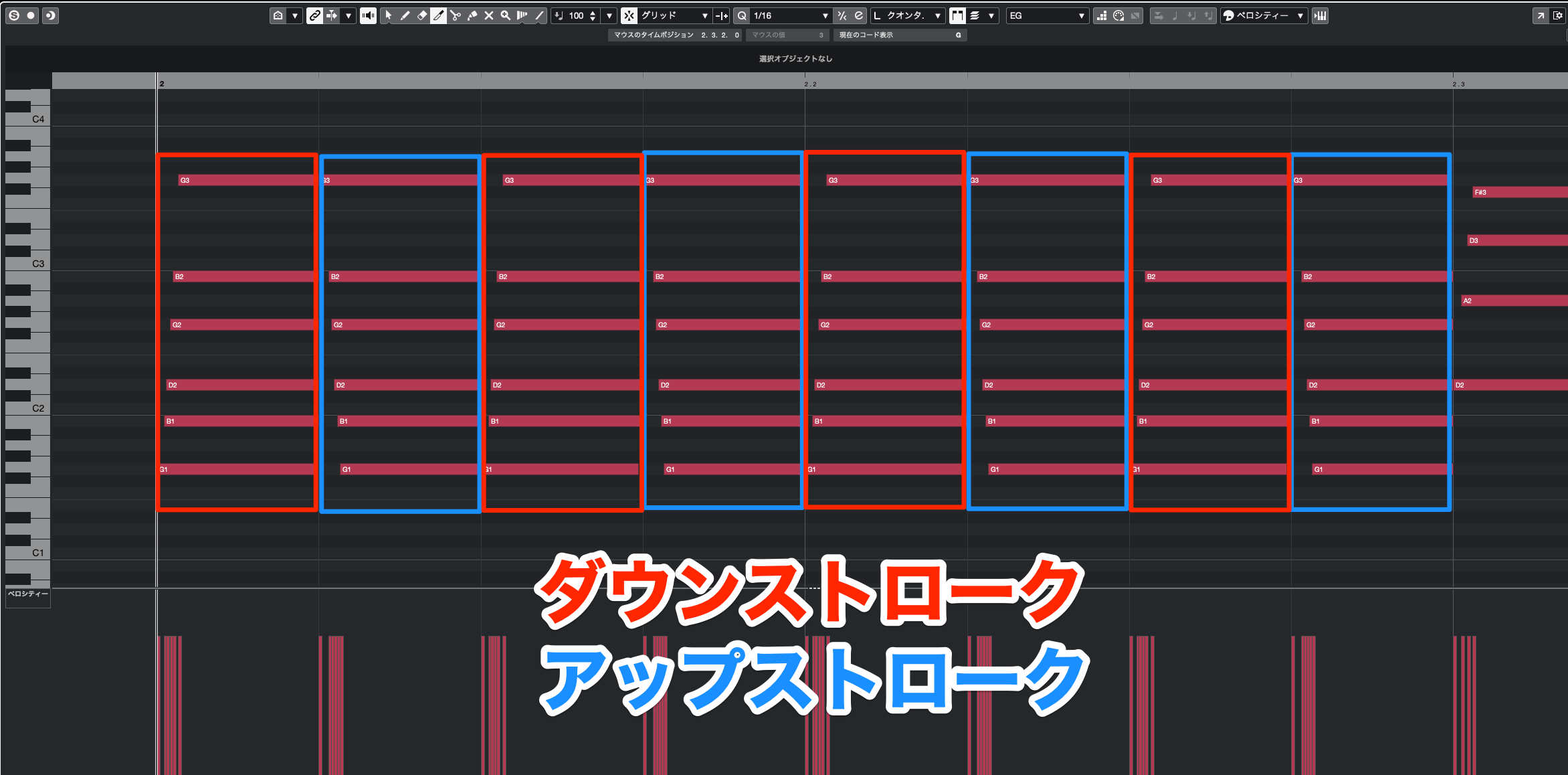
Initially, enter a strum at every grid position, alternating downstrokes and upstrokes.
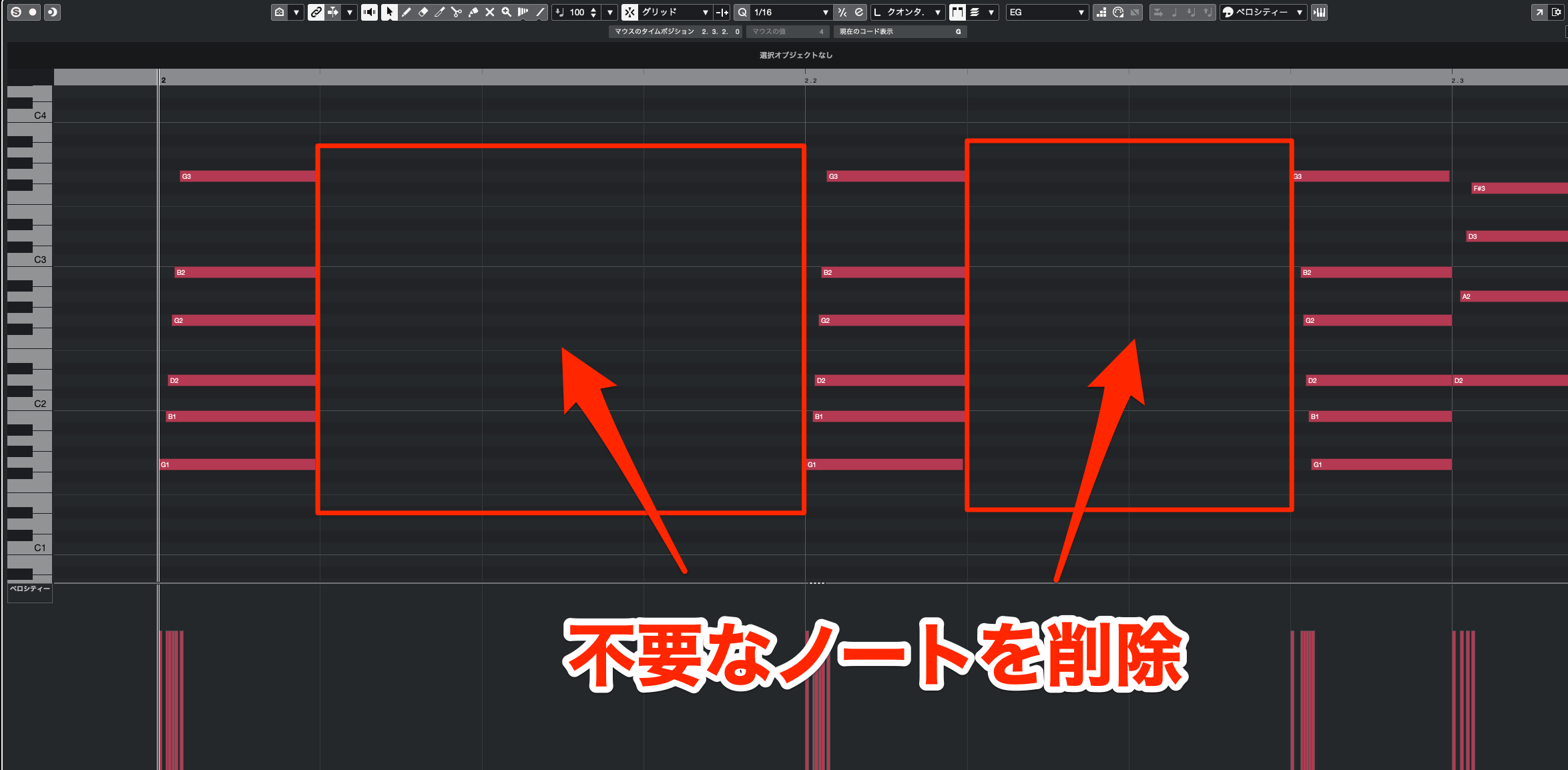
Then delete unnecessary notes to shape the backing pattern you want.
If you're unsure how to build the pattern, start by retaining strums that coincide with the kick and snare. Linking the guitar to the drums helps create a stable groove.
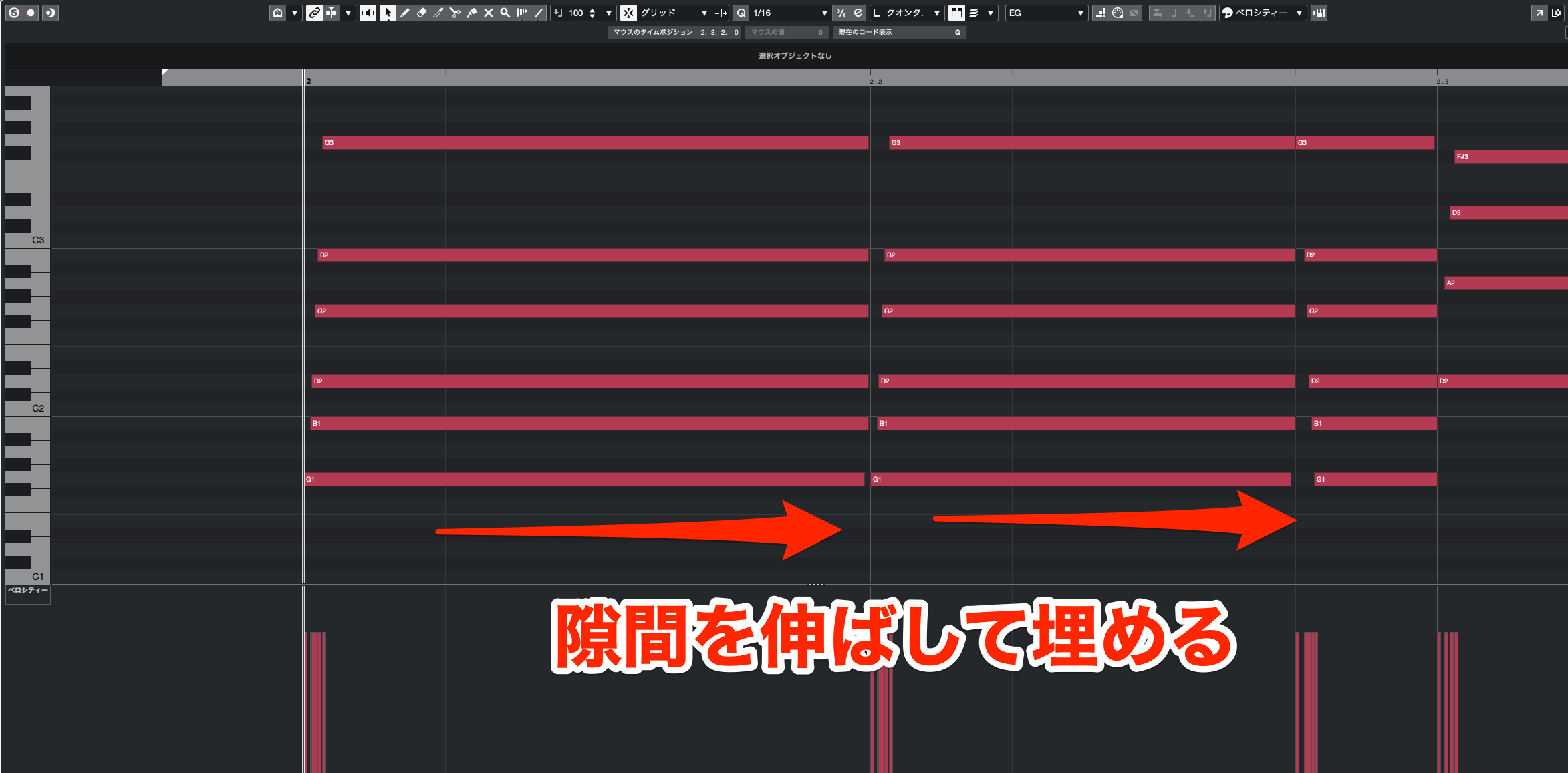
Extend the remaining notes to fill the gaps.
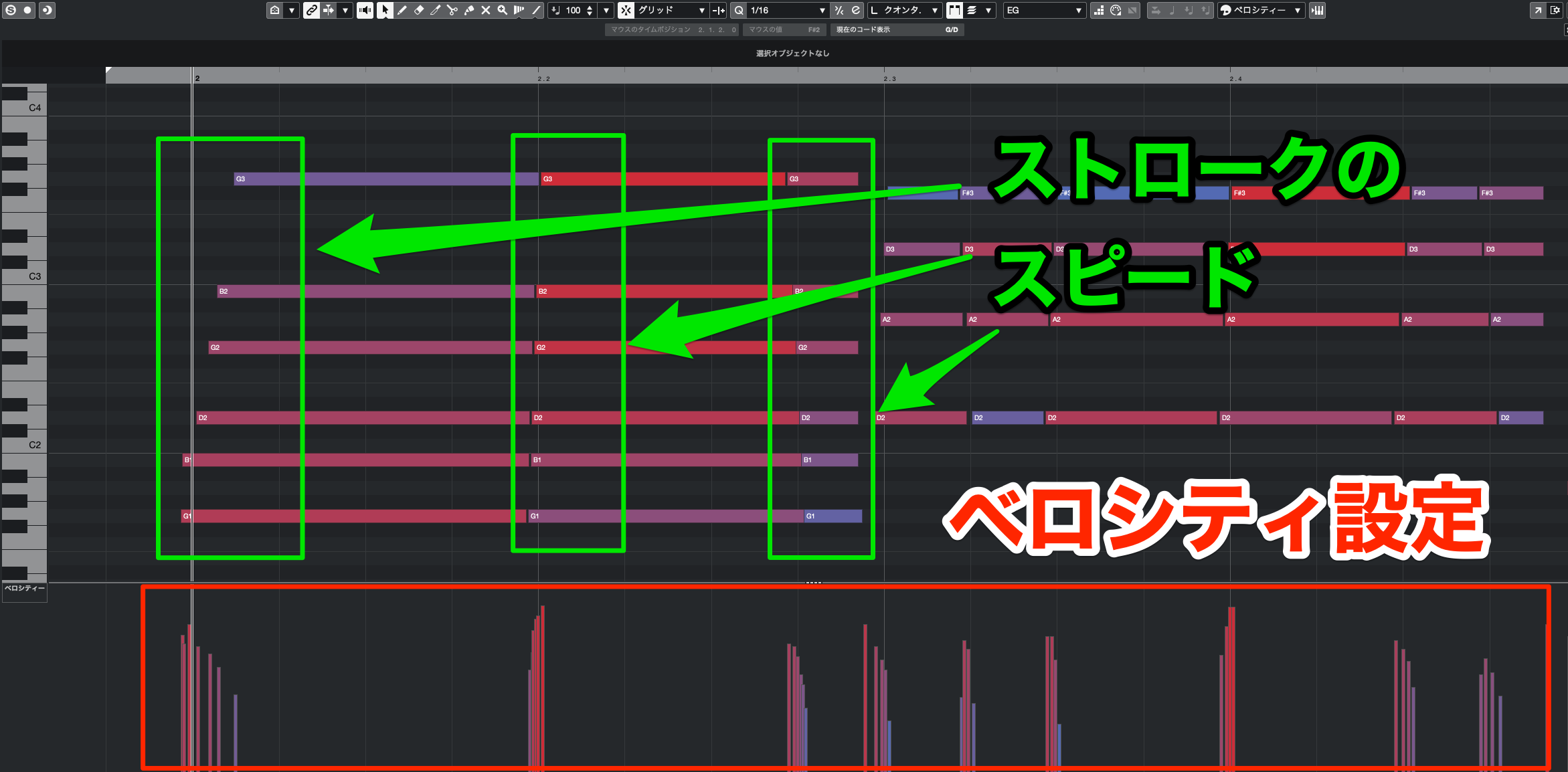
Finally, add phrase dynamics, variation between strings, and strum-speed adjustments as described earlier.
Recreate Chord Changes
The basic strumming pattern is ready, but one more detail can make it more realistic.
When changing chords, guitarists release the strings and place their fingers in the next position. This can create a brief break in the sound.
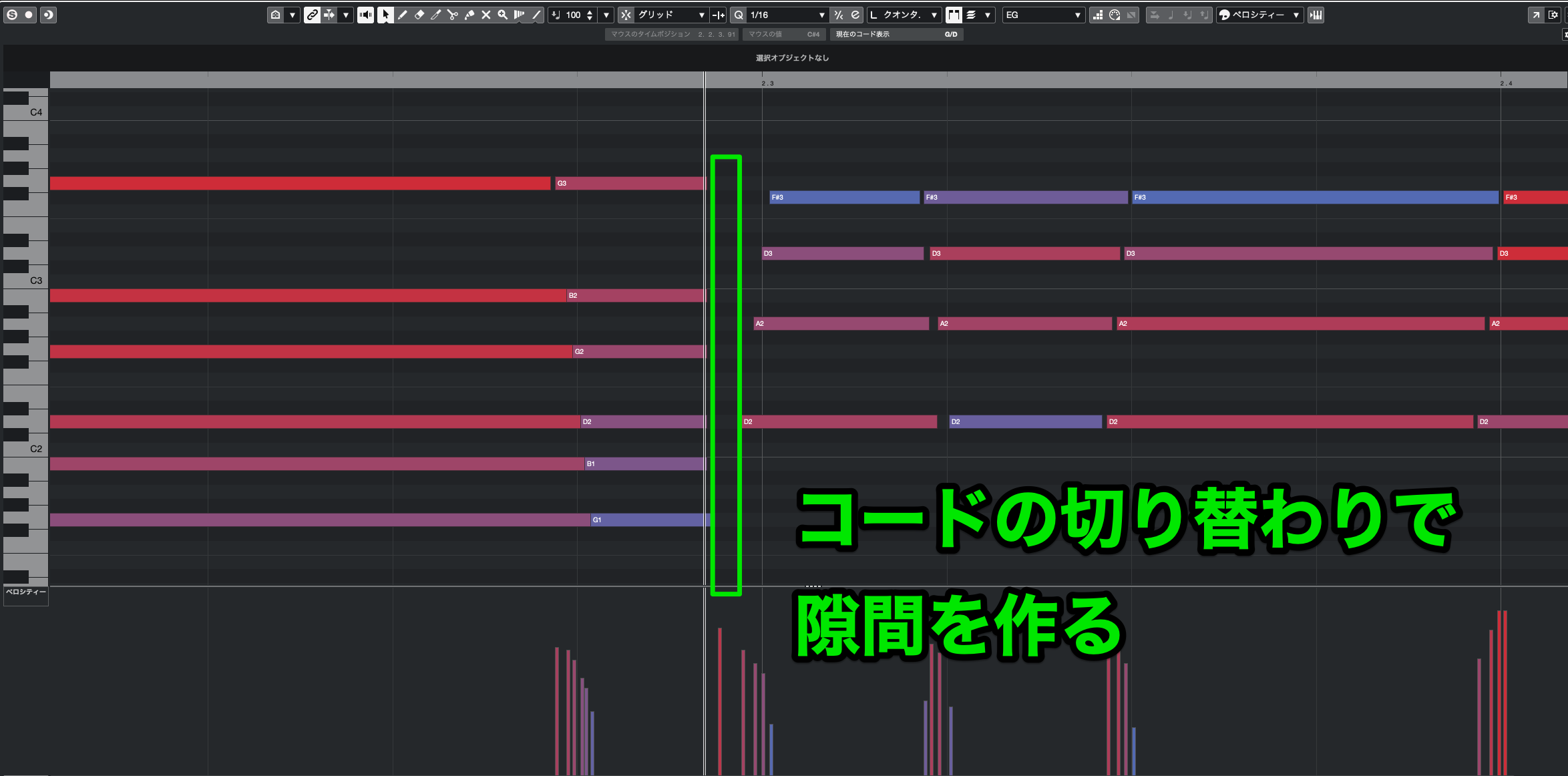
Recreate that by shortening the notes immediately before a chord change.
The length of this gap varies with the player's skill and technique.
Listen as you adjust it, avoiding an unnaturally abrupt interruption.
Adding fret noise is another useful way to make chord changes sound realistic.
Not every instrument supports it, but it can add the nuance of an actual performance.
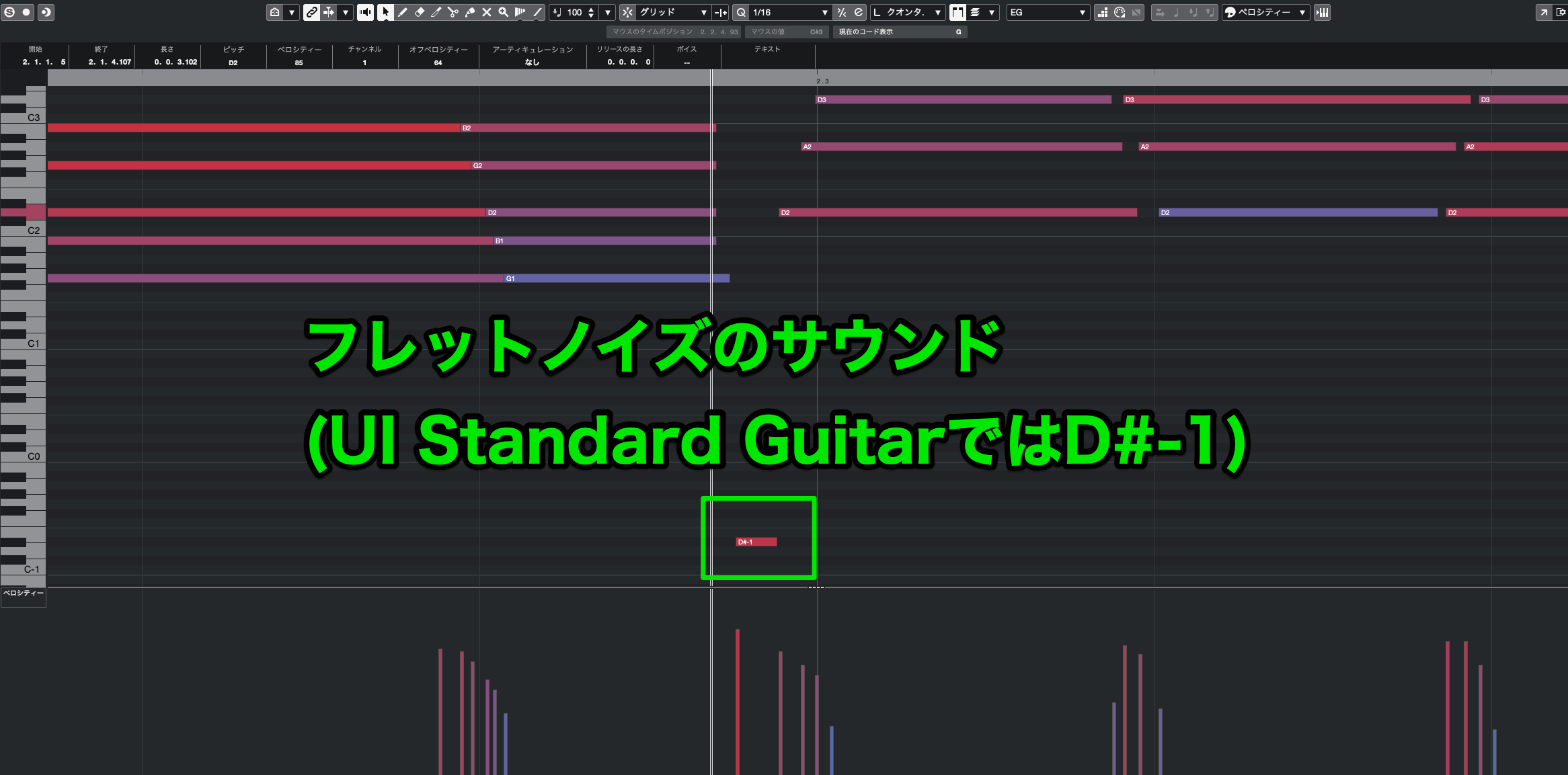
In UI Standard Guitar, entering D#-1 triggers a fret-noise sound.
Real guitarists don't produce fret noise at every chord change, but adding it is a useful starting point when programming.
Applications — Step 2: Programming Arpeggios
An arpeggio breaks a chord into individual notes played one at a time.
Arpeggiated Chord Backing
This is another common technique on both electric and acoustic guitar.
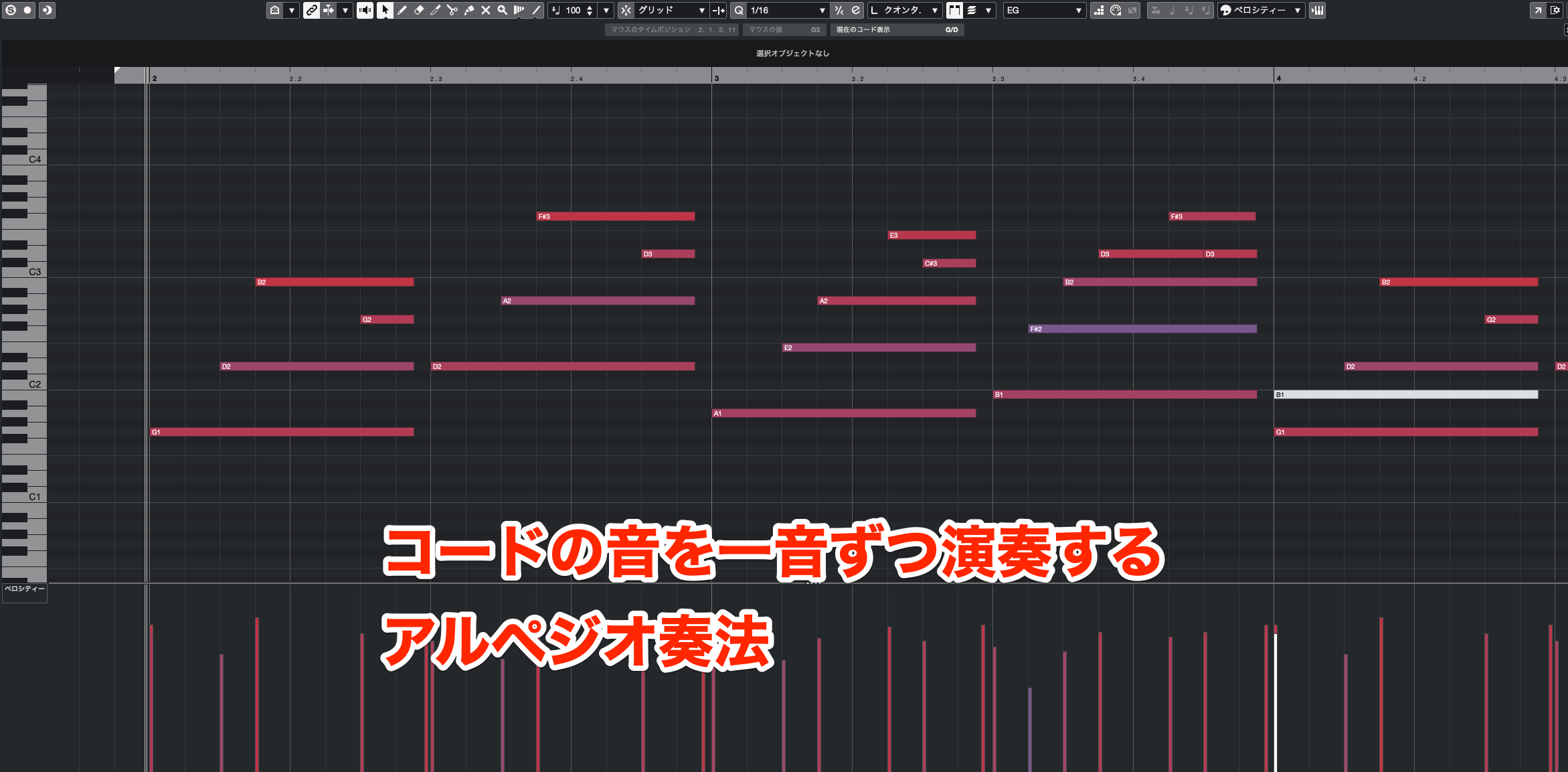
In the demo, the notes of the chord used for strumming are entered individually.
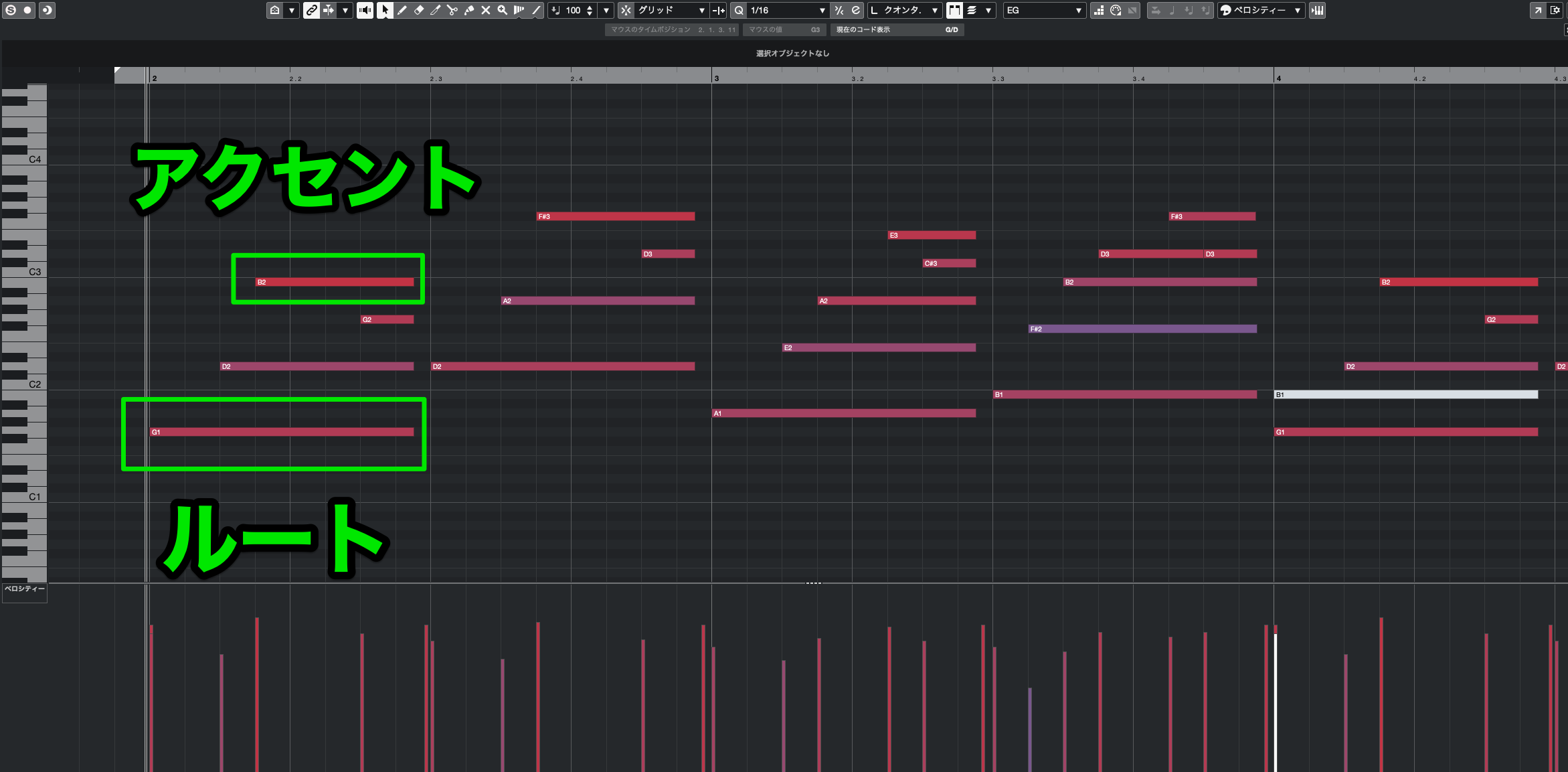
A common pattern starts with the root note and places the highest note at points you want to accent.
Repeating a consistent rhythmic pattern generally makes the accompaniment feel more stable.
Arpeggios sound less dense and more delicate than strumming, making them well suited to quieter sections when used as the main backing part.
Applications — Step 3: Programming Power Chords
Power chords use only the root and fifth and are a staple of rock.
Rock also frequently mixes in palm-muted notes to create rhythmic contrast. Palm muting uses the picking hand to damp the strings near the bridge.
Power-Chord Backing
Power Chords with Palm Muting
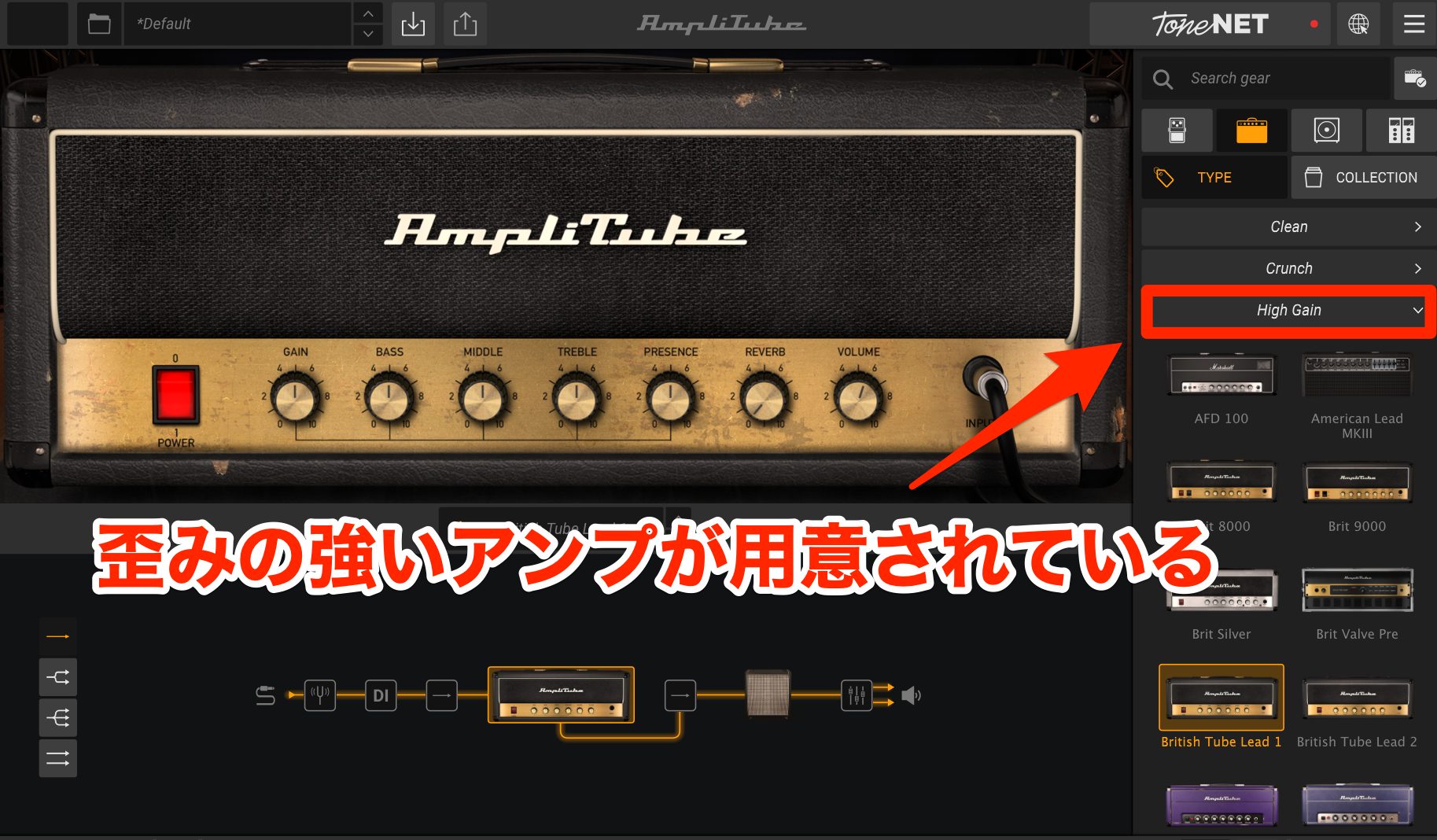
Power chords work particularly well with heavily distorted, high-gain sounds.
They can sound full with relatively few notes. Distortion creates complex overtones, so adding thirds, sevenths, and other chord tones can make a dense voicing sound muddy.
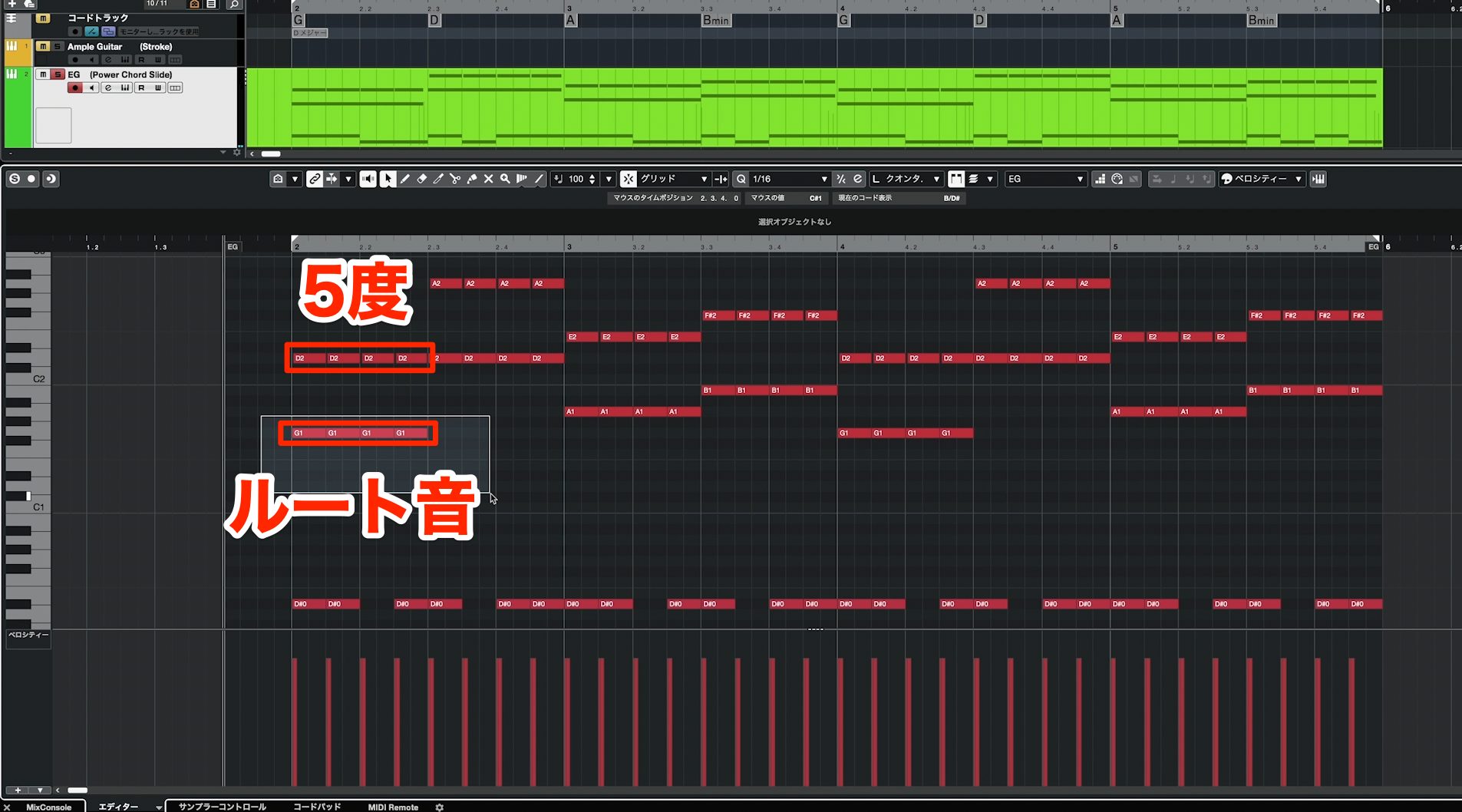
Programming is straightforward: add a fifth above the root. Rock and metal often use these chords in a low register.
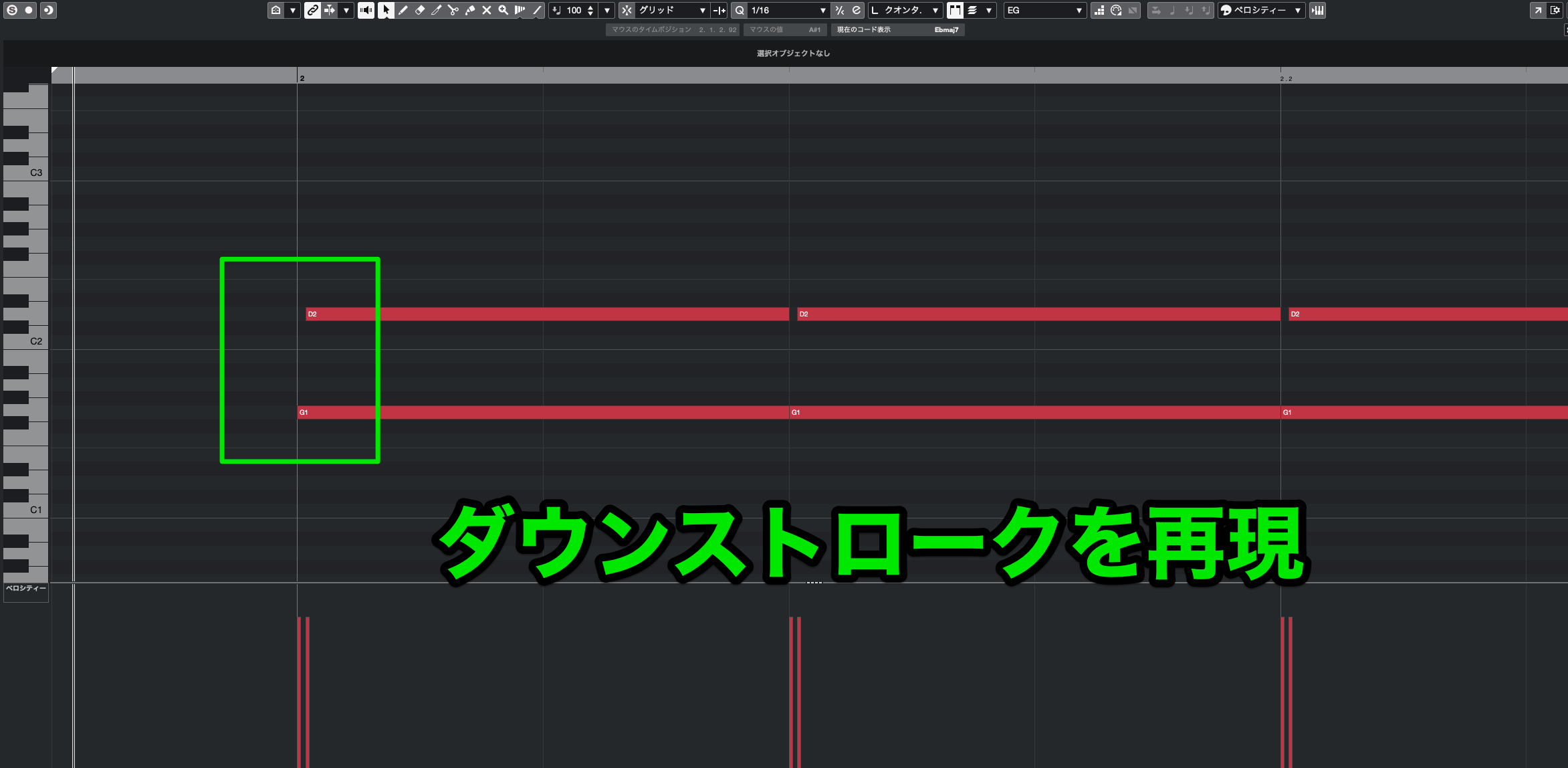
Use mainly downstrokes for a tight, steady rhythm.
Combining Power Chords with Palm Muting
Let's add palm-muted notes to the power-chord pattern.
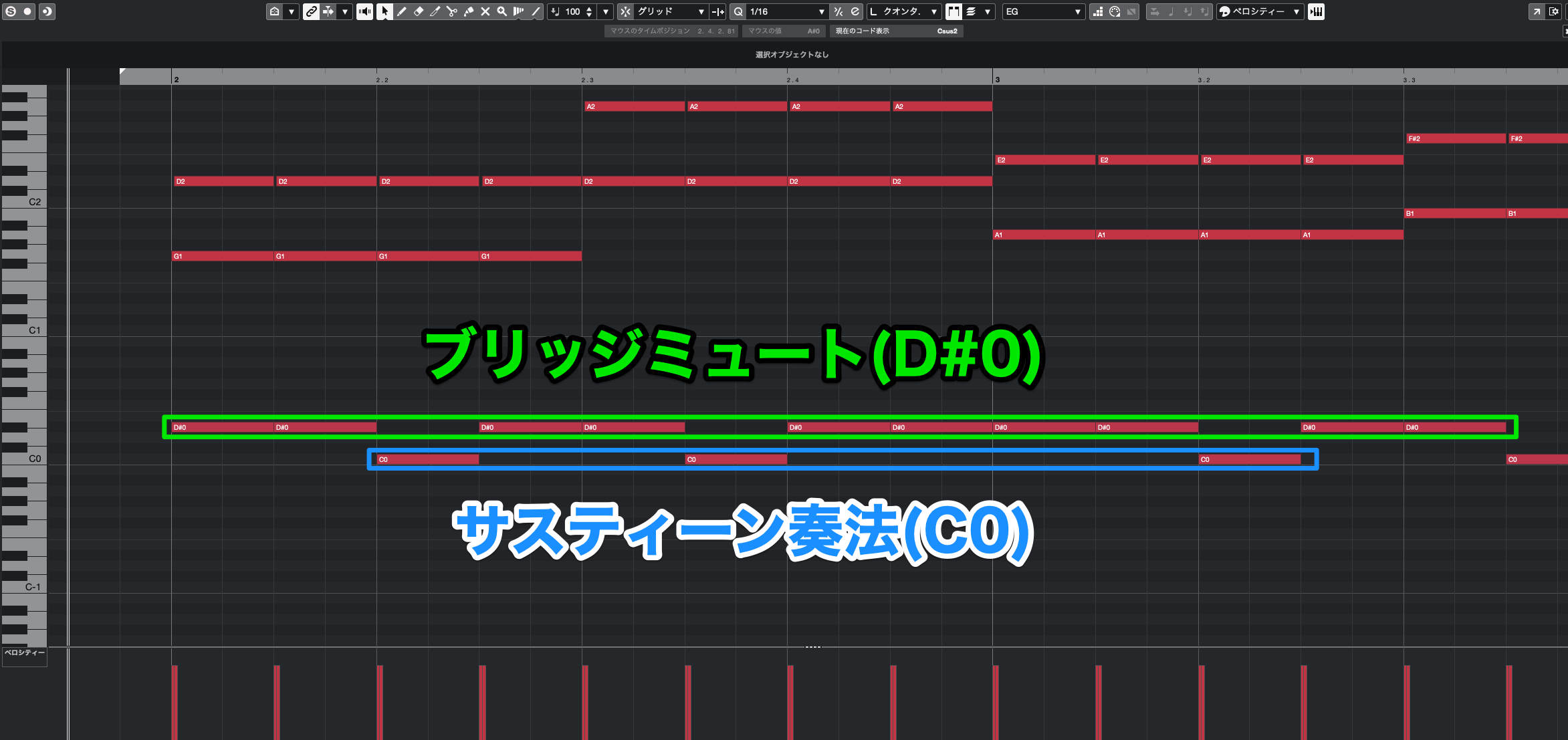
Not every instrument can reproduce this, but in UI Standard Guitar, the D#0 keyswitch changes the played notes to palm-muted notes.
C0 switches back to normal sustain. Alternate between the two to create contrast in your backing part.
Adding Slides
Slides are common when moving between power chords.
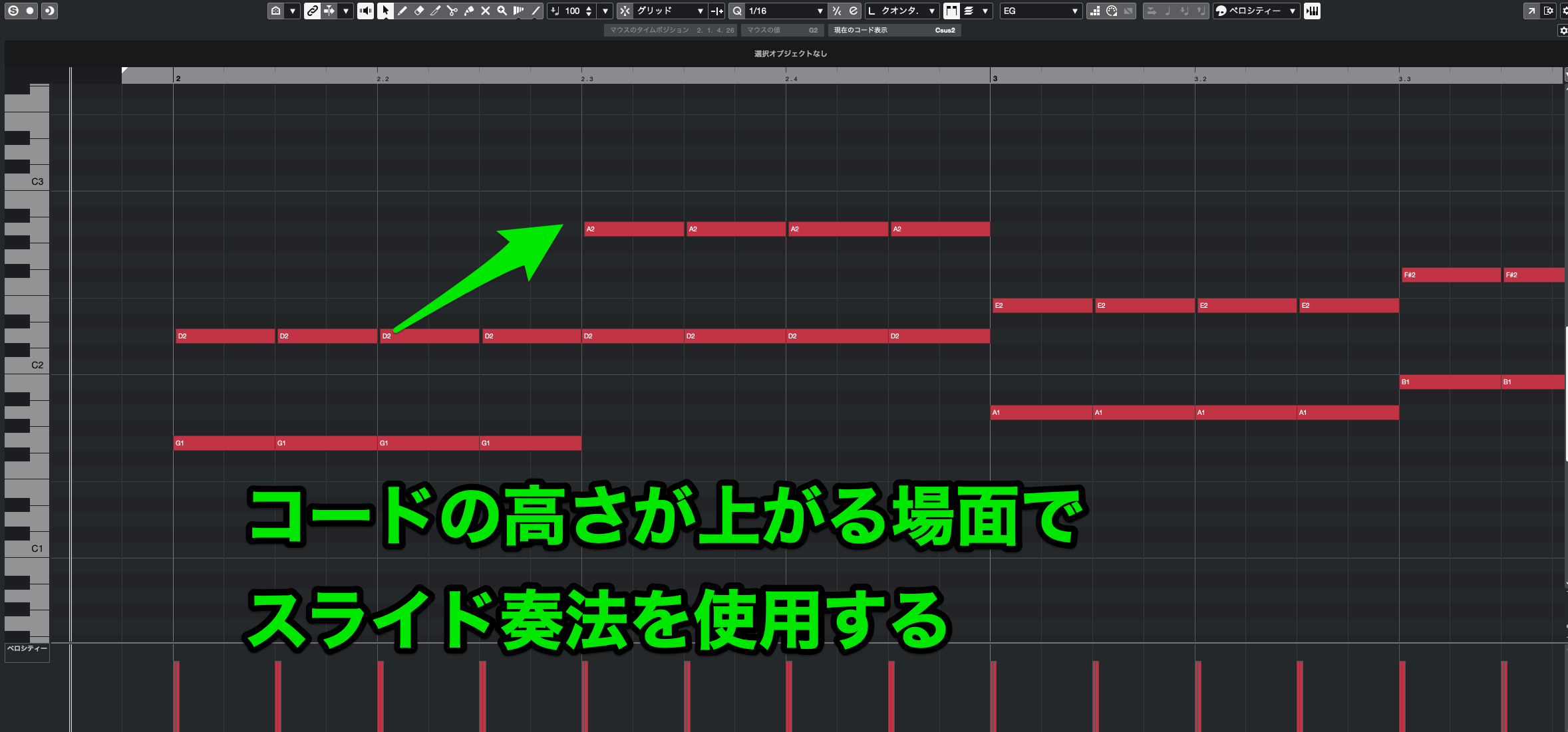
They're especially useful for adding momentum when moving to a higher chord or for connecting two chords smoothly.
Sliding is characteristic of string instruments, so recreating it can bring programmed parts closer to a live performance.
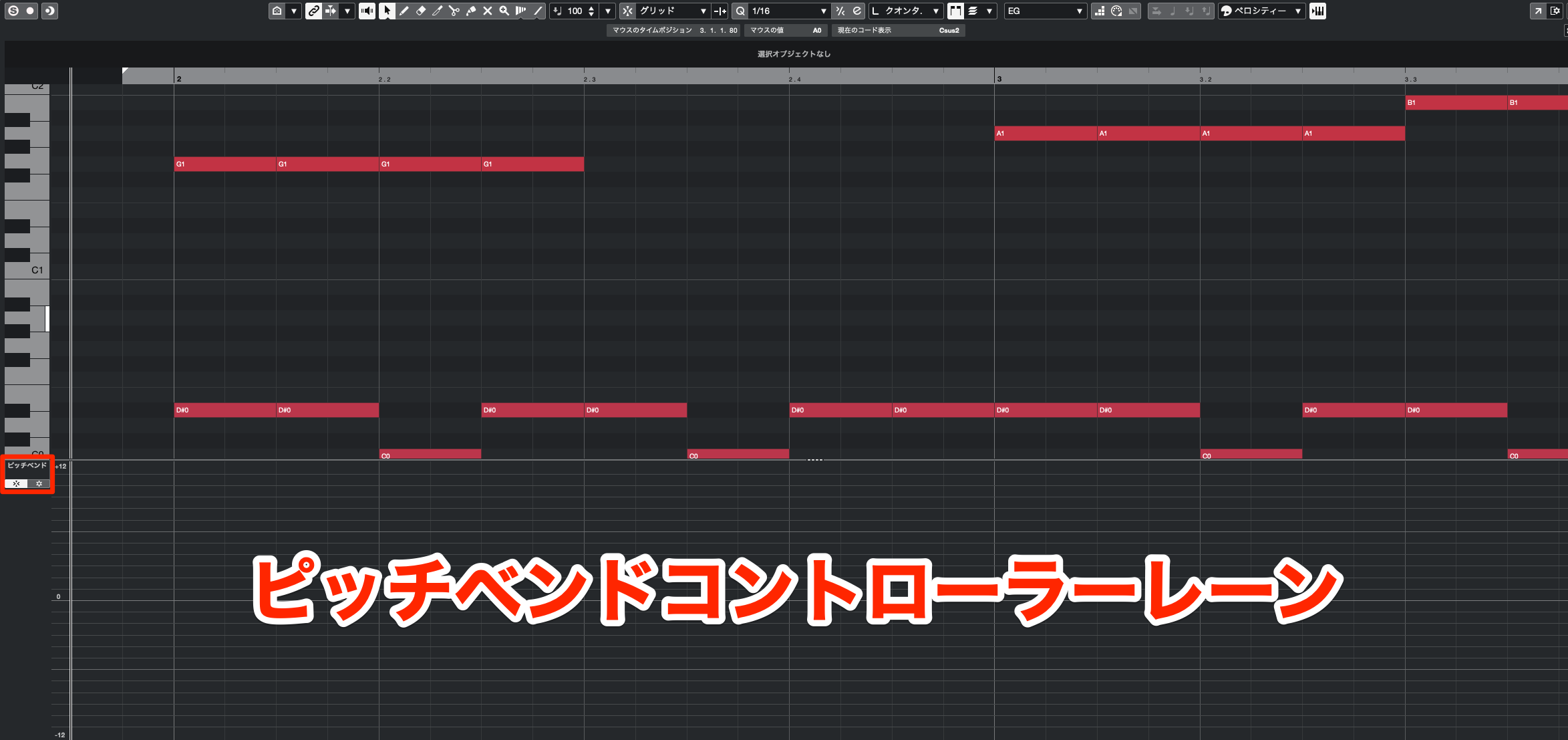
Here, we'll imitate a slide with pitch bend, which raises or lowers the pitch.
First, set how far the instrument's pitch changes when pitch bend reaches its maximum or minimum value.
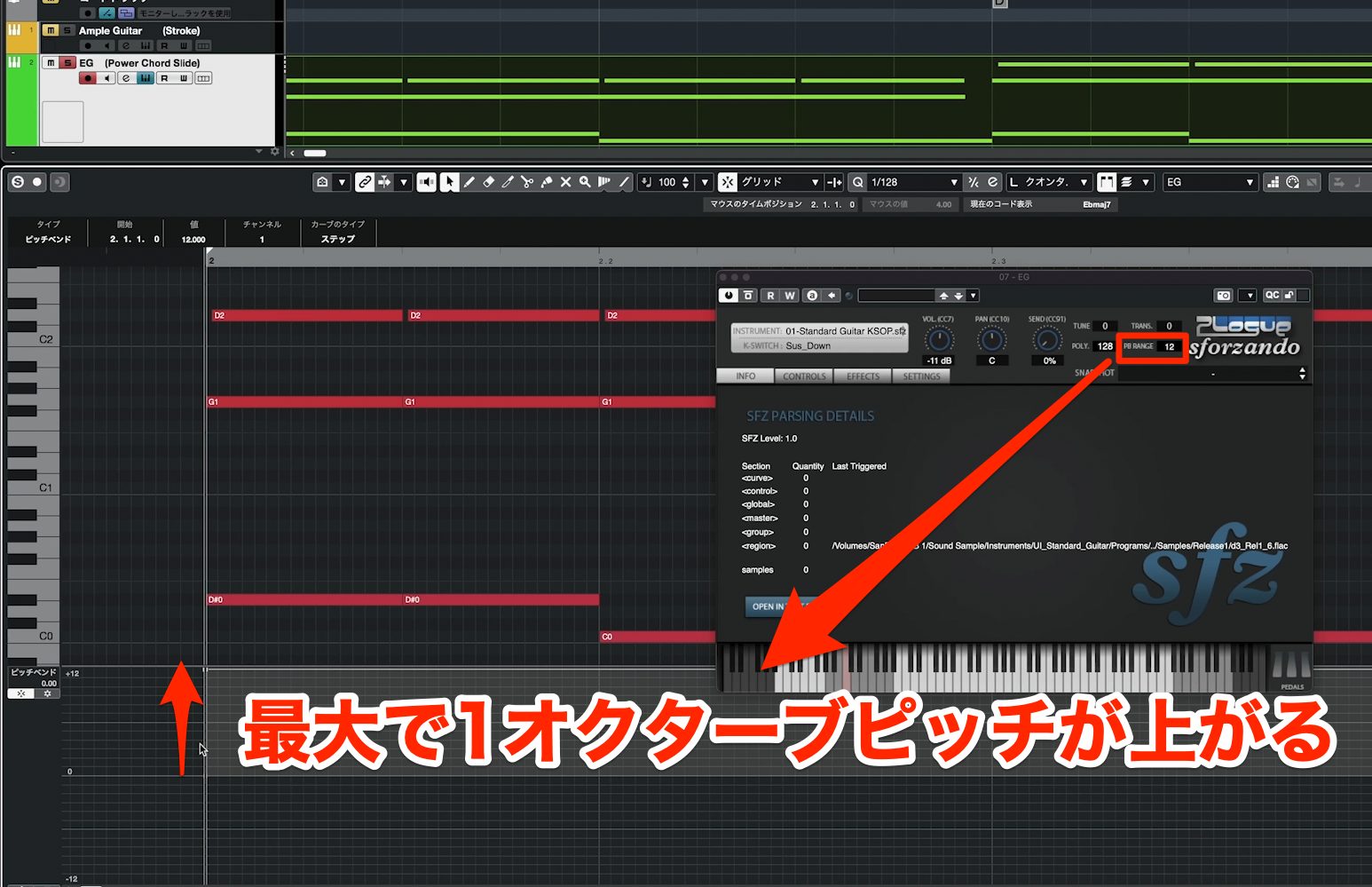
In UI Standard Guitar, set PB Range at the upper right of the window to 12. Maximum and minimum pitch bend will then move the pitch up or down by an octave—12 semitones.
Now enter the pitch-bend data.
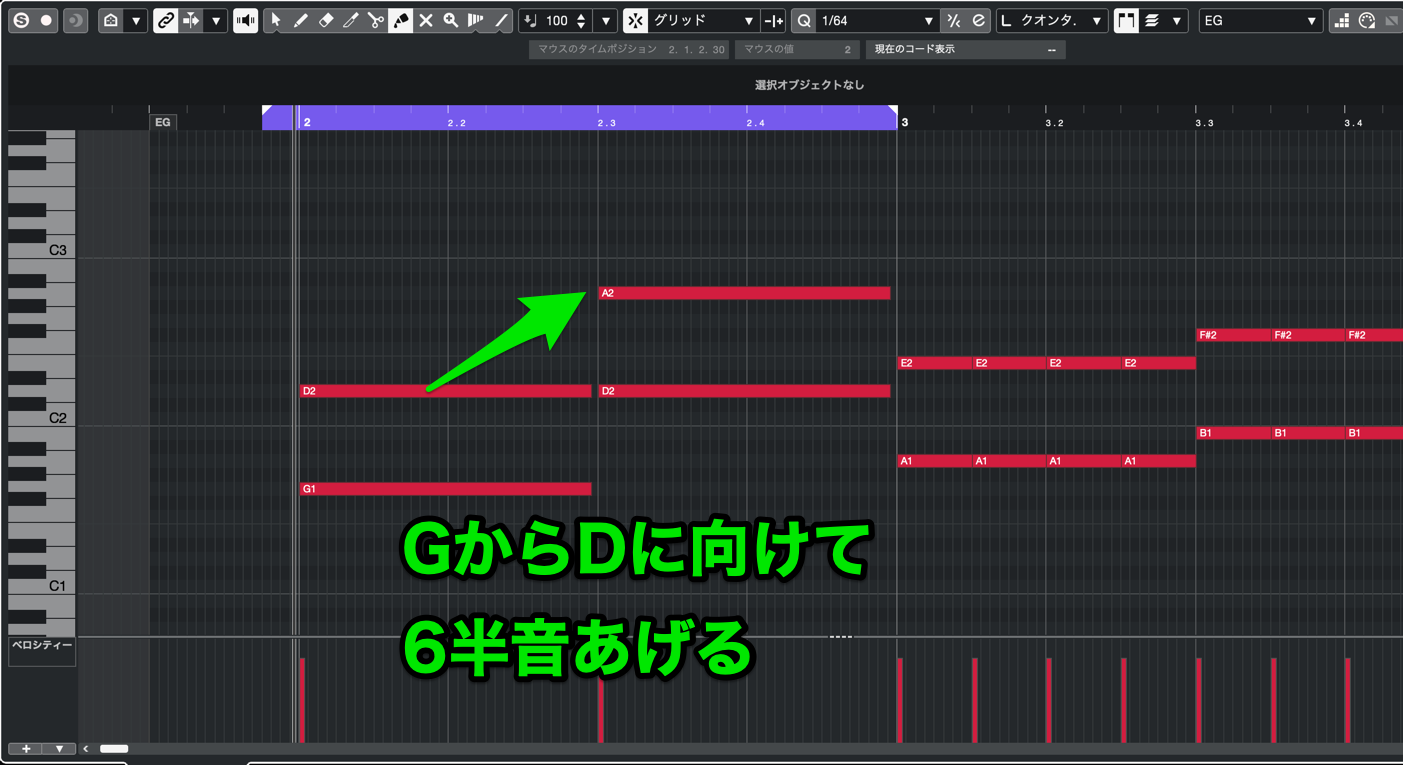
To connect an upward move from G to D, raise the pitch through seven semitones. The original text and six-semitone example do not agree on this interval: six semitones above G is C-sharp, while D is seven semitones above G.
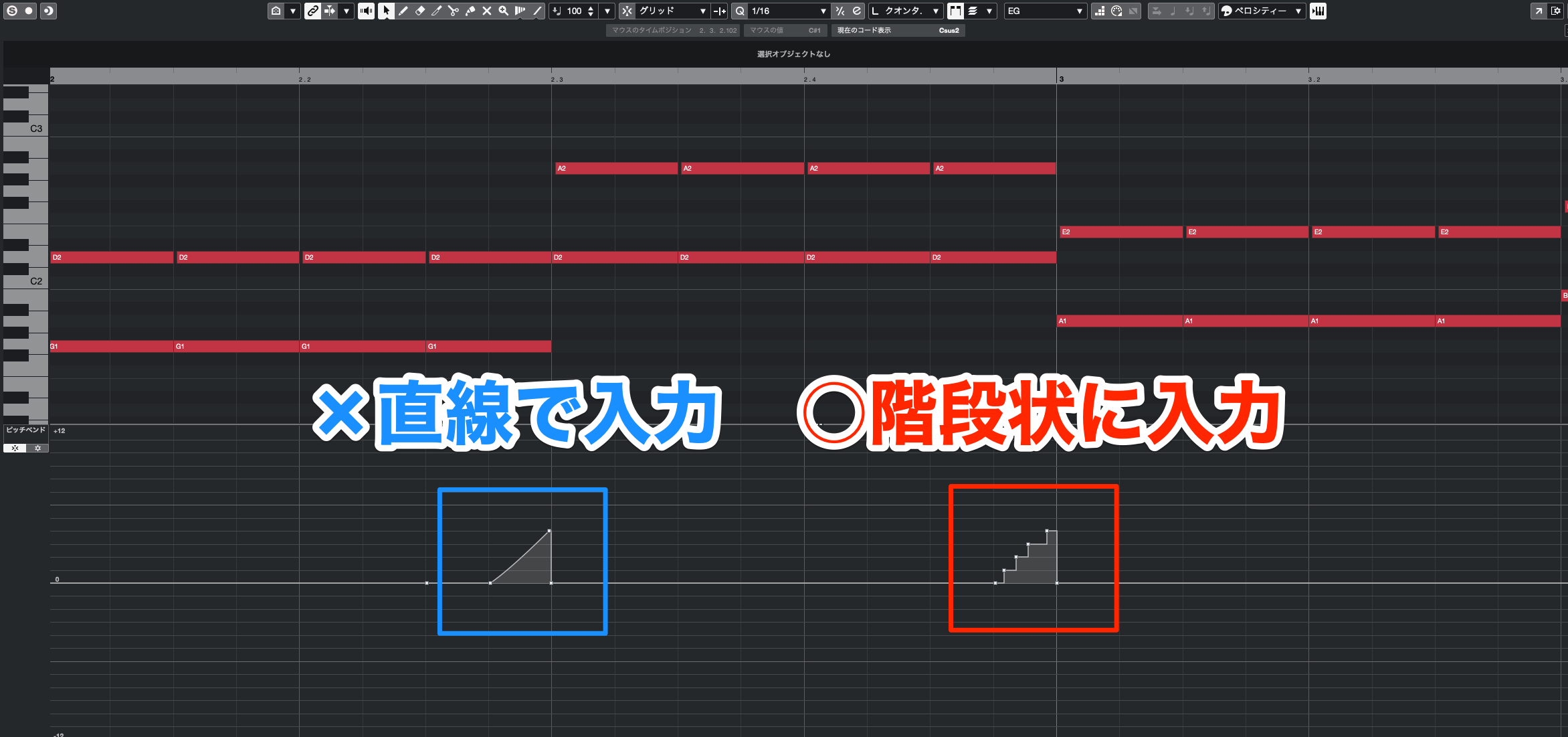
Except on a fretless guitar, moving between frets changes the pitch in semitone steps. Draw a stepped curve like the illustration rather than a continuous ramp.
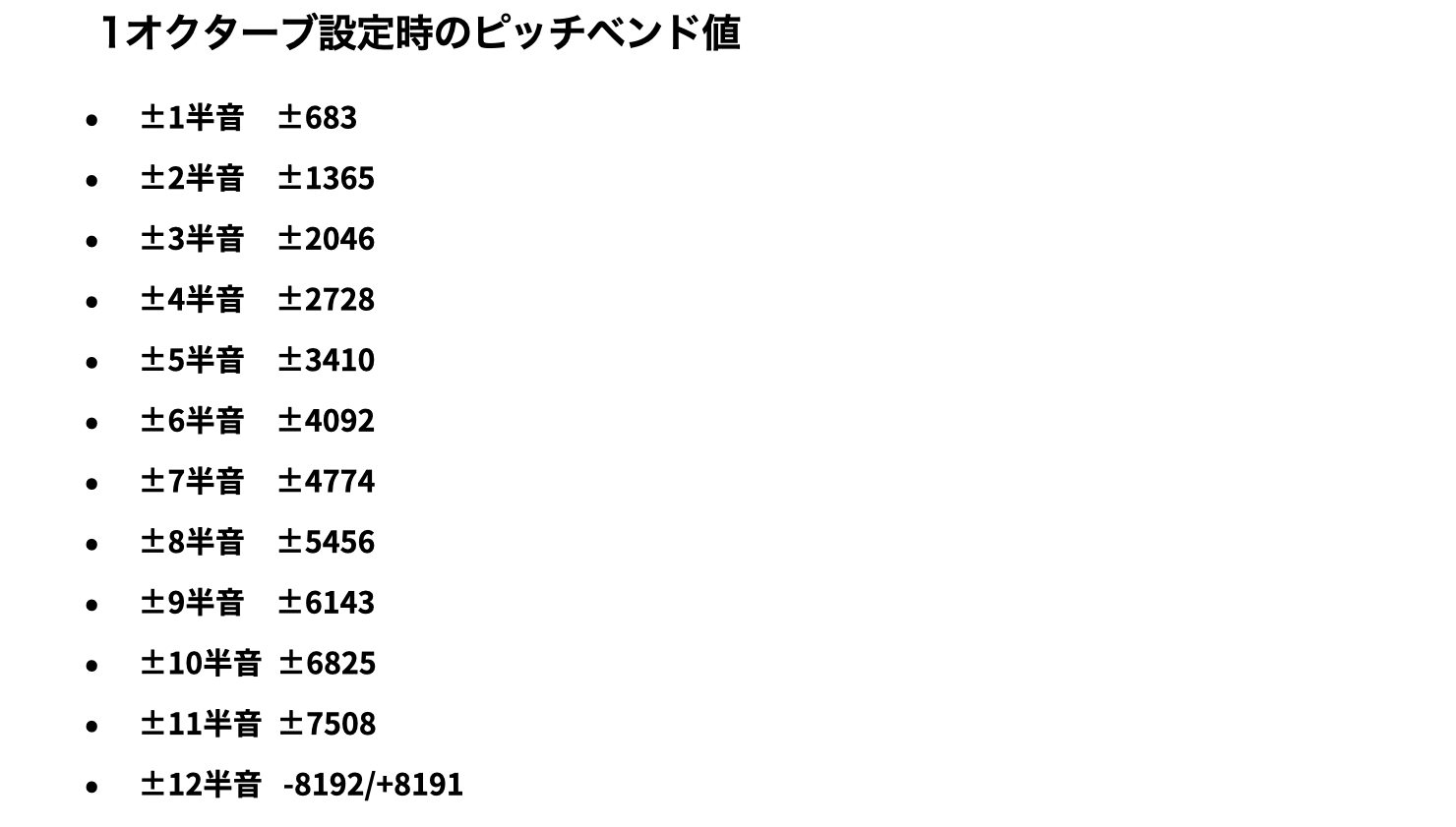
Many DAWs represent pitch bend with values from -8192 to +8191. You need to know the value change that corresponds to one semitone.
With the maximum set to 12 semitones, 8191 divided by 12 is approximately 682.583333. Rounded to the nearest integer, one semitone corresponds to about 683.
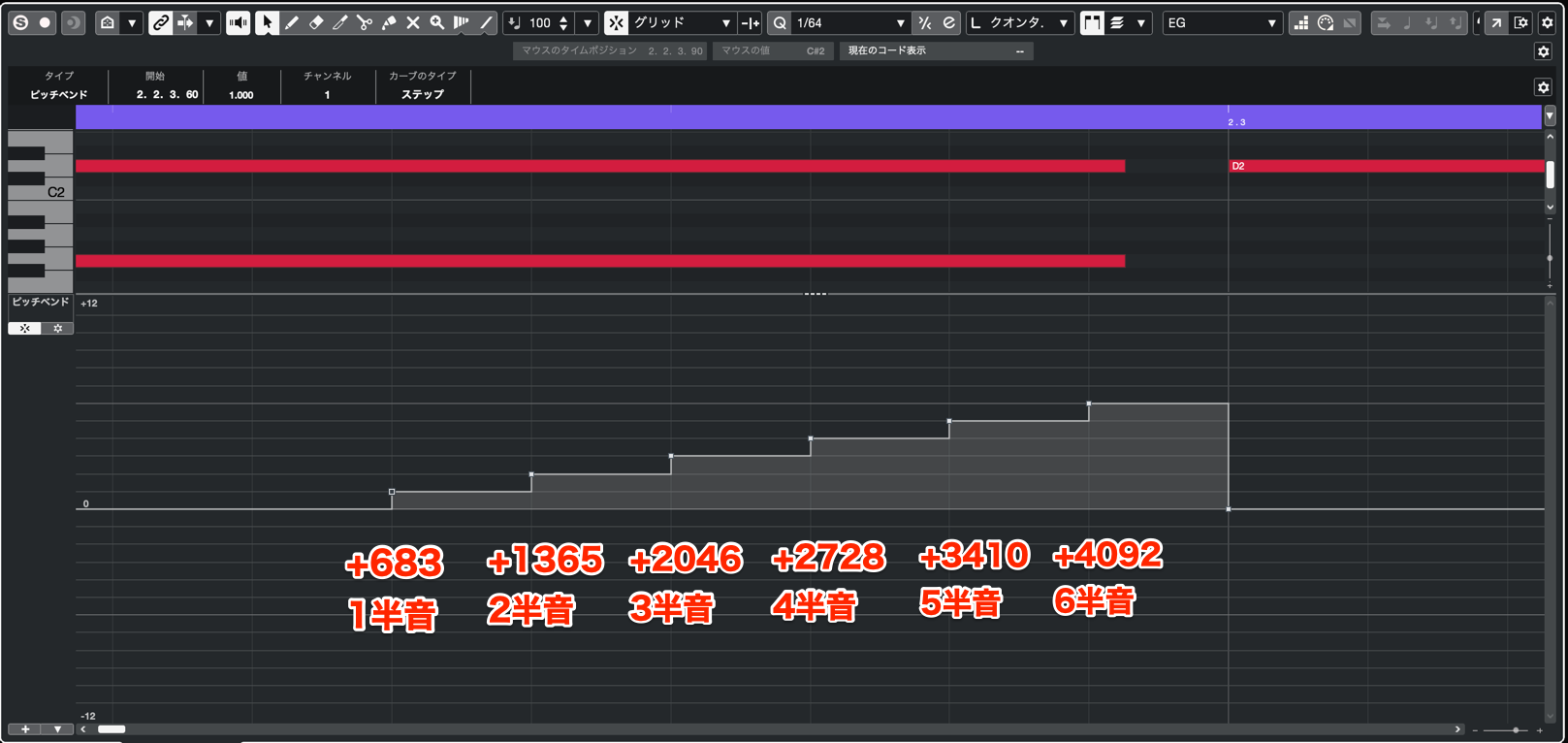
Use the illustrated stepped-bend method, extending it through seven semitones if you want to reach D from G. With this bend range, seven semitones is approximately +4778; the source illustration stops at six semitones.
Cubase also has a feature that lets you change pitch in semitone steps without manually entering these detailed values.
Compare the sound with and without the slide.
With Slides
Without Slides
Applications — Step 4: Programming Funk Rhythm Guitar
This style, known as cutting in Japanese, plays chords rhythmically while mixing in muted strums made by lightly damping the strings with the fretting hand.
It's common in sixteenth-note funk grooves and works well when you want to add detailed rhythmic nuances.
Funk Rhythm Guitar
It looks similar to ordinary strumming, but typically uses higher voicings with fewer notes and mixes in percussive muted strums.
Start by choosing the chord fingering.
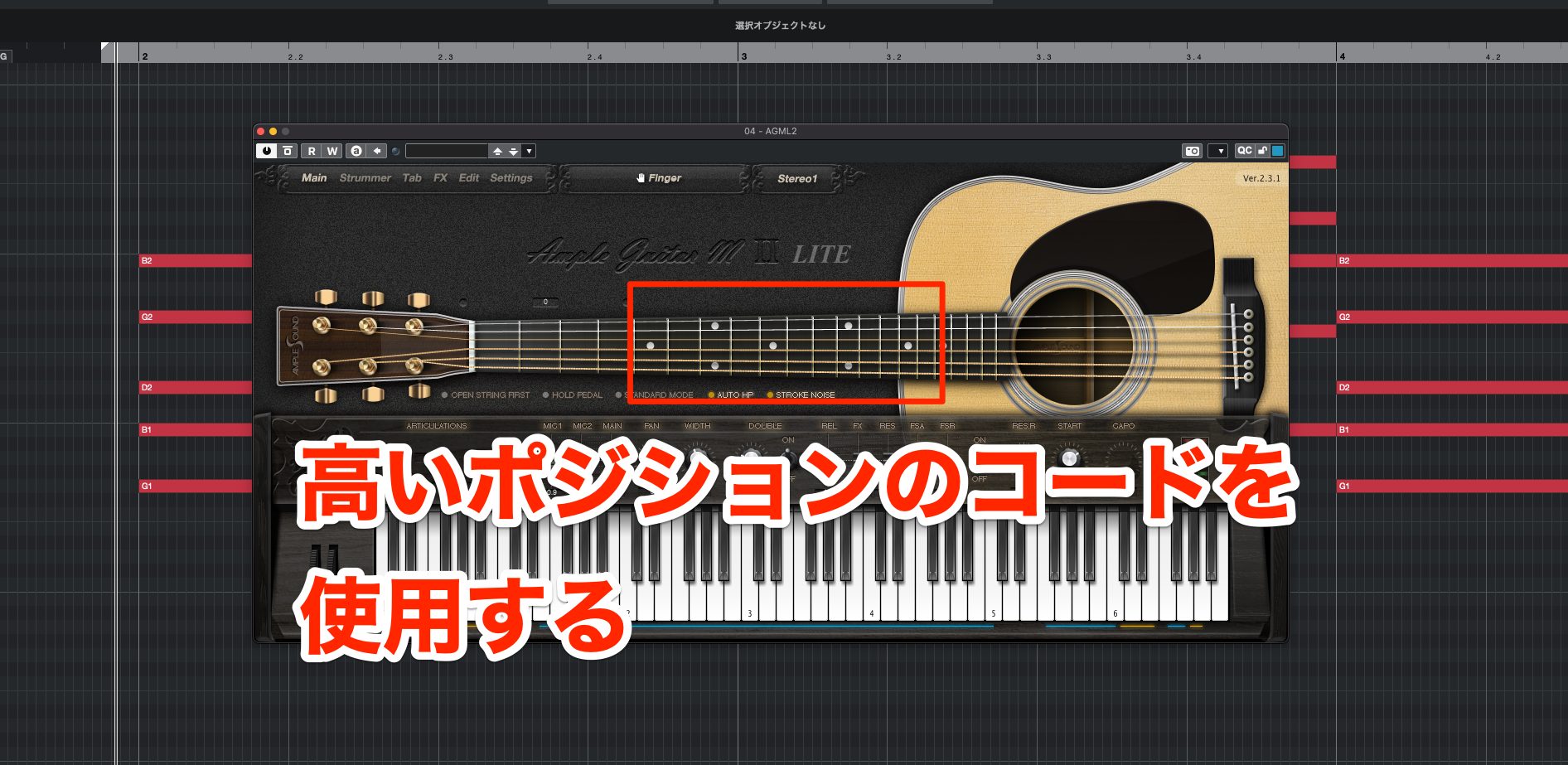
This style typically uses chords higher up the fretboard.
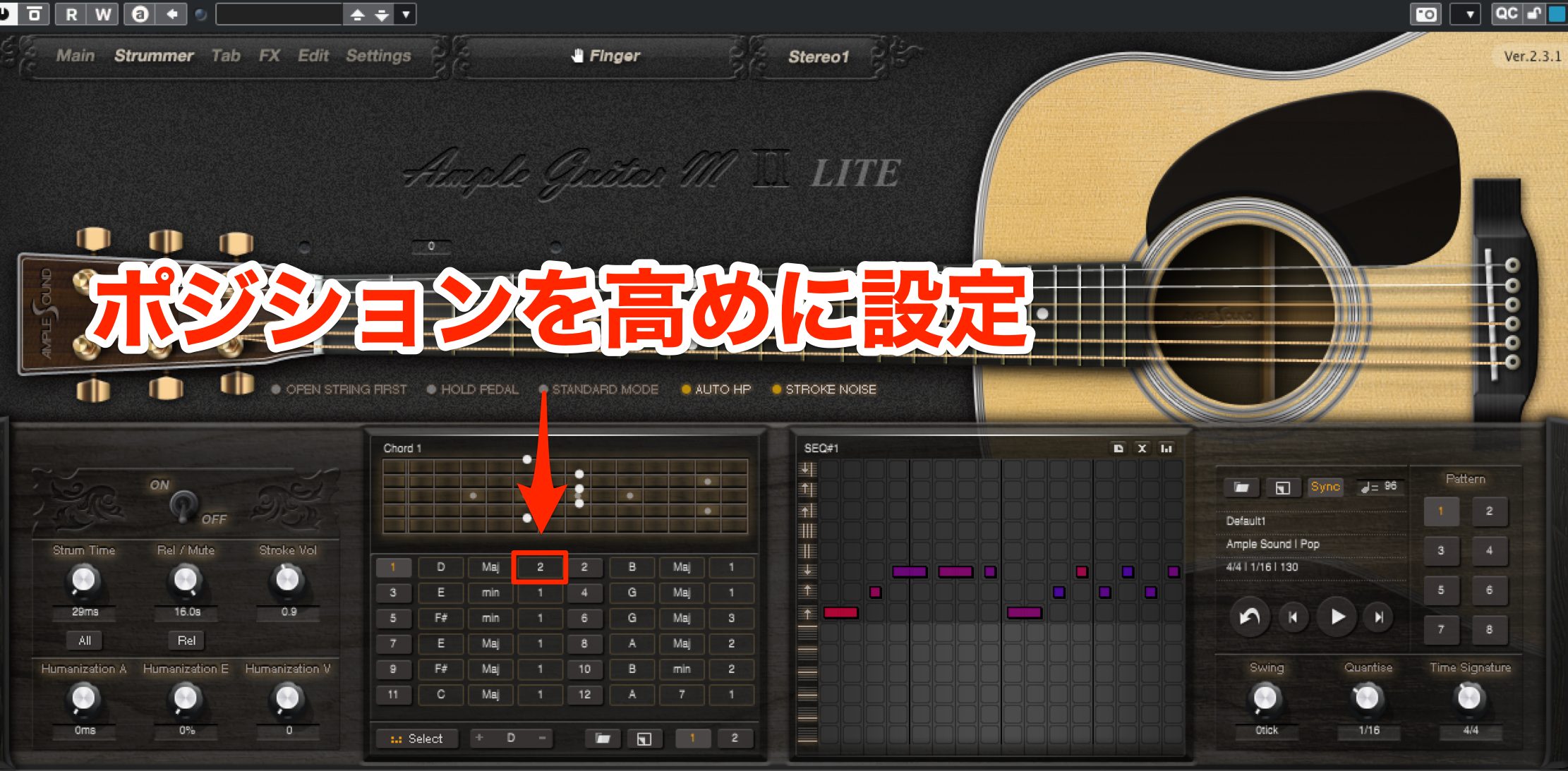
In Ample Guitar's Strummer, switch the position setting from 2 to 3 to use higher-position chords, then choose a voicing you like.
Next, choose which strings to play.
Because this technique emphasizes a light, nimble groove, the thicker strings are used less often: they can make the rhythm feel heavy.
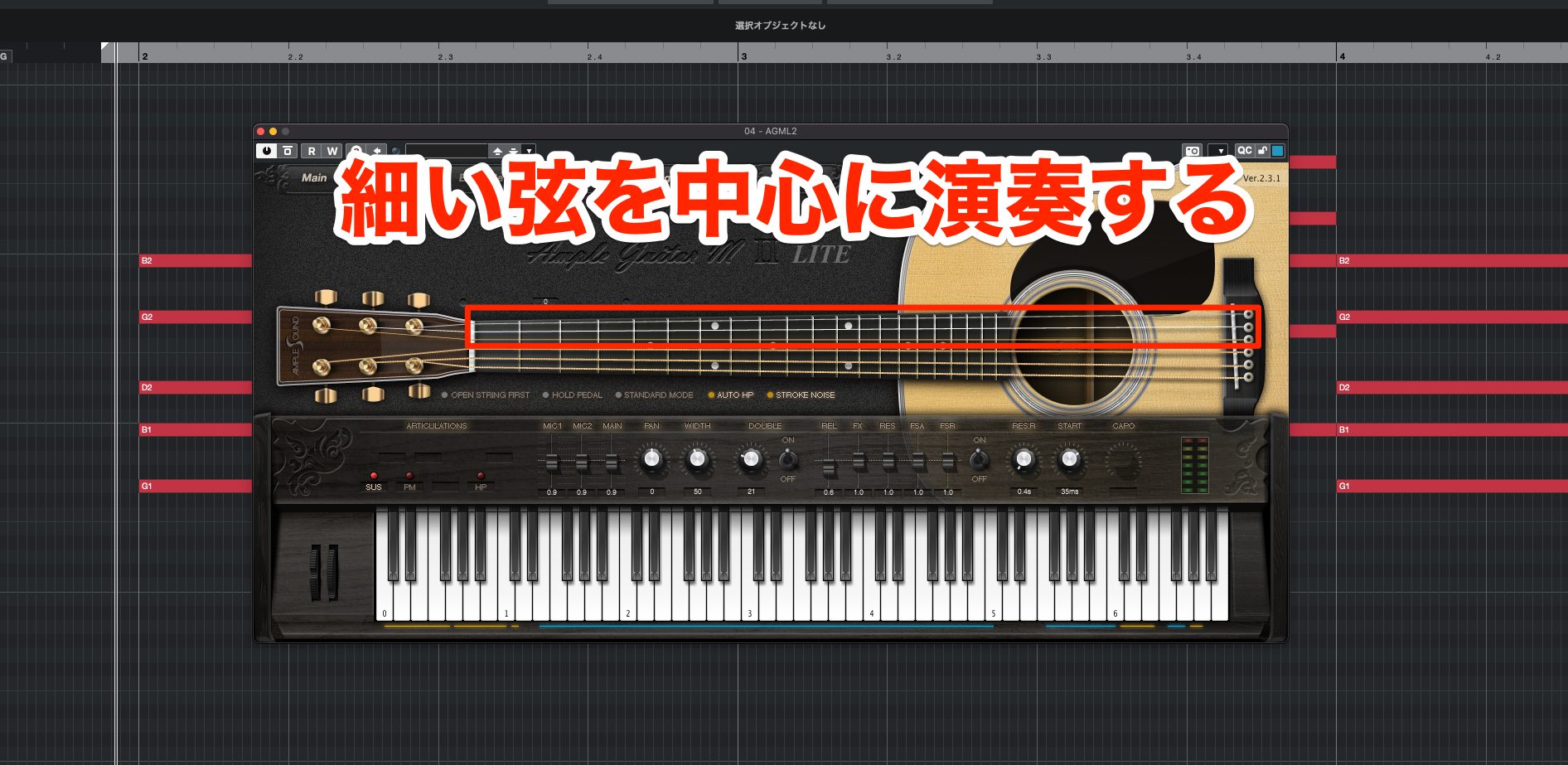
Even if the full chord includes lower strings, try playing only three or four of the higher, thinner strings.
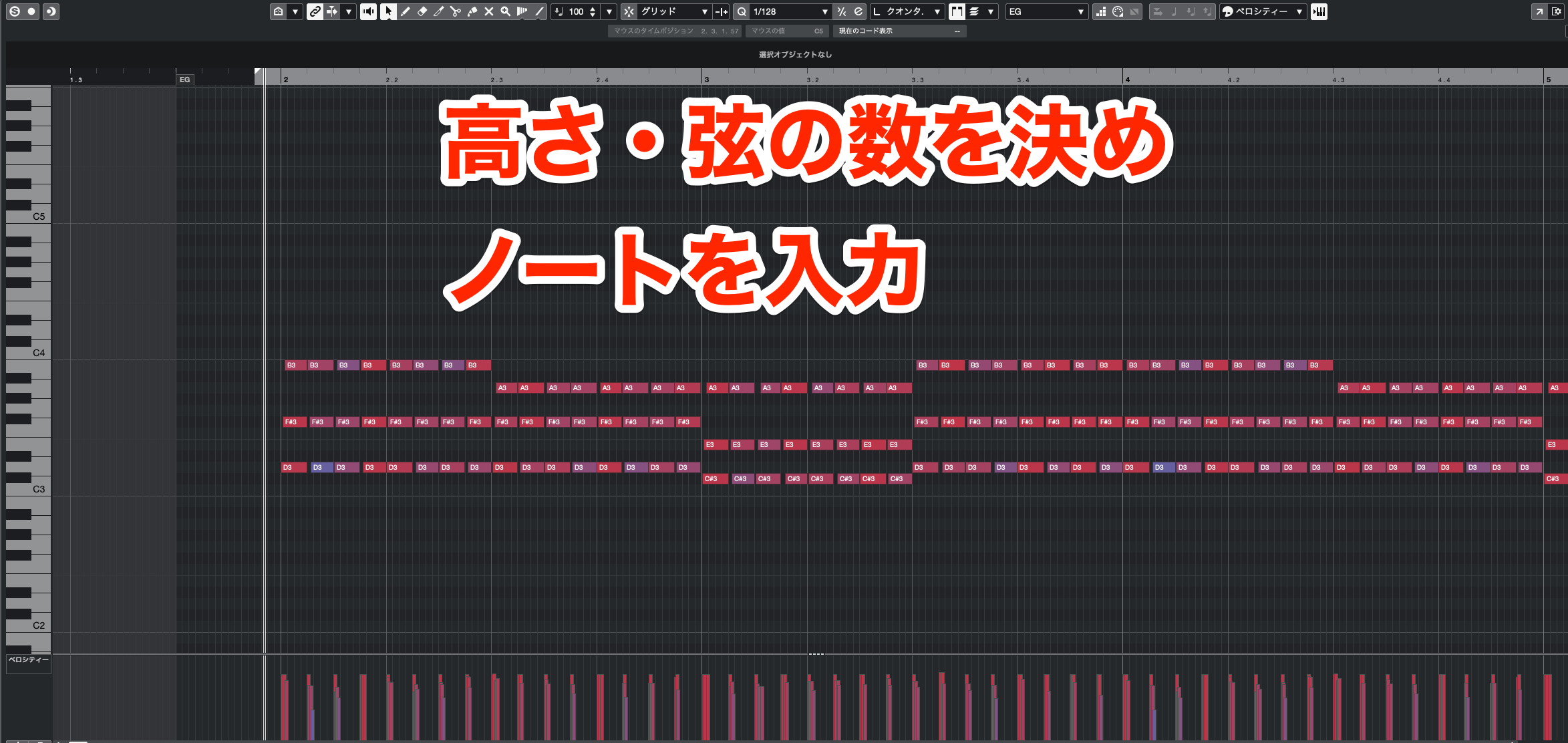
Once you've chosen the register and number of strings, enter the notes.
Now add the muted strums that are an essential part of this style.
Unlike palm muting in the power-chord example, this muting is done with the fretting-hand fingers.
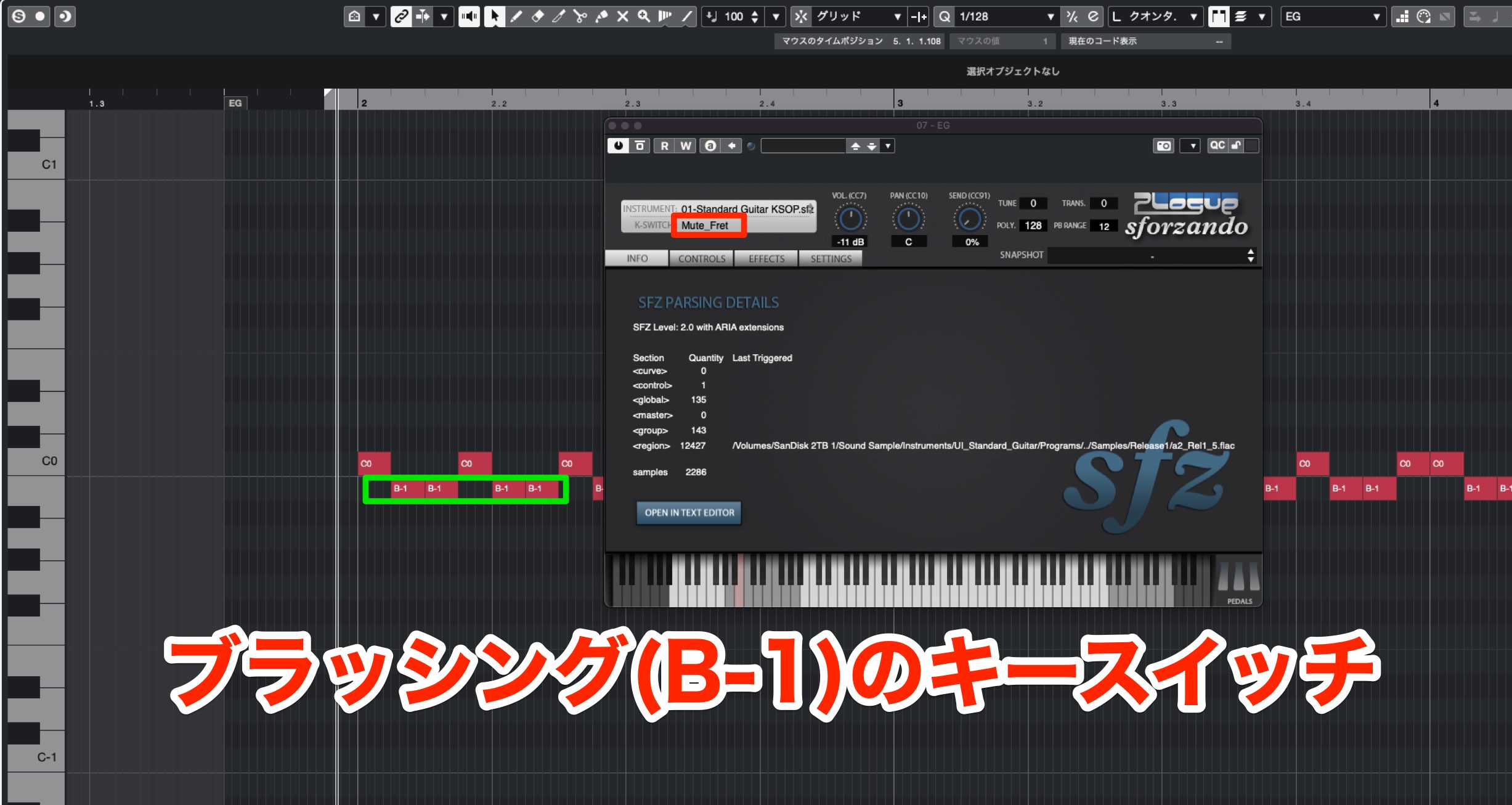
In UI Standard Guitar, B-1 selects Mute Fret for this muted-strum articulation.
Alternate sustained chords and accents with B-1 muted strums for the percussive rhythms between them. Use the Sustain keyswitch described earlier (C0 in that example); the original text calls it C1 here, so check the note labeling in your DAW and instrument.
That concludes our guide to guitar programming techniques.
Guitars and other acoustic instruments have many playing techniques. Realistic programming requires understanding those techniques and using them appropriately.
We've covered a lot, so don't try to apply everything at once. Practice one technique at a time; as you learn them, your parts will begin to sound much closer to a live performance.
Related Article

Realistic Guitar Programming for Beginners—Even If You Don't Play Guitar
The first half covers basic techniques and knowledge, while the second explains how to create familiar accompaniment patterns.Video: https://t.co/5tc3KD6viV #DTM #Guitar pic.twitter.com/xJ3EgeGJ10
— SLEEP FREAKS (@SLEEPFREAKS_DTM) August 22, 2022
Frequently Asked Questions
Q1. Can I program realistic guitar parts even if I don't play guitar?
Yes. The free instruments and voicing methods introduced here can help you create backing parts that reproduce guitar-specific characteristics without already knowing how to play the instrument.
Q2. Which guitar-programming skills should beginners learn first?
Start with guitar-like chord voicings, velocity-based dynamics, and timing offsets between strings. These three basics can make a substantial improvement in realism.
Q3. Can I use these techniques in any DAW?
Yes. The general methods apply across DAWs. If your DAW has a piano roll and velocity editing, you can use these ideas to improve your guitar programming.
Q4. Can free guitar instruments deliver good enough results?
Free instruments combined with the basic techniques can produce convincing guitar backing parts. Consider a dedicated paid instrument if you need more advanced articulations.
NEW ARTICLES
Latest English Articles











































































































