
Ableton Live’s Arpeggiator plays the notes of a chord separately in rhythmic values such as eighth or sixteenth notes, a classic synthesizer phrasing technique. Add it from MIDI Effects, then use Style to choose the pitch sequence, Rate to set the speed, and Gate to adjust note length. These controls offer expressive possibilities for electronic music. Gate in particular can change the groove significantly, so fine adjustments can help refine the sound of a production.
Live: Arpeggiator Basics for Synthesizer Phrases
A familiar tool for synthesizer phrasing is the Arpeggiator.
It plays the notes of a chord separately as eighth notes, sixteenth notes, and so on;
the same technique is also common on guitar and piano.
Live makes it easy to play an arpeggio with this device.
It is frequently used in electronic music,
so take this opportunity to learn it!
Arpeggiator Video
How to Set Up the Arpeggiator
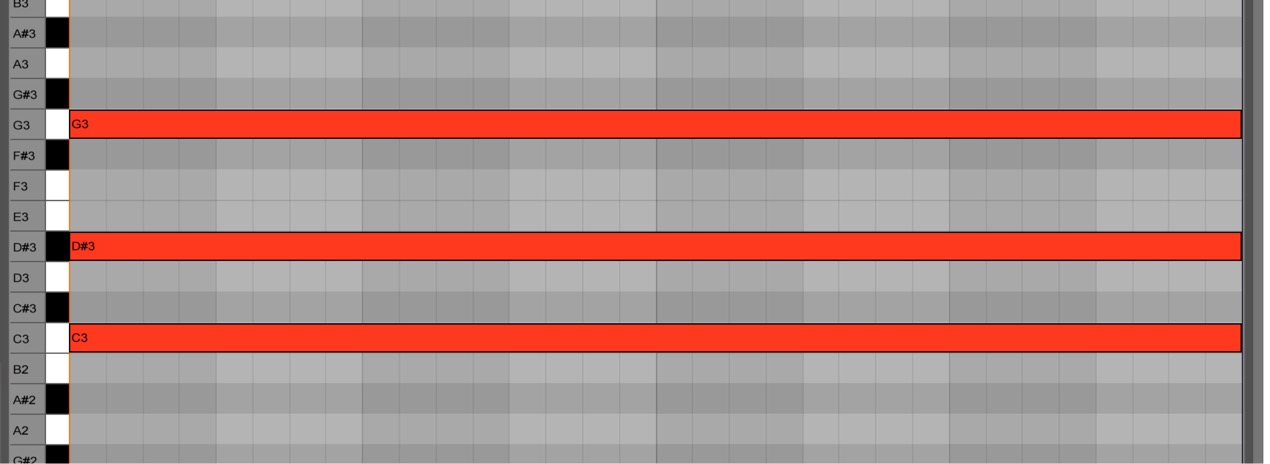
When using the Arpeggiator,
simply enter sustained MIDI notes.
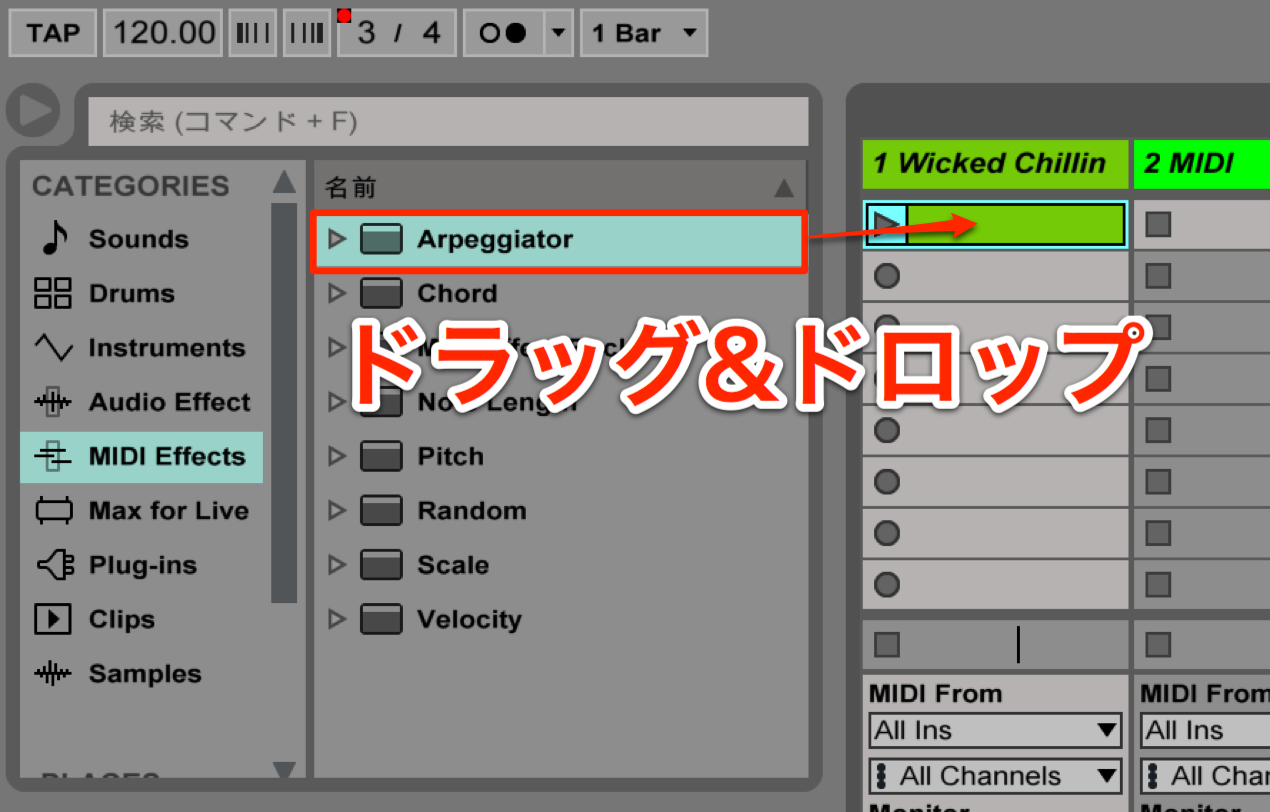
Drag and drop “Arpeggiator” from “MIDI Effects” onto the track.
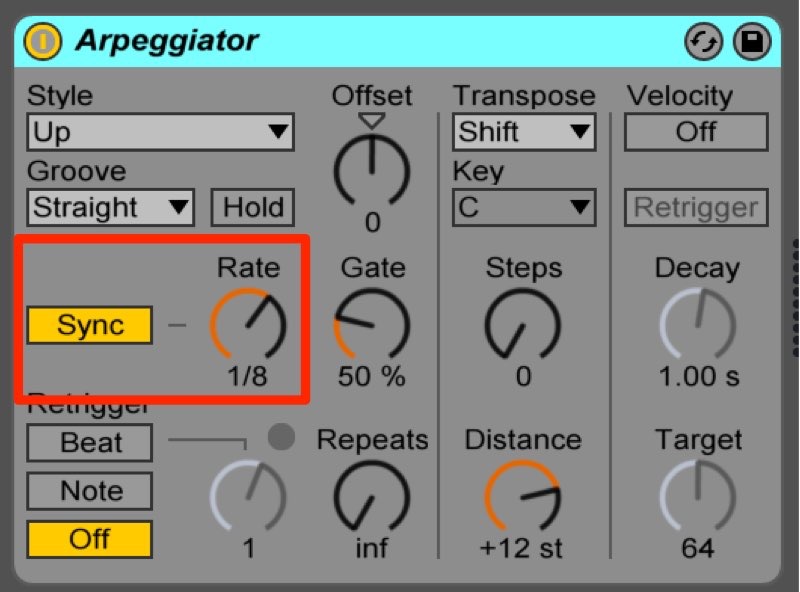
There are many parameters, but “Style” is an important one.
It determines the order in which the pitches are played.
Use “Rate” to set the speed of the arpeggio.
Turn on “Sync” to synchronize the rate to the tempo.
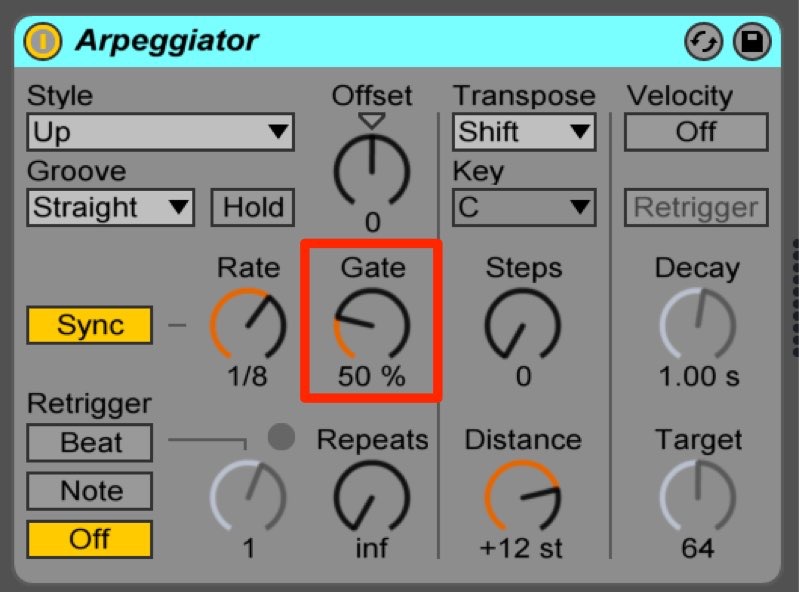
Use “Gate” to adjust the length of the notes.
Note length is easy to overlook, but it can make a big difference to the groove.
Frequently Asked Questions
Q1. How should I enter MIDI notes for Ableton Live’s Arpeggiator?
Enter the notes of a chord as usual and sustain them. You do not need to program each note of the phrase separately: the Arpeggiator plays them according to the selected pattern.
Q2. What is the difference between Rate and Sync?
Rate determines the speed of the arpeggio. Turning Sync on locks that rate to the DAW tempo, so it follows tempo changes.
Q3. What does the Gate parameter do?
Gate adjusts the length of each note. Changing it can significantly alter the feel and groove of an arpeggio, making it an important part of the overall character of a track.
NEW ARTICLES
Latest English Articles








































































































































































































































































































































































































































































































































































































































