KOMPLETE KONTROL’s scale feature helps users explore phrases even if they are not confident at the keyboard. Select the song’s key and a scale, such as major or minor, to see its notes on the keyboard. EASY KEY MODE maps the scale notes to white keys, making them easier to play. This is a useful tool for exploring melodies and composition at any experience level.
Create Phrases Even If You Are New to Keyboard
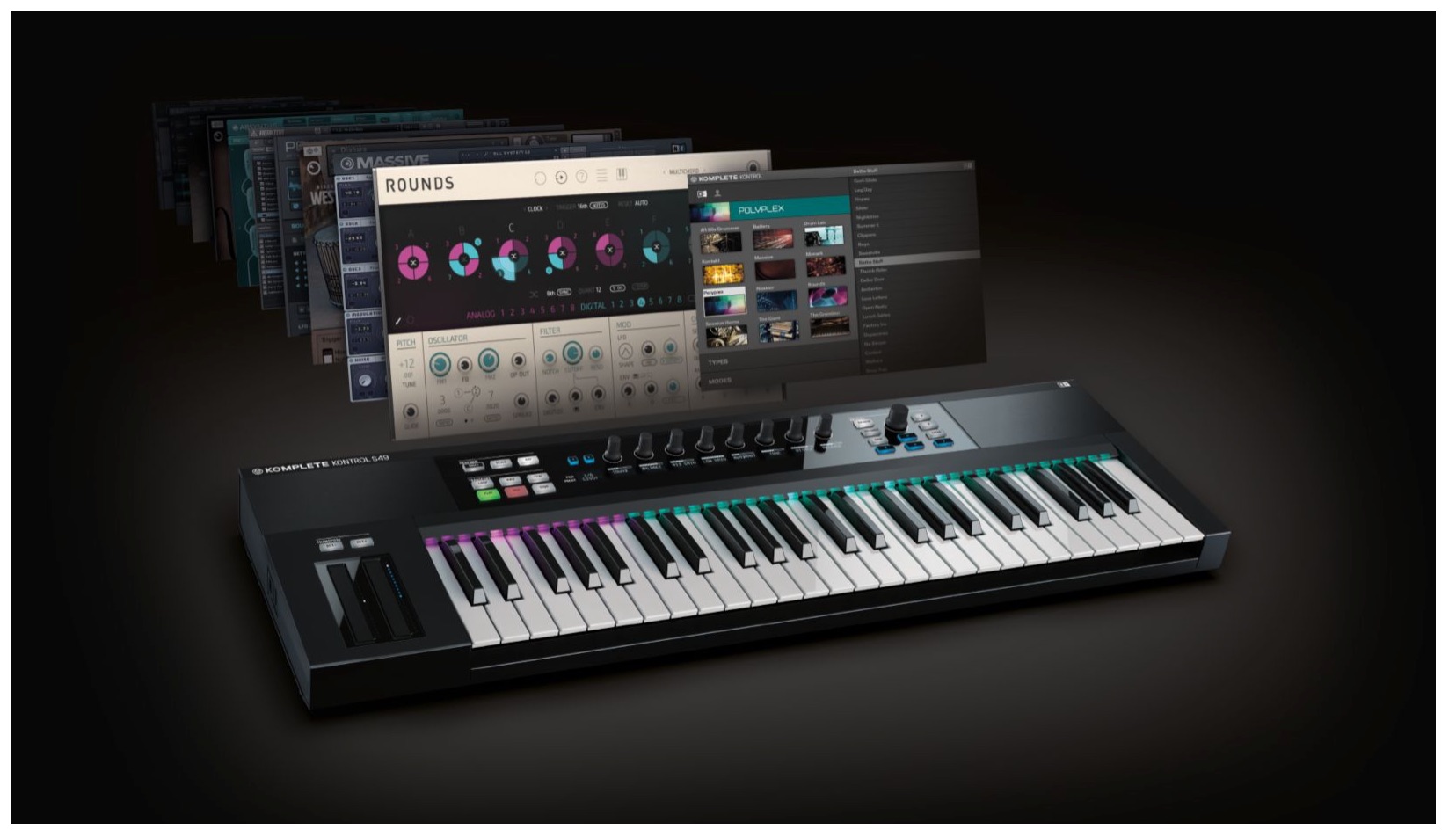
The Light Guide introduced in the previous tutorial
is put to full use bythe scale feature.
Choose the song’s key and a major, minor or other scale,
and the keyboard can be mapped to its notes. You can also play them using only the white keys.
Let’s take a closer look.
Komplete Kontrol Video Tutorials
- 1Product Overview
- 2Browsing
- 3Light Guide and Clear View Display
- 4Scale Feature
- 5Chord Feature
- 6Arpeggiator
- 7Automation and MIDI Mode
- 8What’s New in Komplete Kontrol 1.1
- 9What’s New in KOMPLETE KONTROL 1.5
- 10What’s New in KOMPLETE KONTROL 1.6.2
- 11KOMPLETE KONTROL 1.9.3: Streamlining Your Workflow with DAW Control
- 12Komplete Kontrol 1.9.3 Host Integration: Cubase
- 13KOMPLETE KONTROL 2.0: NKS FX
- 14Maschine / Komplete Kontrol Favorites
At the time of this tutorial, purchasing KOMPLETE KONTROL
included a bundle of 10 products calledKOMPLETE SELECT; current bundle contents may differ.
Enabling the Scale Feature
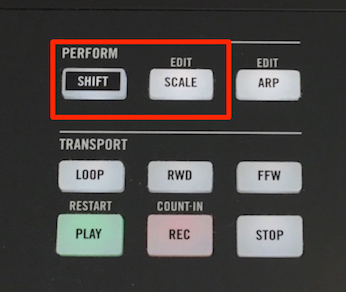
Press SHIFT + SCALE.
This opens the scale settings.
Repeat the same operation to exit the scale settings.
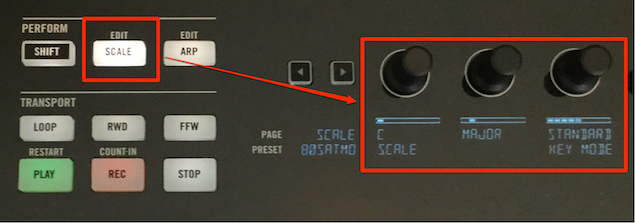
Turn on SCALE so that the button lights up to enable the feature.
Use the knobs on the right to select the key and scale.
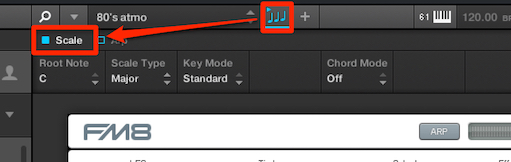
In the DAW interface, click the musical-note icon so it lights up,
then check SCALE.
Choosing a Key and Scale
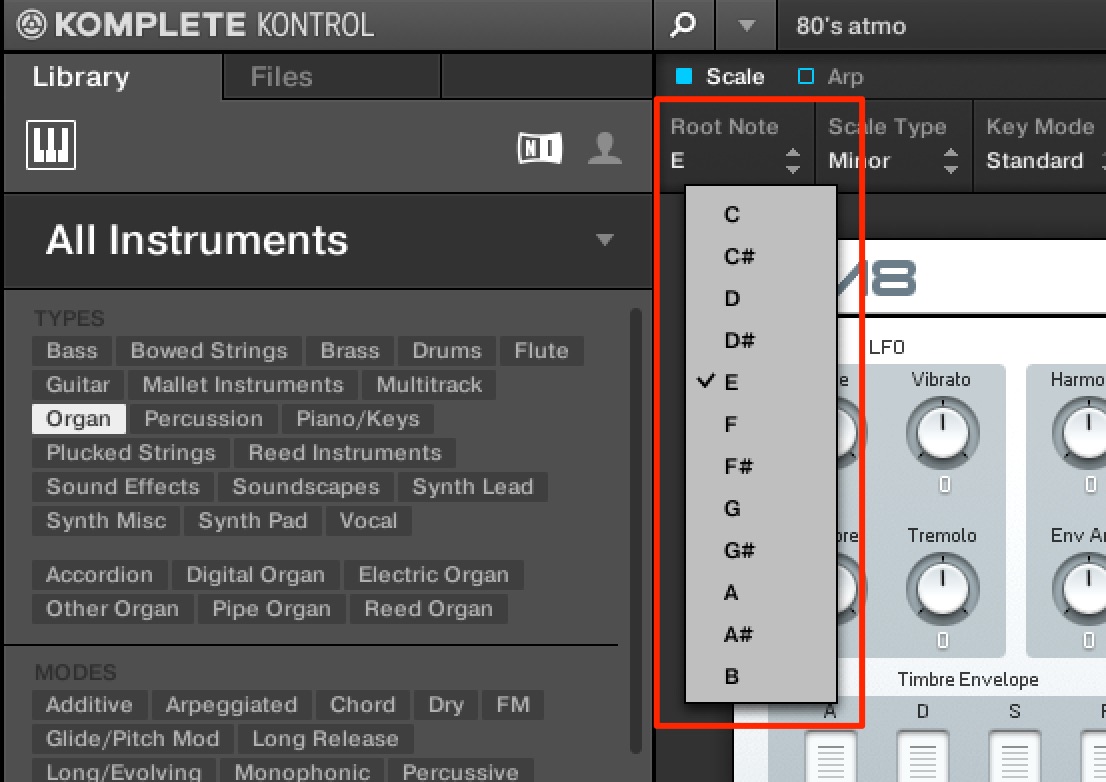
Change the key to match your song.
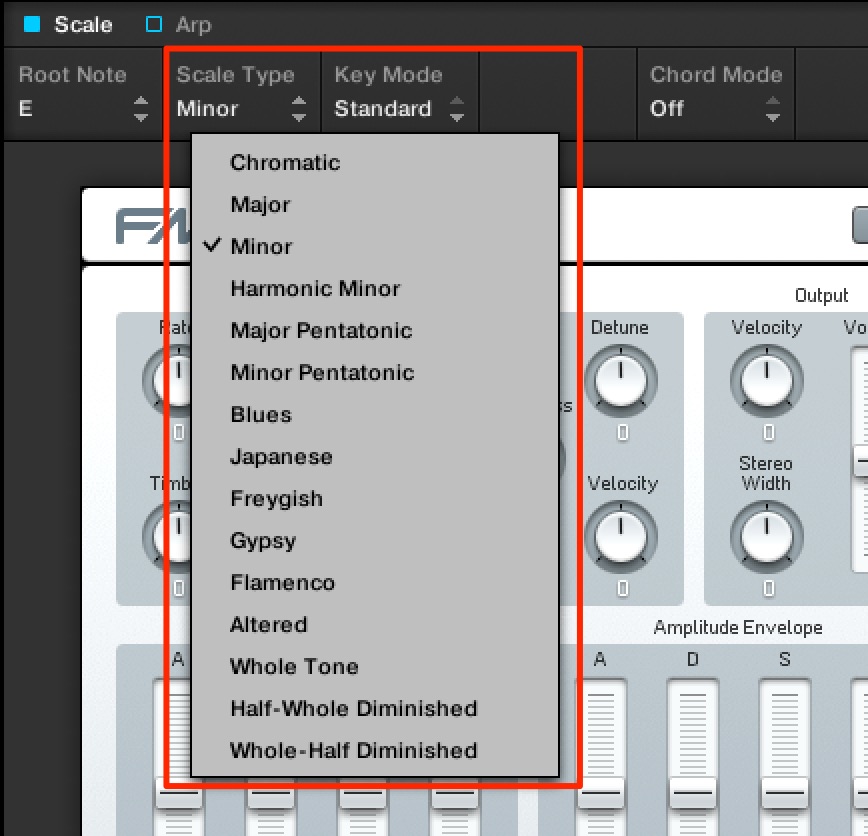
Use this section to choose a scale.
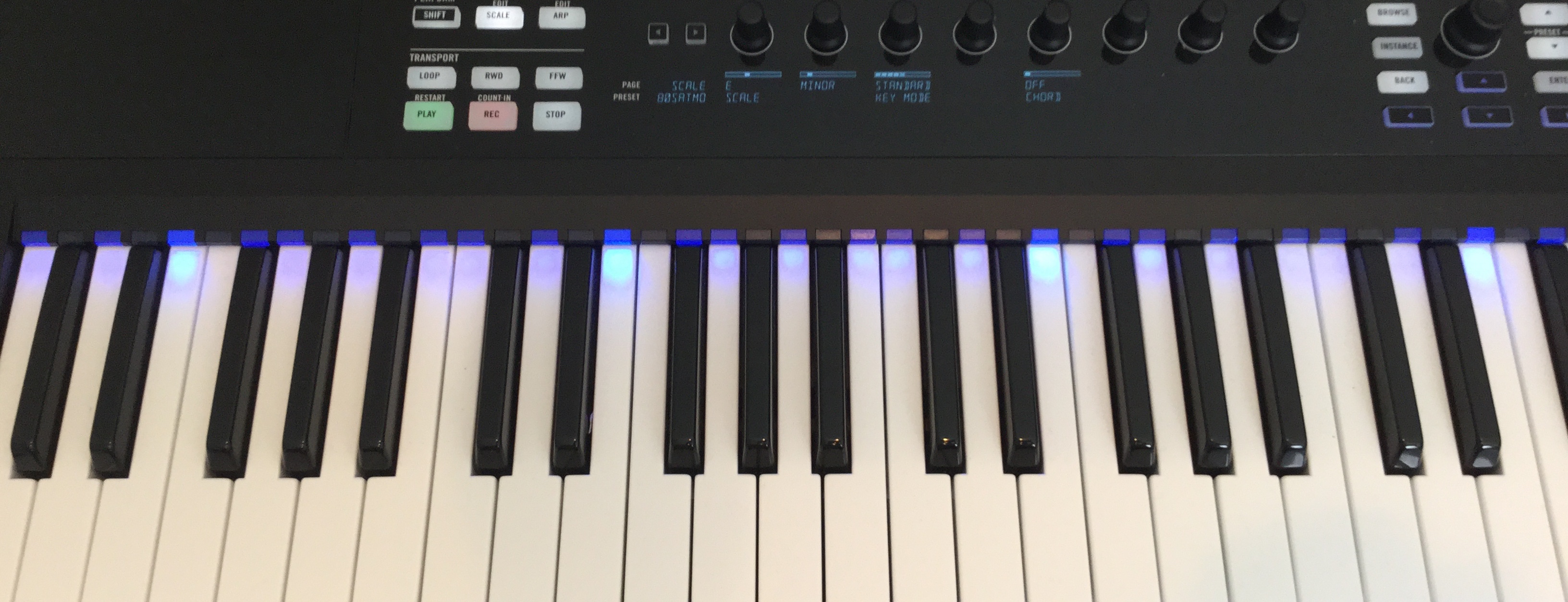
The Light Guide indicates the notes that correspond to the selected key and scale.
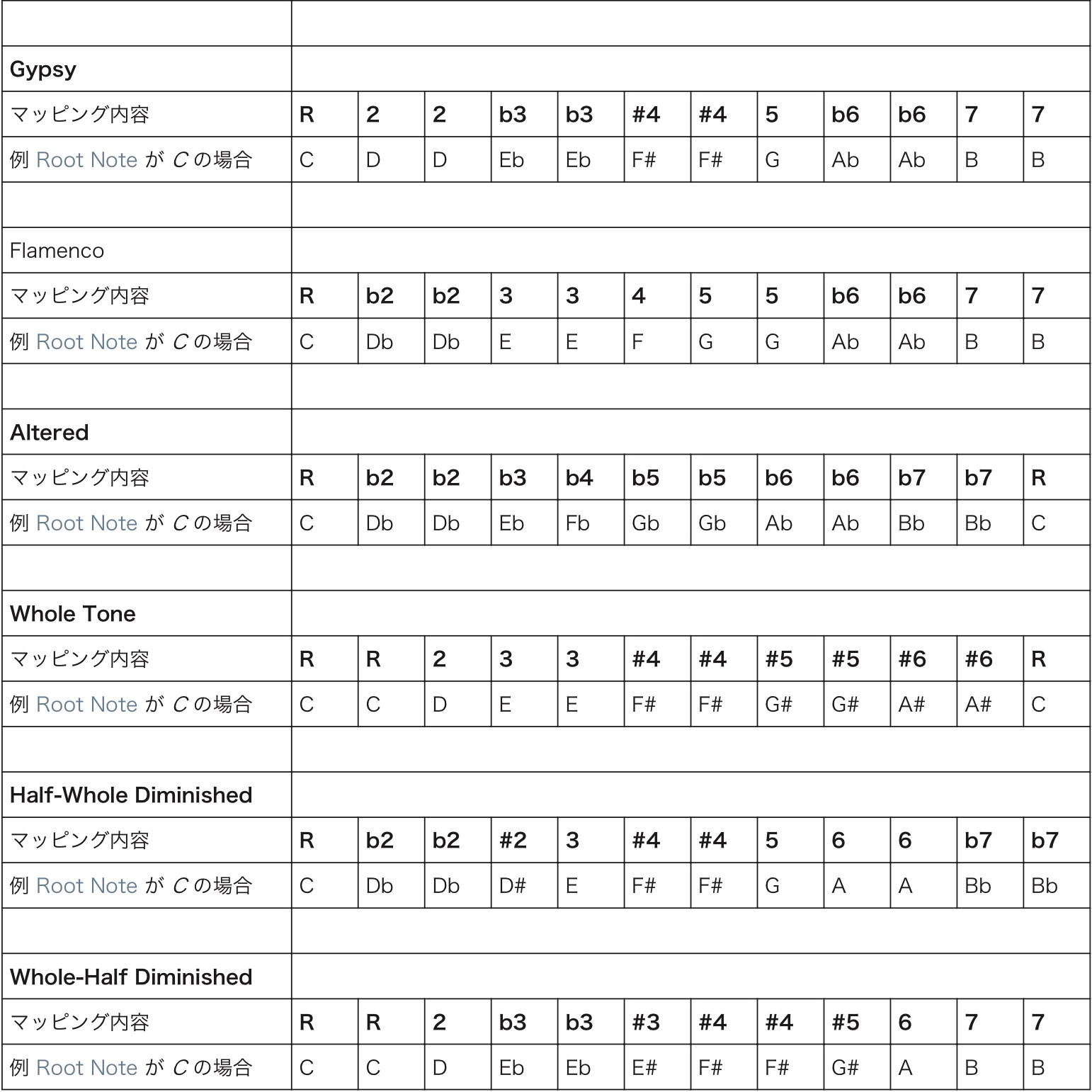
Scale Types
The notes for the scale modes above are shown below.
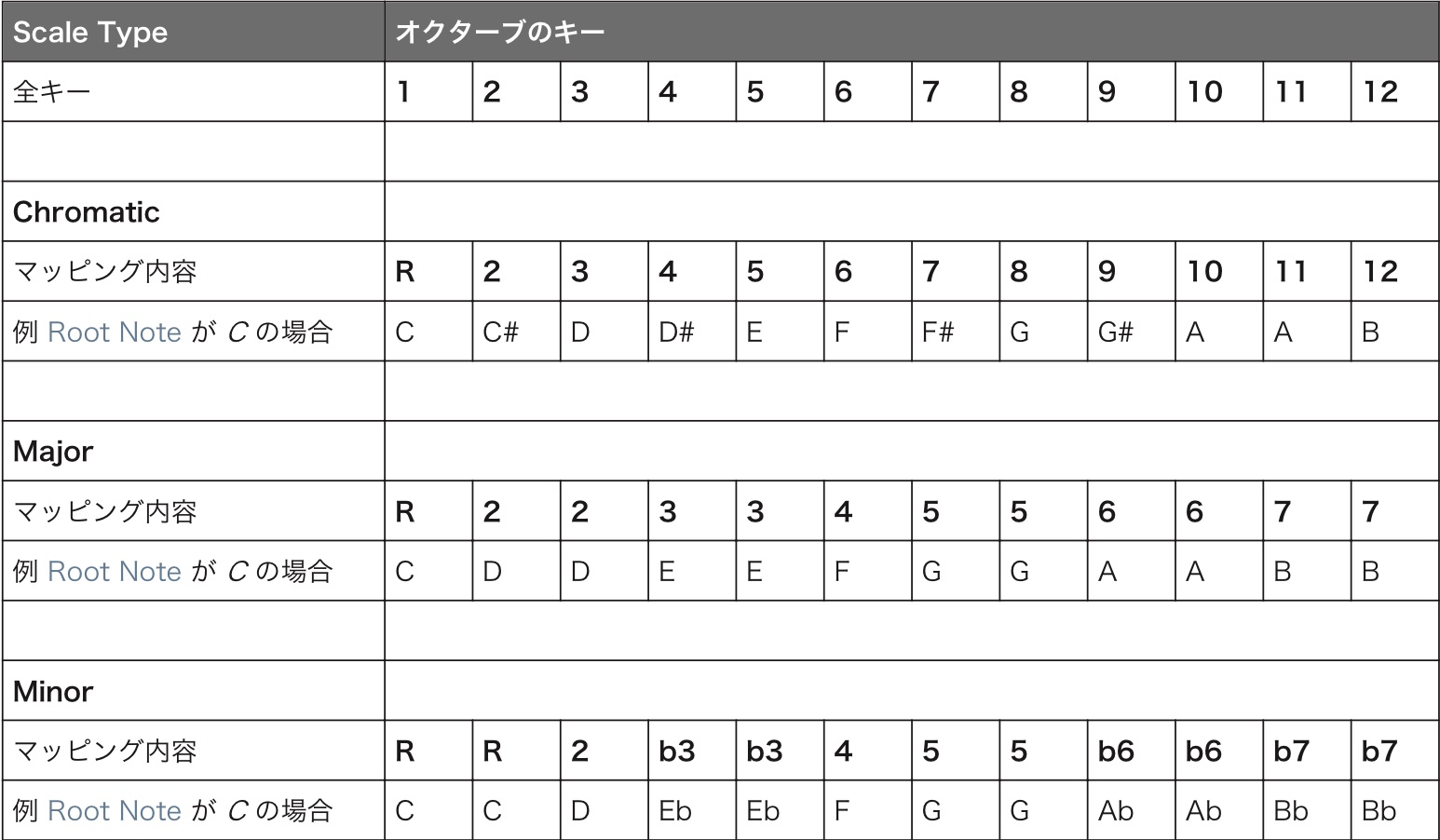
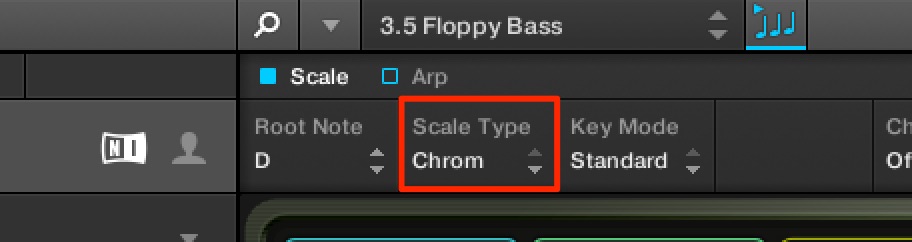
When the scale is set to Chromatic,
you can transpose the entire keyboard.
For example, with the key set to G and the scale set to Chromatic,
the C position on the keyboard plays G.

Scale Degrees and Major Scales
It is now easier to see the major scale from each note.
As an exercise, check and practice the major scales starting from every pitch.
Minor Intervals: Music Theory
An interval is the distance between two notes, and that distance changes how they sound together. Apply the previous lesson’s knowledge to create minor intervals.
EASY KEY MODE
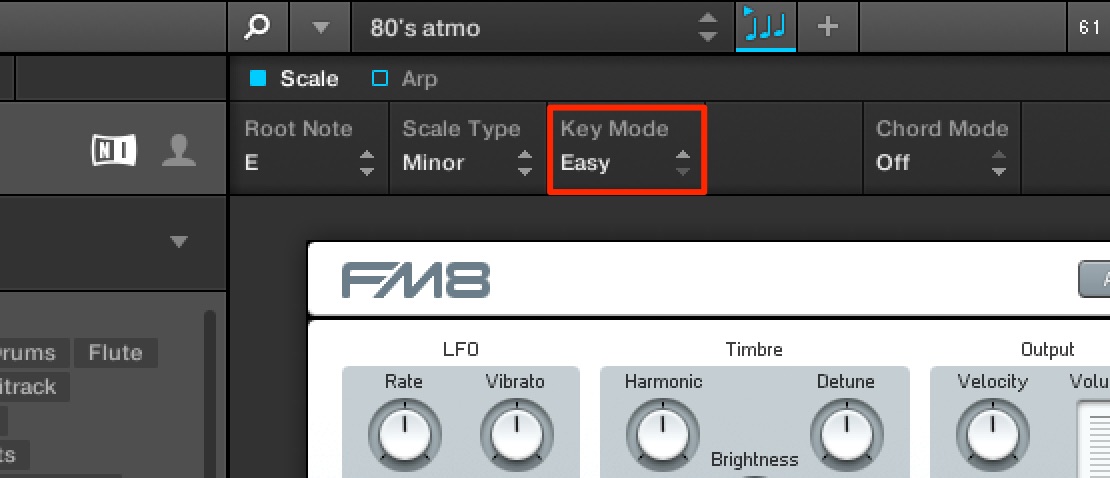
With EASY KEY MODE,
the notes of the selected key and scale are mapped to the white keys.
This makes the scale much easier to play.
Frequently Asked Questions
Q1. When is the scale feature useful?
It lets you play using notes from the selected song key, helping you explore harmonious phrases even with limited ear-training or theory knowledge. It is useful for beginners and for melody writing, including rap beats.
Q2. How is EASY KEY MODE different?
The regular scale feature indicates the notes of the selected scale. EASY KEY MODE remaps them to the white keys, providing a simpler layout for playing.
Q3. What happens when I select the Chromatic scale?
In the setup shown, Chromatic allows the keyboard to be transposed as a whole. For example, when the key is G, the keyboard’s C position plays G.
NEW ARTICLES
Latest English Articles