
Creating and saving a project is an important first step when making music in FL Studio. This guide covers launching FL Studio, saving a new project, choosing a location, and quickly reopening previous work. Save regularly to help protect your work from unexpected problems. The installation and folder examples below refer to FL Studio 12 on Windows; newer versions use a different default user data folder.
Creating, Saving, and Managing Songs in FL Studio
Once you have finished the basic setup, let’s move on to making music.
First, launch FL Studio.

If there is an icon on your desktop, double-click it to launch the program.
You can also drag the program to the taskbar at the bottom of the screen for easy access.
If there is no desktop icon,
this FL Studio 12 example uses C: → Program Files (x86) → Image-Line → FL Studio 12. The location varies by version and installation.
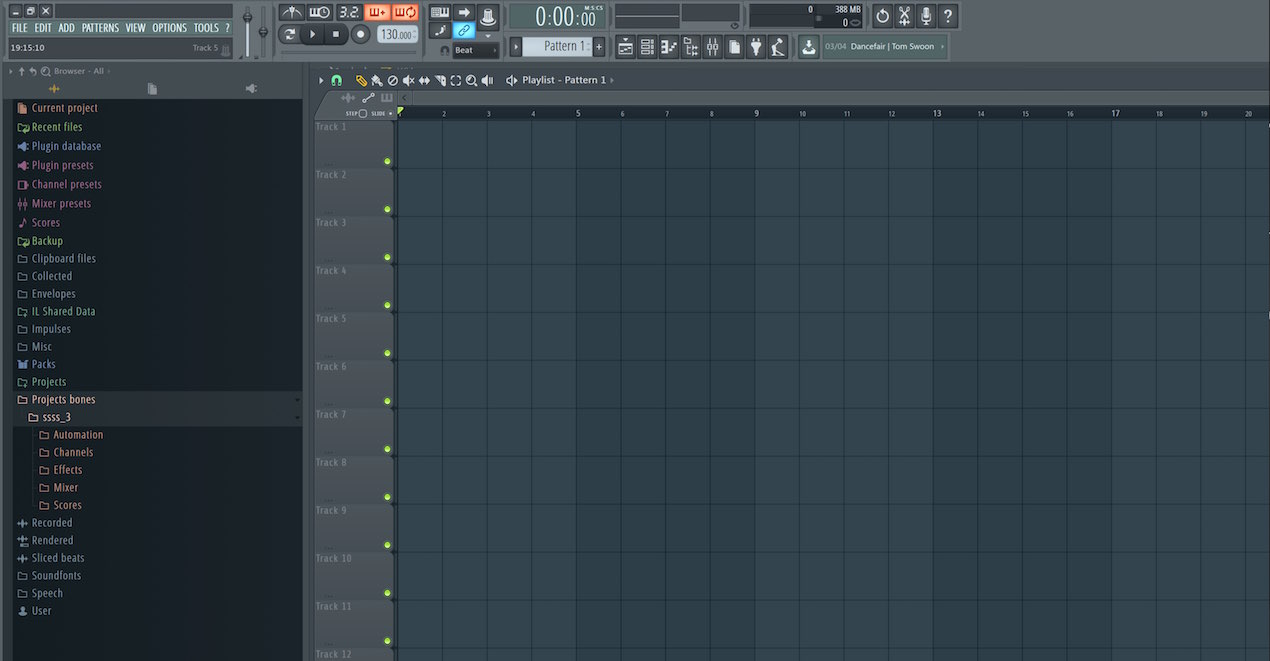
Once the program opens, we recommend saving first to establish a name and location.
FL Studio calls a song a project.
You will encounter this term often, so remember it.
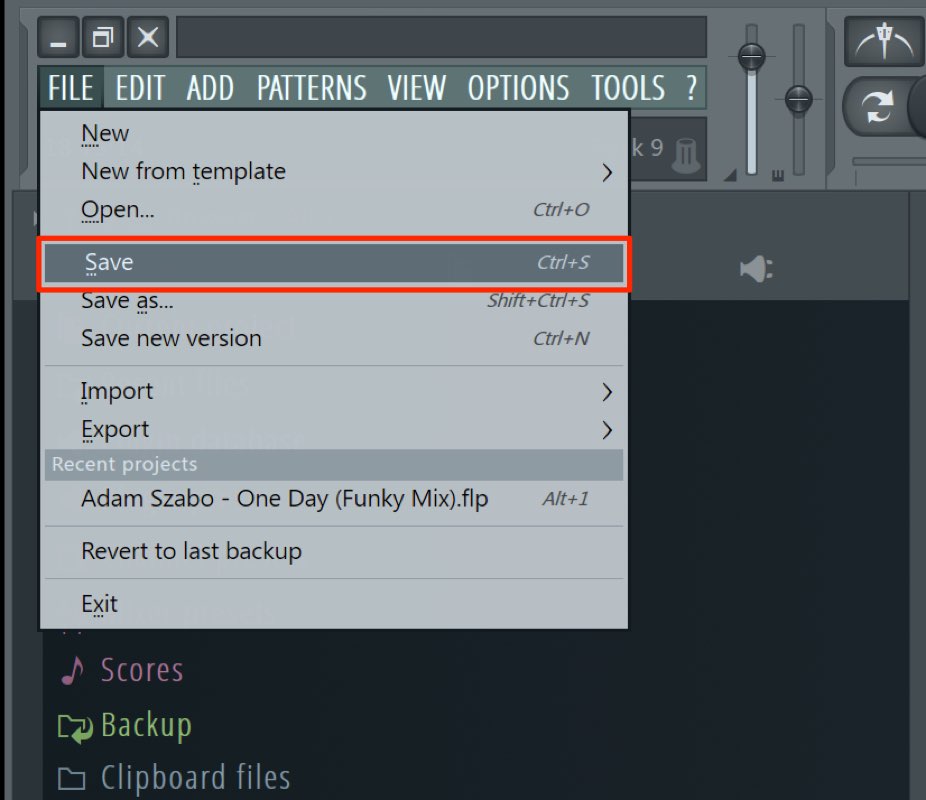
Choose “Save” from the File menu.
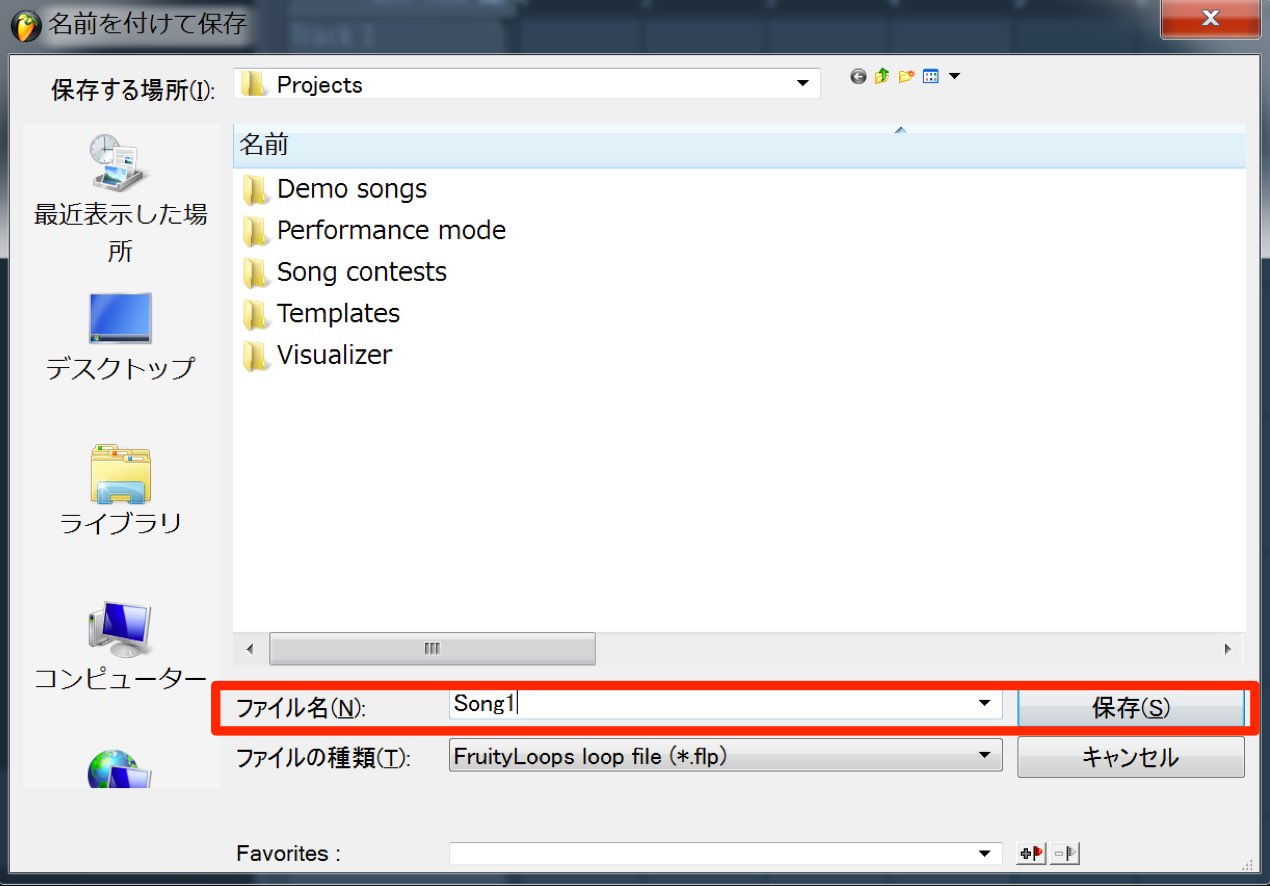
When prompted, enter a name and select “Save.”
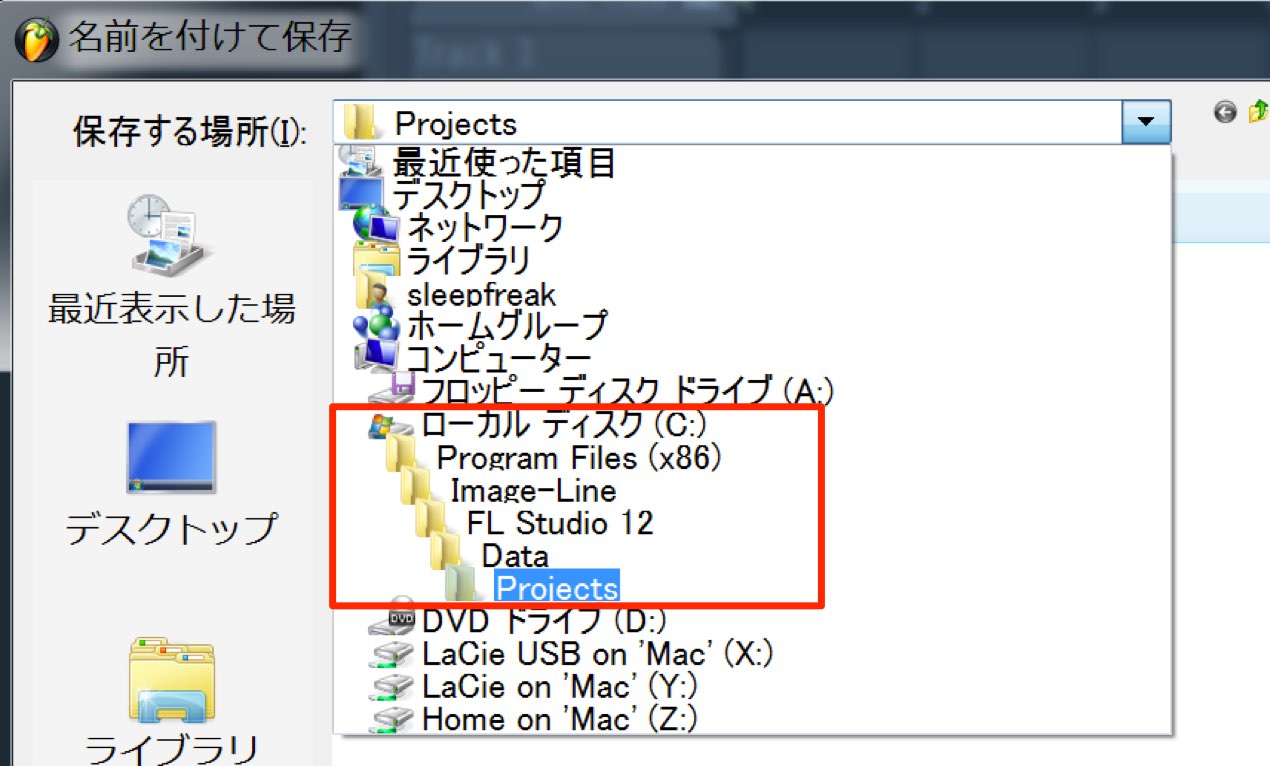
In the FL Studio 12 example shown, the default save location is
C: → Program Files (x86) → Image-Line → FL Studio 12 →
Data → Projects. In FL Studio 20 and later, user projects normally use the User data folder instead; its default location is under Documents → Image-Line → FL Studio → Projects, and it can be changed in File settings.
To choose a different save location,
select or create a dedicated folder wherever you prefer and save the project there.
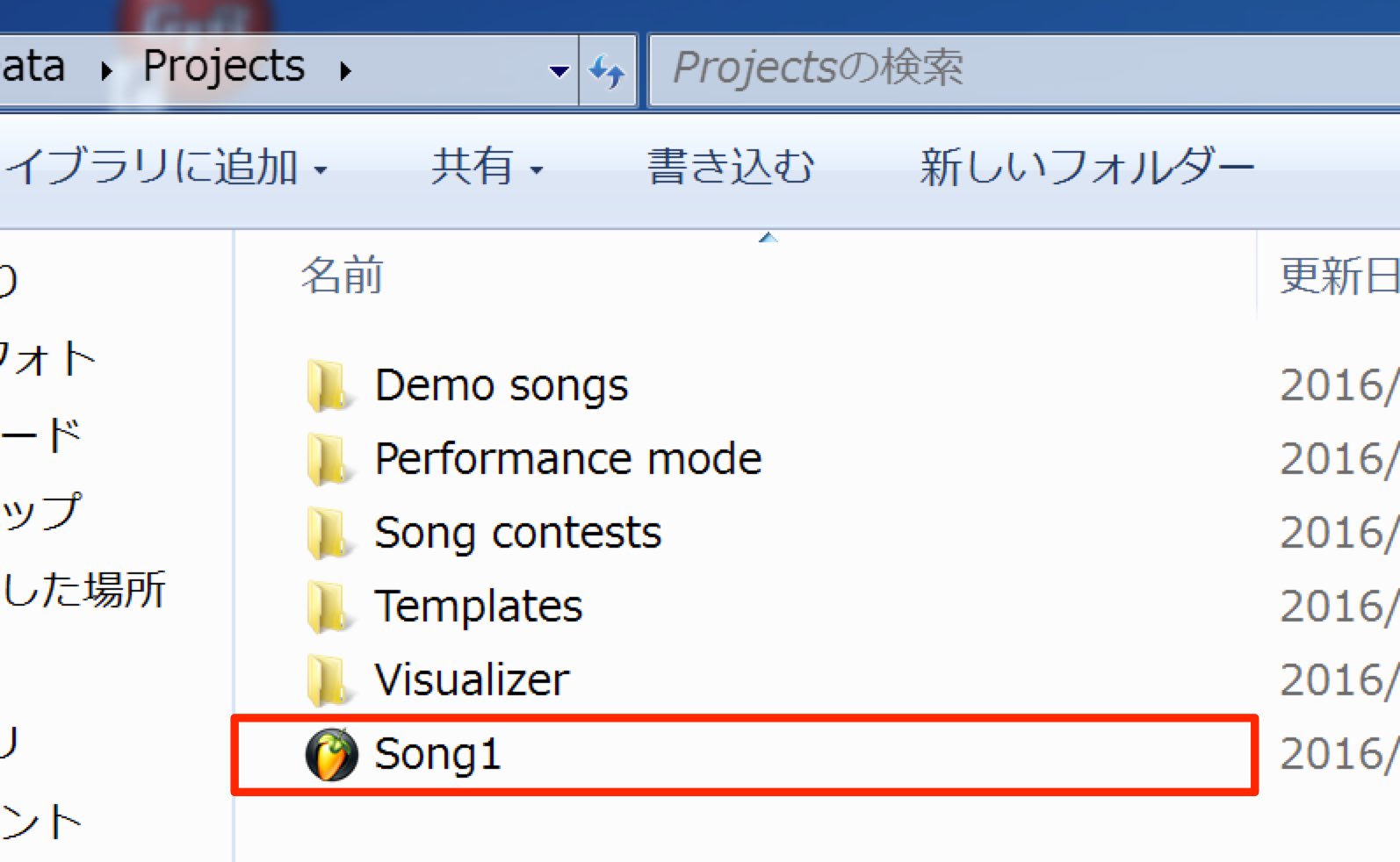
Your project is now saved.
Subsequent saves overwrite the project file with your latest work.
Repeat this process for each new song.
How to Open a Saved Project
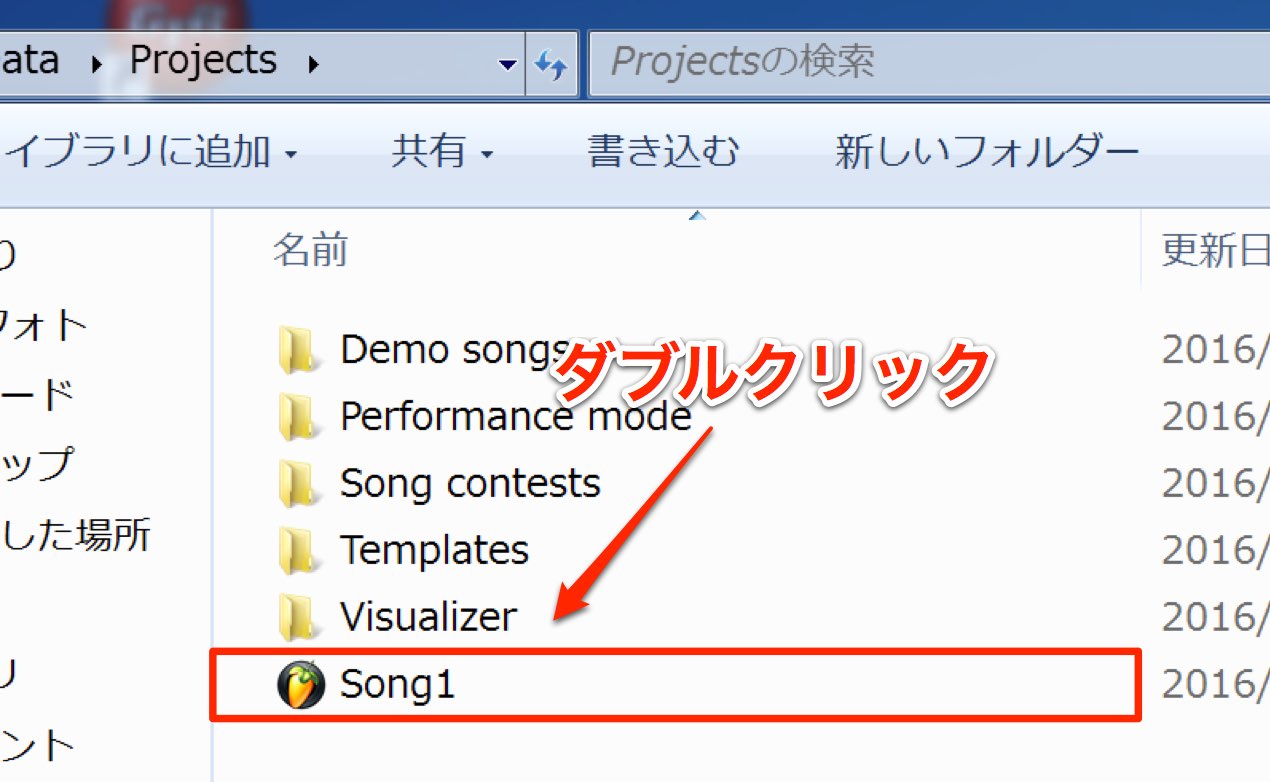
Go to the folder where the project is saved
and double-click the song file to open it.
Accessing the folder every time can be inconvenient.
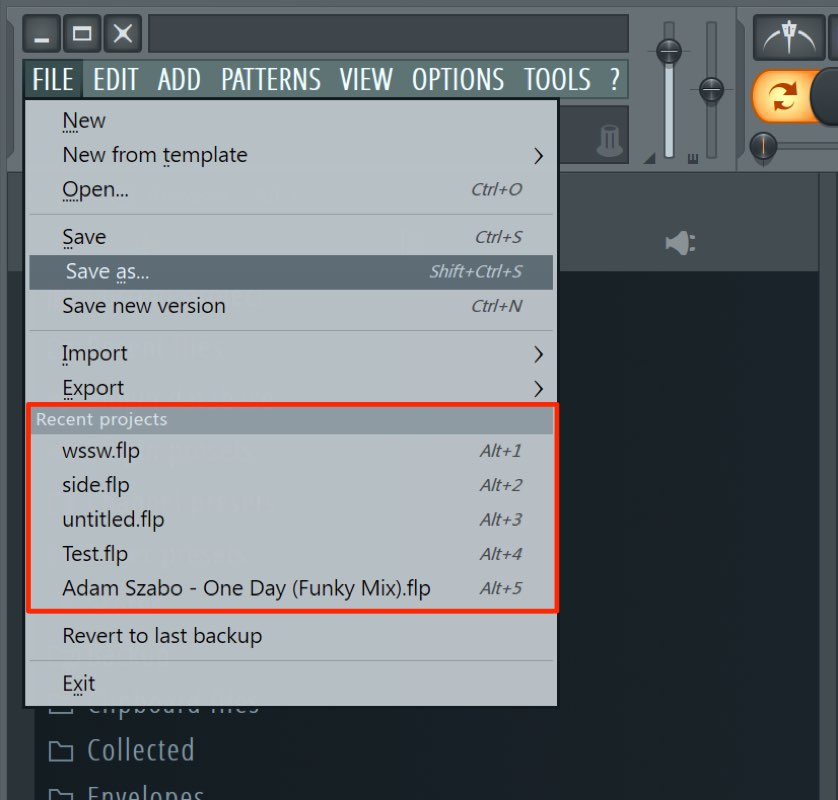
The File menu contains a “Recent projects” list,
which gives you quick access to projects you have worked on.
Save frequently so unexpected problems do not cause you to lose your work.

Frequently Asked Questions
Q1. What is a project in FL Studio?
In FL Studio, a song’s working file is called a project. It can represent a finished song or a work in progress and is an important DAW term.
Q2. Does saving work differently after the first save?
No. Once you have chosen a name and location for the first save, subsequent saves overwrite that project file with your changes.
Q3. How can I quickly open a saved project?
Use the “Recent projects” list in the File menu to access recently opened projects without navigating to the save folder each time.
Q4. Can I change where a project is saved?
Yes. You can choose a location other than the default. Creating a dedicated folder for projects can make them easier to manage. The default location differs between FL Studio 12 and newer versions.
NEW ARTICLES
Latest English Articles





















































































































































































































































































































































































































































