
When music is encoded as MP3 or AAC for online distribution, peaks can exceed the available level and clip. Sonnox Codec Toolbox lets you audition codec processing and monitor resulting peaks during mastering, helping you adjust the limiter ceiling before delivery. This tutorial uses iTunes and SoundCloud as examples; delivery requirements and codec behavior vary by service.
Setting Levels for iTunes and SoundCloud
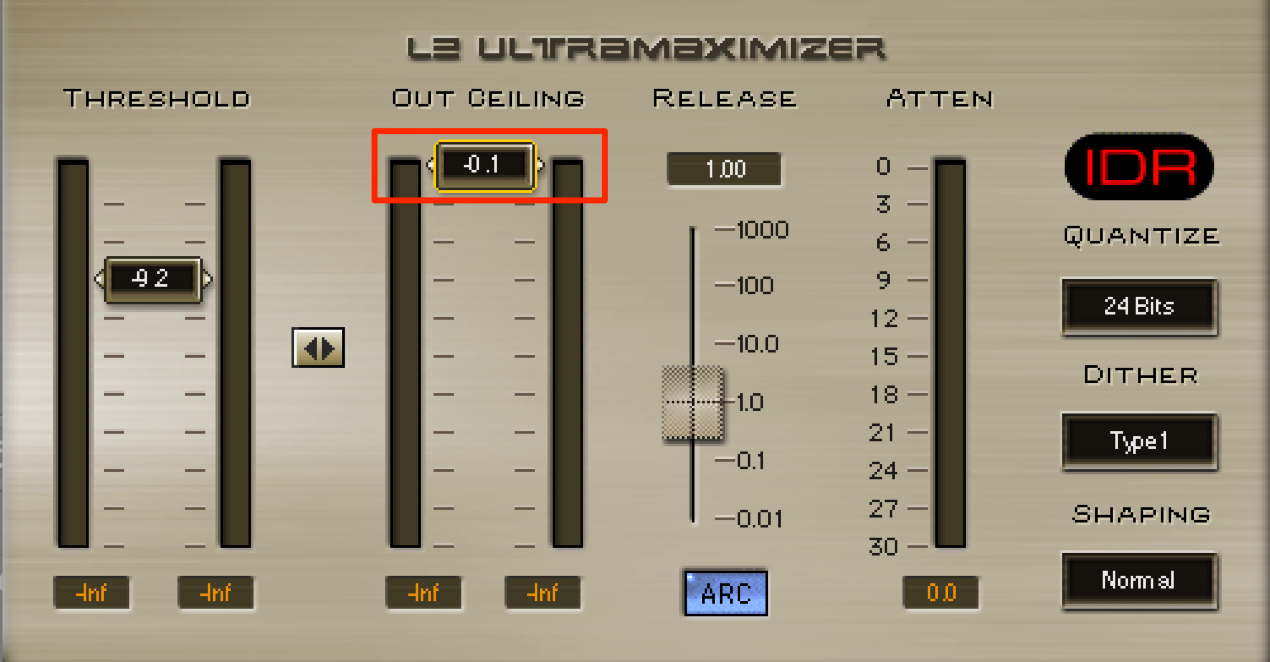
When exporting a finished track, a limiter or maximizer is often placed at the end of the chain to increase loudness.
In this example, the plug-in ceiling is set to −0.1 dB for a WAV export. This is an example, not a universal delivery target.

However, music is increasingly distributed online.
Many people purchase tracks through services such as iTunes or Amazon.
Many such services use MP3 or AAC codecs.
A potential problem is that
a track mastered with a −0.1 dB ceiling can clip after encoding.
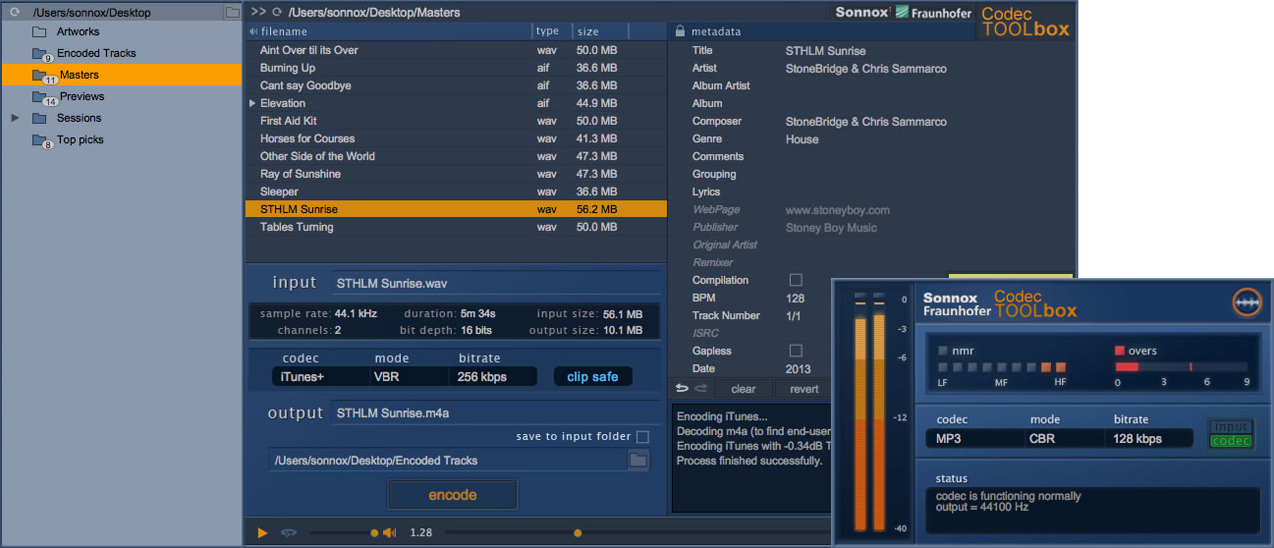
Sonnox Codec Toolbox helps identify this problem in advance.
It lets you monitor clipping that may occur after encoding in real time.
Video Tutorial
Video Highlights

Place this plug-in last on the master insert chain.
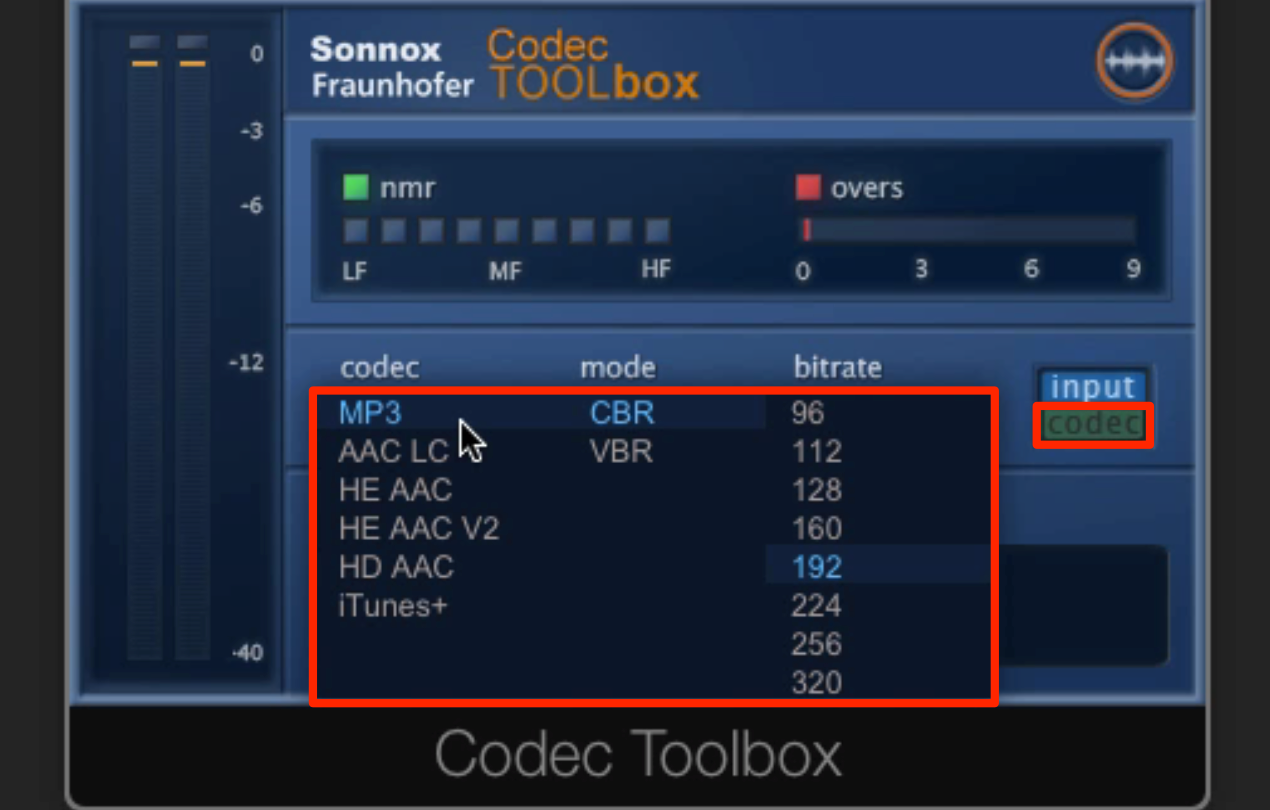
Select the format you want to check, enable Codec and play the track.
Check a busy, loud section such as the chorus.
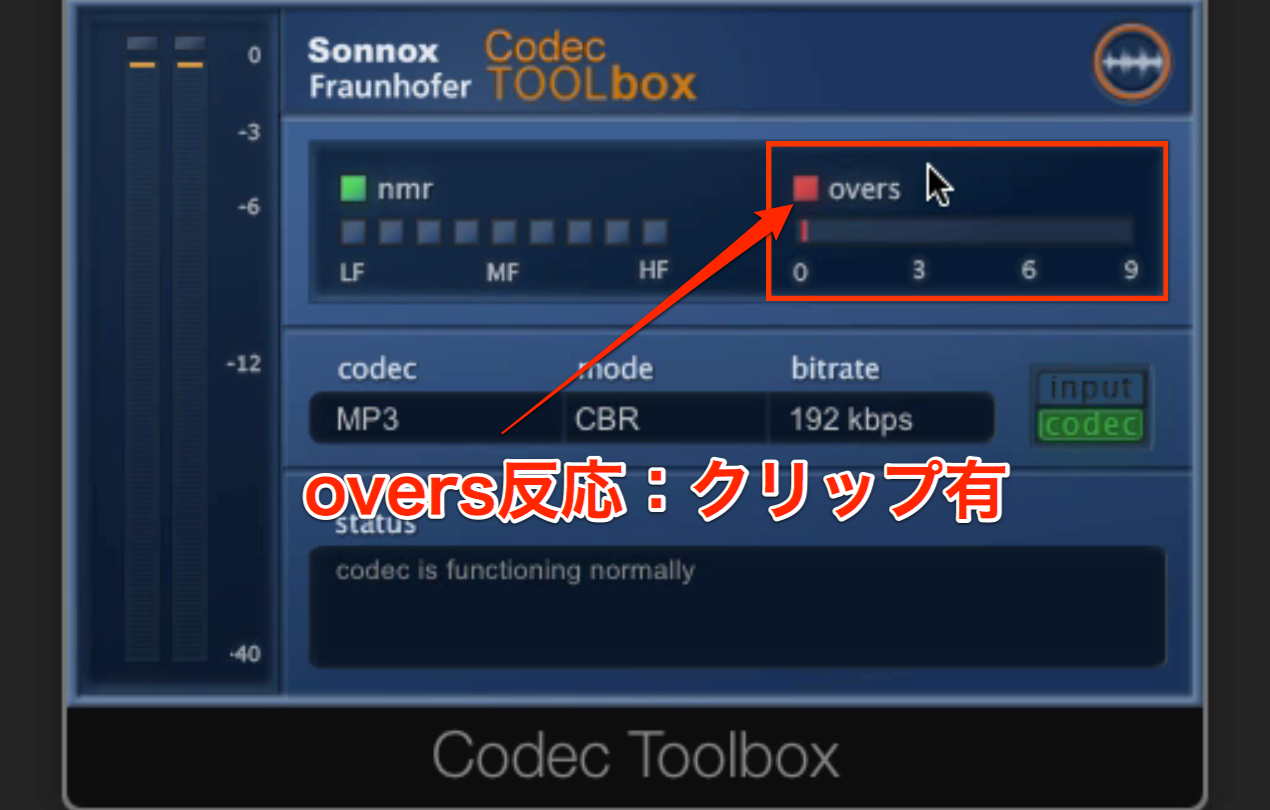
The plug-in simulates the selected format so you can check for clipping.
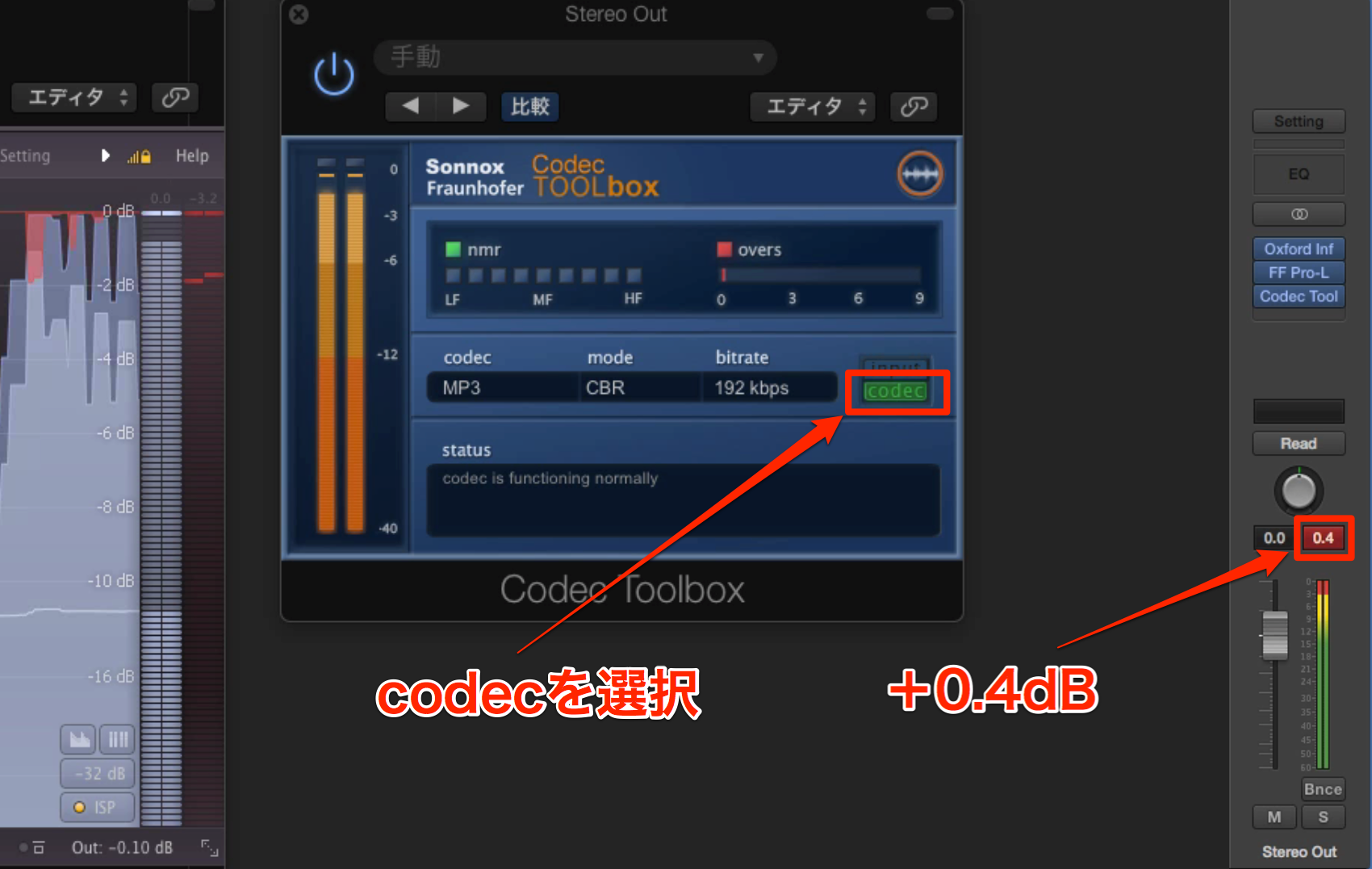
If clipping occurs, check the master meter to see how far the level exceeds the limit.
In this example it is 0.4 dB over.

Lower the limiter or maximizer ceiling
by the amount shown as the overage.
This provides a simple way to find a suitable level for the example. Recheck the encoded result after adjustment.
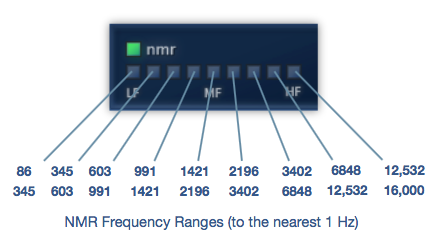
The NMR (noise-to-mask ratio) indicators also help you see
the frequency bands affected by codec processing.
If you use Logic and want to check AAC encoding for iTunes,
you can use the plug-in described below as an alternative.

Frequently Asked Questions
Q1. Why can clipping occur when converting to MP3 or AAC?
Encoding can change the waveform and create peaks above the available level, even if a WAV master was limited to −0.1 dB. Codec Toolbox can help you monitor this before delivery.
Q2. Where should Codec Toolbox be inserted?
Place it last on the master channel, after the limiter or maximizer, to monitor the simulated result of the selected codec.
Q3. Is there an alternative for Logic users?
The related article explains a Logic tool for checking AAC encoding intended for iTunes delivery. Consult the article and the documentation for your version of Logic.
Q4. What do the NMR indicators show?
The noise-to-mask ratio indicators show frequency bands where codec-induced changes may be audible. They help identify where encoding affects the sound.
NEW ARTICLES
Latest English Articles

















































































































































































































































































































































































































































































