Using Cubase’s zoom functions efficiently can save time while producing music. This guide covers quick ways to move between a view of the whole project and detailed editing: horizontal zoom with G and H, track height adjustment with Option/Alt and the arrow keys, Zoom Full with Shift+F, and custom key commands. Shortcut assignments can vary with the Cubase version and your settings.
Zoom in and out to suit the task in Cubase
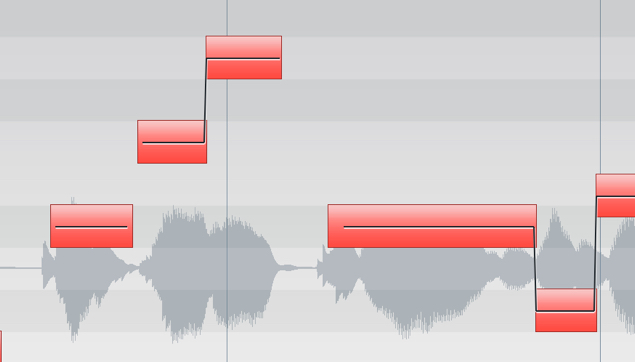
When producing music, you may need to view the entire song or move audio at the sample level.
This means you frequently need to change the screen magnification to suit your task.
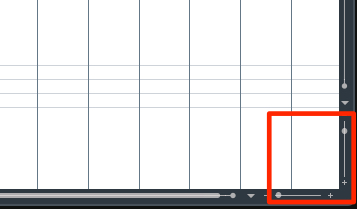
↑ Moving the pointer to the zoom slider every time can slow you down.
Here are some useful ways to reach the view you need quickly.
Video tutorial
Horizontal zoom out and in
You can reproduce the effect of the slider above with key commands.
- Mac and Windows: press G to zoom out and H to zoom in.
This lets you adjust the zoom quickly.
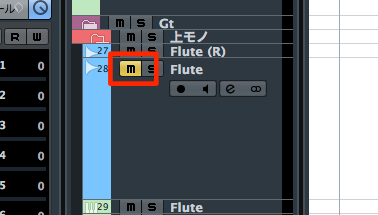
Track height: vertical zoom out and in
For a single track
Change the height of the selected track only.
- Mac: Option + Up/Down Arrow
- Windows: Alt + Up/Down Arrow
For all tracks
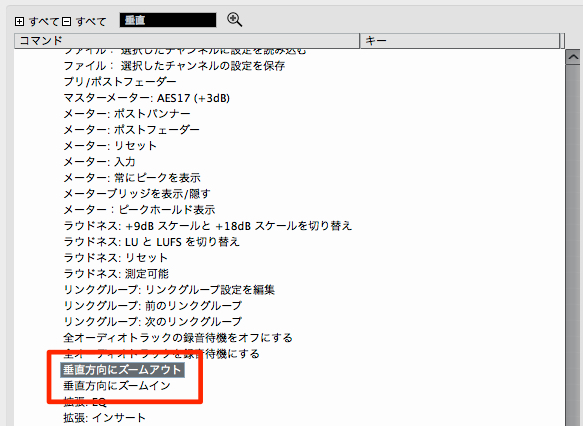
This command changes the height of all tracks.
In the setup shown here, no key command is assigned by default,
so you need to assign one yourself.
Find Zoom > Zoom Out Vertically / Zoom In Vertically in the key command settings.
Video: assigning key commands
Show the whole project
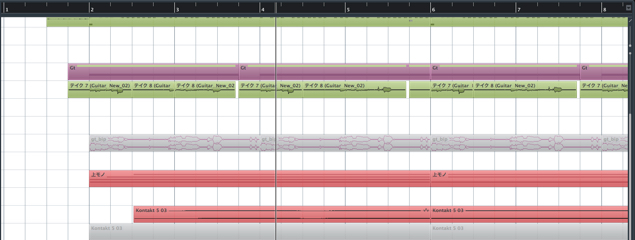
↑ Starting from a partial view like this,
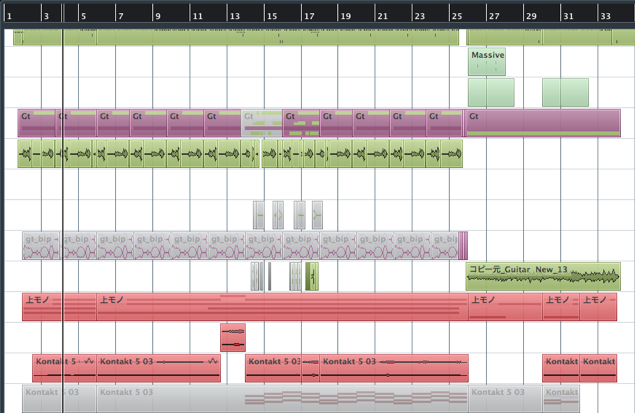
↑ you can fit the whole project on screen.
This is useful for checking the overall arrangement or preparing to export.
- Mac and Windows: Shift + F
Zoom to a selection
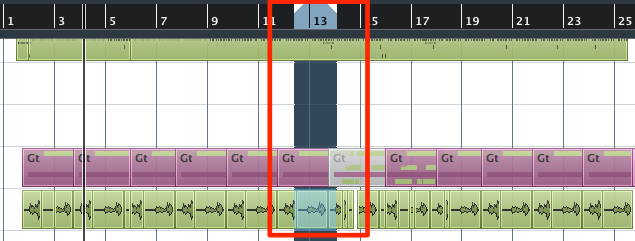
↑ Use the Object Selection or Range Selection tool to select an area,
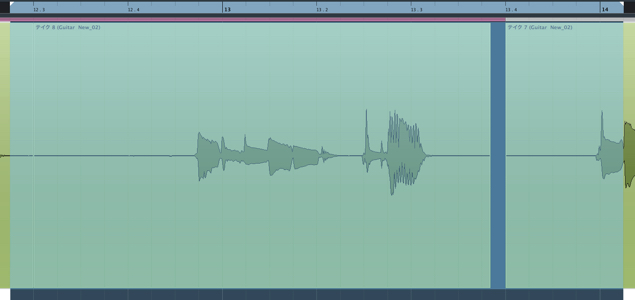
↑ then zoom it to fit the screen.
This is useful for detailed work.
- Mac: Option + S
- Windows: Alt + S
Undo zoom
This command returns to the previous zoom level.
Repeating zoom and undo can make editing faster.
In the setup shown here, no key command is assigned by default,
so you need to assign one yourself.
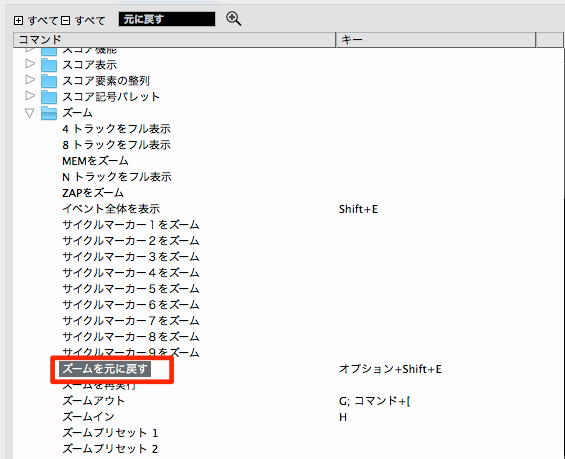
↑ Find Zoom > Undo Zoom in the key command settings.
Video: assigning key commands
Frequently Asked Questions
Q1. How can I zoom more quickly in Cubase?
Use key commands instead of the sliders. For example, G and H zoom out and in horizontally, and Shift+F shows the full project. Assign keys to frequently used commands as needed; assignments may vary by version and configuration.
Q2. Which shortcut zooms to the selected area?
Use Option+S on Mac or Alt+S on Windows to fit the area chosen with the Object Selection or Range Selection tool to the screen. This is useful for detailed editing.
Q3. Why does the shortcut for changing the height of all tracks not work?
In the setup shown in this tutorial, the vertical zoom commands have no default shortcut. Open the key command settings and assign your preferred keys to Zoom Out Vertically and Zoom In Vertically. Defaults and custom assignments can vary.
NEW ARTICLES
Latest English Articles