
Presets are useful when producing music, but dynamics plug-in presets, such as those for compressors and limiters, require particular care. Their effect can change considerably with the level of the incoming signal, so applying a preset unchanged may not produce the sound you want. This article explains how different signal levels affect a preset and how to adjust the threshold to achieve appropriate gain reduction. If a preset sounds strange, revisiting this setting can help.
Use Care with Dynamics Presets

Presets are valuable tools when creating sounds.
Manufacturers provide settings suited to different instruments.
However, dynamics plug-in presets require care,
because their effect changes with the level of the signal entering the plug-in.
Let’s take a closer look.
Video: What to Watch for with Presets
Key Points from the Video
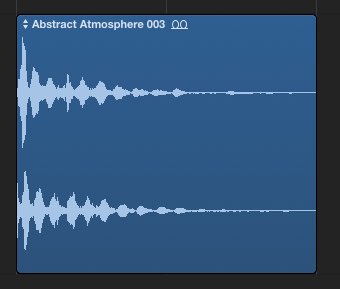
The effect of a preset changes with the signal level entering the plug-in.
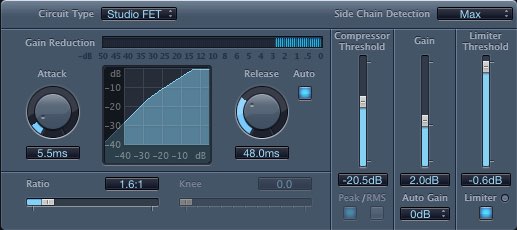
Check the threshold and adjust it as needed so that the gain reduction is appropriate for the sound.
If a preset does not give you the sound you want,
or actually makes it sound strange, revisit this setting.
Frequently Asked Questions
Q1. Why might a dynamics plug-in preset not work as expected?
The amount of processing depends on the input level. A preset’s threshold may suit one signal level but produce a different amount of gain reduction on a louder or quieter signal.
Q2. Which parameter is important to adjust when using a preset?
The threshold is a key setting. Adjust it for the signal entering the plug-in and aim for gain reduction that suits the sound and the result you want.
Q3. What should I do if a preset sounds strange?
Revisit the threshold setting. Watch the gain reduction meter while adjusting the threshold to suit the incoming signal, and listen to the result.
NEW ARTICLES
Latest English Articles



































































































































































































































































































































































































































































































































