
Connecting an external MIDI controller to Studio One lets you control the DAW and adjust effects and software instrument parameters more intuitively. This guide walks through registering a controller in the External Devices tab of Preferences, entering its manufacturer and product name, and selecting the MIDI device. Once it is configured and controls are assigned, you can explore techniques such as recording automation and managing knobs to make your music production workflow more expressive and efficient.
More Intuitive Control
Using an external MIDI controller,
you can operate Studio One and adjust effects and software synthesizer knobs
from your hardware.
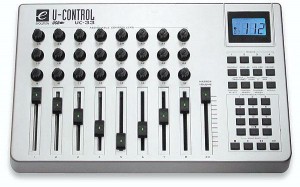
This makes operation and sound design more intuitive.
Setting Up a MIDI Controller in Studio One
First, you need to register the MIDI controller in Studio One.
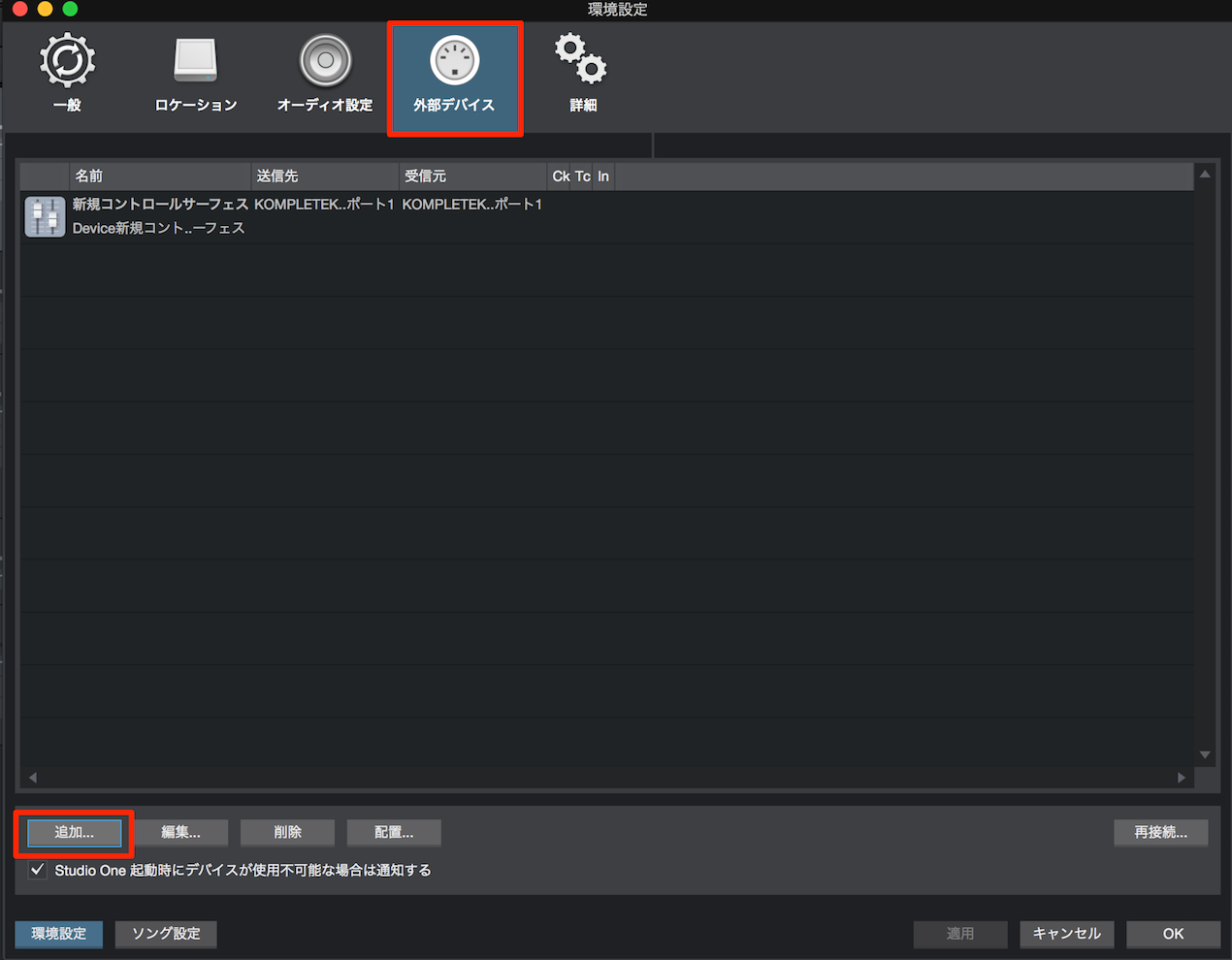
↑ Open Preferences and select the External Devices tab.
Select Add at the bottom.
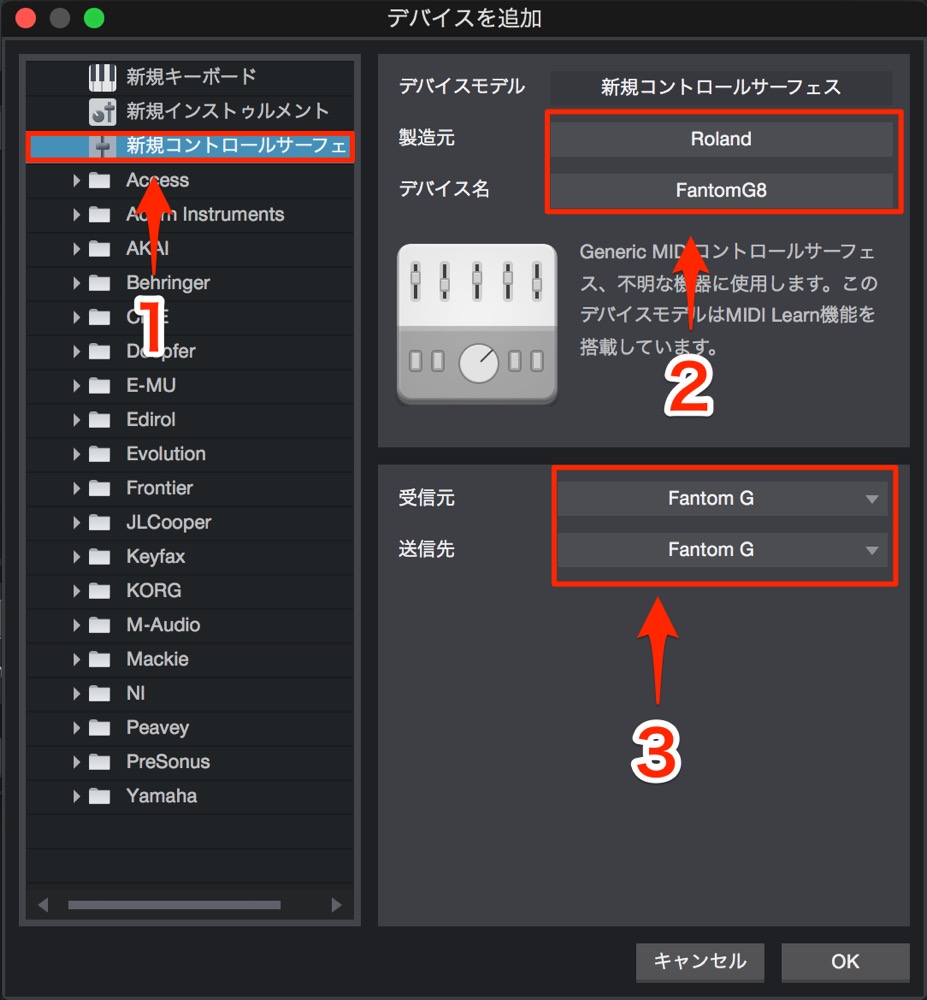
- 1. Select New Control Surface.
- 2. Enter the manufacturer and product name.
- 3. Select the MIDI device.
When you have finished configuring it, press OK.
Studio One will now recognize the MIDI controller you configured.

Frequently Asked Questions
Q1. What are the benefits of using a MIDI controller with Studio One?
A MIDI controller can make adjusting effect and synthesizer parameters more intuitive and faster than using a mouse. It can also make real-time sound design and automation recording more efficient, opening up creative possibilities.
Q2. How do I register a MIDI controller?
Open the External Devices tab in Preferences, select Add, and create a New Control Surface. Enter the manufacturer and product name, select the appropriate connected MIDI device, and press OK. Studio One can then use the configured controller.
Q3. Can I use multiple MIDI controllers at the same time?
Yes. Register multiple MIDI controllers in Studio One to use different devices together. You can assign different parameters to each device for more involved sound design and control.
NEW ARTICLES
Latest English Articles








































































































































































































































































































































































































































































































































































































































































