The shortcut for quickly playing and looping an event in Cubase can make music production much more efficient. Instead of dragging the ruler to set a loop, select an event and use the appropriate shortcut to set the loop range and start playback. The Japanese article lists Shift+G for older versions and Option/Alt+P for newer versions, but places Cubase 7 in both groups. Check the assigned command in your version. The Range Selection tool also lets you loop a freely chosen range for recording or mixing.
A useful operation worth mastering
One of the most frequently used operations in music production is
playing or looping a section.

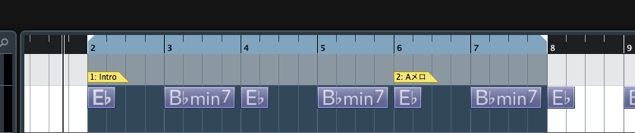
↑ Normally, you set a loop by dragging on the ruler, but this can be a little cumbersome.
We recommend using the shortcut to
match the playback and loop range to an event.
This can greatly improve your workflow.
Video tutorial
How to play and loop an event range in Cubase
The operation is very simple.
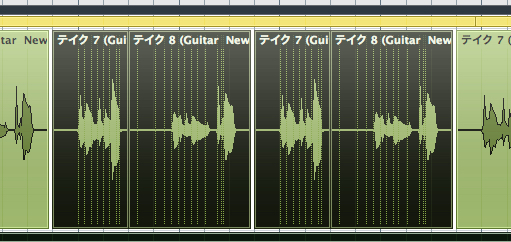
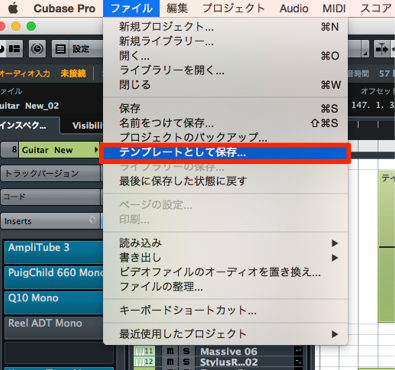
↑ Select the event you want to play or loop, then use the appropriate shortcut:
- Older versions (the Japanese article says Cubase 7 or earlier)
Mac and Windows: Shift + G - Newer versions (the Japanese article says Cubase 7 and later)
Mac: Option + P
Windows: Alt + P
The Japanese source includes Cubase 7 in both groups. Check the assigned Loop Selection command in your version; shortcuts can be customized.
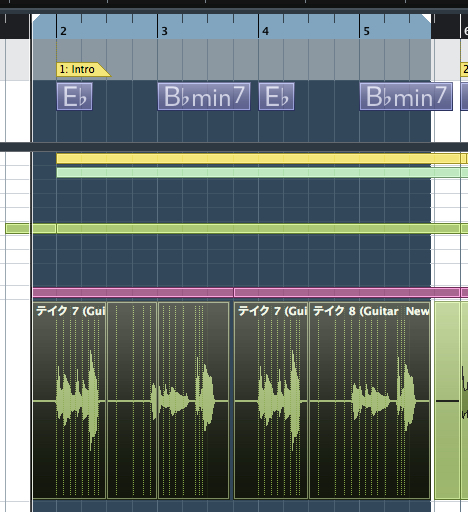
↑ A loop range matching the event is set and playback starts automatically.
An additional technique
The method above works with individual events, but you can also
select a playback or loop range independently of event boundaries.
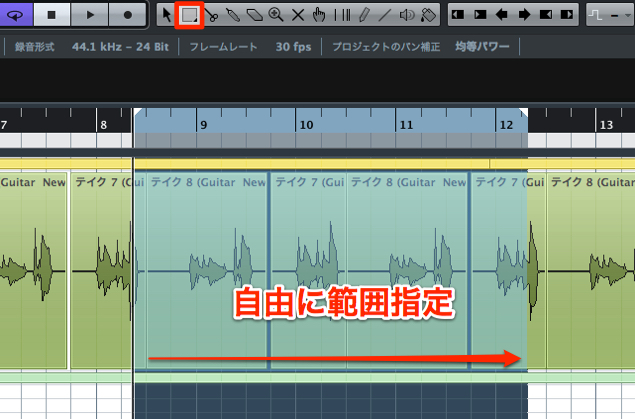
Select the Range Selection tool from the menu.
Freely select the area you want to play or loop, then use the shortcut above.
The loop range matches your selection and playback begins.
Frequently Asked Questions
Q1. How can I quickly loop an event in Cubase?
Select the event you want to play or loop, then use the shortcut assigned to Loop Selection. The Japanese article lists Shift+G for older versions and Option+P on Mac or Alt+P on Windows for newer versions, but its Cubase 7 boundary is ambiguous. The loop range is set to the event and playback starts.
Q2. Can I loop a freely selected range instead of a whole event?
Yes. Choose the Range Selection tool from the menu, select the section you want to play, and use the shortcut. The loop range will match the selection and playback will start.
Q3. Is this shortcut available in every version?
The Japanese source describes different shortcuts for older and newer versions, but includes Cubase 7 in both groups and its FAQ gives a conflicting version boundary. Check the command and shortcut assignment in your version of Cubase.
NEW ARTICLES
Latest English Articles