
HALion Sonic SE 2 includes keyswitches that let you change an instrument’s playing technique while producing music. This guide covers finding sounds that support keyswitches, loading an Expression Map and applying articulations and dynamics in the Key Editor. The visual interface makes it easier to manage techniques and add expressive orchestral and string parts to a project.
Use Keyswitches to Change Playing Techniques

HALion Sonic SE 2 comes with Cubase.
This multi-instrument gives you access to a variety of instrument sounds in one place.
Some of its sounds support keyswitches,
which let you change the instrument’s playing technique easily.
In this article, we will focus on keyswitch control.
HALion Sonic SE 2 Video Tutorial
Control External Instruments with Expression Maps
Find Sounds That Support Keyswitches

Type “VX” into the sound search to find instruments that support keyswitches.

Press the area outlined in red in the loaded sound to change the playing technique.
The most recently pressed keyswitch remains active.

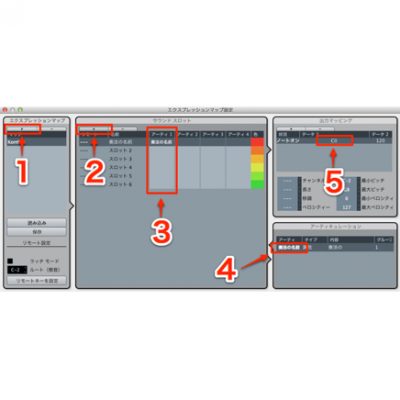
In the track Inspector, choose Expression Map → Load Keyswitches.

You can now see the playing techniques in the Key Editor and other views.
Articulations/Dynamics

Click the area outlined in red in the Key Editor.

Select Articulations/Dynamics.

You can now apply articulations to a phrase easily.
The visual display also makes them easy to understand.
Frequently Asked Questions
Q1. What are keyswitches in HALion Sonic SE 2?
Keyswitches let you instantly switch between different playing techniques within a sound, such as pizzicato, legato and staccato, by pressing specific keys. They can add a great deal of expression to a performance.
Q2. How do I find sounds that support keyswitches?
Type “VX” in the sound search to find compatible instruments. After loading one, press the area outlined in red to change the playing technique.
Q3. What does Load Keyswitches in the Expression Map do?
It lets you see which keyswitches correspond to the available techniques in the Key Editor, making them easier to select and manage.
Q4. What is the benefit of using articulations?
You can apply articulations and dynamics to a phrase intuitively from the Key Editor, creating expressive performances without complex setup.
NEW ARTICLES
Latest English Articles




































































































































































































































































































































































































































































































































































