
When programming a shaker in a DAW, choosing the sound and varying velocity are important. Understanding how the instrument is played helps you create a natural, expressive part instead of a mechanical pattern. In particular, shifting MIDI timing can reproduce the sound of particles moving inside the shaker before the attack. EQ, reverb, and other effects can then help create a convincing performance. These techniques can be applied across genres, from Latin music and J-pop to EDM.
Explore Shaker Sounds
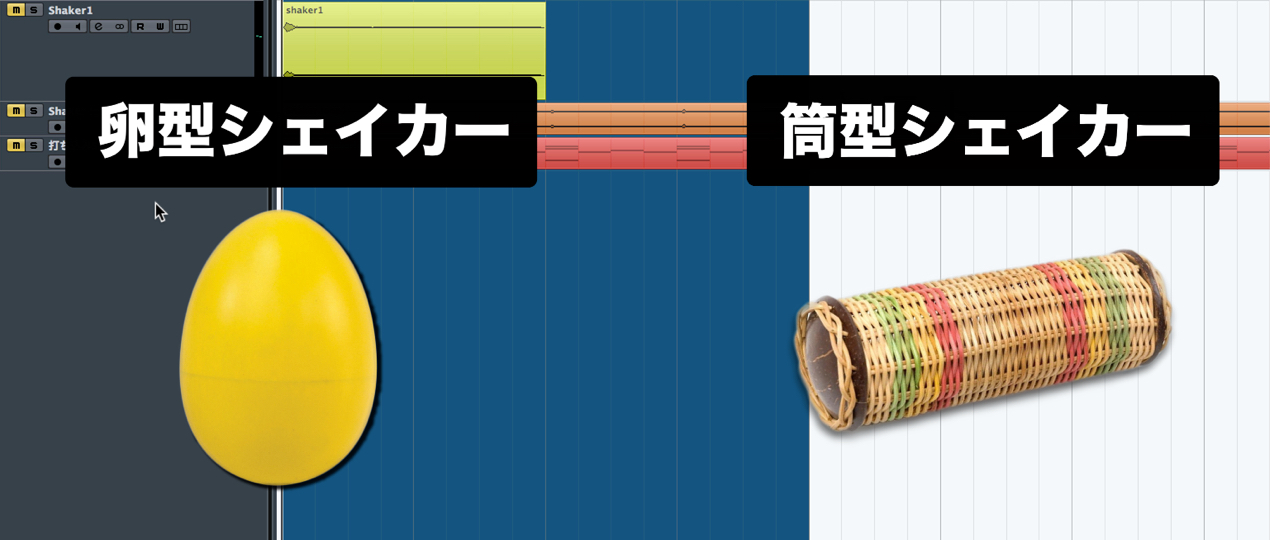
A shaker is simple in shape and construction, but its sound varies with its size and material.
First, listen to the shaker sounds available in your DAW and imagine the sound you want.
Watch the Video
Tips for Recreating a Live Performance with MIDI
In the image below, the upper waveform is audio of a live shaker performance.
We will try to recreate its live feel with programmed notes
and identify the points to consider when programming.
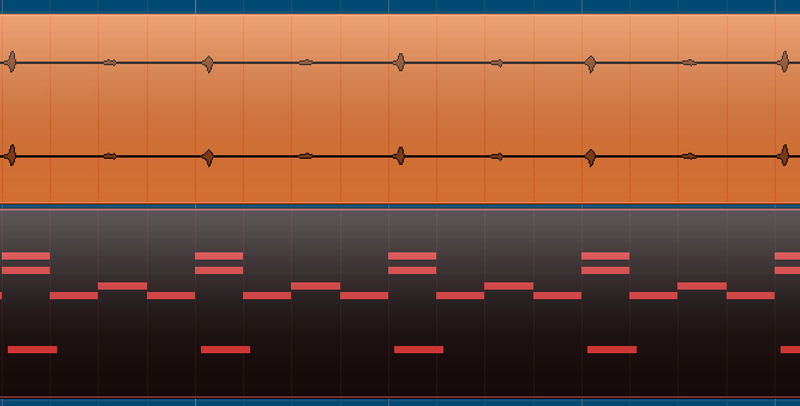
The lower MIDI data shows the programmed part.
Some MIDI notes overlap: to reproduce a complex shaker sound, you may need to
layer several notes or sounds and vary them with the timing as part of the combination.
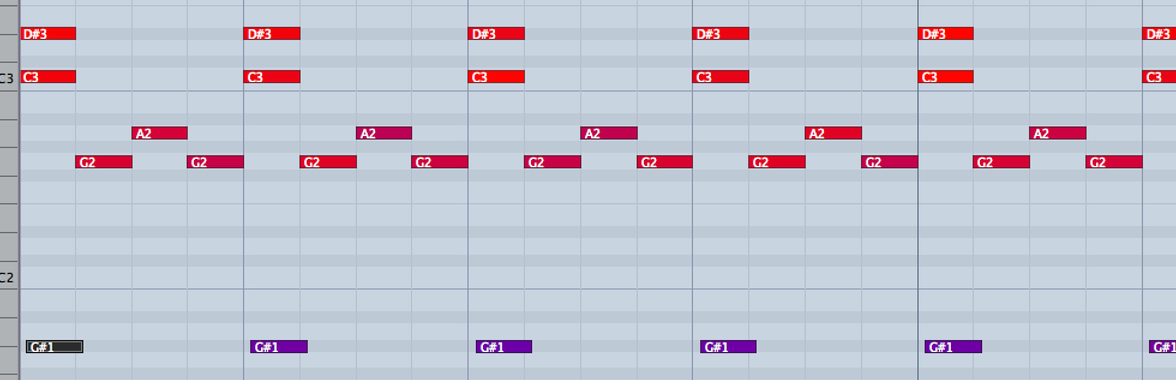
Here is the programmed part in the piano roll.
A shaker is an unpitched percussion instrument, so it does not play a musical scale.
Use the note timing and velocity shown here as a reference.

The video also demonstrates a shaker part programmed with a single sound and varied velocities.
In the image above, the MIDI notes appear in different colors, such as dark red and purple.
These colors show changes in velocity.
The varied velocities add expression, but
a single, unchanging sound cannot fully reproduce the feel of a live shaker performance.
Percussion Decays: The Importance of Accents
A percussion waveform usually decays from the moment the sound begins.
The shaker is one example: its attack is the loudest part.
However, because of the instrument’s construction, the particles or sand inside the container also make sound before the attack,
and recreating this detail can make your programming more precise.
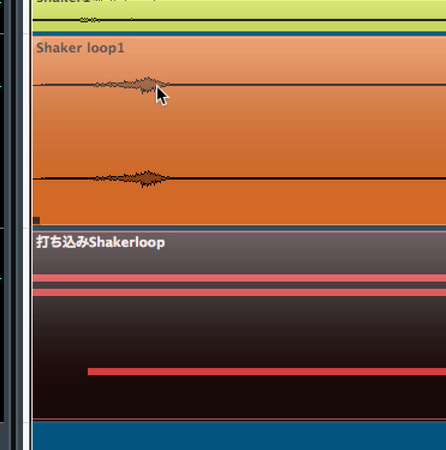
In the waveform above, look at the moment that appears to be the loudest attack:
you can see that the sound starts slightly earlier.
To reproduce this nuance, we offset the timing of the MIDI notes.
Understanding the instrument’s characteristics this way can make your programmed part more accurate.
Shaping the Sound After Programming MIDI
Once your programmed part captures the feel of the shaker, adjust its sound.
The processing will vary with the sound in your software instrument. Here, we wanted to add some air and body
and make the shaker sound more present,
so we applied effects as shown below.
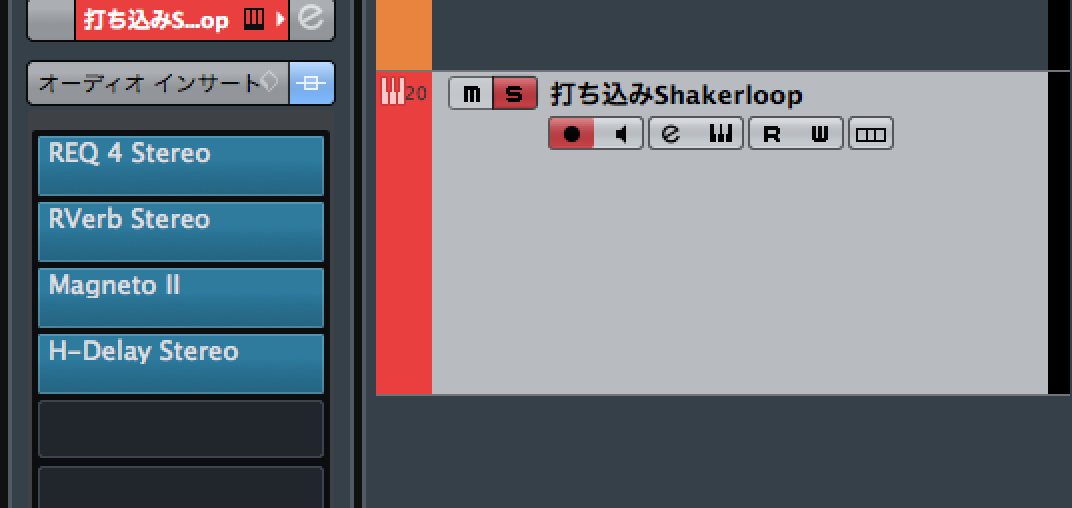
We used four effects: EQ, reverb, saturation, and delay.
You can hear the sound after processing in the video.
These are basic programming techniques, but the shaker is a very flexible instrument.
It can be used in Latin music and J-pop, or with distortion in EDM,
among many other applications.
The rhythm you play will also change with the genre and beat,
so listen to commercially released music for reference and try incorporating a shaker into your own productions.
Frequently Asked Questions
Q1. How can I make a programmed shaker sound realistic?
Vary the velocity for dynamics and layer different sounds. Recreating the sound that precedes the attack by adjusting MIDI timing can also make the performance feel more natural.
Q2. Which effects work well on a shaker?
Try combining EQ, reverb, saturation, and delay. Adding air or body can make the shaker sound more present.
Q3. Can a shaker play a musical scale?
A typical shaker is unpitched, so it does not play a musical scale. In the piano roll, use velocity and timing to shape the performance rather than treating the part as a pitched melody.
NEW ARTICLES
Latest English Articles










































































































































































































































































































































































































