
Plugin Boutique Scaler 2 offers enhanced chord-progression tools to support composition and arrangement in your DAW. Its new features include an expanded selection of 30 sounds and more than 200 chord sets, automatic playback with PERFORM, smoother voicings with VOICE GROUPING, key changes with MODULATION, and more natural performances with HUMANIZE. These tools help beginners and experienced producers work efficiently, connecting chord selection and expressive performance in a single workflow.
Enhanced Tools for Composition
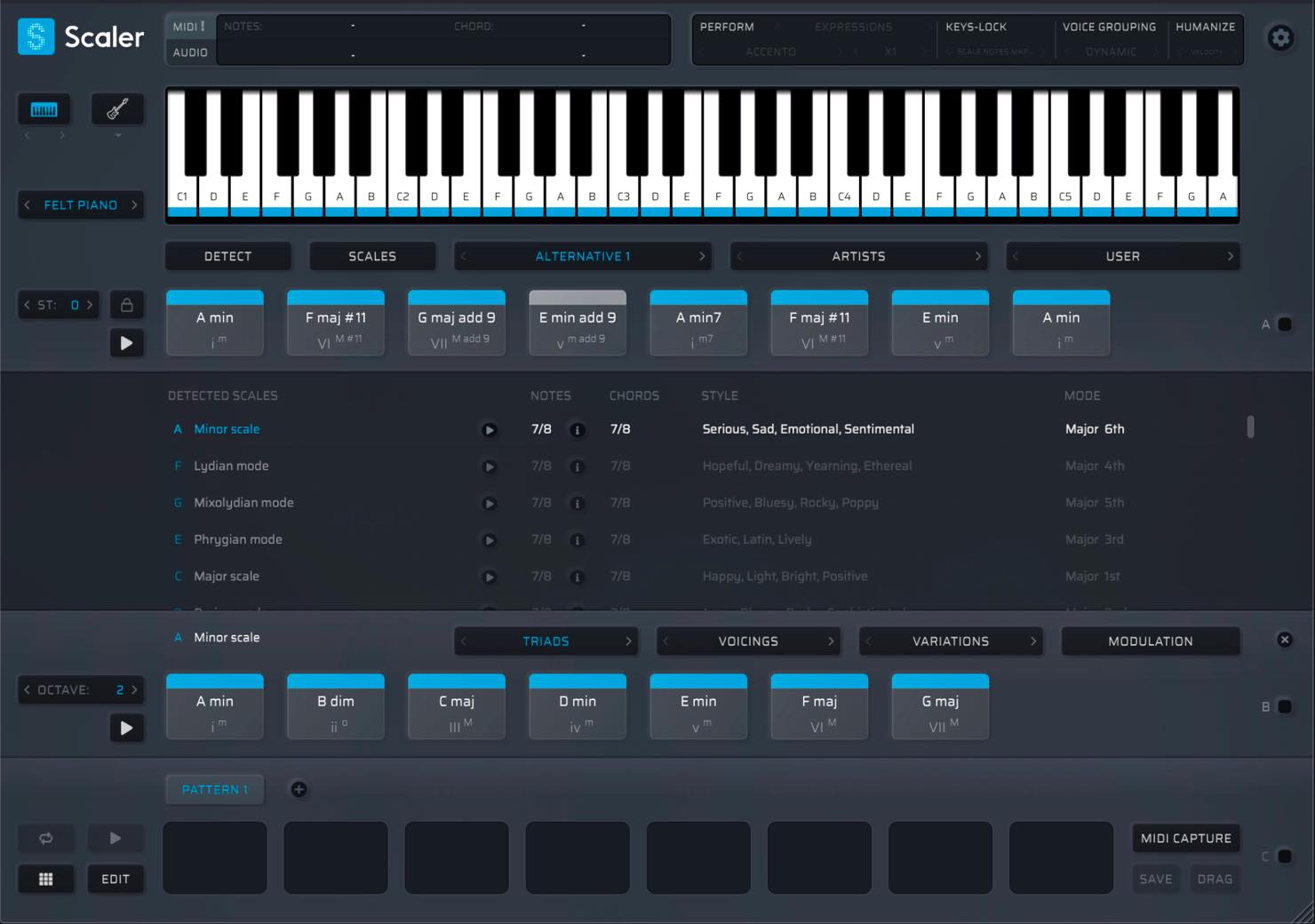
Scaler, which we covered in an earlier popular tutorial, has been updated to version 2. In this article, we will introduce its main new features.
Alongside the existing features, there are now more tools to support composition and arrangement. Let’s take a look.
The basic features of the previous version are still available. If you are new to Scaler, check out this guide as well.
Scaler 2: New Features for Building Chord Progressions
- 1Using Scaler: The Basics
- 2Using Scaler: Practical Techniques
- 3Scaler 2: New Features Explained
- 4Scaler 3: Key New Features
Selected Questions and Answers from the YouTube Video

Thank you for introducing software that looks useful for beginners. I’m interested in it. How many computers can I use with one license?

The answer recorded in this article’s Scaler 2 Q&A was up to three computers. See: “How many machines can I install Scaler 2 on?” https://bit.ly/2ZnsMRj
Thank you for the clear video. Why do the different packages on the purchase site have different prices? Which would you recommend?
The options discussed in this article differ because they are the standalone product, an upgrade, or a bundle. For owners of Scaler version 1: Scaler 2 Upgrade from Scaler 1 https://bit.ly/38NaWKd • Scaler 2: the option recommended in the original Q&A for first-time buyers. https://bit.ly/2OhMiIc
Installing and Activating Scaler
Important Note When Importing MIDI into Logic Pro X
Frequently Asked Questions
Q1. What are the main new features in Scaler 2?
They include automatic performance with PERFORM and the added EXPRESSIONS, voicing assistance with VOICE GROUPING, modulation assistance with MODULATION, more natural performances with HUMANIZE, detailed per-chord settings with EDIT, and chord detection from audio with AUDIO DETECT.
Q2. Can I drag Scaler 2’s output directly into my DAW?
Yes. Drag and drop lets you place chord progressions and patterns created in Scaler 2 directly into a DAW such as Logic Pro X.
Q3. Is Scaler 2 suitable for beginners?
Yes. Automatic playback tools such as PERFORM and voicing assistance help you build chord progressions efficiently without extensive music-theory knowledge, making Scaler 2 approachable for beginners.
NEW ARTICLES
Latest English Articles






























































































































































































