
FL Studio 20 introduced long-awaited Mac support, along with new features that make music production much more efficient. It runs on macOS 10.11 or later, and interface customization lets you adjust the layout to suit your workflow. Graph Editors in the Channel Rack let you intuitively edit pitch, velocity, pan, and other parameters without opening the Piano Roll, helping you work faster. The expanded Sampler also lets you quickly apply effects such as EQ, reverb, and delay to samples, greatly increasing your sound-design options.
Full Mac Support: FL Studio Takes Another Step Forward
FL Studio 20 was recently released at the time of this article.
Alongside long-awaited full Mac support, it is packed with features that greatly expand your sound-editing options.
In this article, we will explain what these features can do.
FL Studio 20 New Features, Part 1: Video Tutorial
Mac Support and Display Customization

A major highlight of this update is Mac support: FL Studio 20 can run on macOS 10.11 or later.
Windows support remains the same, covering Windows 7, 8, and 10.
The interface has also been improved. You can customize the layout of the transport controls, panels, and buttons to suit the way you work.
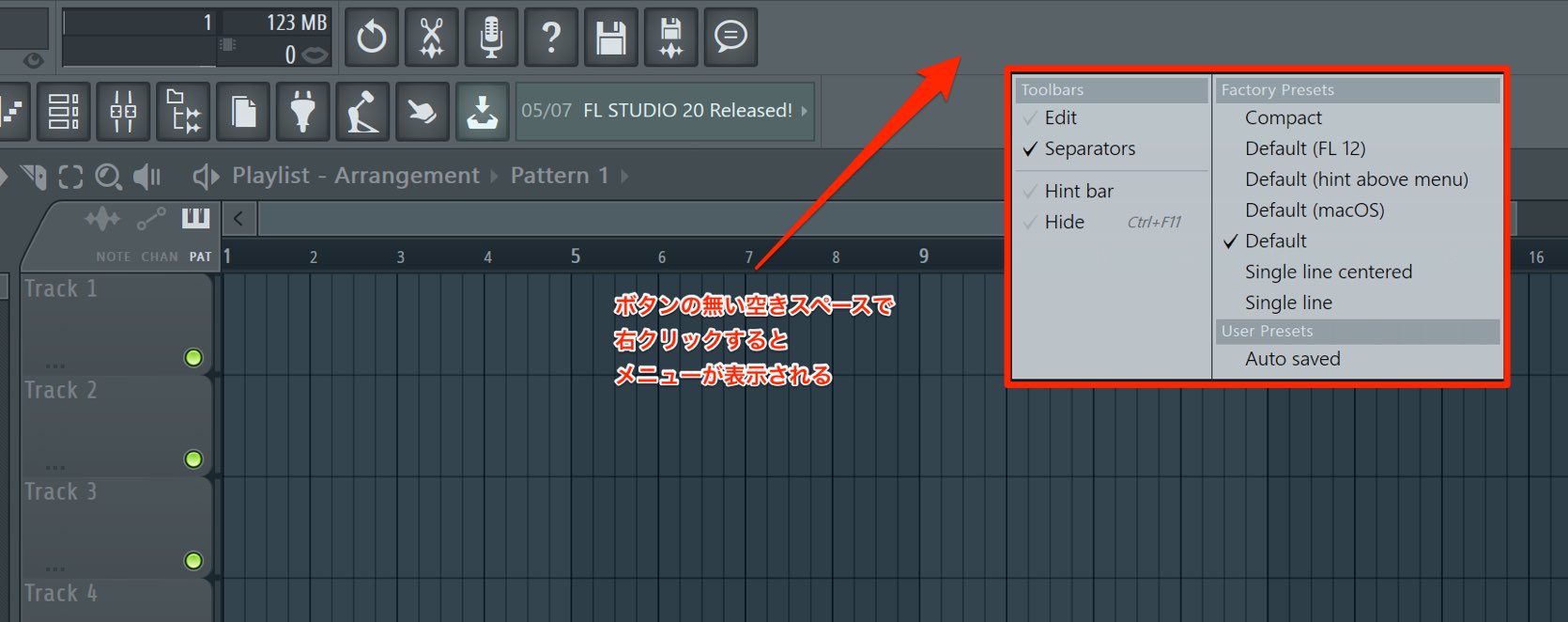
Right-click an empty area at the top of the window to open a menu.
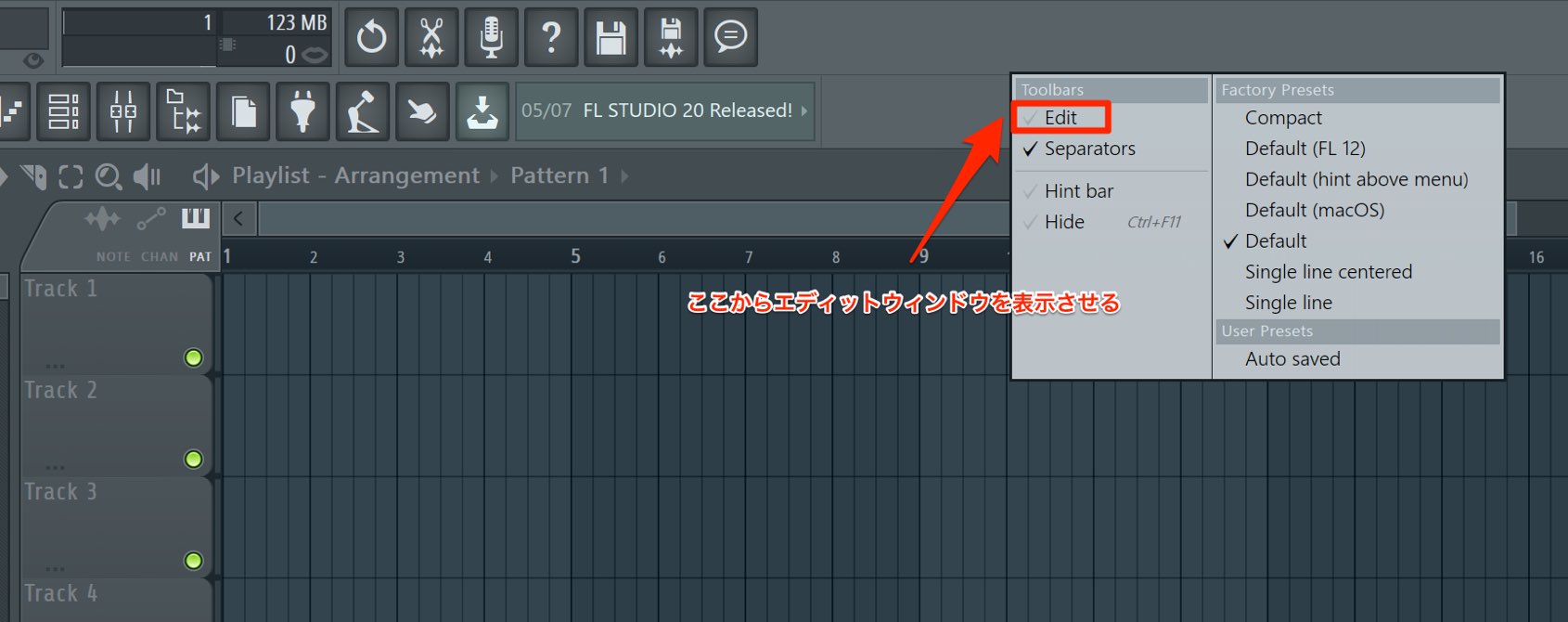
Select “Edit” from this menu.
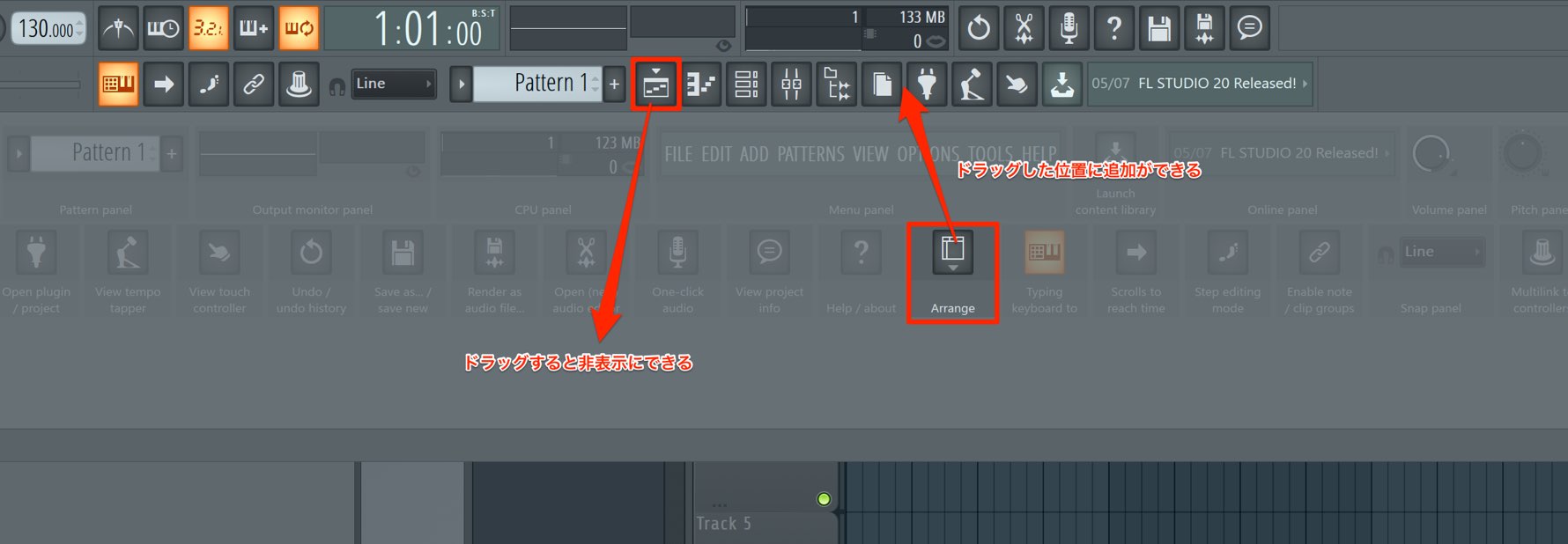
To add a button or panel that is not currently displayed, drag the item from the list to the desired location.
To remove a button that is already displayed, drag it downward.
You can also rearrange items by dragging them to different positions.
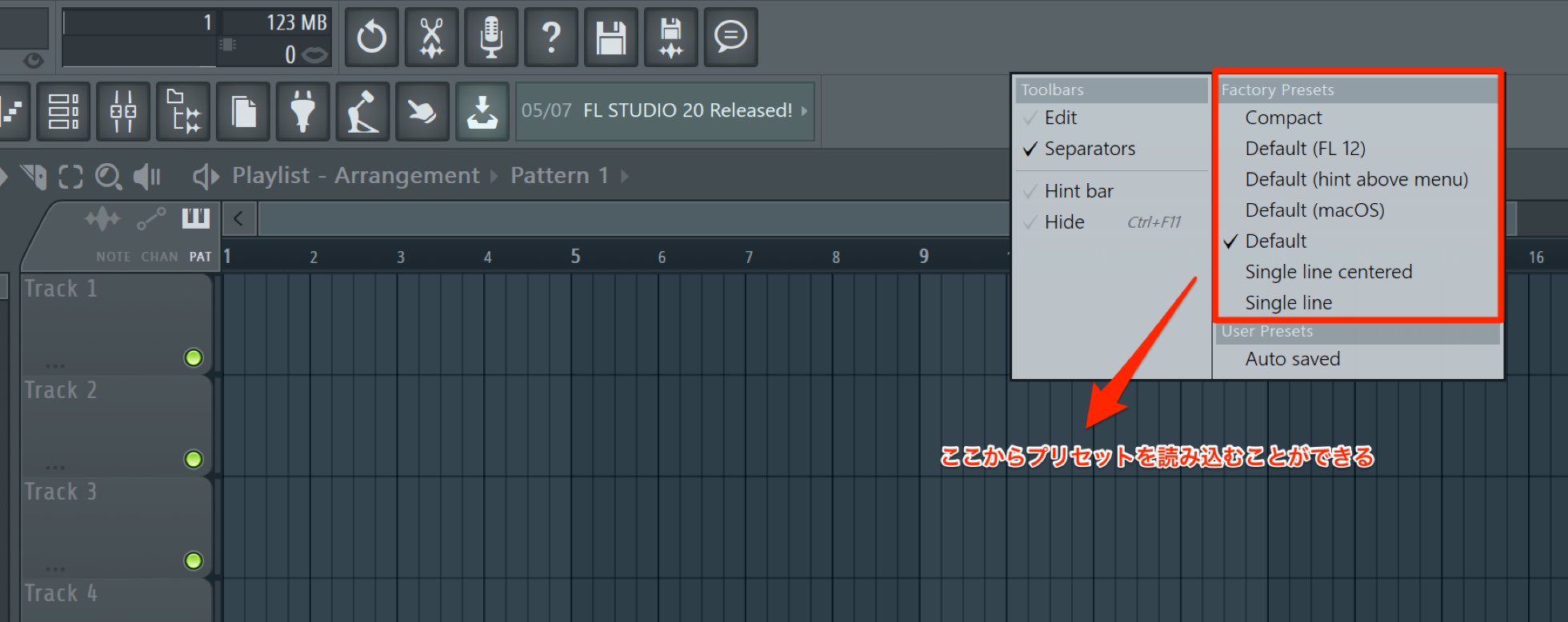
“Factory Presets” are available on the right side of the menu window.
There is also a version preset labeled “Default (FL12).” If you have upgraded from an earlier version and find the new arrangement unfamiliar, this is a useful option.
New Channel Rack Features
“Graph Editors” have been added to the Channel Rack, a central part of FL Studio. They let you edit programmed notes without opening the Piano Roll.
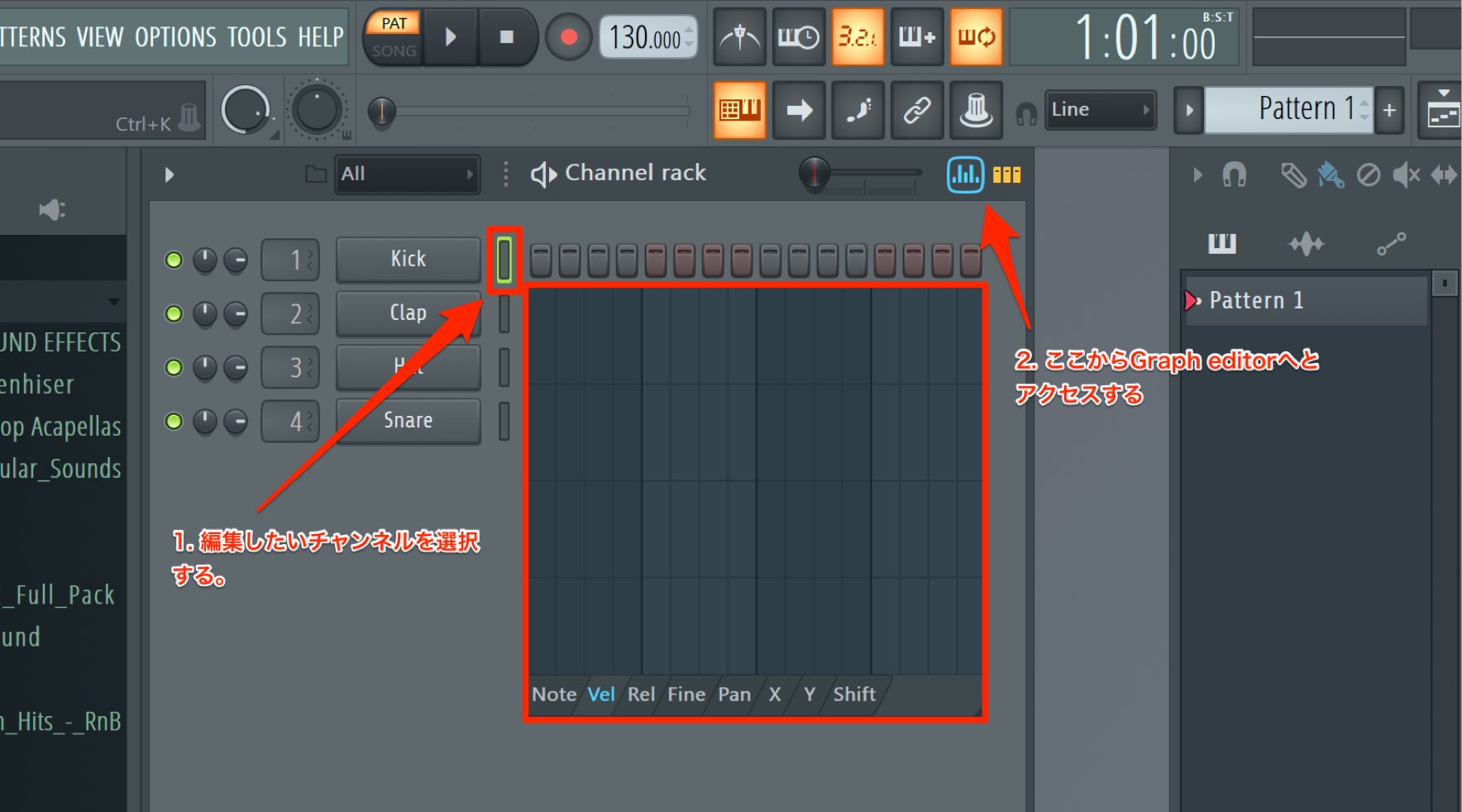
Select the channel you want to edit and click the Graph Editors button to access them.
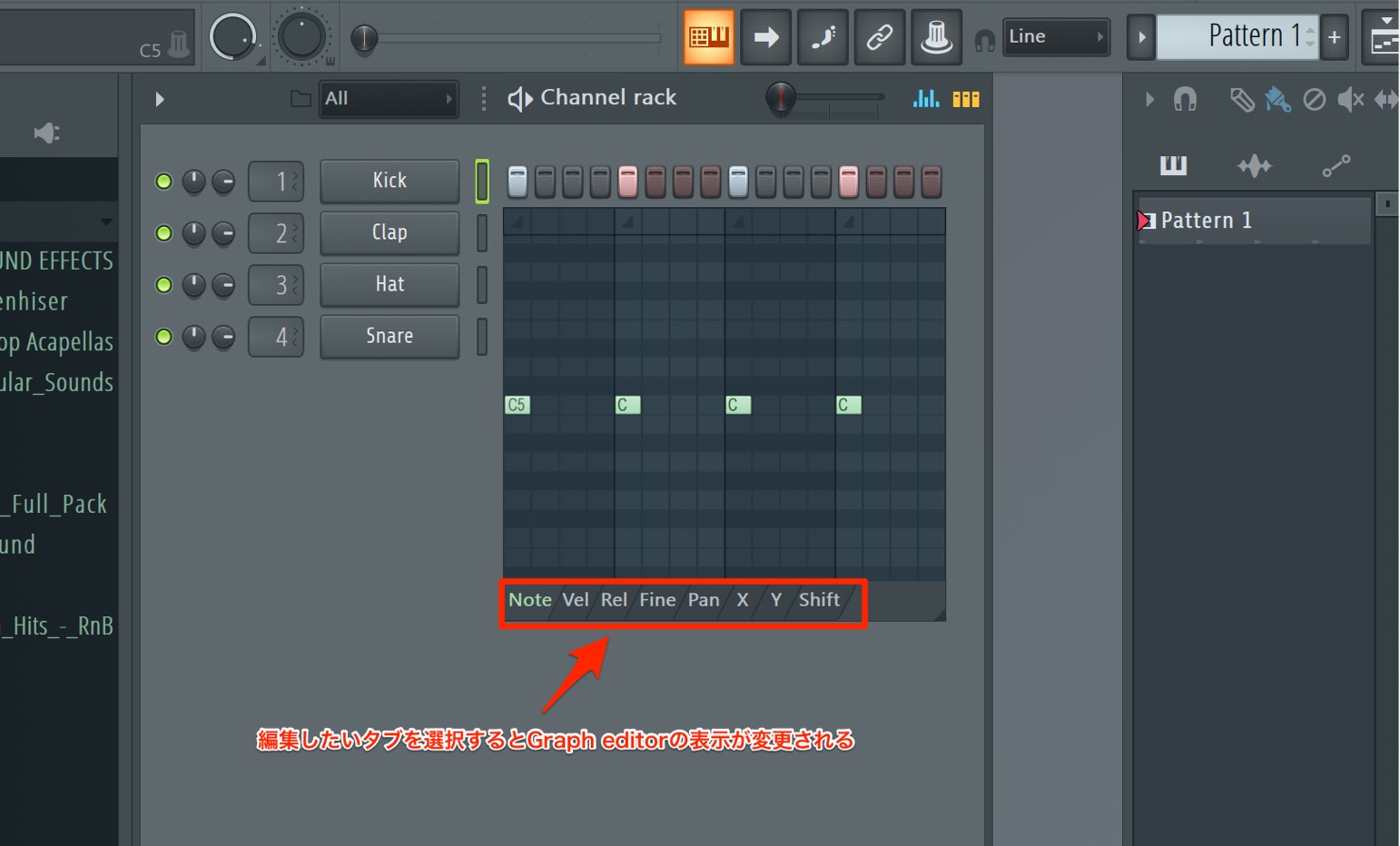
Use the tabs at the bottom to switch between the parameters you want to edit.
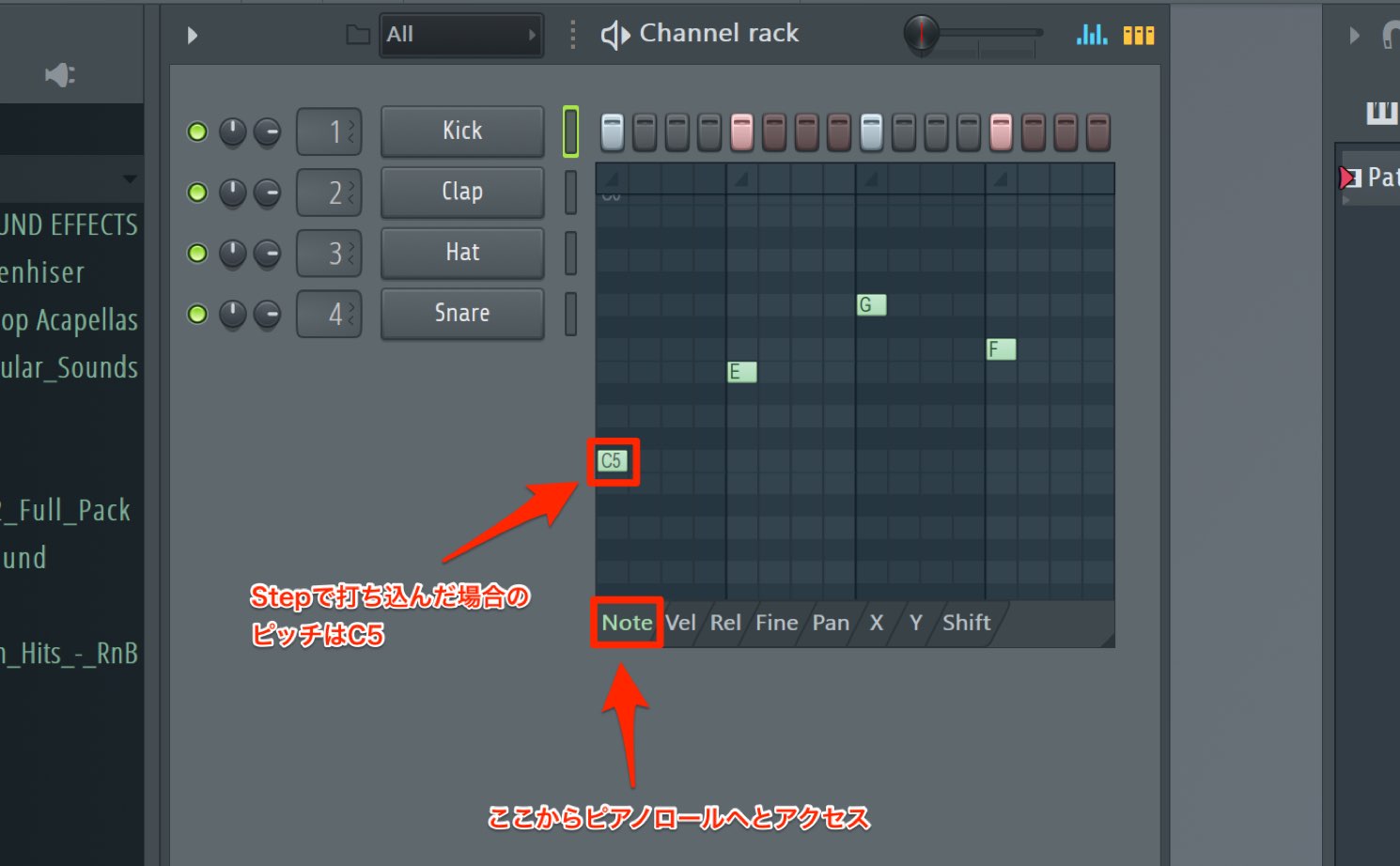
The leftmost tab, “Note Pitch,” lets you change pitch and add or delete notes, just as you would in the regular Piano Roll.
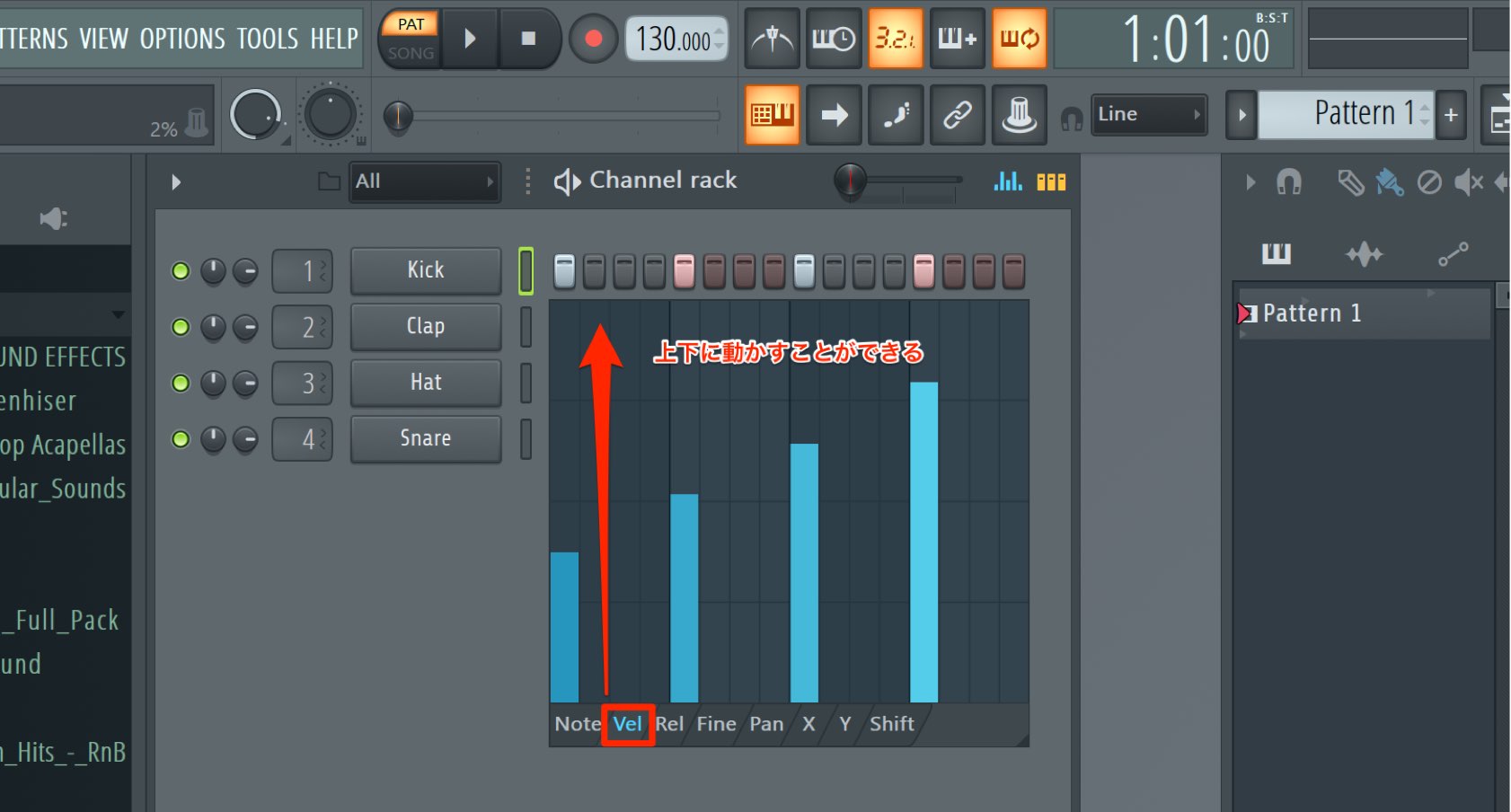
“Velocity” gives you access to note velocity, which represents how strongly a note is played.
A velocity bar is displayed for each note. Drag it up or down to change that note’s velocity.
To reset a value to its default, hold Alt on Windows or Option on Mac while clicking the value.
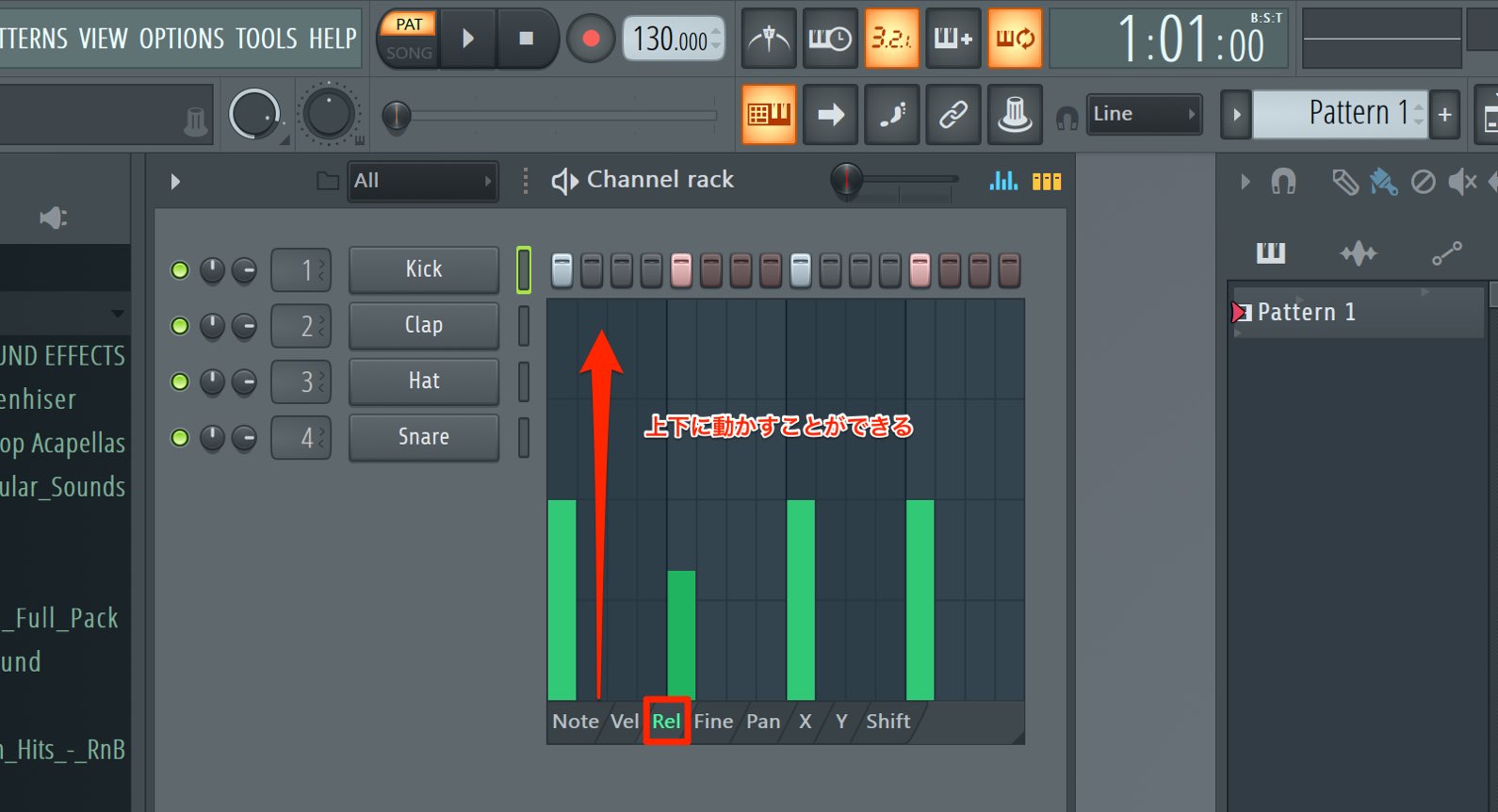
“Release Velocity,” also known as note-off velocity, is a parameter representing how quickly you release a key.
Relatively few instruments support this parameter, and FL Studio’s stock Sampler does not support it either.
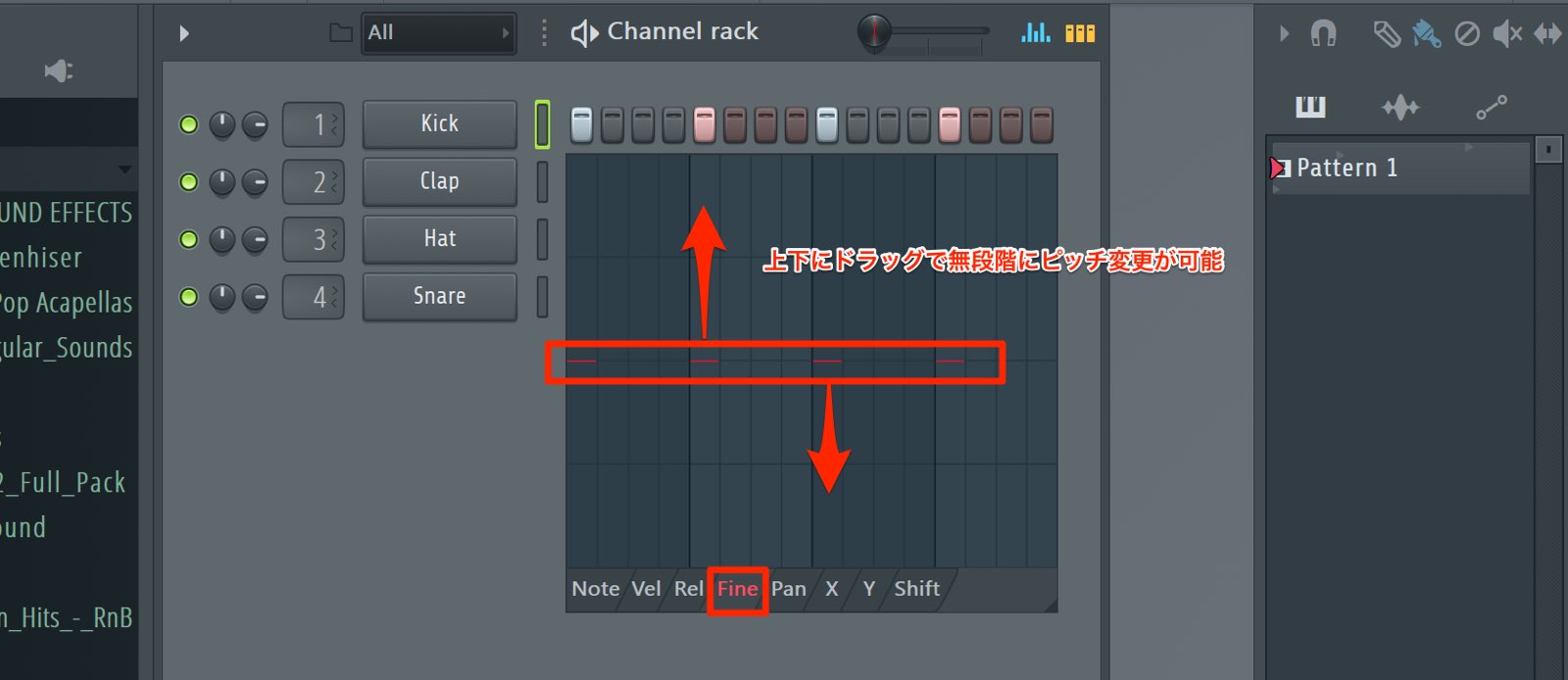
“Fine Pitch” lets you make pitch adjustments smaller than the semitone steps available in Note Pitch.
Note that it works with Image-Line generators, but not with third-party generators.
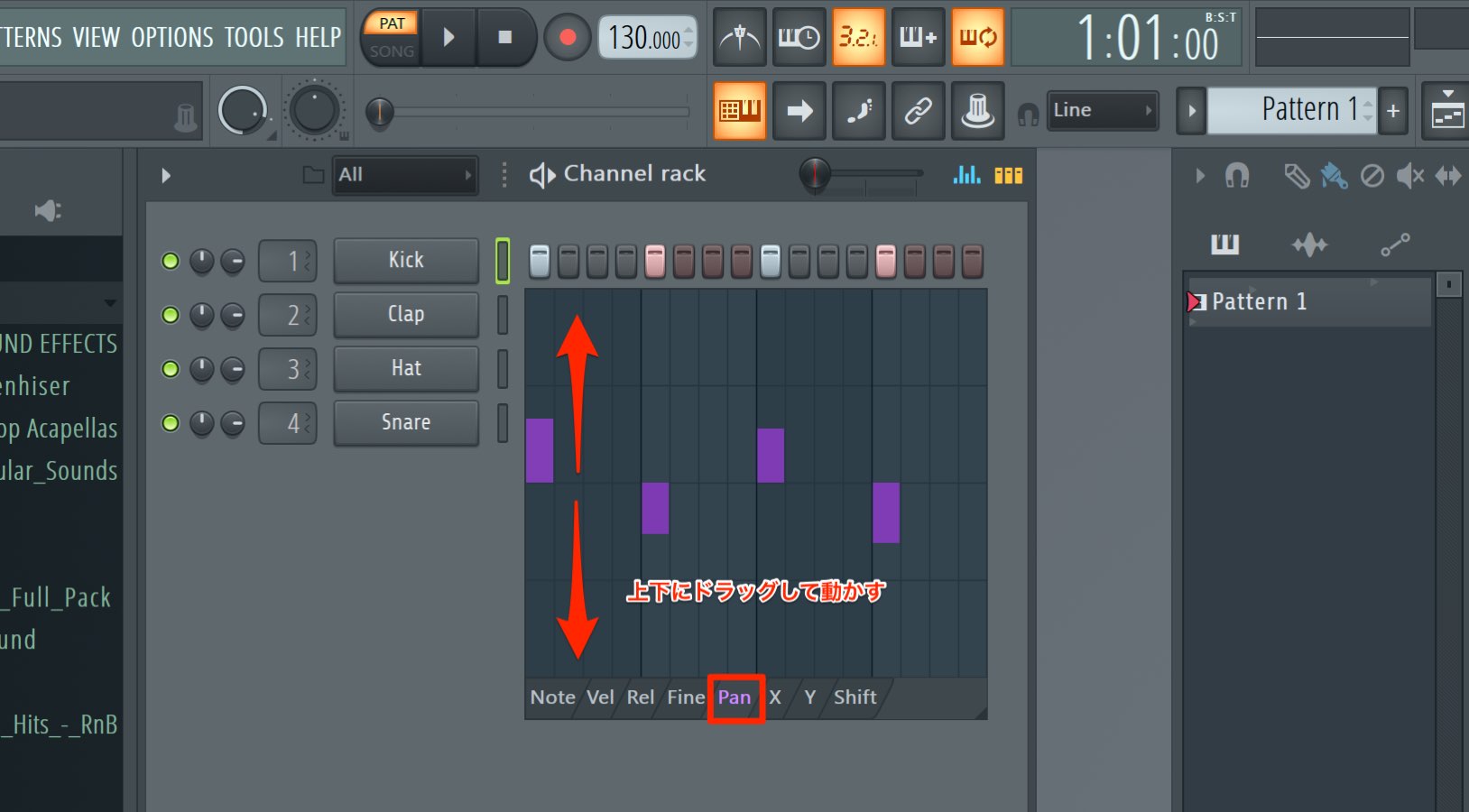
“Panning” lets you change the pan position.
This, too, is supported only by Image-Line generators.
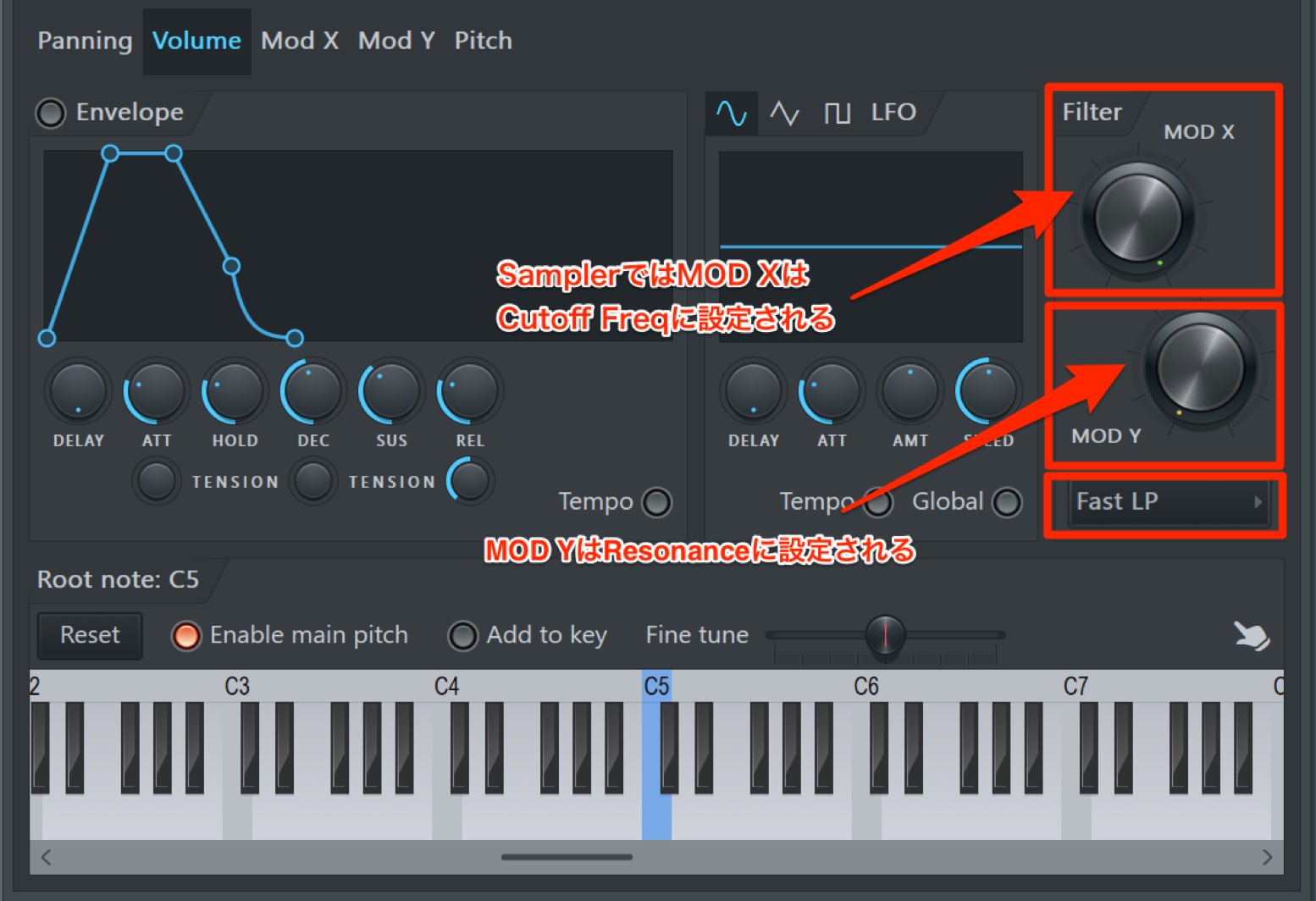
“Mod X” can control filter cutoff in instruments such as Sampler.
“Mod Y” can control filter resonance.
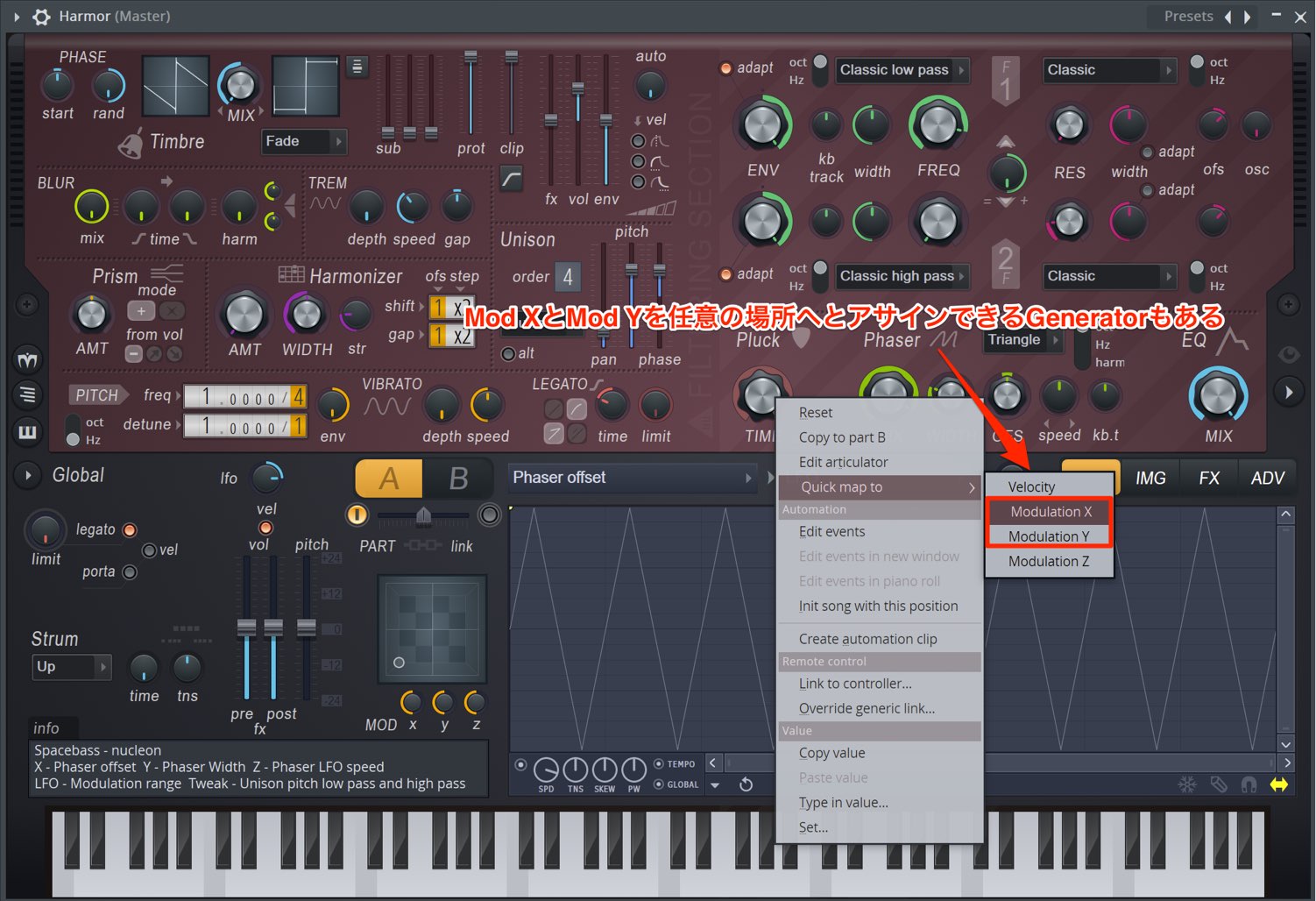
Some Image-Line generators let you assign Mod X and Mod Y to parameters of your choice, as shown in this image.
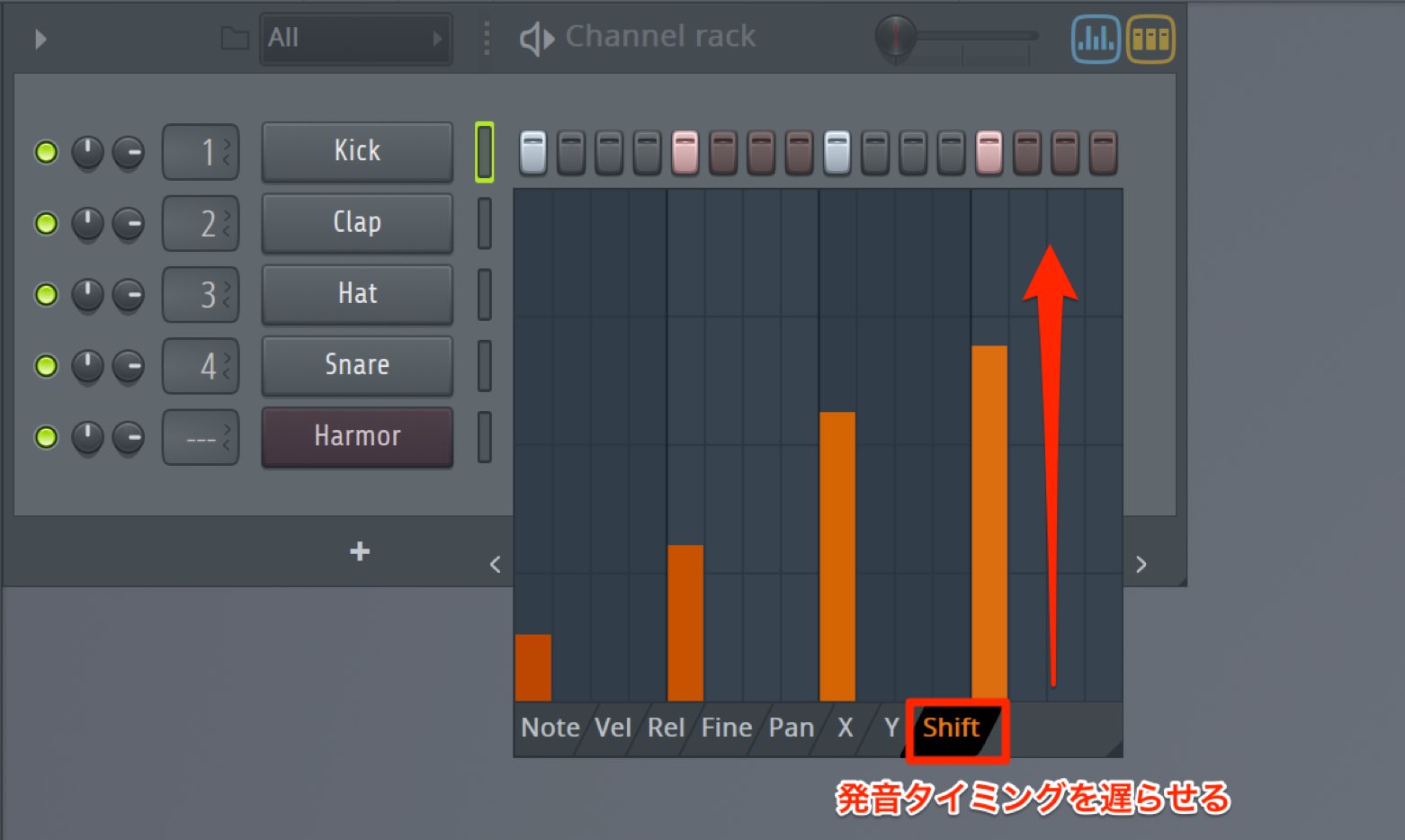
“Shift” delays the onset of programmed notes. It is useful when you want to give a rhythm a laid-back feel.
With Graph Editors, you can perform these edits without opening a separate window, so this feature should help speed up production.
New Sampler Features
Several features have also been added to Sampler.
“Precomputed FX” lets you apply effects to a sample, making sample processing easier than before.
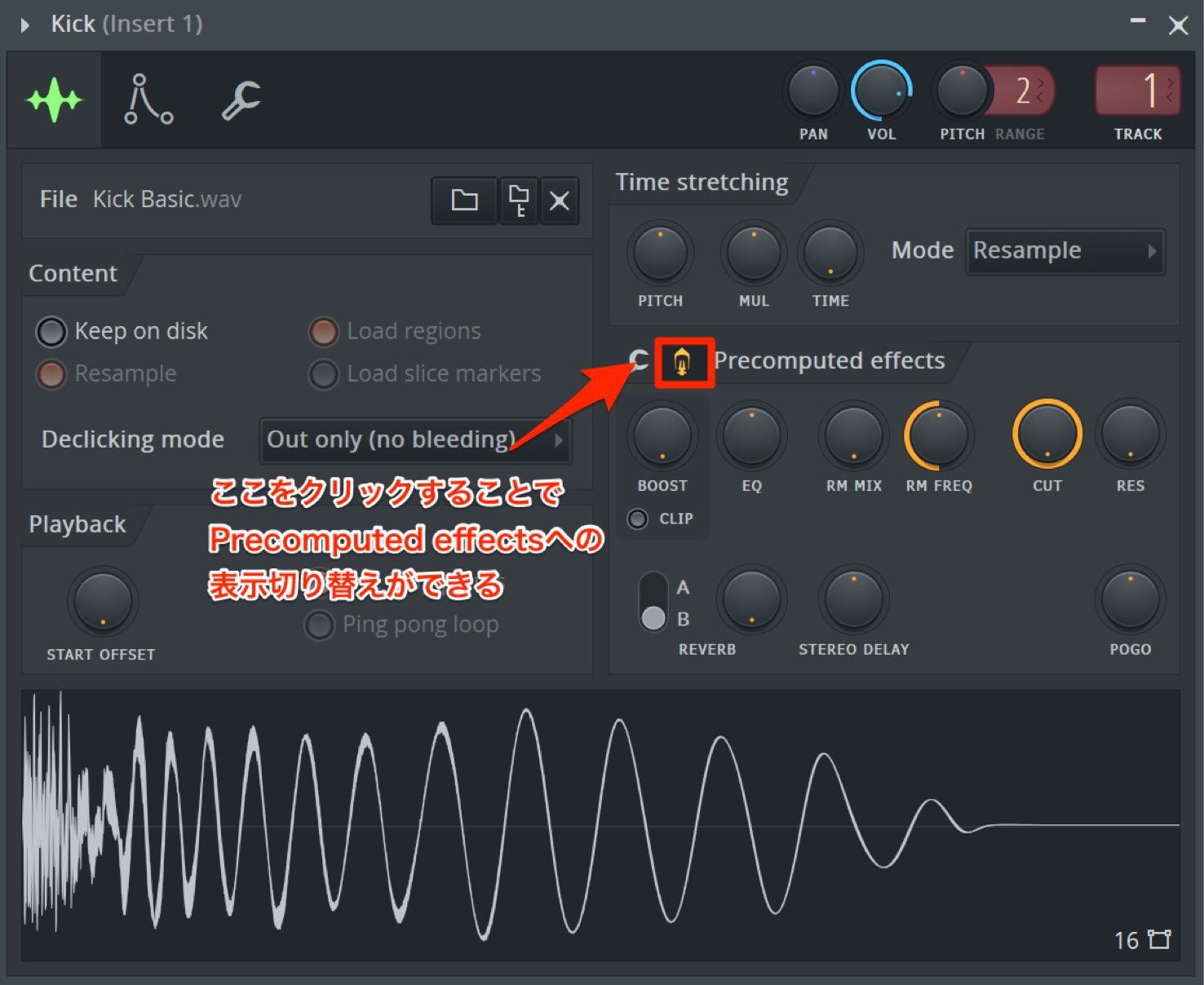
Click the Precomputed FX icon to switch pages and reveal knobs for adjusting various effects.
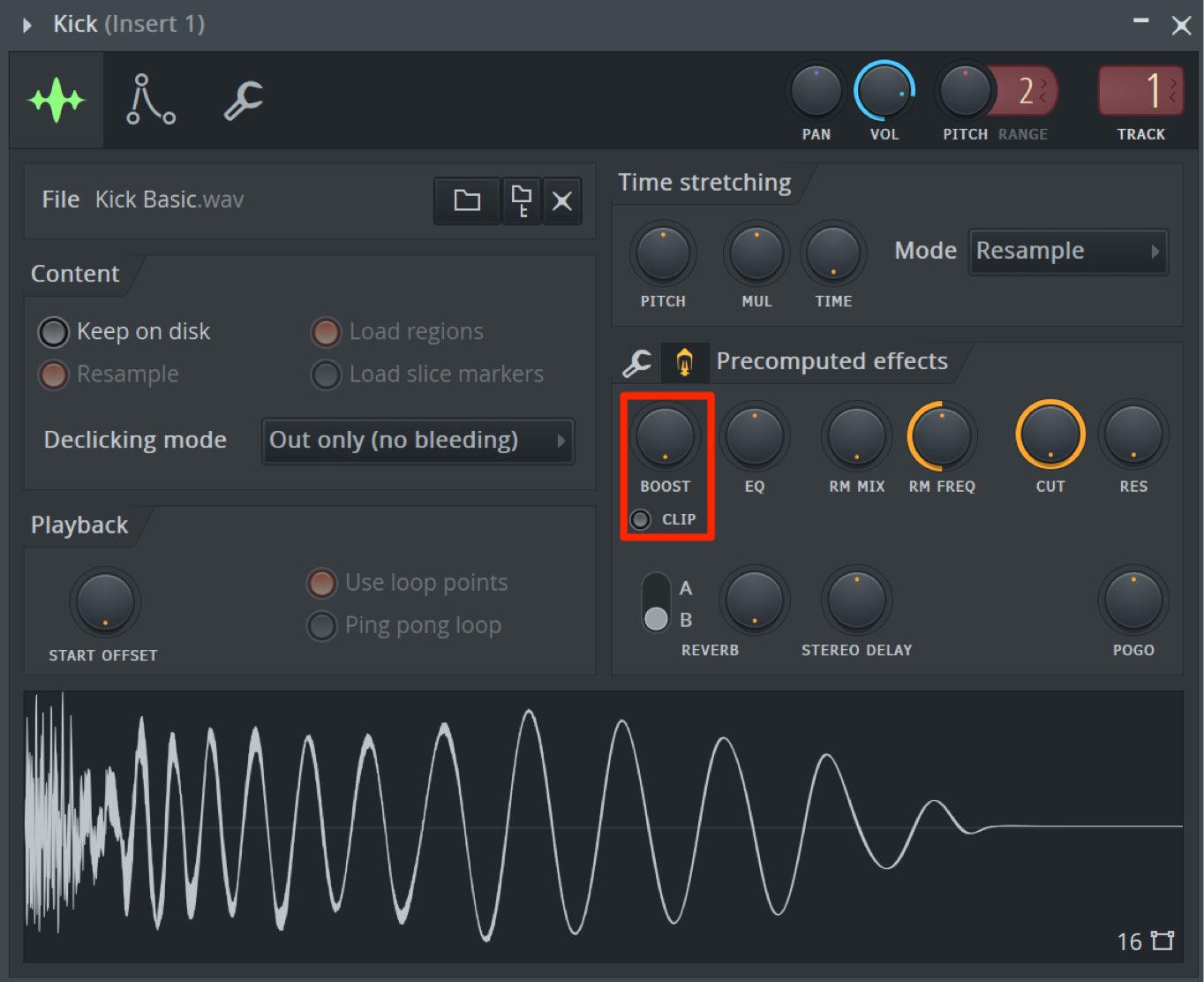
“Boost” increases the sample’s volume.
Enable “Clip” to obtain a distortion effect from Boost.
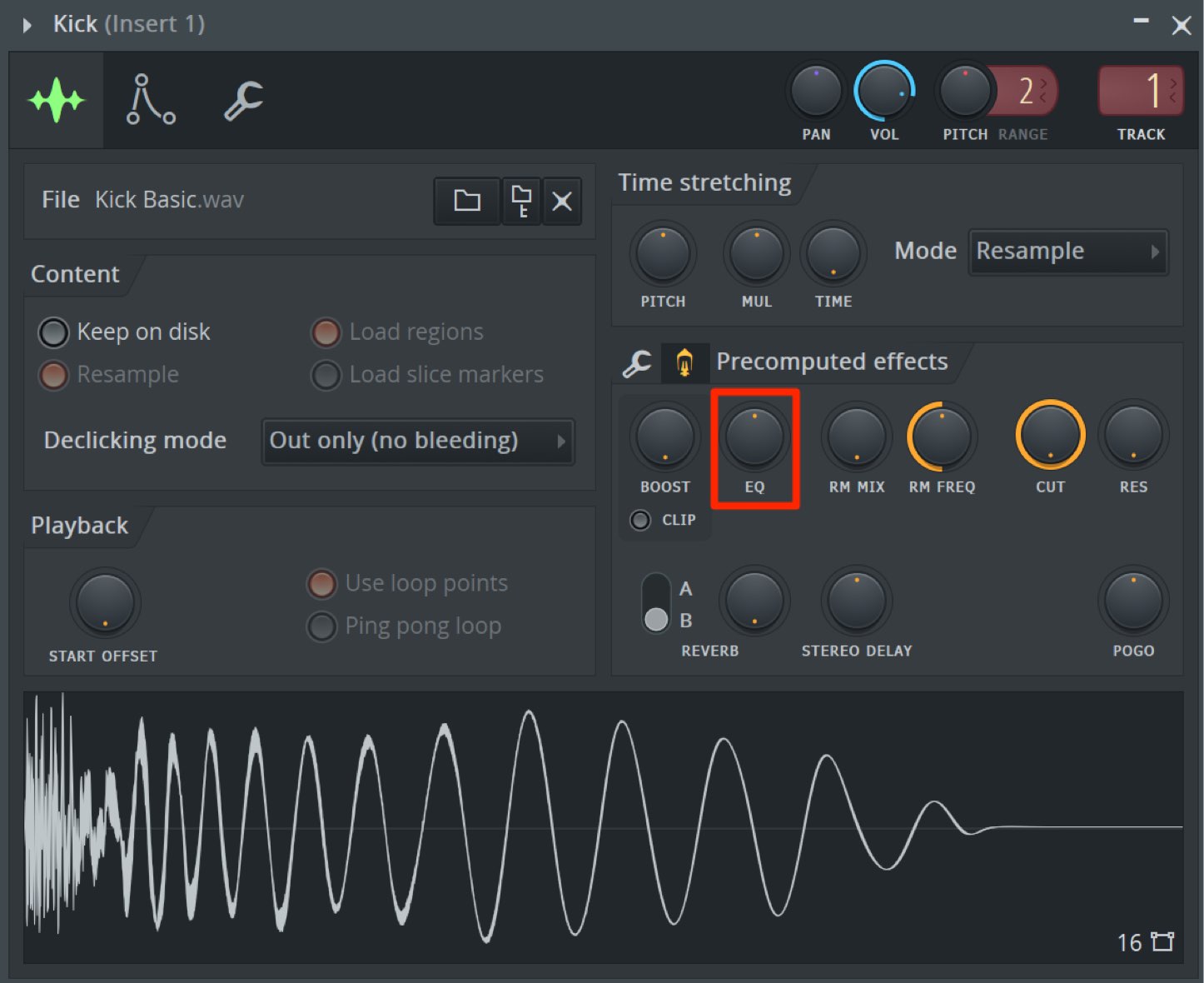
With “EQ,” turning the knob left cuts the low frequencies, while turning it right boosts them.
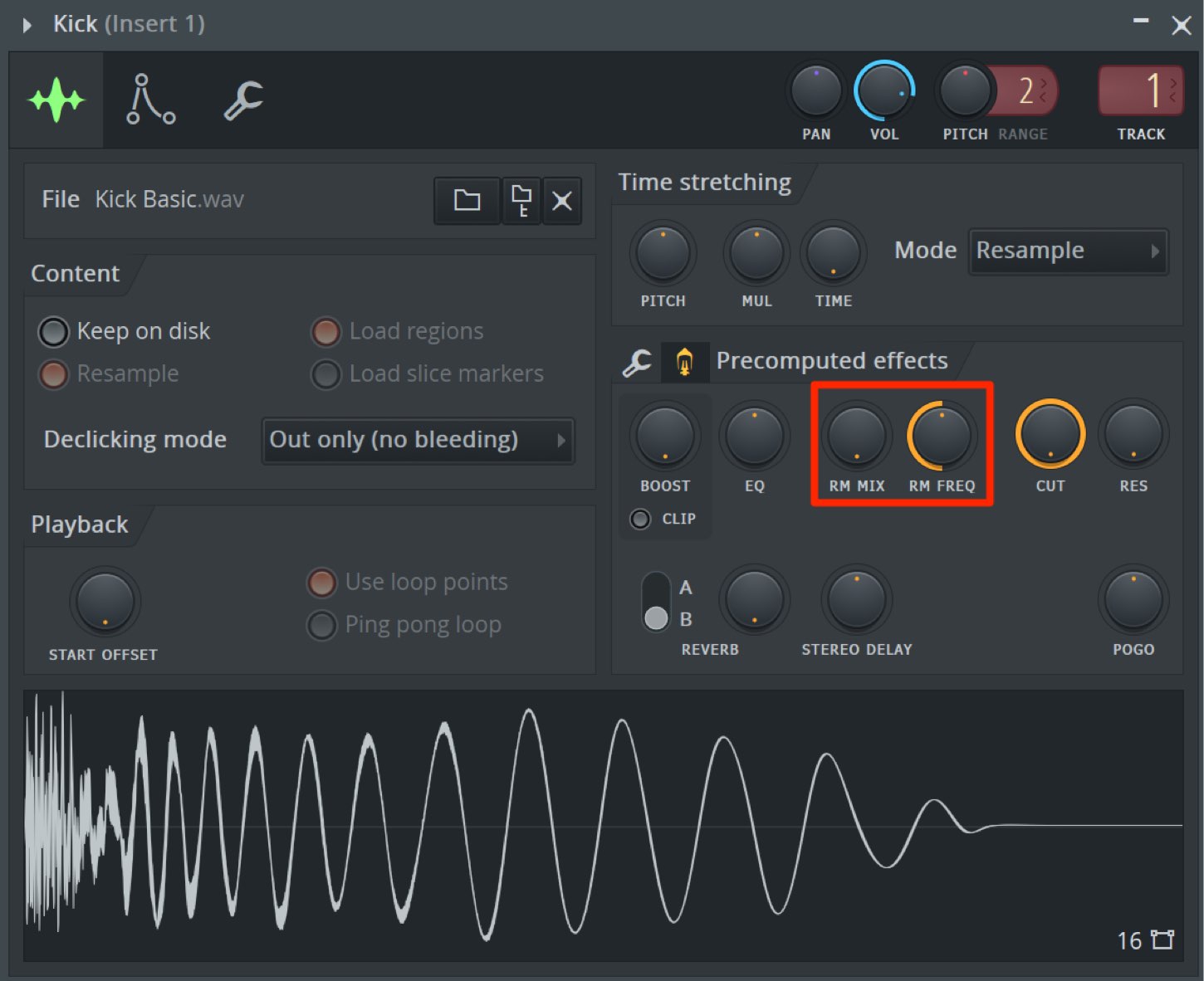
“RM Mix” and “RM Freq” apply ring modulation. RM Mix sets the amount of the effect, while RM Freq sets the ring modulator’s frequency.
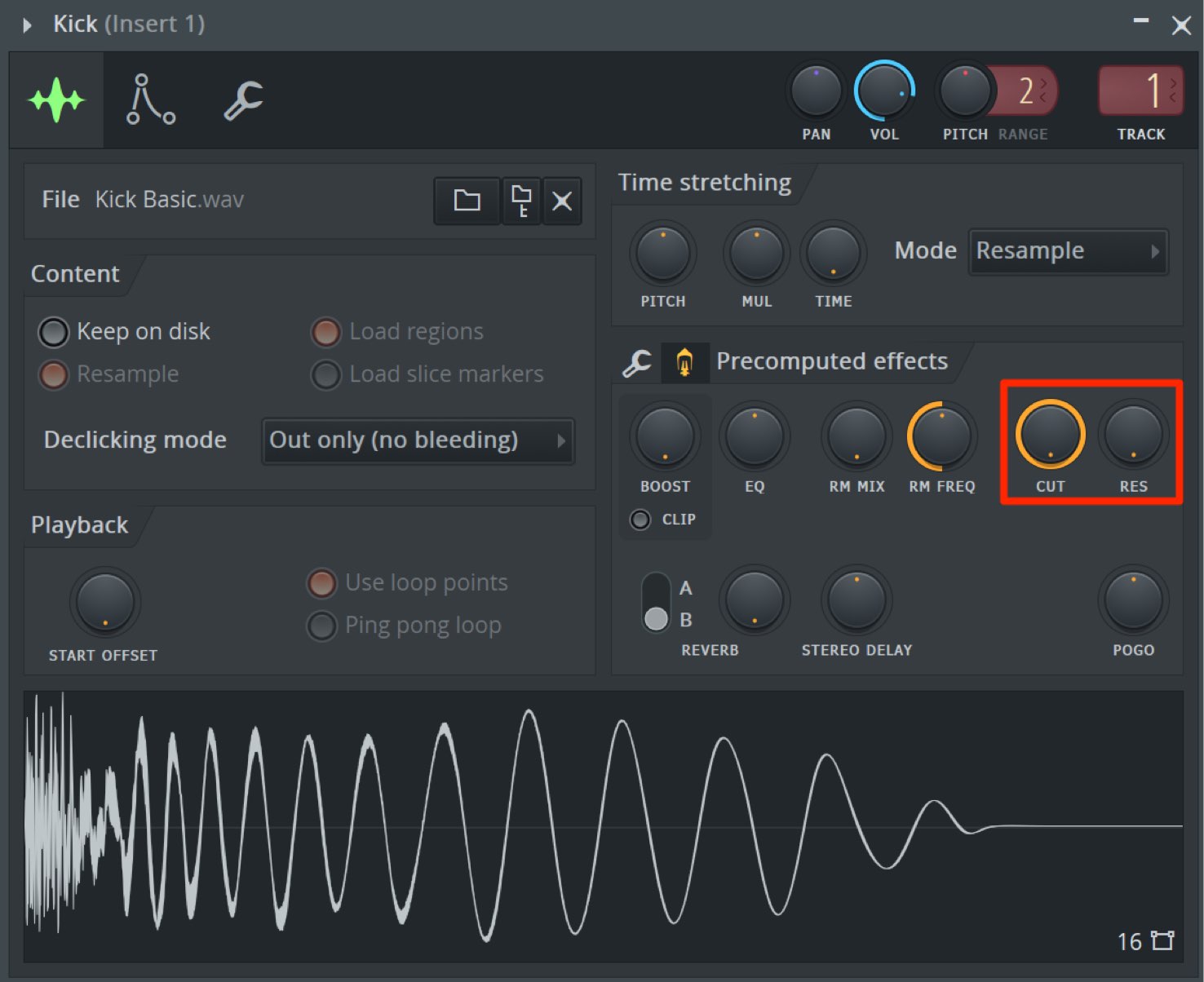
“Cut” and “Res” control the cutoff and resonance of a low-pass filter.
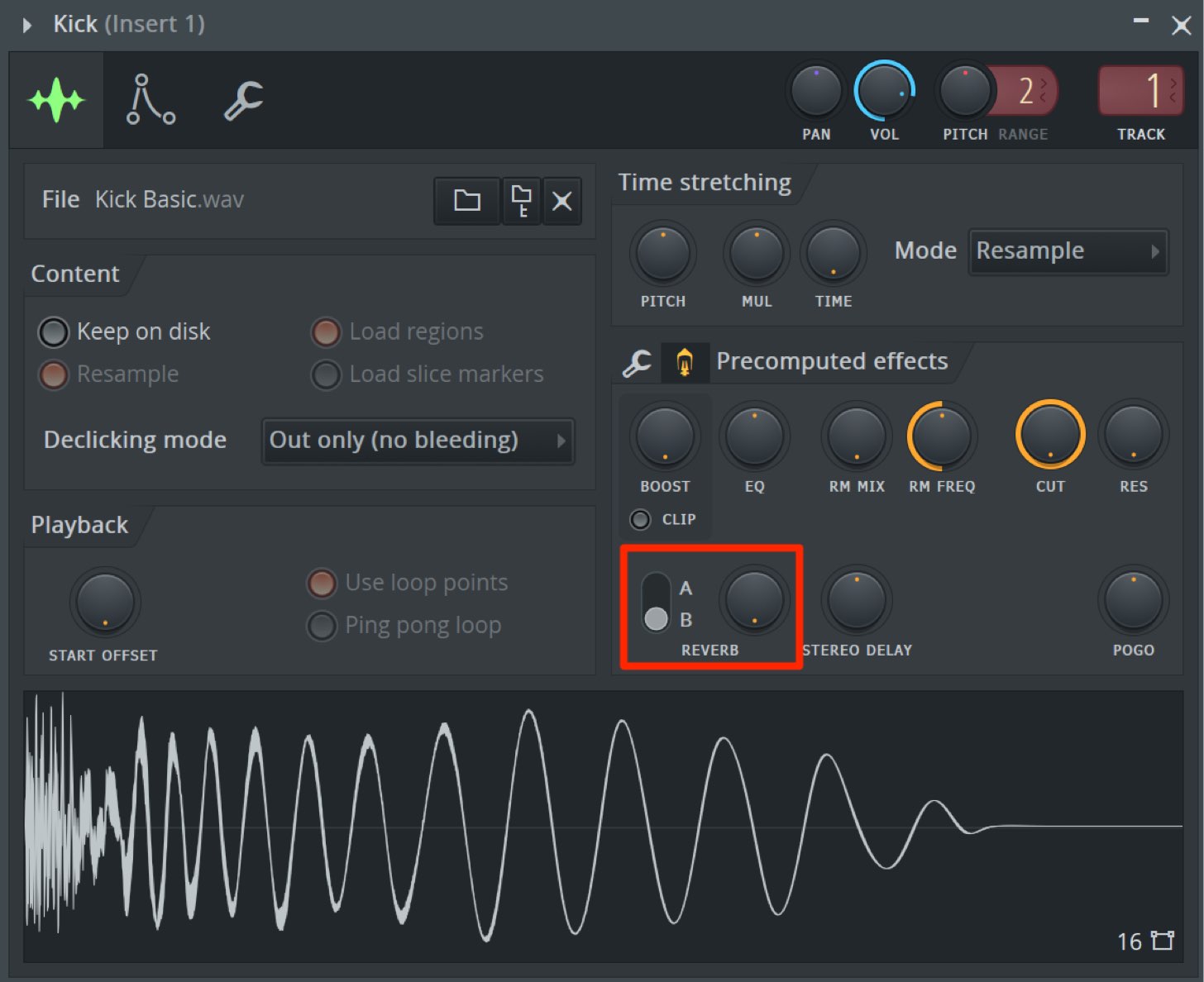
For “Reverb,” use the “A/B” selector on the left to choose between different reverbs, and the knob on the right to control the length of the reverb tail.
The adjacent “Stereo Delay” adds a doubling effect using a short delay, making it easy to widen a mono sample into stereo.
Turn the knob left to place the original sound on the left and the delayed sound on the right. Turn it the other way to reverse this arrangement.
In either direction, a larger setting produces a greater time offset.
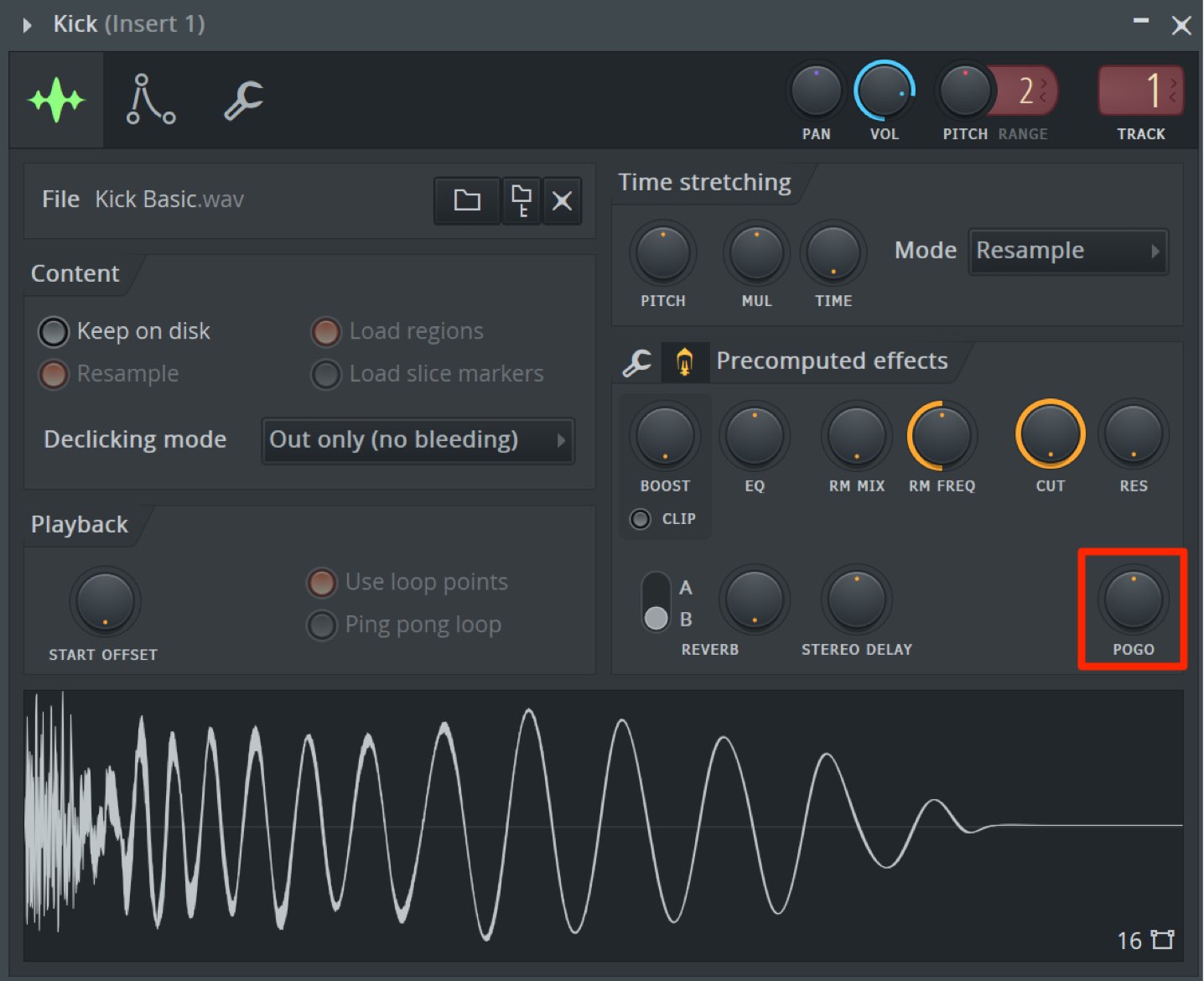
“Pogo” produces an effect similar to a downward pitch bend.
Turning it left creates a sharp pitch change that emphasizes the attack, while turning it right produces a slower downward pitch movement.
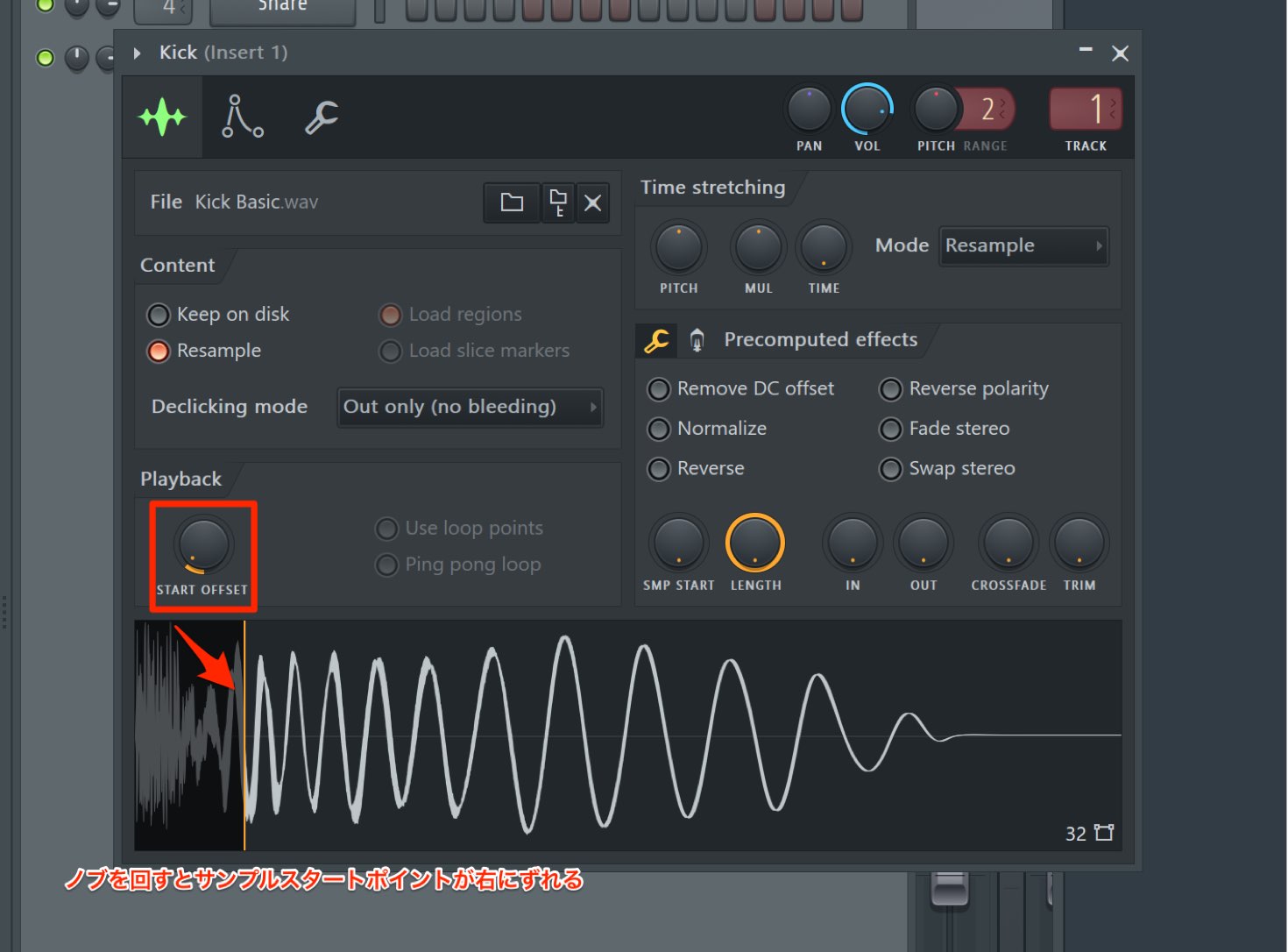
Another new Sampler feature is “Start Offset” in the Playback section.
Turning the knob changes the sample’s playback start point, letting you quickly adapt the sample to your song or the effect you want.
What do you think?
Many of these features improve workflow, and they may be just what many users have been waiting for.
FL Studio offers Lifetime Free Updates. If you were using an older version and had not yet tried FL Studio 20, this release was a good opportunity to update.
In the next article, we will introduce new features in the Playlist and Mixer.

Frequently Asked Questions
Q1. Can I use FL Studio 20 on a Mac?
Yes. FL Studio 20 fully supports macOS 10.11 and later. Previously available only for Windows, this update brought full music-production capabilities to Mac users as well.
Q2. Can I customize the interface layout?
Yes. Right-click an empty area at the top of the window and select Edit. You can then freely add, remove, and rearrange transport controls, panels, and buttons by dragging them. Factory Presets also includes layouts from earlier versions.
Q3. What are the advantages of Graph Editors?
You can edit multiple parameters, including note pitch, velocity, pan, and note timing delay, directly in the Channel Rack without opening the Piano Roll, greatly speeding up production.
Q4. What can Sampler’s new “Precomputed FX” feature do?
It lets you easily apply effects such as EQ, reverb, delay, ring modulation, and low-pass filtering to samples, making sound processing feel as straightforward as choosing a preset.
Q5. Does the “Fine Pitch” function in Graph Editors work with every instrument?
It supports Image-Line generators, but may not work with third-party generators, so keep this limitation in mind.
NEW ARTICLES
Latest English Articles












































































































































































































































































































