
This article explains how to create the distinctive “SlapBass” sound heard in AiNA THE END’s “Kakumei Dōchū” using the free synthesizer Vital. With its powerful attack, this bass tone works in pop, EDM, and Vocaloid productions. We build it step by step through oscillator settings, FM modulation, filtering, effects, and pitch control. The practical process is suitable for beginner and intermediate producers and can be applied directly to your own tracks.
What makes the “Kakumei Dōchū”-style bass stand out? Its powerful attack

This time, we will make a recipe for the distinctive “SlapBass” sound used in AiNA THE END’s “Kakumei Dōchū.”
Although it is a bass sound, its strong attack gives it a leading presence.
It is useful across pop, EDM, and Vocaloid productions.
The diagram below shows the completed settings for the steps in this tutorial.
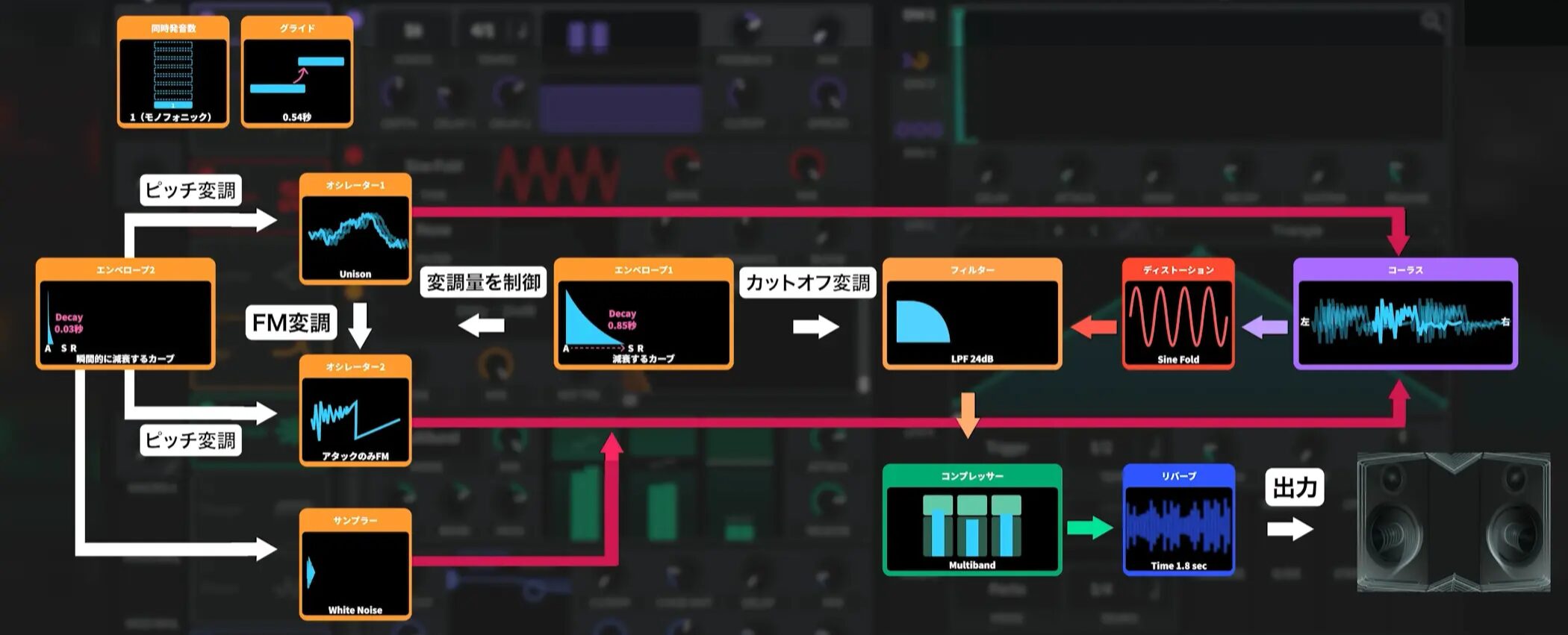
Step 1: Basic settings
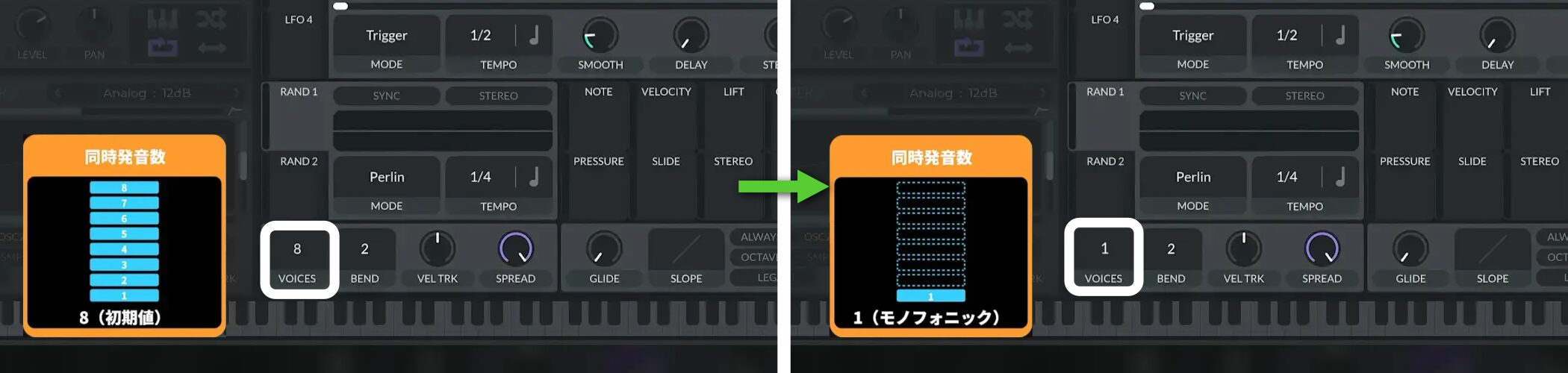
Because this is a monophonic bass sound, first set VOICES (polyphony) to 1.
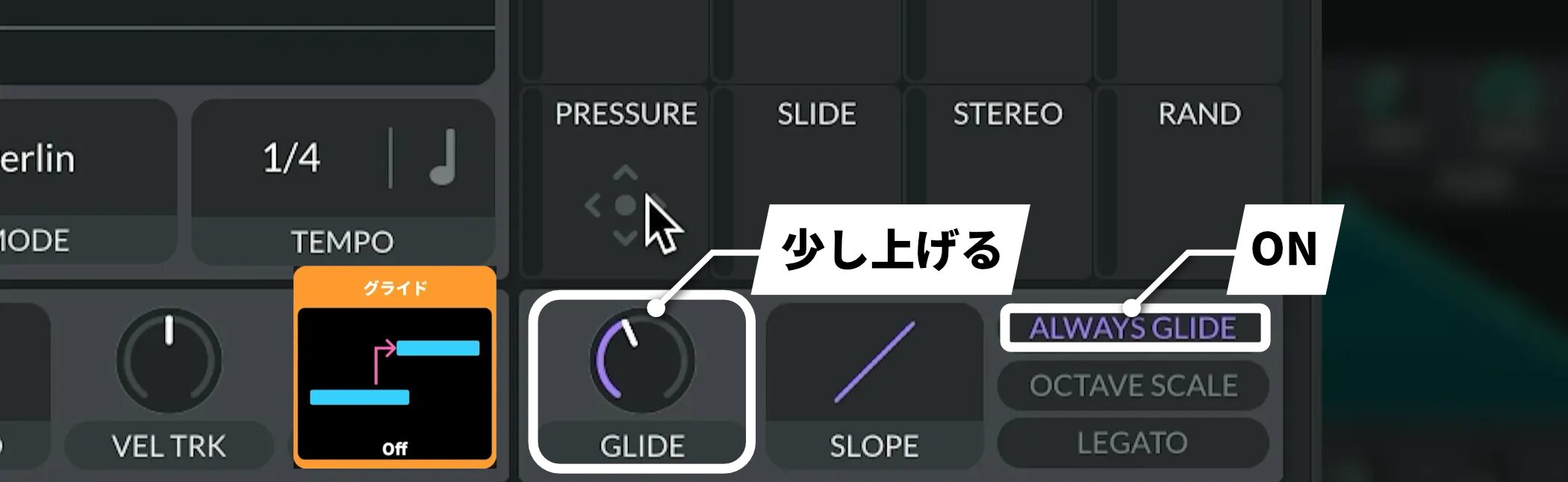
For smooth transitions, turn ALWAYS GLIDE on and raise GLIDE slightly.
Step 2: OSC and FM settings
Next, set up the OSC (oscillators).
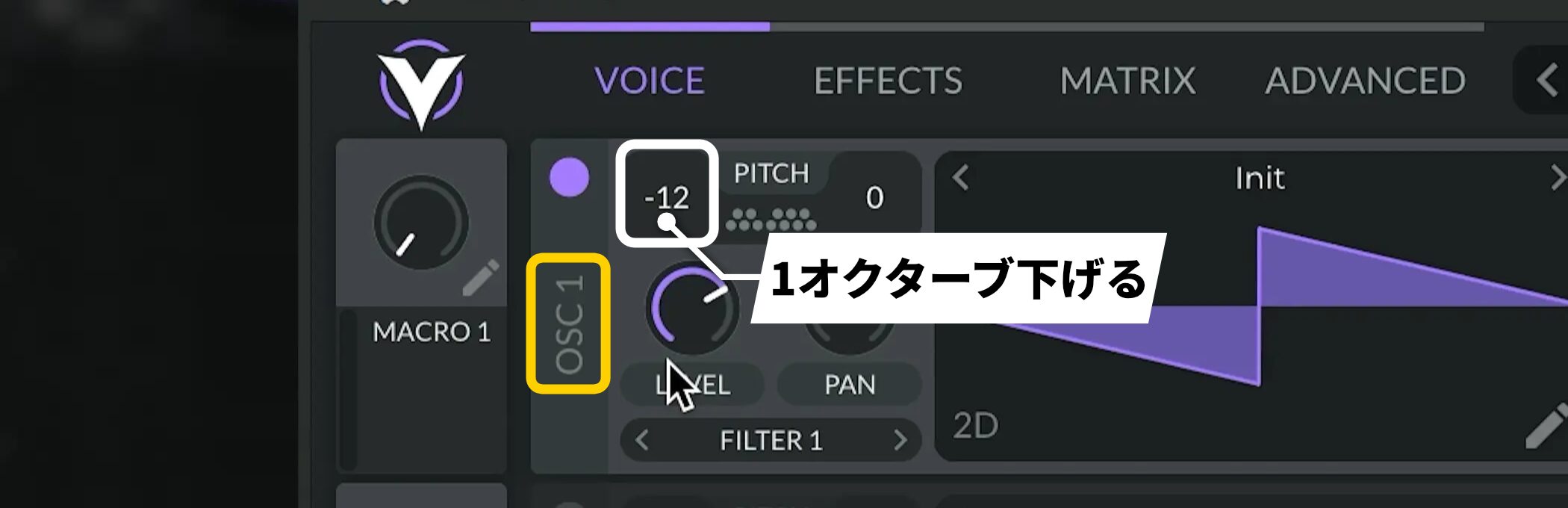
Set OSC1’s Transpose to -12 to lower it by one octave.
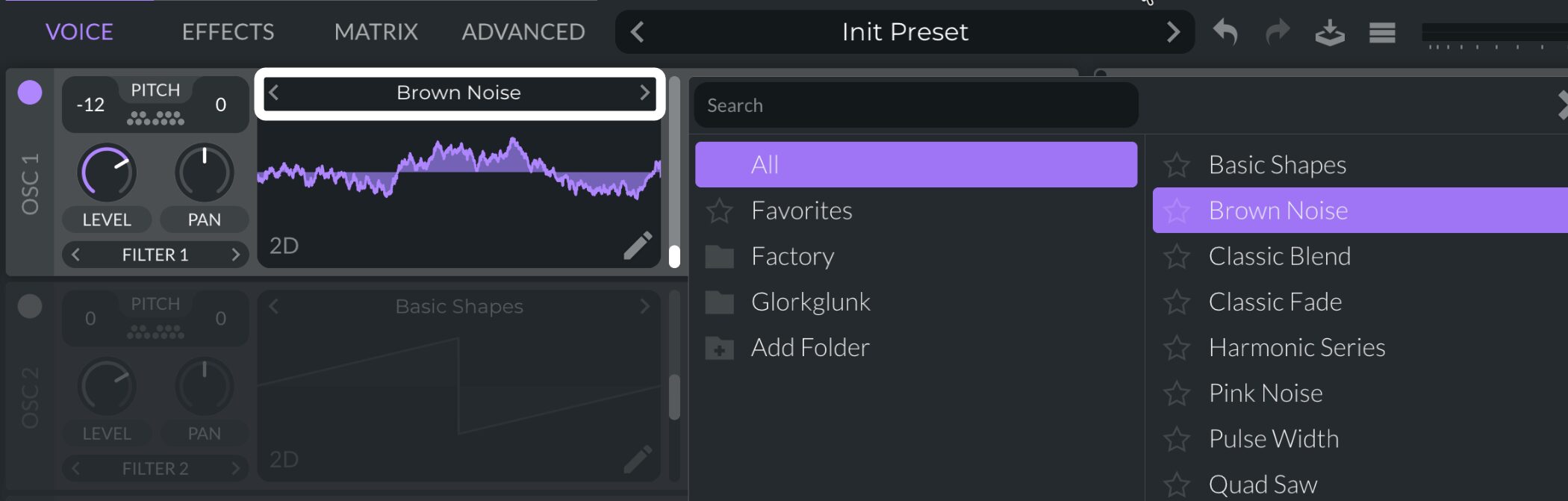
Change the waveform to Brown Noise.
This waveform is well suited to a noise-like texture with plenty of bass weight.
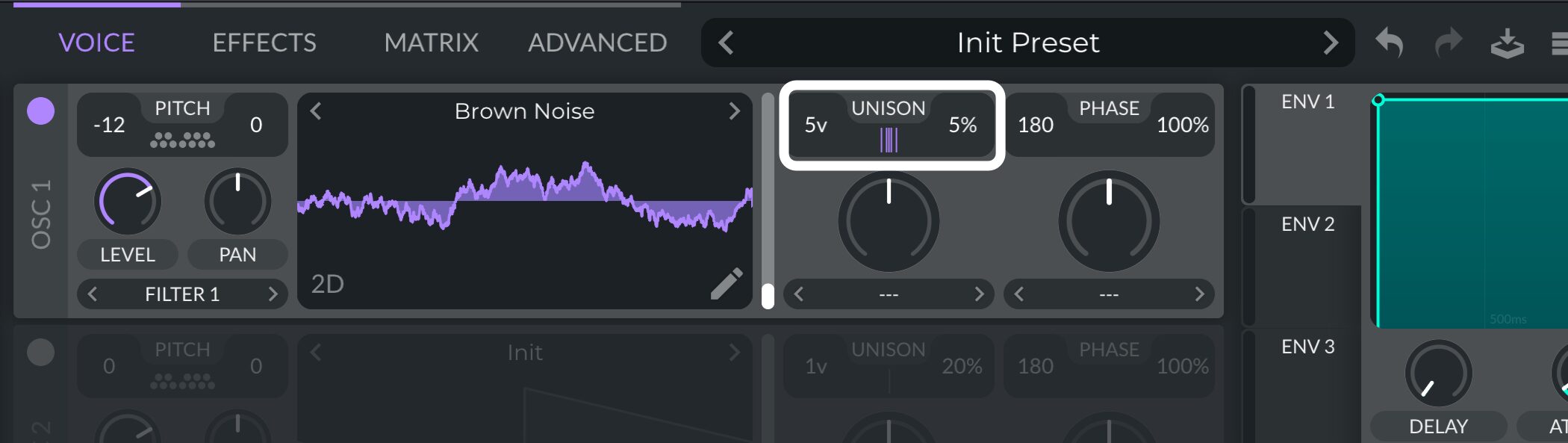
To add thickness, set UNISON as follows.
- Unison Voices: 5v
- Unison Detune: 5%
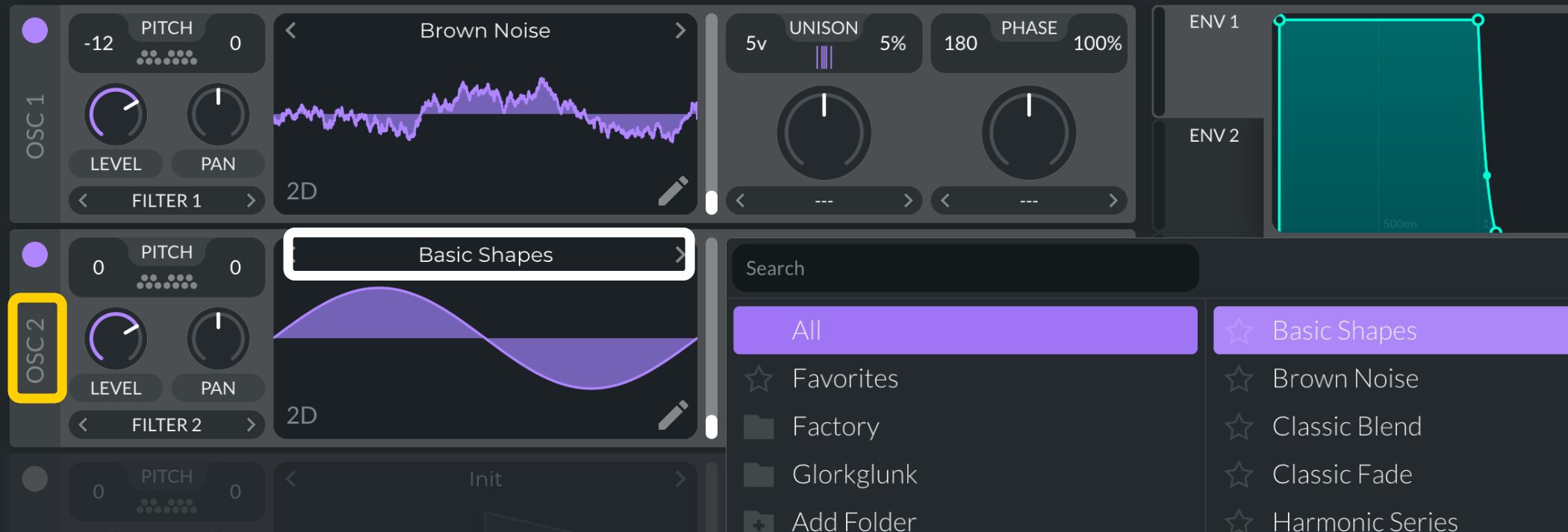
Next, enable OSC2 and set its waveform to Basic Shapes.
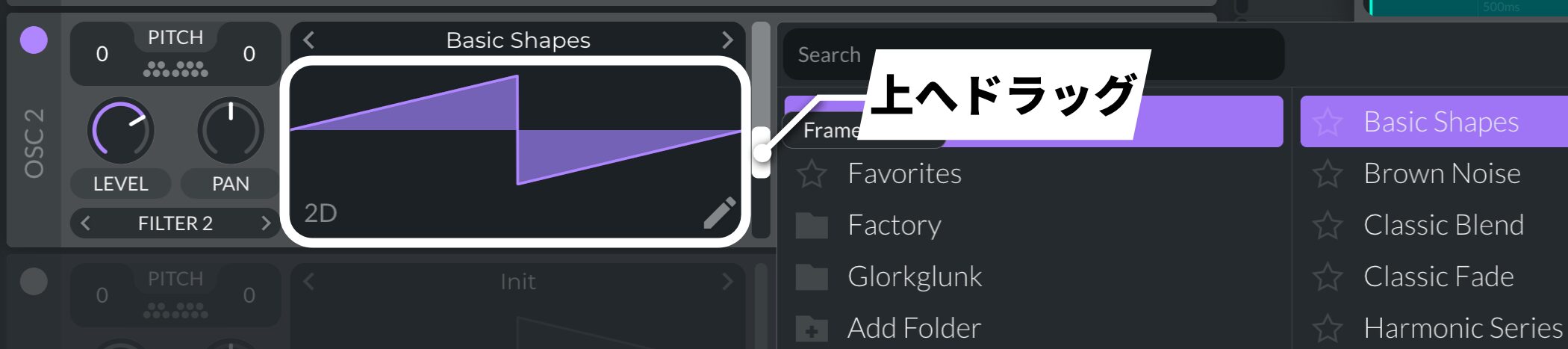
Then select the Saw waveform.
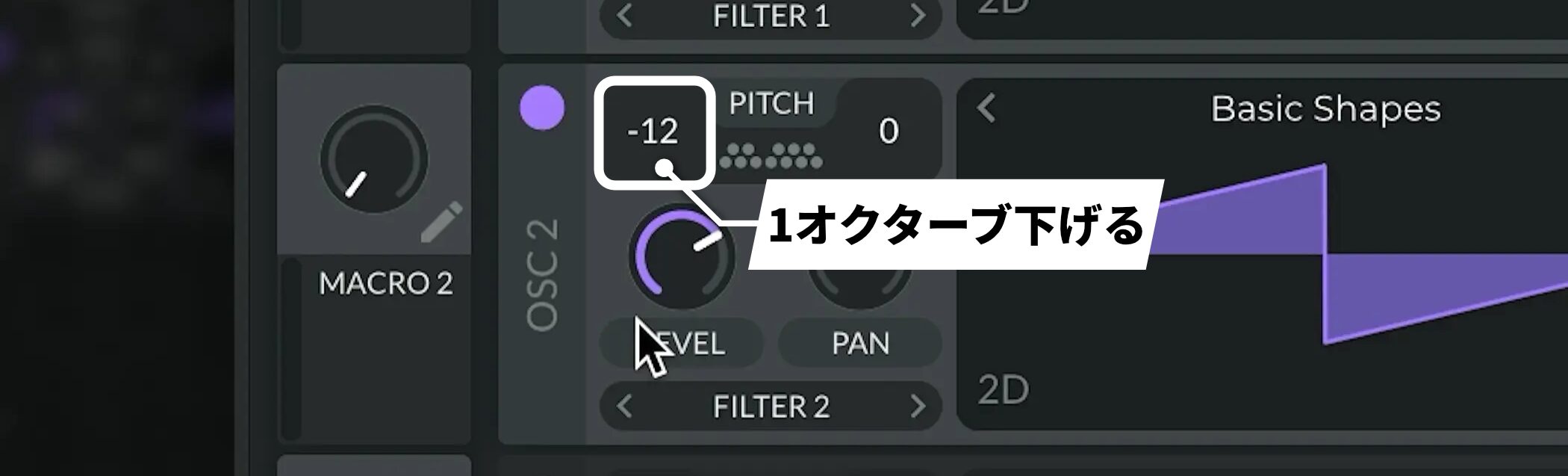
Also set its Transpose to -12.
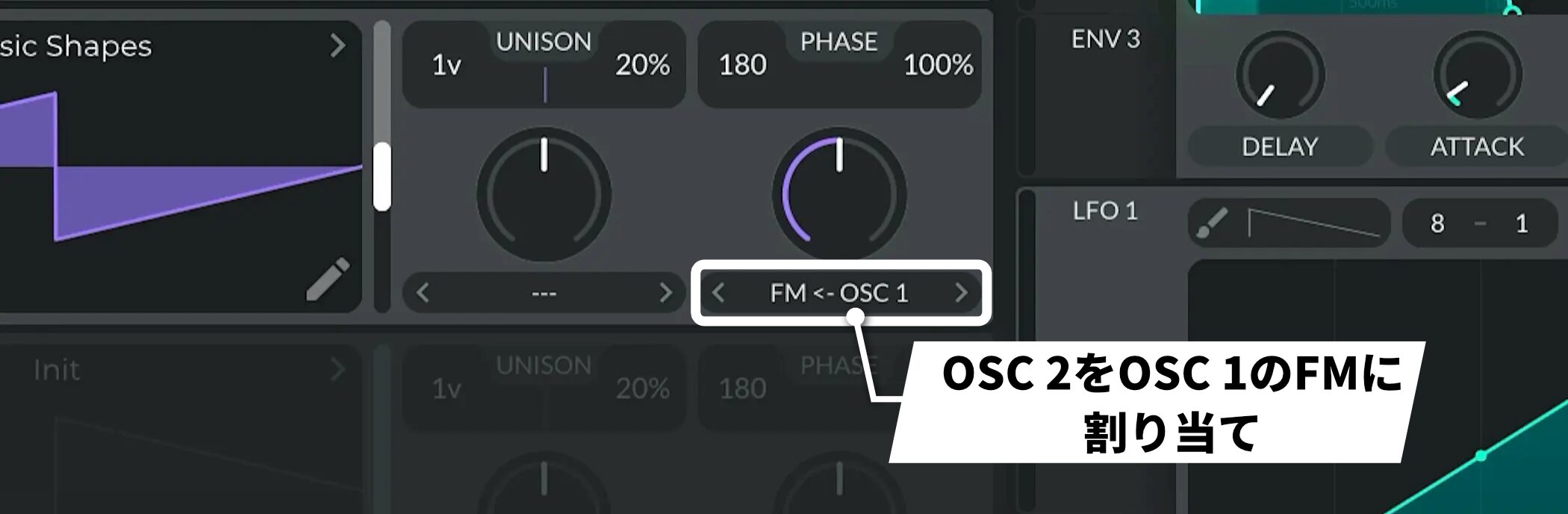
For FM modulation, assign OSC2 as the FM source for OSC1.
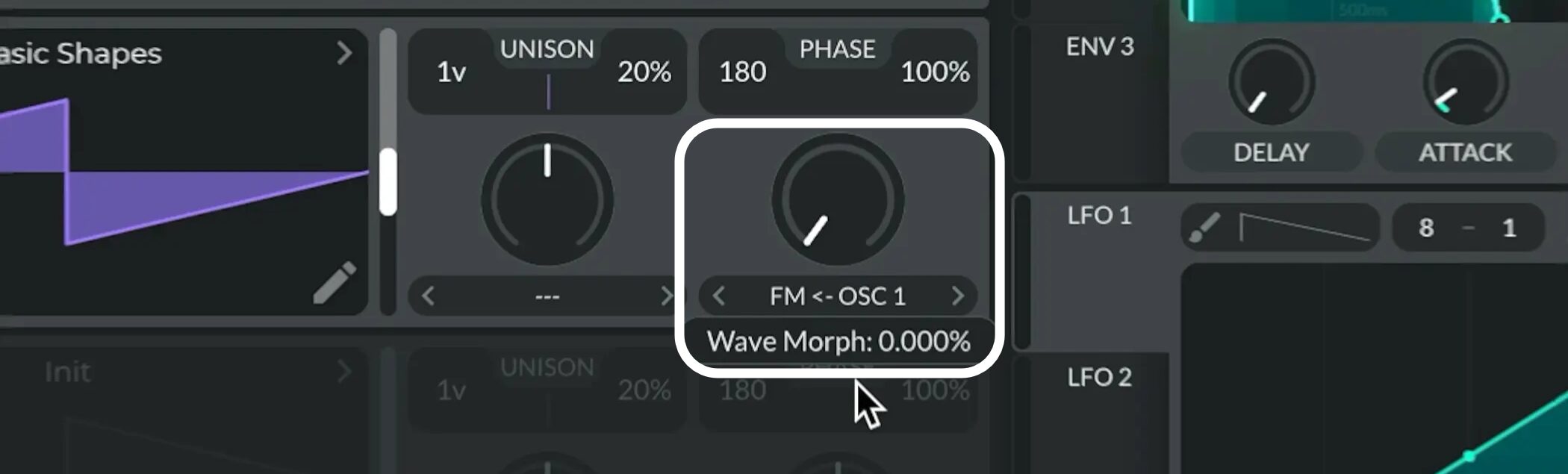
Set the Wave Morph knob to 0% for now.
Control FM with an envelope (ENV)
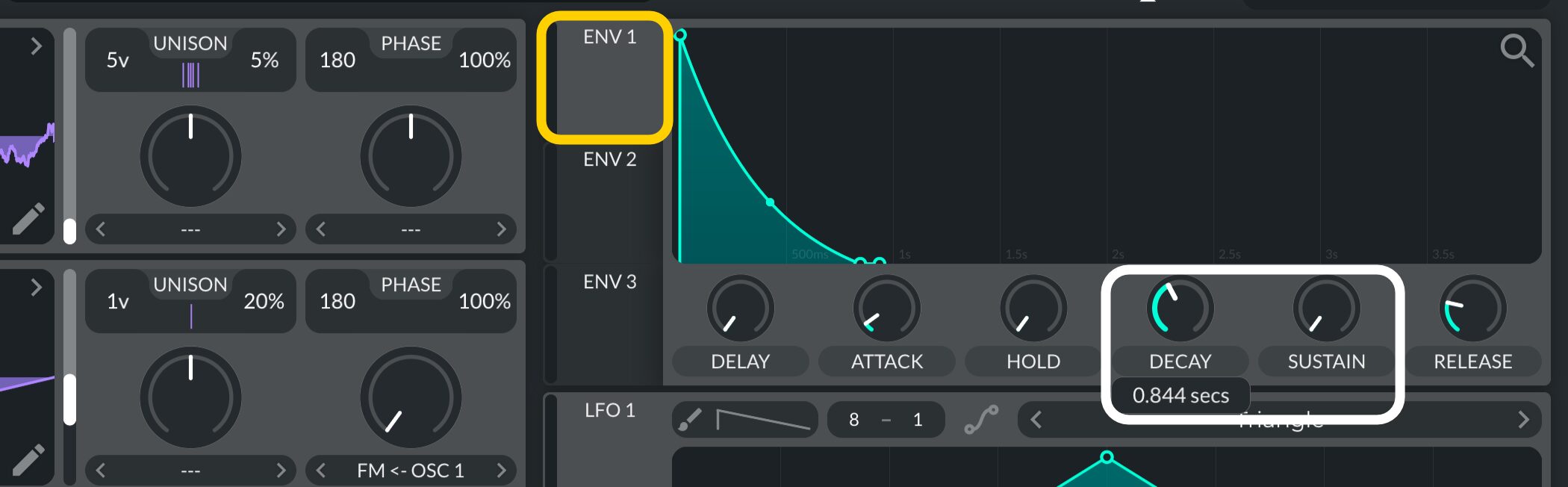
Set ENV1 as follows.
- SUSTAIN: Set to 0.000
- DECAY: Set fairly short
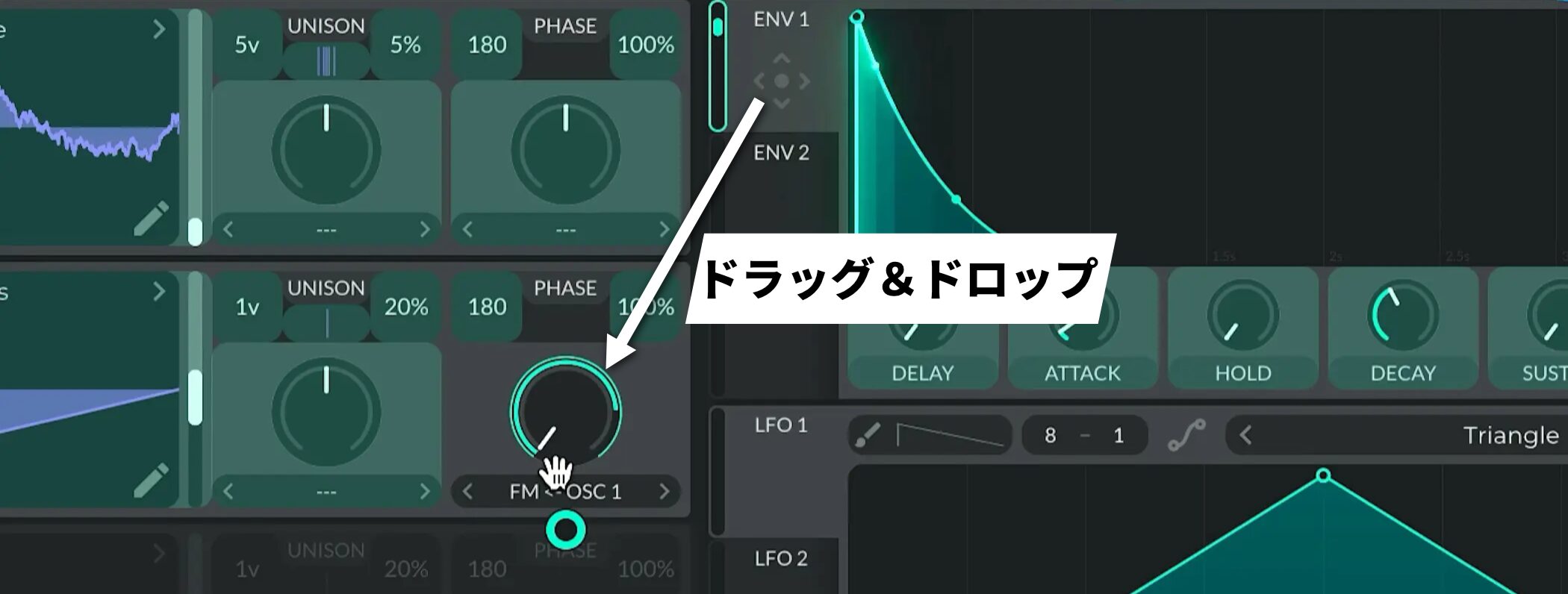
When that is done, assign ENV1 to OSC2’s FM amount.
This creates a more animated FM sound.
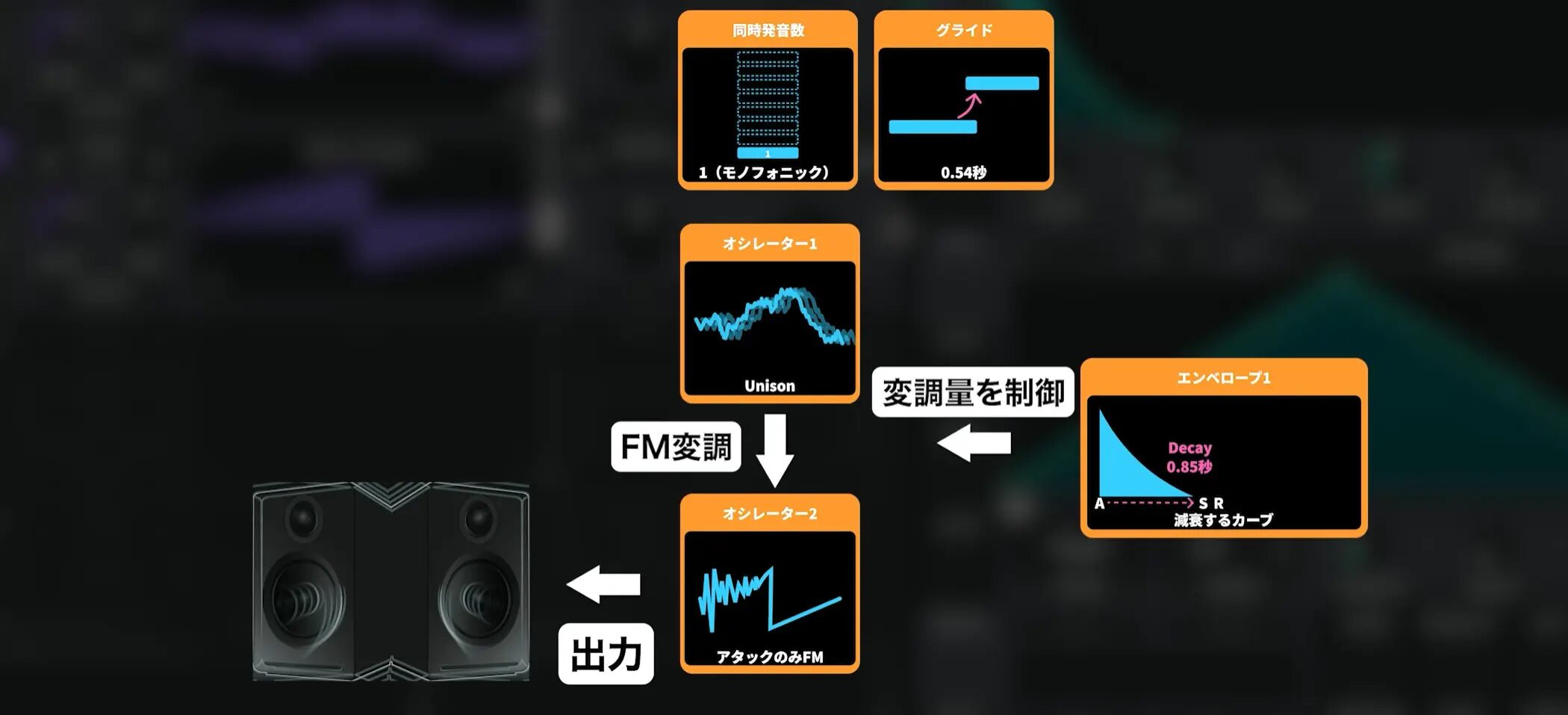
The basic oscillator structure is now complete.
Step 3: Set the filter cutoff
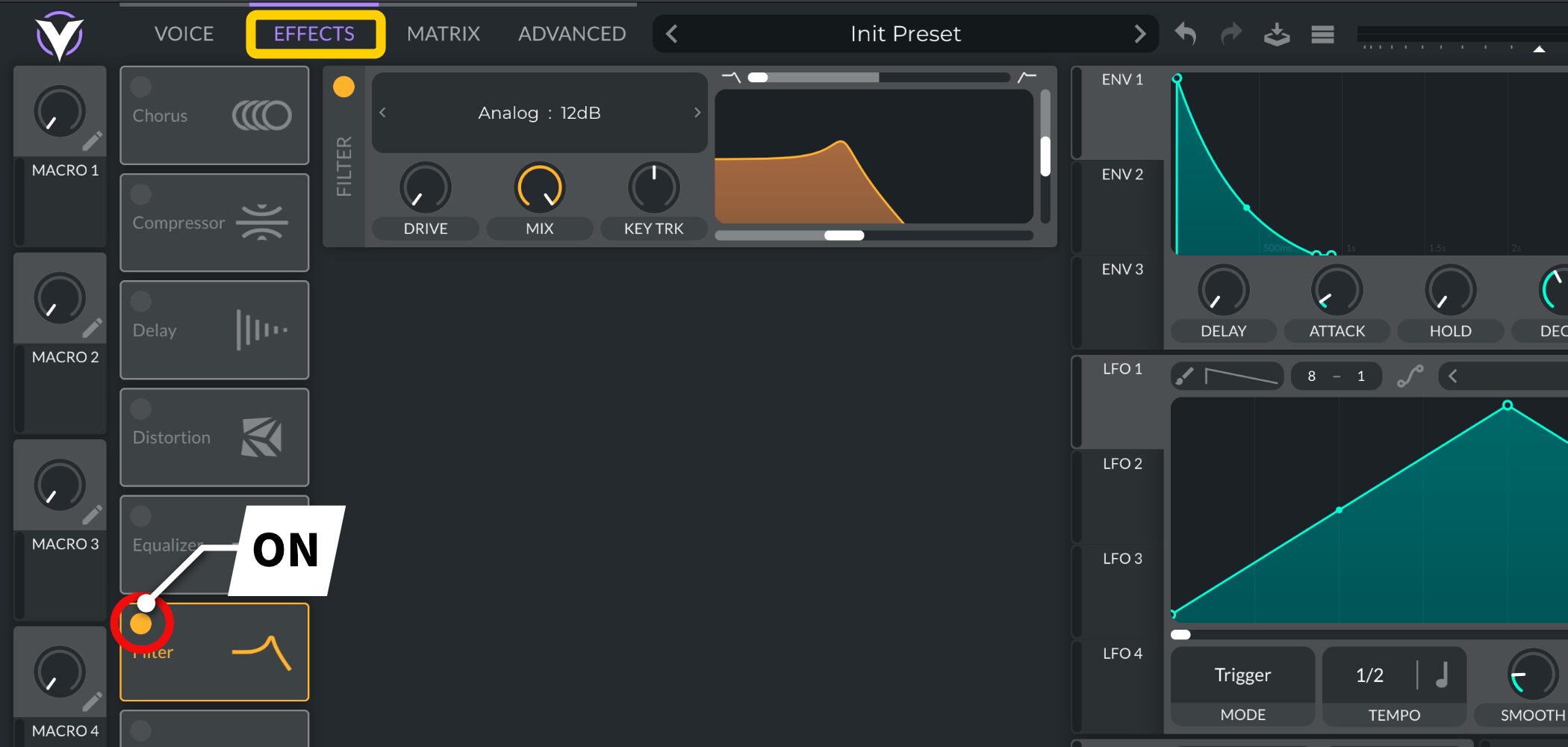
Next, move to EFFECTS and turn Filter on.
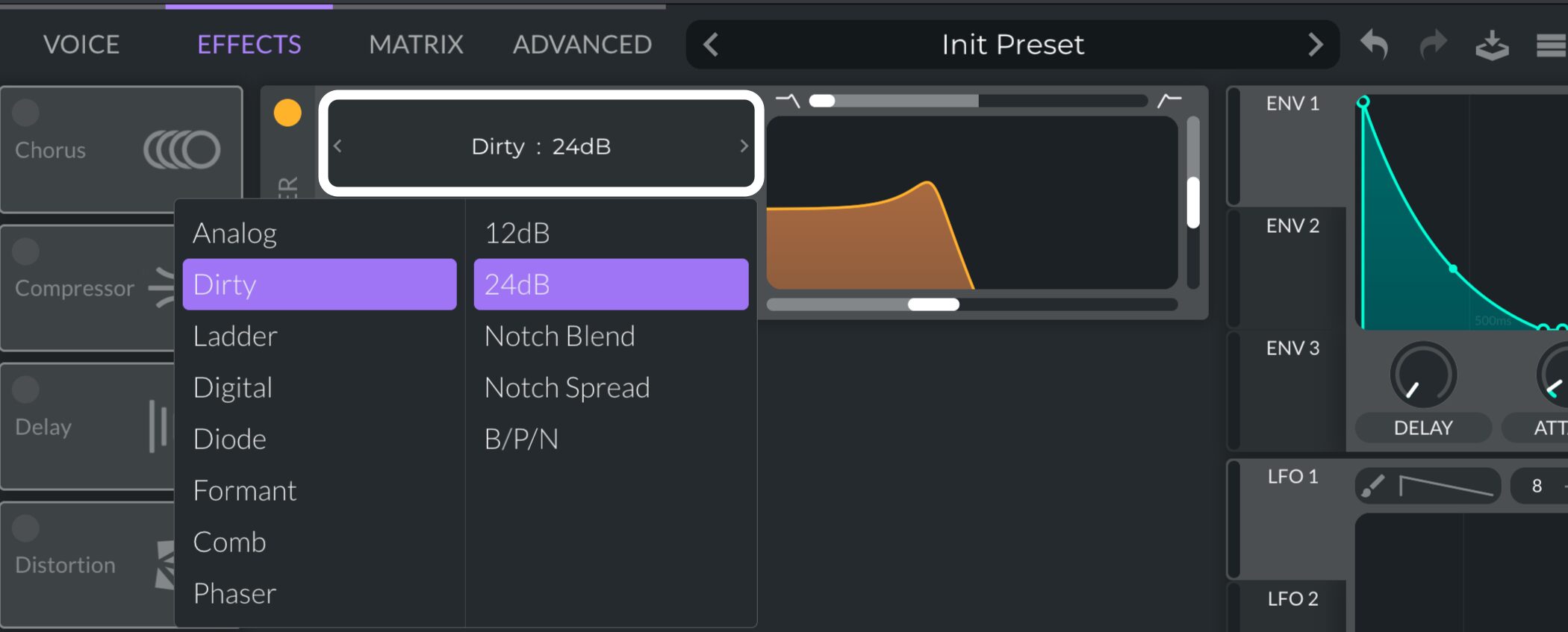
Set Type to Dirty 24 dB.
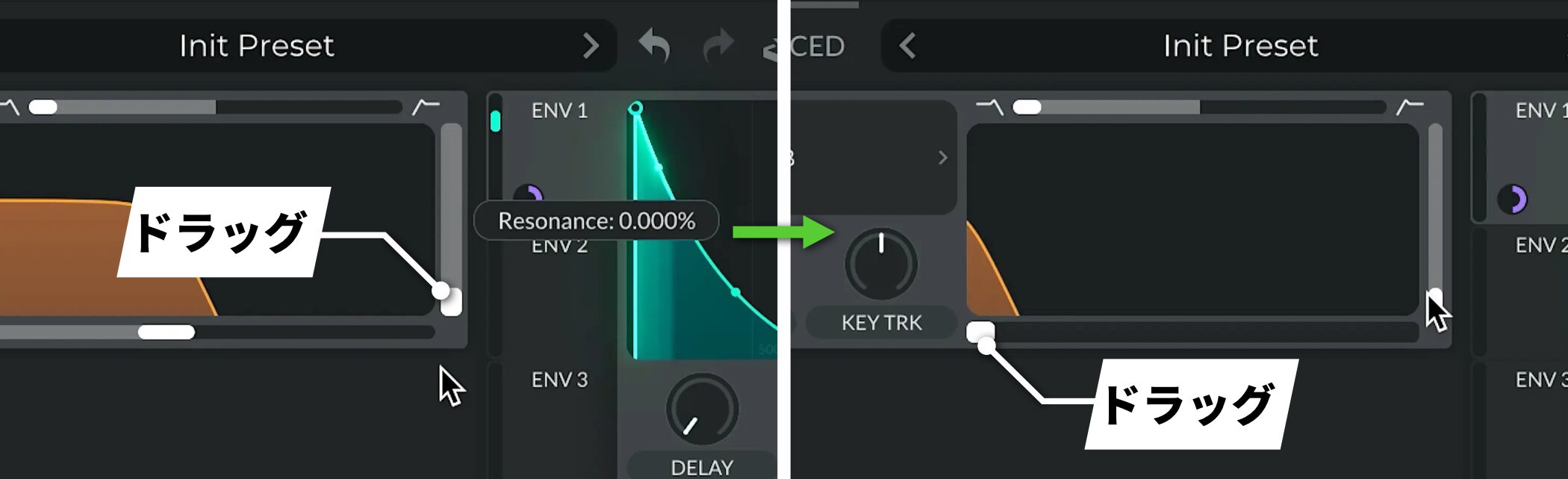
Set Resonance to 0, then lower Cutoff for now.
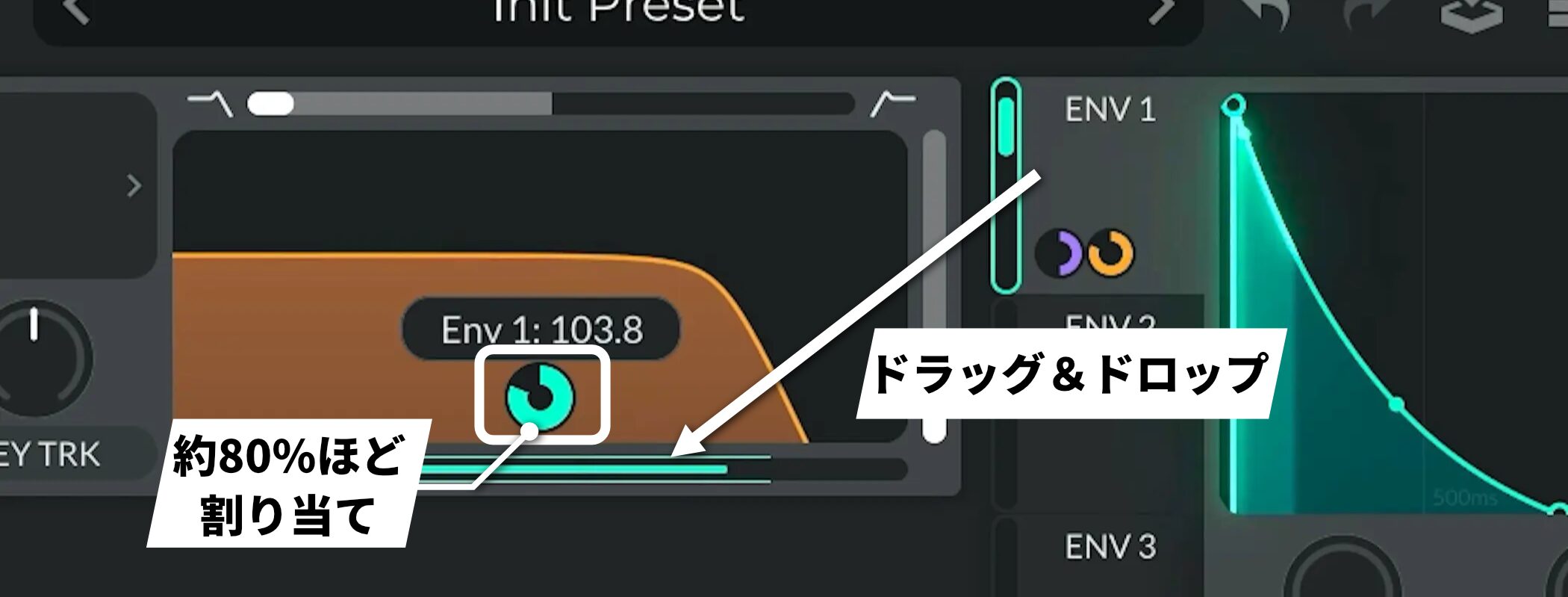
Assign about 80% of ENV1 to the cutoff.
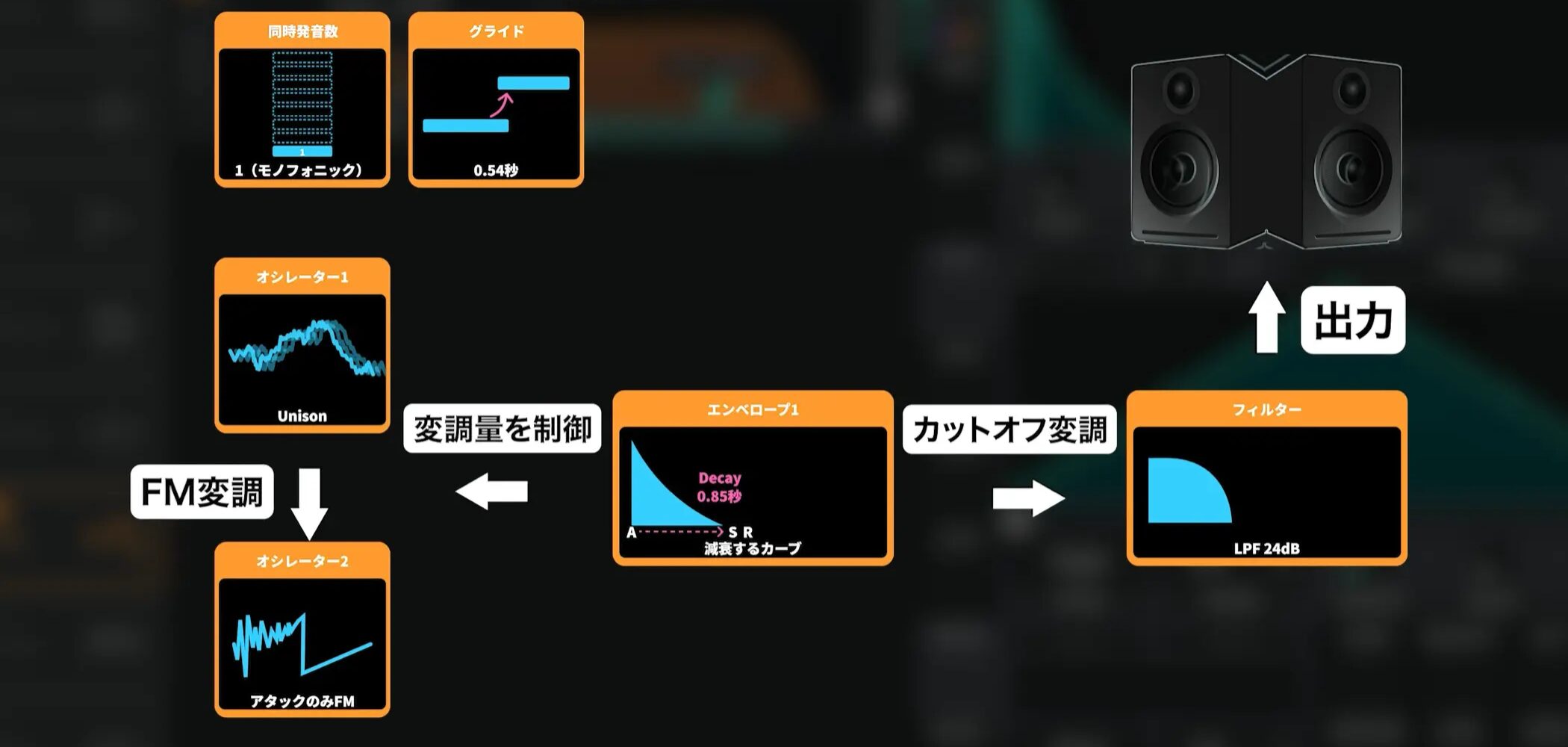
This adds dynamic movement to the sound.
Step 4: Apply effects
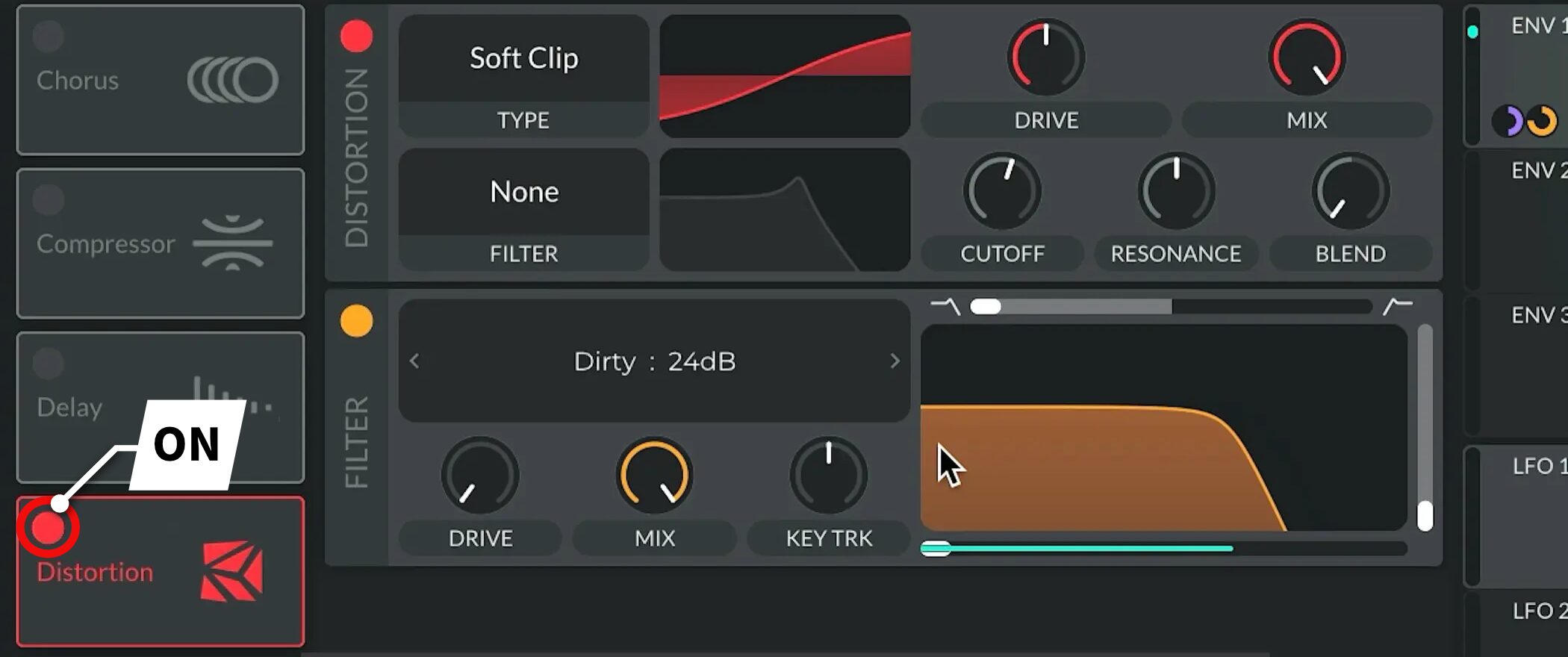
Now add effects by turning Distortion on.
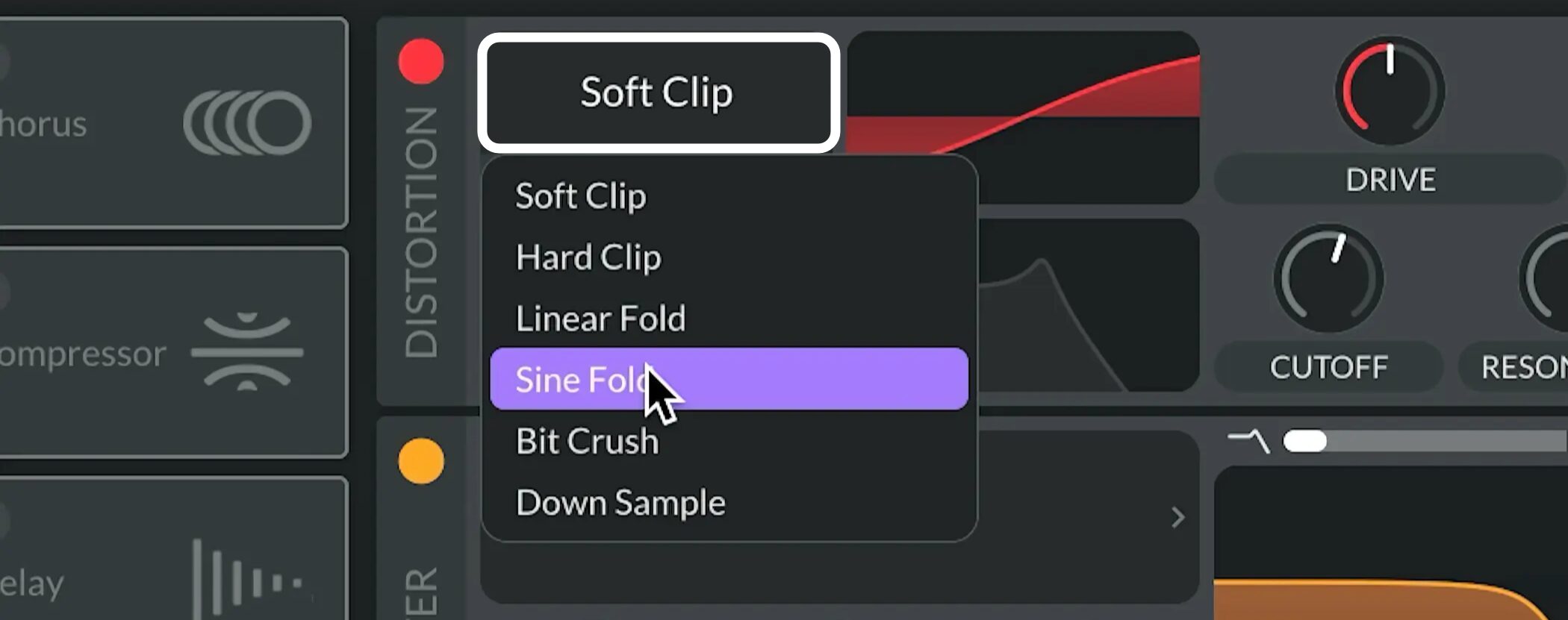
Set Type to Sine Fold.
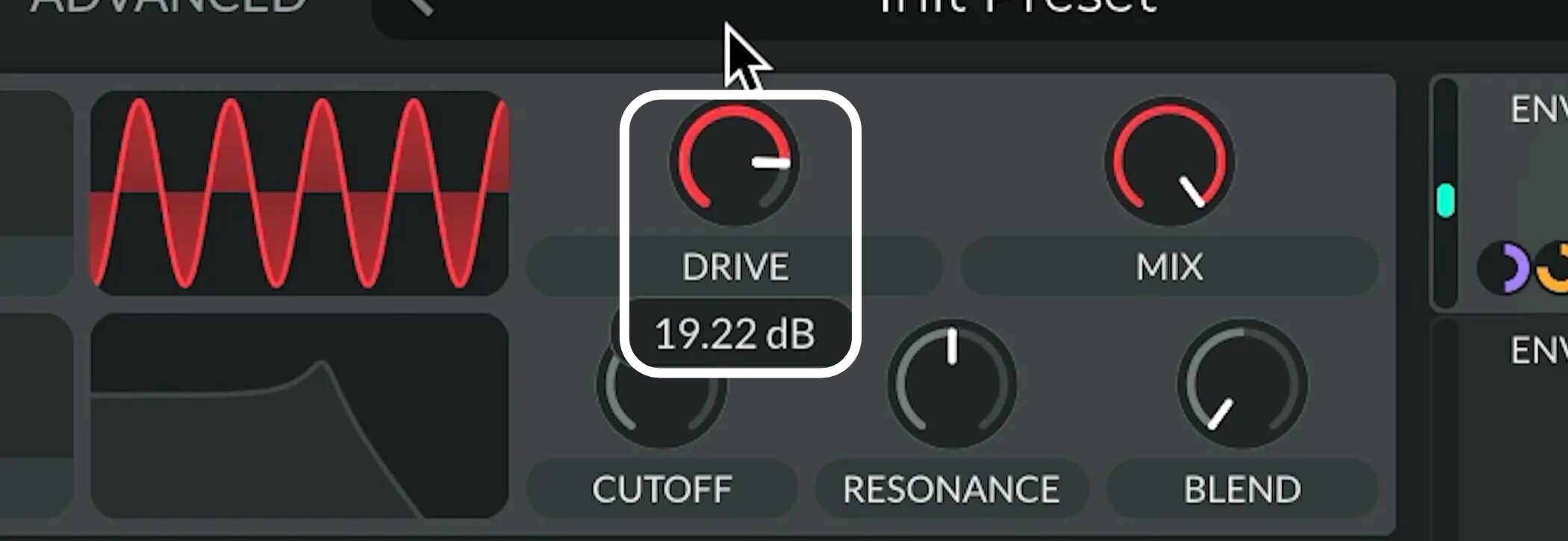
Increase DRIVE to add distortion and make the sound more prominent.
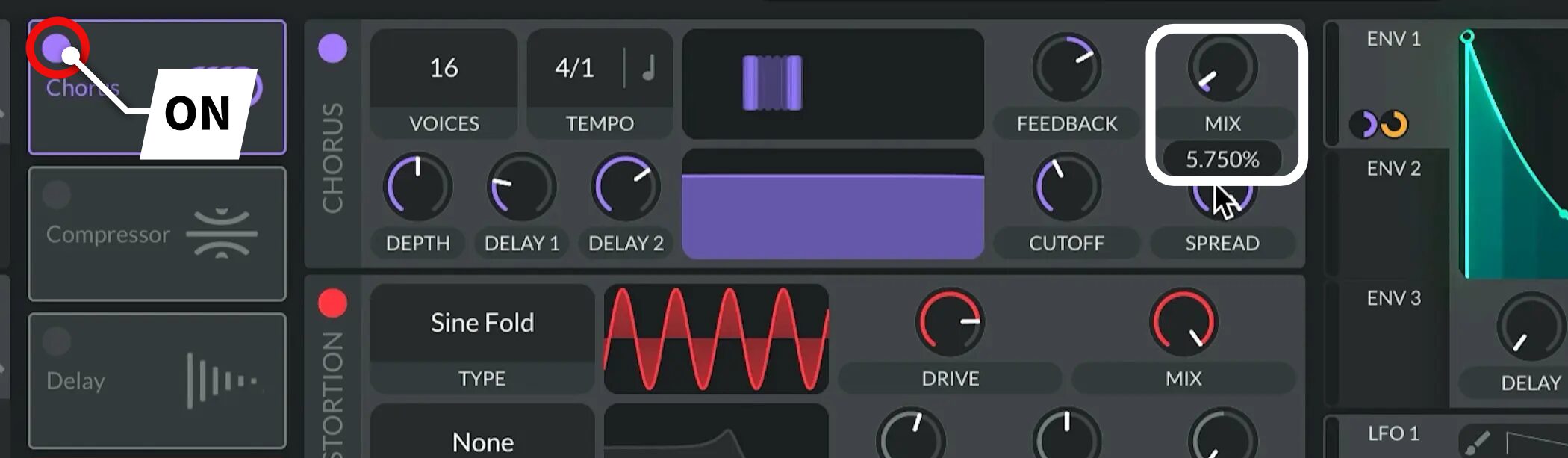
Turn Chorus on and set MIX to 5% for a small amount of width.
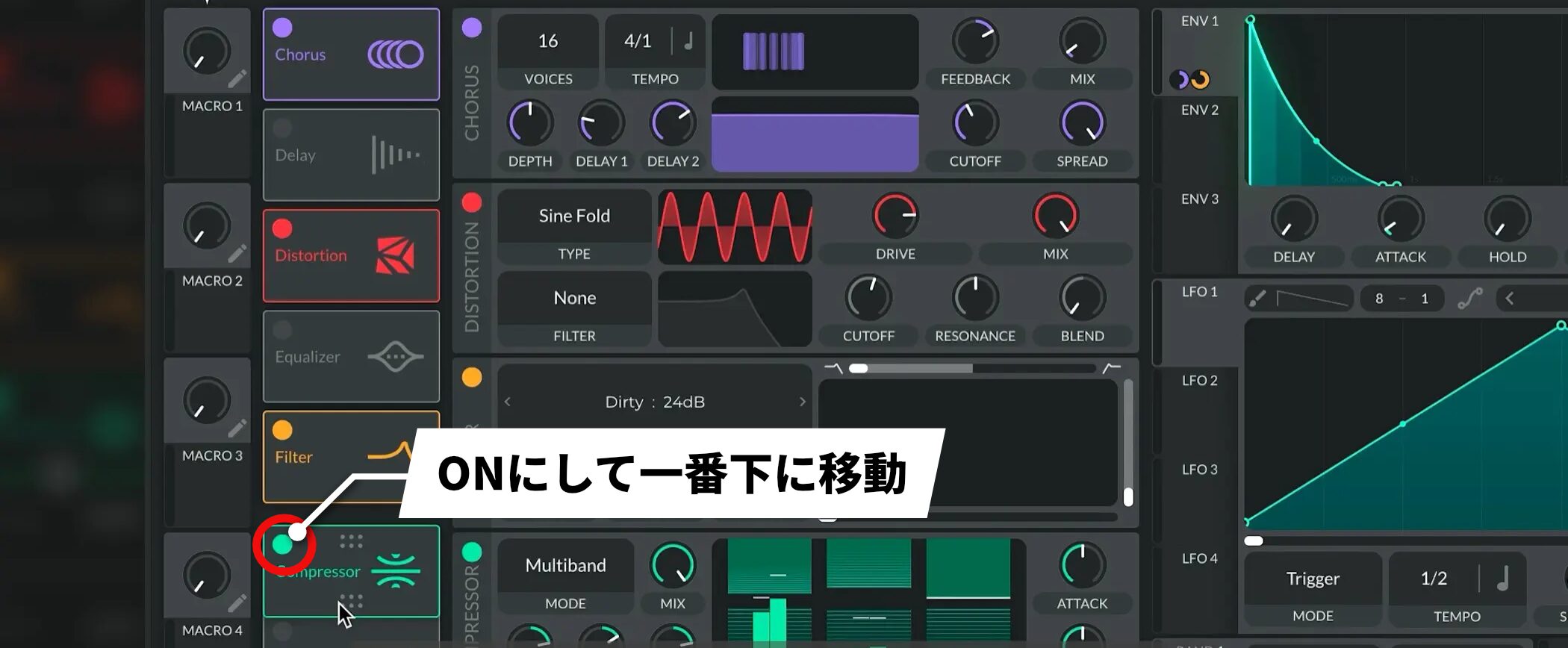
Then turn Compressor on and, to bring the sound together, move it to the bottom of the effects chain.
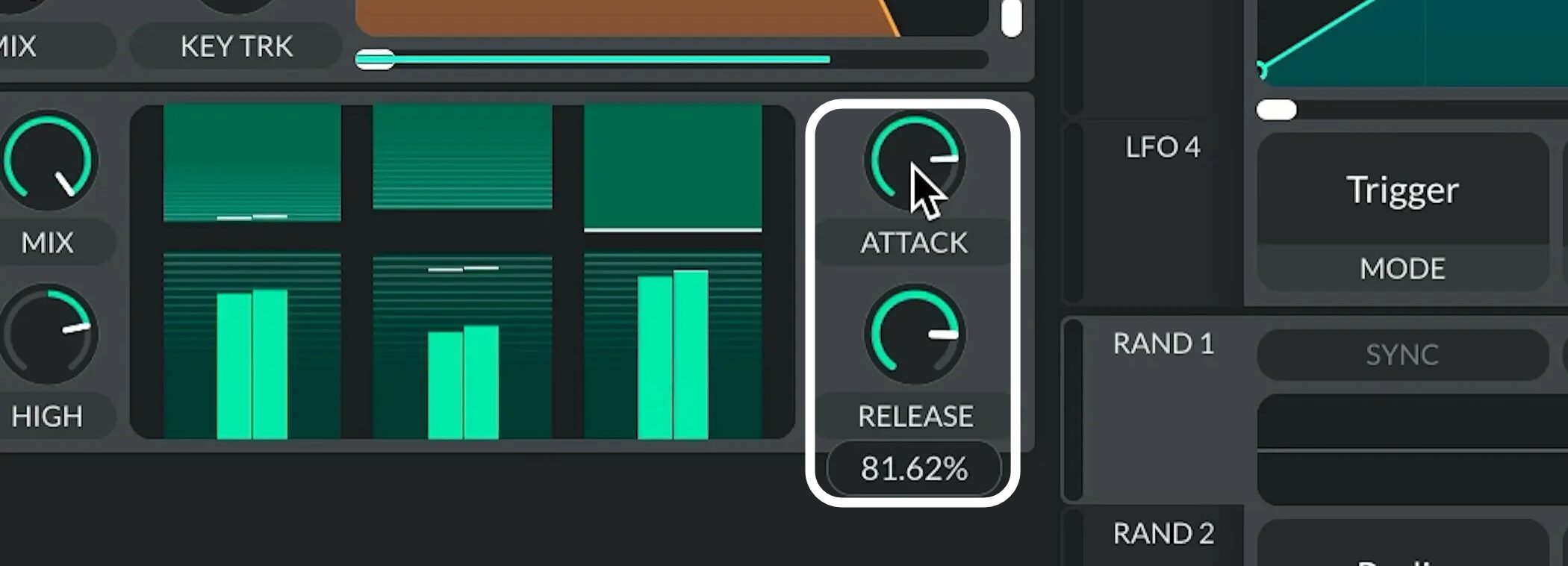
Set the Compressor’s ATTACK and RELEASE to around 80%.
Step 5: Control pitch with an envelope (ENV)
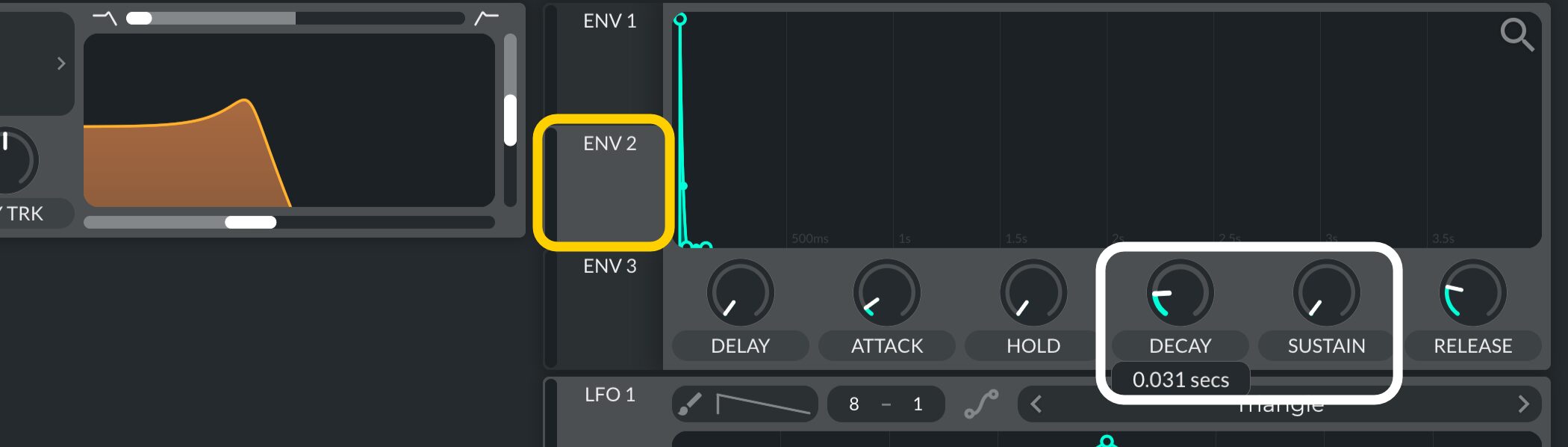
To give the sound the punchy attack of slap bass, set ENV2 as follows.
- SUSTAIN: Set to 0.000
- DECAY: Set short, around 0.03 seconds
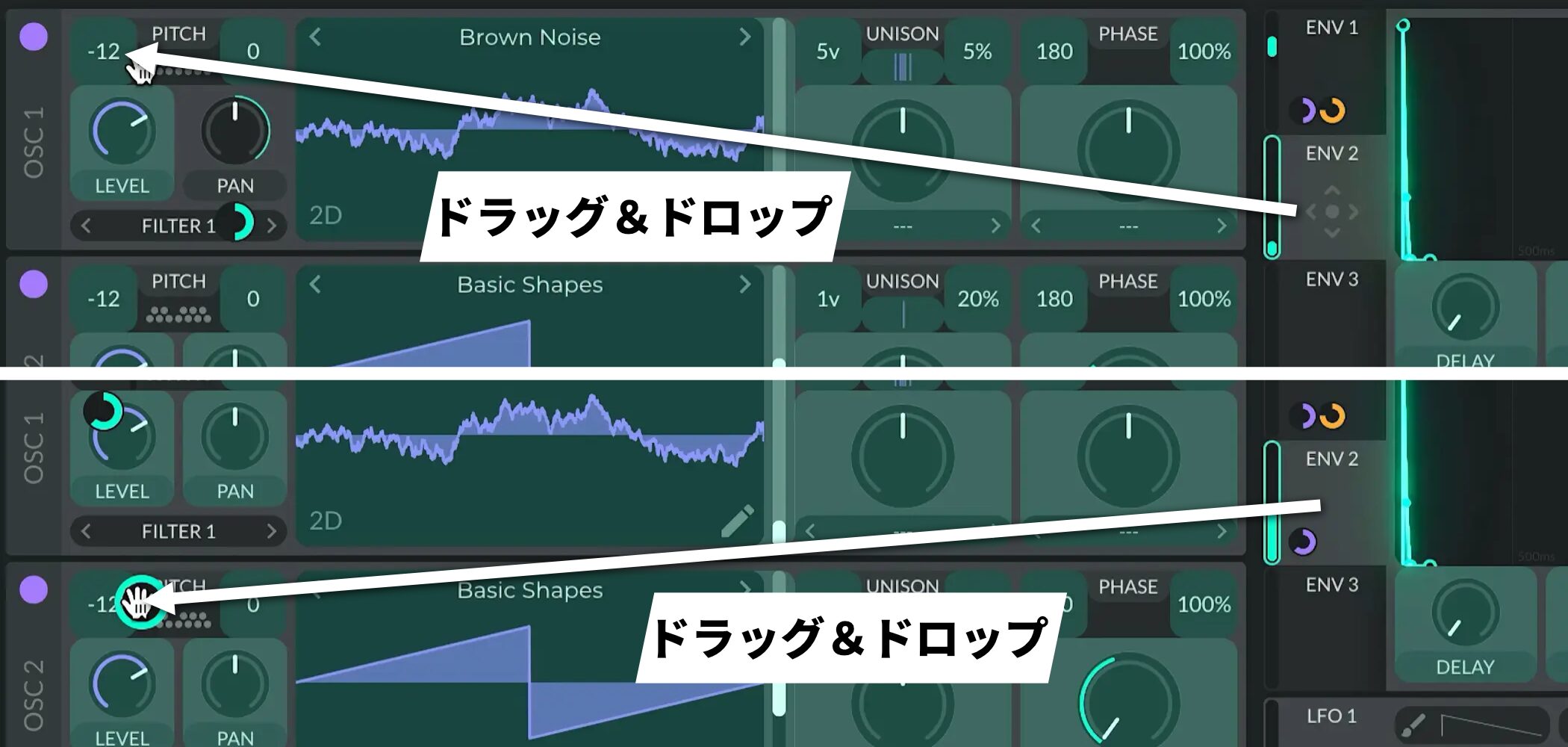
When you have finished, assign it to the Pitch of OSC1 and OSC2.
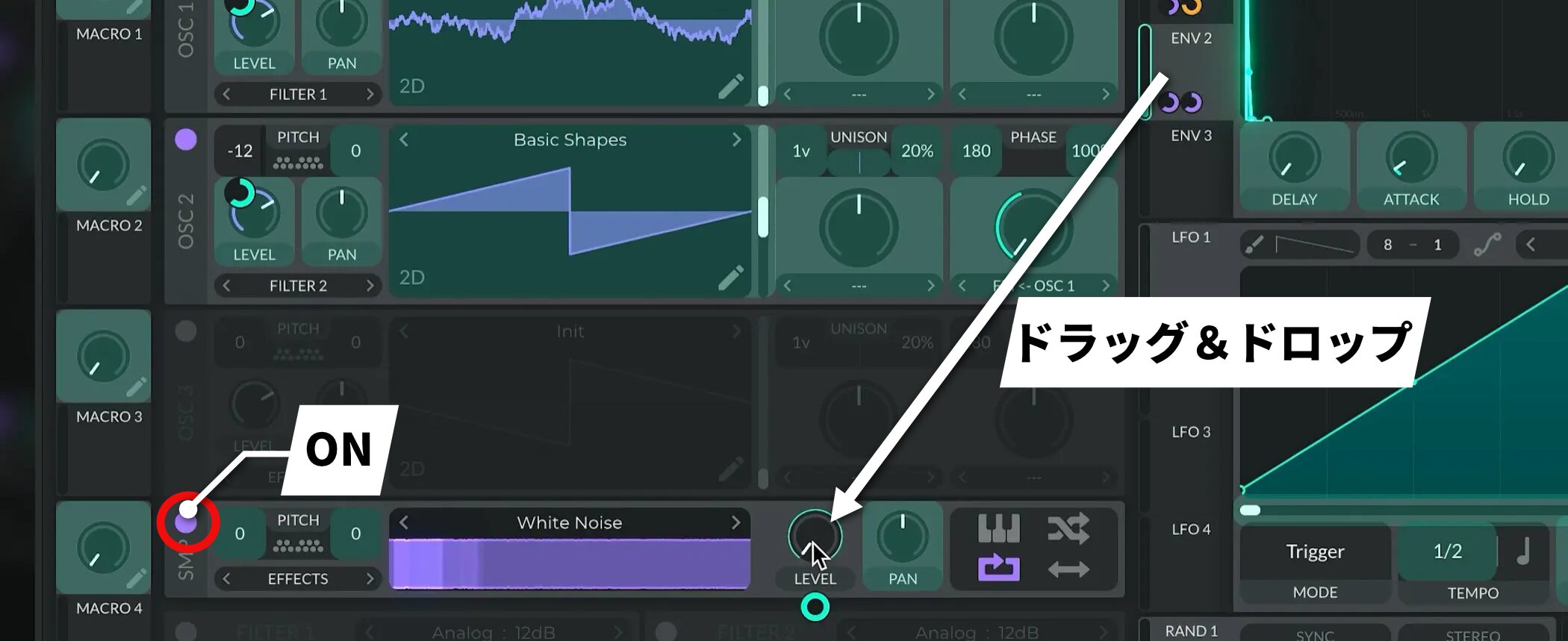
Next, turn on SMP (the noise oscillator) and assign ENV2 to the SMP LEVEL as well.
This accentuates the attack even more.
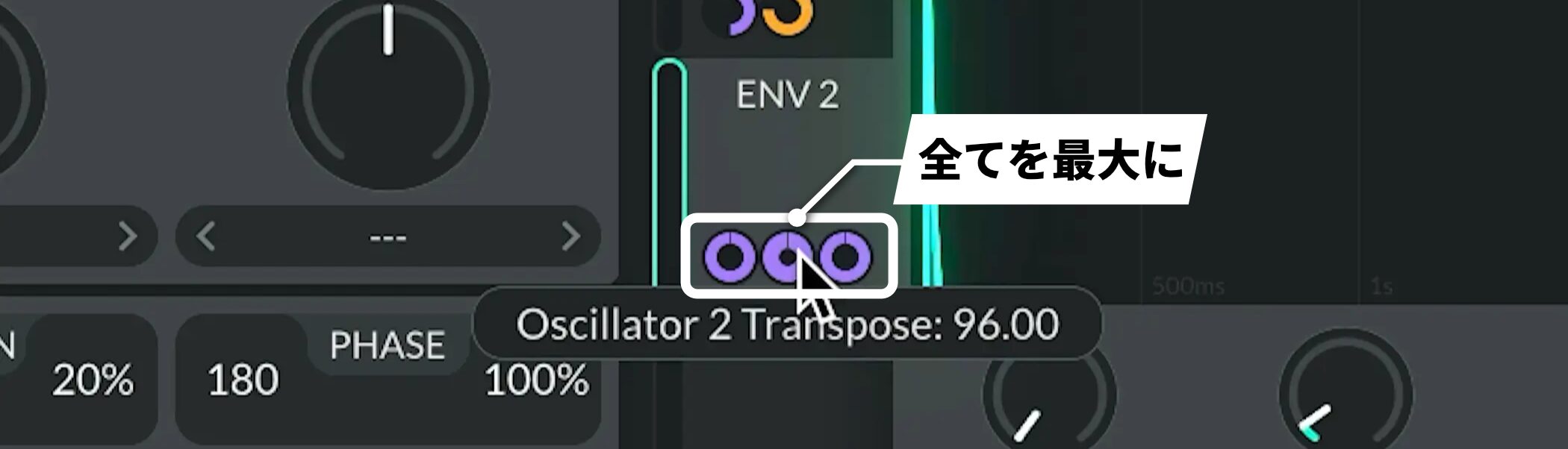
Then turn all of these modulation assignments up to their maximum.
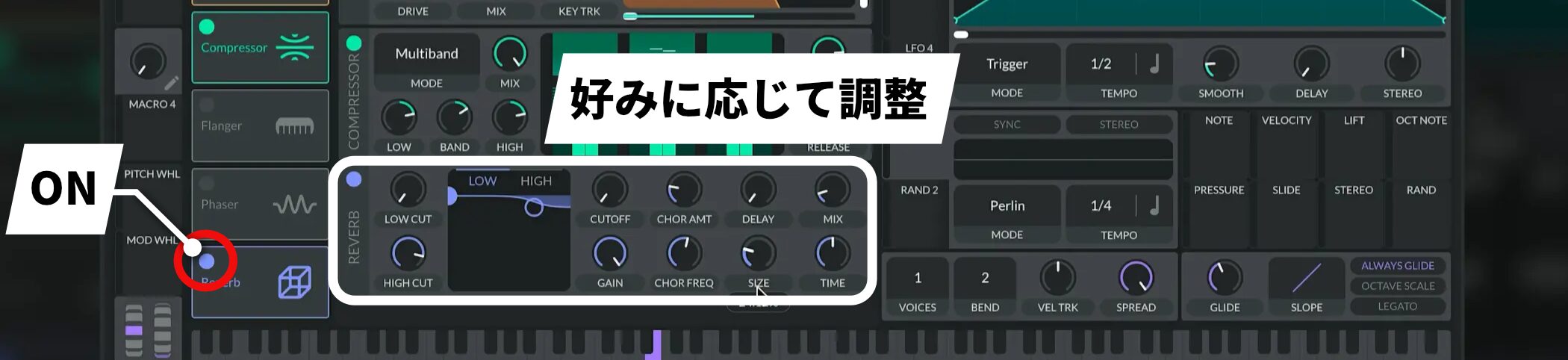
Finally, add Reverb to taste. You now have a powerful SlapBass tone with a punchy attack and a prominent low end.
Try using it in your own music.
Frequently asked questions
Q1. What is SlapBass?
SlapBass is a bass tone distinguished by its strong attack. It can take a leading role in pop, EDM, and Vocaloid productions while providing a powerful low end.
Q2. What software do I need for this tutorial?
You need the free Vital synthesizer. Vital has enough features to perform the FM modulation and effects processing described in this article.
Q3. What is the most important setting when making SlapBass?
The most important part is controlling pitch with ENV2. Set SUSTAIN to 0 and DECAY to around 0.03 seconds, then assign the envelope to OSC and SMP to create the strong, characteristic slap-bass attack.
Q4. Can I apply this approach to another synthesizer if I do not have Vital?
Yes. The core techniques in this article—FM modulation, envelope control, and distortion—are available in many synthesizers, so you can create a similar sound with other plug-ins.
NEW ARTICLES
Latest English Articles


























