Impact’s multiple outputs are an important way to process drum sounds with different characteristics, such as kick, snare, and hi-hat, individually. This article explains how to apply effects such as EQ and reverb independently to each sound and adjust volume, pan, and mono or stereo settings. Grouping sounds and changing their output channels can help achieve professional-level loudness and positioning, giving beginners and advanced users alike a way to improve their drum tracks step by step.
Fine-tune Each Drum Sound with Impact’s Multiple Outputs
A drum track brings together kick, snare, hi-hat, and other sounds
with very different characteristics.
Each sound therefore needs its own
processing, such as EQ and reverb.
Here we explain the concept of multiple outputs.
Impact Video Tutorials
- 1Impact Basics and Loading Kits
- 2Designing Kit Sounds
- 3Real-Time Recording
- 4Multiple Outputs *This article
Video Notes: Grouping Drum Sounds
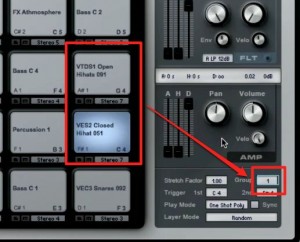
This setting is often used for hi-hats.
Sounds in the same group cannot play at the same time.
For example,
by assigning the open and closed hi-hats to the same group,
you can use the closed hi-hat to cut off the tail of the open hi-hat.
Video Notes: Adjusting Multiple Outputs
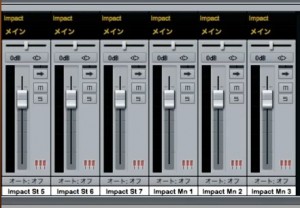
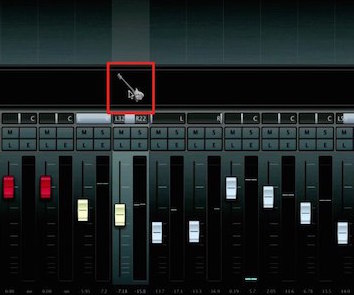
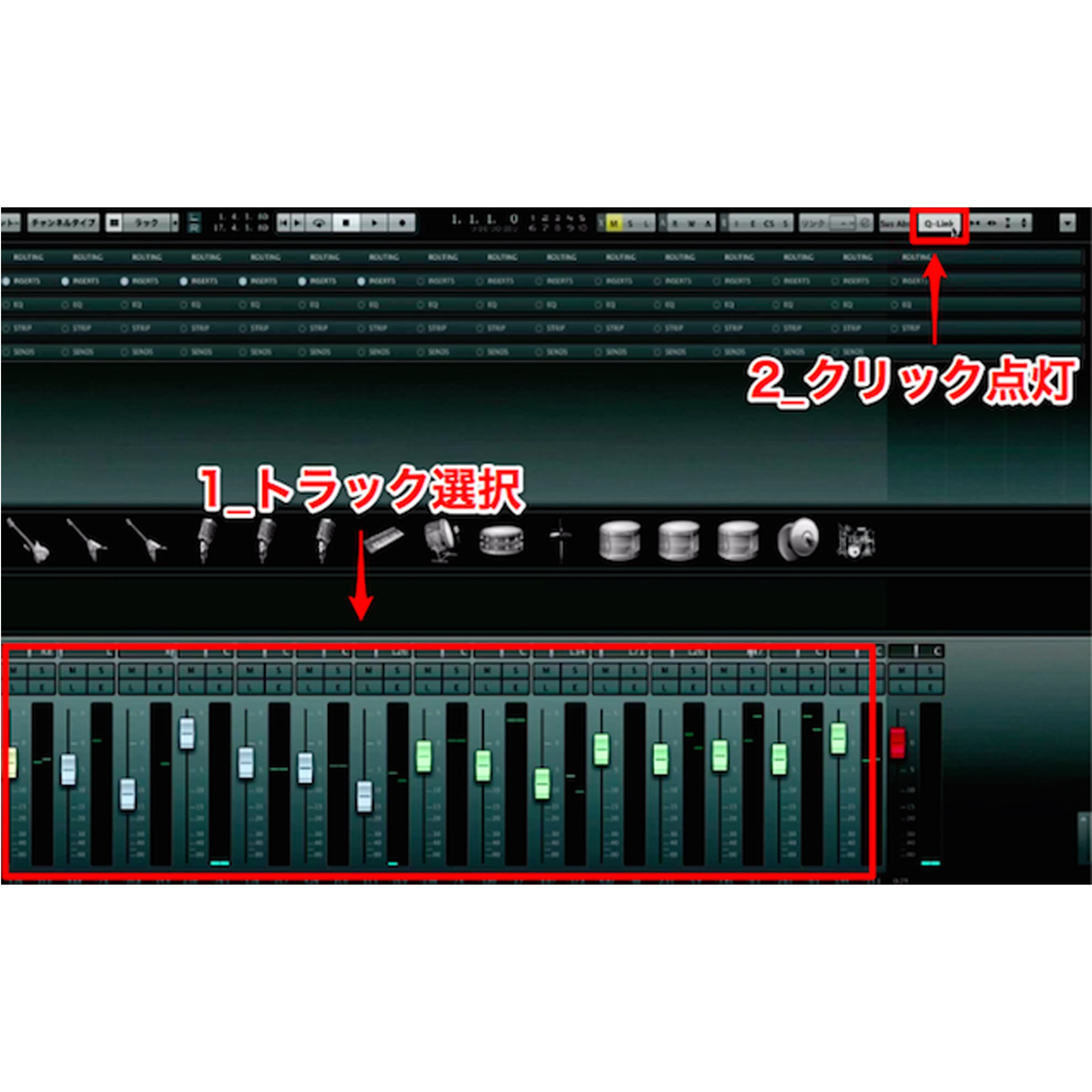
As you can see in the Console window,
Impact automatically routes sounds to separate outputs.
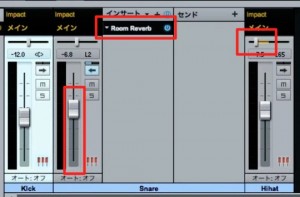
You can set the volume, pan, and effects independently for each sound.
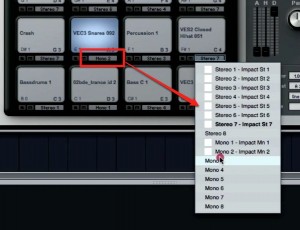
You can also change the output channel using the area outlined in red.
Video Notes: Mono and Stereo
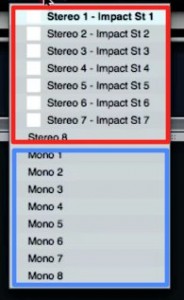
Output channels can be set to mono or stereo,
and you can switch between the two.
Mono and stereo produce different sound images.
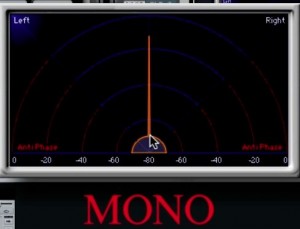
The sound has a clearly defined position.
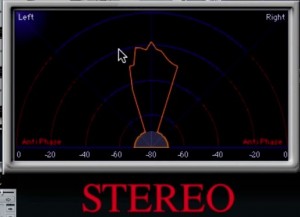
The sound spreads slightly to the left and right compared with mono.
Mono is often used,
but try switching to stereo and comparing the difference to find the sound you prefer.

Frequently Asked Questions
Q1. What are multiple outputs in Impact?
Multiple outputs let you route individual drum sounds, such as kick, snare, and hi-hat, to separate channels, with independent effects and volume control for each. This lets you shape the sound of each element of the drums.
Q2. How should I use open and closed hi-hats?
Assign both to the same group so the closed hi-hat cuts off the tail of the open hi-hat. This creates a natural hi-hat performance and a more realistic drum sound.
Q3. What is the difference between mono and stereo?
Mono has a clearly defined position, while stereo spreads the sound to the left and right. Mono is common, but try switching to stereo and comparing the two, then choose the channel setting that suits your music.
NEW ARTICLES
Latest English Articles