
In FL Studio, Snap helps place notes precisely against bars and beats. This article explains its purpose, how to set it, and how to temporarily bypass it with Alt. Turning Snap off allows free note lengths that can add groove to a phrase. Snap is also useful in the Playlist, and knowing the shortcut makes detailed editing, such as shaping a bass phrase, more efficient.
Snap: Setting a Grid for Editing
Continuing from the previous section, we'll program a bass phrase like this.
This time we'll fine-tune the note lengths.

Look at the area outlined in red.
The note lengths don't line up exactly with the grid.
They were deliberately set this way to give the phrase some groove.
To enter notes at these in-between lengths, turn off Snap.
Snap aligns notes with bars and beats; it is enabled by default.
Tutorial Video
Selected Questions and Answers from YouTube

How can I make the MIDI note length match the length of the sound?

It appears that the length of the last note entered is applied to the next note.
In Spire, changing velocity in the Piano Roll does not seem to affect the sound, and all notes play at the same volume. What can I do?
Turn up the Velocity knob shown in the image to make it respond:https://app.box.com/s/8havi1mb301gmacschndb088x4x7ap73
I've installed FL Studio 20. Is it very different from the version in this video?
The product's basic operation is not substantially different in the newer version discussed here.
I'm considering FL Studio. Is the version in this video FL Studio 20 Signature?
The video uses FL Studio 12 Signature.
Snap Settings
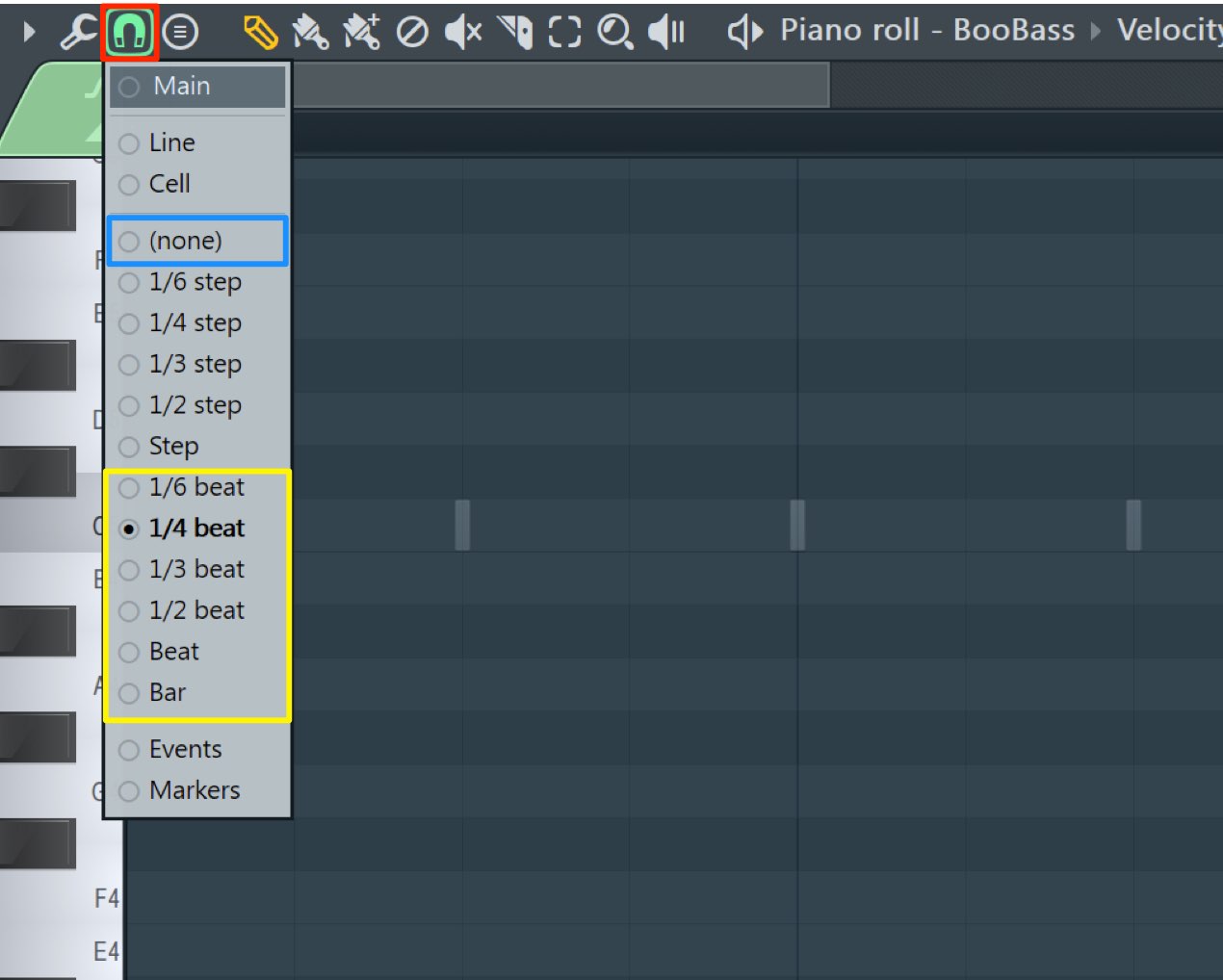
Click the Snap icon at the top of the Piano Roll.
- None: When drawing, moving, or resizing notes,
you can edit freely without aligning to bars or beats. - Beat: One beat is a quarter note.
A 1/4-beat grid corresponds to sixteenth notes, and a 1/2-beat grid to eighth notes.
Snap is useful not only in the Piano Roll but also in the Playlist, where you arrange your song.
It is an important concept to understand.
A Shortcut to Temporarily Disable Snap
While working, you'll sometimes want Snap on for precise alignment
and at other times want it off for finer edits.
Switching Snap on and off every time can slow you down.
A useful alternative is to temporarily disable Snap.
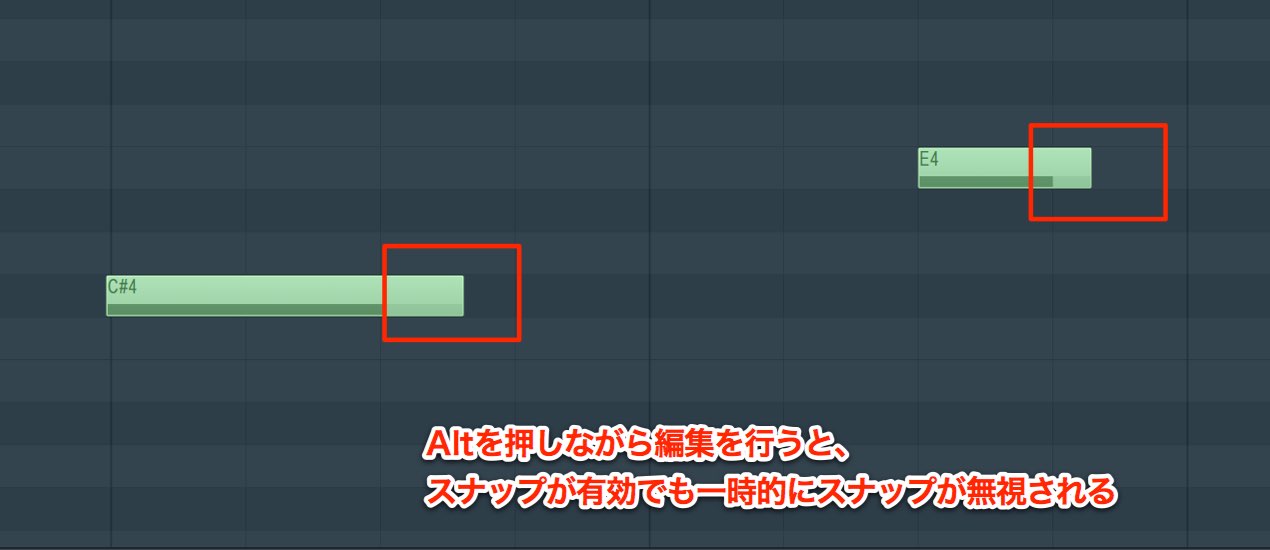
Simply hold Alt while moving or resizing a note.
Snap is disabled only while you hold the key, allowing fine edits regardless of bars or beats.
Using what you've learned, try programming a bass phrase like the example.
Next, we'll explore how to add expression to a phrase by varying note strength.

Frequently Asked Questions
Q1. What is Snap in FL Studio?
Snap aligns notes with bars or beats. It is enabled by default; choose None for free editing or Beat to work in beat-sized increments.
Q2. Why turn Snap off?
Sometimes deliberately setting notes to in-between lengths gives a phrase more groove. Turning Snap off allows free editing without aligning to bars or beats.
Q3. Is there a shortcut instead of repeatedly switching Snap on and off?
Hold Alt while editing to temporarily disable Snap. This allows fine adjustments without interrupting your workflow.
NEW ARTICLES
Latest English Articles
















































































































































































































































































































































































































































