
On tracks with large level differences, such as vocals or bass, a compressor like the Waves CLA-2A can react too strongly to louder passages. This guide explains how signal order affects compression and shows how to automate the gain of a plug-in before the compressor. Track fader automation may be post-insert, depending on the DAW and routing, so adjusting the signal before the compressor can help control variations in gain reduction.
Write Automation with Gain Reduction in Mind
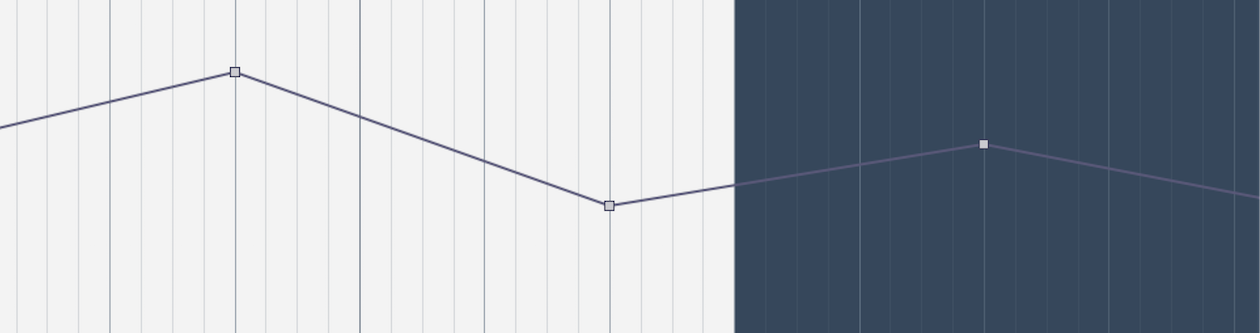
A compressor reduces louder sounds, narrowing the difference between loud and quiet passages.
This can help maintain a more consistent sound in a mix.

Compressors are commonly used on many tracks during mixing.
Pay particular attention to compressor settings on tracks with large level differences.
Vocals and bass are especially worth checking.
Loud passages can trigger too much compression,
causing an unnatural sound or making the track less prominent in the mix.
Here we explain automation and compressor settings that can help address these issues.
Tutorial Video
Buy the product: https://bit.ly/2XhSh5P
We use a vocal track for this demonstration.
Key Waves CLA-2A Parameters
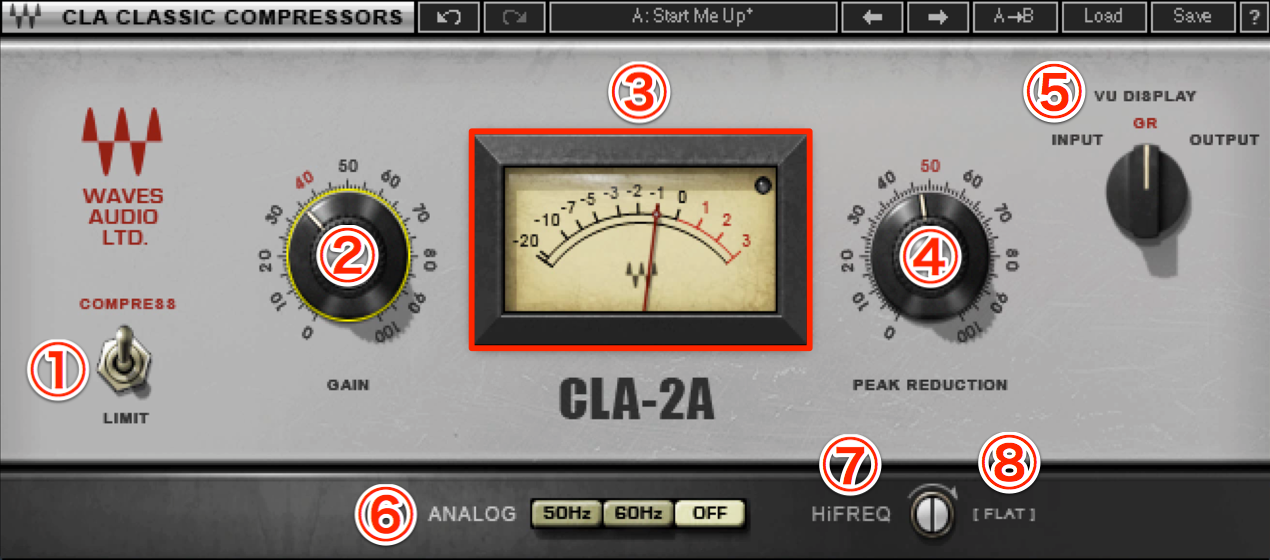
- 1. Compressor Mode Selector: choose between Compress and Limit.
The original guide describes these as 1/3 and 1/100 respectively; actual compression behavior is program-dependent, so treat these figures as approximate rather than fixed settings. - 2. Gain: adjusts the output level.
- 3. Meter: displays the signal selected with the VU Display control.
- 4. Peak Reduction: adjusts the amount of compression, with a role similar to a threshold.
- 5. VU Display: selects Input, Gain Reduction or Output for metering.
- 6. Analog: simulates noise; select Off to disable it.
- 7. HiFREQ:
Turning toward HiFREQ reduces the compressor’s sensitivity to low frequencies and can reduce the overall amount of compression.
Adjusting this control can help preserve the attack and presence of vocals with excessive low-frequency air. - 8. FLAT:
Turning toward FLAT applies compression more evenly across the frequency range.
Insert Slots and Signal Flow
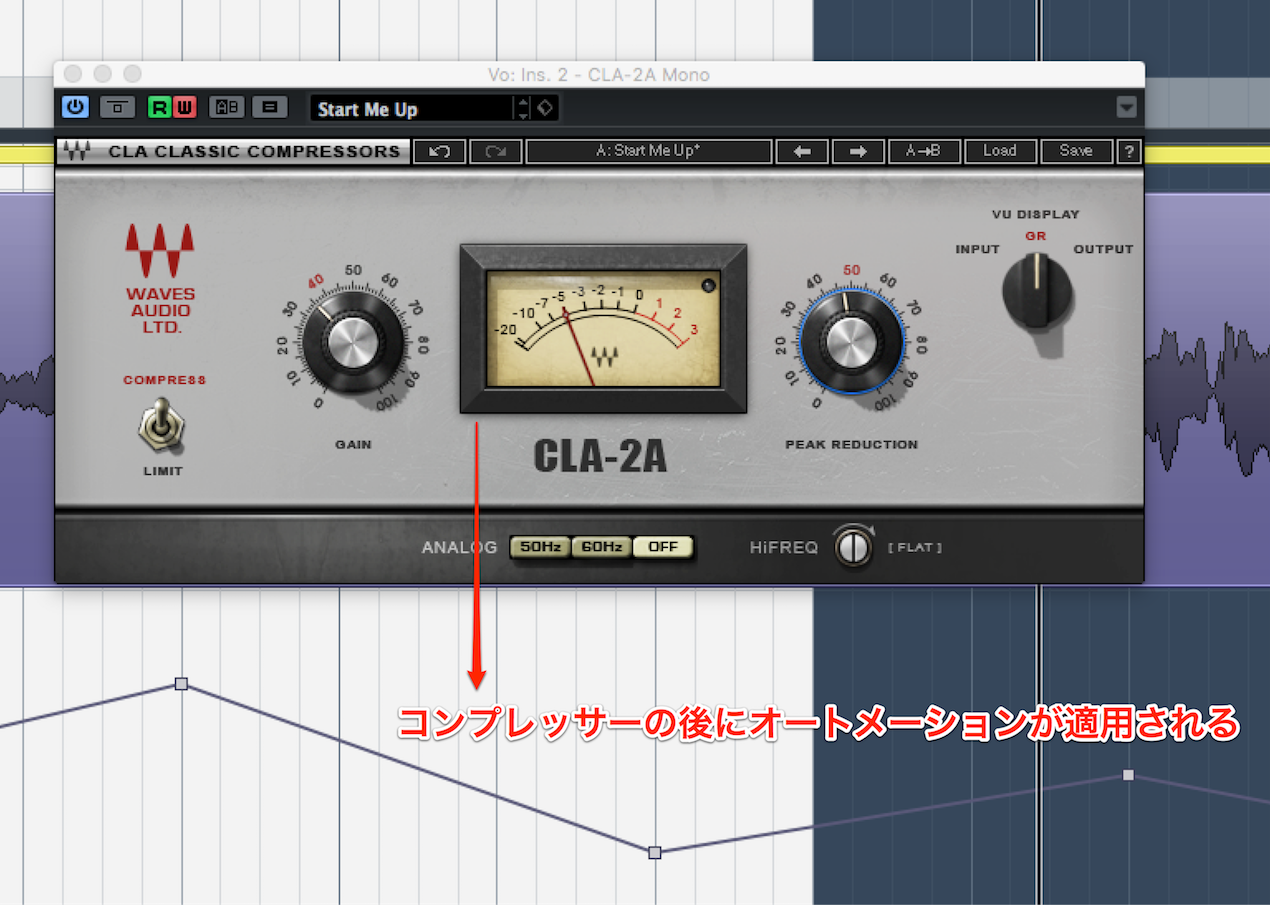
Depending on the DAW and routing, track fader automation may affect the signal after insert effects.
In that case, automating the track fader does not change how much the compressor reduces the signal.
Louder passages may therefore still receive excessive compression.
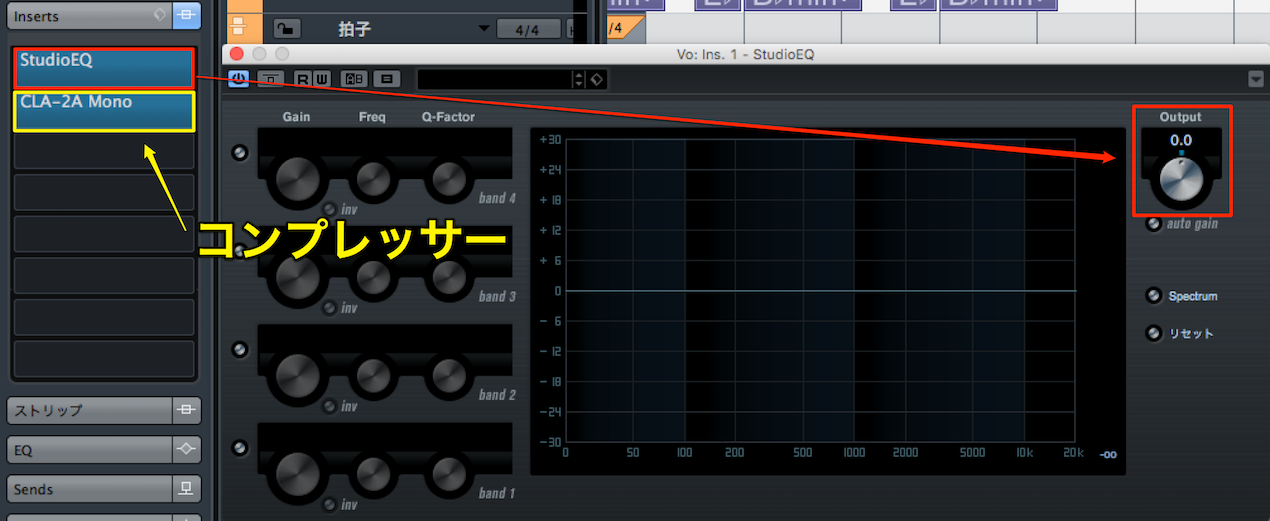
One option is to insert a plug-in that can adjust gain before the compressor
and automate its level.
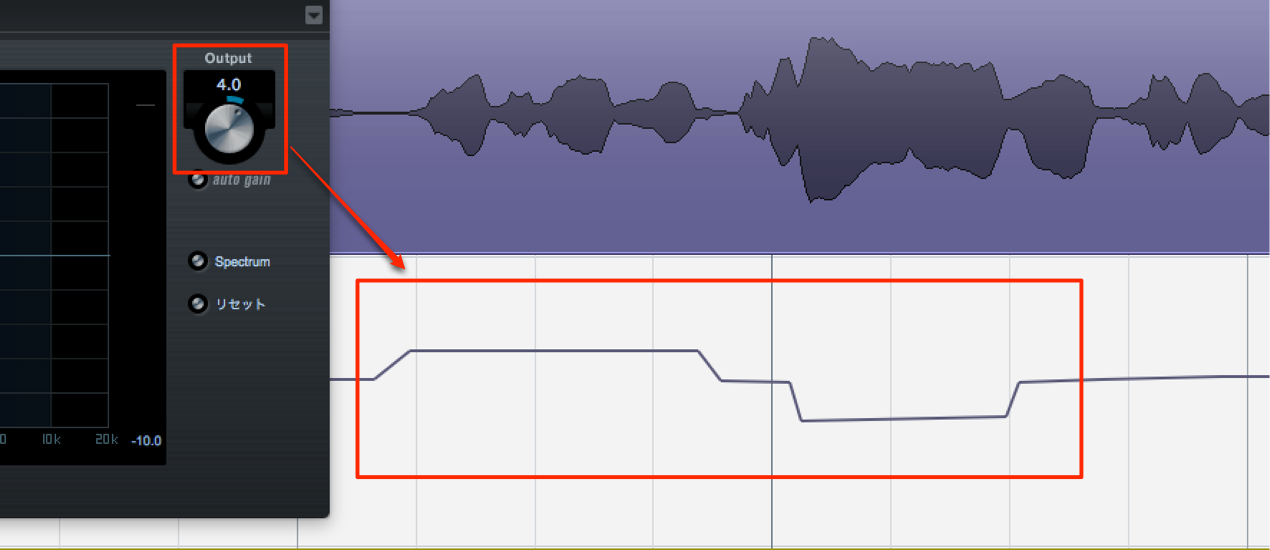
Write automation for the gain of an EQ inserted before the compressor.
This lets you adjust the level before it reaches the compressor.
If you encounter this problem, try this approach.
Frequently Asked Questions
Q1. Why might track volume automation fail to change the compression?
If the track fader is after the insert effects in your DAW’s signal path, its automation changes the level after the compressor and does not change its gain reduction. Automating gain on a plug-in placed before the compressor can affect its input instead. Signal order depends on the DAW and routing.
Q2. What does Peak Reduction do on the Waves CLA-2A?
Peak Reduction controls the amount of compression in a way similar to a threshold control. Adjust it to change how strongly the signal is compressed.
Q3. What can I do when a vocal is compressed too heavily?
Insert a gain-adjustment plug-in before the compressor and automate its level to smooth the input. This can help avoid excessive compression while keeping the vocal more consistent.
NEW ARTICLES
Latest English Articles
















































































































































































































































































































































































































































































