
This tutorial uses Native Instruments Massive to create an explosion-like sound effect for Skrillex-style wobble bass. It covers every stage of professional sound design, from using an envelope to create a sharp attack and layering oscillators to applying filters, noise and effects. These techniques can be adapted to design effects that interact with wobble bass or to create kicks, expanding the expressive possibilities of EDM production.
Creating Sound Effects That Work with Wobble Bass
This is the fourth installment of our answer video series on creating a Skrillex-style wobble bass.
The previous article leads into this one, so we recommend reading it first.
This time we have a special installment: instead of a bass, we will make an explosion-like sound effect.
In this genre, sounds like this are used alongside the rhythm and bass, and the approach can also be adapted to kicks and other effects, so give it a try.
How to Create the Sound
Massive Settings
ENV4 Settings
For an explosion-like effect, we want a sharp attack followed by a quick decay.
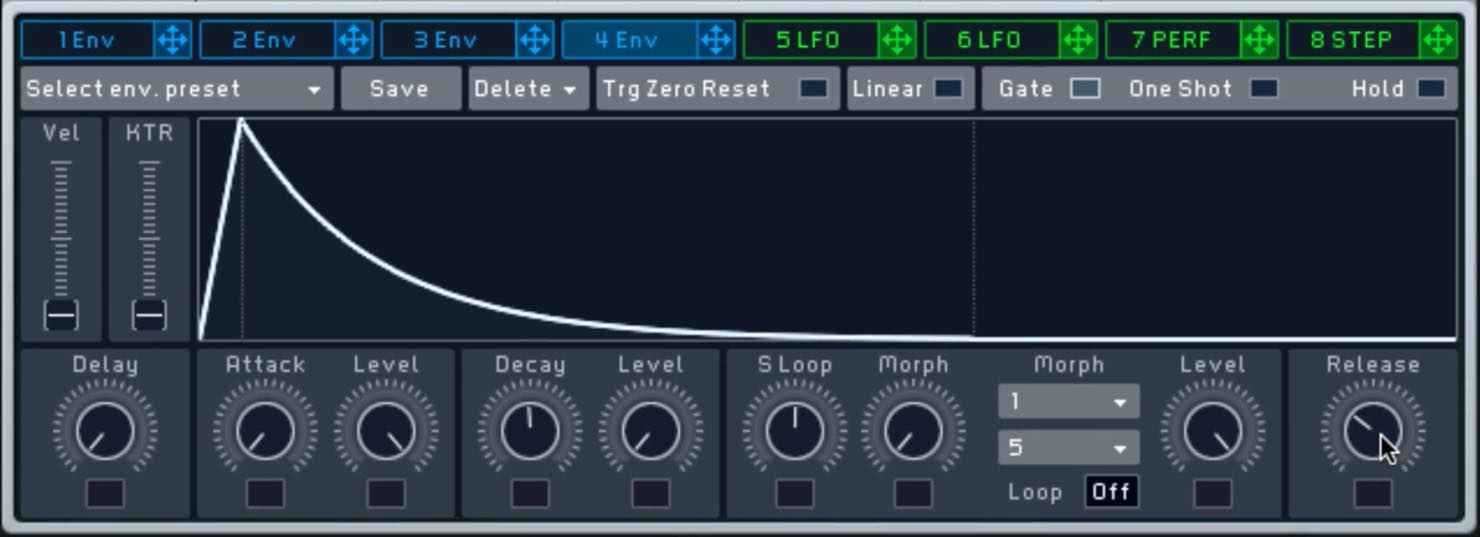
- Set Attack to its fastest setting.
- Set Level to 0 and use a relatively fast Decay to adjust the tail.
- Set Release between roughly 10 and 9:30 on the dial.
OSC Settings
We will layer three oscillators.
While setting up OSC1, assign ENV1 to pitch.
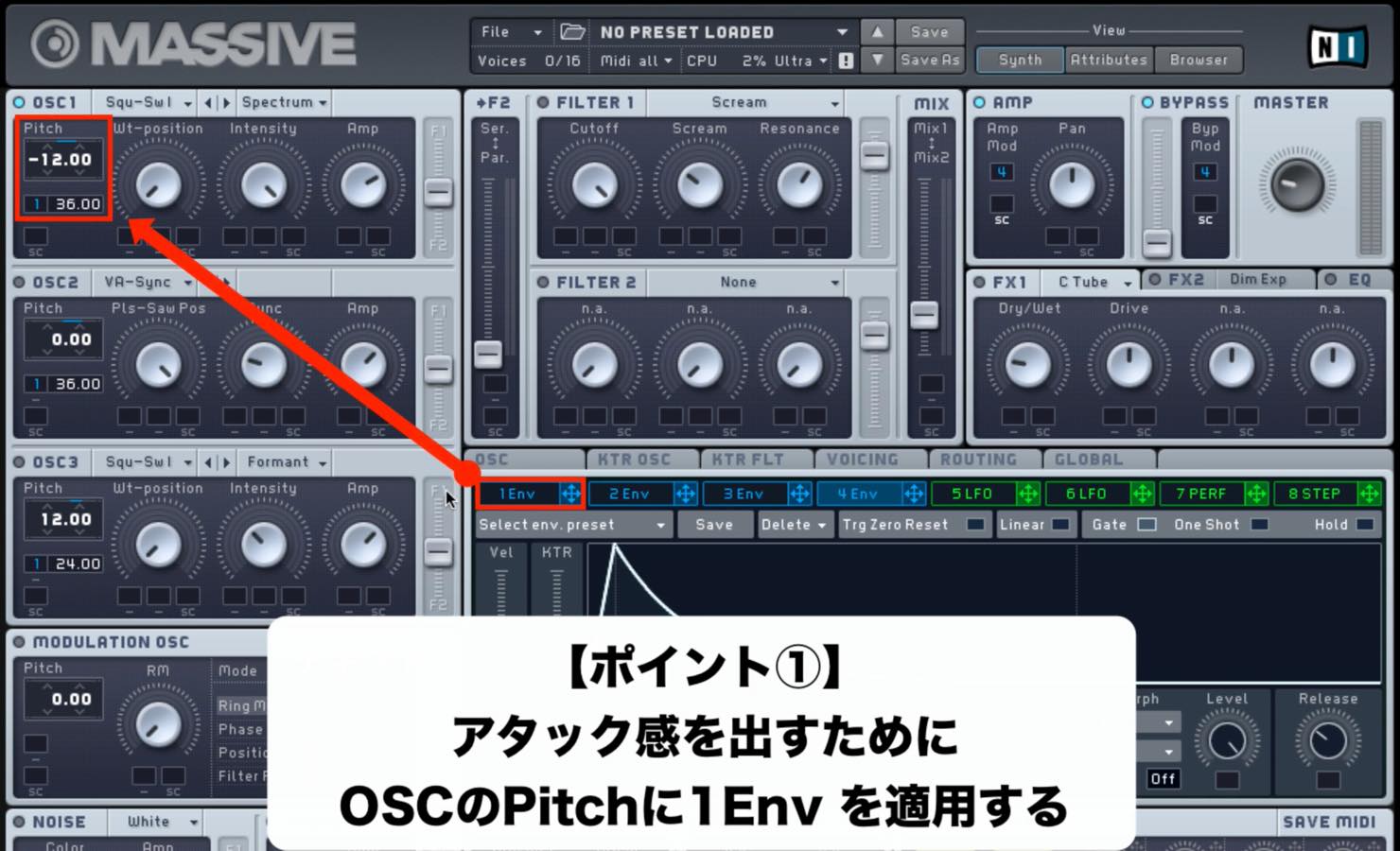
- Move the waveform toward Square and set Intensity to maximum.
- Set the base pitch to -12 and the ENV1 pitch modulation amount to 36.
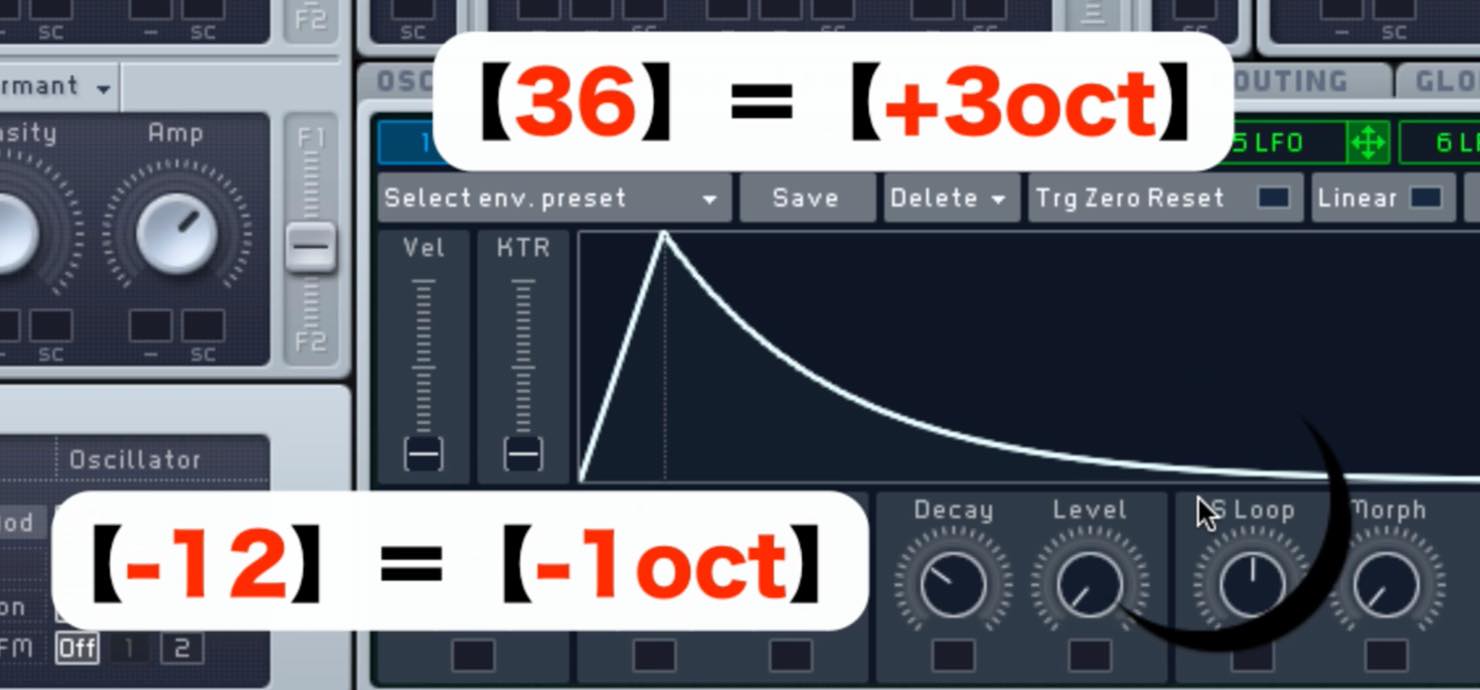
The -12 value is one octave down, while 36 represents three octaves up from that starting point.
In other words, the pitch quickly drops over the decay time from two octaves above the programmed note to one octave below it.
Changing the Decay time changes the character, so experiment with different settings.
Set up OSC2 and OSC3 as follows, assigning ENV1 to each one.
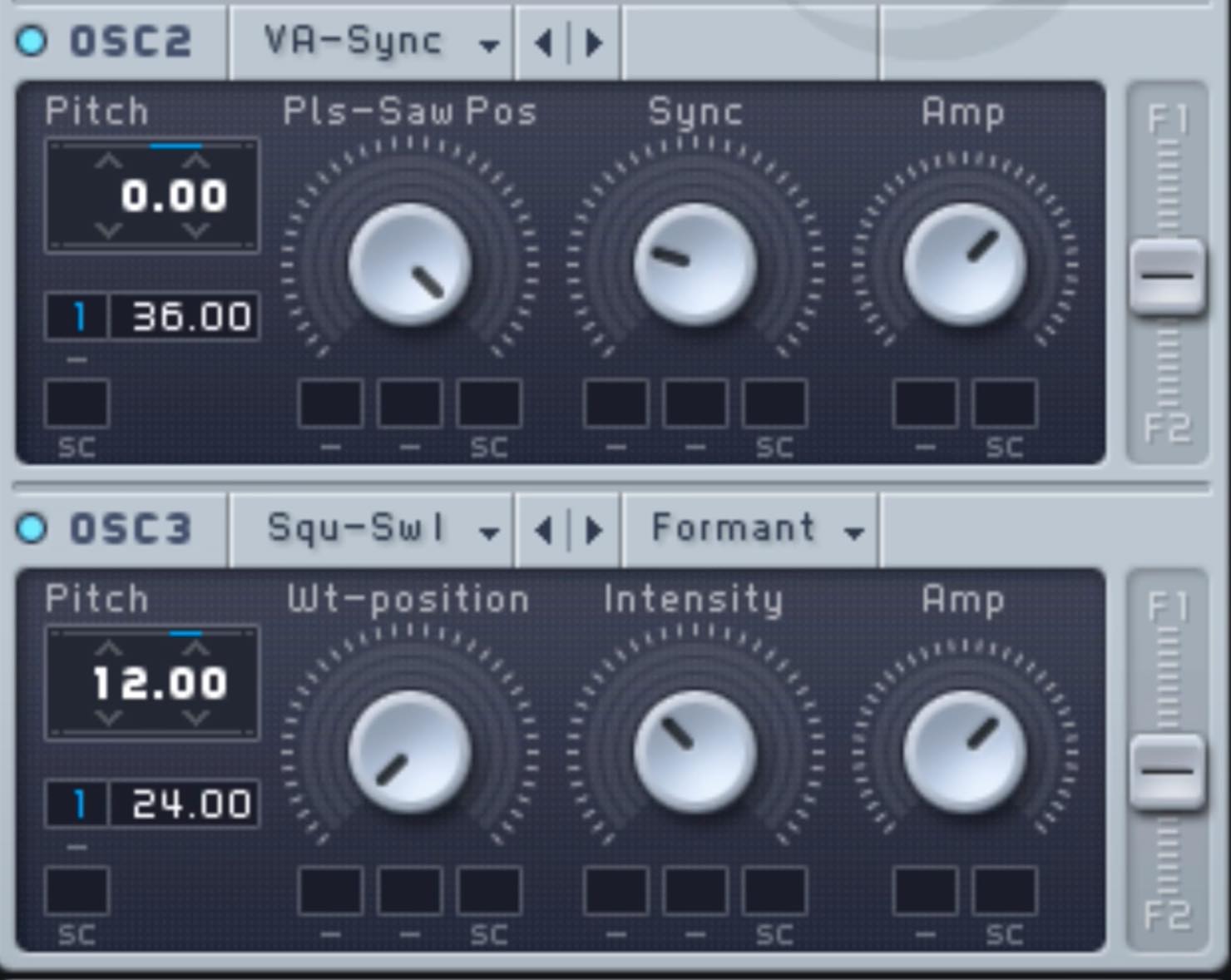
- For OSC2, choose VA-Sync, move toward Saw and raise Sync slightly.
- For OSC3, use Square as with OSC1, set the oscillator mode to Formant, and raise Intensity slightly.
- Blend the oscillators while varying their base pitches and ENV1 modulation amounts.
VOICING and OSC Tab Settings
These settings should be familiar from the previous installments.
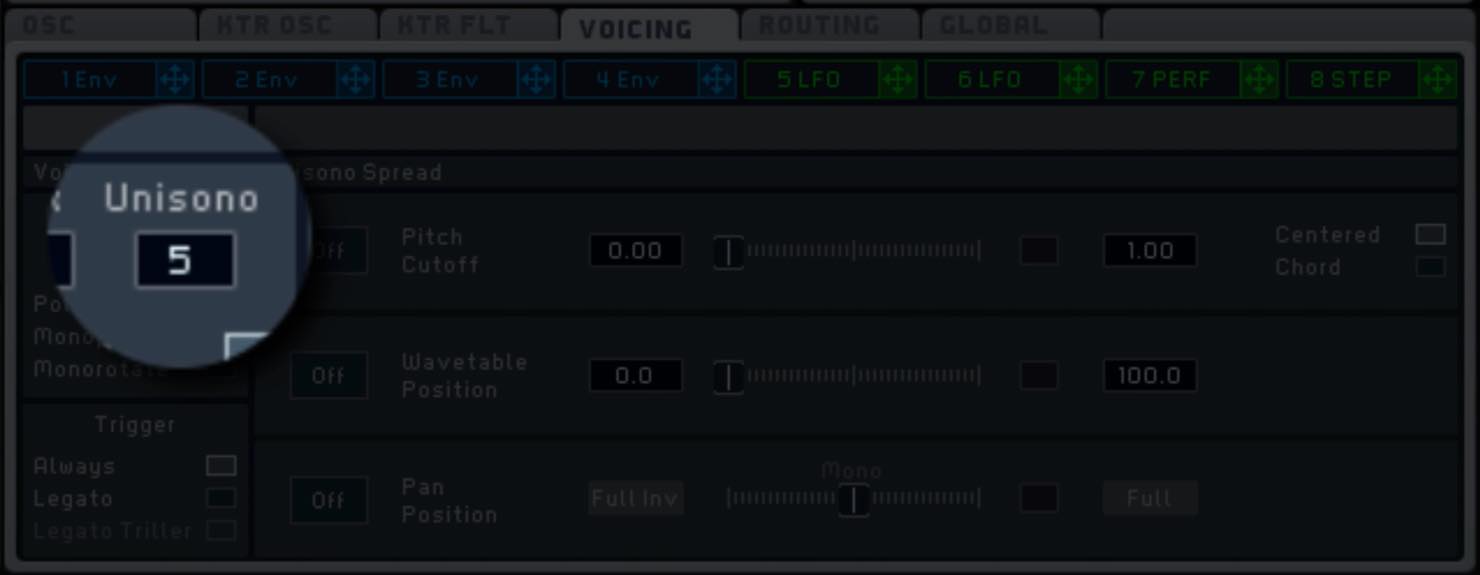
Set Unisono to 5 to thicken the sound.
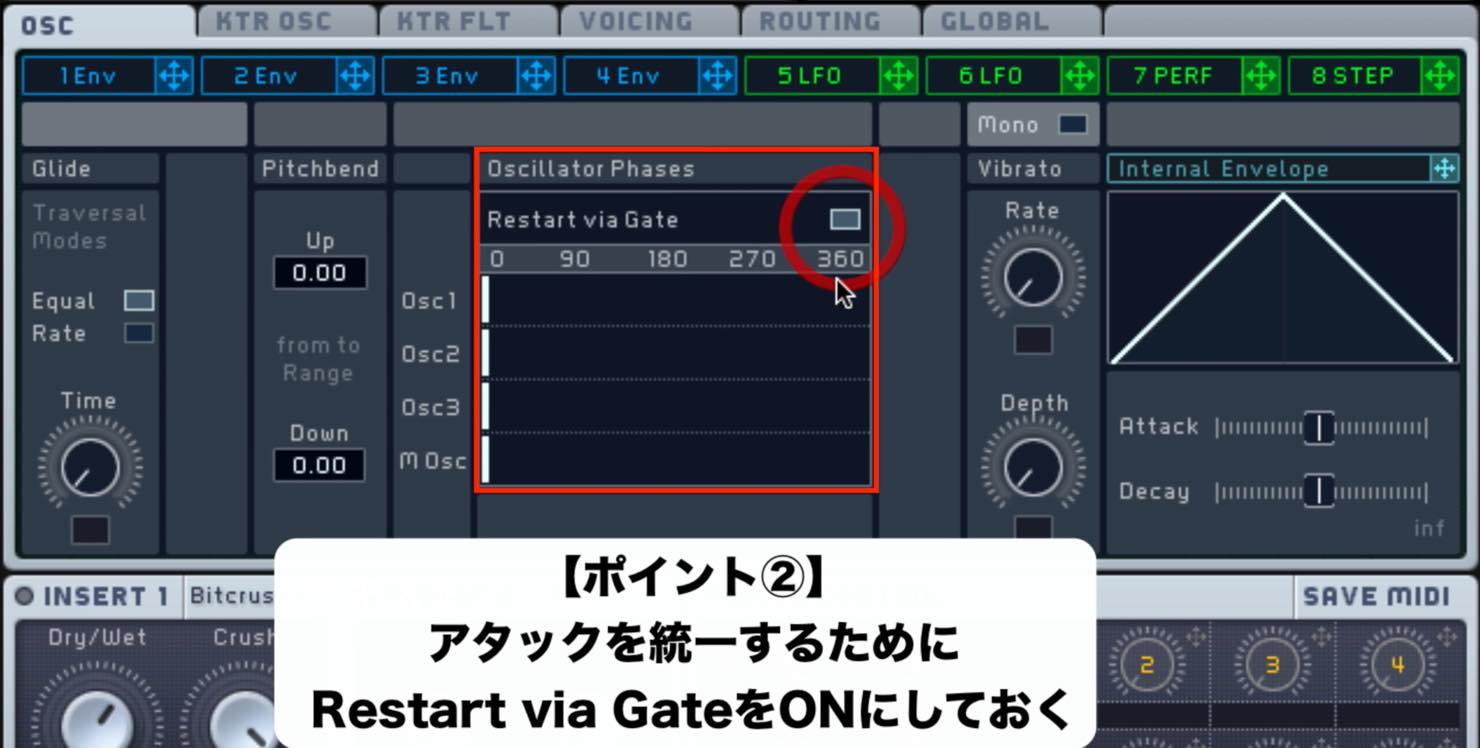
Turn on “Restart via Gate” to align the attacks.
MODULATION OSC Settings
To give the sound more of an effects character, apply Phase with the MODULATION OSC.
This adds a more pronounced, jagged quality.
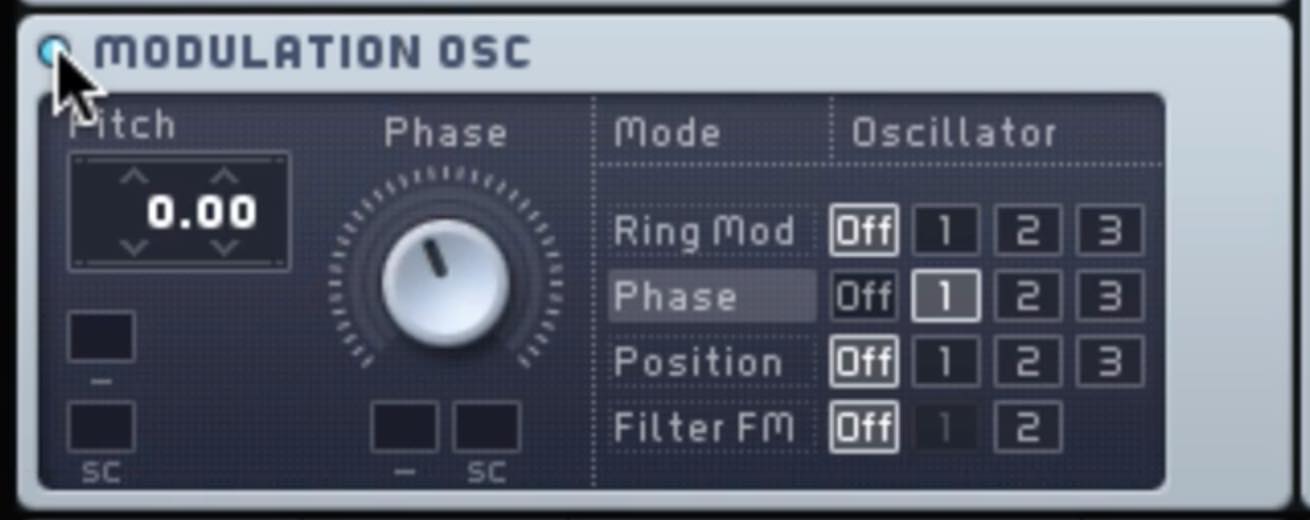
- Choose Phase and target OSC1.
- Set the Phase knob to just under halfway.
FILTER Settings
Use parallel routing; the key is to leave FILTER2 empty and blend it with FILTER1.
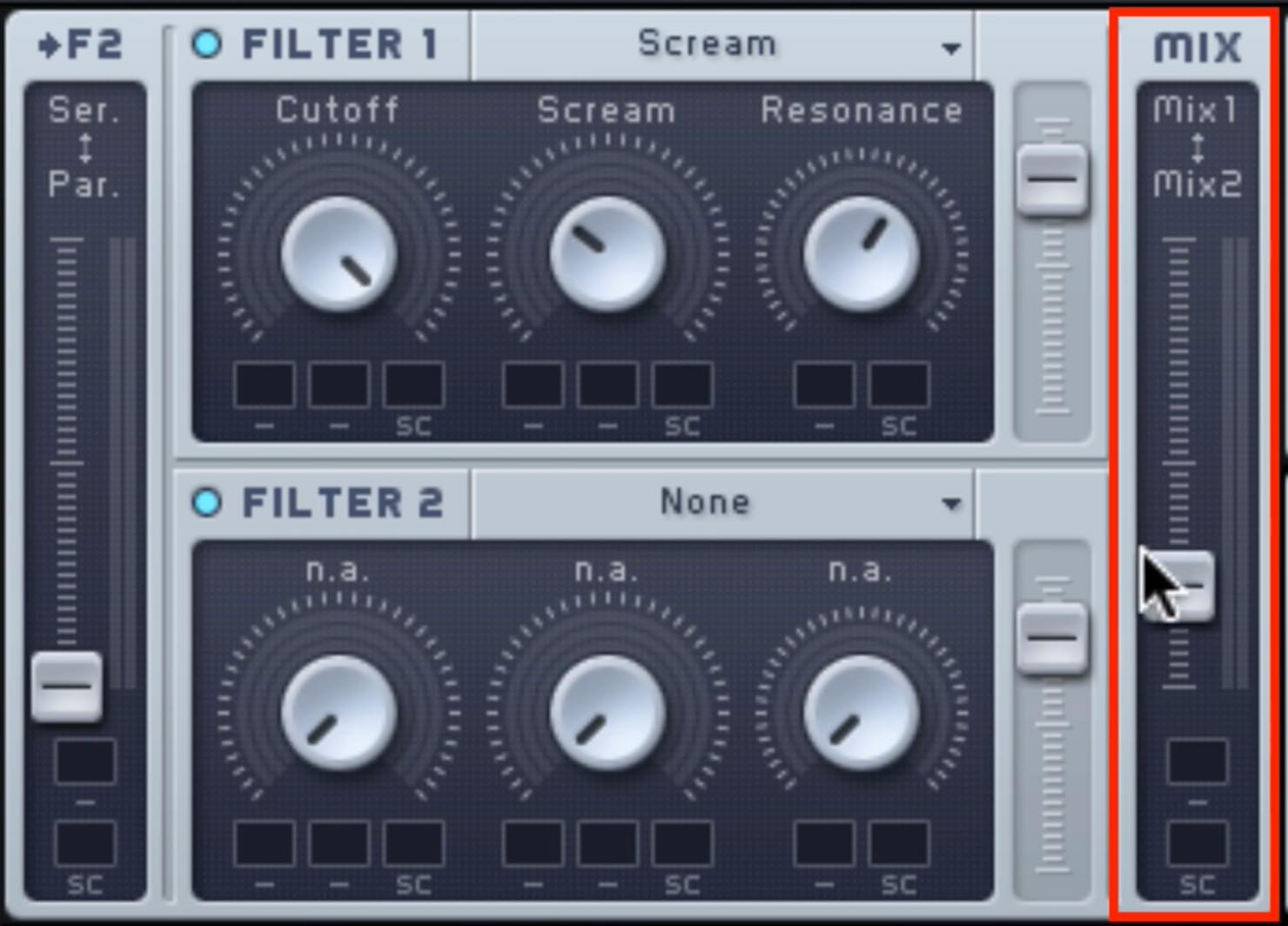
- Set FILTER1 to SCREAM. Leave Cutoff unchanged and raise Scream and Resonance.
- Turn FILTER2 on but leave its slot empty.
- Use parallel routing and adjust the strength of FILTER1 with MIX.
NOISE Settings
Add noise for a stronger explosion-like effect.
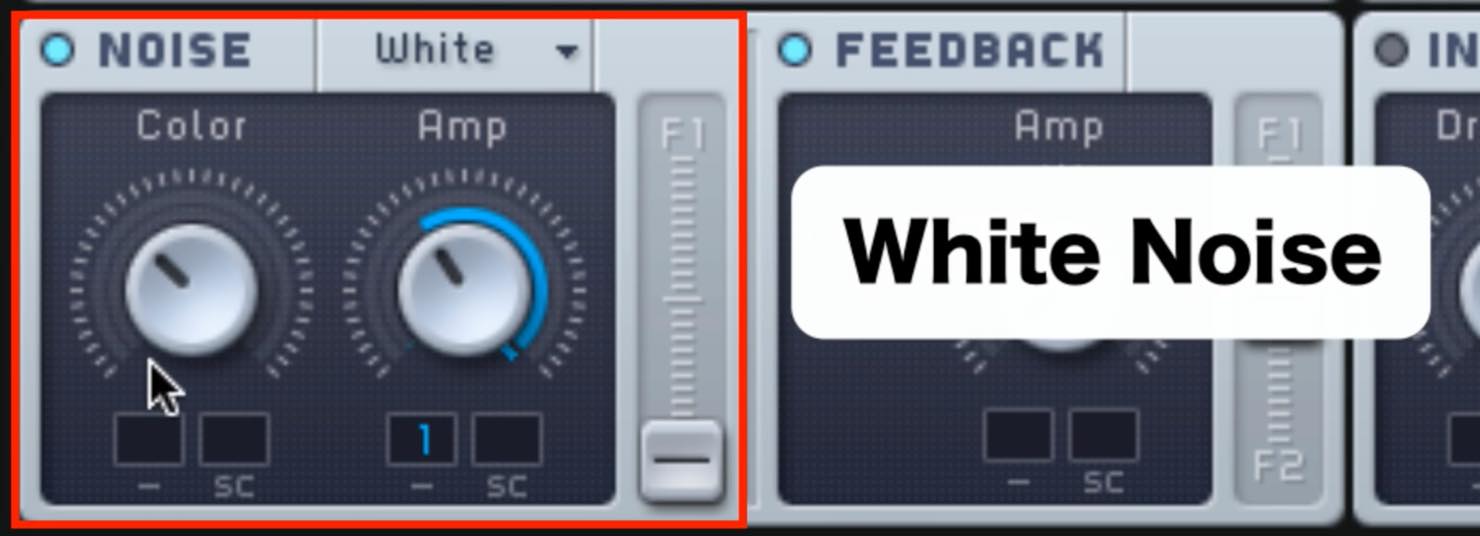
- Keep Color relatively low for a darker sound.
- Assign ENV1 to Amp and adjust it to emphasize the tail.
Effects Settings
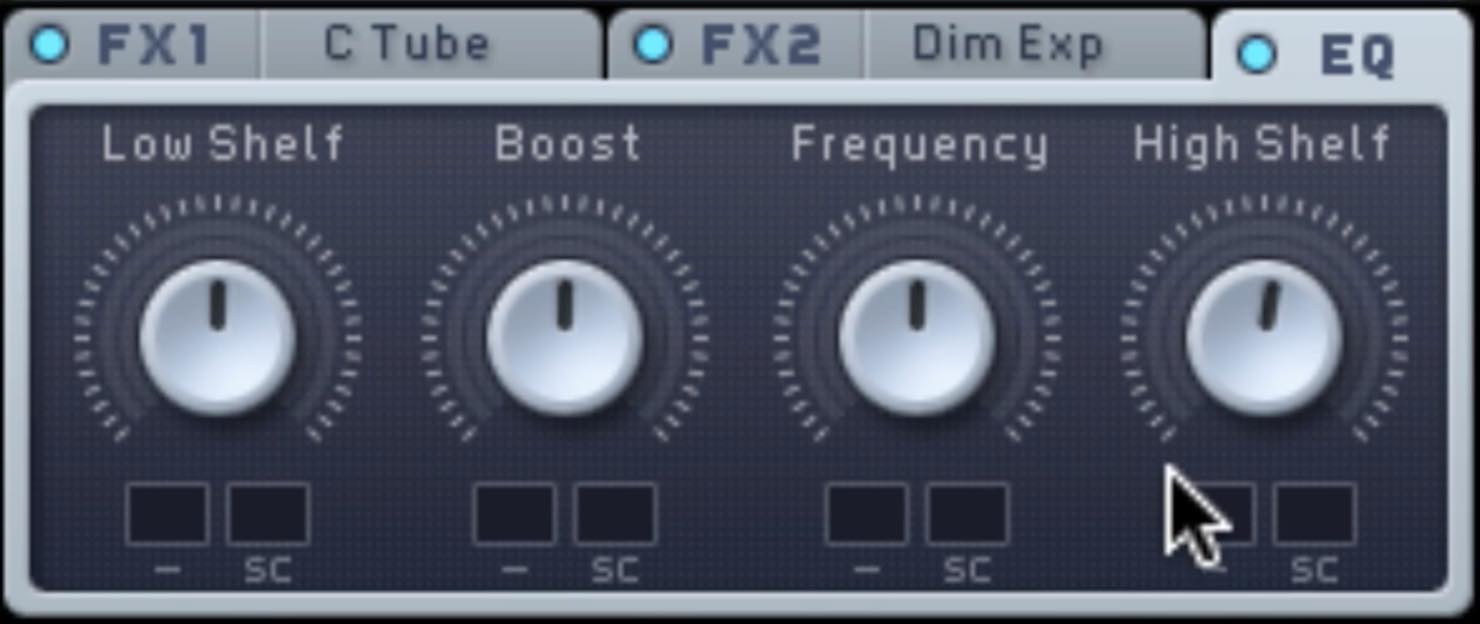
- FX1: “Classic Tube”; FX2: “Dimension Expander.”
Apply a little of each to add body and width. - In EQ, boost Hishelf slightly.
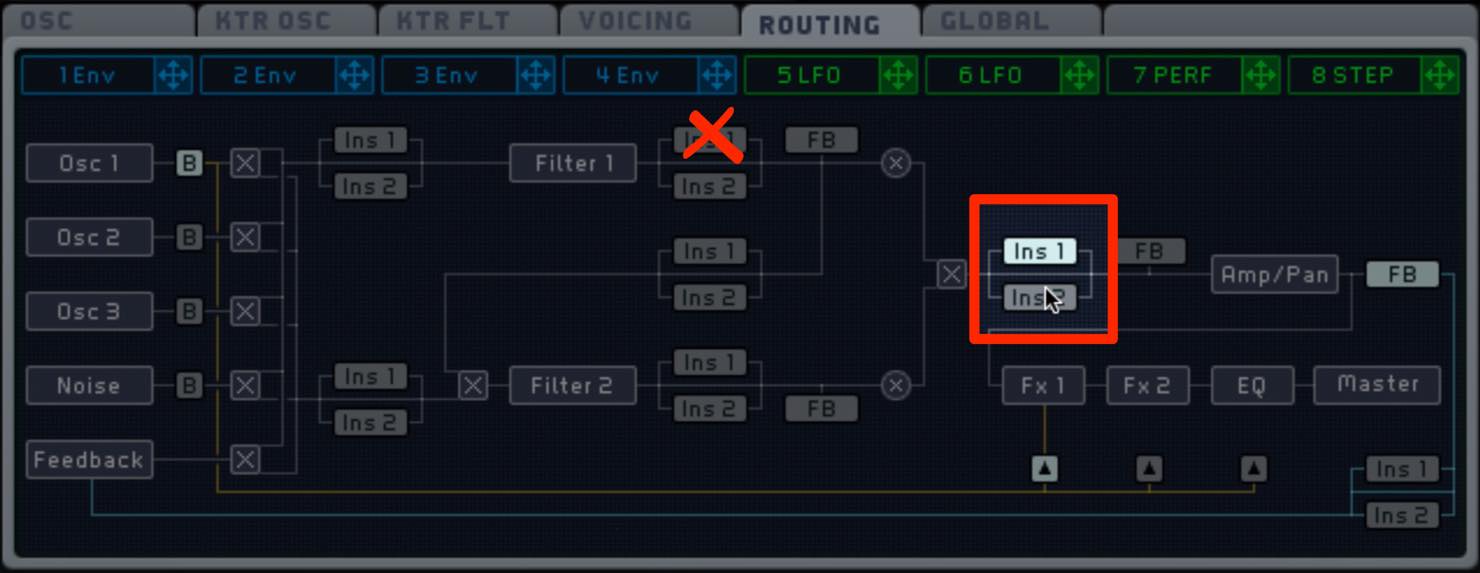
- Use “Bit Crusher” in INSERT1 to degrade the sound and make it more jagged.
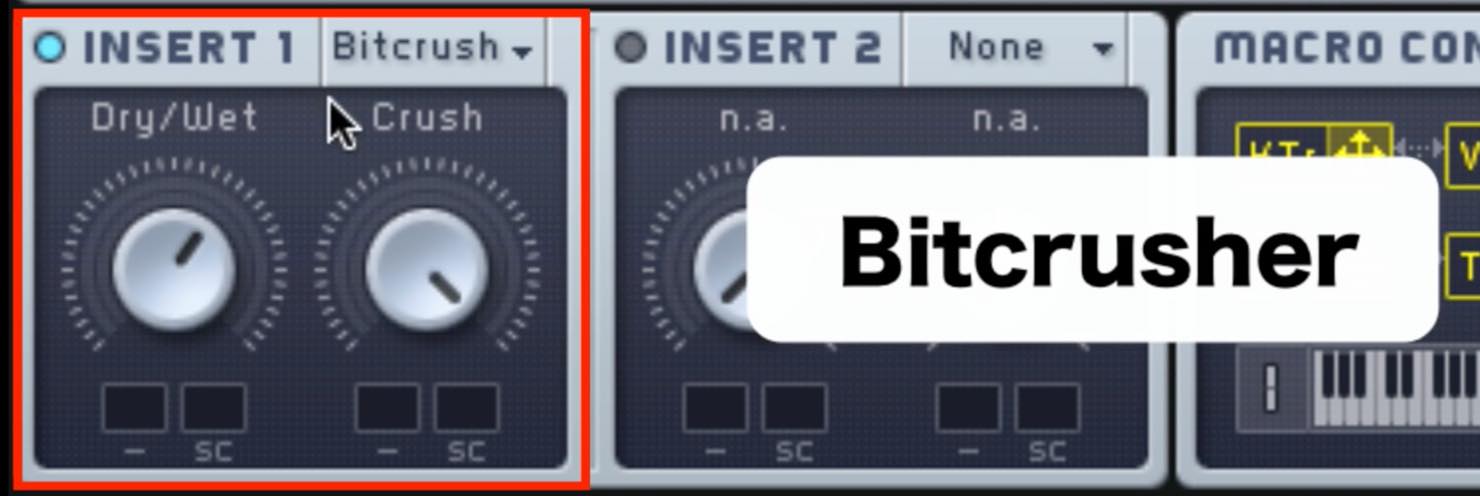
As before, pay attention to the INSERT routing and position.
To apply the insert effect to the sound from the FILTER section, set it to the position shown below.
Programming Tips
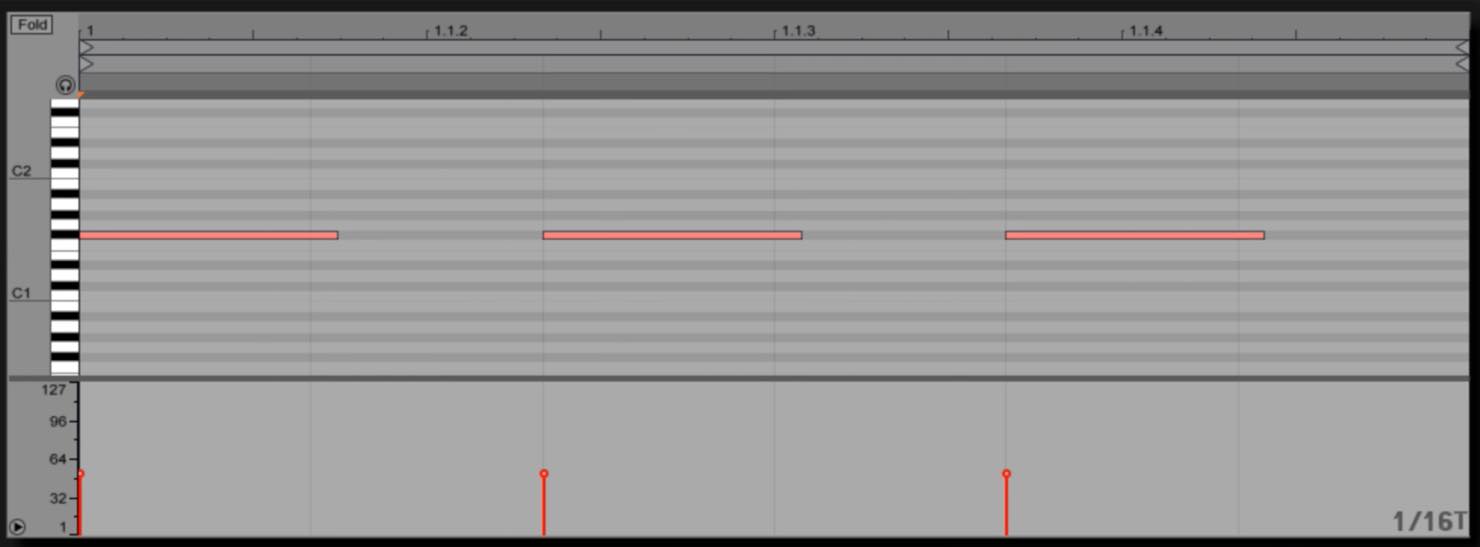
After setting up the sound, keep these points in mind when programming it:
- Place notes at a brisk pace, such as sixteenth notes or triplets.
- Align their timing with the kick, bass and other rhythm parts.
These are good starting points.
Weaving effects like this between wobble-bass sounds can add variety to a phrase. Give it a try.
Frequently Asked Questions
Q1. What kind of sound effect works with Skrillex-style wobble bass?
A short, quickly decaying explosion-like effect can work well. A strong attack and fast decay can interact with the bass and kick rhythm and add impact to the track.
Q2. Why use three oscillators in Massive?
Layering oscillators can create a richer, more complex sound than a single waveform. Different pitch movements and formant processing can give the effect more dimension.
Q3. What happens when I change the envelope’s Decay time?
The pitch envelope’s Decay controls the speed of the pitch drop. A short decay produces a rapid fall; a longer one creates a more gradual change, altering the effect’s overall character.
Q4. Why route the filters in parallel?
Parallel routing lets you adjust the strength of FILTER1’s effect and balance it against the unfiltered path. This can help the sound retain presence in the track.
NEW ARTICLES
Latest English Articles

































































































































































































































































































































































































