
This article explains how to create wobble bass sounds used in EDM and dubstep. Using Native Instruments Massive, we cover practical parameter settings, effects, LFOs and automation for a distinctive Skrillex-style bass. These techniques offer beginners and intermediate producers ideas they can apply in their own music.
How Do You Make EDM and Dubstep Synth Sounds?
A reader sent us these questions:
- How do you make a wobble bass?
- How can I learn EDM and dubstep synth techniques?
- How can I recreate sounds like Skrillex’s?
We created this answer video to address those questions.
The video uses the Massive software synthesizer
and Ableton Live as the DAW. Other DAWs, including Cubase,
can also recreate the sound using automation
and similar techniques. We hope you find it useful.
How to Create the Sound
Selected Questions and Answers from the YouTube Video

At 4:20, how can I assign an EQ such as Pro-Q 3 in Cubase to the same Macro 1?

Unfortunately, at the time of this answer Cubase did not have a function to share and use the same macro in this way. We will submit a request for this to be added in an update.
Why combine the EQ controls into a single macro? Can I use automation instead?
Automation can certainly reproduce it. A single macro lets you move several EQ points with one automation lane, making the workflow more efficient. If you want to change each point separately, individual automation is better suited.
That was helpful! So the aggressive wobble bass comes from filters and LFOs.
Even changing the LFO rate during a song can create a variety of impressions and add variation. Give it a try!
Good evening! I recently started trying to make remixes, but I am having trouble. I do not have a MIDI keyboard yet, so I enter notes on my computer keyboard in GarageBand. People suggest switching to Logic, but I am a student on a tight budget. Should I buy a MIDI keyboard or Logic first?
If playing keys makes it easier to come up with phrases, consider buying a MIDI keyboard first. If you do not play or record in real time and instead want better sounds and more detailed programming and mixing features, Logic may be the better choice. Set your priority according to your own workflow.
Massive Settings
OSC1 Settings
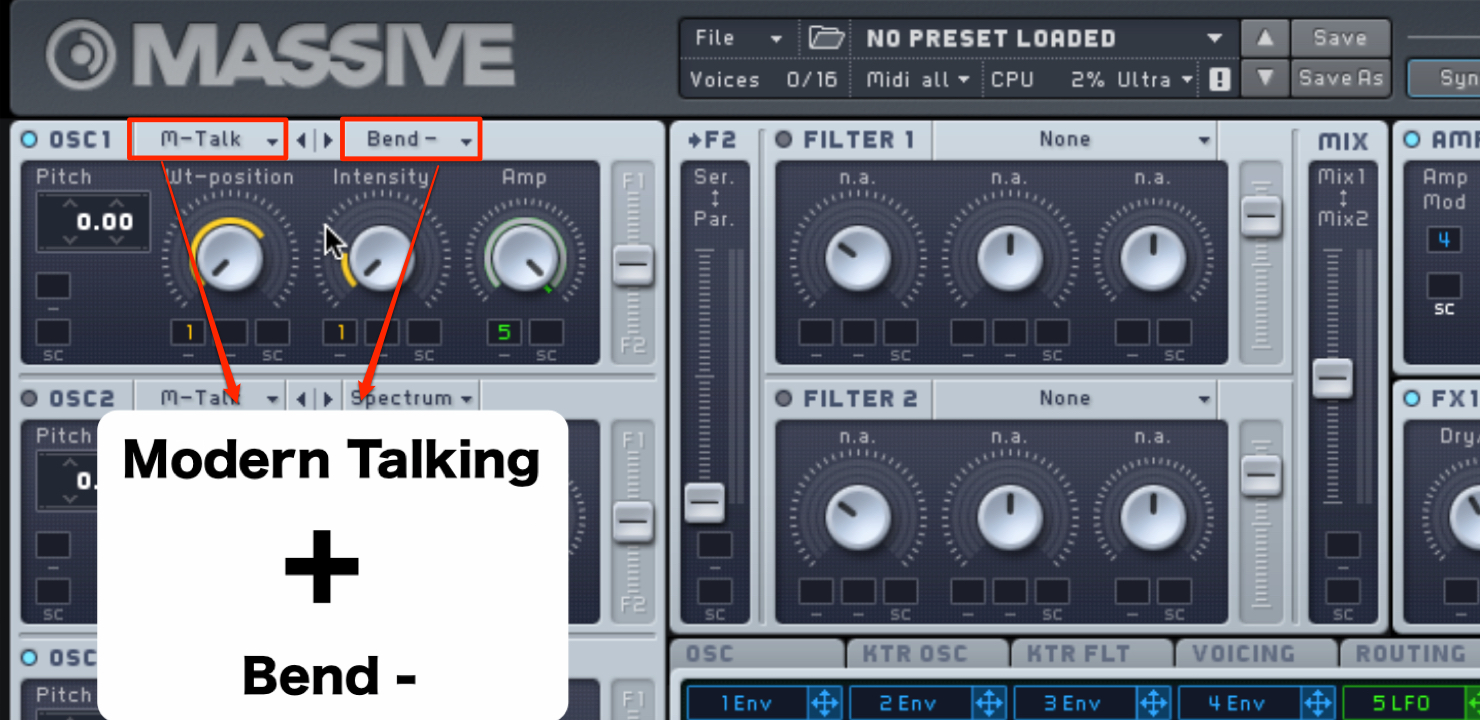
- Waveform: Modern Talking
- Oscillator mode: Bend−
Envelope Settings
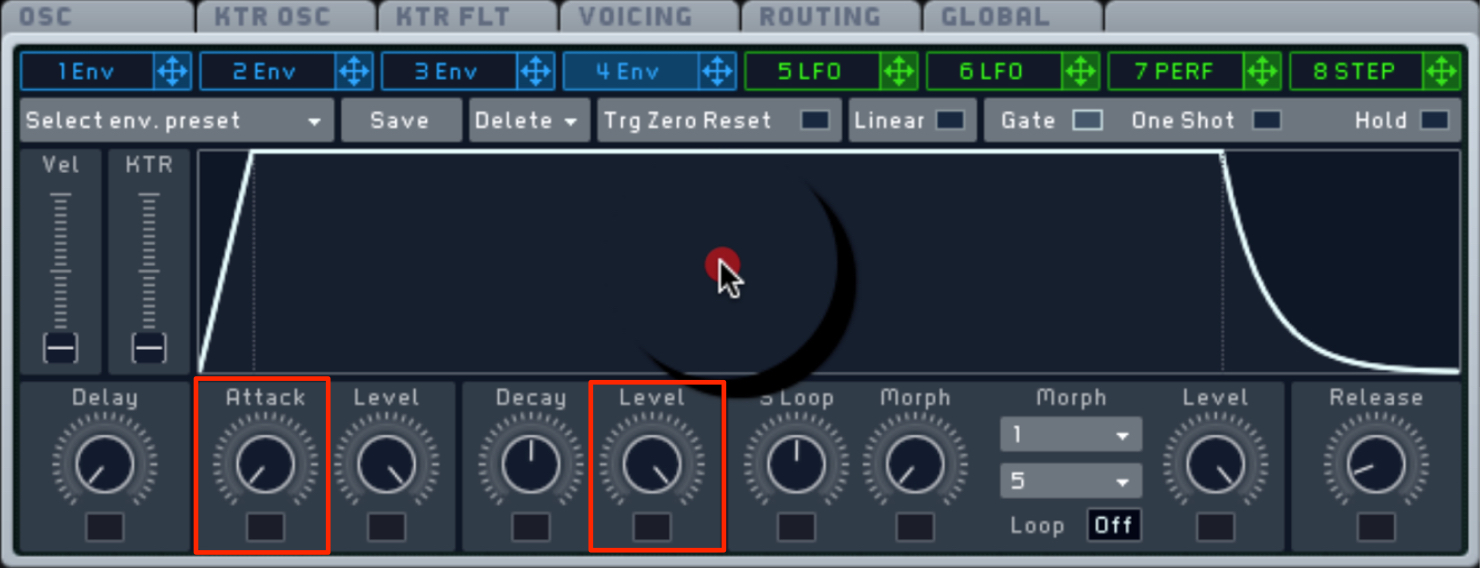
- Attack Time: fastest
- Sustain Level: maximum
When Sustain Level is at maximum, changing Decay Time has no effect.
Effects Settings
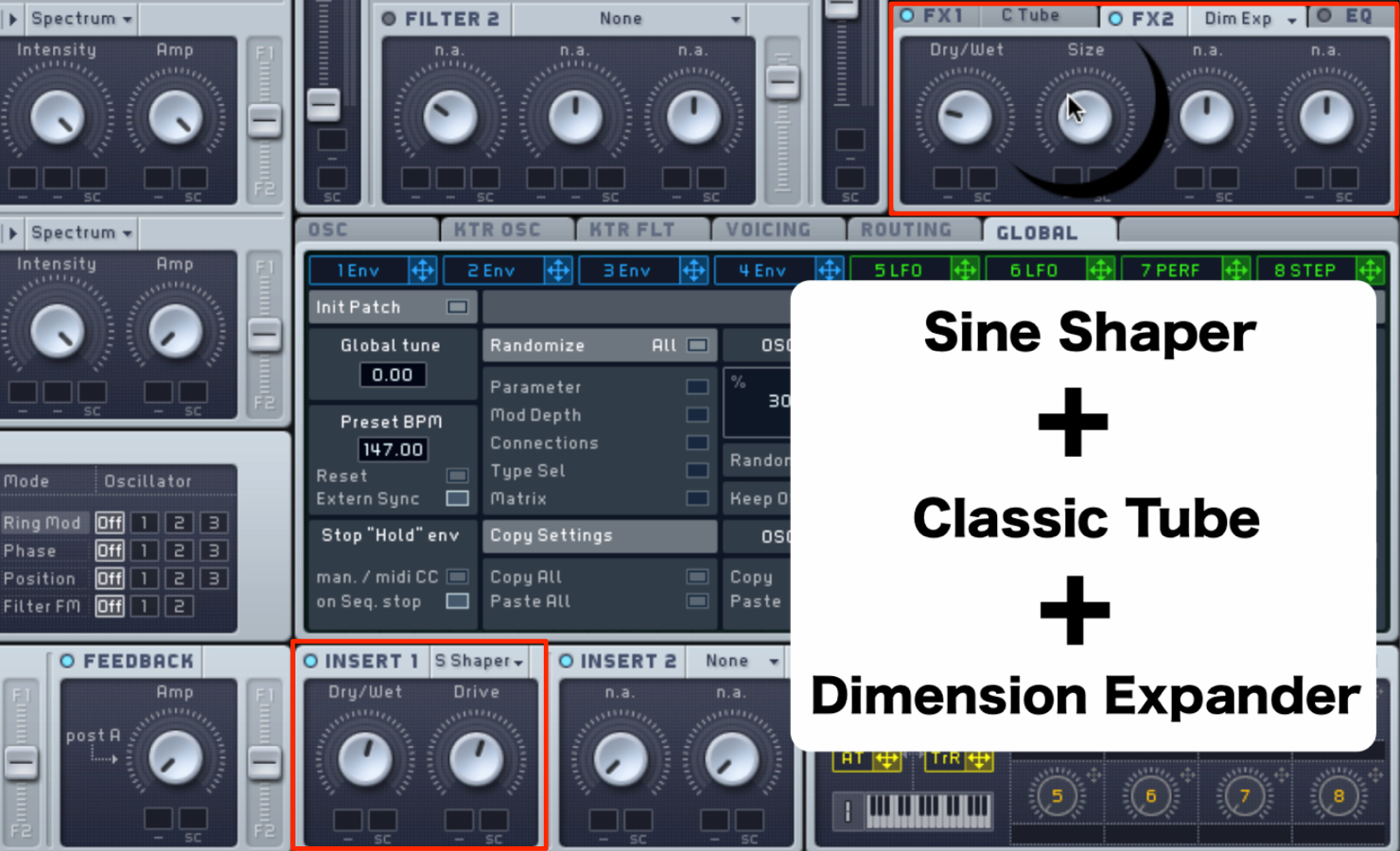
- INSERT: Sine Shaper
- FX1: Classic Tube
- FX2: Dimension Expander
Voicing Tab Settings
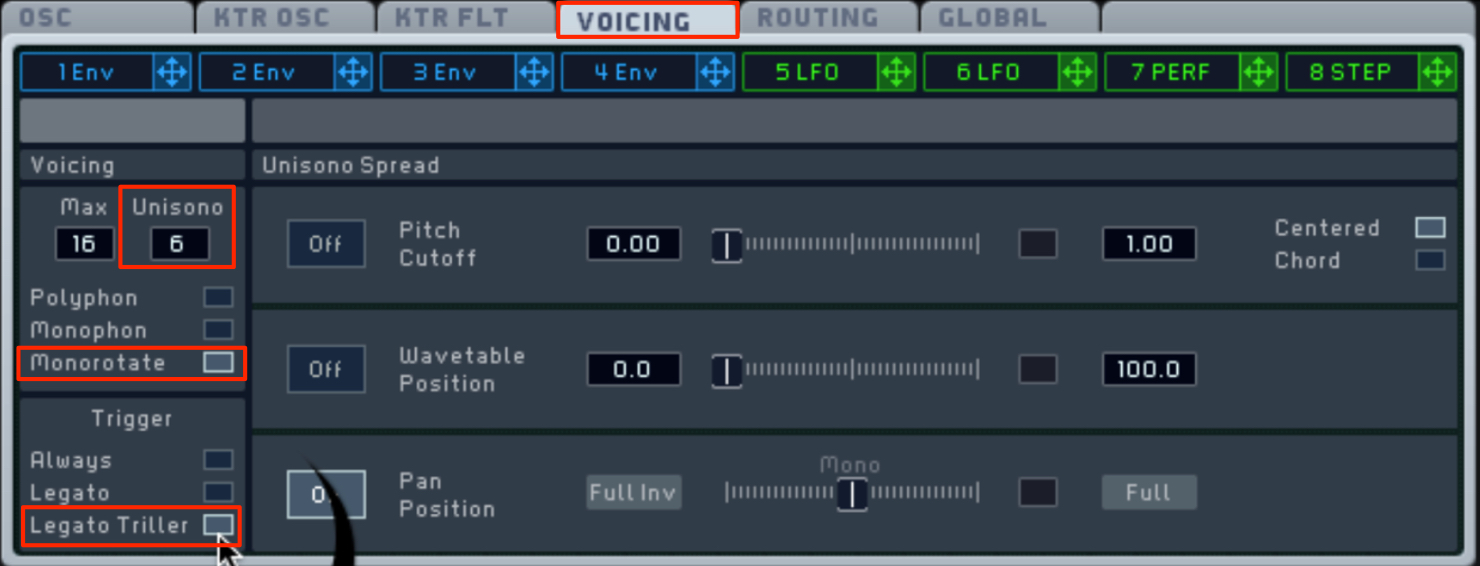
- Unisono: 6
- Monorotate: ON
- Legato Triller: ON
OSC Tab Settings
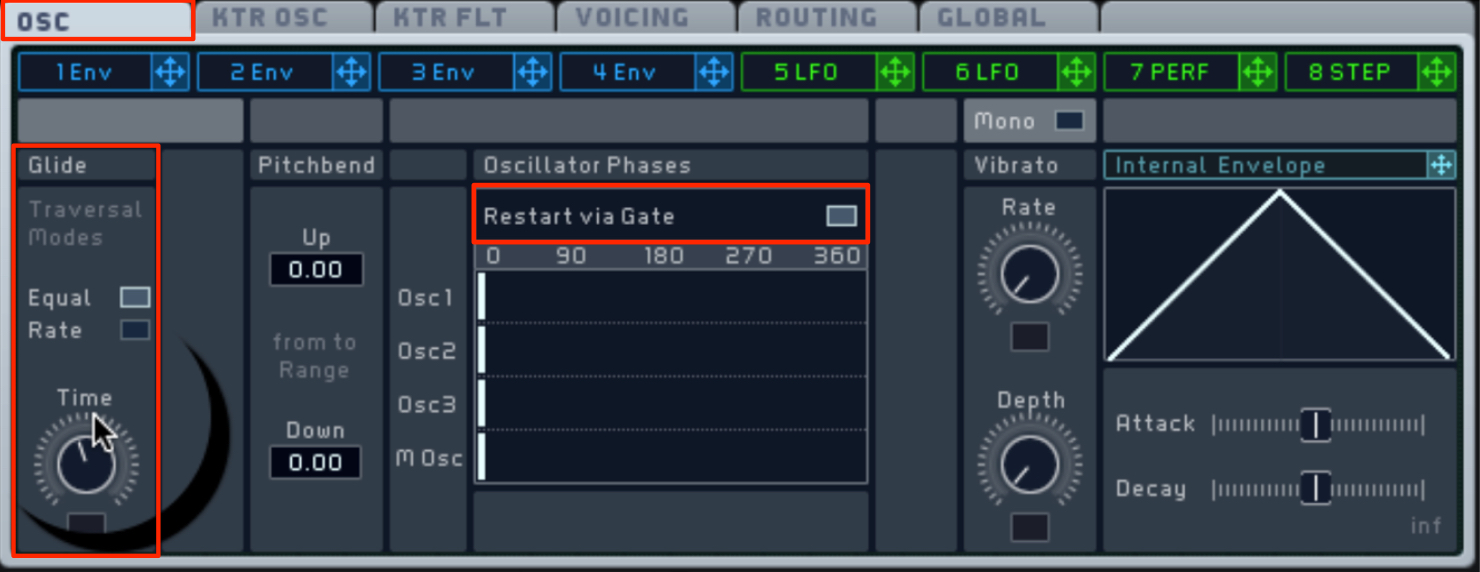
- Restart via Gate: ON
- Glide: adjust to taste
Macro Control Settings
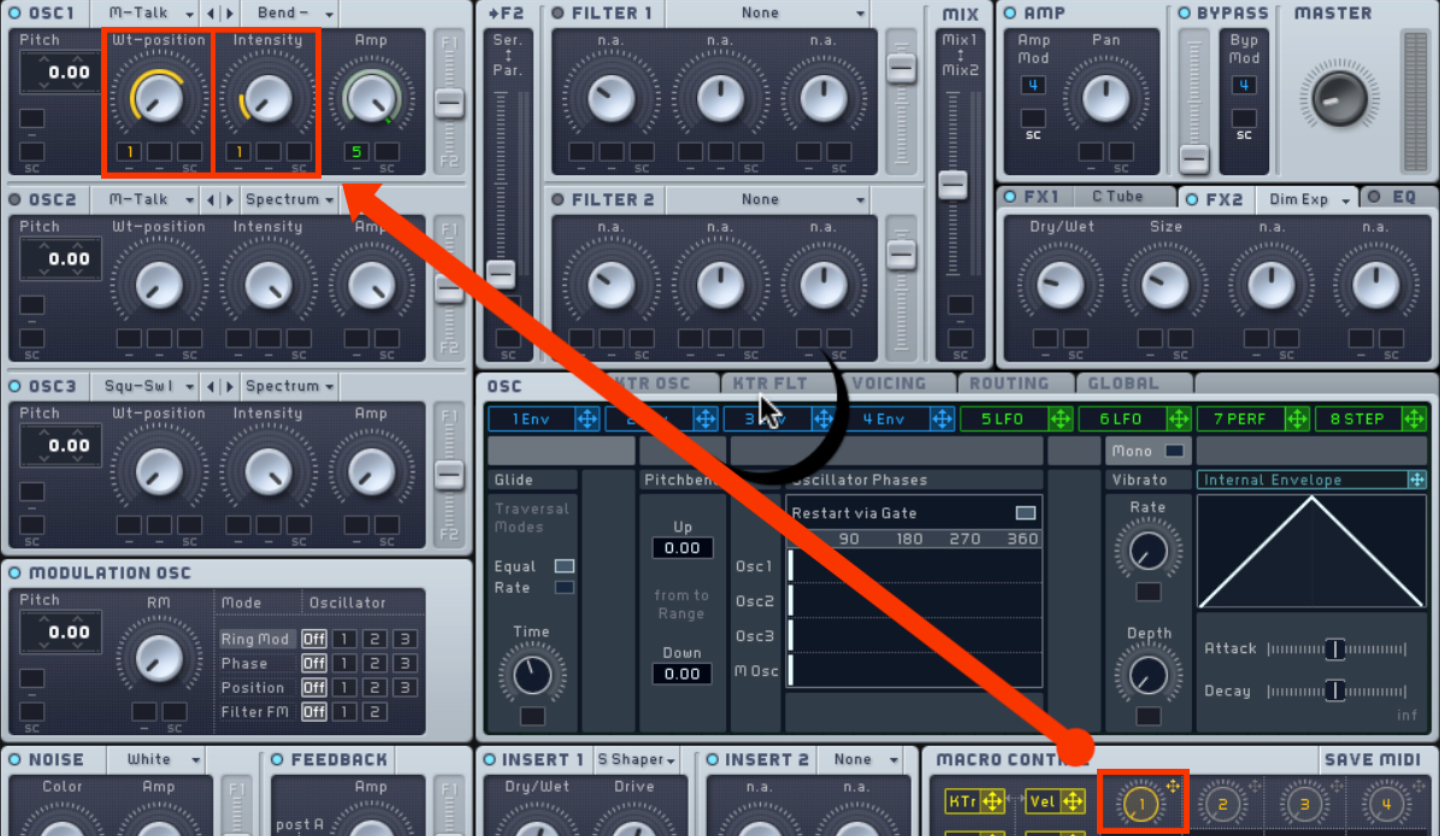
- Assign Macro Control 1 to Wt-position and Intensity.
LFO Settings
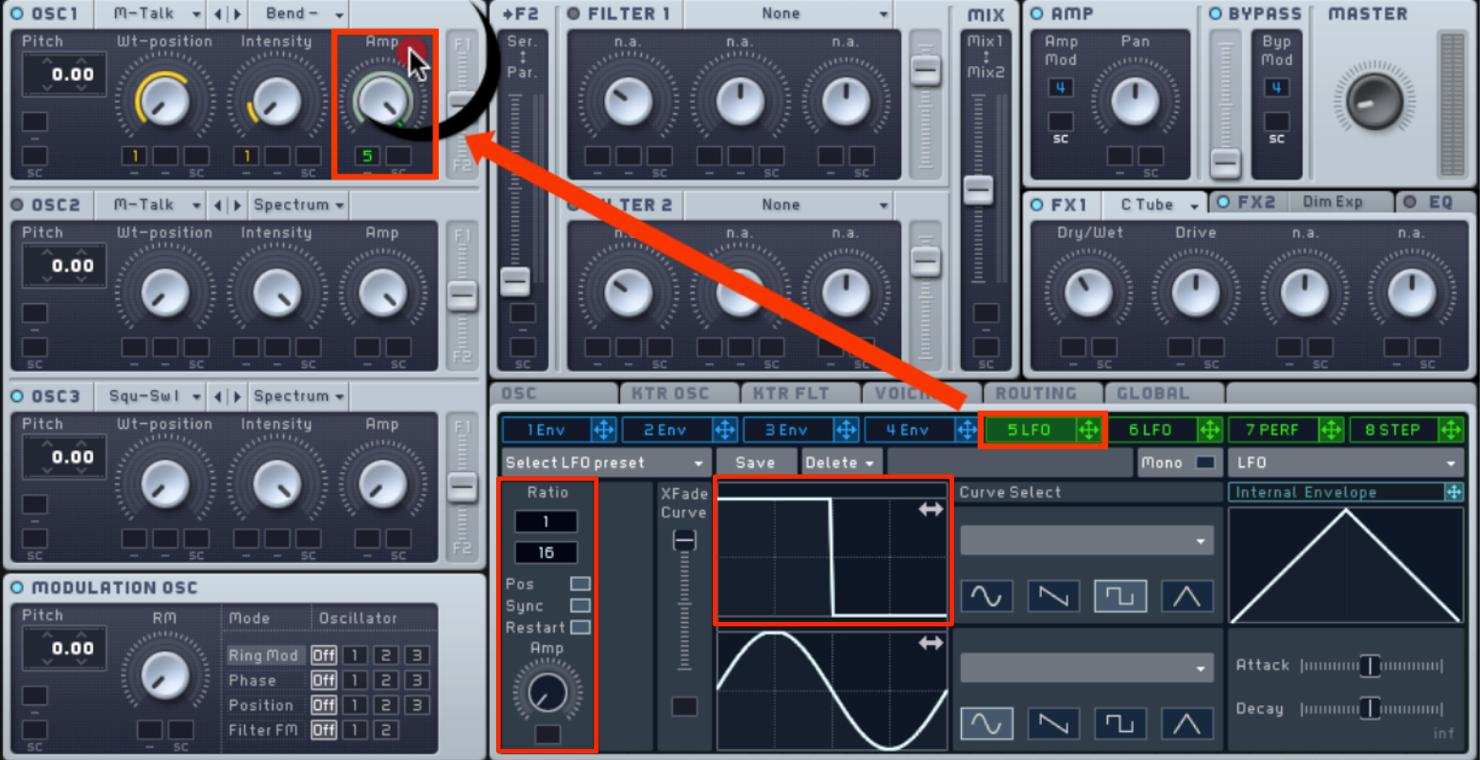
- Assign the LFO to OSC1 Amp.
- Rate: 1/16
- LFO waveform: square wave
DAW Settings
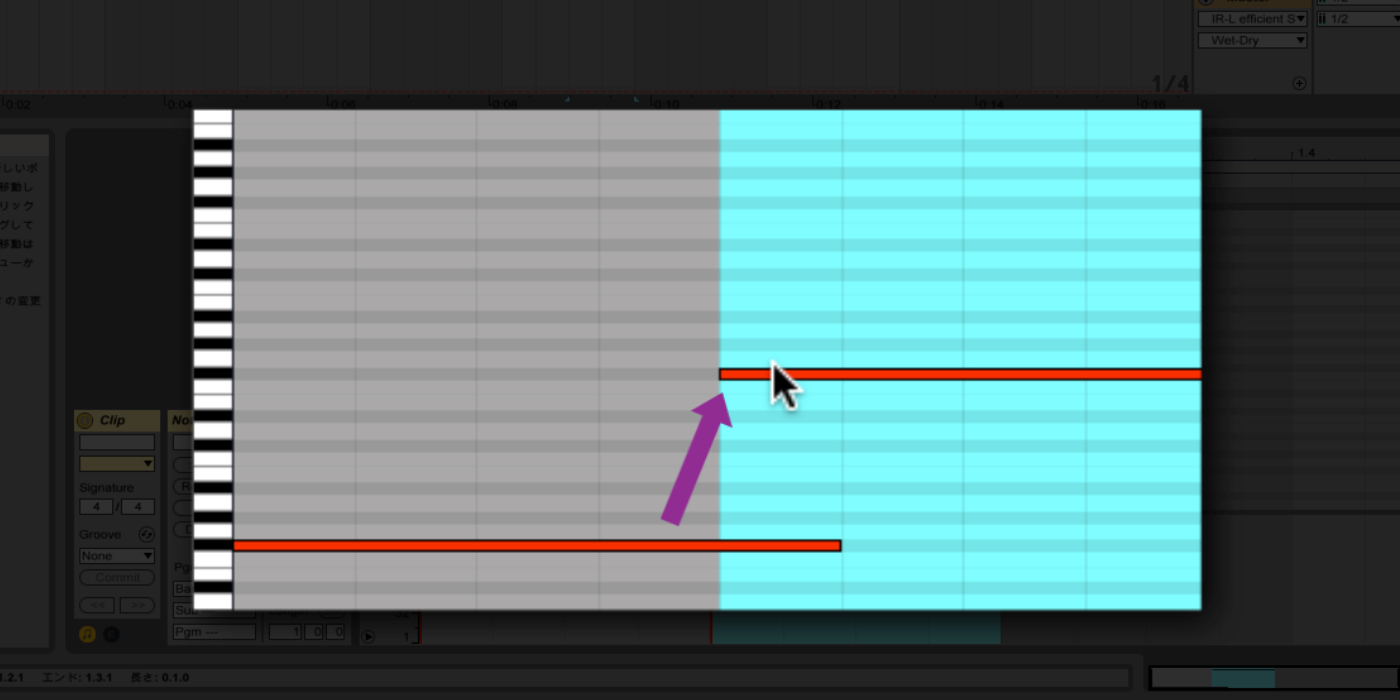
Connect the MIDI notes to achieve a glide effect.
Adjust the timing using
Glide → Rate on Massive’s OSC tab.
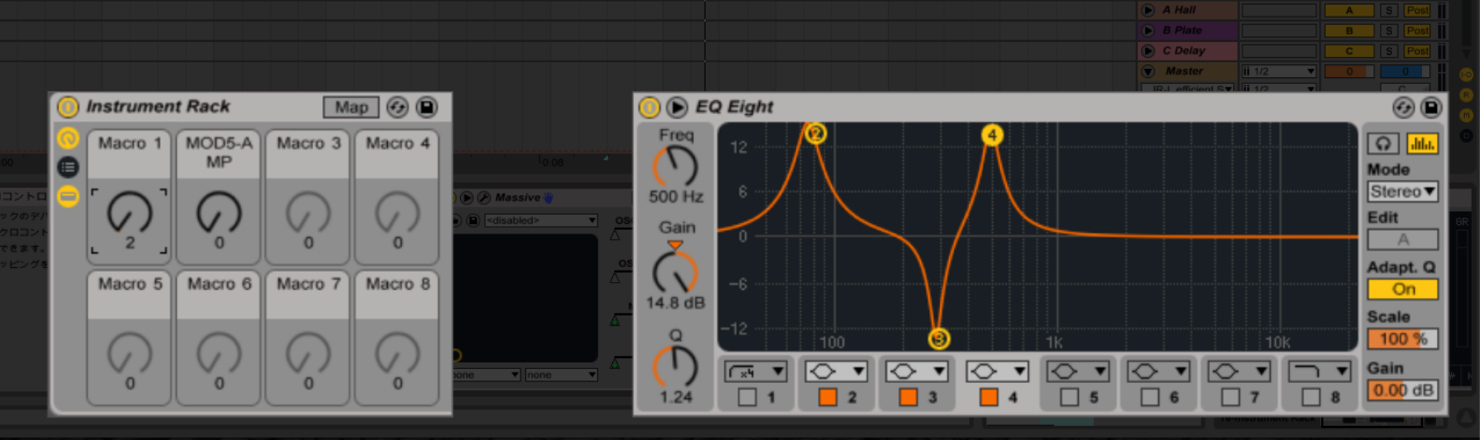
Apply EQ, compression, overdrive and other effects
to make the sound more aggressive.
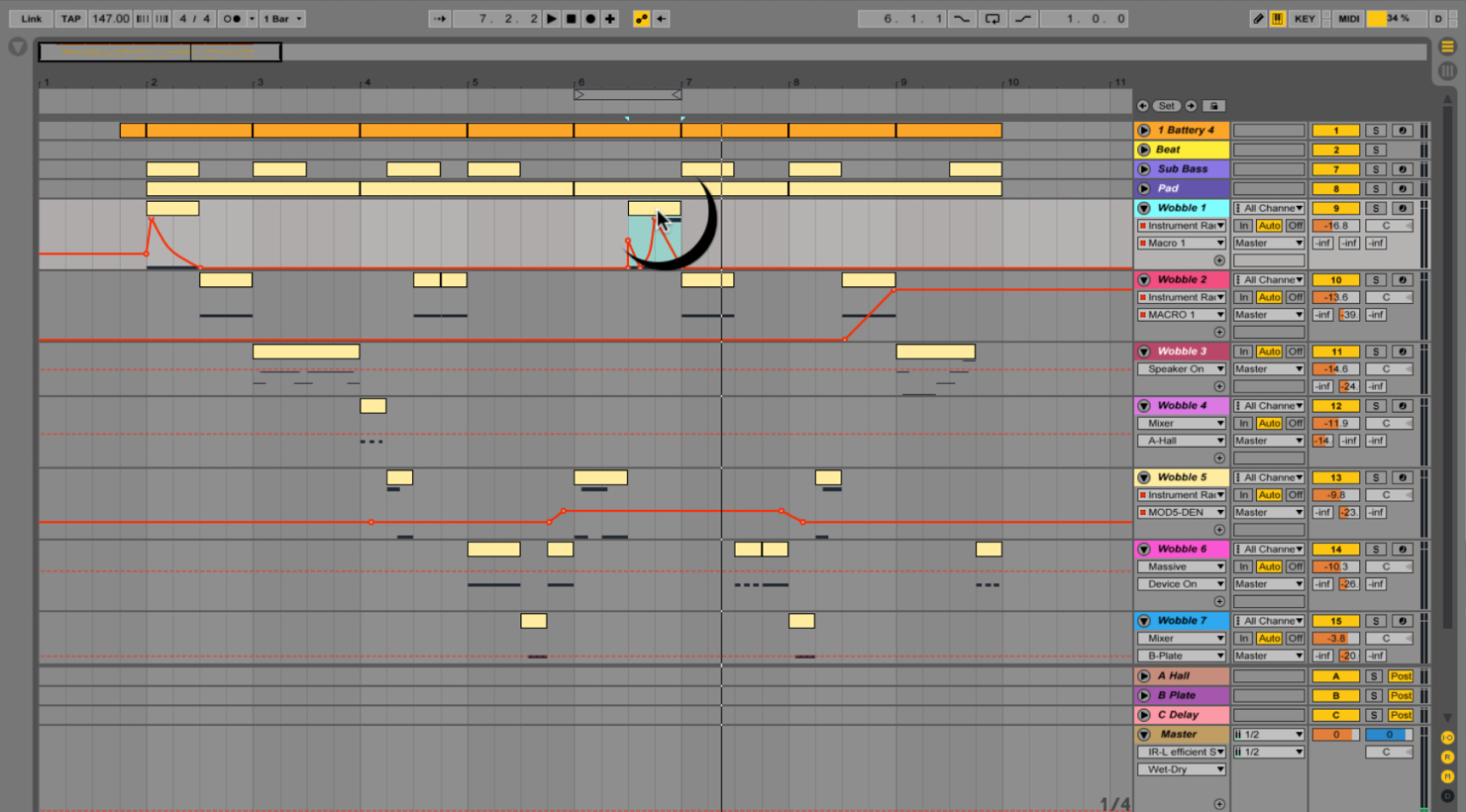
Finally, apply automation to create variations in the synth sound.
Use these ideas as a starting point for your own tracks.
At the time of publication, a second installment was planned.
Frequently Asked Questions
Q1. Can I make a wobble bass with a synthesizer other than Massive?
Yes. Apply the same synthesis principles using the controls available in your chosen instrument. The article also explains that automation, LFOs and effects can be used in other DAWs such as Cubase or FL Studio.
Q2. What does an LFO setting of 1/16 mean?
It denotes a sixteenth-note subdivision: the LFO repeats at a sixteenth-note rate, producing a tempo-synced rhythmic movement characteristic of wobble bass.
Q3. How do I achieve a glide effect?
Connect consecutive MIDI notes in the DAW and adjust the Glide Rate in Massive’s OSC tab. This smooths the pitch transition between notes.
NEW ARTICLES
Latest English Articles




































































































































































































































































































































































































