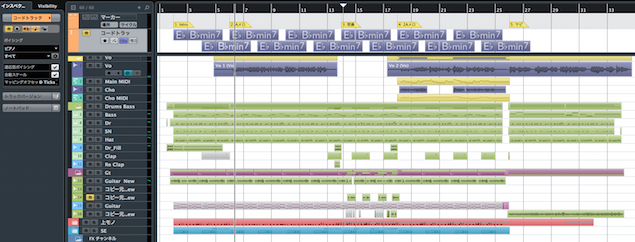
Cubase's folder tracks are a convenient way to organize multiple instrument tracks in a single folder. They help keep the track list tidy in productions that require many tracks, such as drums, guitars, and backing vocals, and let you mute or move them together. With intuitive drag-and-drop setup, folder tracks can greatly improve your workflow when a project starts to accumulate tracks.
Keep tracks organized in folders
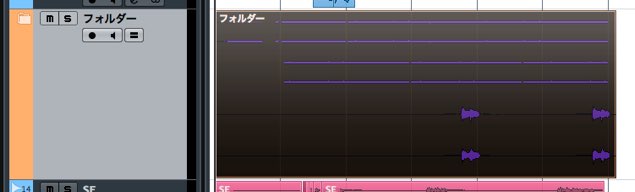
When you work on a song with many instruments, two things inevitably increase: fatigue and track count.
A drum kit in particular can take up quite a few tracks.
This is where the folder track comes in.
It lets you store tracks much like folders on your computer.
Folder tracks offer several benefits:
- A cleaner, more organized track list.
- Move events together.
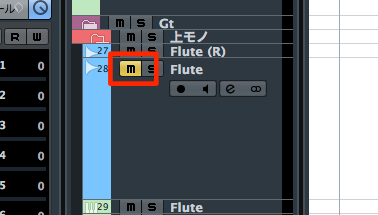
- Mute all tracks inside by muting the folder track itself.
It is a very useful type of track.
Folder track video tutorial
How to set up a folder track in Cubase
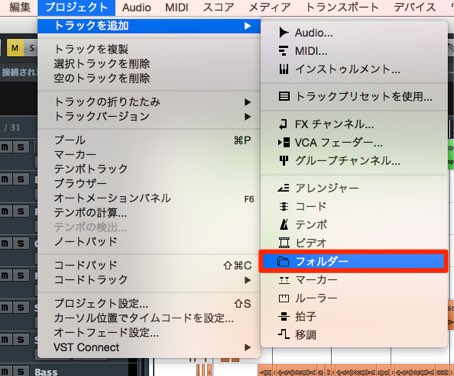
↑ From the top menu, choose Project → Add Track → Folder.
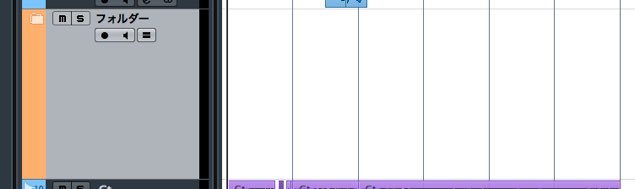
↑ A folder track has now been created.
In this example, we will group the guitar tracks in the folder track.
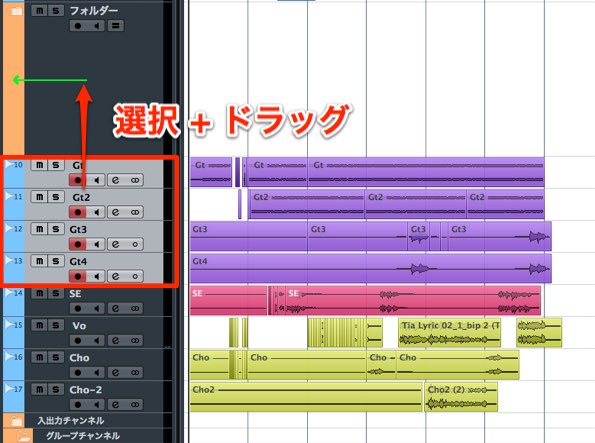
Simply drag and drop the desired tracks onto the folder track.
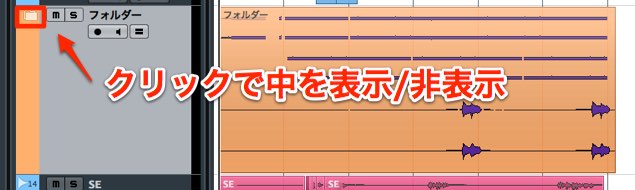
Tracks can be placed in the folder this easily.
Press the button outlined in red on the folder track to close the folder.
How do you remove tracks from a folder?
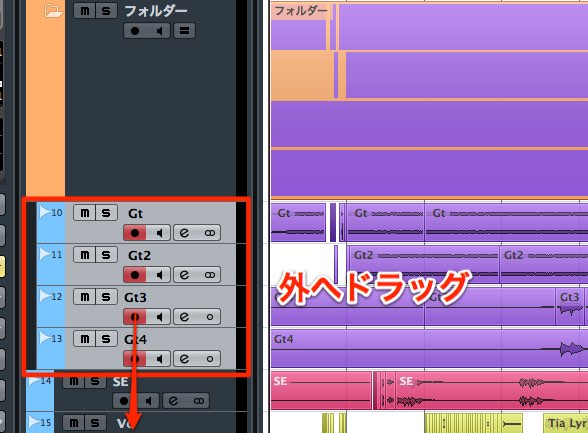
Drag and drop tracks from inside the folder to a position outside it.
This returns them to their original state.
Although we used drums as an example here,
folder tracks also work well for groups such as backing vocals and guitars, which tend to have many tracks.
You can also use broader groups such as rhythm instruments and melodic parts.
Try different ways of grouping tracks to make your workflow more efficient.
Frequently asked questions
Q1. How do I create a folder track in Cubase?
From the top menu, choose Project → Add Track → Folder. Then drag and drop the tracks you want to group into the folder.
Q2. Can I work with tracks inside a folder individually?
Yes. Open the folder to select and work with individual tracks. You can also mute all the tracks inside by muting the folder track itself.
Q3. How do I take grouped tracks out of a folder?
Simply drag and drop the tracks from inside the folder to a position outside it to restore them to their original state. Removing them is very easy.
Q4. Which instrument groups benefit from folder tracks?
They are useful for groups with many tracks, such as drums, guitars, and backing vocals. You can also use broader groupings such as rhythm instruments and melodic parts.
NEW ARTICLES
Latest English Articles