
Looping a short programmed drum pattern can quickly become repetitive. This article explains how to add natural variation and a more human feel without substantially changing the basic pattern, using simple edits such as ghost notes and randomization. Add subtle snare and hi-hat notes around the sixteenth-note offbeats and vary each bar slightly to make the drum track more expressive.
Editing Repeated Drum Patterns to Add Variation
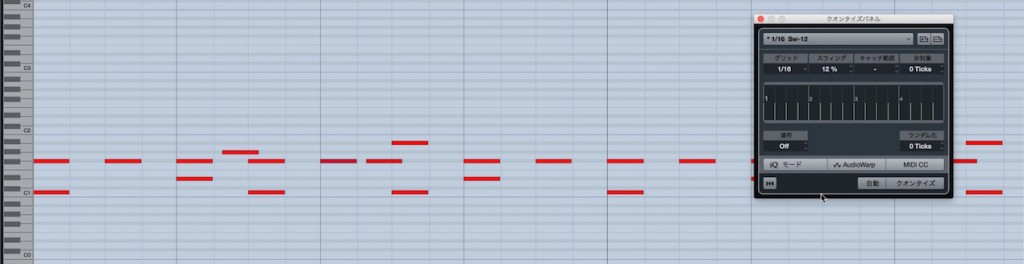
A common trap when programming drums is looping a short pattern over and over,
leaving it with little variation.
Here we’ll introduce a way to keep drums from sounding repetitive
with a few simple edits to the pattern.
- You are unsure how to add variation to a repeating pattern
- You want variation without changing the basic pattern too much
This technique is useful in either situation.
Video: How to Keep Drum Patterns from Sounding Repetitive
Selected Questions and Answers from the YouTube Video

I tried adding a subtle swing to the whole drum track, but the flams and the fine 32nd and 64th notes all get affected too. Is there a good way around this?

How about selecting only the notes you want to swing and applying quantization to those?
Add Subtle Variation with Ghost Notes
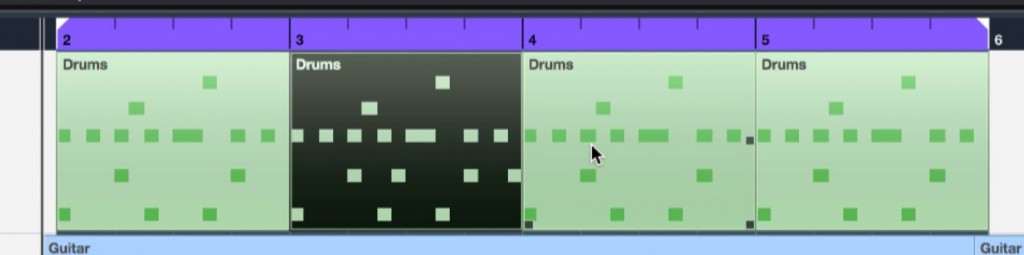
First, we copied a one-bar pattern to make four bars.
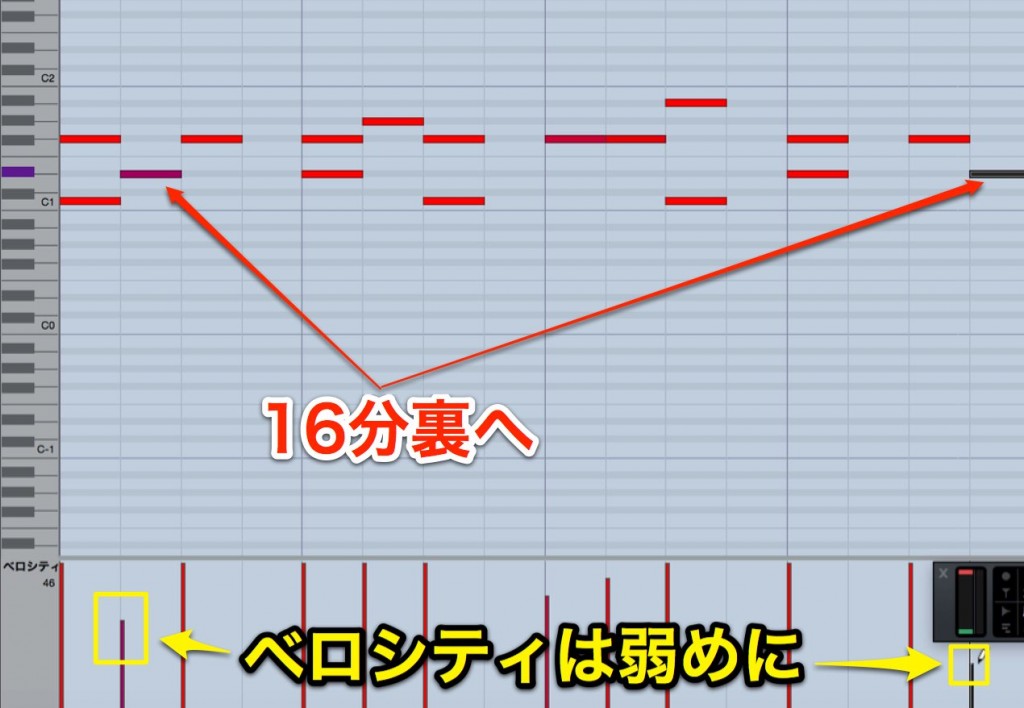
Focusing on sixteenth-note offbeats, program snare and hi-hat ghost notes in each bar.
The key is to vary the pattern slightly from bar to bar.
Use relatively low velocity so the ghost notes sound natural.
Use Randomization
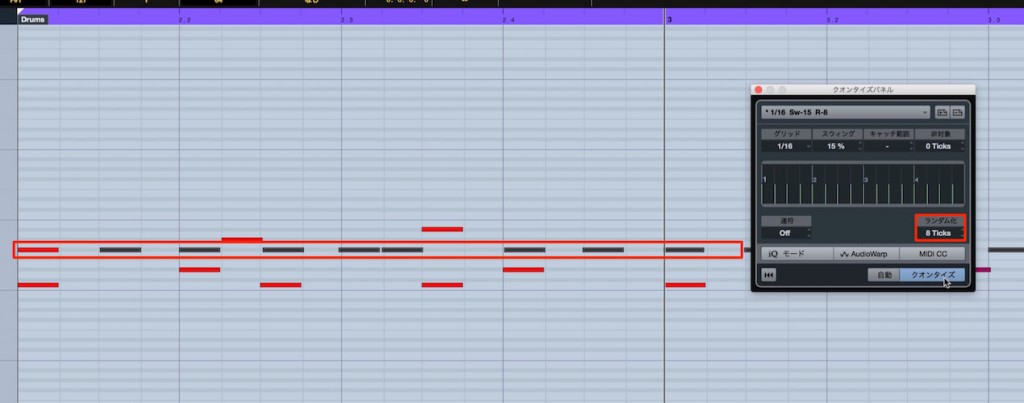
Join the patterns and apply randomization to them together.
The key is to randomize after copying the pattern.
This introduces subtle differences in each bar’s feel.
Randomize and Humanize Explained
DAW-Specific Randomization Guides

 Logic
 Cubase
 Studio One
 FL Studio
Randomization uses a unit called the tick.
Tick Explained

Frequently Asked Questions
Q1. What is the easiest way to keep a drum pattern from sounding repetitive?
One simple method is to add snare and hi-hat ghost notes. Place them mainly on sixteenth-note offbeats, vary the pattern slightly in each bar, and keep their velocity low for natural variation.
Q2. What is important when using randomization?
Apply randomization after copying the pattern. This creates subtle, natural differences from one bar to the next.
Q3. How high should ghost-note velocity be?
Keep it relatively low for a natural sound, so the ghost notes do not stand out more than the original pattern.
Q4. Does randomization work the same way in every DAW?
The basic idea is similar, but the steps differ among Pro Tools, Logic, Cubase, Studio One, FL Studio, and other DAWs. Refer to the guide for your DAW.
NEW ARTICLES
Latest English Articles











