This guide explains practical ways to create a bass track, from building the low end with Sub Zero Bass to writing eighth- and sixteenth-note rhythms and using octaves and scales. It also covers an efficient layering technique for adding depth to your sound. These methods can help beginners and intermediate producers develop their music production skills.
Creating a Bass Track
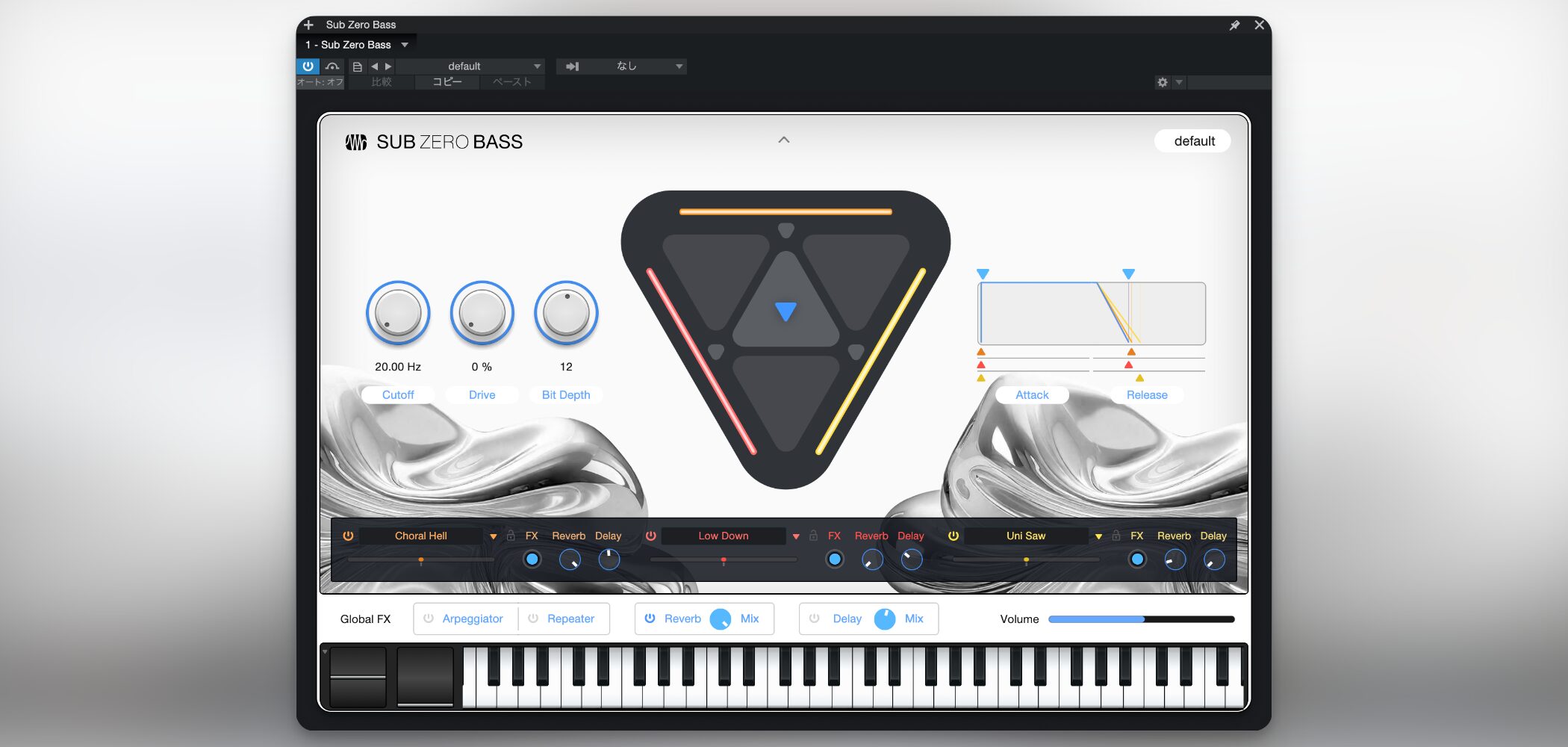
Bass plays an important role in adding weight to a song.
Here we will use Sub Zero Bass, a synthesizer instrument designed for bass, to create a track that fills the low end.
Adding a Bass Instrument and Naming the Track
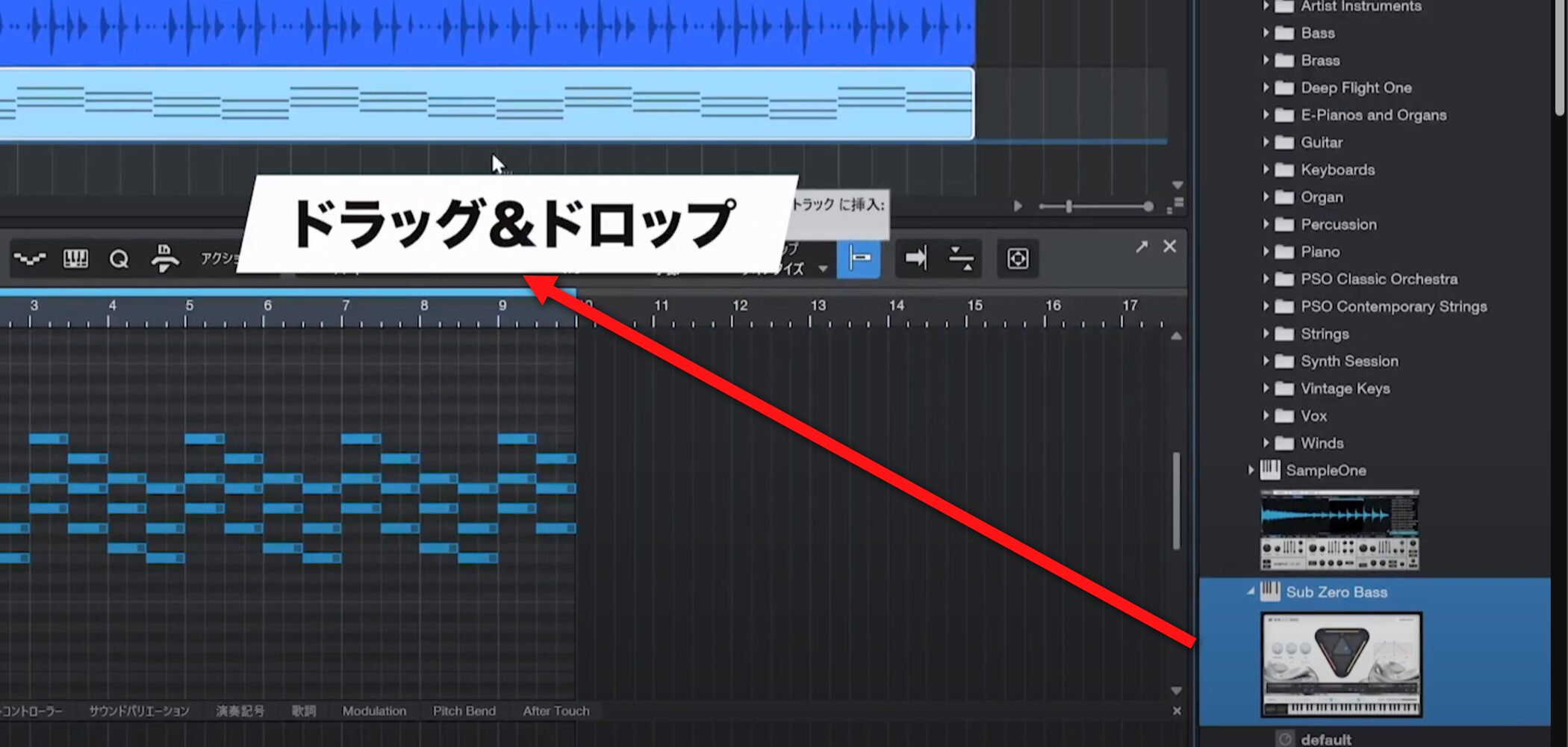
In the Browser, select Instruments and drag Sub Zero Bass into an empty area of the track view.
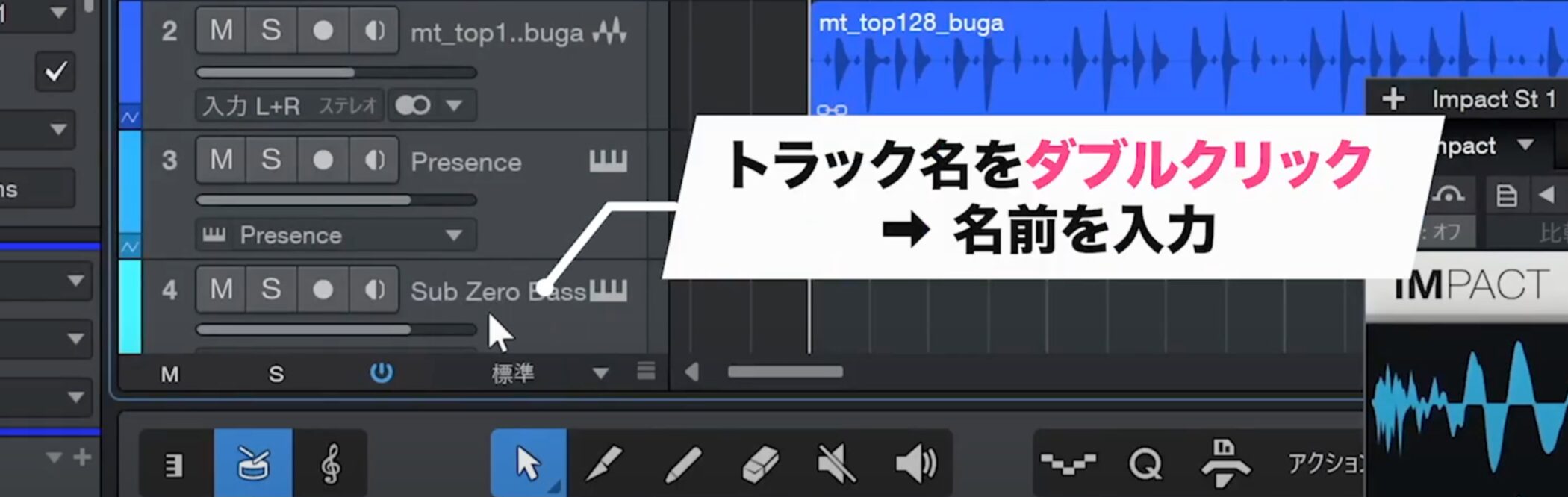
As the number of tracks grows, double-click each track name to rename it.
It is also useful to know how to rename the event at the same time.
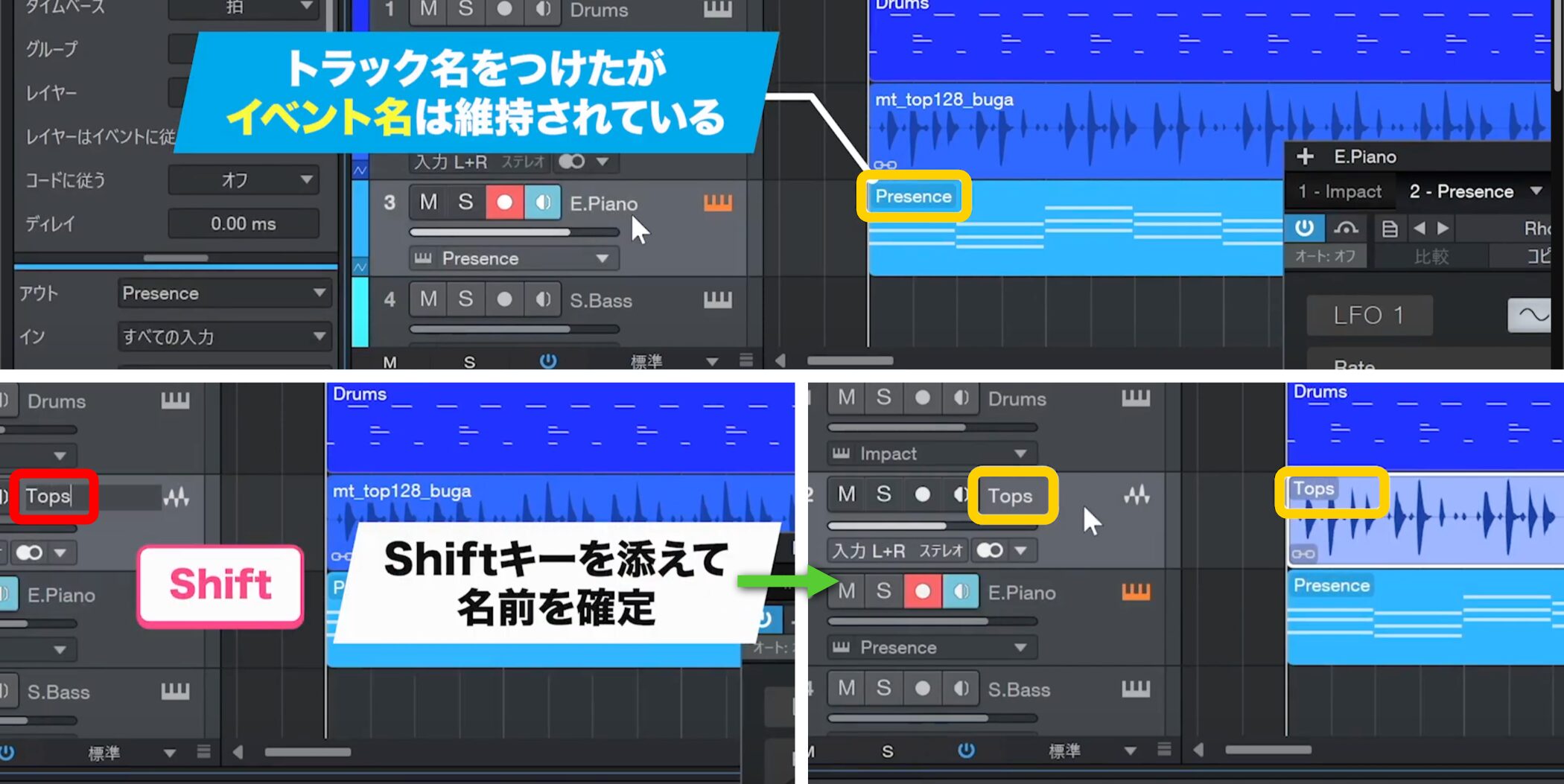
When renaming a track, hold Shift while confirming to change the event name as well.
Entering a Bass Line
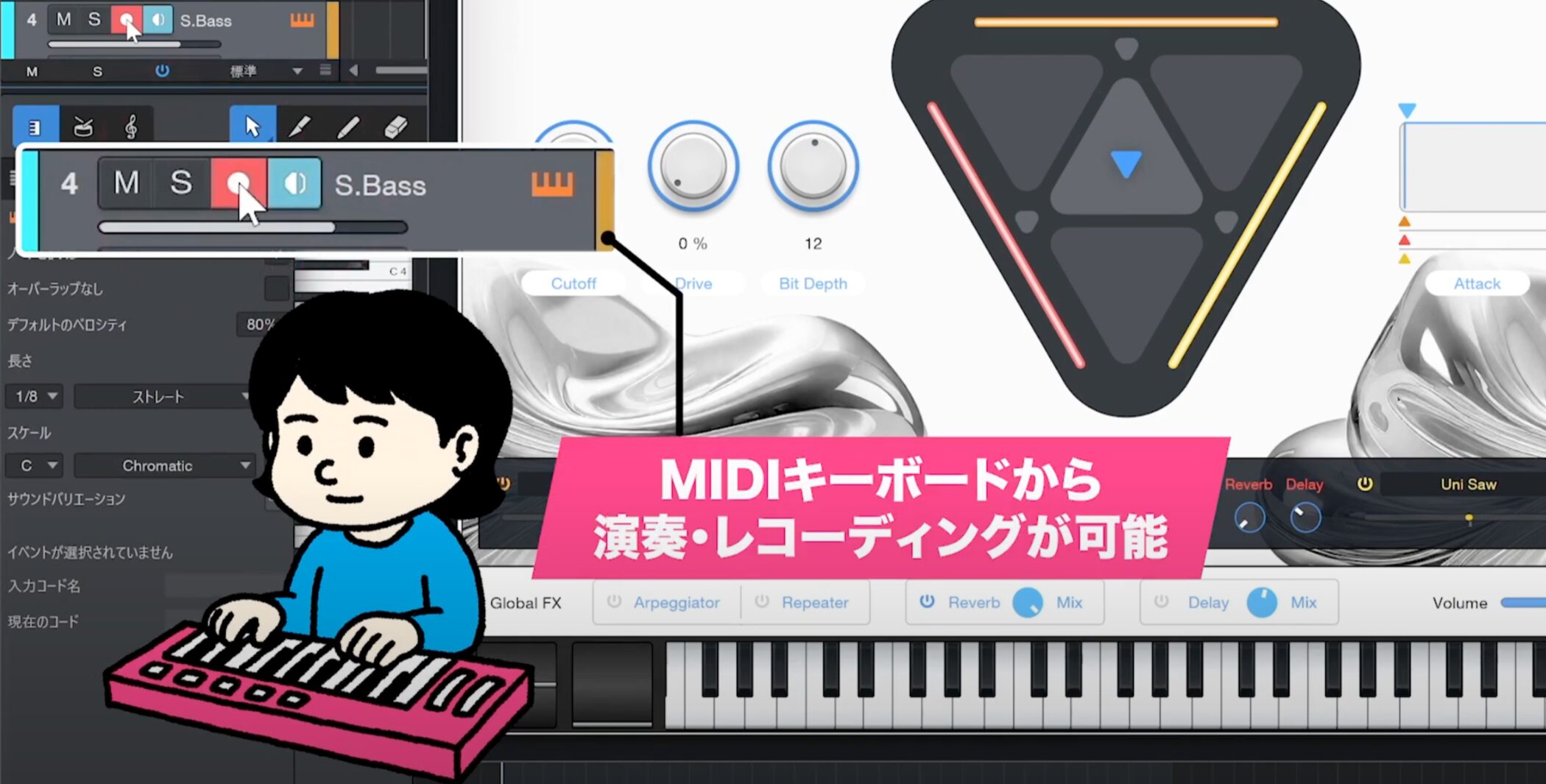
Turn on the track’s Record button to play and record using a connected MIDI keyboard.
For this example, we will enter the notes with the mouse.
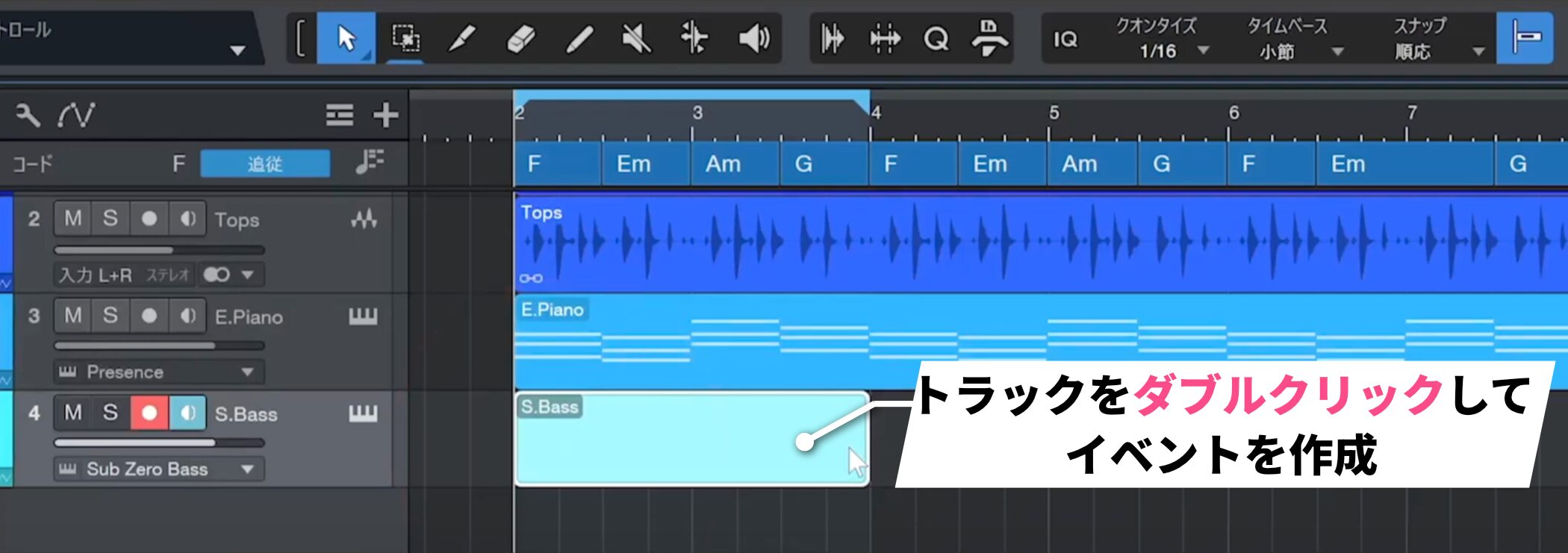
Double-click the track to create a two-bar event.
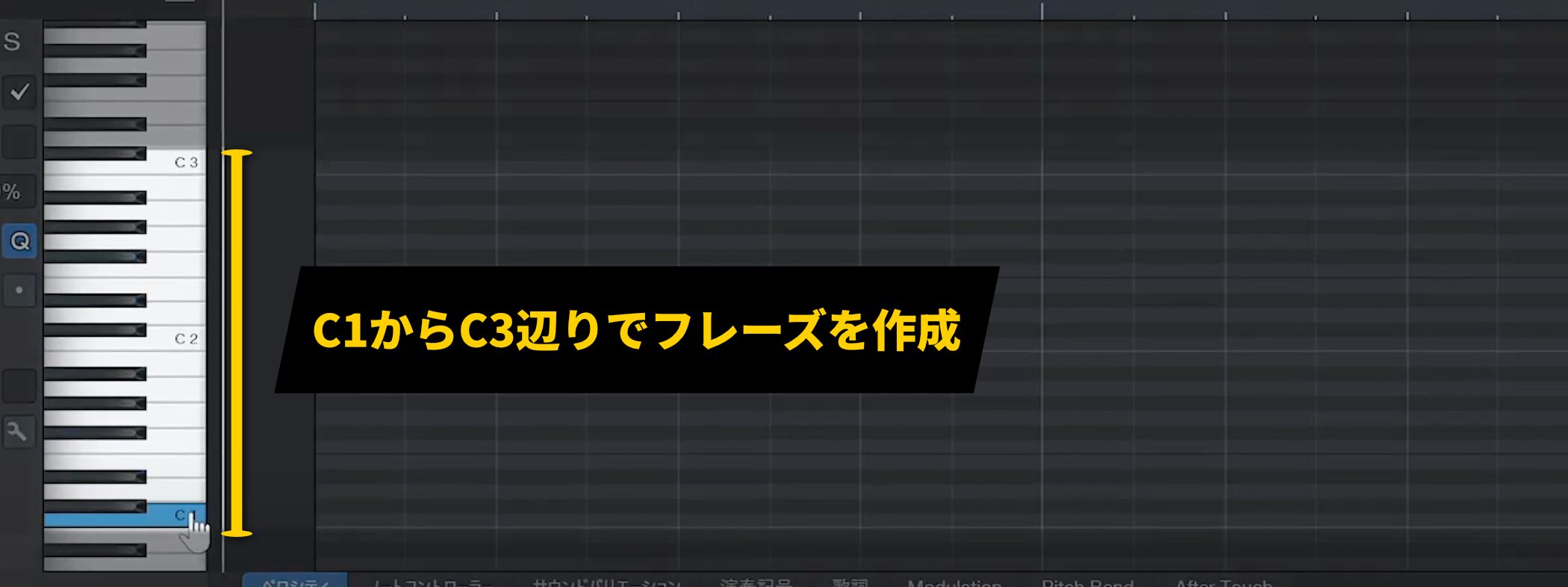
Bass phrases are often written around C1 to C3.
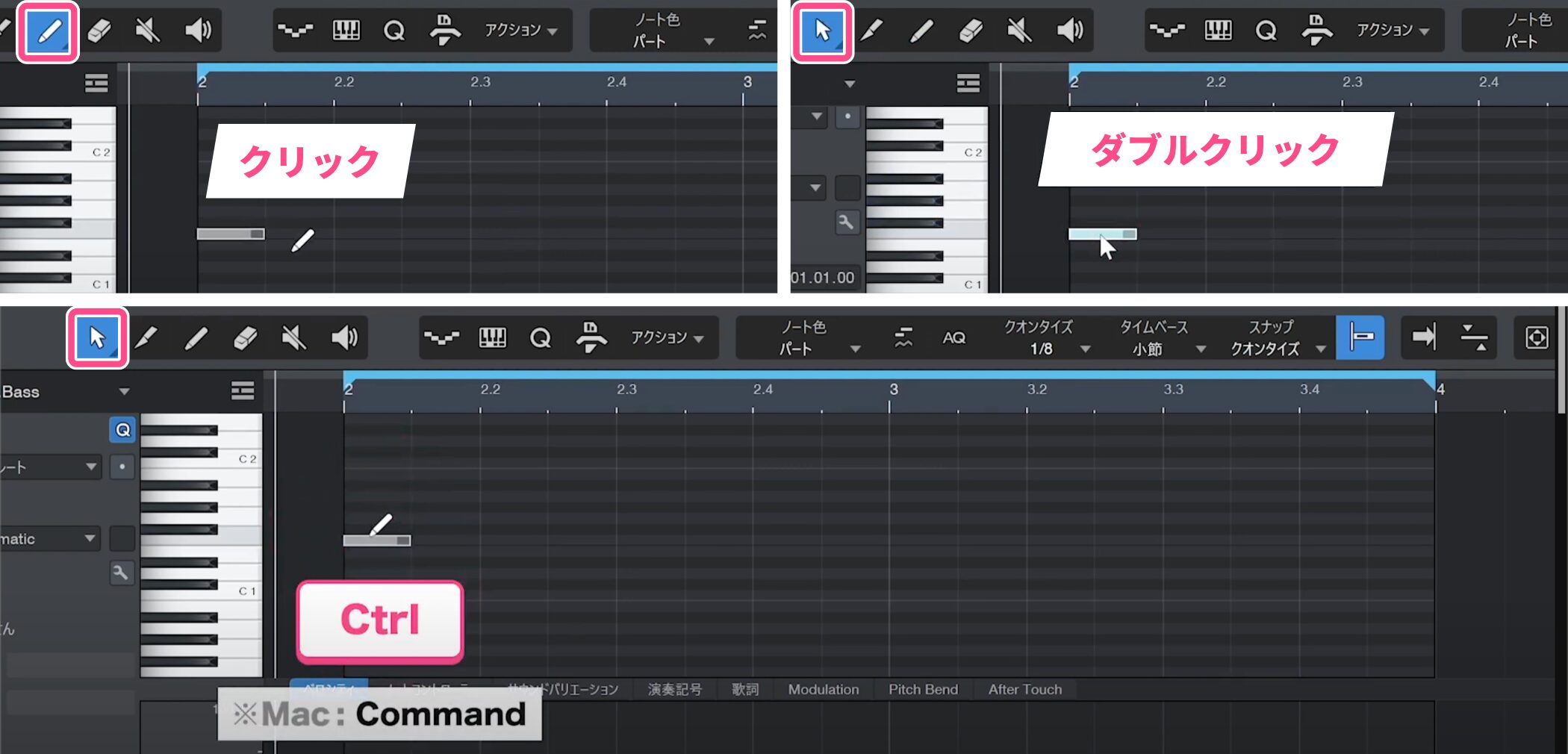
There are three ways to enter notes:
- Click with the Paint tool.
- Double-click with the Arrow tool.
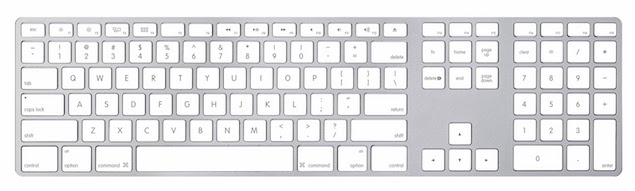
- With the Arrow tool, hold Ctrl on Windows or Command on Mac and click.
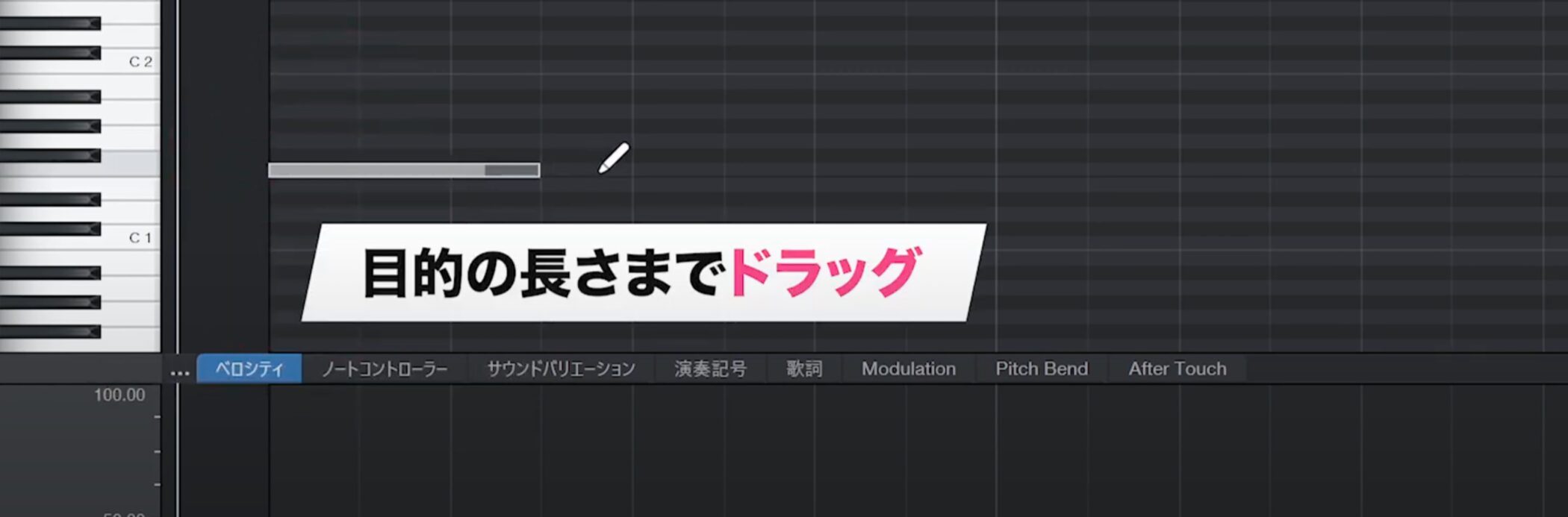
After entering a note, drag to adjust its length.
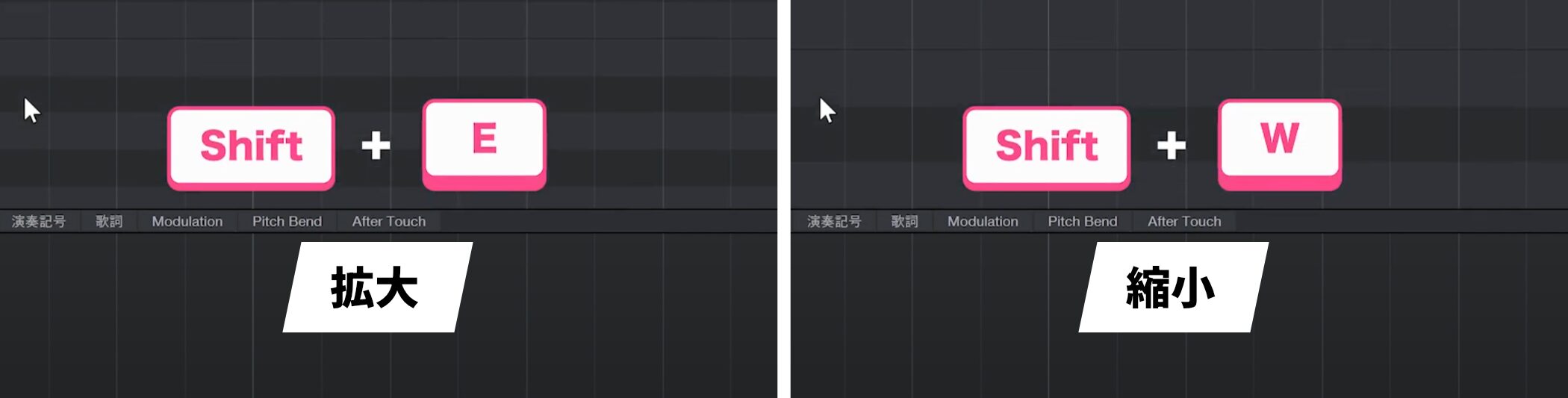
If the notes are too narrow vertically to edit comfortably, use Shift+E to zoom in and Shift+W to zoom out.
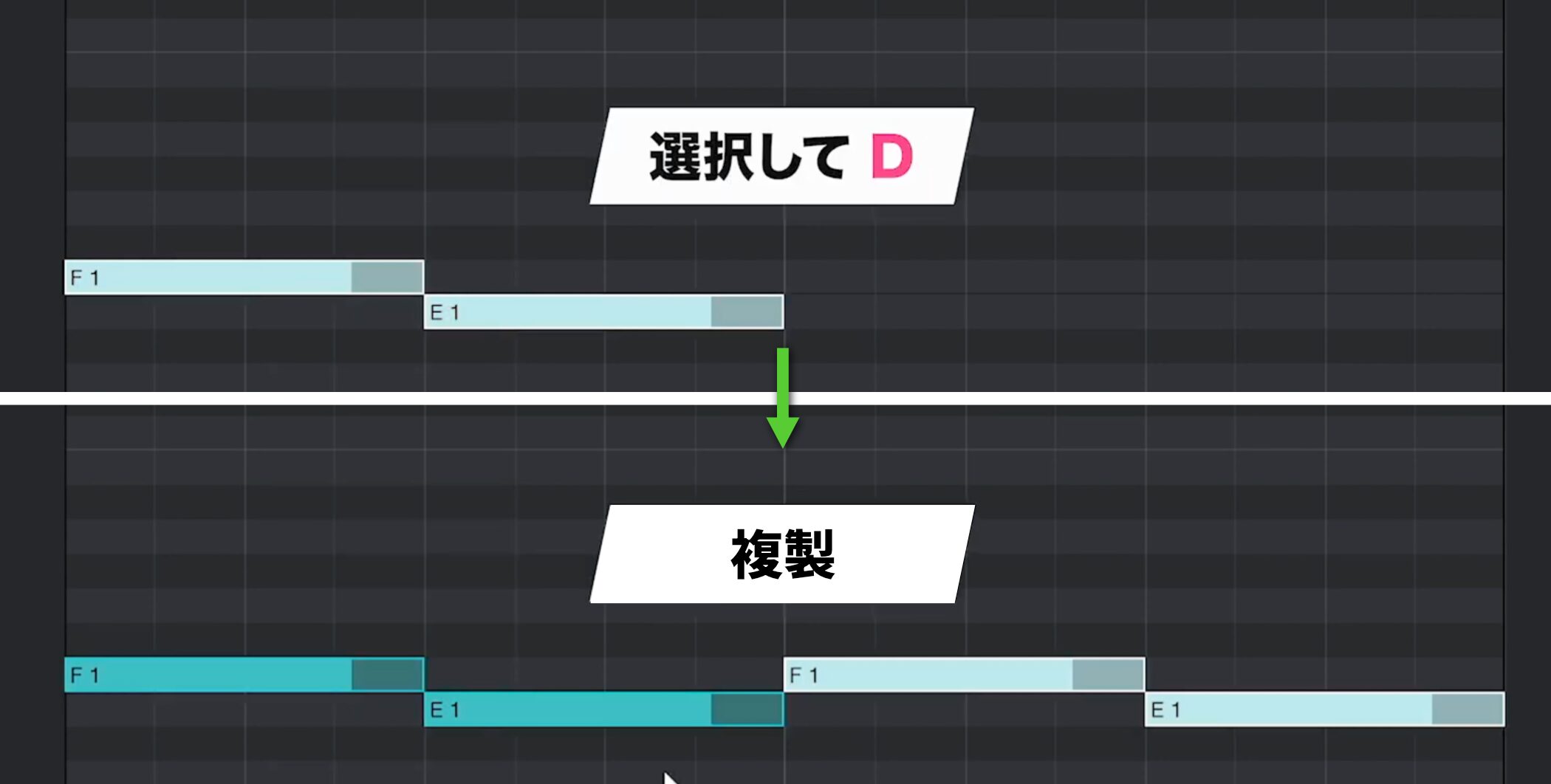
Select a note and press D to duplicate it.
This makes note entry more efficient.
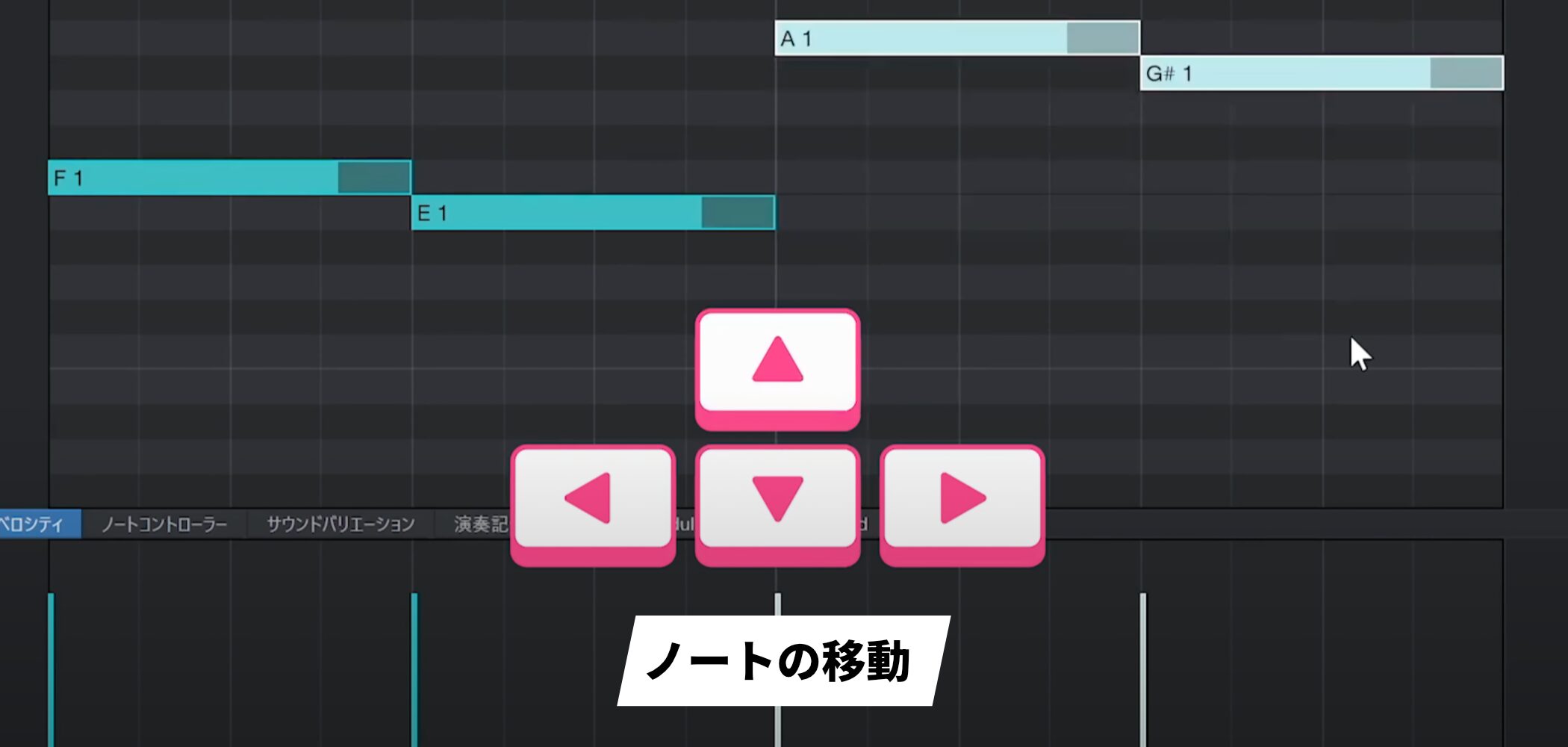
Use the up and down arrow keys to move notes precisely without the unintended shifts that can occur when using the mouse.
Eighth-Note Rhythms and Note Length
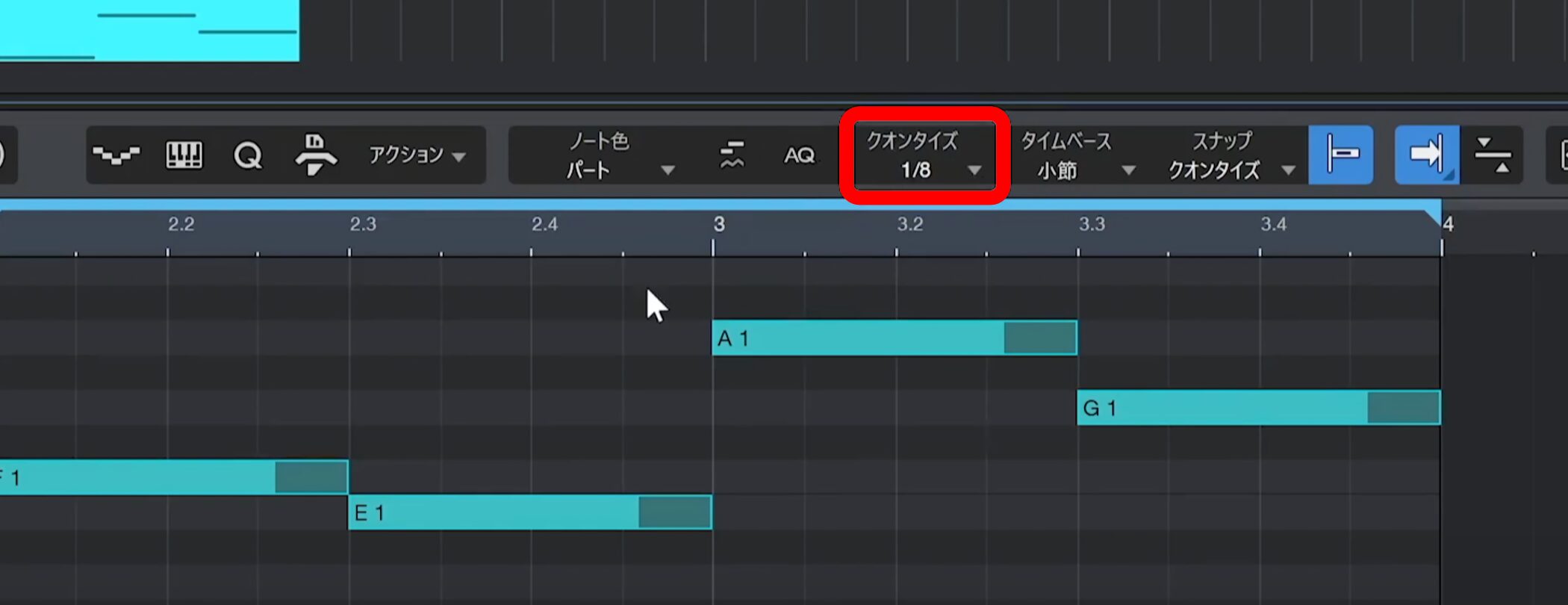
Set Quantize to eighth notes.
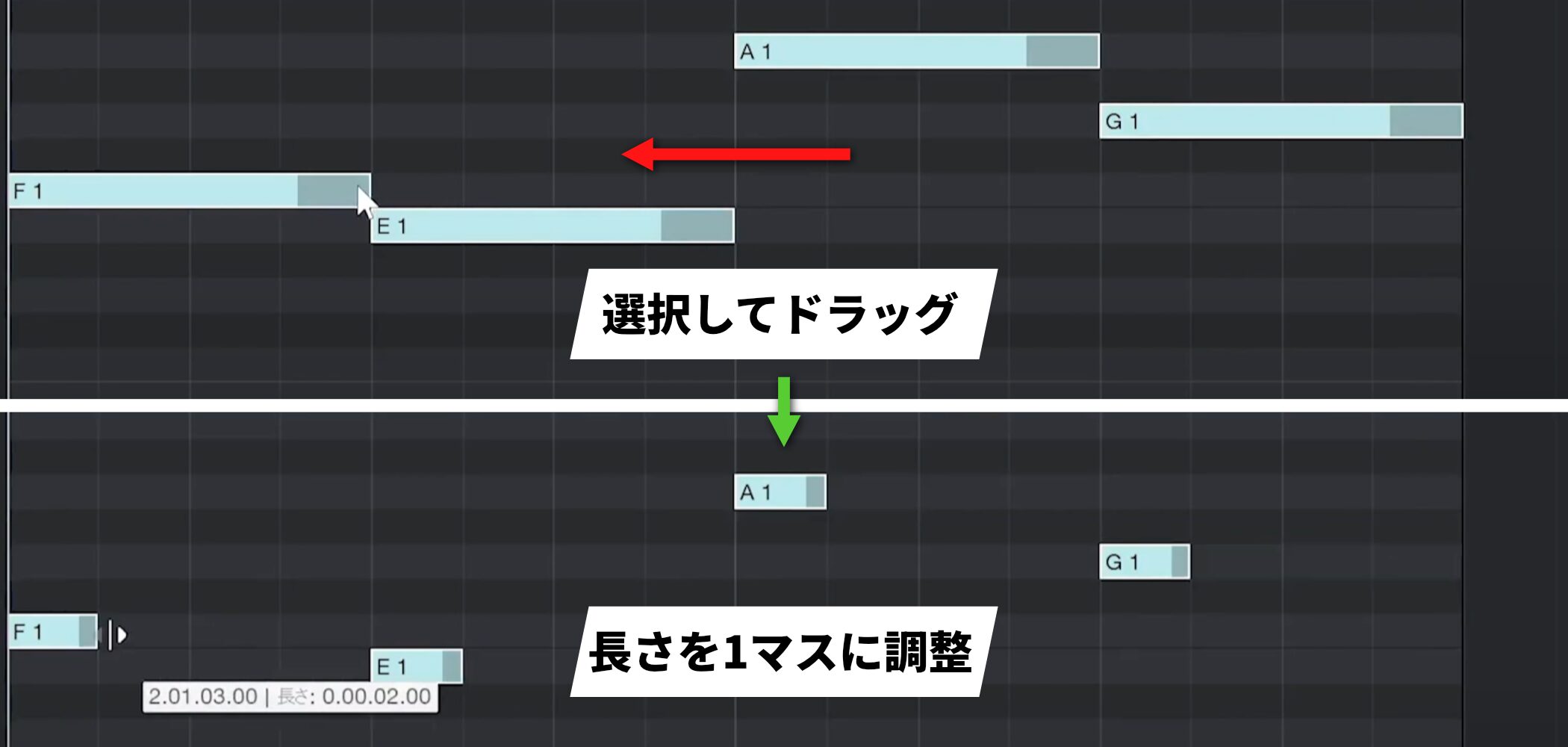
Make each note one grid cell long to create an eighth-note rhythm.
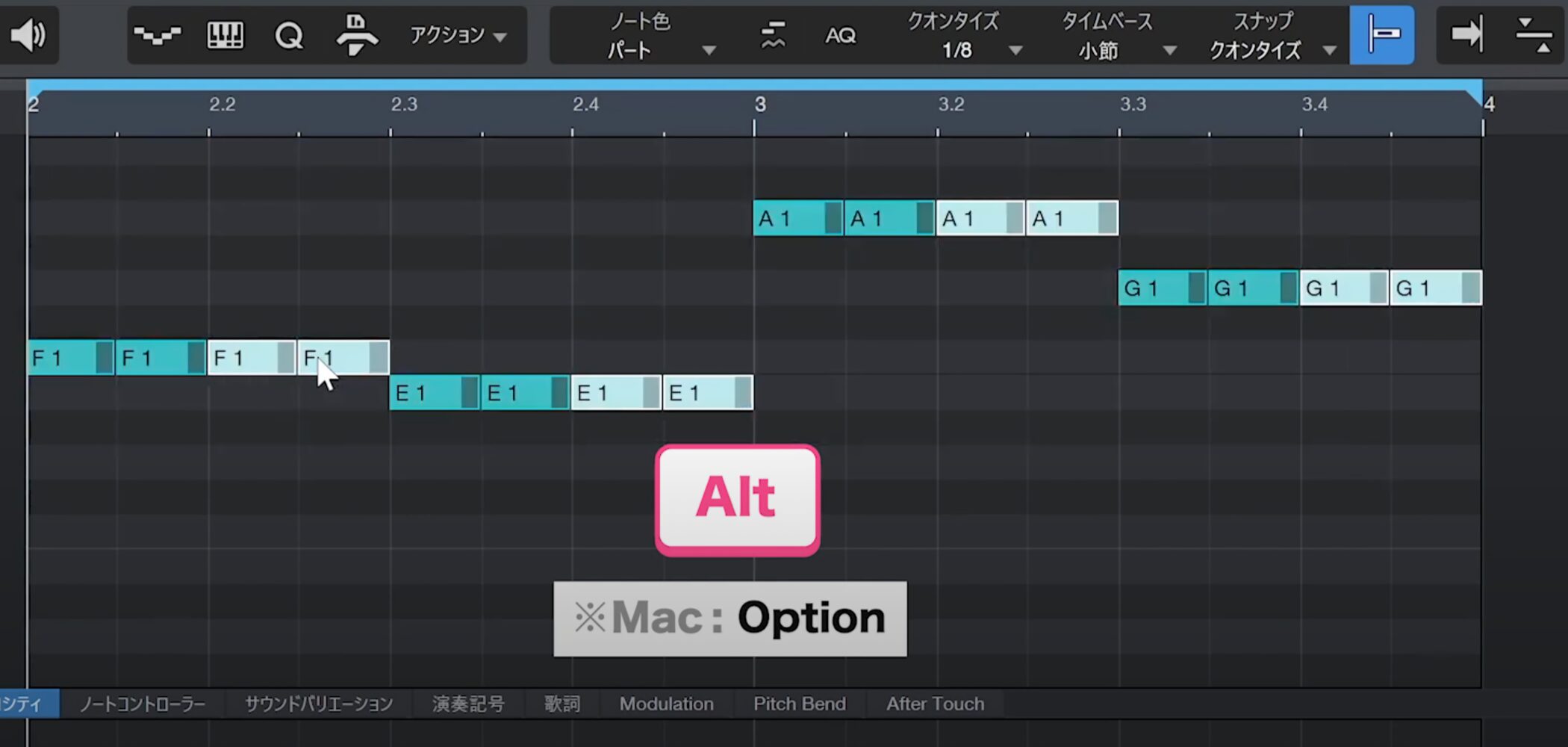
Select a note and drag while holding Alt (Option on Mac) to duplicate it at a chosen position.
Building Phrases with Offbeat Sixteenth Notes
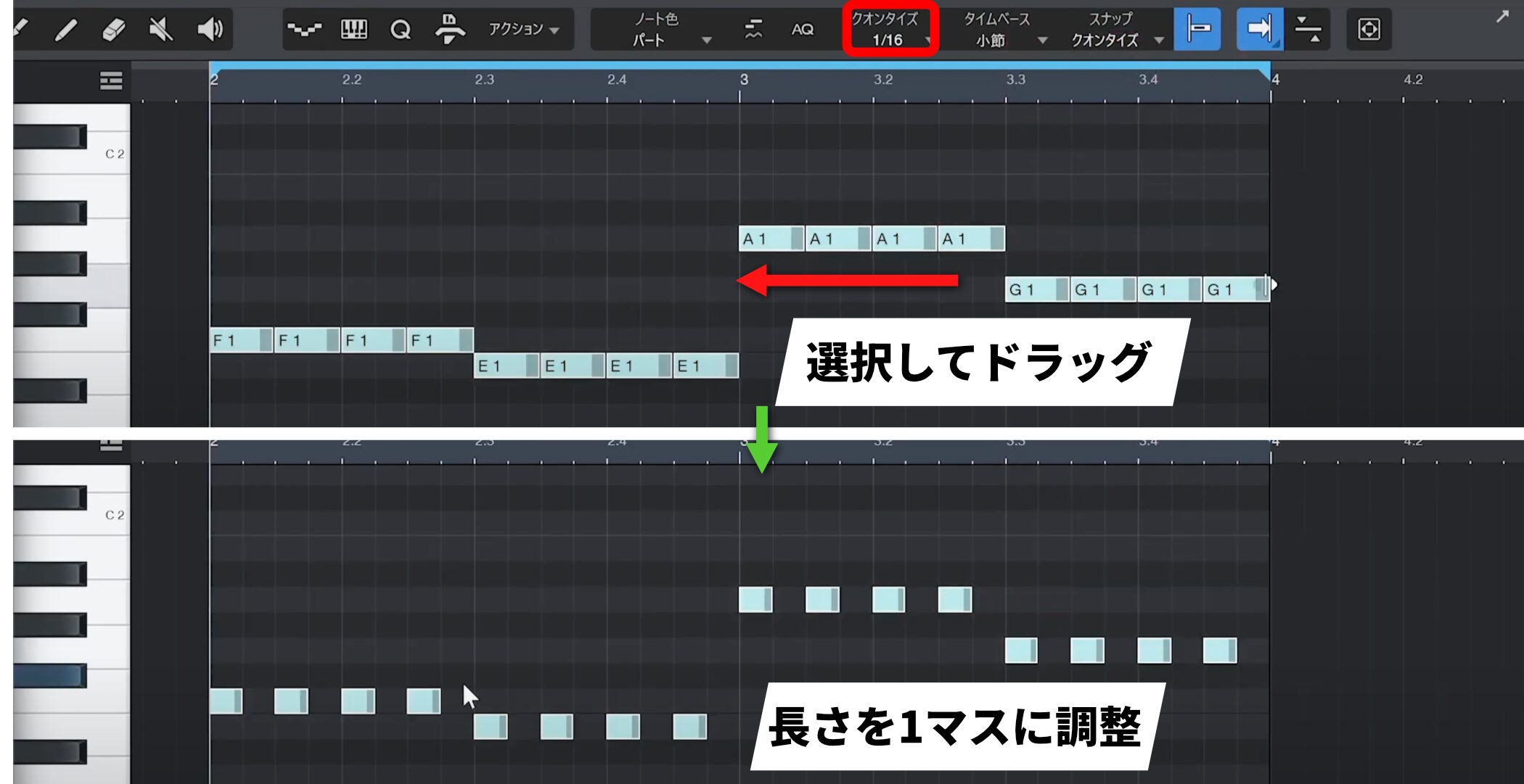
For a tighter phrase, change Quantize to sixteenth notes, shorten the notes and add rests.
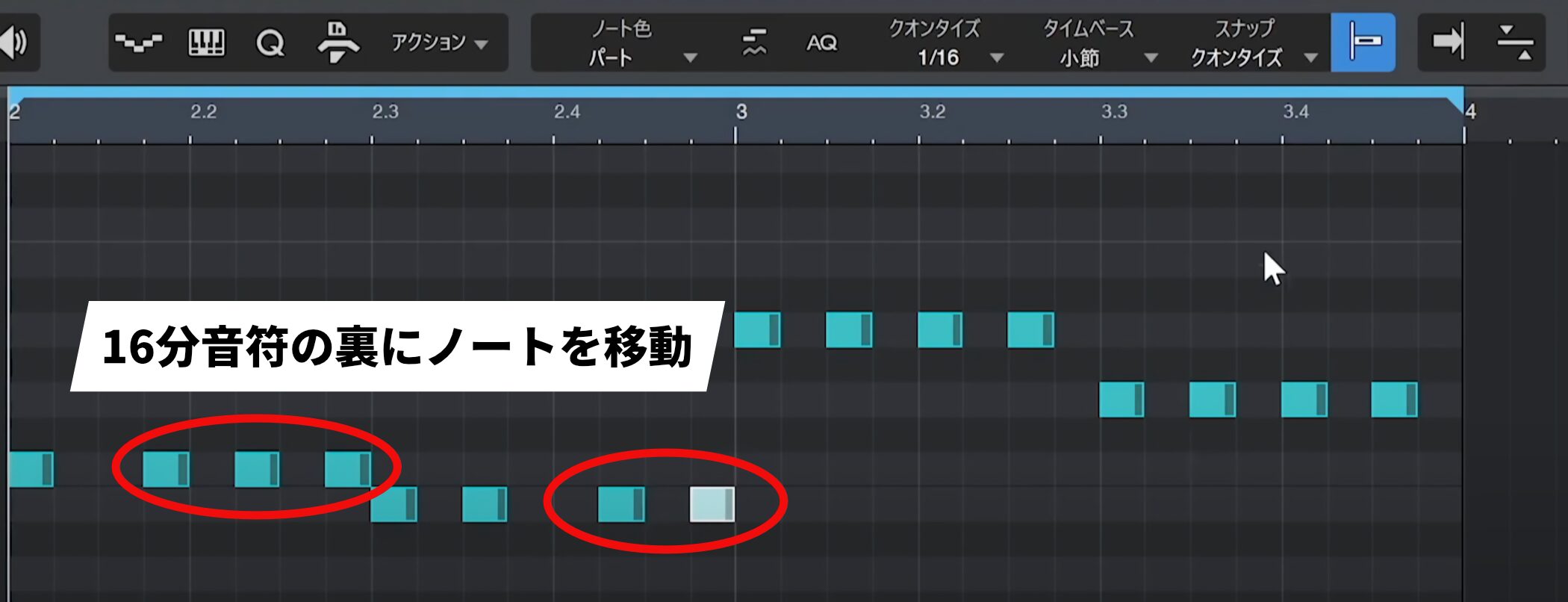
Move notes to offbeat sixteenth-note positions to add detail and rhythmic movement.
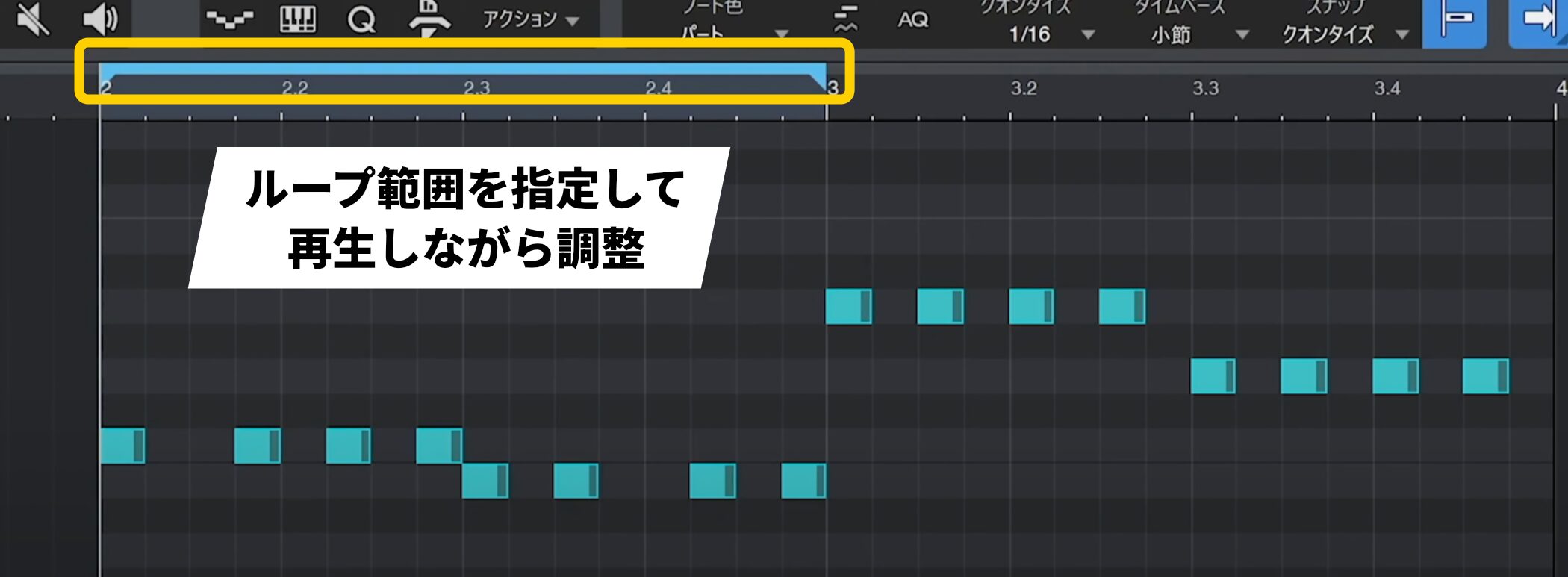
When building a phrase, set a loop range and adjust it while listening to create a more natural groove.
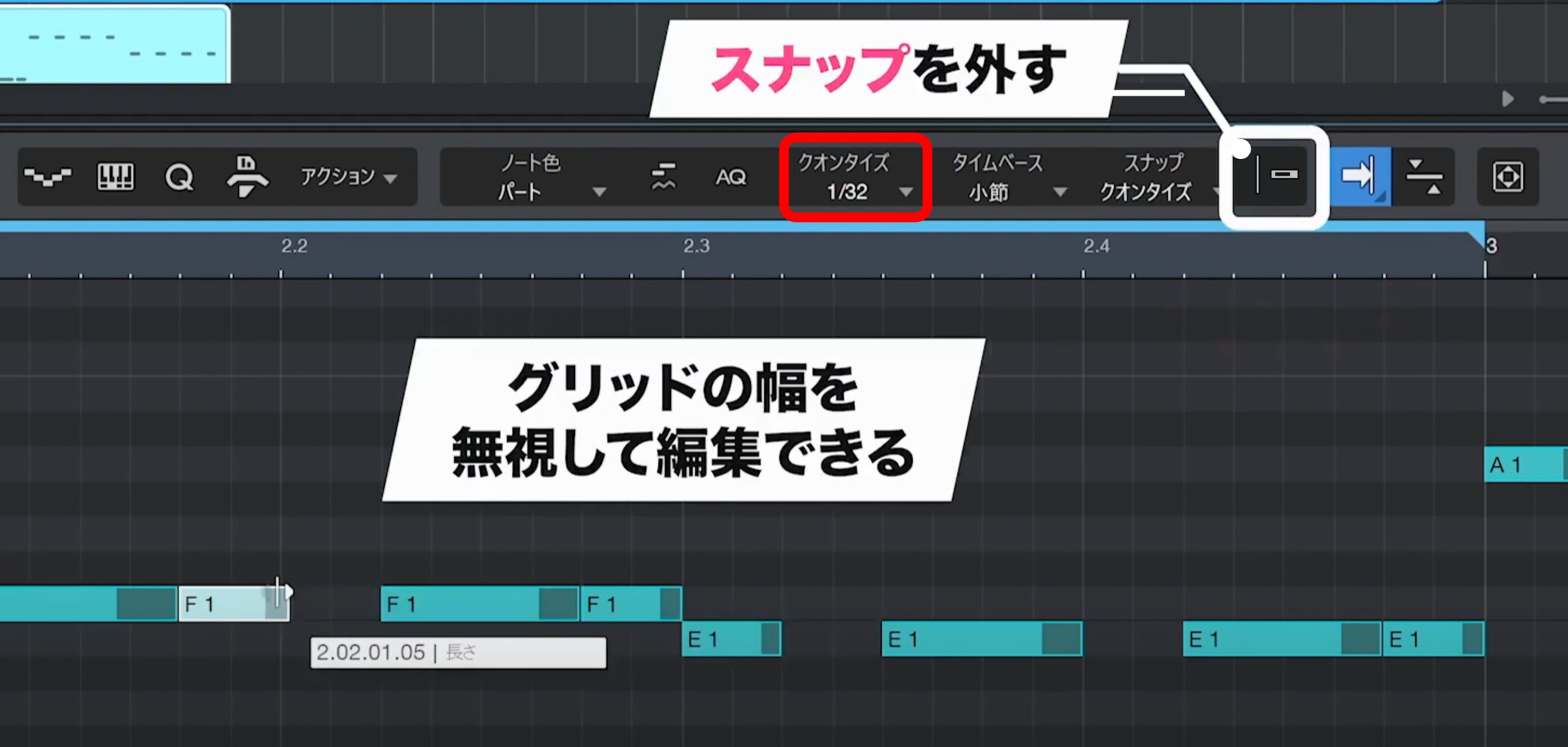
Set Quantize to thirty-second notes and add short notes for even more movement.
You can also turn Snap off for free editing without being restricted to the grid.
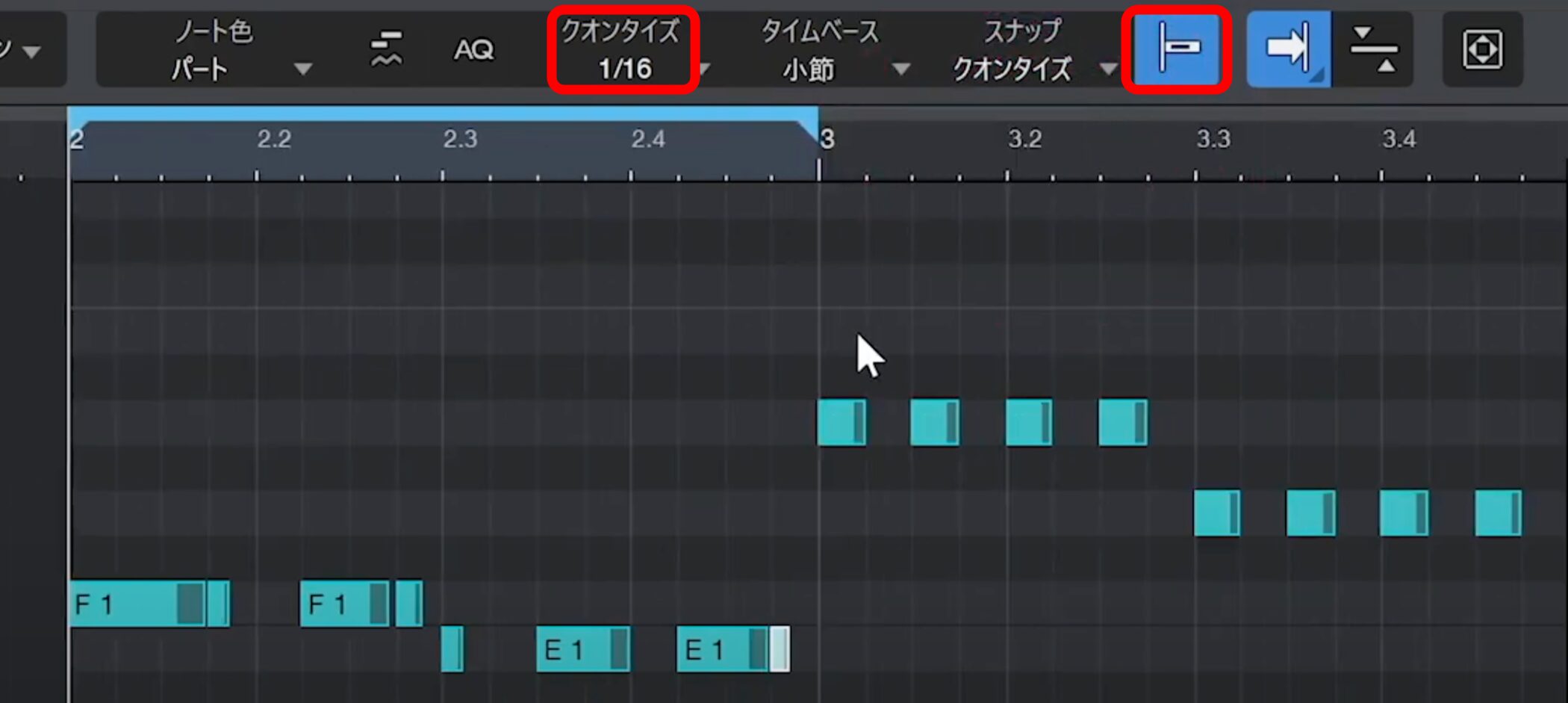
When finished, remember to restore the Snap and Quantize settings.
Using Octaves and the Scale Feature
Moving some notes up or down an octave can add accents to a phrase.
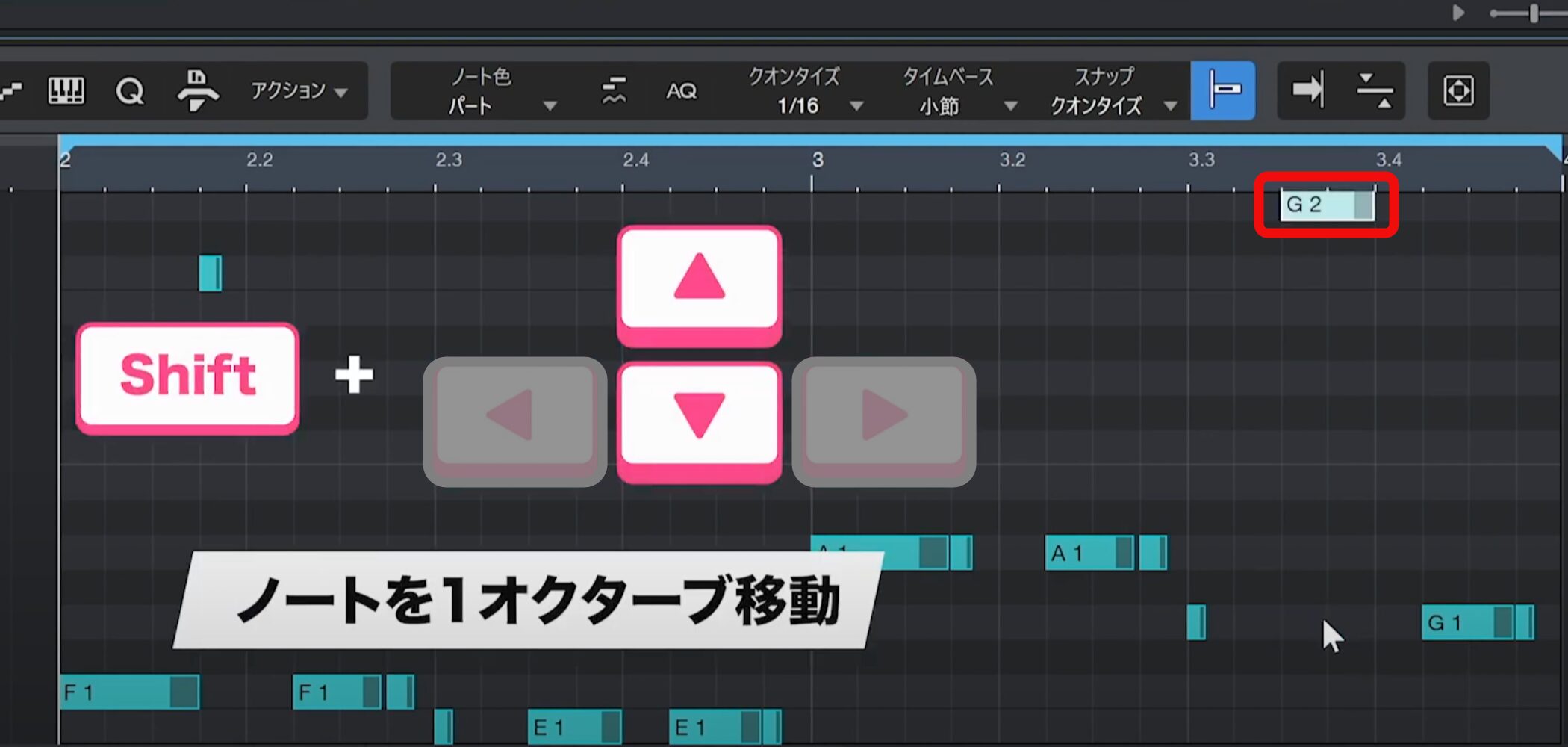
Hold Shift and use the up or down arrow key to move selected notes by an octave.
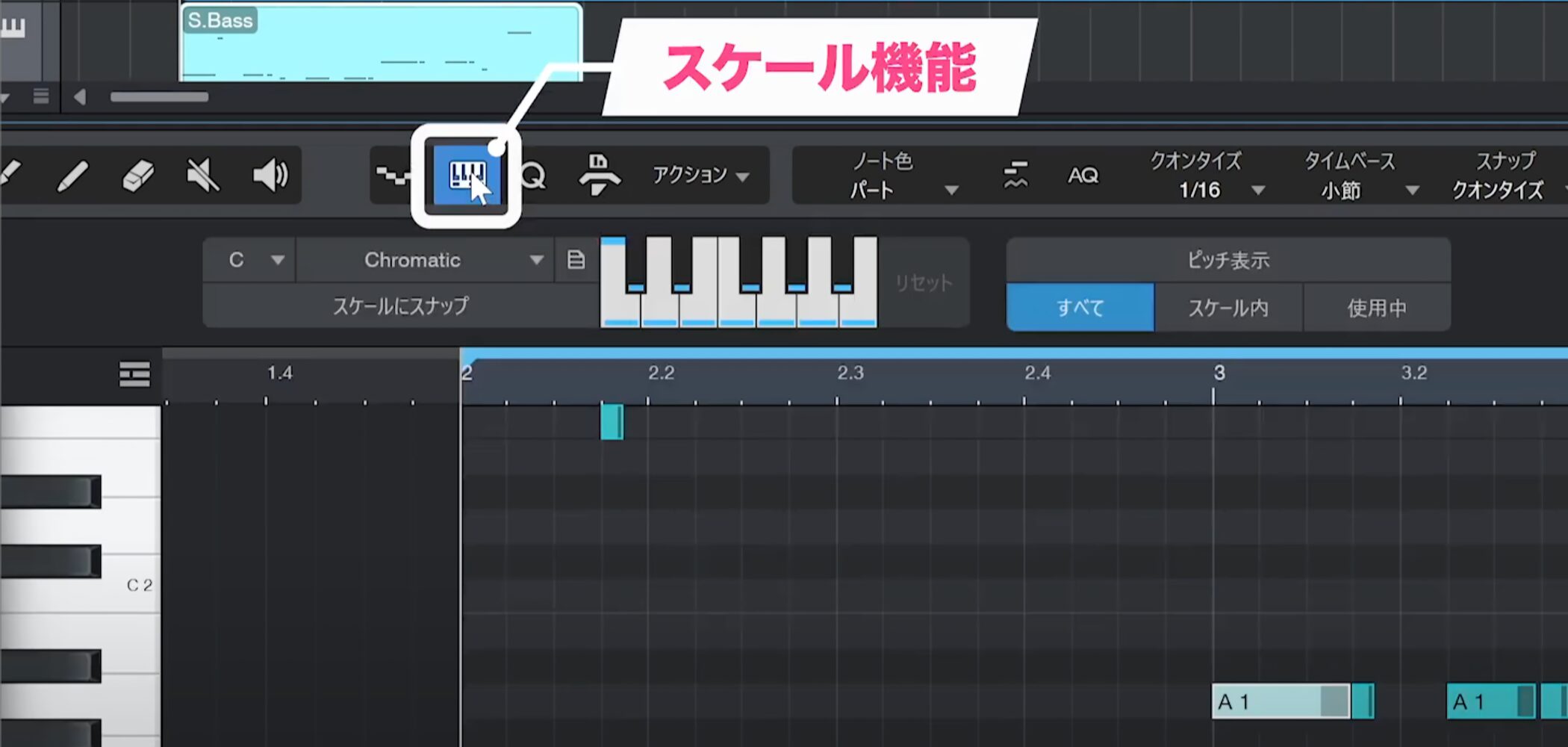
The Scale feature in the Scale panel is useful if you want to avoid notes outside the scale.
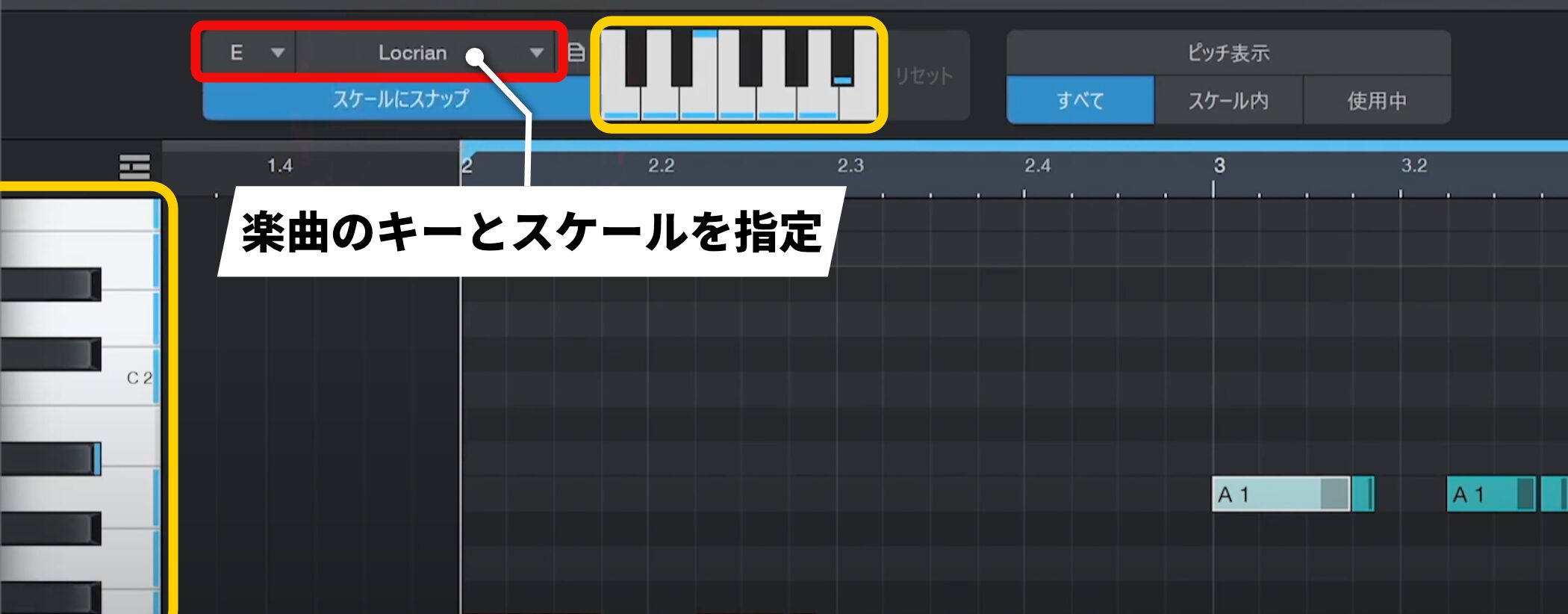
Specify the song’s key and scale, and matching notes appear in light blue.
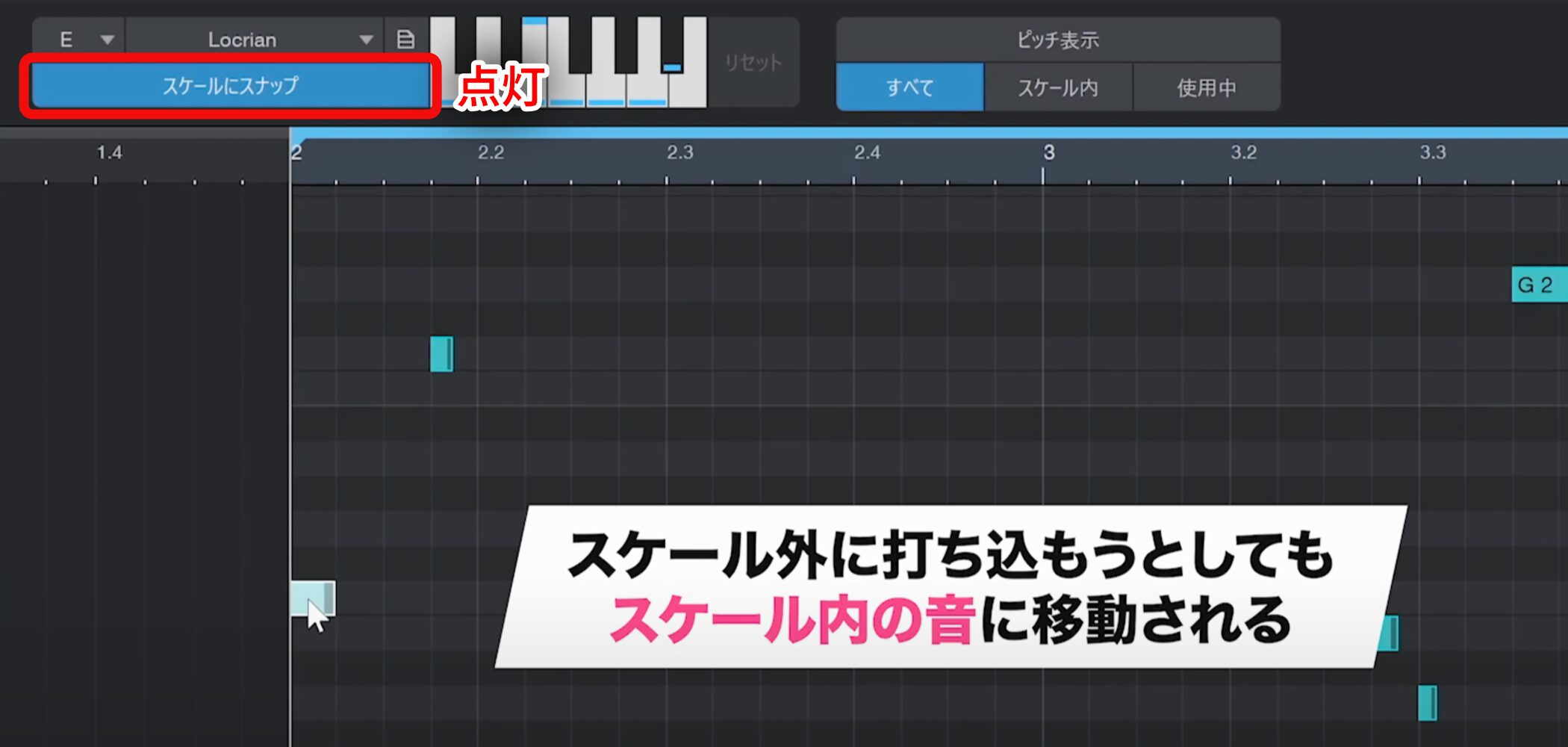
Enable “Snap to Scale” to prevent entering notes outside the scale.
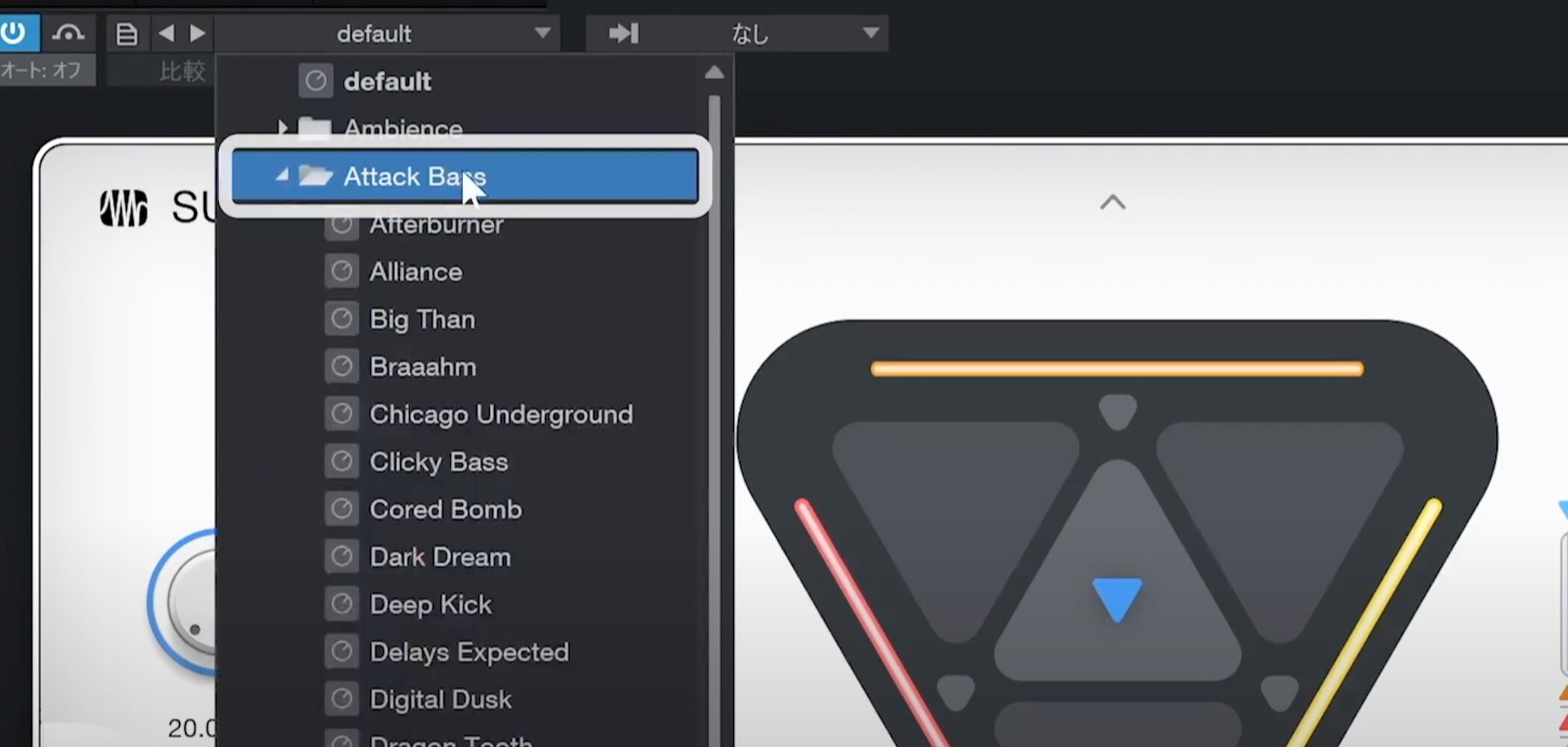
We have not discussed the sound itself yet, but Sub Zero Bass comes with many presets.
Play the phrase and choose a preset that suits the song.
Editing Phrases Efficiently with Repeat
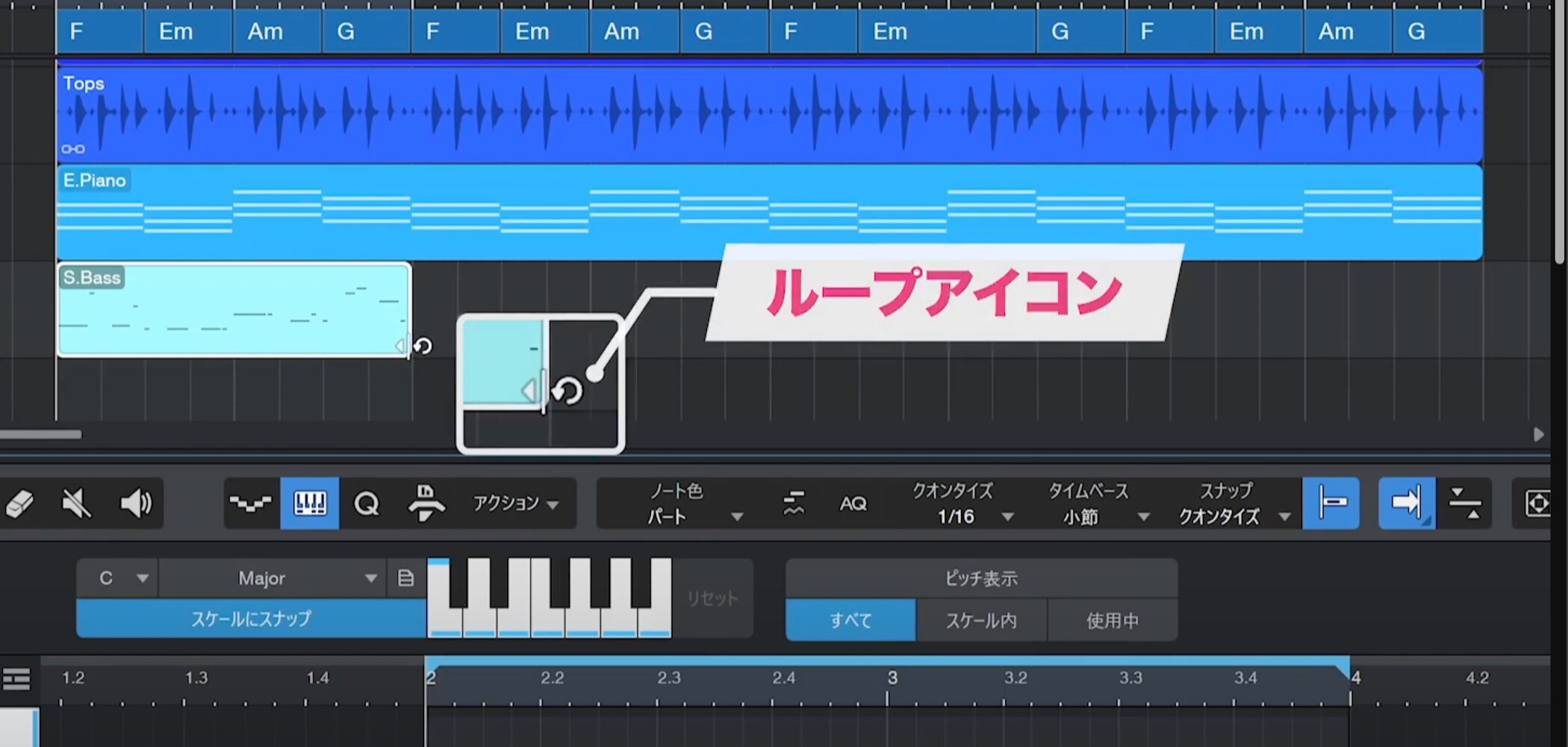
Place the cursor at the right edge of an event. When it changes to the loop icon, drag to repeat the event.
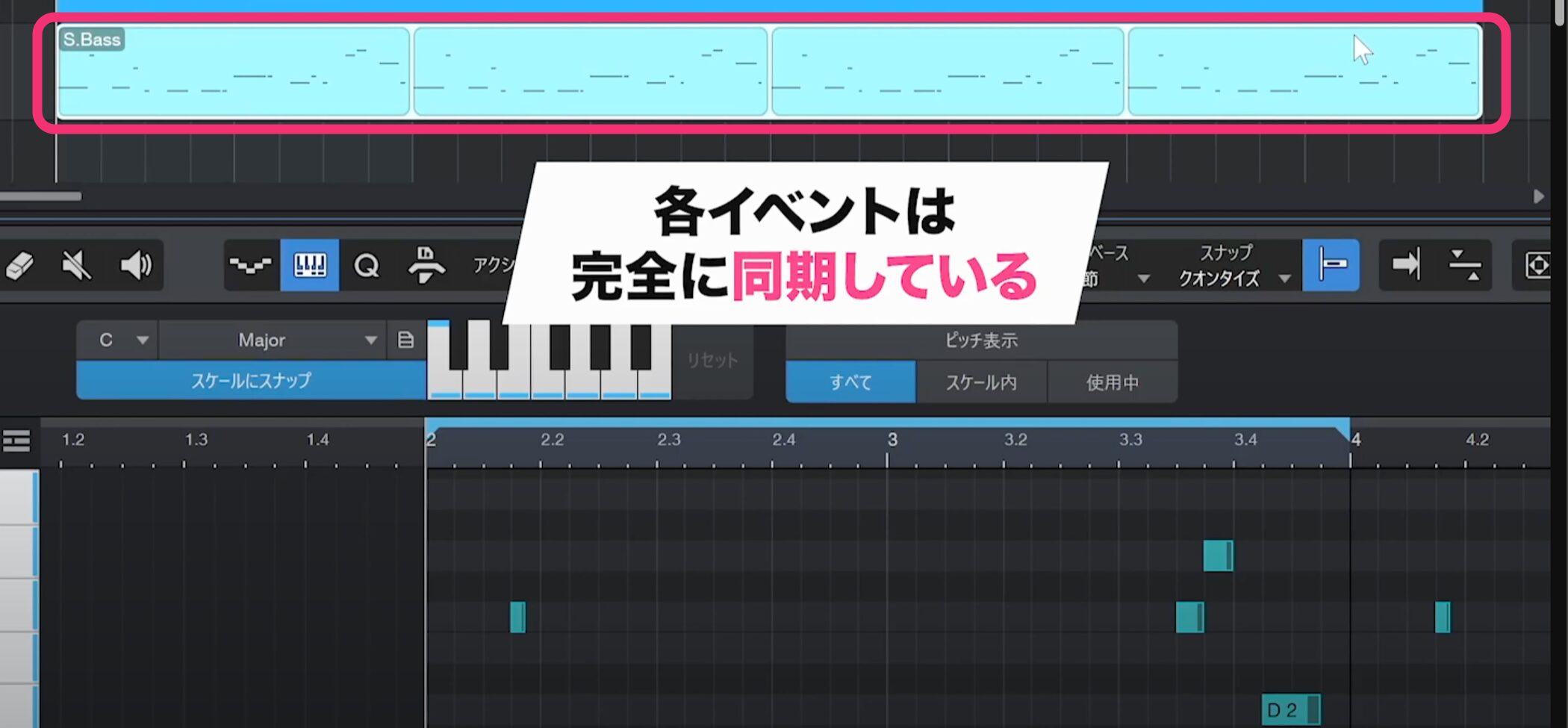
Unlike ordinary duplicates, events created with Repeat remain fully synchronized with the original.
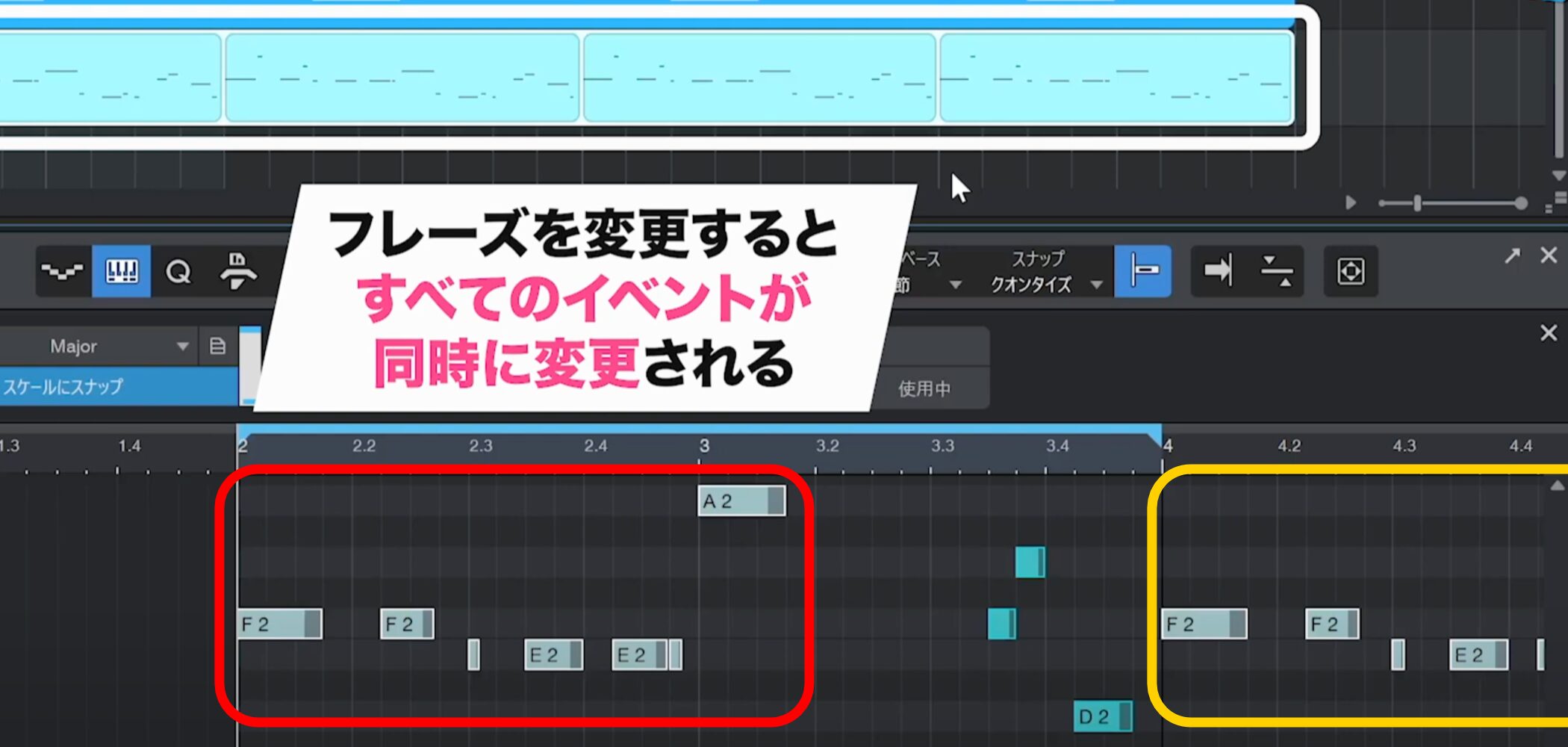
When you change the original phrase, the changes automatically appear in all repeated events.
Layering Instruments
Layering is the technique of combining another instrument with an existing track to make the sound thicker and richer.
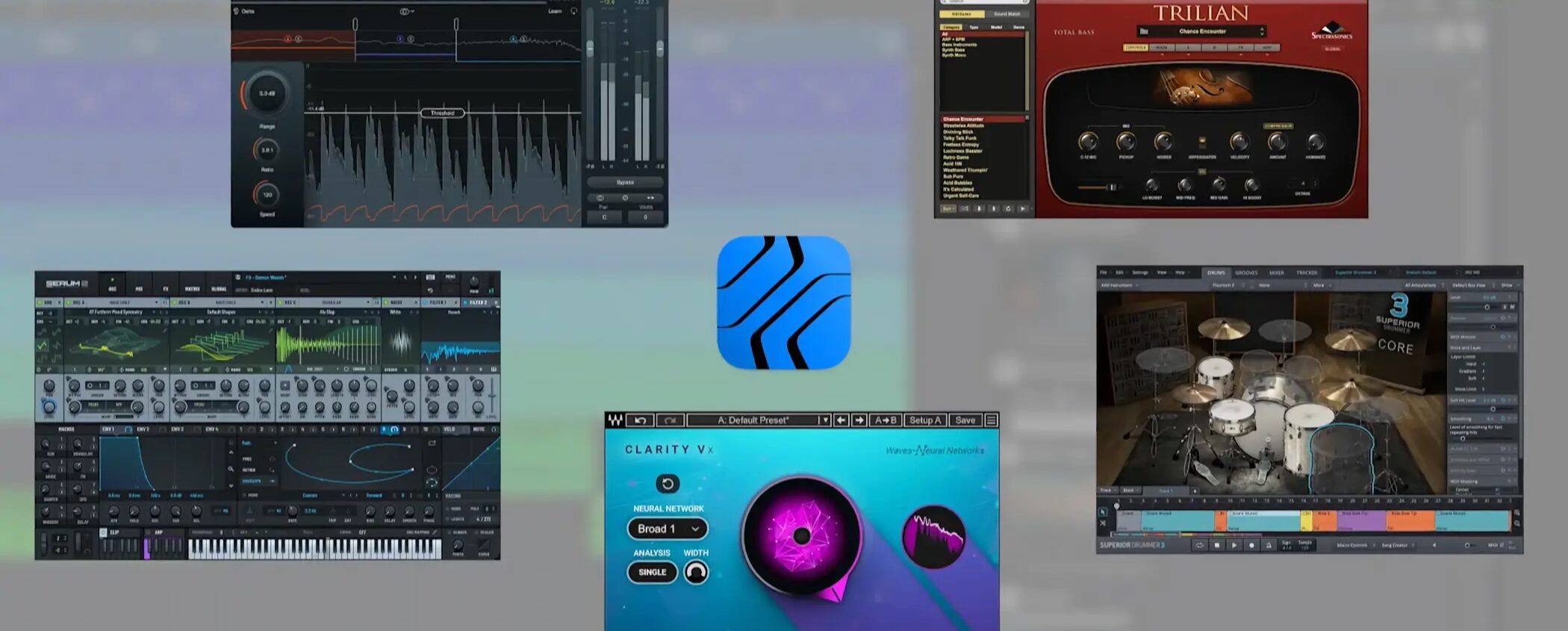
Studio One also lets you add your favorite plug-ins beyond the included instruments and effects, expanding your creative options.
Adding a Layer to the Bass Track
Let’s strengthen the bass track with a layer.
You could create another track and copy the event, but a more efficient method is to layer an instrument directly on the current track.
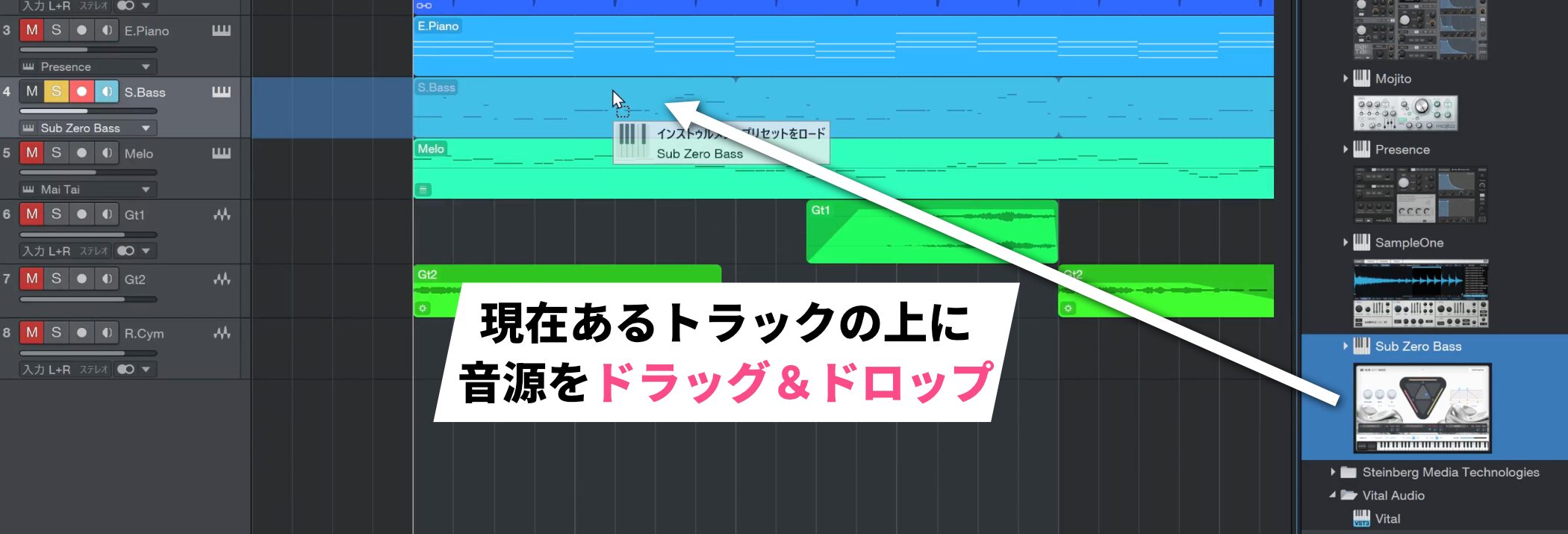
Drag the instrument you want to add from the Browser onto the track you want to layer—in this case, the bass track. A menu appears.
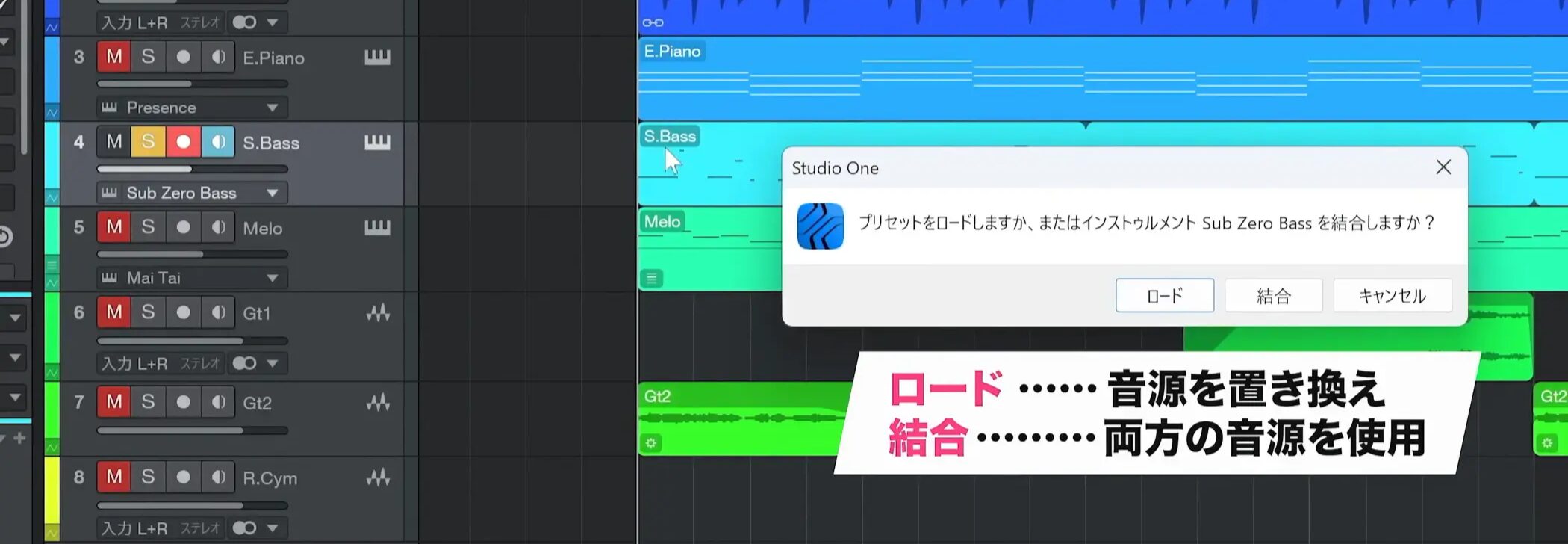
This menu lets you choose what to do with the existing instrument.
Choose “Load” to replace it completely, or “Combine” to use both instruments at once.
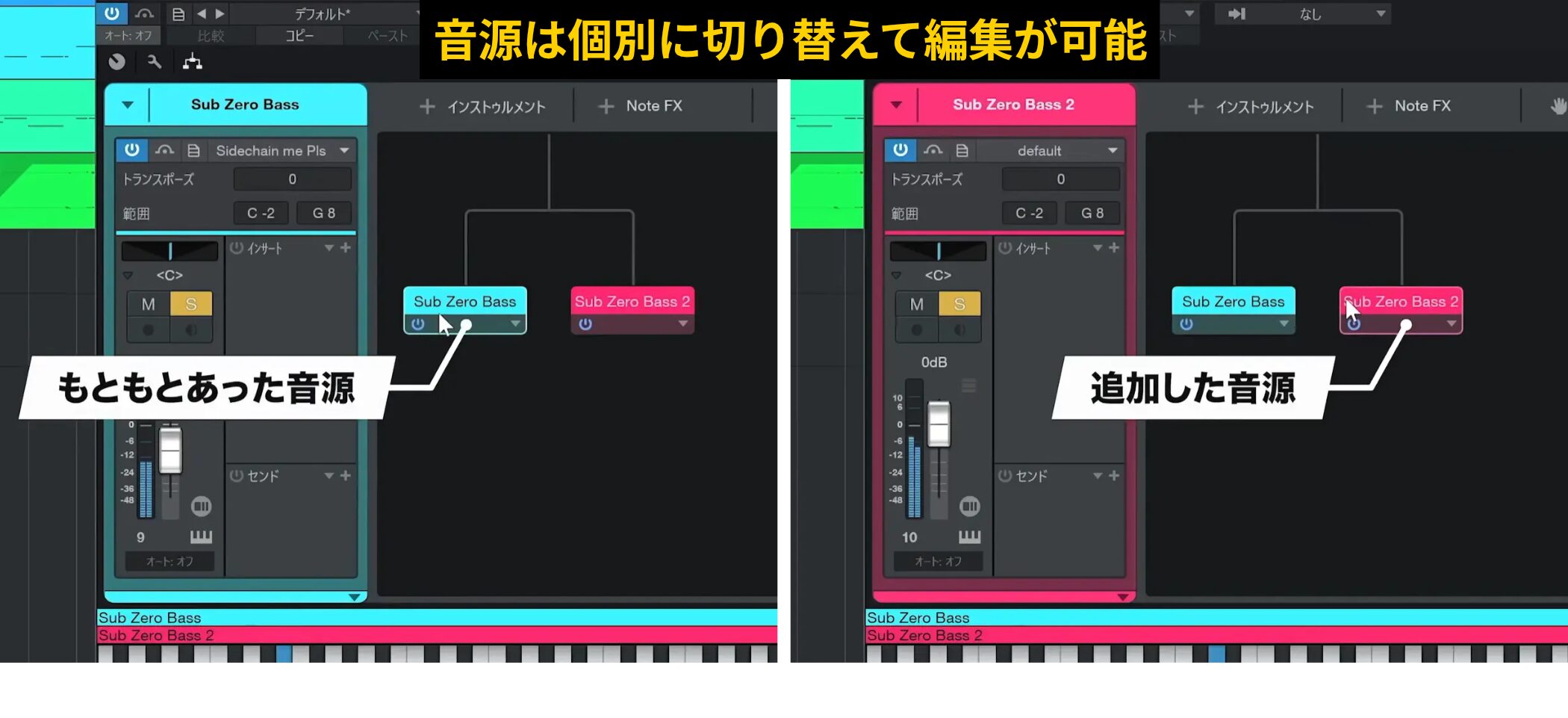
Choosing Combine displays both the original and the added instrument.
You can switch between instruments to edit them individually and use separate volume, mute and solo controls for each.
If the added instrument is too loud, adjust it so that it supports the original sound.
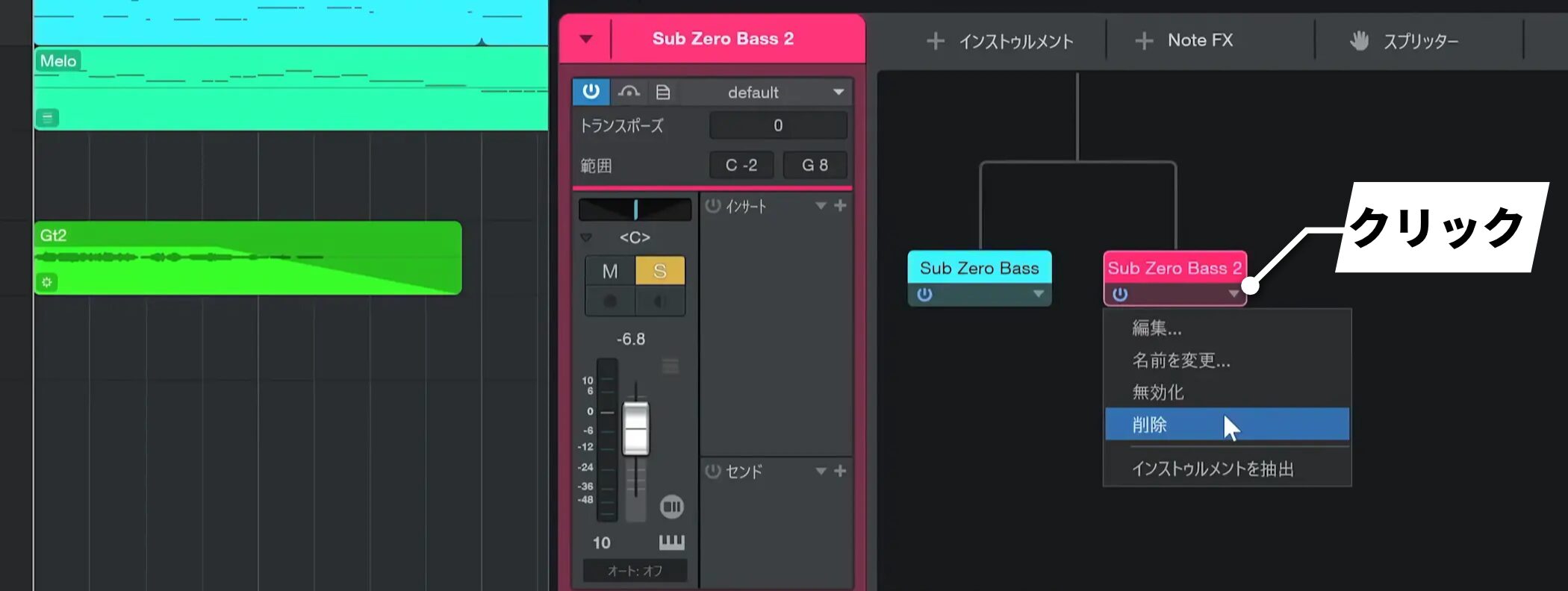
To remove a layer, click the down arrow beneath the instrument and choose “Remove” from the menu.
This is convenient because you can use the existing programmed part without adding another track.
Frequently Asked Questions
Q1. What range should I use for a bass track?
Bass phrases are often written around C1 to C3. Use this range as a starting point for a balanced low end in the song.
Q2. What shortcuts make note entry more efficient?
Select a note and press D to duplicate it. Use Shift+E to zoom in and Shift+W to zoom out. The up and down arrow keys also move notes precisely and can be more efficient than using the mouse.
Q3. How do I layer another instrument on a bass track?
Drag an instrument from the Browser onto the track and choose “Combine” to use both instruments at once. Each instrument has independent volume and mute controls.
Q4. When is the Scale feature useful?
Set the song’s key and scale to display matching notes in light blue. Enable “Snap to Scale” to prevent entering notes outside the scale. This is especially useful if you are not confident in your ear.
Q5. How is Repeat different from ordinary duplication?
Repeated events remain synchronized with the original. Changes to the original phrase automatically appear in every repeat, reducing editing work.
NEW ARTICLES
Latest English Articles