
Learn practical techniques for creating electronic-music bass parts in Cubase Pro, from sound design to programming phrases. This article covers a two-track synth-bass setup combining a thick, chewy saw-wave sound with sub-bass, arranging notes to lock in with the kick, adding expression with pitch bend and glide, and strengthening the groove with sidechain compression. These techniques provide a foundation for producing polished electronic music with a stronger rhythmic feel.

In this installment of our electronic music production series, we will explore bass sounds and phrases.
Learn how to control stereo width and create moving bass lines using pitch bend and glide.
Bass Sound Design and Phrase Creation — Video Tutorial
Download the Cubase Song Project Here!
If the sampler tracks in the project do not play:
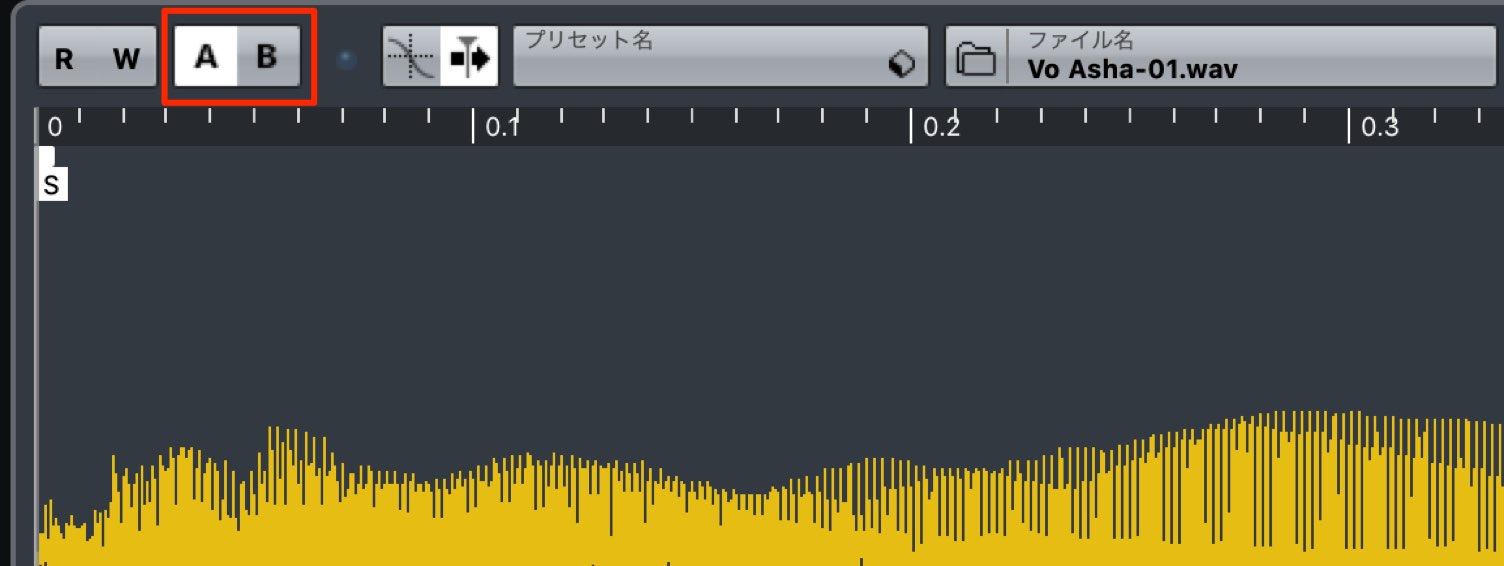
Switch the sampler track's A/B comparison button, then try playback again.
- 1Choosing Drum Sounds and Creating Patterns
- 2Piano Chord Progressions
- 3Bass Sound Design and Phrase Creation
- 4Using a Harmonizer with Vocal Samples
- 5Adding Weight and Impact to the Chorus with Backing Synths
- 6Creating Sound-Effect Tracks to Build Excitement
- 7Applying Effects to the Master Channel
Creating the Bass Sounds
This song uses two instances of Retrologue 2 to play the synth-bass parts.
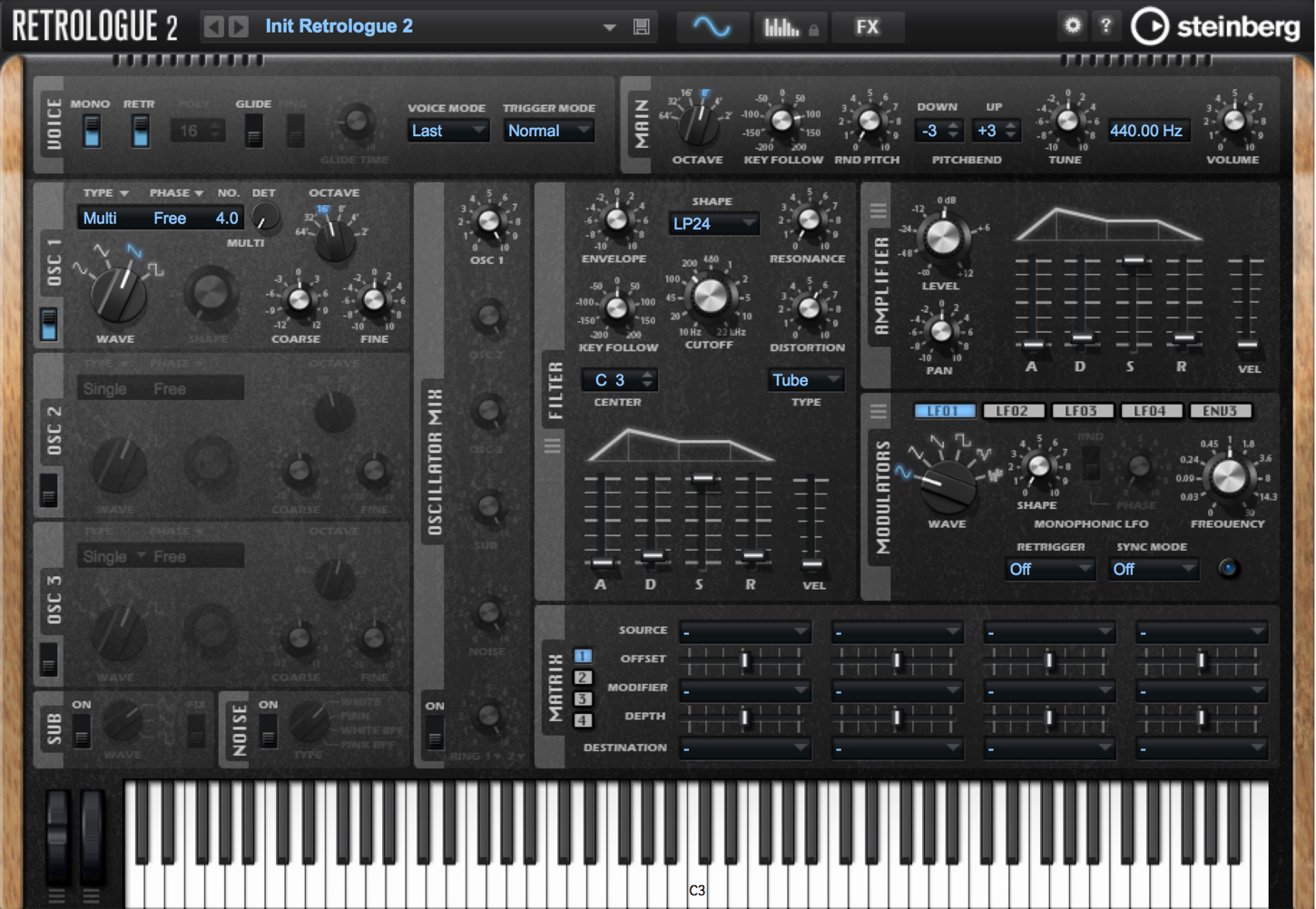
- A thick, chewy saw-wave sound
- A sub-bass layer that adds weight
What Is Sub-Bass?
Here, sub-bass is used as a way to reinforce the main bass sound.
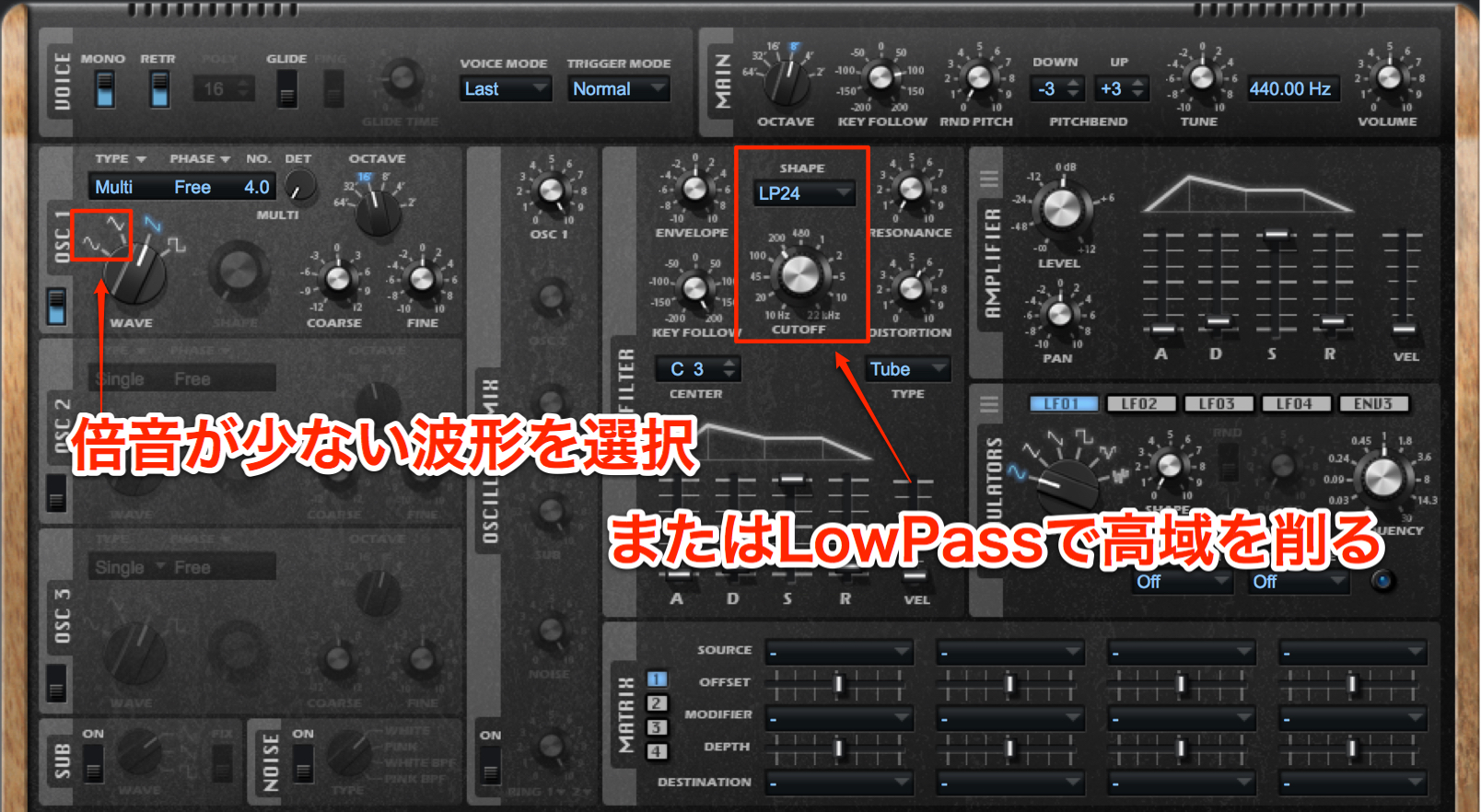
It typically uses waveforms with few harmonics, such as sine or triangle waves, or a rounded sound with the high frequencies removed by a filter.
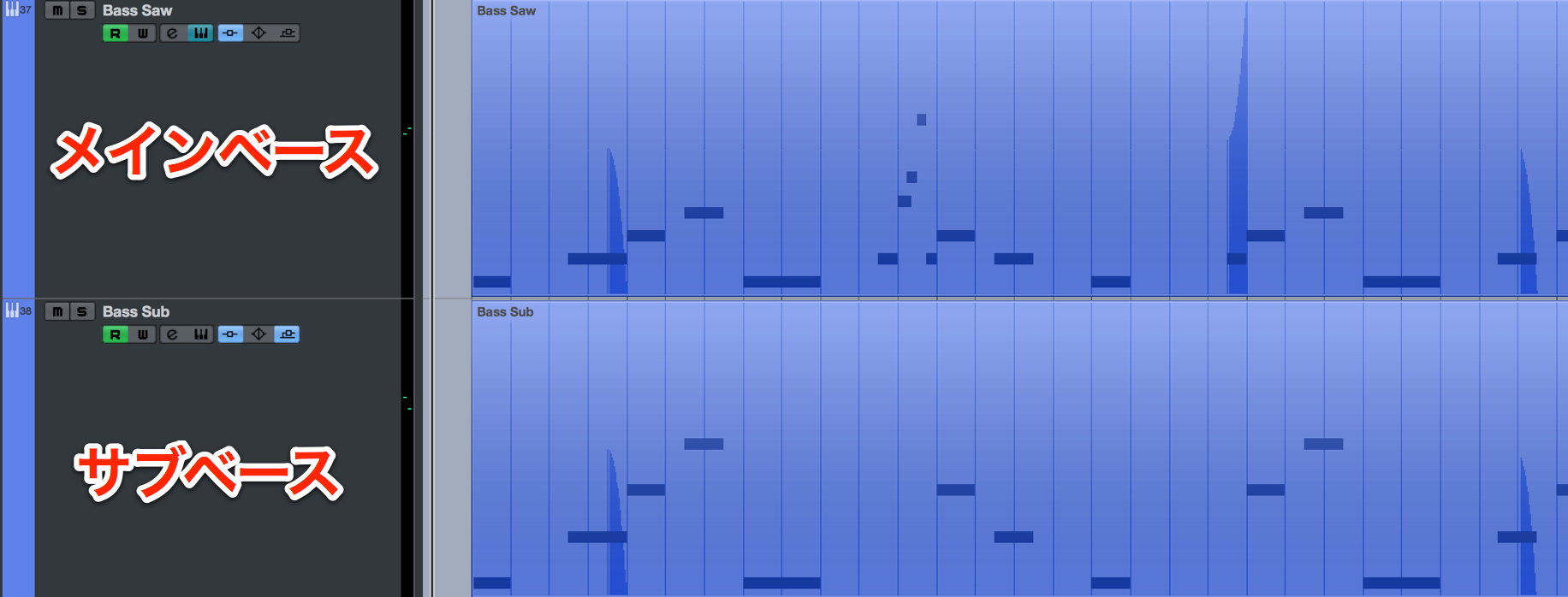
As shown here, it is used by doubling the same phrase as the main bass in unison.
Depending on the phrase, you can also play it one octave lower.
The Main Saw Bass
Wavetable synthesizers, known for their bright, sparkling sounds, are popular in genres such as EDM and future bass, which were relatively new when this tutorial was published in 2018.
However, analog-style synthesizer sounds are also effective for bass tracks that need thickness and a chewy character.
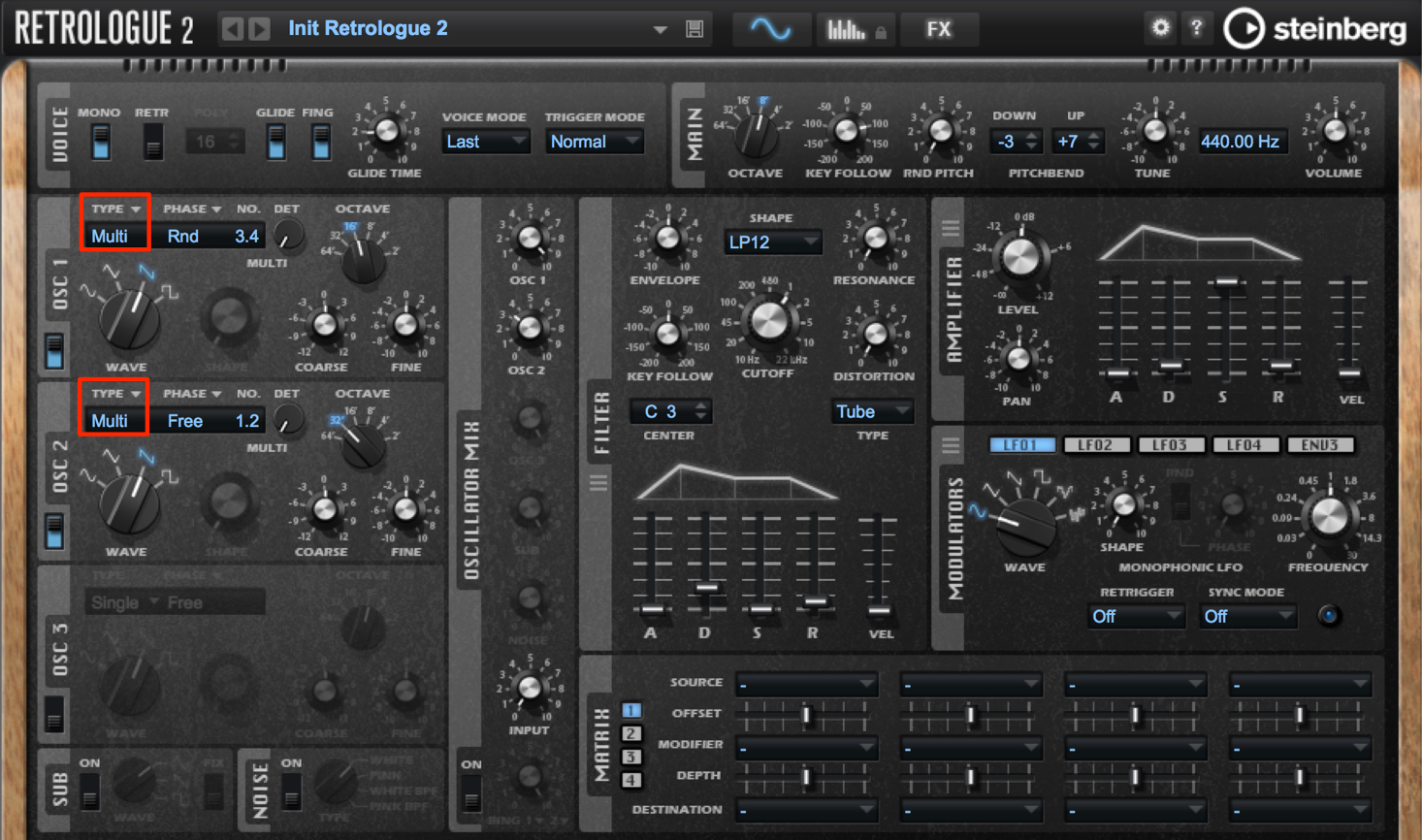
Use a saw wave for the oscillator, then use the multi-oscillator function to stack oscillators in unison and spread the sound across the stereo field.
Because the piano and synth parts also play the root notes, keep detuning—the slight offsetting of pitch—subtle enough to avoid making the combined pitches sound muddy.
Creating Bass Phrases
After creating the bass sounds, we can enter the notes for the phrases.
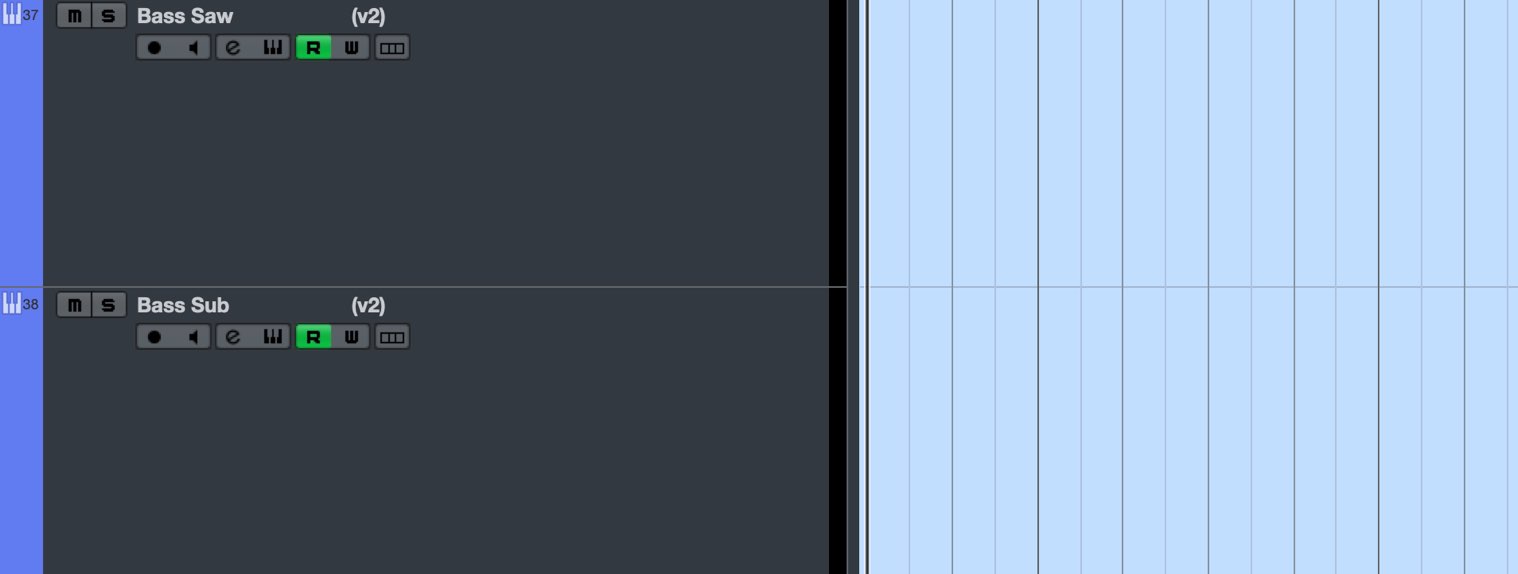
We have two tracks, main bass and sub-bass, both of which will play the same phrase in unison.
A useful feature in this situation is Shared Copies of MIDI parts.
This keeps the contents of the phrases synchronized.
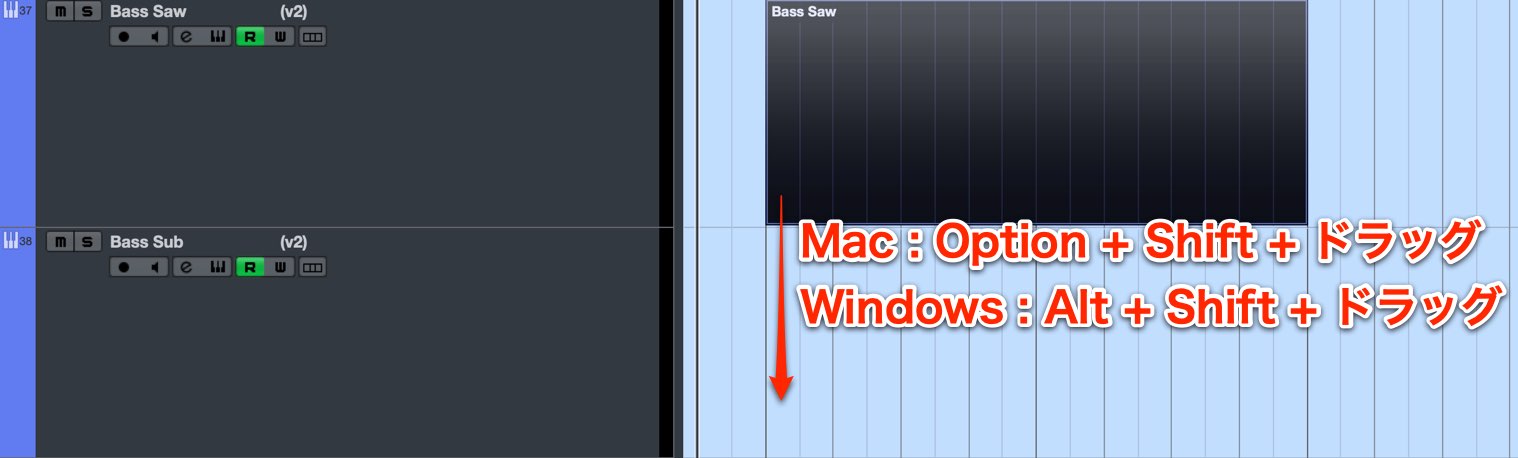
To create a shared copy, drag either part while holding these keys:
- Mac: Option + Shift + drag
- Windows: Alt + Shift + drag
This creates a linked copy of the part.
Holding Command on Mac or Control on Windows as well preserves the bar and beat position, allowing you to place the copy without shifting its timing.
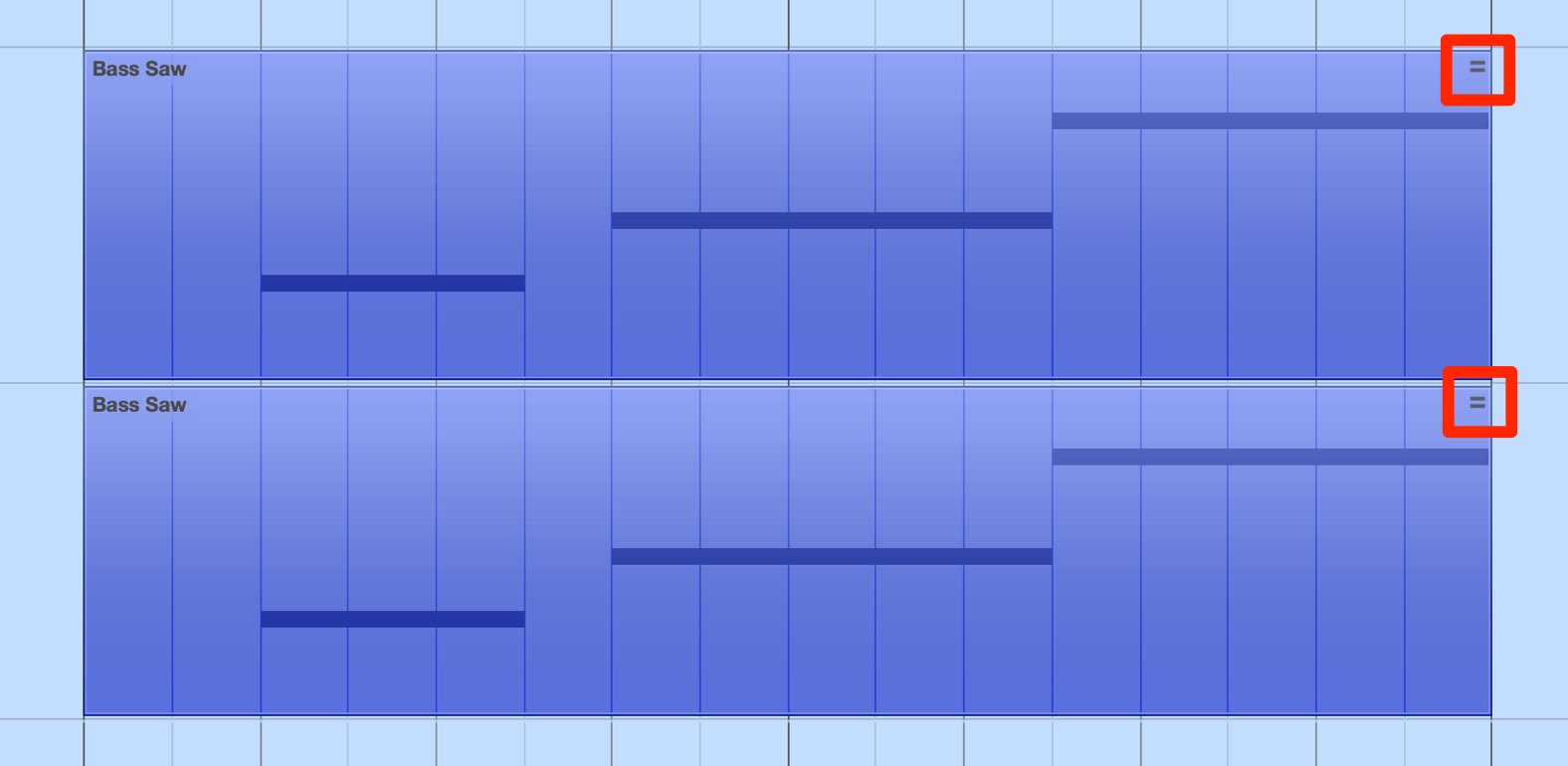
An "=" icon appears on the MIDI part.
Notes entered in either part are also reflected in the other part.
To unlink a shared copy and edit it independently:
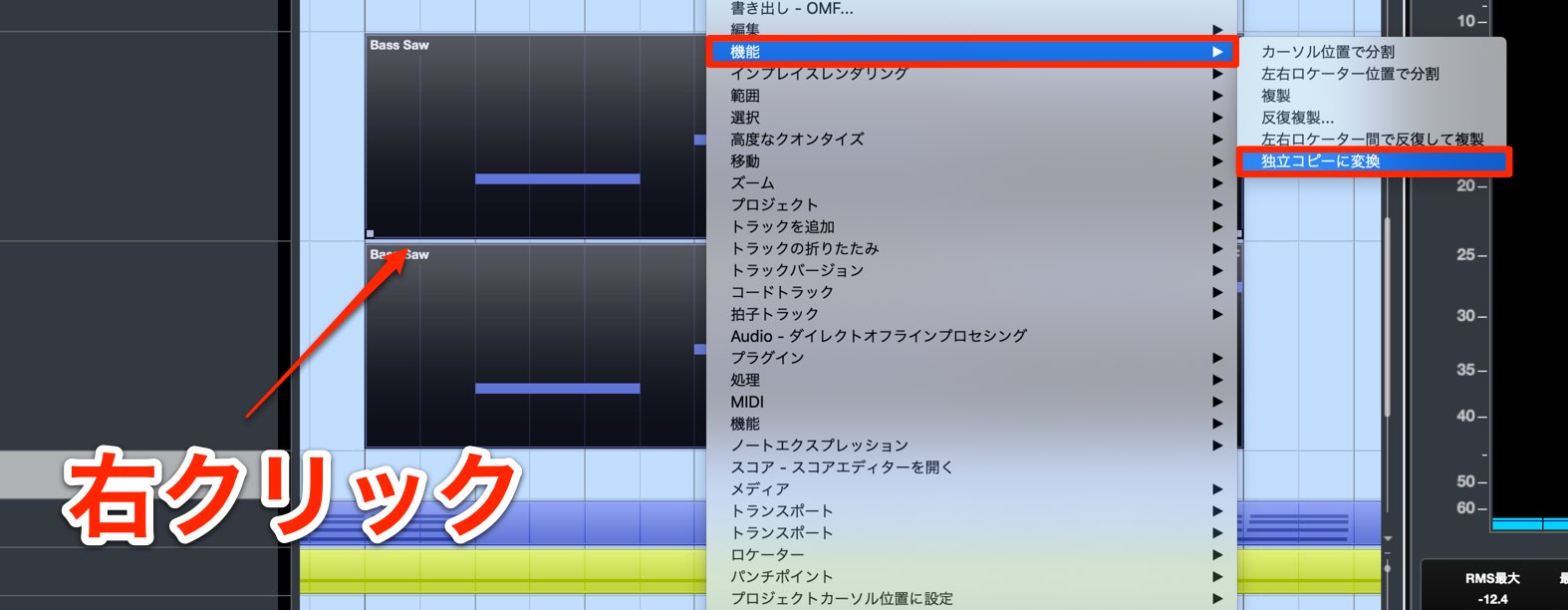
Select the desired MIDI part and right-click it.
From the menu, choose Functions > Convert to Real Copy to remove the shared link.
Note Placement and Length
The basic approach is to make the bass phrase lock in with the kick.
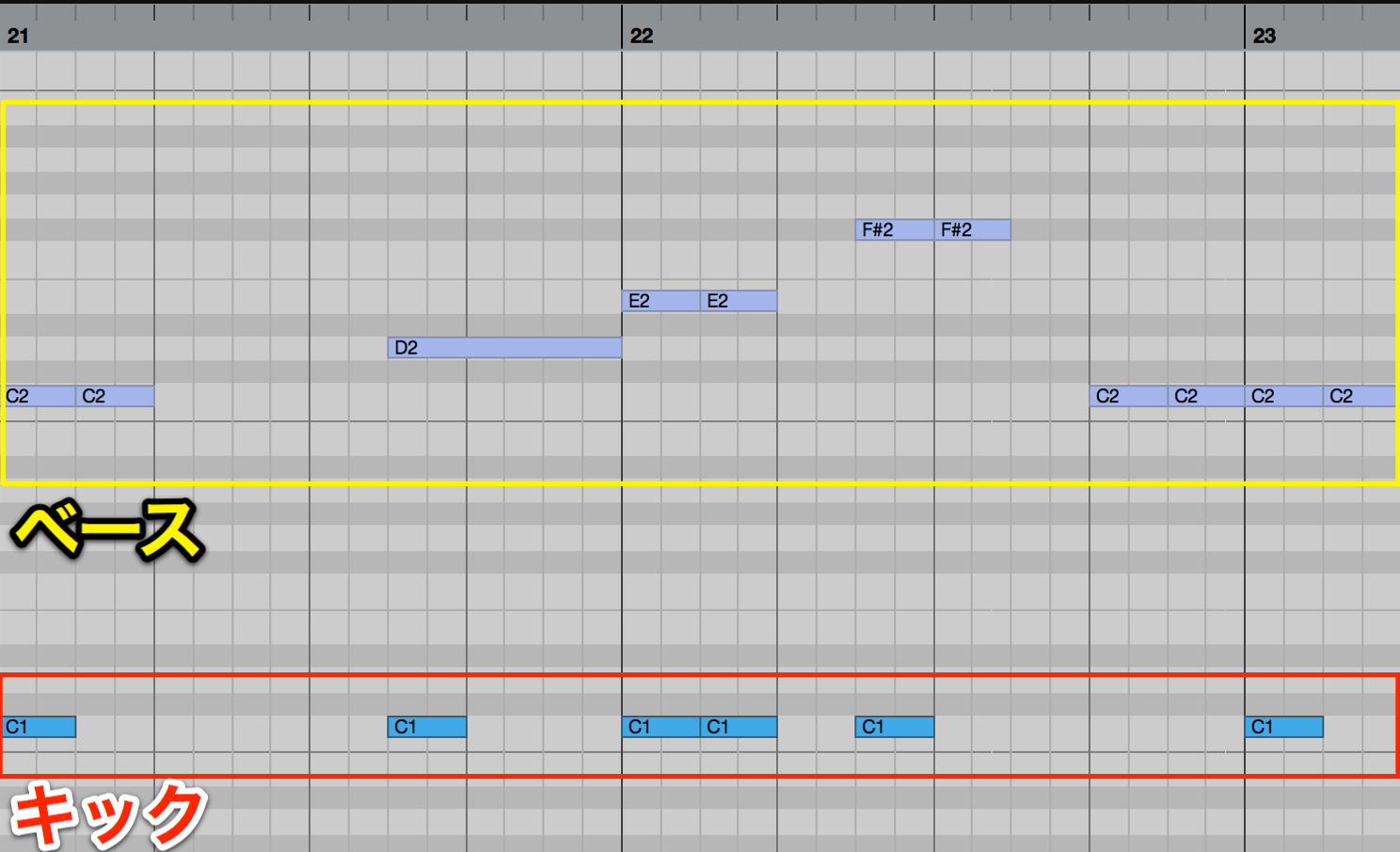
Enter the root of the chord at the same points as the kick, as shown here.
Then listen back and add chord tones wherever the phrase needs more movement.
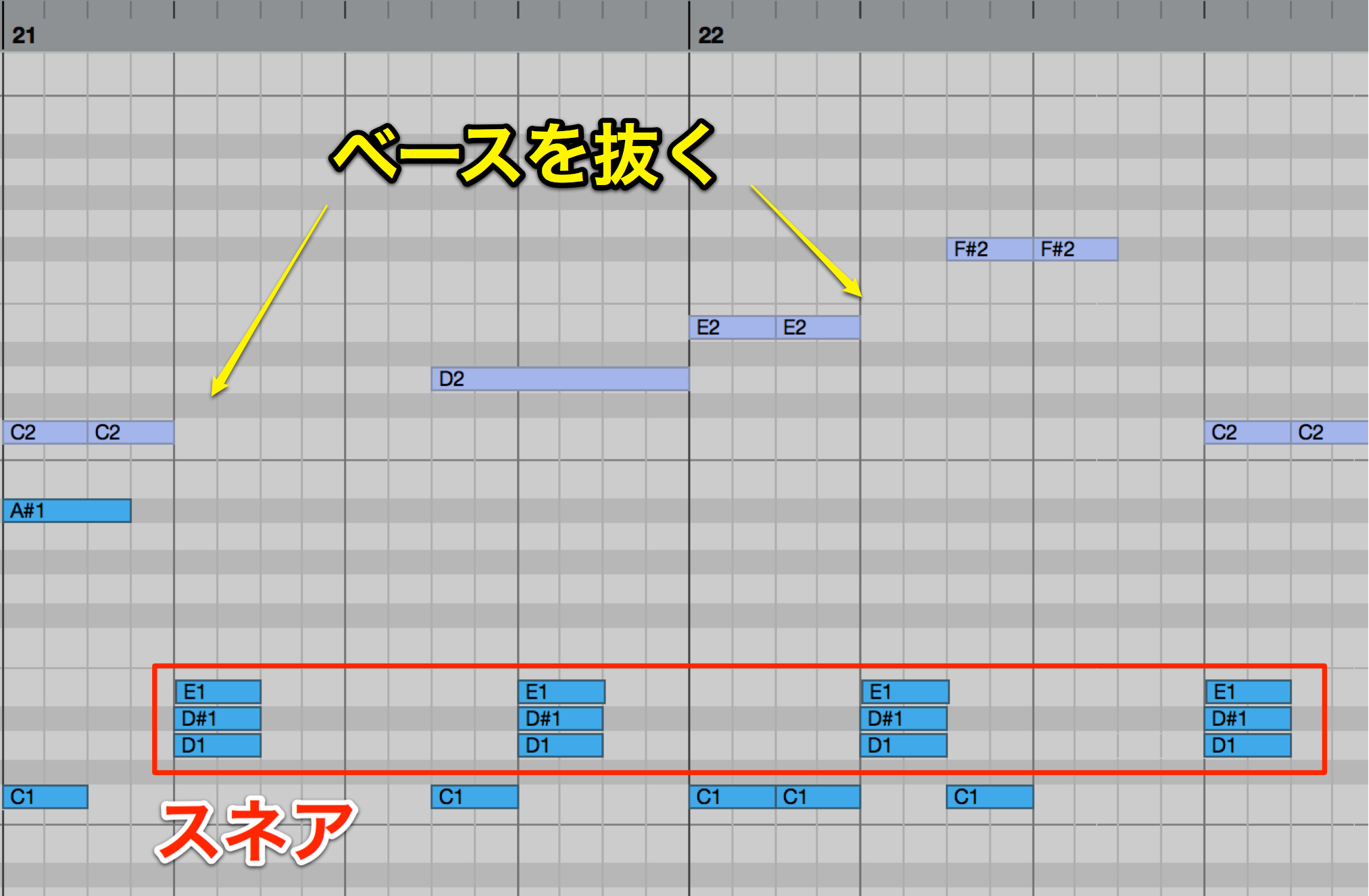
Note length also has a major effect on the groove.
Leave a gap in the bass at the snare on beat two to give the rhythm more shape.
Applying Pitch Bend and Glide
We can give the track more character by varying the pitches as they play.
Common ways to do this include pitch bend and glide.
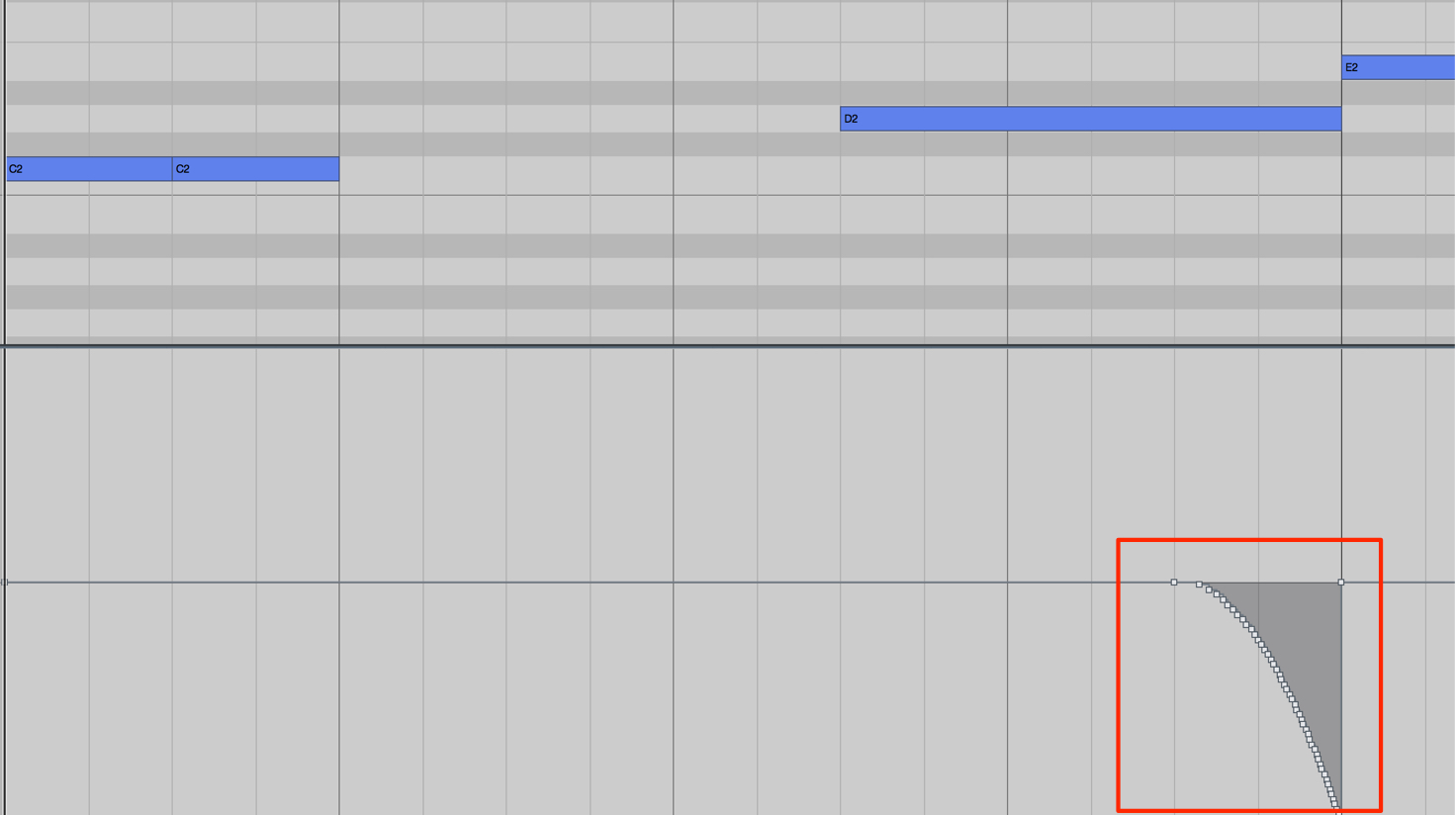
Here is an example of pitch bend.
Bending the pitch downward at the end of a longer note can add a memorable touch to the bass line.
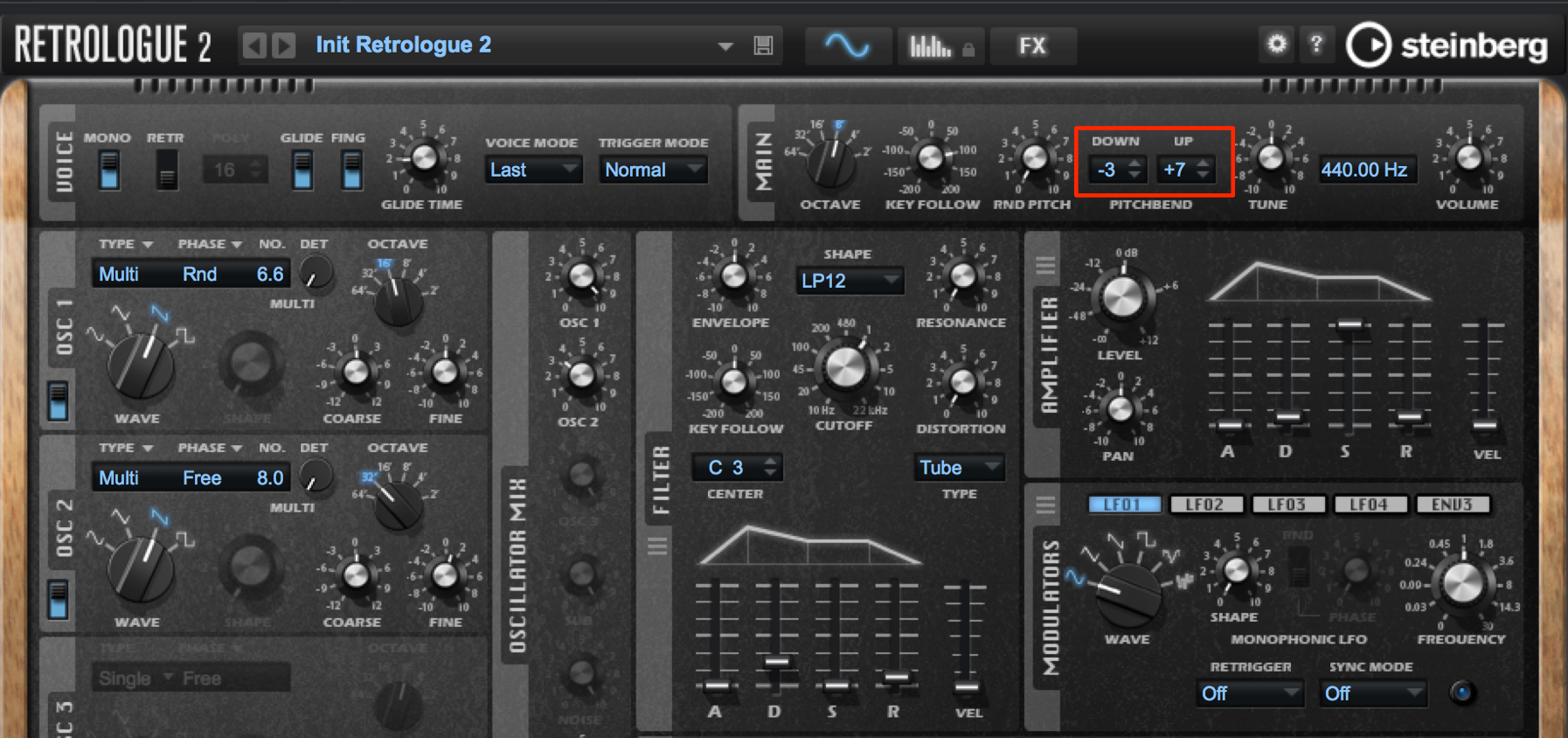
Retrologue's pitch-bend range sets the amount of pitch change in semitone steps.
Listen to the phrase while finding the setting that works best.
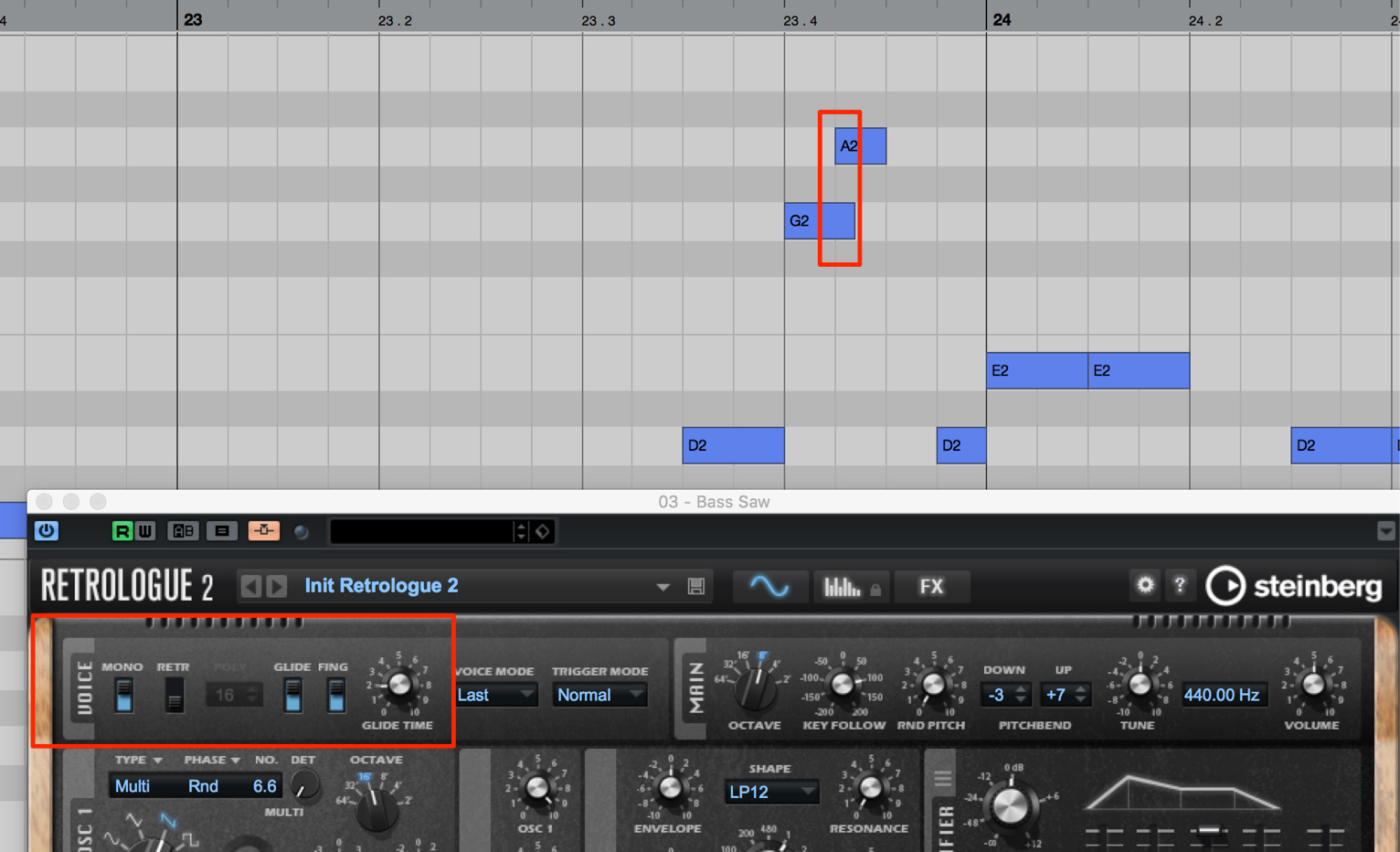
In passages where the bass line moves in sixteenth notes, apply glide so that the notes connect smoothly.
Applying Sidechain Compression
We now have the basic drum and bass tracks in place.
However, their rhythmic feel still seems a little flat.
To create a stronger sense of groove, we will use a technique called sidechain compression.
Changing the bass volume in response to the kick creates rhythmic movement.
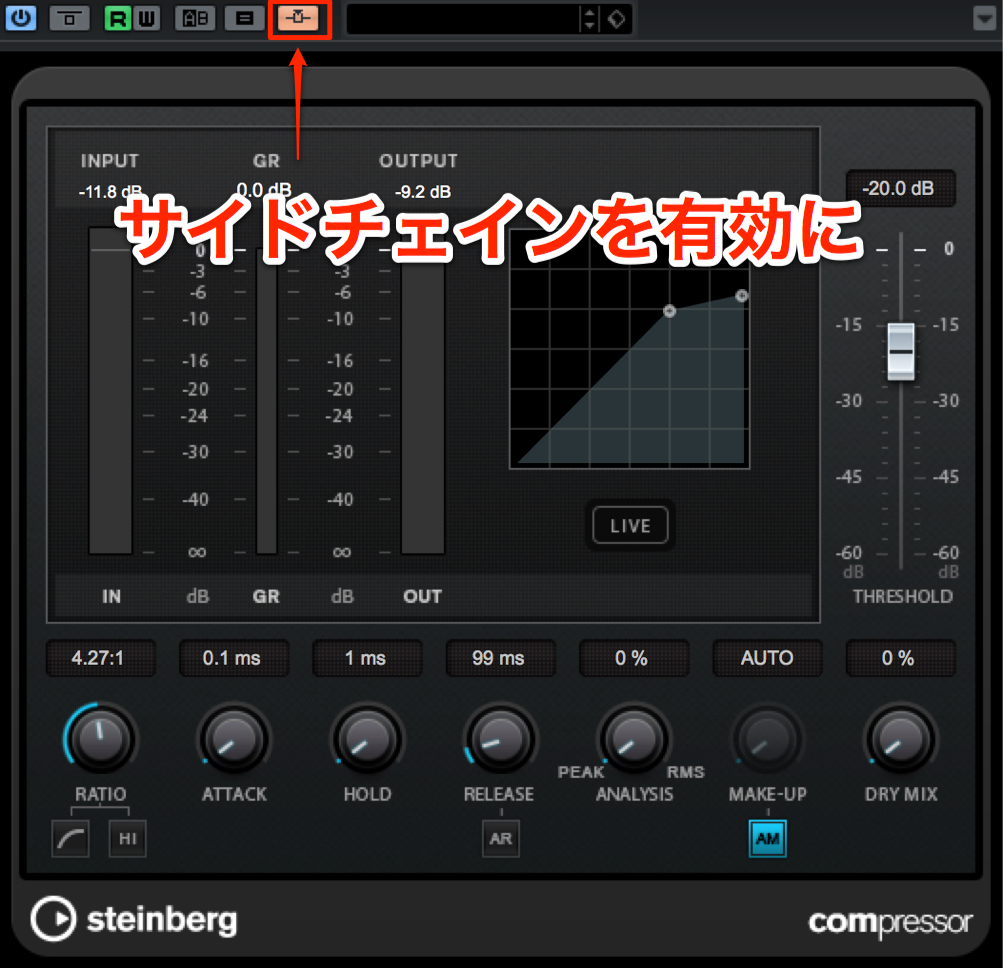
Insert a compressor on the bass track and enable its sidechain input.
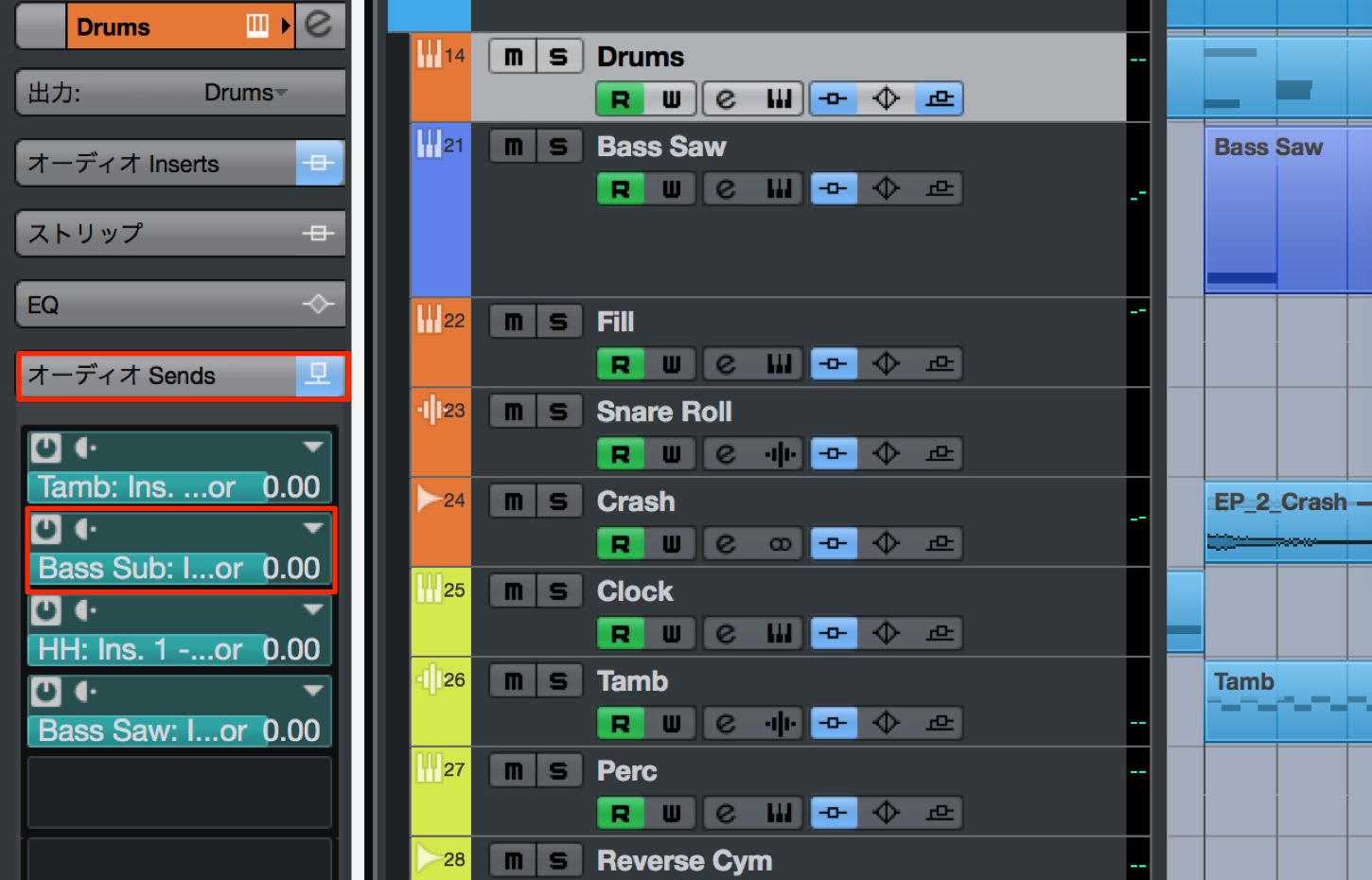
Enable a send on the kick track and route it to the compressor on the bass track.
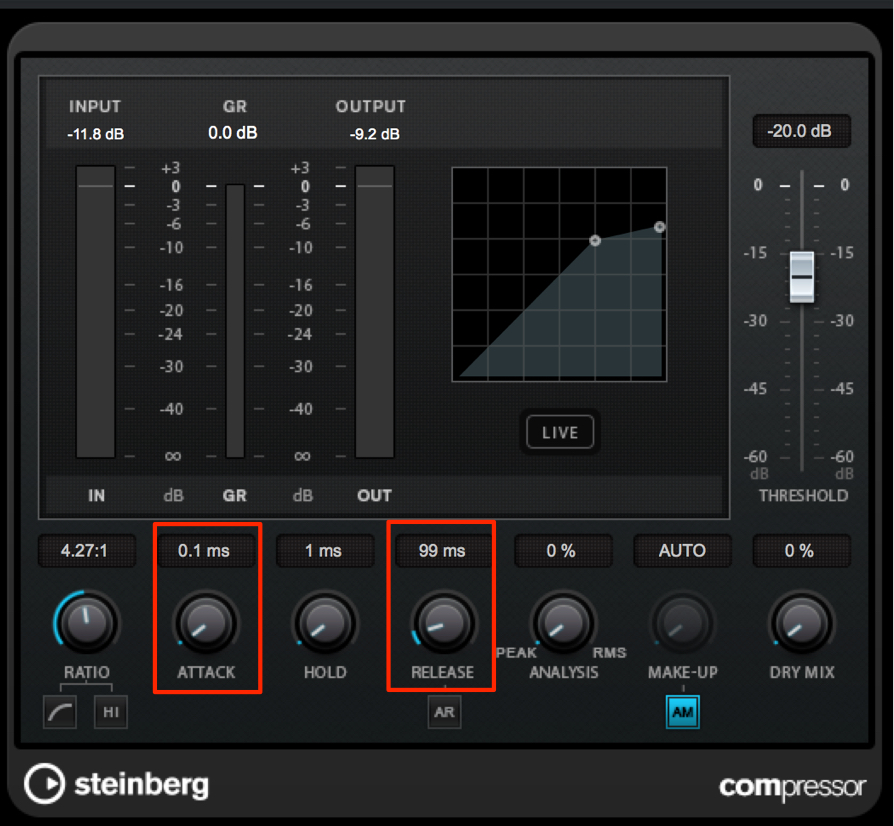
Set the compressor's attack time as fast as possible so that the bass volume drops immediately when the kick hits.
While listening, adjust the release time to control when the bass returns to its original volume and shape the groove.
Steinberg Distributor — Resources from Yamaha Music Japan Co., Ltd.
- Yamaha Music Japan MPP (YouTube) https://www.youtube.com/user/SteinbergJapan
- MPP (Twitter) https://twitter.com/SteinbergJP
- Sound Roster Music Production Show (Fresh!) https://freshlive.tv/ymjsoundroster

Product Page: https://japan.steinberg.net/jp/products/cubase/start
Frequently Asked Questions
Q1. Why use sub-bass when producing bass parts in Cubase?
It reinforces the low end of the main bass, adding thickness and weight. Typical choices include a sine wave with few harmonics or a rounded sound with the high frequencies filtered out. The sub-bass plays the same phrase as the main bass in unison, or one octave lower.
Q2. What is the basic approach to creating a bass phrase?
Place the root notes of the chords at the same points as the kick, and give the groove some rhythmic variation. Keep the bass and kick working together, then add chord tones to introduce movement into the phrase.
Q3. How can pitch bend and glide be used in bass phrases?
Use pitch bend to bend downward at the end of a longer note for a distinctive effect. Apply glide to passages with sixteenth-note movement to connect the notes smoothly and make the bass line flow naturally.
Q4. What does sidechain compression do?
It creates a stronger groove by changing the bass volume dynamically in response to the kick. The bass volume drops quickly when the kick hits, and the release time determines how it returns, shaping the rhythmic feel.
NEW ARTICLES
Latest English Articles



























































































































































































































































































