
Wave Shredder Nano is an audio plug-in combining a gate and distortion for glitch effects or adding weight to a track. It has Gate, Dry/Wet Mix and low-pass filter sections. Adjust the threshold and choose Zero or DC mode, blend the processed and original signals, and filter the result to shape a distinctive sound.
Control level and distortion to create distinctive sounds
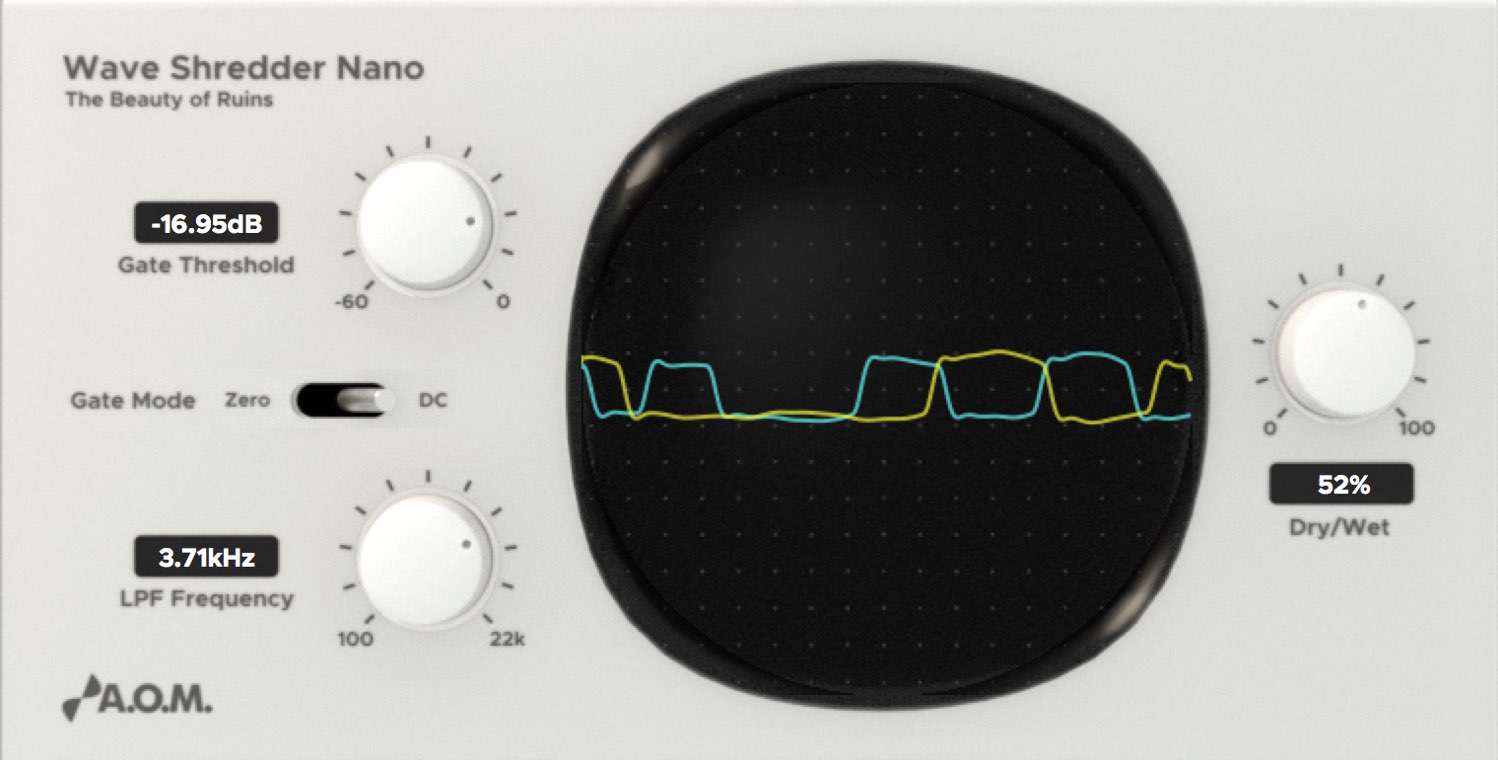
Wave Shredder Nano is a plug-in with a gate for controlling volume and a way to create musical distortion.
It is useful for glitch effects often heard in EDM or for adding character and weight to a track.
Let’s hear it and explore how it works.

The original promotion offered four A.O.M. plug-ins when purchasing an eligible UR series interface
or Cubase product bearing the campaign sticker.
This was a limited-time offer.
The download deadline was extended by one month to August 31, 2017; the campaign has ended.
The promotion specified use with 64-bit Cubase.
Video: Using Wave Shredder Nano
- 1Invisible Limiter Nano and optimizing loudness
- 2Using Tau Compressor
- 3Using Wave Shredder Nano for glitch effects
- 4Using 009VU
- Campaign company websites
A.O.M.: http://aom-factory.jp/ja/
Steinberg: http://japan.steinberg.net/ - A.O.M. plug-in giveaway campaign page
https://japan.steinberg.net/jp/shop/aom_plugins_campaign.html
Shaping sound with Wave Shredder Nano
Wave Shredder Nano has three sections for shaping sound.
Each parameter plays an important role.
Gate section
The effect acts on signal below the level set with the threshold knob.
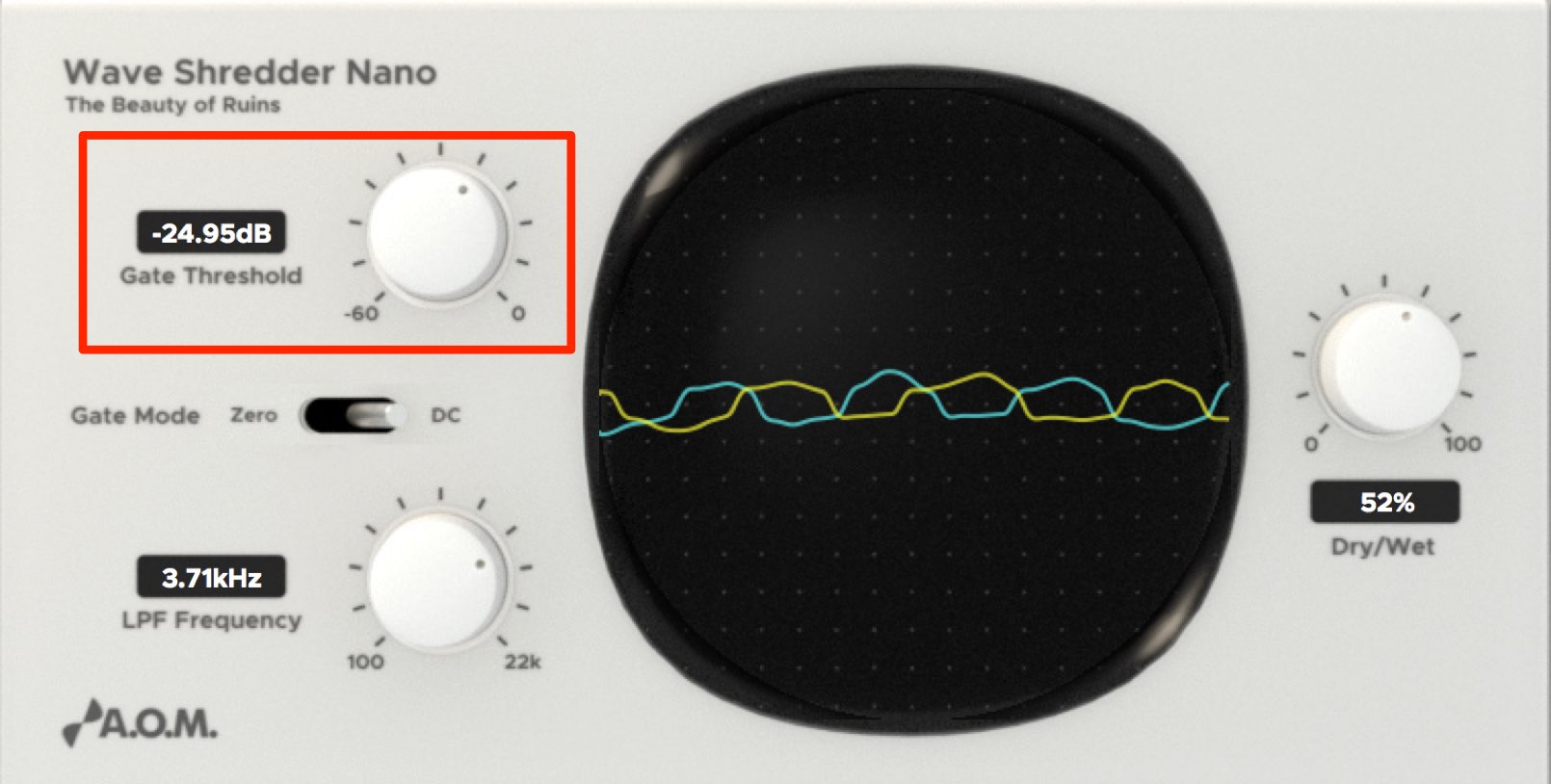
Adjust the threshold knob
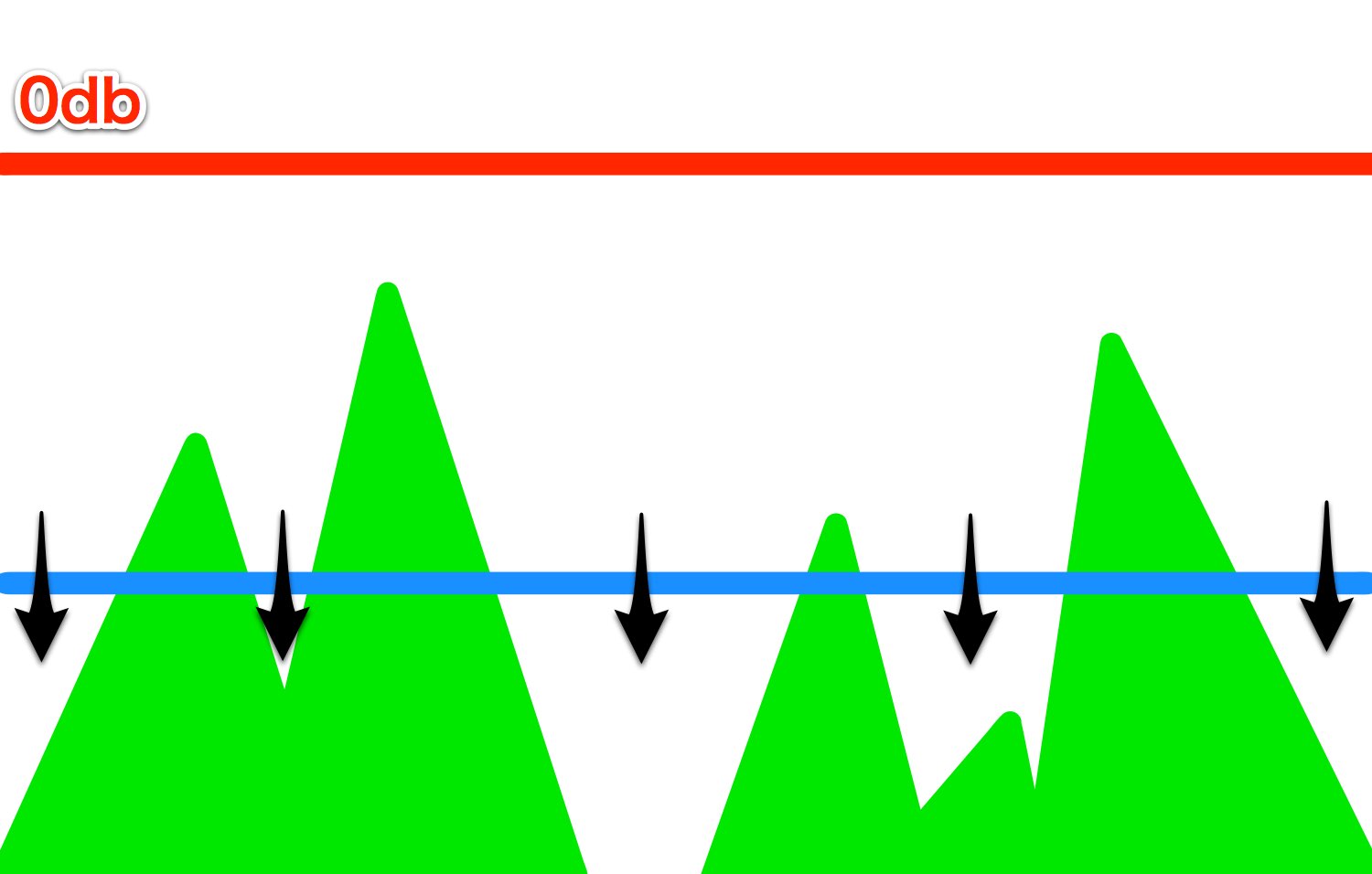
to set the threshold relative to the waveform.
Signal below that value is affected.
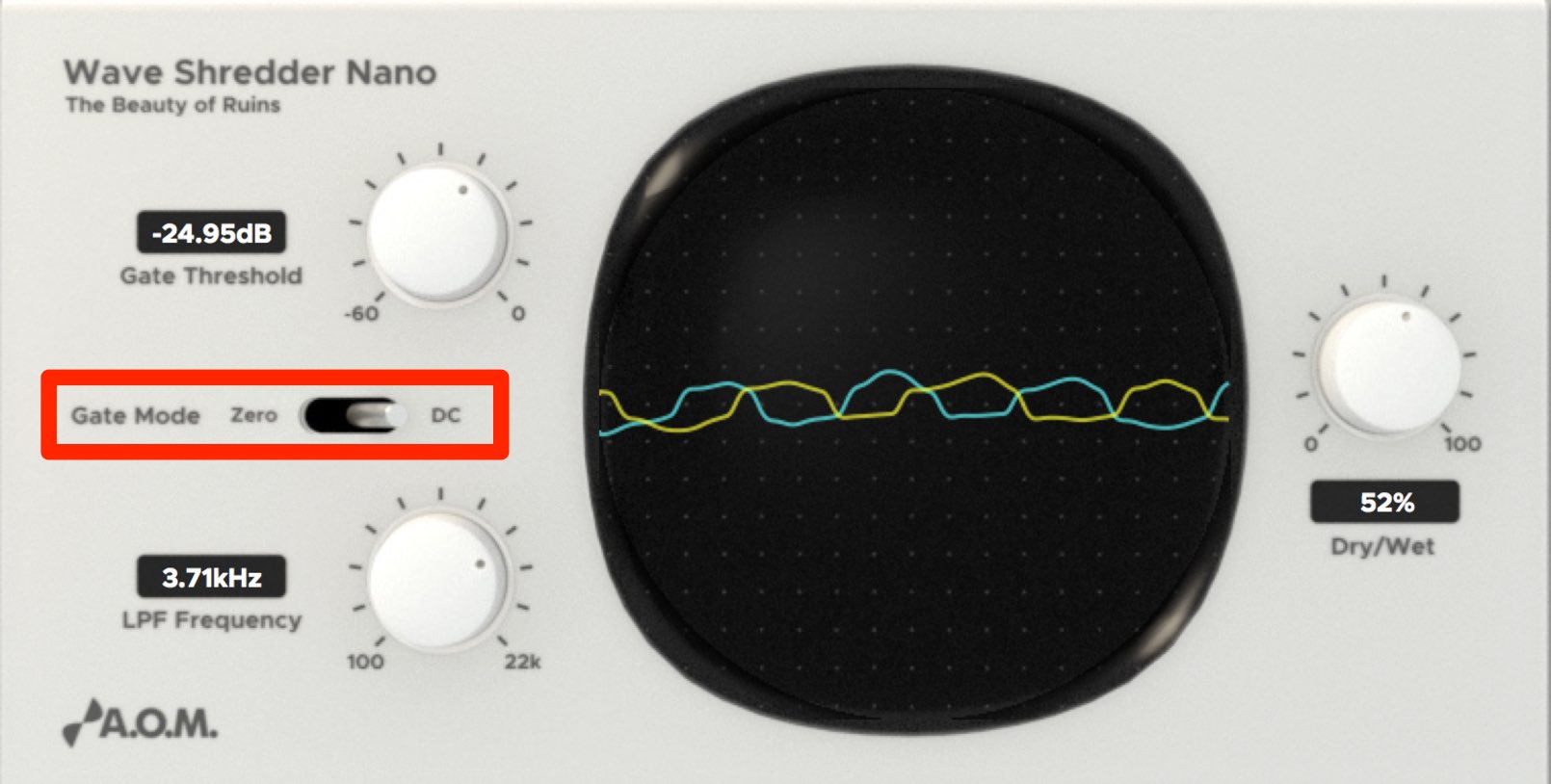
Use Gate Mode to choose what happens when the signal falls below the threshold.
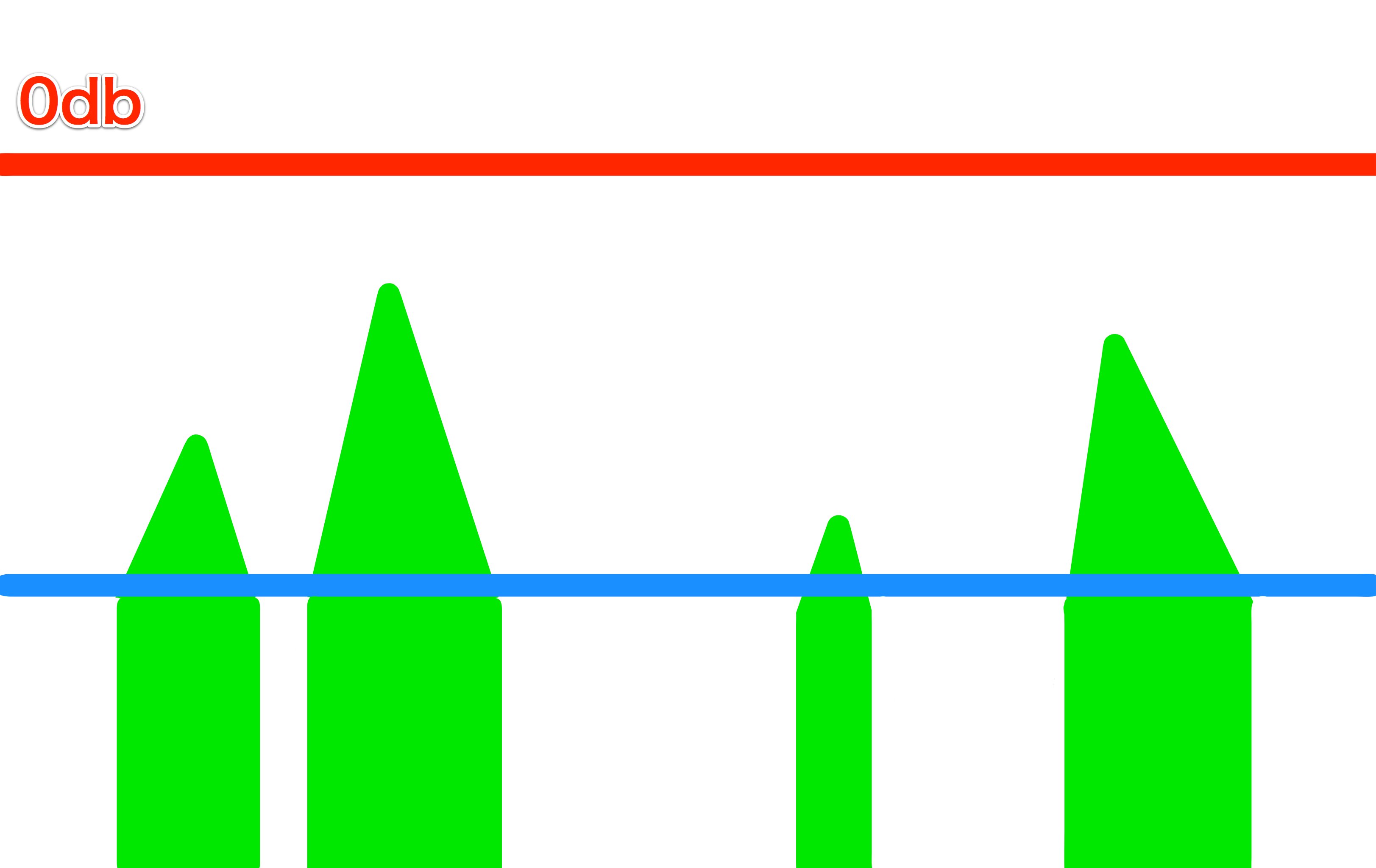
When Zero is selected, signal below the threshold is cut to silence.
This is similar to a gate effect.
Raising the threshold can also add distortion to signal above it.
Use the chopped character and distortion to create glitch sounds.
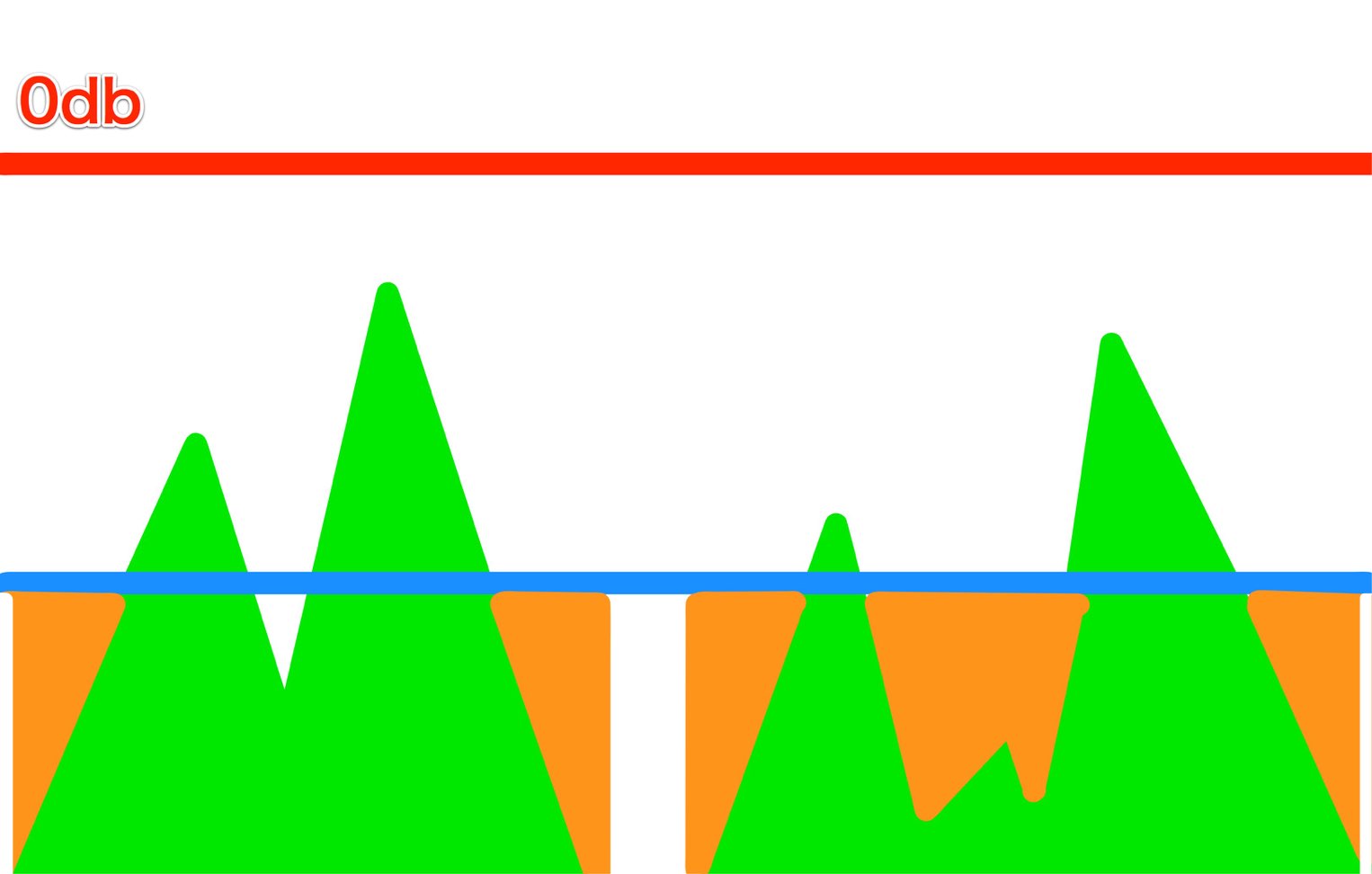
When DC is selected, signal below the threshold is brought up to the threshold value.
This can produce a thicker, distorted character.
Dry/Wet (Mix) section
Blend the processed Gate-section sound with the original, unprocessed signal.
Fine-tune the balance to suit the song.
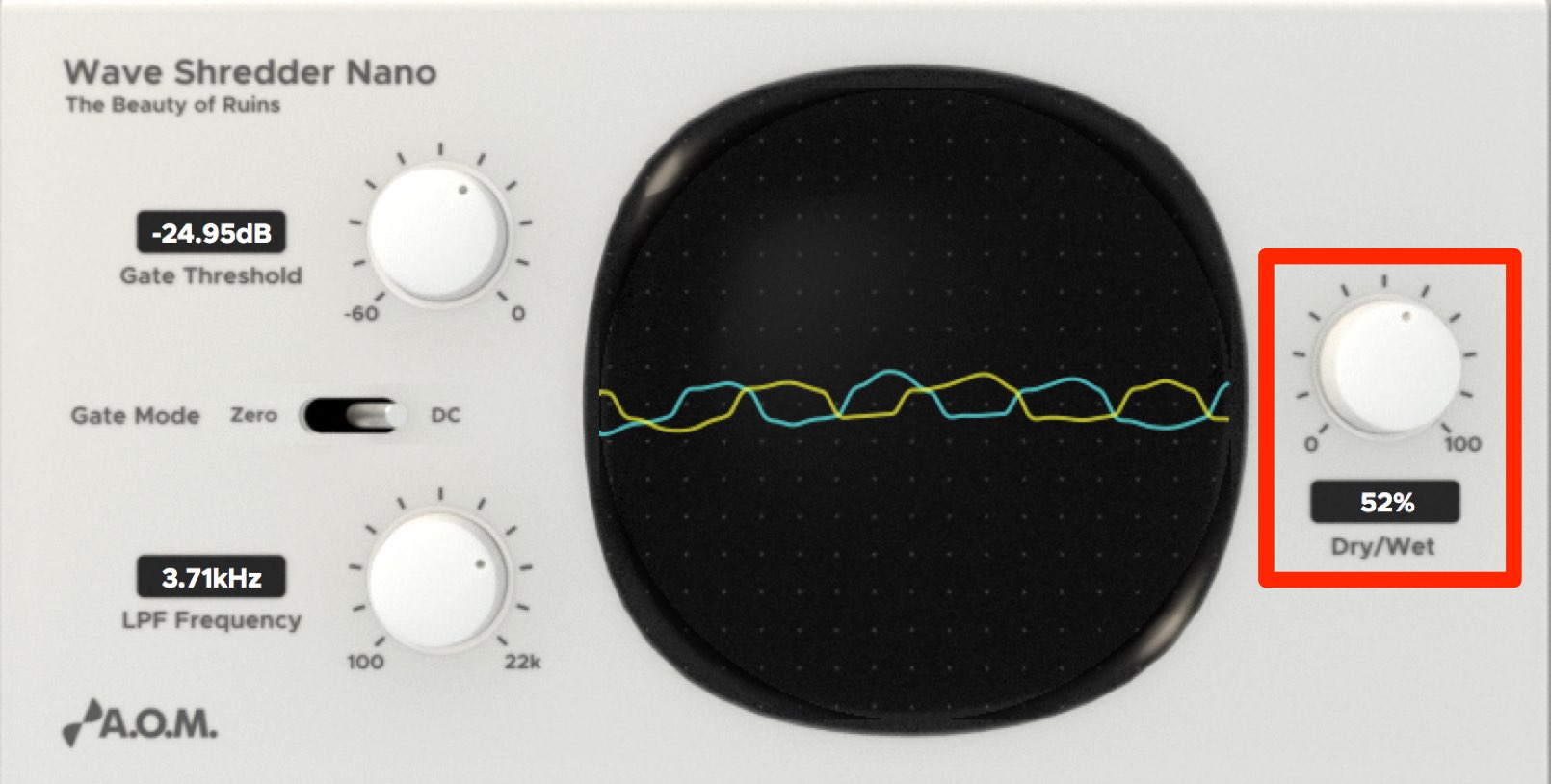
- Dry: the original signal before the plug-in.
- Wet: the signal after processing.
You can set strong distortion in the Gate section and blend in Dry to add distortion while retaining the original character.
For a chopped glitch sound where you do not want the original signal, set Wet to 100%.
LPF section
The low-pass filter reduces high frequencies to soften the sound.
It can help a track sit in the backing mix.
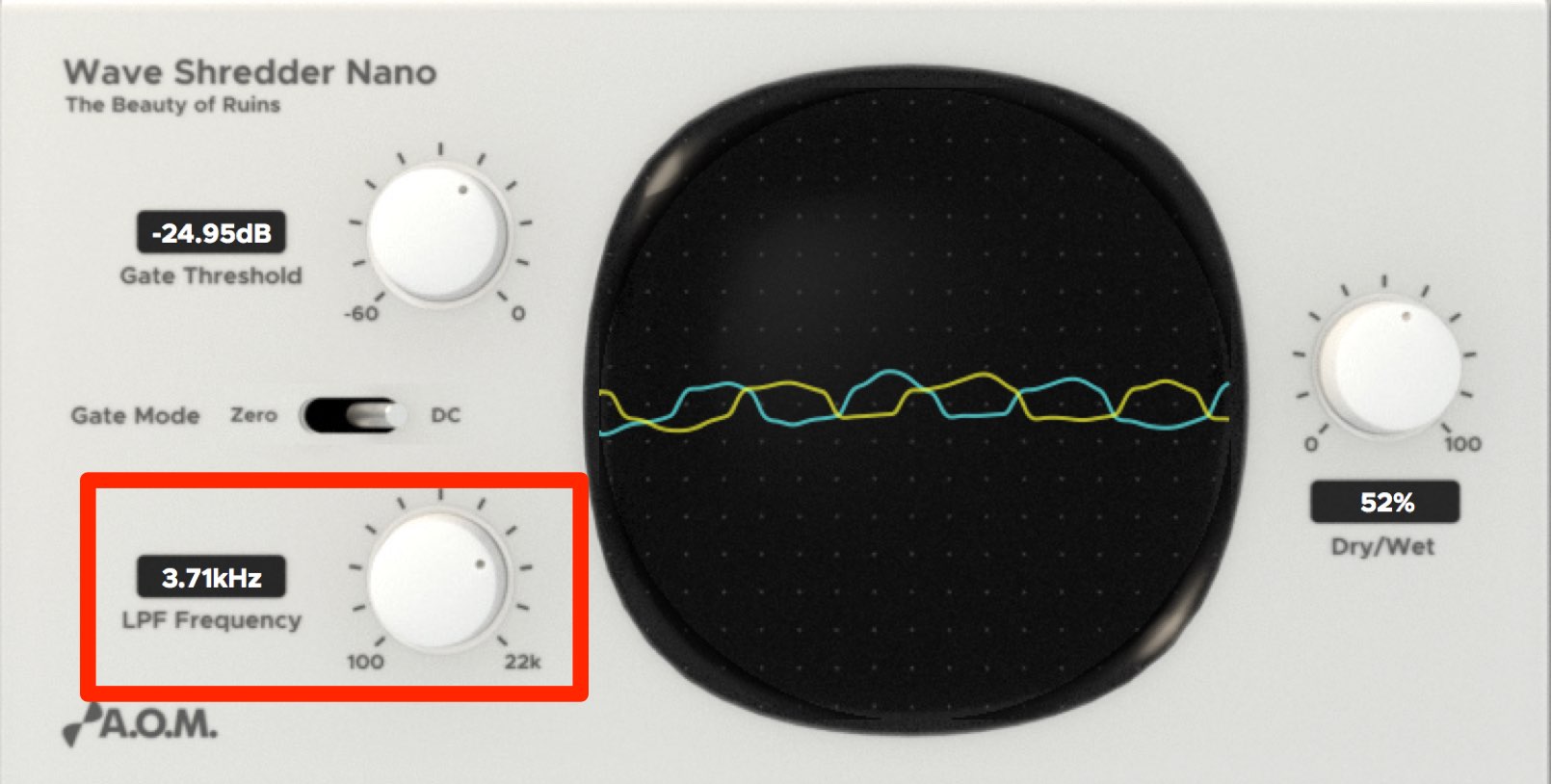
Turn the knob to find a suitable cutoff.
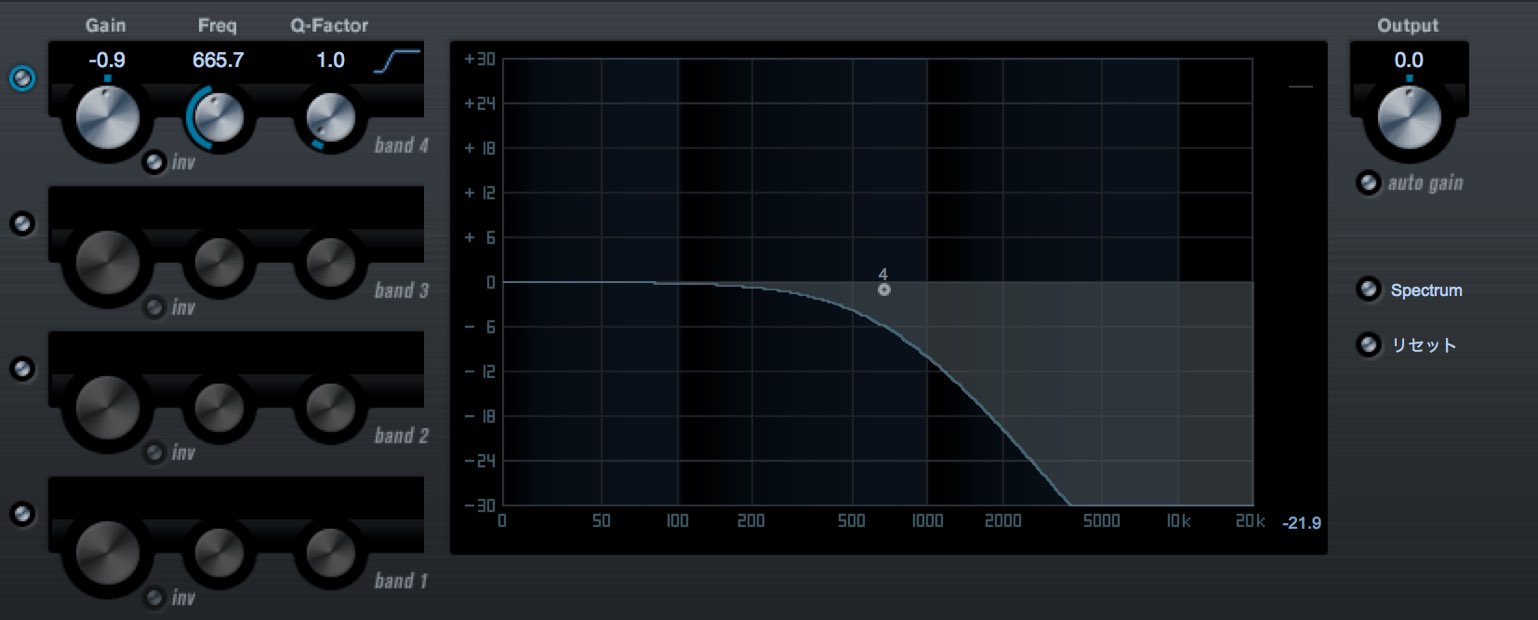
The image illustrates how the filter works.
It can also tame an overly harsh sound, so adjust it while listening in the mix.
The low-pass filter affects both the Dry and Wet signals.
Wave Shredder
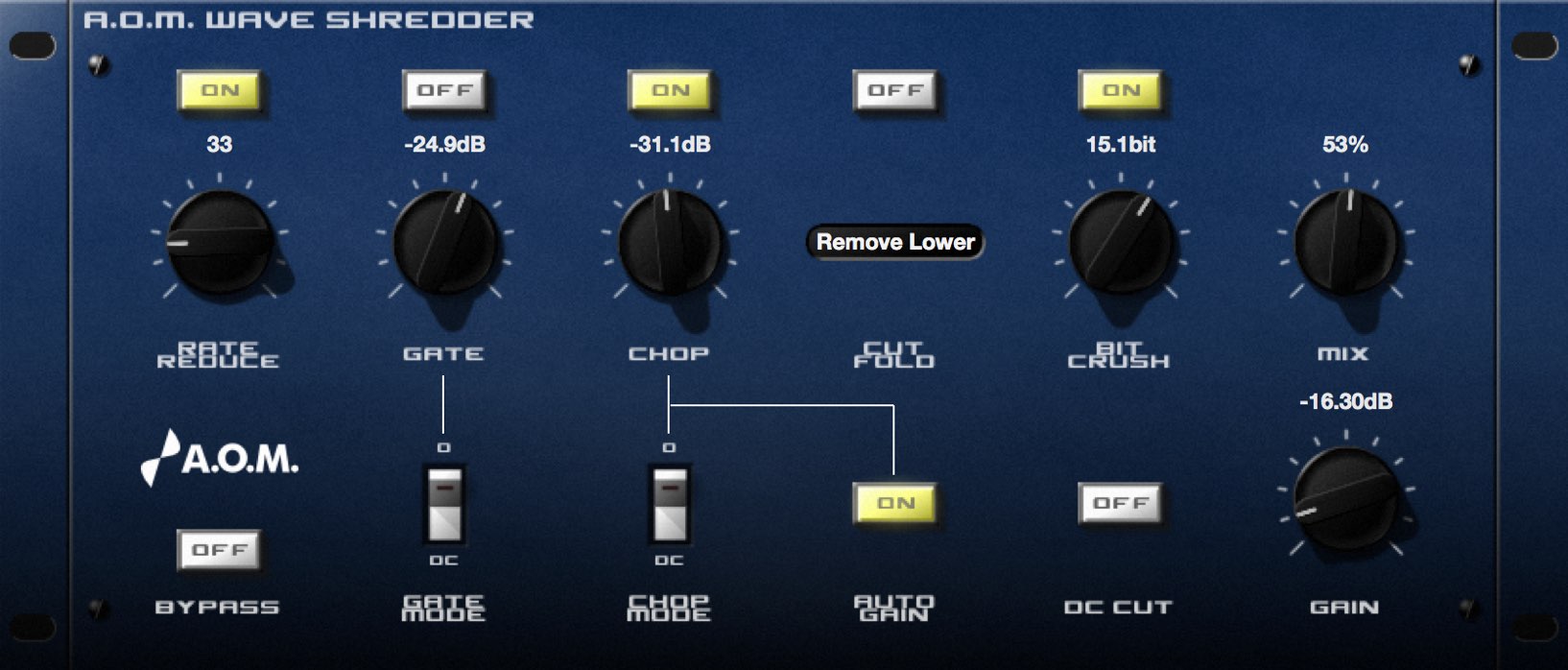
If you like the plug-in, you can also try the fuller Wave Shredder version.
- Use the chop function for more detailed distortion control.
- Create lo-fi sounds with bitcrushing.
- Control volume with a gain knob and auto-gain button.
These and other features
can add further sound variations to your tracks.
- Campaign company websites
A.O.M.: http://aom-factory.jp/ja/
Steinberg: http://japan.steinberg.net/ - A.O.M. plug-in giveaway campaign page
https://japan.steinberg.net/jp/shop/aom_plugins_campaign.html
Frequently asked questions
Q1. How do Zero and DC modes in the Gate section differ?
Zero cuts signal below the threshold to silence, creating a chopped effect. In DC mode the waveform below the threshold is brought to the threshold value, producing a thicker, distorted character. Choose according to the effect you want.
Q2. How should I set Dry/Wet for a glitch sound?
Blend in Dry if you want to retain some original signal. For a more pronounced chopped effect, try 100% Wet, then adjust to suit the song.
Q3. What is the LPF section for?
The low-pass filter reduces high frequencies, softening a harsh sound and helping it sit in the backing mix. It affects both Dry and Wet.
NEW ARTICLES
Latest English Articles



























































































































































































































































































































































