
Editing clips you have placed in FL Studio is an important step in building a song arrangement. This guide demonstrates five basics: choosing a Snap value, quickly copying with Shift, merging pattern clips, splitting with the Slice tool and changing clip lengths. Practicing these operations gives you more control over the details of an arrangement and helps you work efficiently.
Edit Placed Clips

In the previous lesson we covered placing clips.
Were you able to arrange each pattern?
Now we will edit the clips to build the structure of the song.
Trying each operation in a real project will help you understand it more deeply.
Video Tutorial
Choose a Snap Value for Editing
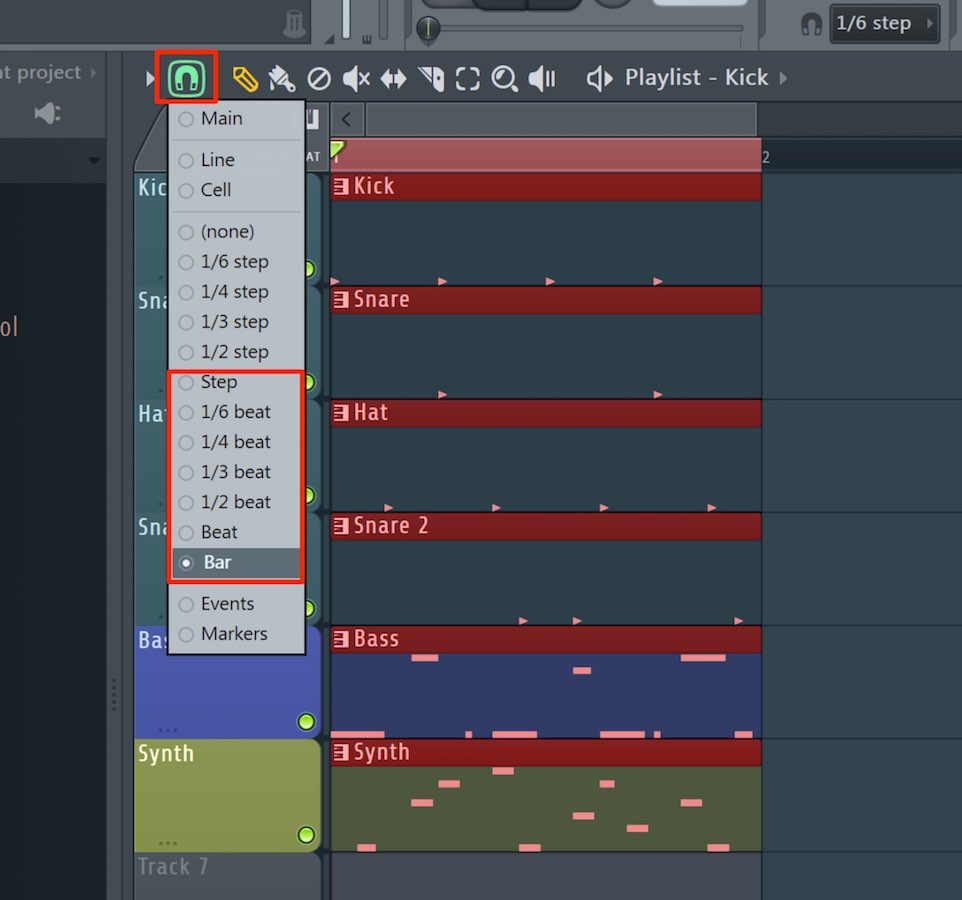
In general, editing follows a note-length grid set by Snap.
Operations such as moving, placing, selecting and resizing depend on the Snap setting.
Before editing, choose a Snap value that suits the task.
Copy Clips Quickly and Easily
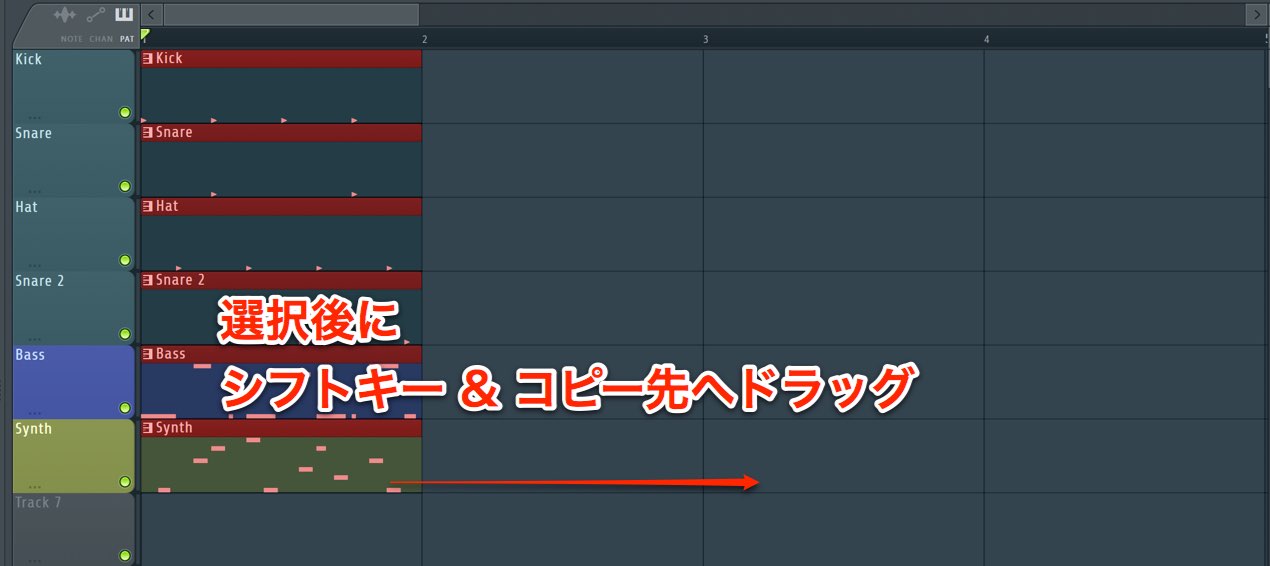
To make a copy, select the clip and drag it to the destination while holding Shift on your keyboard.
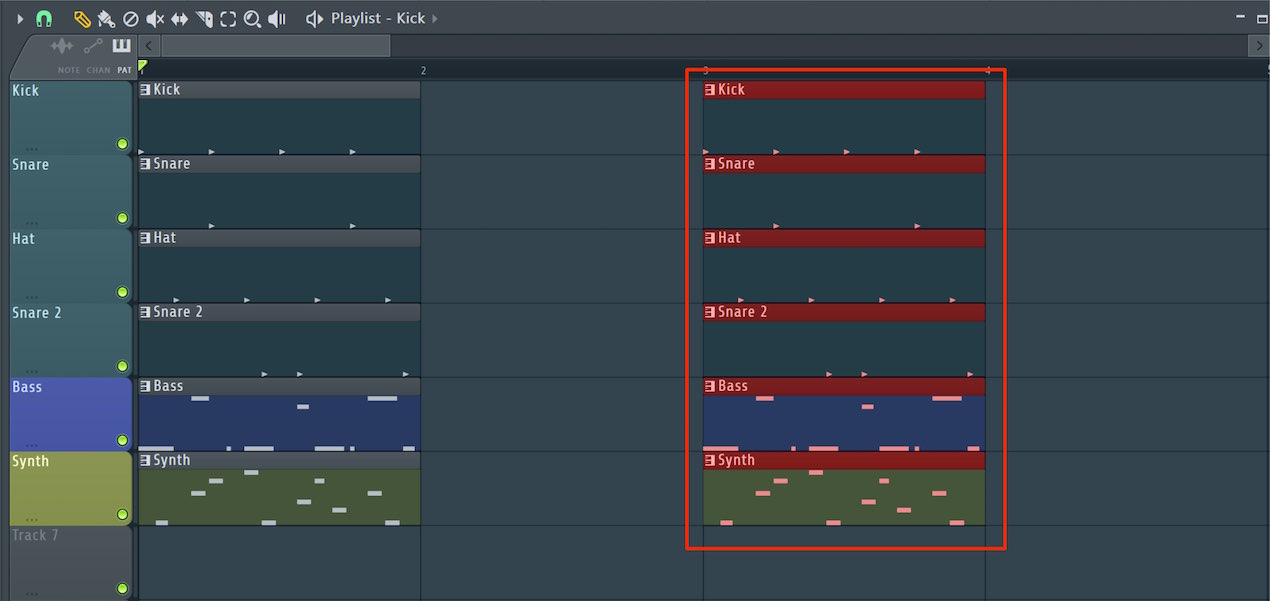
This creates a copy as shown.
It is a handy method you will use often while working.
Merge Multiple Clips into One
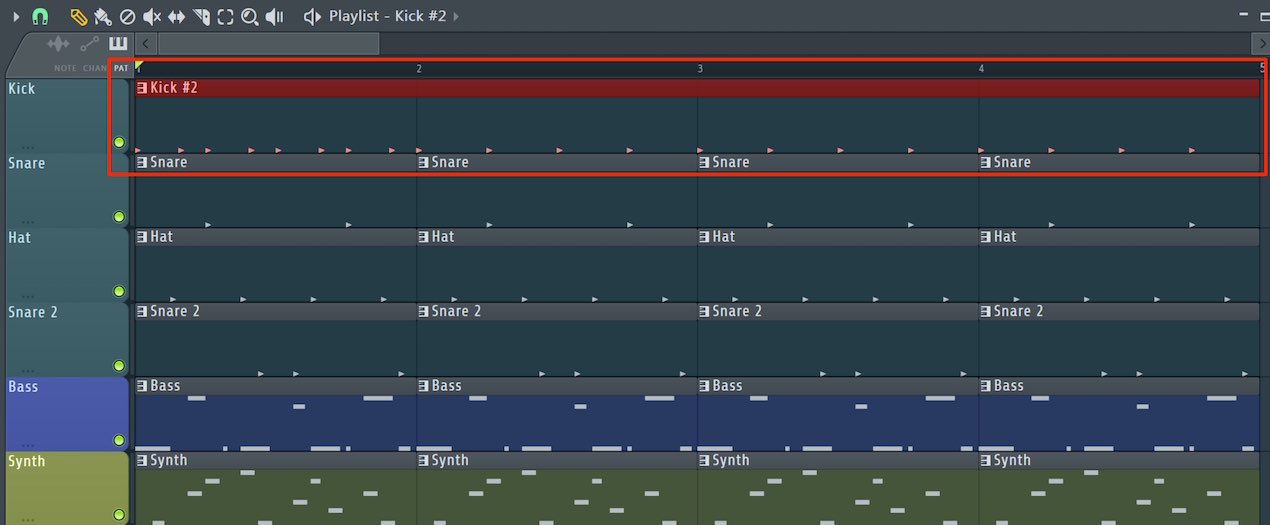
You can merge multiple pattern clips into one to make them easier to manage.
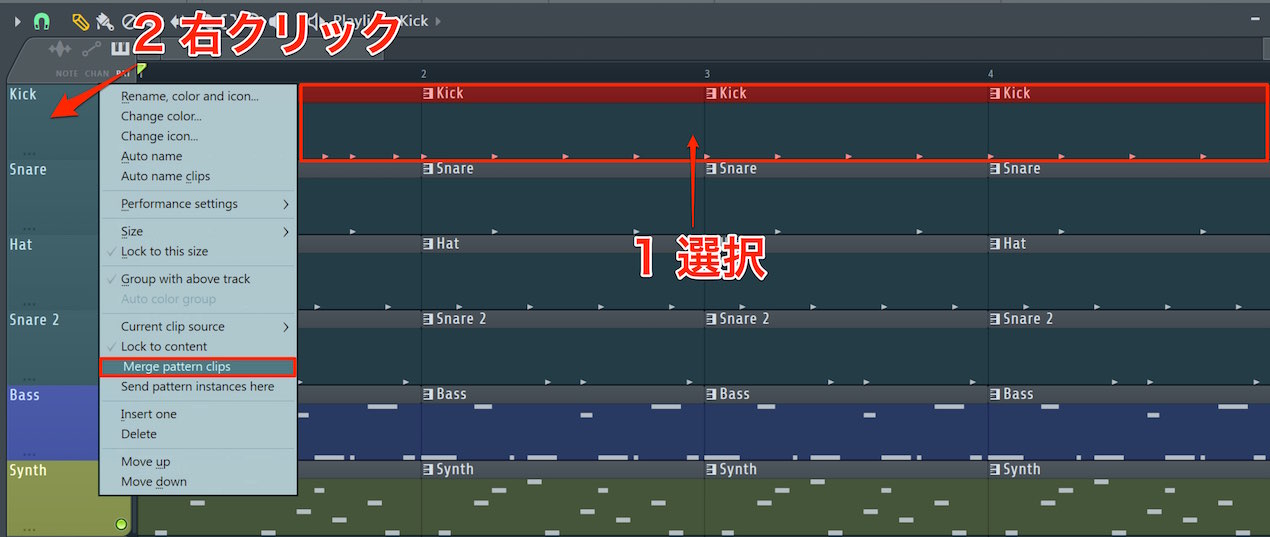
Select the clips you want to merge and right-click the track.
Then choose “Merge pattern clips” from the menu.
Split a Clip
Splitting a clip lets you edit smaller sections individually.
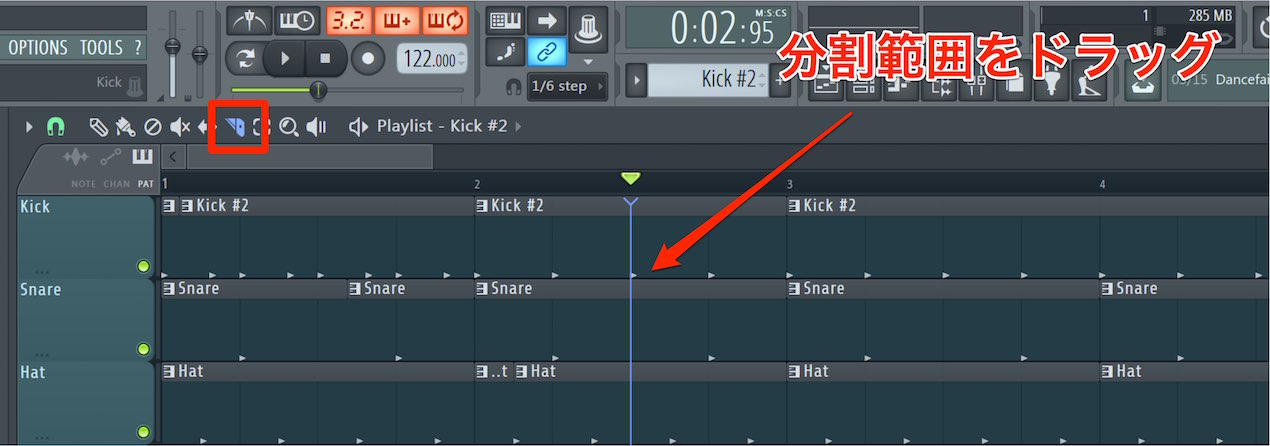
Select the Slice tool and drag vertically across the point where you want to split the clip.
Change a Clip’s Length
You may need to change a clip’s length while editing.
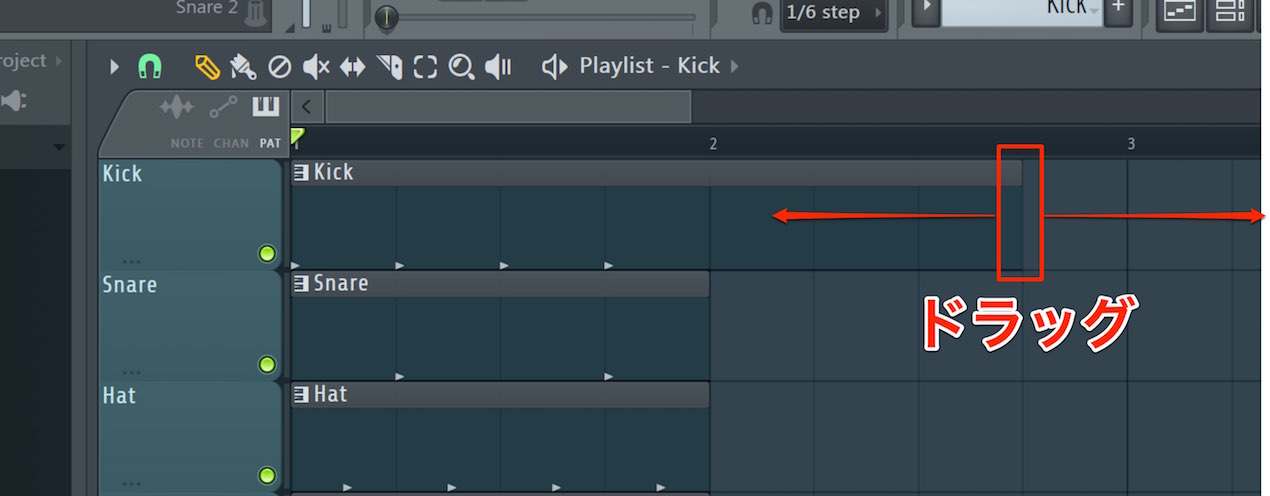
Drag the edge of the clip left or right.
In the next lesson, we will use these features to develop the song arrangement.

Frequently Asked Questions
Q1. What is an easy way to copy a clip in FL Studio?
Select the clip and drag it to the destination while holding Shift. This convenient method is useful throughout a project.
Q2. How do I combine multiple clips into one?
Select the pattern clips you want to combine, right-click the track and choose “Merge pattern clips” from the menu.
Q3. Why is Snap important when editing clips?
Setting Snap in advance gives operations such as moving, placing, selecting and resizing a note-value grid, making editing more precise and efficient.
Q4. What is the benefit of splitting a clip?
Splitting lets you work on smaller sections, giving you more freedom to refine details and create variations in your arrangement.
NEW ARTICLES
Latest English Articles











































































































































































































































































































































































































































