KOMPLETE KONTROL’s chord feature makes it possible to explore chord progressions intuitively without extensive music theory knowledge. It works with the key and scale settings and offers Harmonizer and Chord Set modes. Harmonizer builds chords from scale degrees, while Chord Set maps commonly used chords across the keyboard. These options can help you move beyond familiar progressions and discover new ideas.
Create Chord Progressions Intuitively
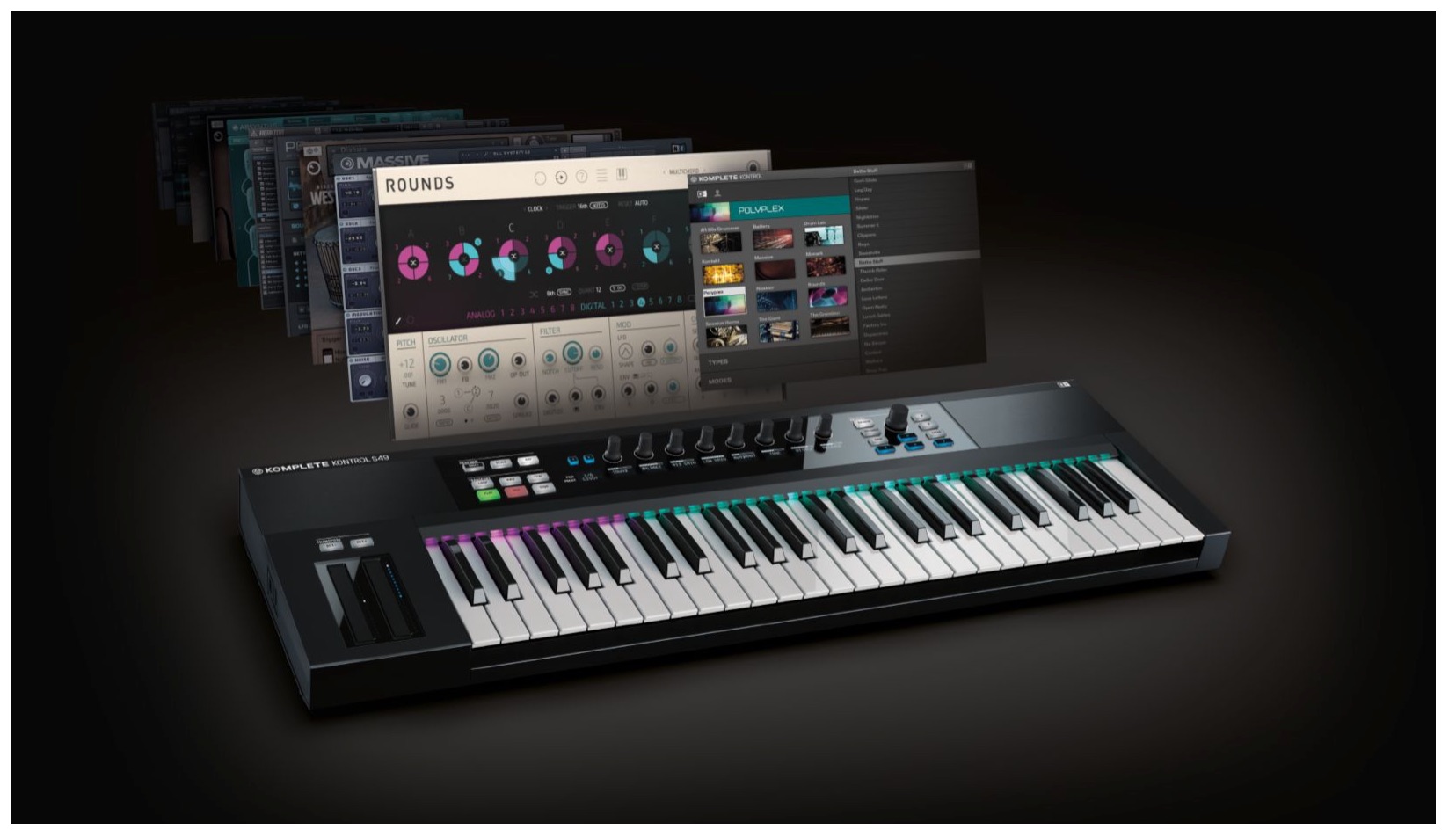
Once you understand the scale feature,the chord featureis next.
As the name suggests, it generates chords automatically,
making it easy to add chords to a song even without chord theory knowledge.
The key to this feature isits integration with the scale feature.
Set a key and scale, and chords based on their notes can be played.
It can also help you break out of familiar chord patterns and discover new progressions.
Komplete Kontrol Video Tutorials
- 1Product Overview
- 2Browsing
- 3Light Guide and Clear View Display
- 4Scale Feature
- 5Chord Feature
- 6Arpeggiator
- 7Automation and MIDI Mode
- 8What’s New in Komplete Kontrol 1.1
- 9What’s New in KOMPLETE KONTROL 1.5
- 10What’s New in KOMPLETE KONTROL 1.6.2
- 11KOMPLETE KONTROL 1.9.3: Streamlining Your Workflow with DAW Control
- 12Komplete Kontrol 1.9.3 Host Integration: Cubase
- 13KOMPLETE KONTROL 2.0: NKS FX
- 14Maschine / Komplete Kontrol Favorites
At the time of this tutorial, purchasing KOMPLETE KONTROL
included a bundle of 10 products calledKOMPLETE SELECT; current bundle contents may differ.
Enabling the Chord Feature
The procedure is similar to the scale feature in the previous tutorial.
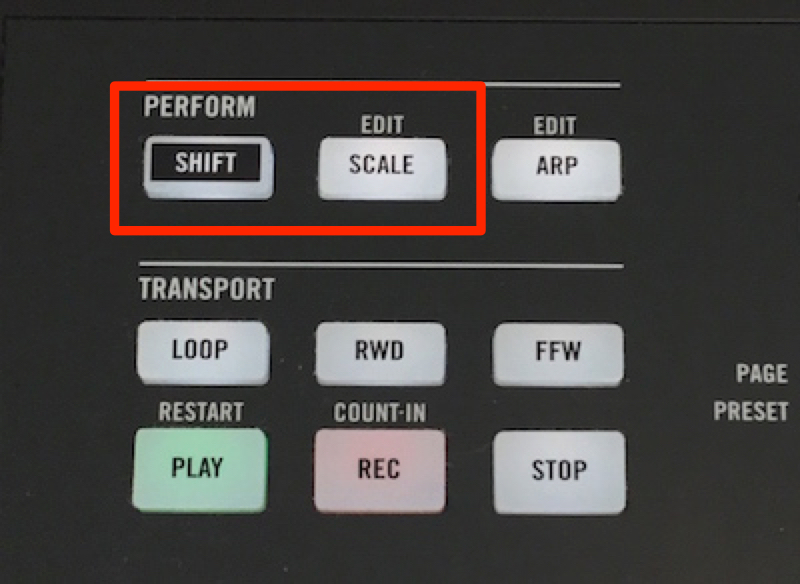
Press SHIFT + SCALE.
This opens the scale settings.
Repeat the same operation to exit the scale settings.
Turn on SCALE so that the button lights up to enable the feature.
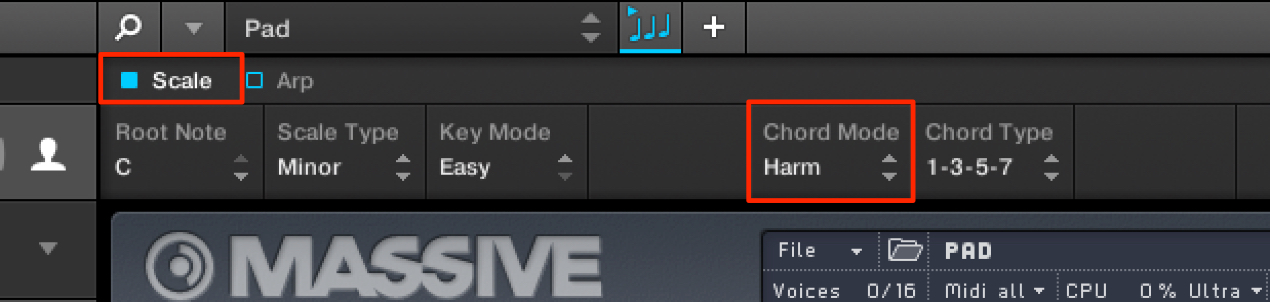
Enable Scale, then enable Chord Mode.
Chord Mode has three settings.
- Off: The default setting; the chord feature is disabled.
- Harmonizer: Generates chords based on the selected key and scale.
- Chord Set: Maps chords suited to the key across the keyboard.
In this mode, the scale setting is disabled.
Harmonizer Mode
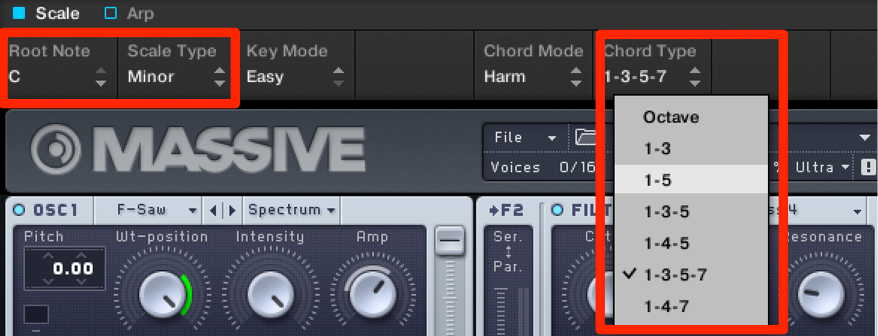
Chords are created by combining notes from the selected key and scale.
Specify their scale-degree combinations in the area outlined in red.
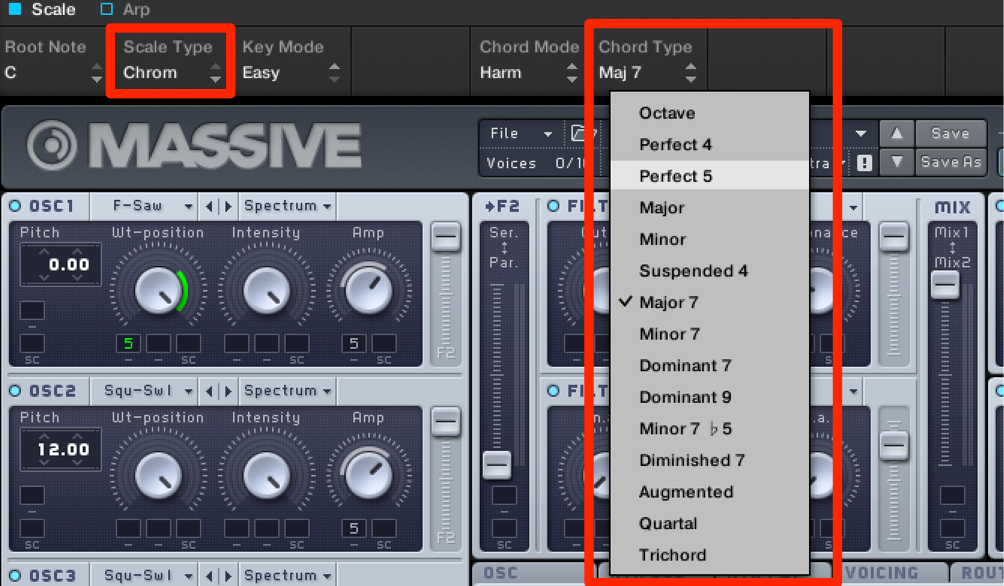
When the scale is set to Chromatic, all 12 semitones are available.
Chord Set Mode
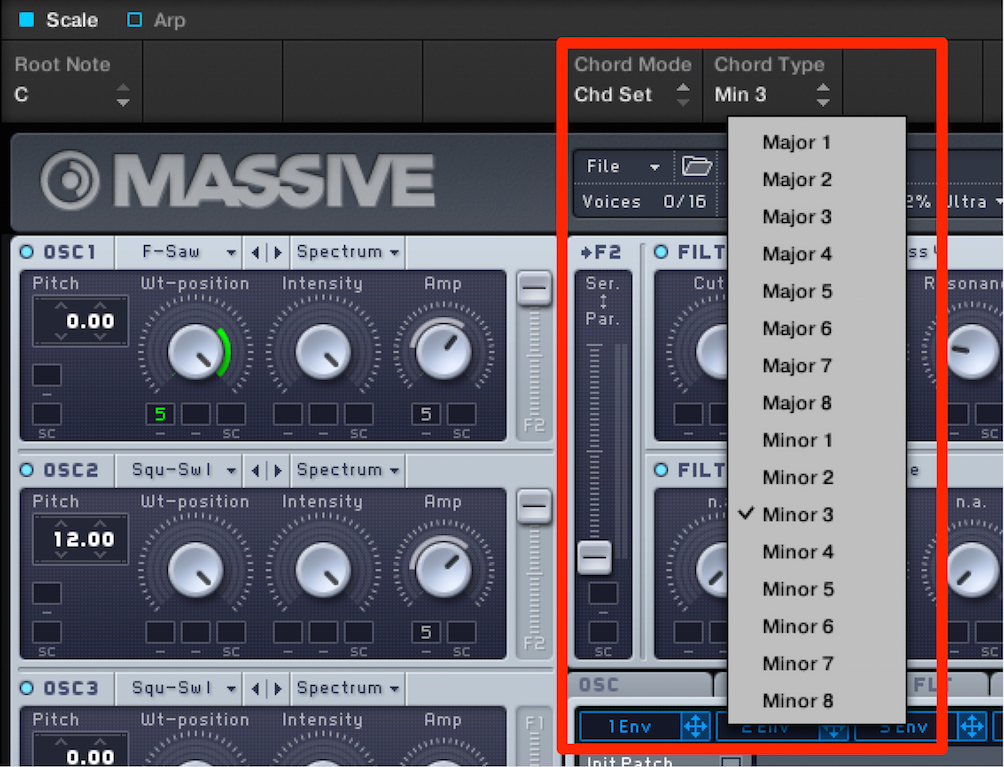
Only the selected key is considered; choose major or minor.
Frequently used chords are mapped to the keys.
This allows even those without music theory knowledge to begin playing chords quickly.
Frequently Asked Questions
Q1. What do I need to know before using the chord feature?
Understanding the scale feature is helpful. By selecting a key and scale, you can generate chords from the scale tones without knowing chord theory, though learning the basic scale controls is recommended.
Q2. What is the difference between Harmonizer and Chord Set?
Harmonizer builds chords from the selected scale using specified degrees, allowing more detailed control. Chord Set considers the key and maps frequently used chords to the keyboard, making it approachable for beginners.
Q3. Can I really play chords without music theory knowledge?
Yes. With Chord Set, you can play the chords mapped to the keys and experiment with progressions that fit your song.
NEW ARTICLES
Latest English Articles