
FL Studio's quantize feature automatically corrects timing discrepancies caused by real-time recording. It offers three options: Quick quantize, Quick quantize start times, and Quantize. Correcting an entire phrase at once can save considerable editing time. Choose a snap value matching the smallest note division in the phrase, then check the result and manually correct any notes moved to unintended positions.
Correcting Timing with Quantize
The image and audio below show the phrase recorded in real time in the previous section.

The timing sounds slightly off throughout.
We could correct each note individually, but
that would take a considerable amount of time.
This is where quantize comes in.
It can correct the rhythm of selected notes all at once.
Tutorial Video
How to Apply Quantize
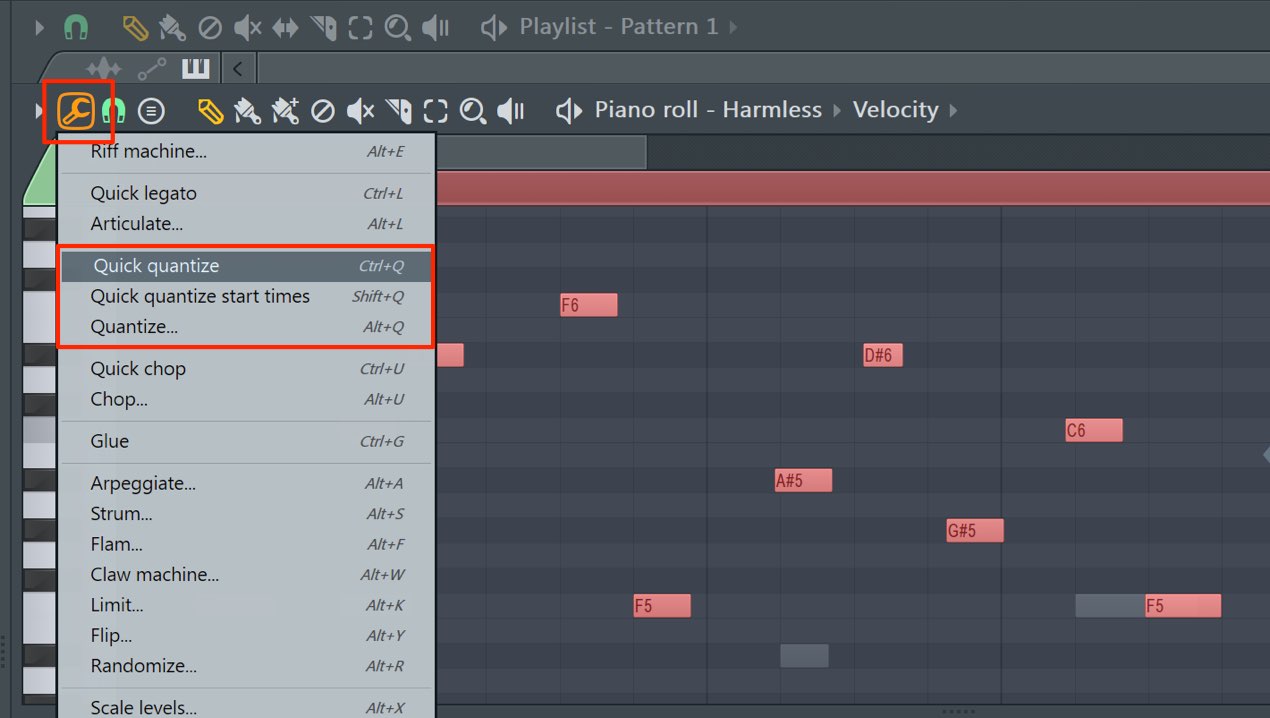
Select the notes whose timing you want to correct.
To select the entire phrase, press Control + A.
Click the tool icon and select a quantize option from the menu.
There are three quantize options.
Quick quantize
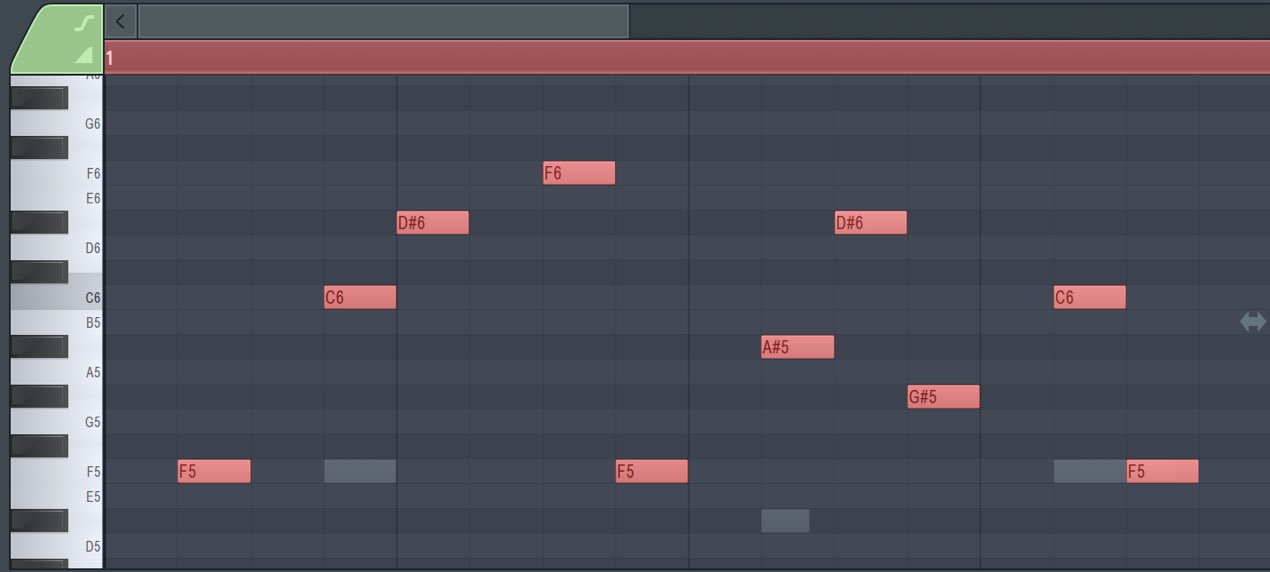
Along with note timing, note lengths are also adjusted to the snap grid.
Quick quantize start times
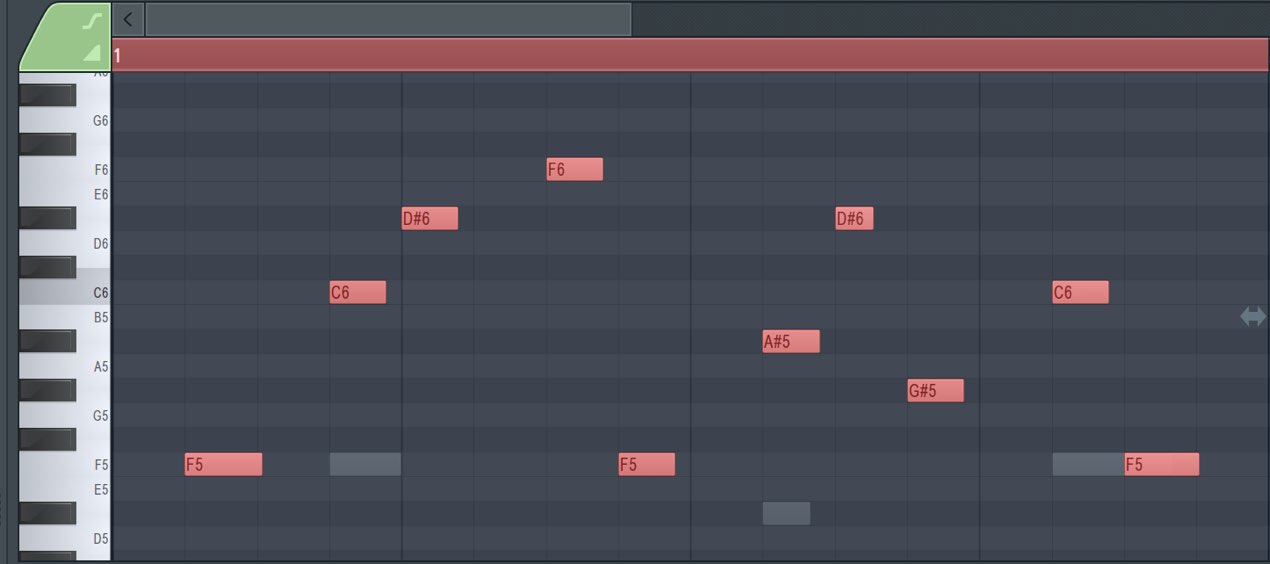
Only note timing is corrected; note lengths remain unchanged.
This is useful when you want to preserve nuances in note duration.
Quantize
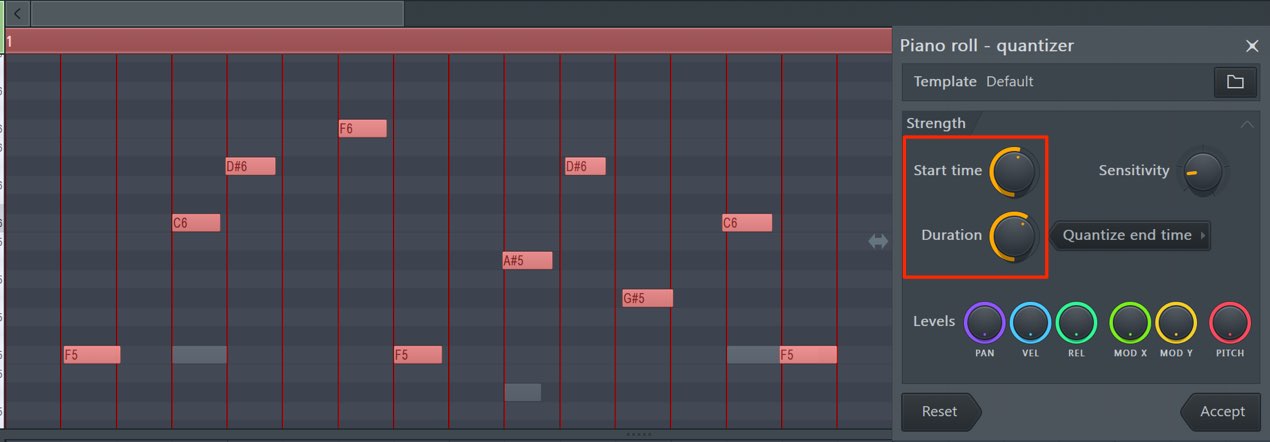
The Quantize editor opens,
allowing you to adjust the strength of timing and length correction.
Start time controls timing, and Duration controls note length.
Turning each knob to the right applies stronger correction toward the precise grid position.
Here is the sound after quantization.
The timing is now aligned, making the phrase easier to listen to.
Points to Watch When Quantizing
A particularly important point when using quantize is to
apply it using the smallest note division in the phrase as your reference.
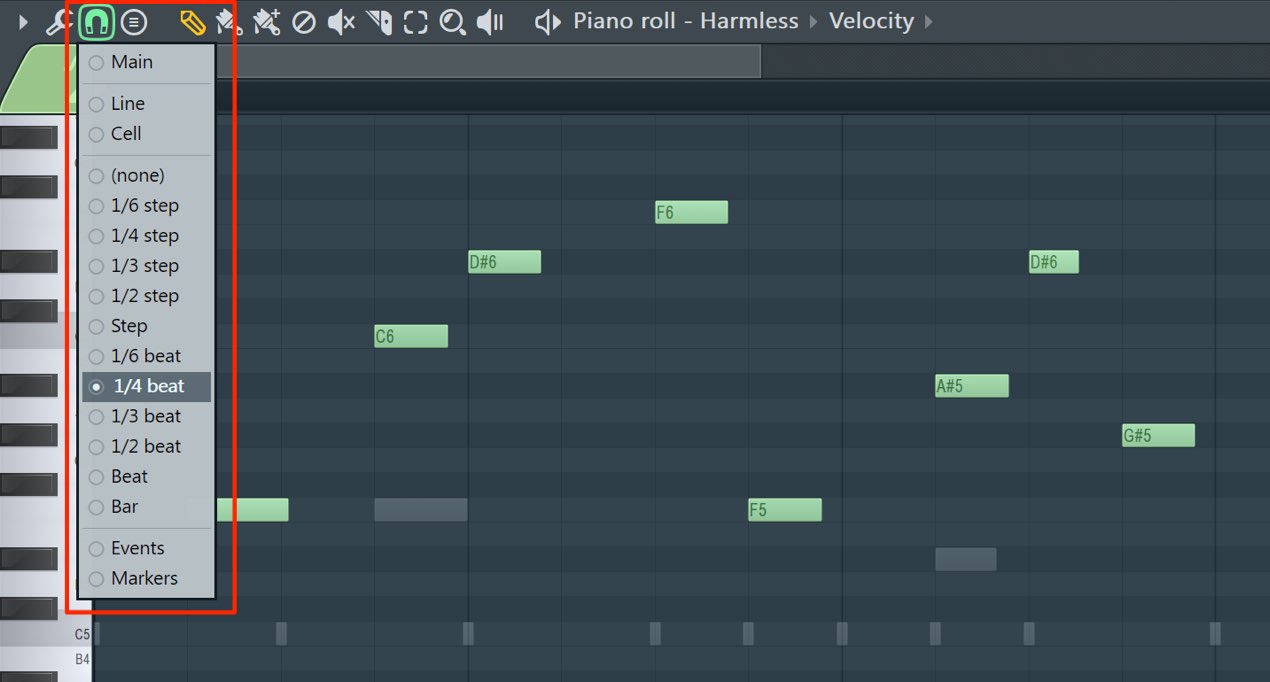
The snap setting determines the quantize grid.
In the image, it is set to 1/4 beat (a sixteenth note), so notes move to the nearest sixteenth-note position.
The key word here is nearest.
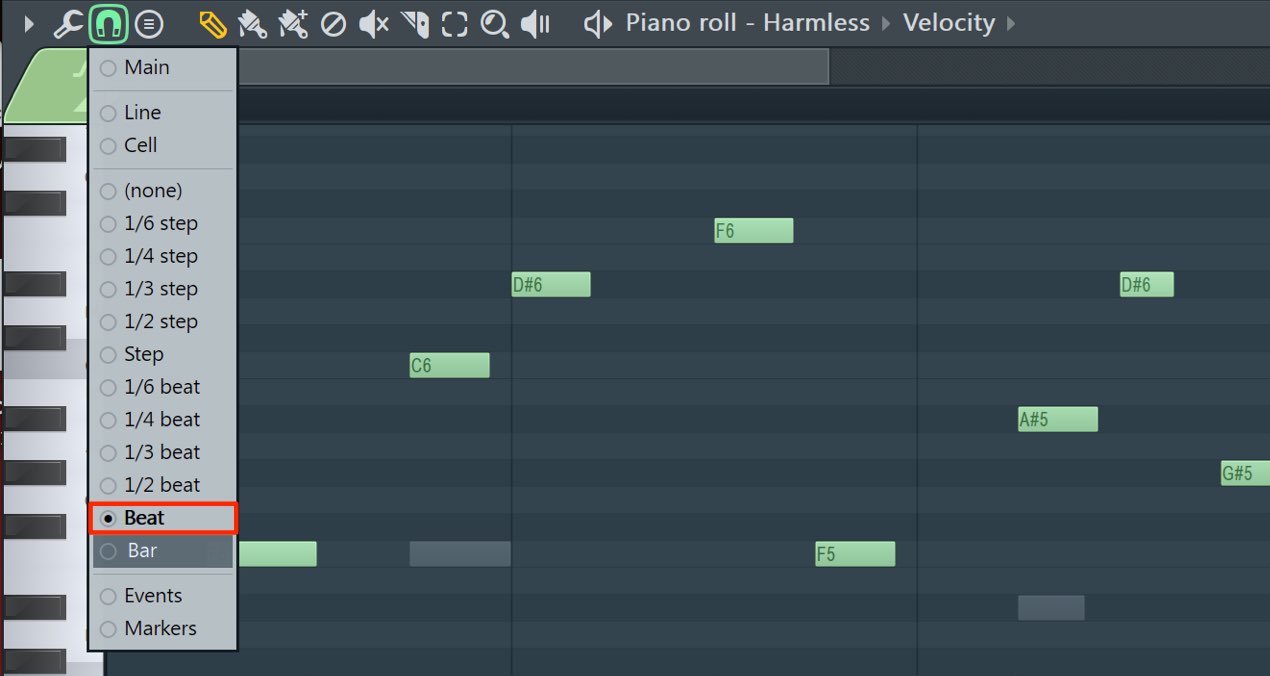
If you set snap to Beat (a quarter note) and apply quantize,
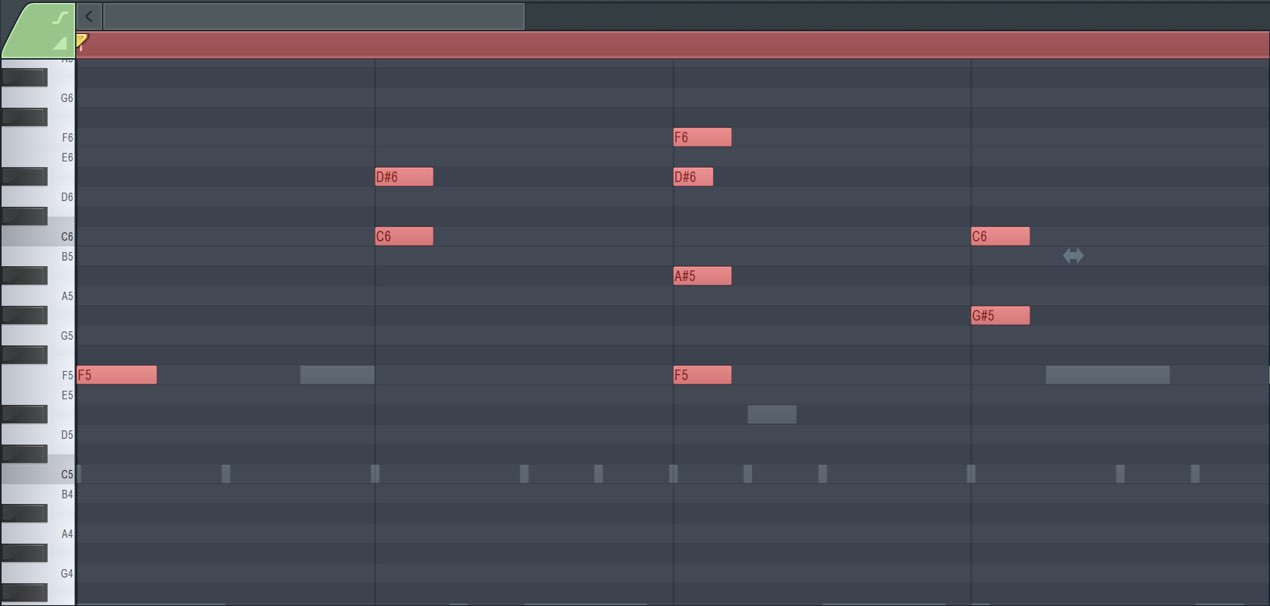
notes move to the nearest quarter-note position, changing the phrase itself.
This is why the smallest division in the phrase should be used as the reference.
If a recorded performance is significantly out of time
(a thirty-second note or more ahead of or behind the intended position),
notes may move to unintended positions.
Therefore, always check the result after applying quantize
and manually correct any notes that moved to unintended positions.
In the next section, we will look at choosing sounds from presets.

Frequently Asked Questions
Q1. What is quantize in FL Studio?
Quantize automatically corrects timing discrepancies in a recording to a specified note division. It can align multiple notes at once, making it more efficient than adjusting them individually.
Q2. How do the three quantize options differ?
Quick quantize corrects both timing and length. Quick quantize start times corrects timing while retaining note lengths. Quantize lets you fine-tune correction strength in an editor. Quick quantize start times is useful for preserving expressive nuances.
Q3. What should I watch out for when using quantize?
Set the snap value to match the smallest division in the phrase. Notes that are substantially out of time (a thirty-second note or more) may move to unintended positions, so always check the result and correct notes manually if needed.
NEW ARTICLES
Latest English Articles













































































































































































































































































































































































































































