
Moises integration and Vocal Tune: A major update that accelerates your production workflow
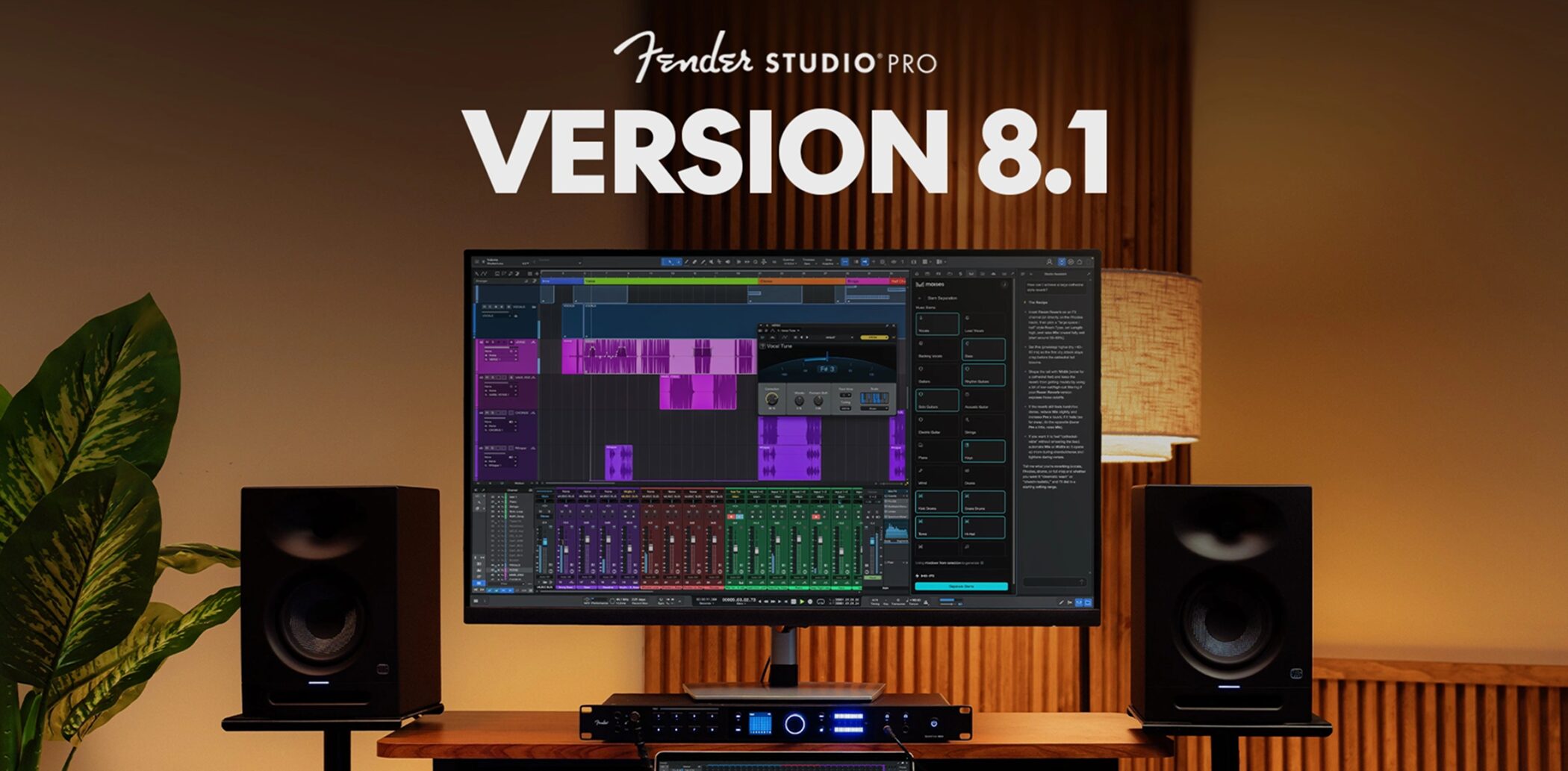
Fender Studio Pro 8.1 has been released.
The version number 8.1 may suggest a small update, but this release goes beyond bug fixes and minor improvements. It adds many new features that affect the way you make music.
The highlights are integration with the generative AI tool Moises, a new vocal plug-in called Vocal Tune, and Studio Assistant, an AI chat that lets you ask for help using the DAW (music production software) from within the application.
The Score Editor and audio editing tools have also received major improvements.
Let's take a look at the main new features.
Integration with the generative AI tool Moises
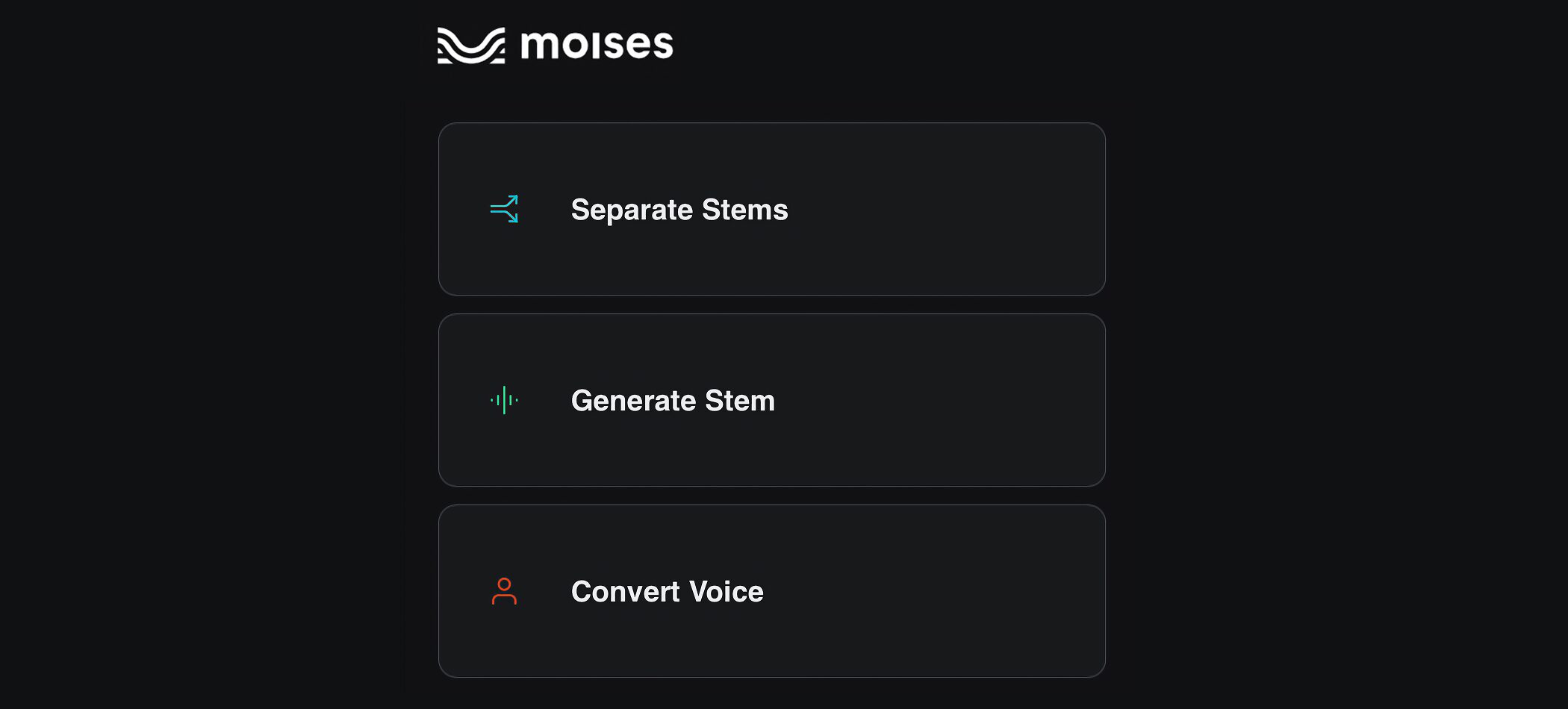
One of the most talked-about additions in this update is integration with the generative AI tool Moises.
Moises is known for features such as stem separation. In version 8.1, you can use it directly from within Fender Studio Pro.
Three functions are available: stem separation, stem generation, and voice conversion.
Instead of exporting to an external service and then bringing the results back, it is now easier to complete the process entirely within the DAW.
To use the Moises integration, you need a Moises account.
Moises is provided as an extension, so you will need to install it and complete the initial setup before using it for the first time.
Installation and initial setup
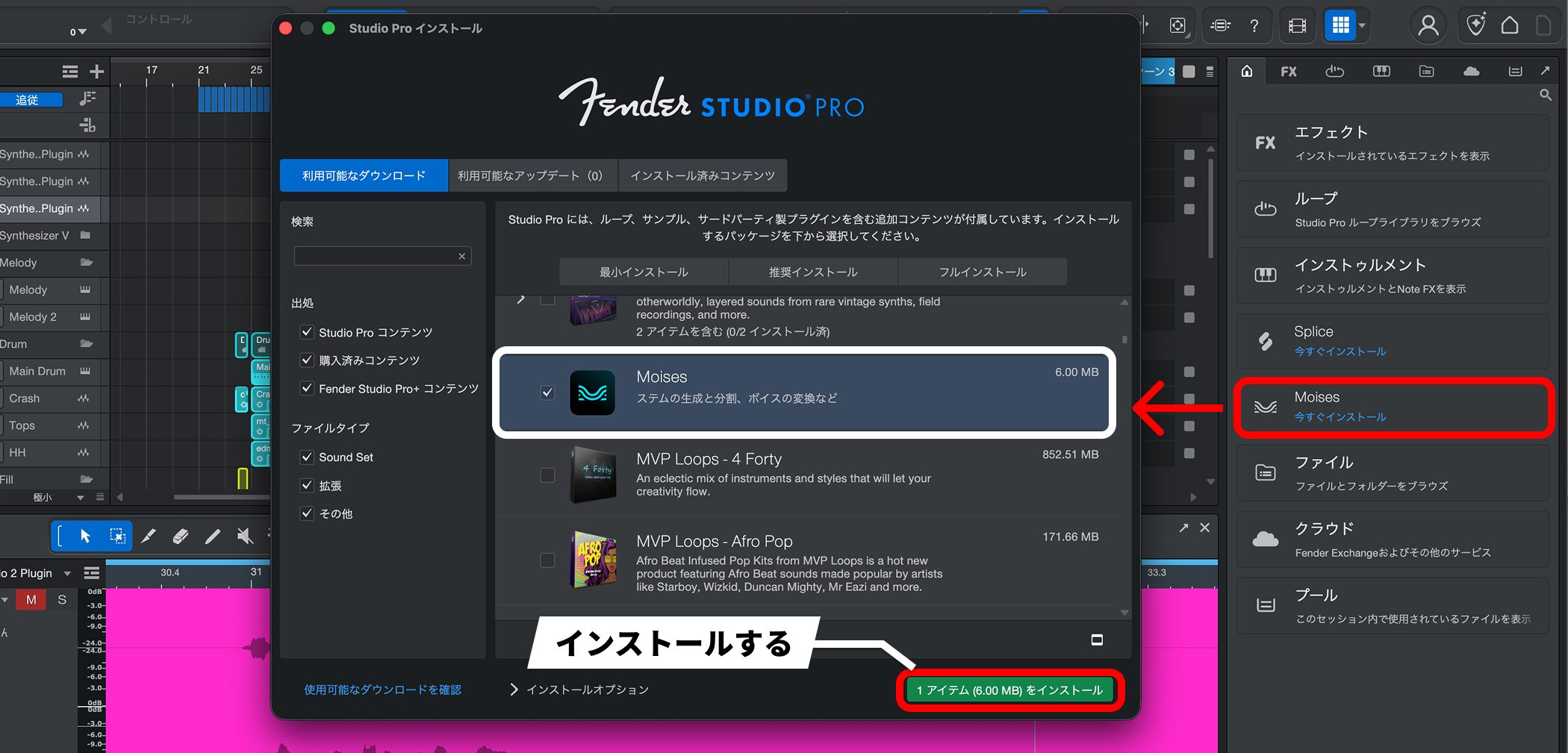
When you first open Moises, click “Install now” to install it.
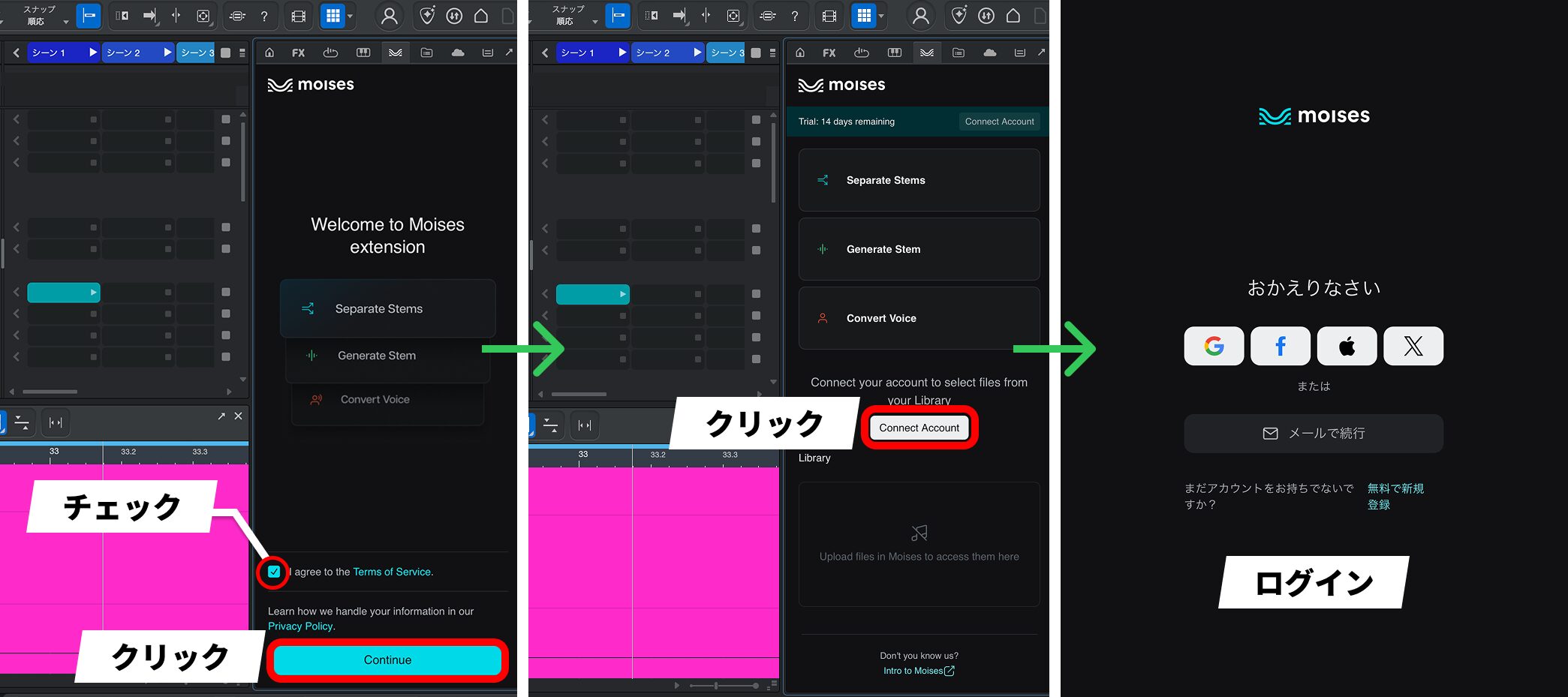
After installation, agree to the Terms of Service and click “Continue”. Then use “Connect Account” to log in to your Moises account. You are now ready to go. If you do not have an account, you can also sign up for free from this screen.
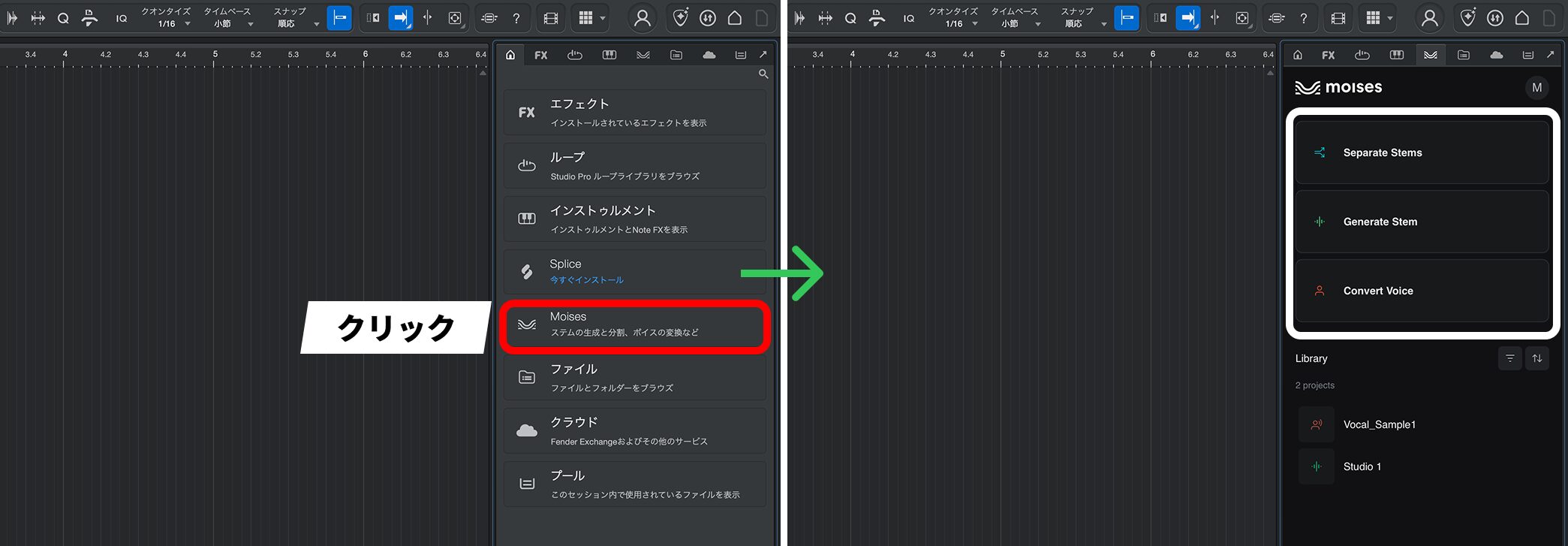
After logging in, click “Moises” to access the three functions.
Separate Stems
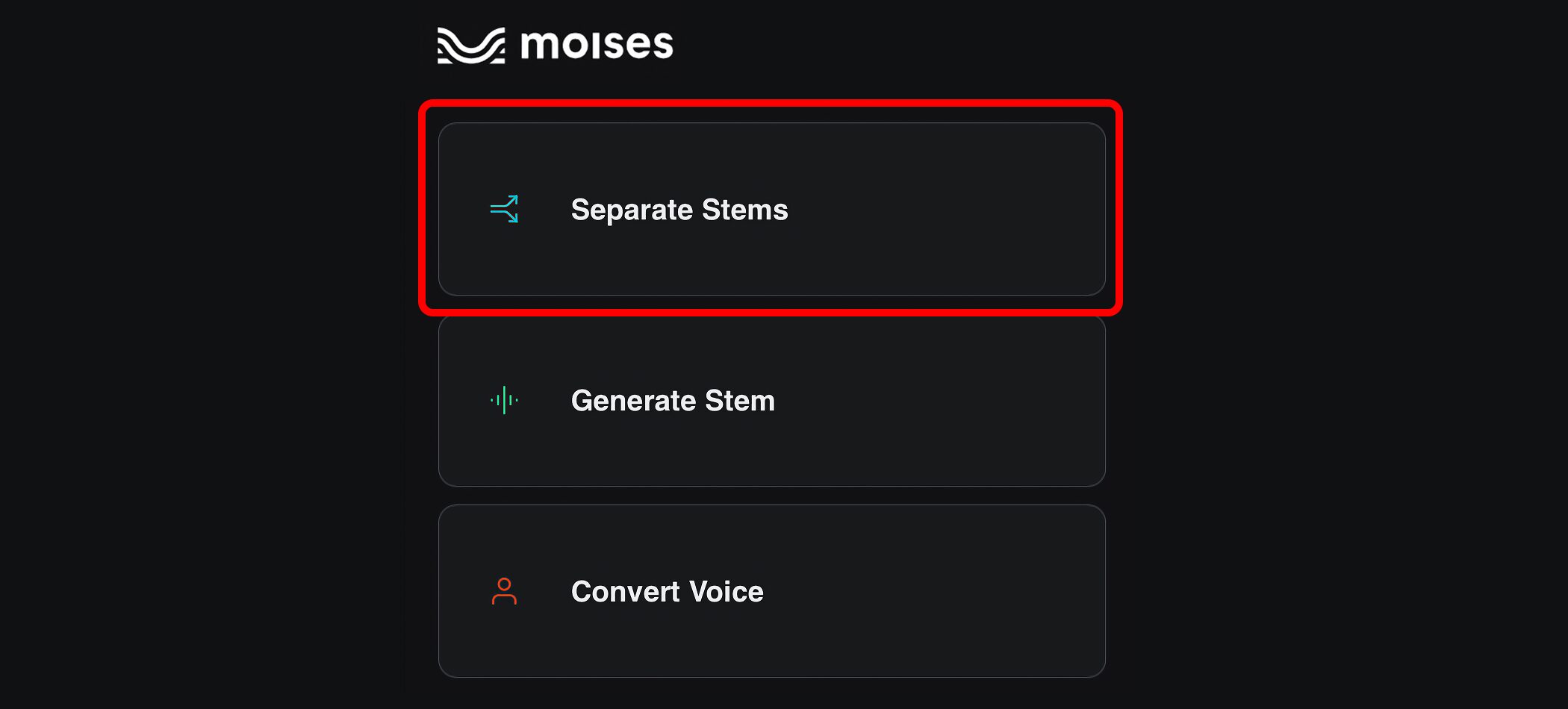
Separate Stems splits a finished stereo mix into individual parts such as vocals, drums, bass, and guitar.
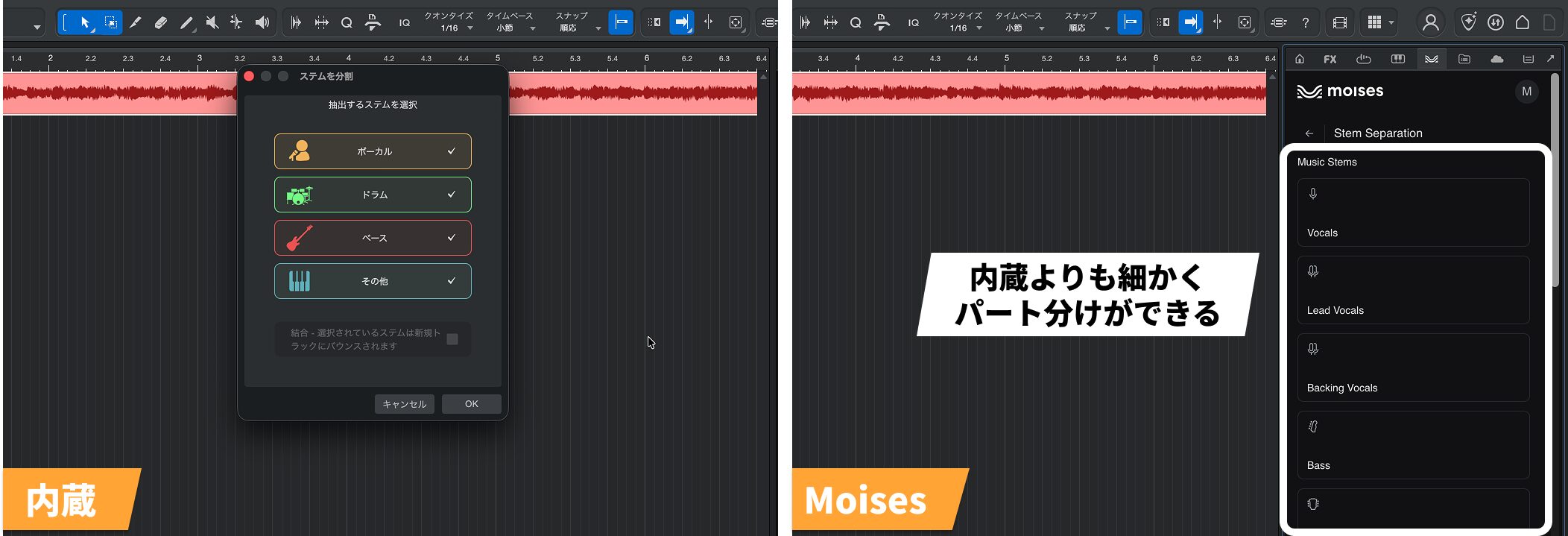
Fender Studio Pro already has a built-in stem separation function. The built-in version works without an internet connection and separates audio into four parts—vocals, drums, bass, and chords. Moises uses cloud processing and can separate the audio into more detailed parts.
More detailed separation and high-quality exports require a paid Moises plan.
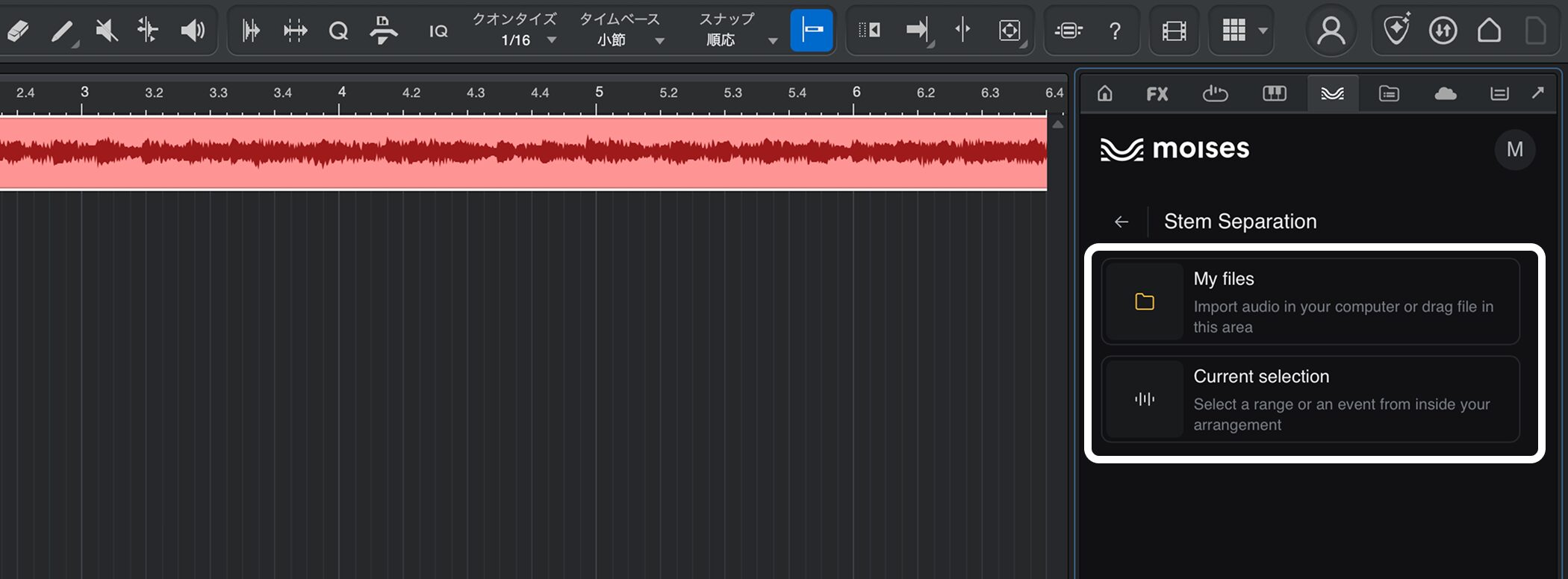
Open stem separation in the Moises panel, then choose one of the following two methods.
- My files: select an audio file on your computer to separate.
- Current selection: select an audio event already in your project to separate.
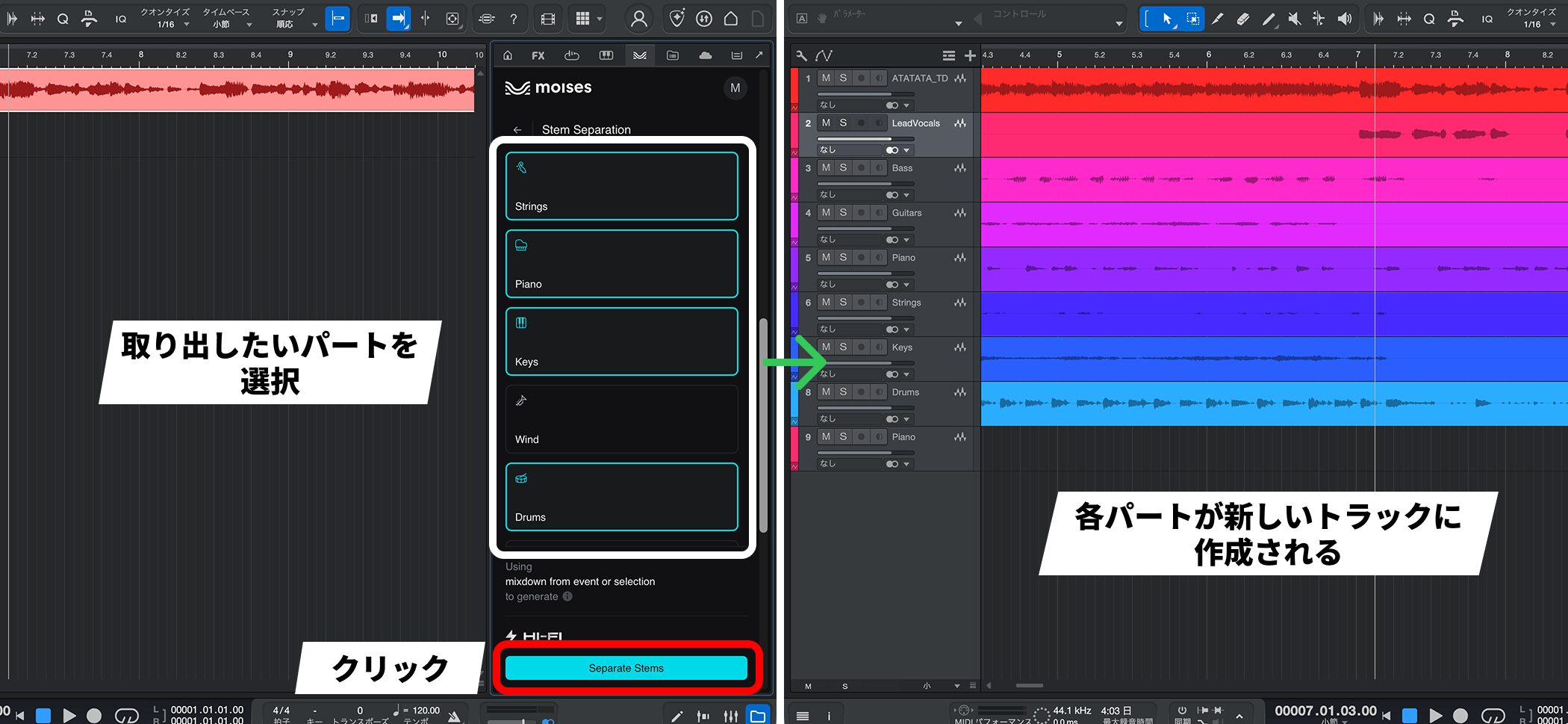
Choose the parts you want to extract and click “Separate Stems” at the bottom of the screen. Each separated part will be imported as a new track.
Generate Stem
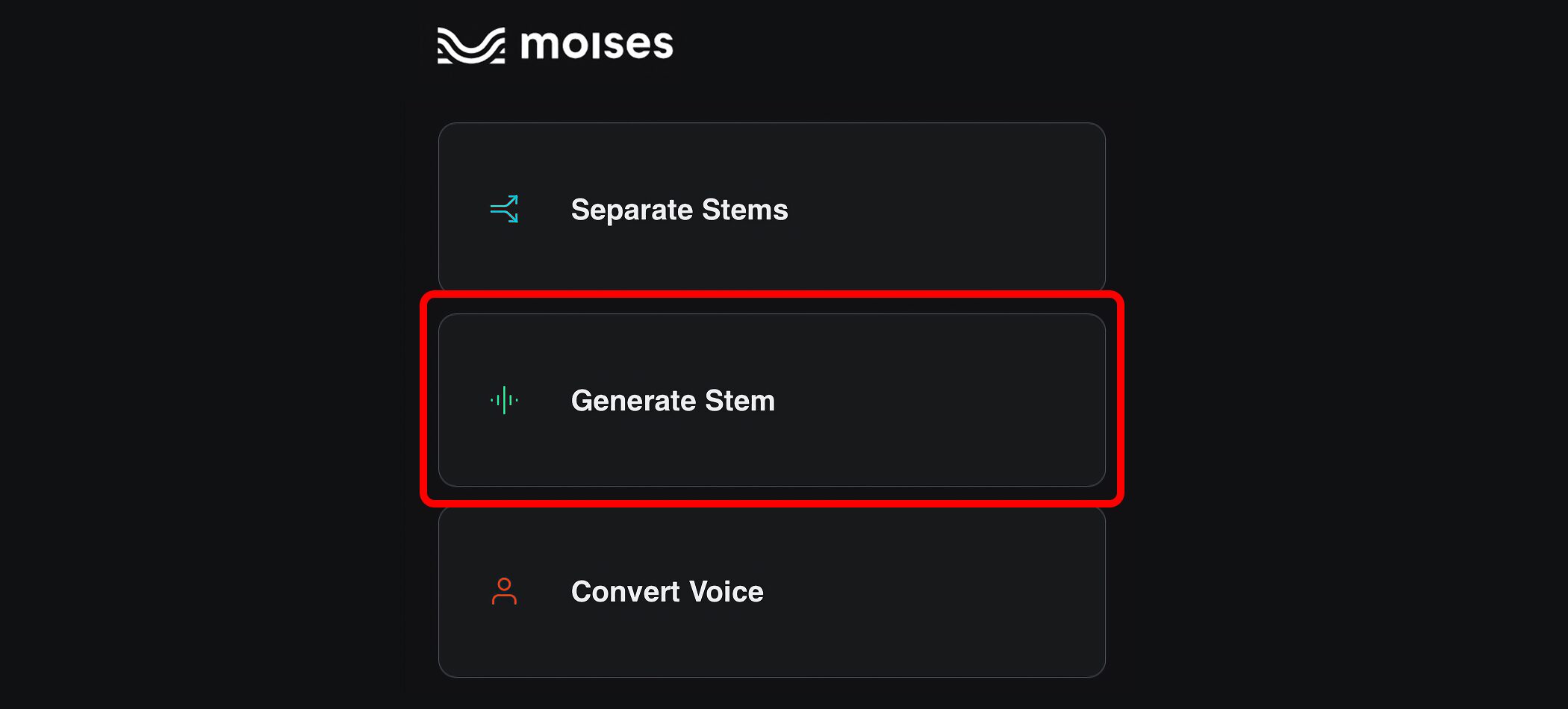
Generate Stem uses AI to create a missing part that fits the audio you already have.
For example, you can generate drums or bass that match the tempo and feel of a guitar track.
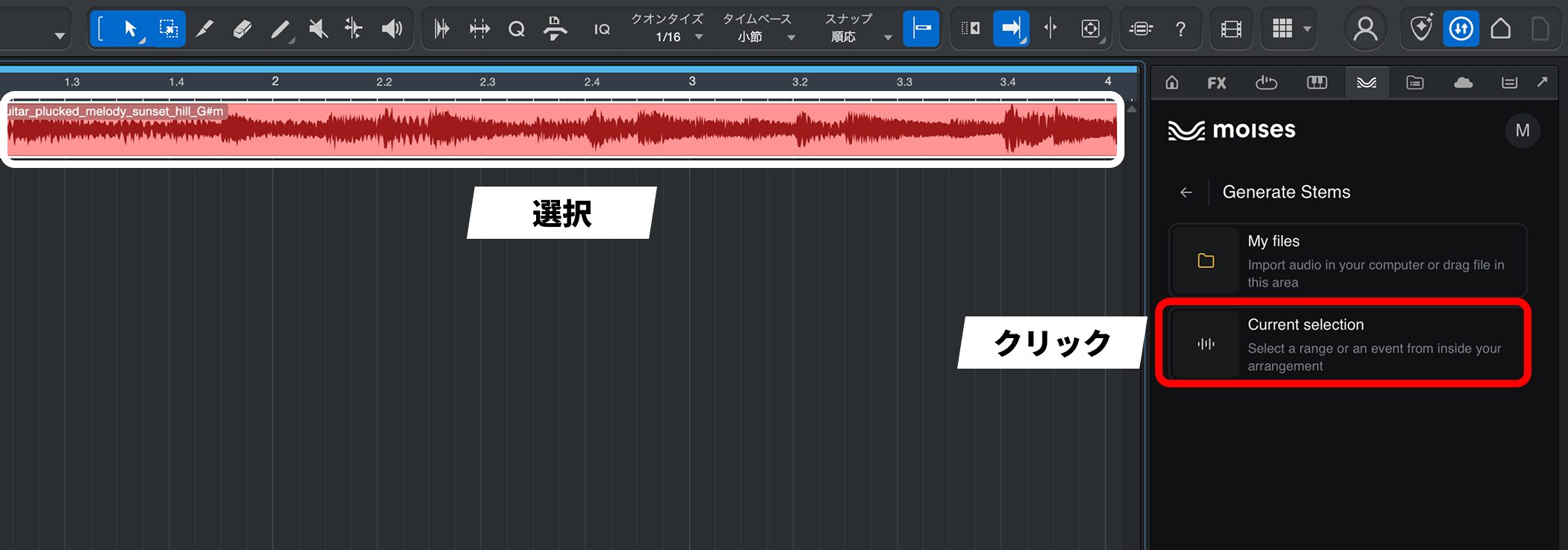
Select an audio event, then click “Current selection”.
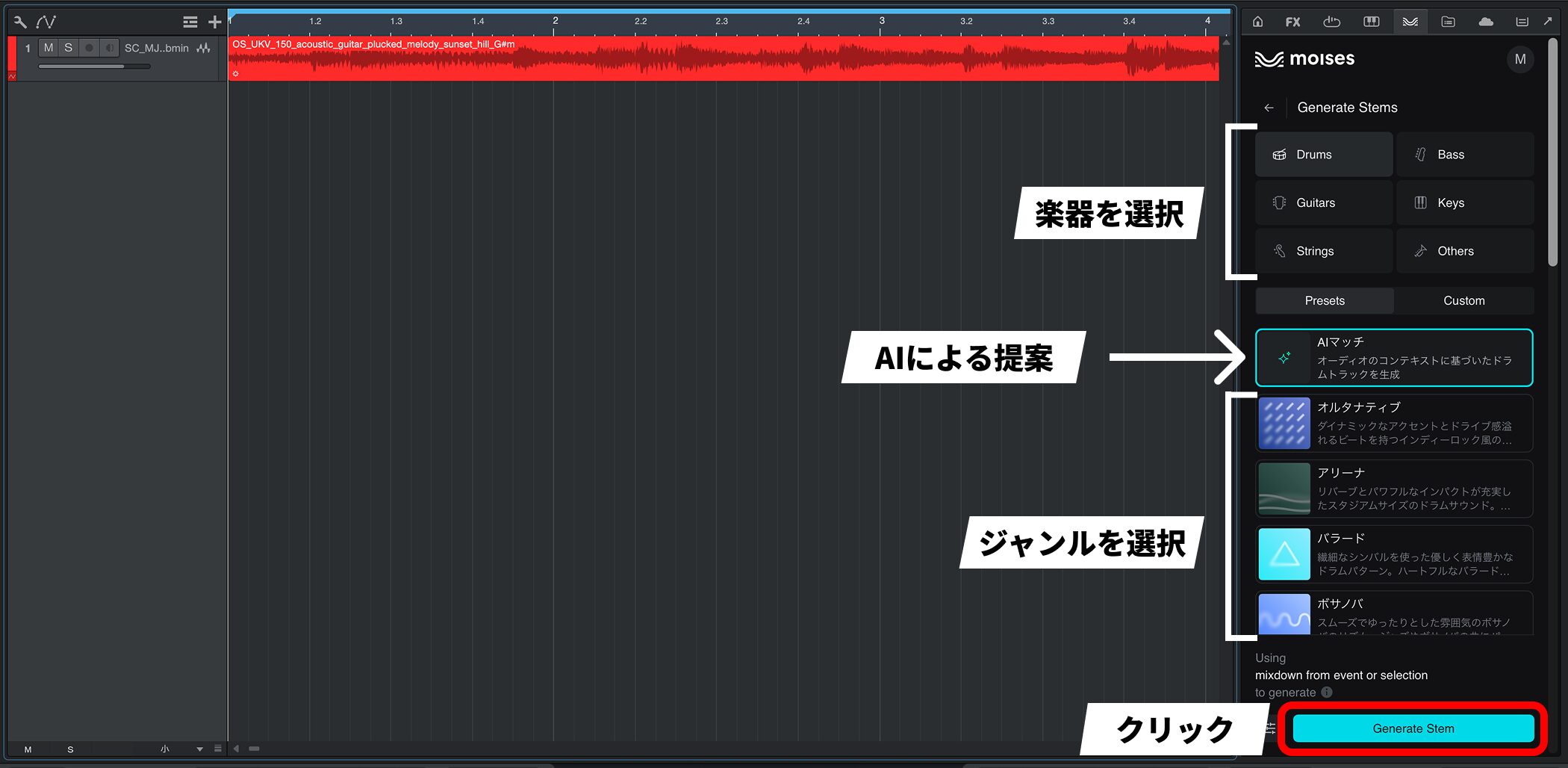
Choose the instrument you want to add, select a genre under “Presets”, and click “Generate Stem” to start generation.
If you are unsure of the genre, choose “AI Match” to generate audio that fits the original source.
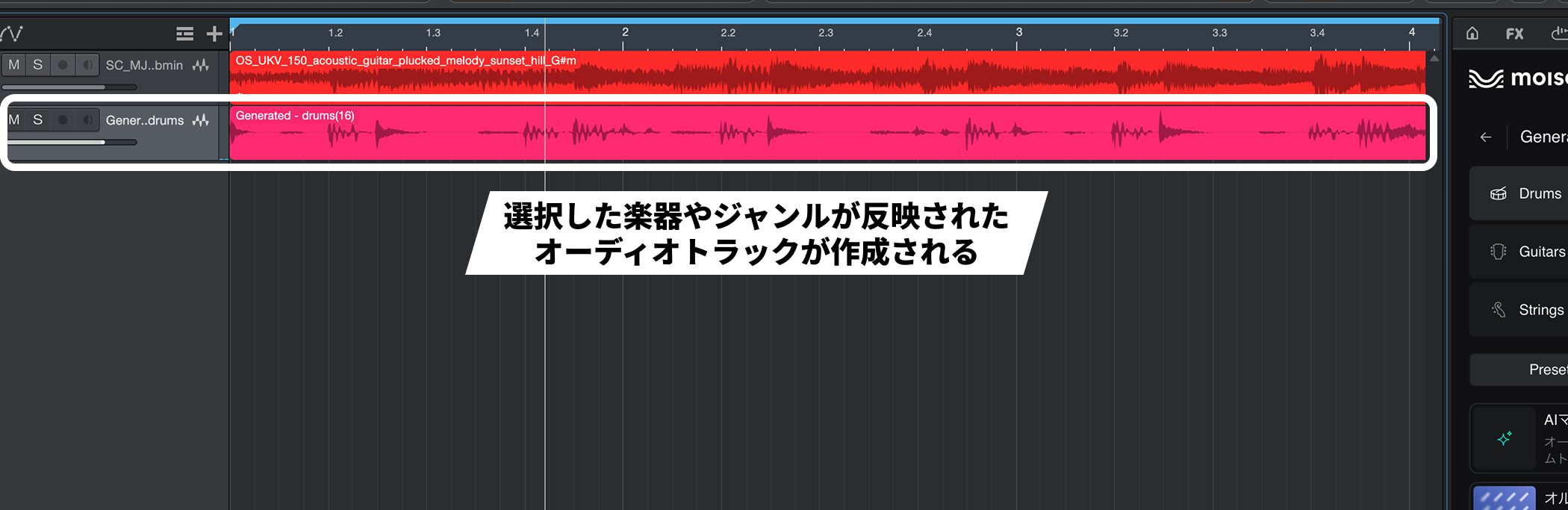
The generated audio is imported as a new track.
Convert Voice
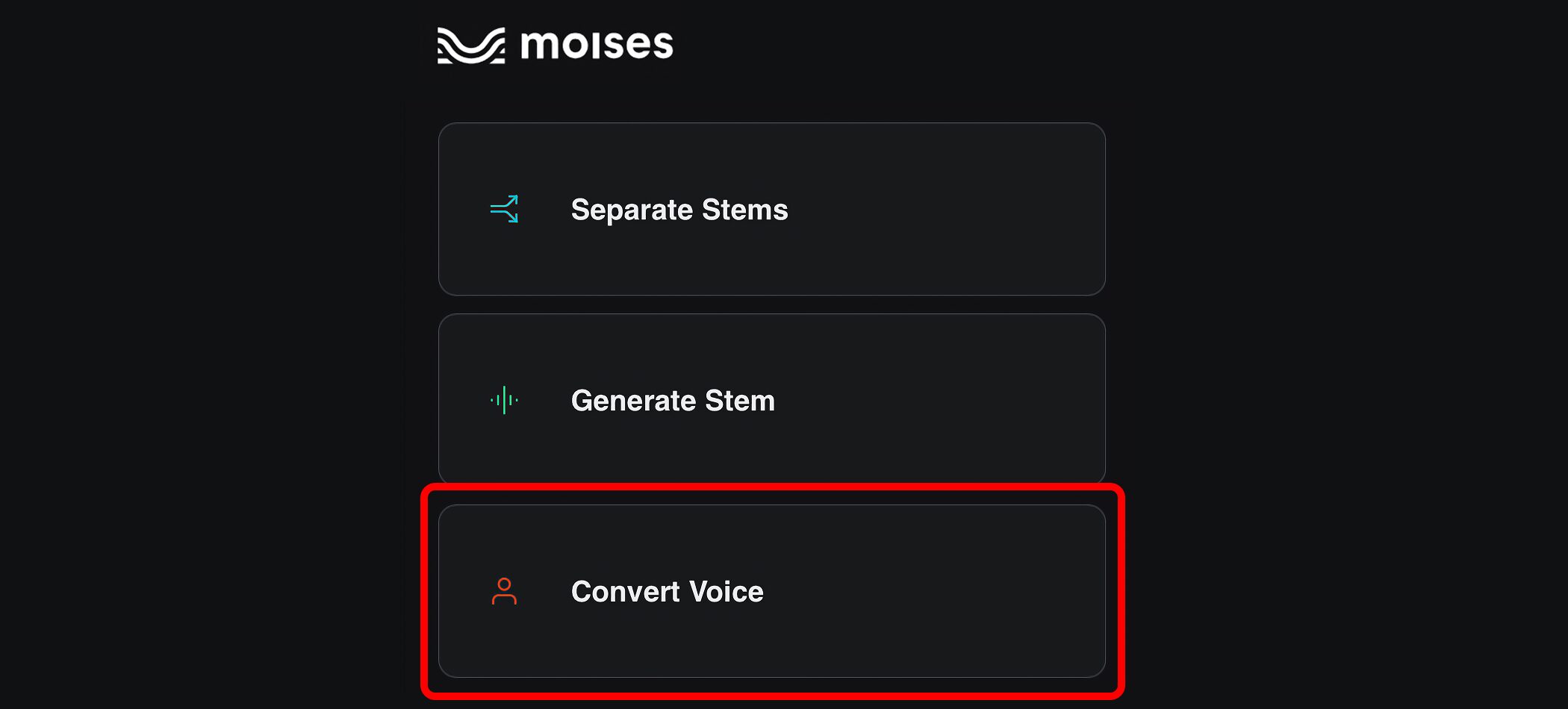
Convert Voice transforms an existing vocal recording into another voice.
There are 40 voices with different genders, ranges, and styles. All are based on the voices of real artists.
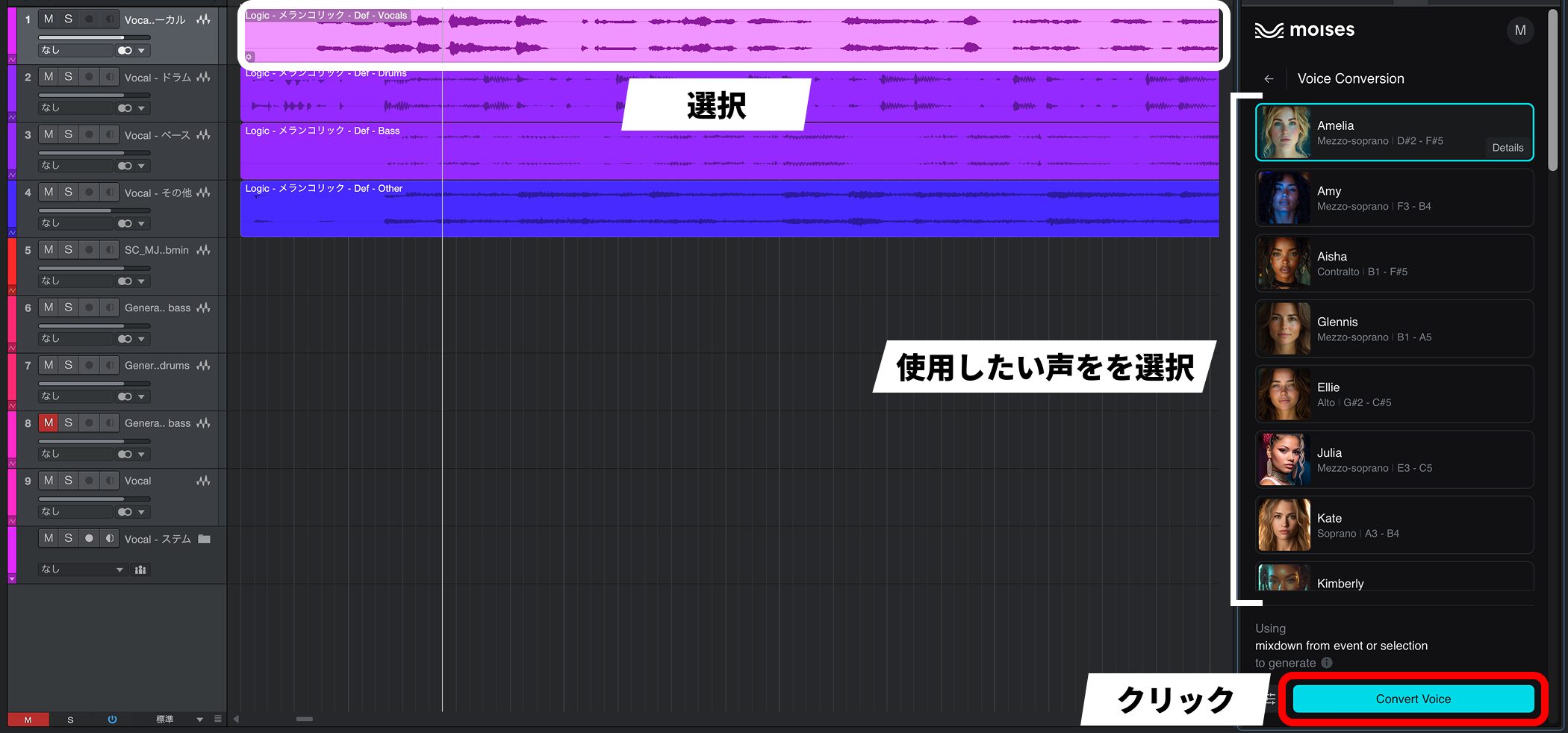
Select the vocal track you want to convert, choose the voice you want to use, and click “Convert Voice”.
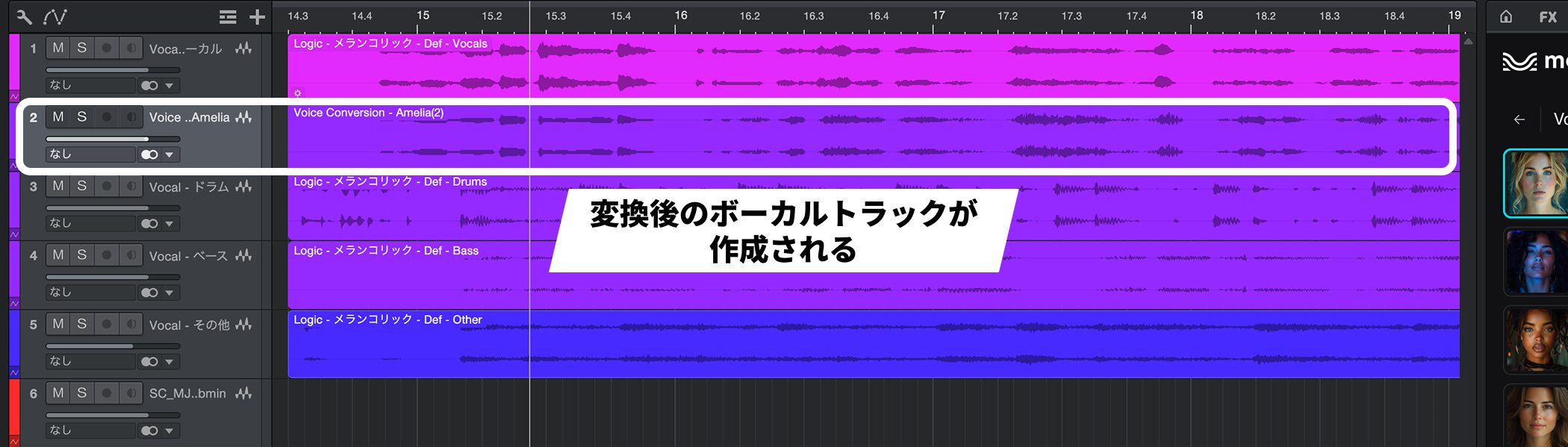
Both the original vocal and the converted vocal are saved.
The new Vocal Tune plug-in and Pitch Curves
Vocal editing has also been expanded.
The new Vocal Tune plug-in and Pitch Curves, which lets you draw pitch changes directly on audio events, make it easier to complete vocal editing within the DAW.
Vocal Tune
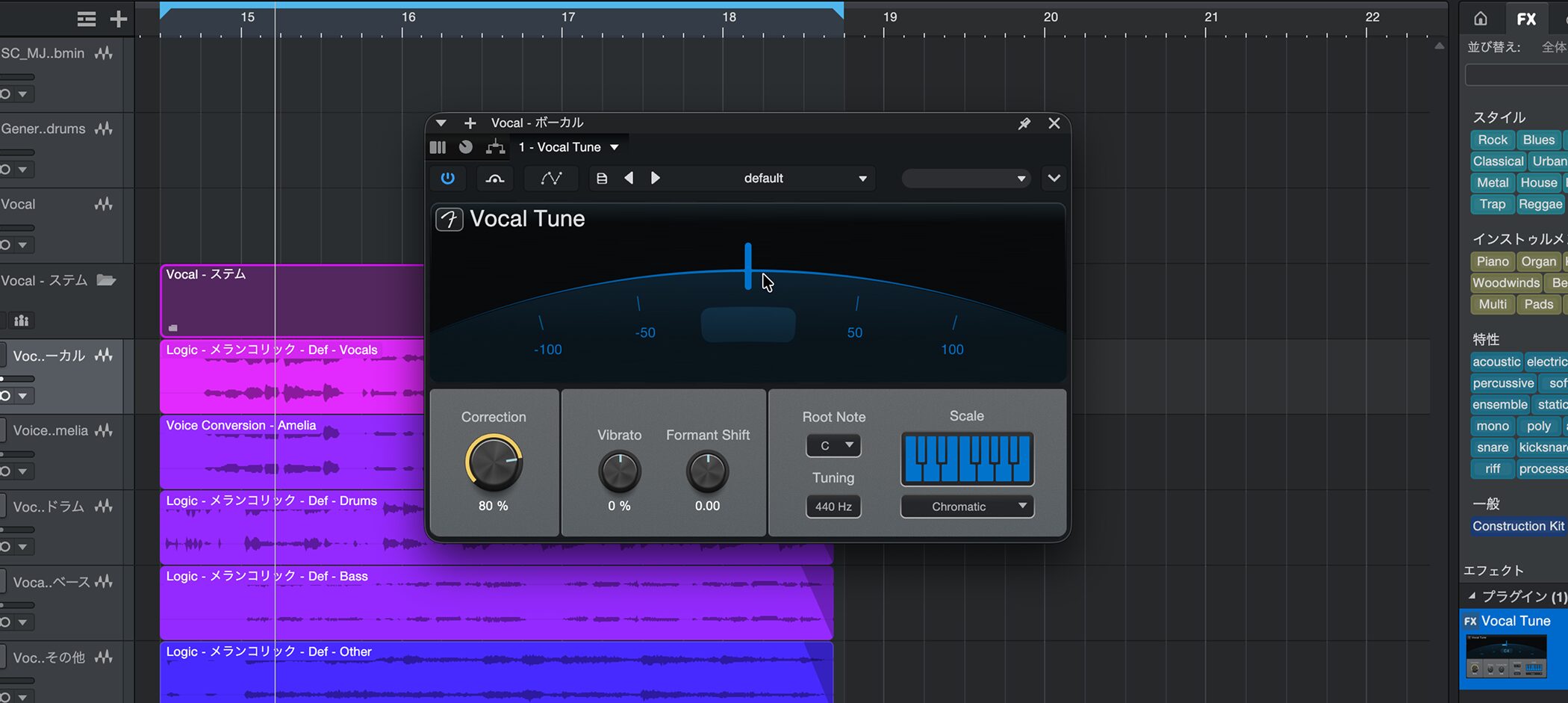
Vocal Tune is a native plug-in that supports real-time pitch correction and formant shifting.
It can produce anything from natural correction to distinctive, heavily processed sounds.
Formant shifting changes the weight and character of a voice independently of pitch. It can also create the impression of another person joining a chorus.
It supports both preset and custom scales. The plug-in's latency is less than 12 ms, so it can also be used for real-time input and live performance.
Pitch Curves
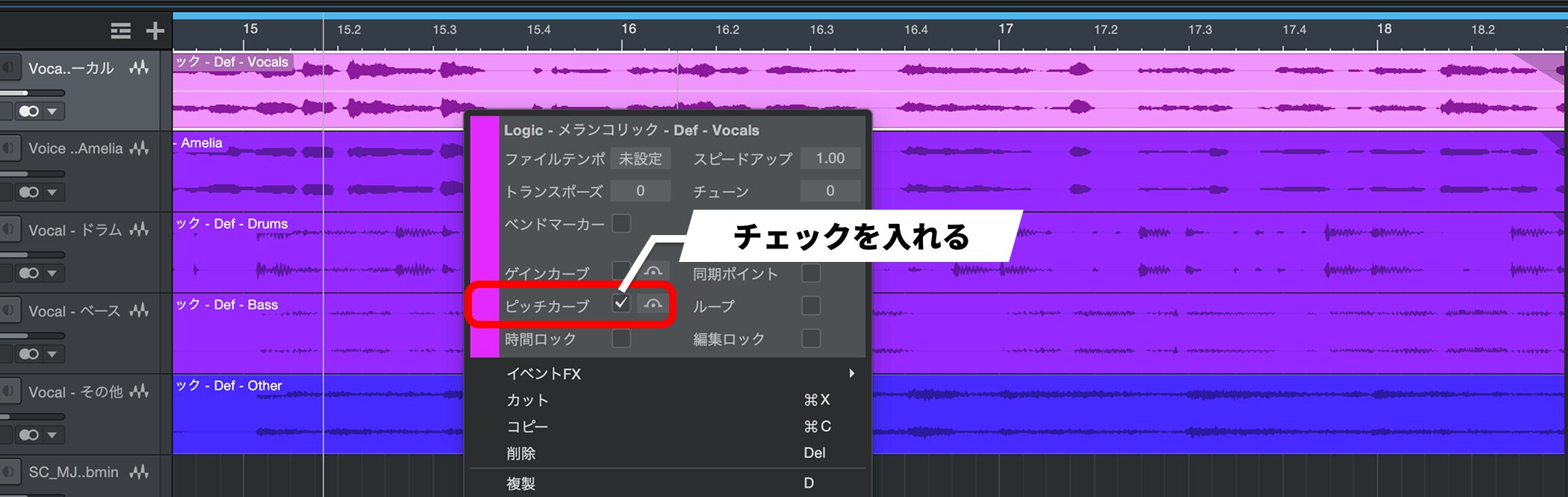
Pitch Curves lets you draw pitch curves directly on audio events.
To use it, right-click an audio event and enable “Pitch Curves” in the menu.
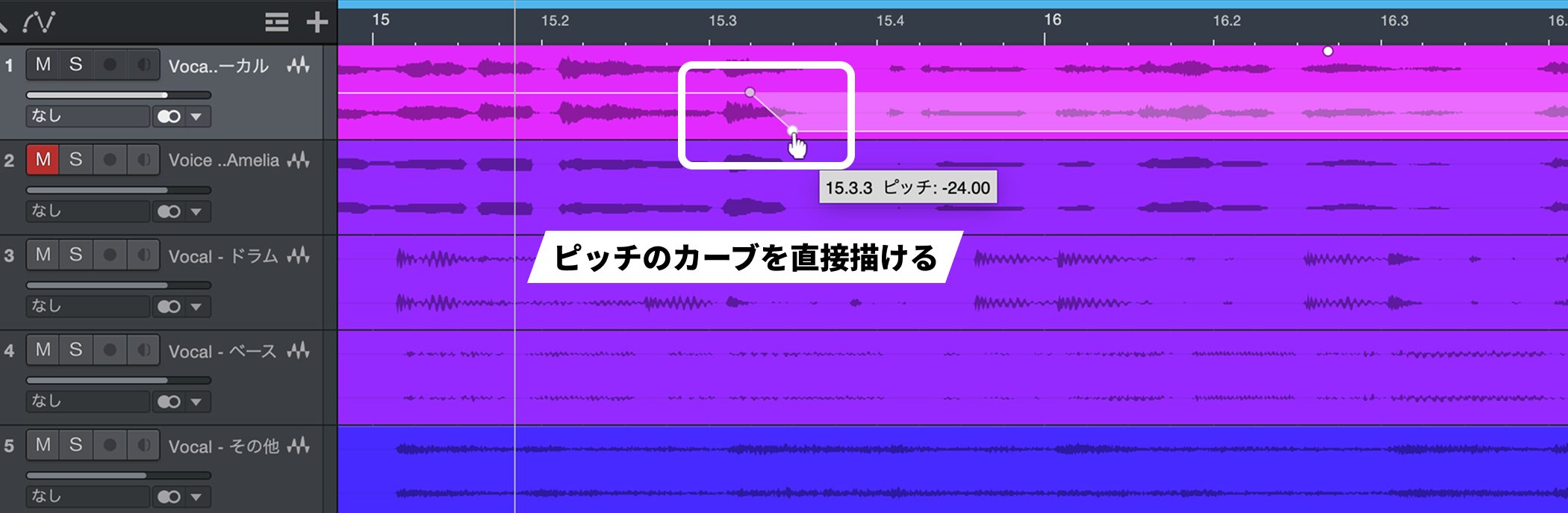
Within a range of ±2 octaves, you can make detailed edits in semitone or cent increments.
Adjusting pitch feels much like drawing automation. As well as correcting small fluctuations in a vocal, you can create pitch-bend movements and dramatic effects.
Because it works on audio events, you can also apply it to material other than vocals where suitable.
Studio Assistant: An AI chat for help within your DAW
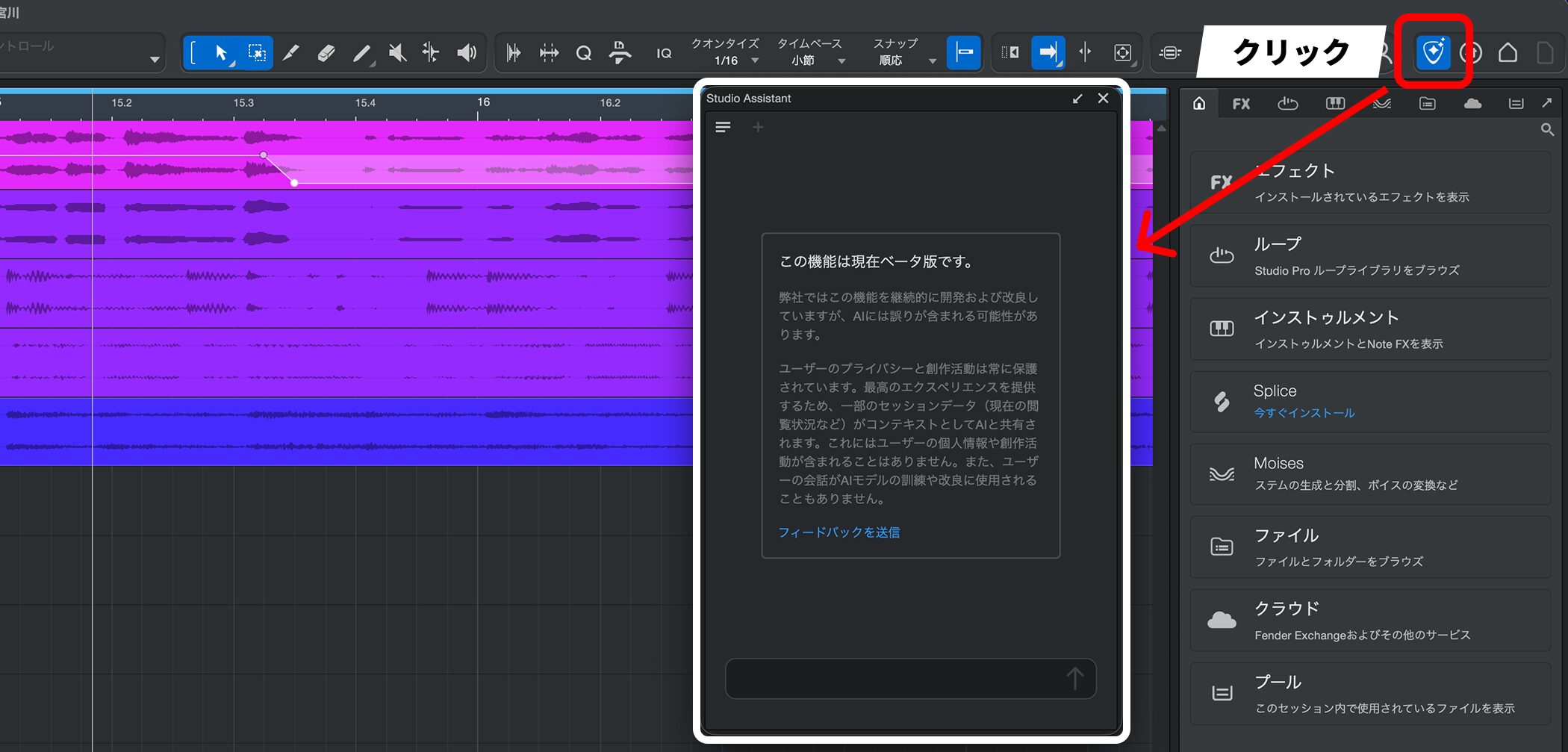
Studio Assistant is a new AI chat available exclusively in Fender Studio Pro+.
Drawing on the manual and knowledge base, it lets you ask about operation and practical techniques without leaving the DAW.
You can resolve questions on the spot that previously required searching or consulting the manual. This lowers the initial barrier to working with a feature-rich application such as Fender Studio Pro.
However, this does not directly operate your project.
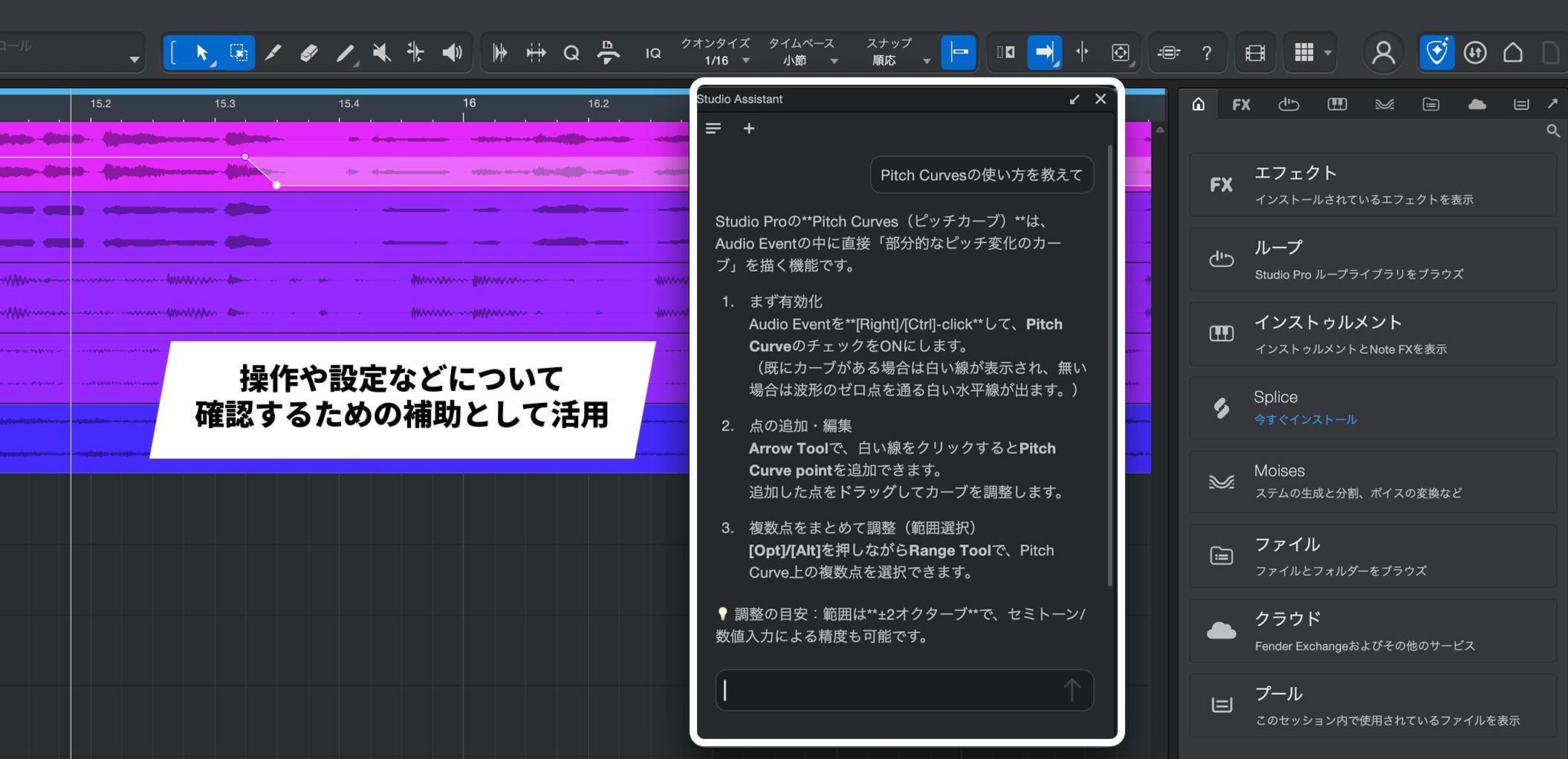
Think of it as help for understanding how to perform an operation or why to use a particular setting, rather than something you can ask to execute a task for you.
Personal information and production data are not shared or used for AI training.
This is a public beta exclusive to Pro+, so its answers may contain errors.
Other improvements
Many other improvements have been added to make everyday tasks easier.
- Faster, more accurate built-in AI stem separation: this is separate from the Moises integration and improves speed and accuracy while continuing to process locally.
- Improved audio-to-note conversion: “Extract Drums” now supports electronic drums, while “Extract Notes” has improved detection of low notes.
- Shared virtual instrument sets: save frequently used instruments in a shared area to reduce reloading between sessions.
- Major Score Editor improvements: support for repeat markings such as repeats, D.S., and codas; direct editing of time signatures, key signatures, and tempo; and entry of chord symbols.
- Many smaller improvements include attack compensation for Sound Variations, browser tab reordering, Dolby Atmos headphone personalization, and additional modulation for CV Instrument.
Updates and trials
If you already use Fender Studio Pro and are eligible for its one-year feature update period, you can update to version 8.1 for free.
It is helpful to think of version 8.1 as an update that assists with points where production tends to stall, rather than a DAW that uses AI to create entire songs for you.
Try Moises integration, Vocal Tune, or Pitch Curves first to get a clear sense of the changes.
Use material you regularly work with and see how much more comfortable your production process becomes.
NEW ARTICLES
Latest English Articles









