
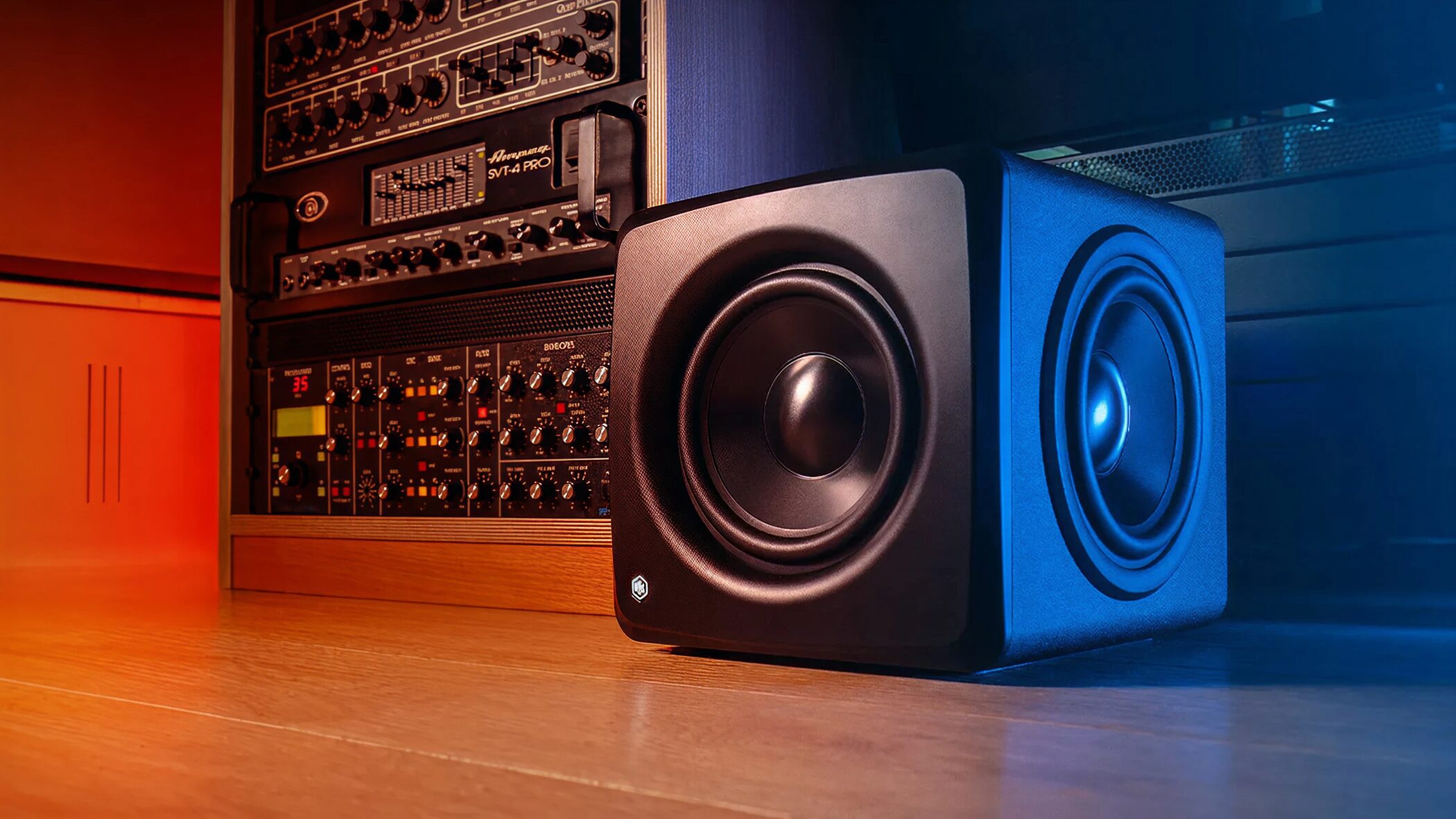
IK Multimedia's iLoud Sub is a compact subwoofer, among the smallest in its class, that reproduces bass down to 25 Hz. Its built-in ARC X automatic calibration measures room acoustics and optimizes the entire system together with the main speakers. In bass-heavy genres such as EDM, hip-hop, and film scoring, it can make muddy low frequencies and unwanted noise easier to detect, improving mix decisions. It offers a serious monitoring setup even where desktop space is limited and is especially worth considering for producers who focus on low-end accuracy.
Bass extension to 25 Hz and automatic calibration in a compact subwoofer
“Will adding a subwoofer really change my mixes?”
Many producers have asked themselves that question.
In bass-heavy genres such as EDM, hip-hop, and film scoring, you need to check the deep bass that ordinary monitors may not reproduce.
IK Multimedia's iLoud Sub is a subwoofer that delivers bass down to 25 Hz despite being among the smallest in its class.
Another major feature is its built-in ARC X room correction, which can automatically calibrate the entire system, including the connected main speakers.
iLoud Sub review video
Excerpt from the questions and answers on YouTube

This is a great, practical review. Did you notice any latency from the correction while mixing? I use SoundID Reference for correction and notice a little latency.

I did not notice any particular latency in my setup and could monitor comfortably.
It is much smaller than the JBL LSR310S and Yamaha HS8S. Does its low end feel weaker than those models? I have used both, and the HS8S has impressive sub-bass.
I have not used Yamaha's subwoofer, but its published specifications suggest it reaches even lower. The iLoud provides more than enough bass for me, though you might find it lacking by comparison. The calibration used in the video works exceptionally well, and I am very happy with the overall sound. I see that as one of this product's strengths.
I am listening on my phone, but in the before-and-after mix played in the car, did you raise the kick volume when you remixed it? If not, perhaps clearing the masking let its attack come through naturally. 🤩
I did not change the kick volume. I used a transient shaper to shorten its release and applied stronger ducking to the bass. As you suggest, reducing the masking was probably a major reason the kick sounds more prominent!
Do you need a subwoofer at all?
Many creators wonder whether to add a subwoofer.
Let's look at its basic role and the potential benefits.
What is a subwoofer?
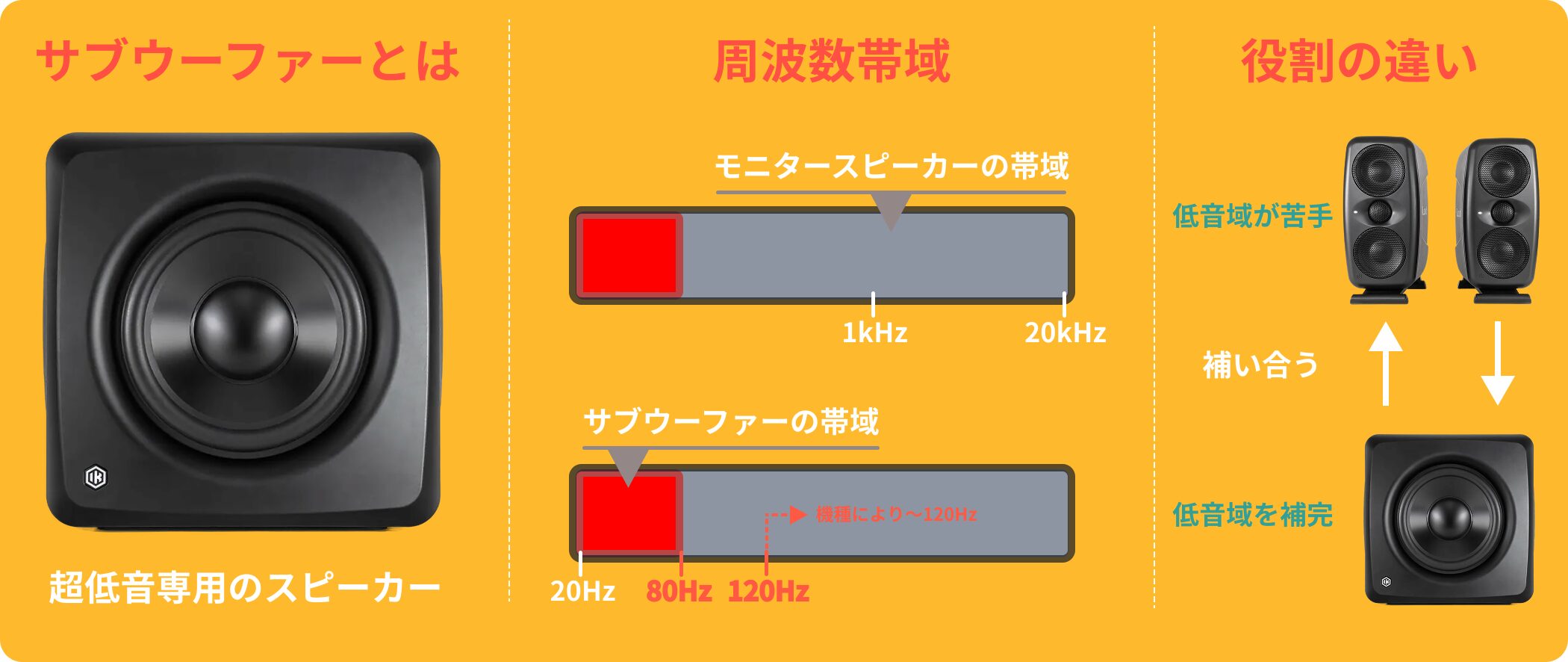
A subwoofer is a speaker dedicated to deep bass.
It typically handles roughly 20–80 Hz (up to around 120 Hz on some models), filling in the low range that ordinary monitors struggle to reproduce.
Benefits of adding a subwoofer
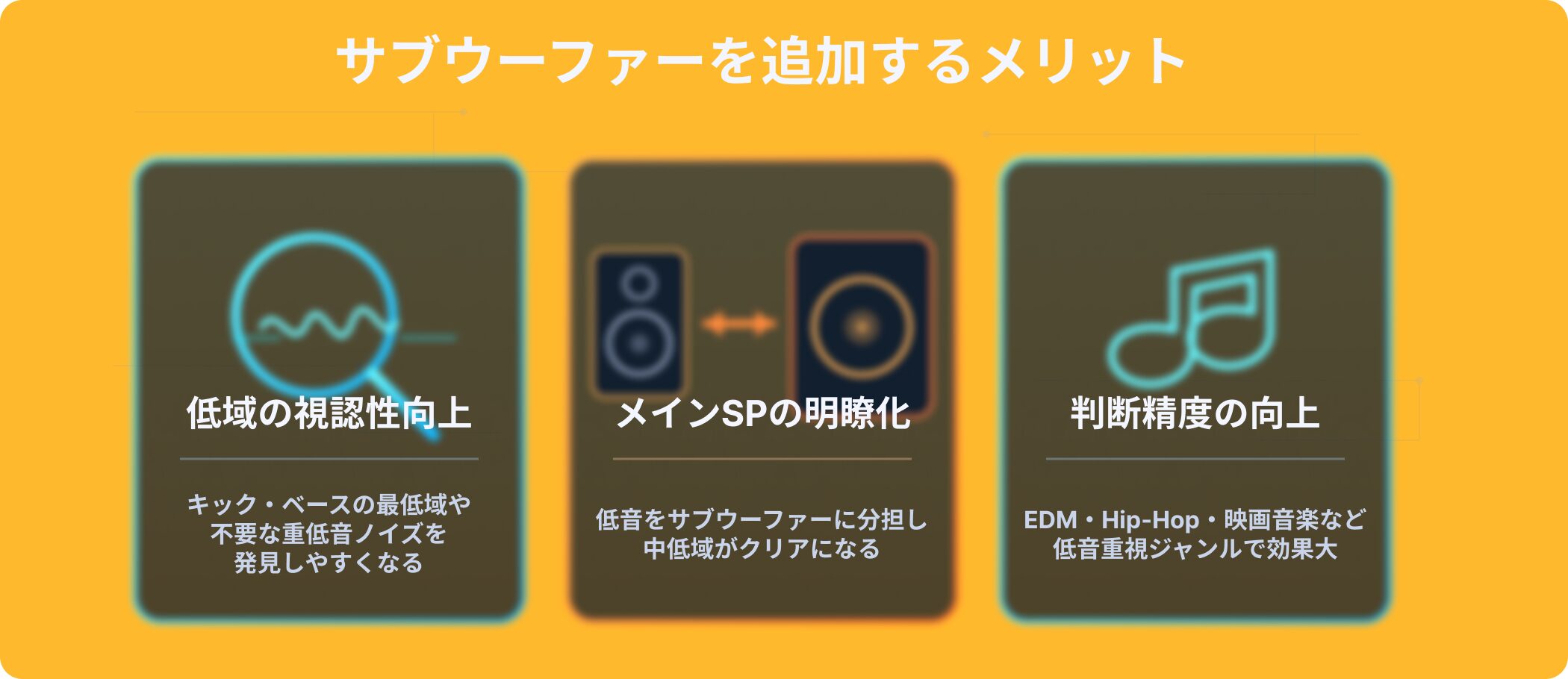
A subwoofer makes it easier to check the lowest parts of a kick and bass and to spot overlapping, muddy low frequencies or unwanted sub-bass noise.
By sharing the bass workload, it can also make the low mids from the main speakers clearer.
For genres such as EDM, hip-hop, and film scoring, that can help you make more accurate decisions.
What if the sound differs from a listener's system?
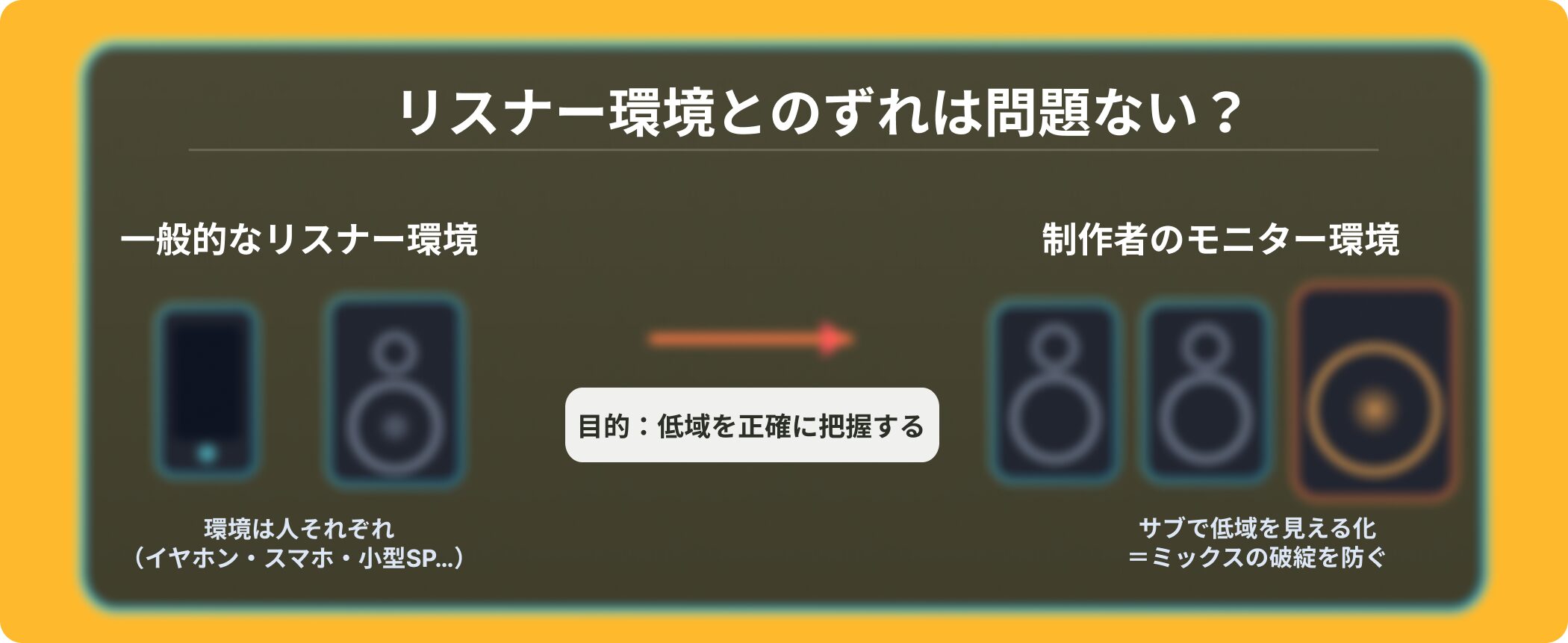
It is fair to wonder whether adding a subwoofer will make your monitoring setup unlike a typical listener's system.
The aim, however, is not to recreate every listener's playback system. It is to help the producer assess the low end accurately.
To avoid translation problems, check with the subwoofer both on and off, listen on earphones and small speakers, and clean up barely audible sub-bass (for example, below 30 Hz).
These checks help produce a mix that holds together across playback systems.
Is a subwoofer generally better to have?

A subwoofer can be useful if you make music where the low end matters.
It is not essential, though. Poor room treatment or incorrect level and phase settings can lead you to make worse decisions.
It is most worthwhile if you work on bass-focused productions and can set it up properly.
Key features of the iLoud Sub
The iLoud Sub combines a compact cabinet with serious performance.
Let's look at its main features.
Bass down to 25 Hz and 200 W peak power
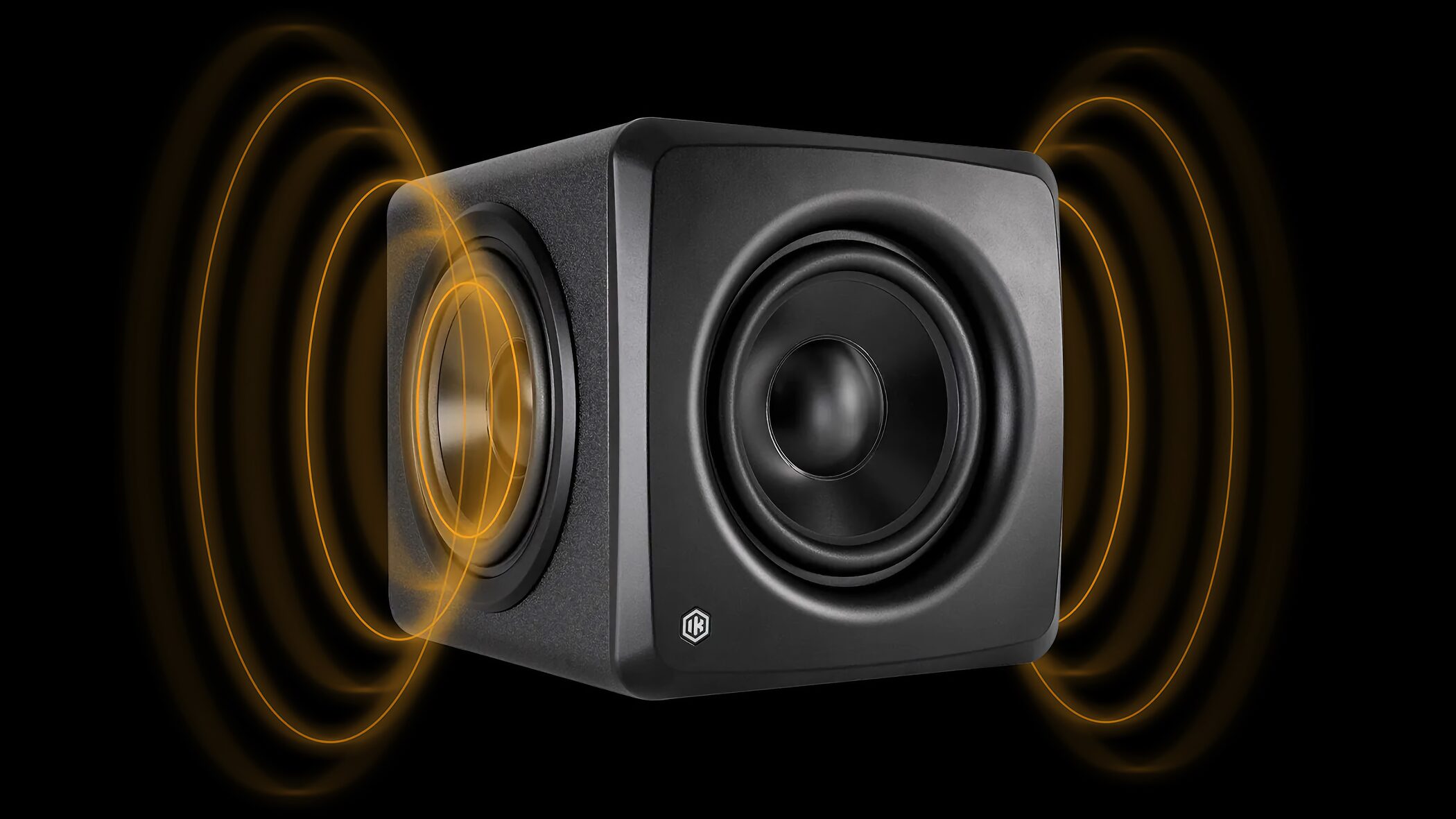
The iLoud Sub covers a 25–150 Hz frequency range (−6 dB).
A high-performance 6.5-inch aluminum woofer and two passive radiators deliver deep bass from the compact cabinet.
Its efficient Class D amplifier supplies 160 W RMS (200 W peak).
Maximum SPL at 40 Hz reaches 106 dB peak. Paired with 3–7-inch nearfield monitors, it can form a balanced full-range monitoring system.
Among the smallest in its class
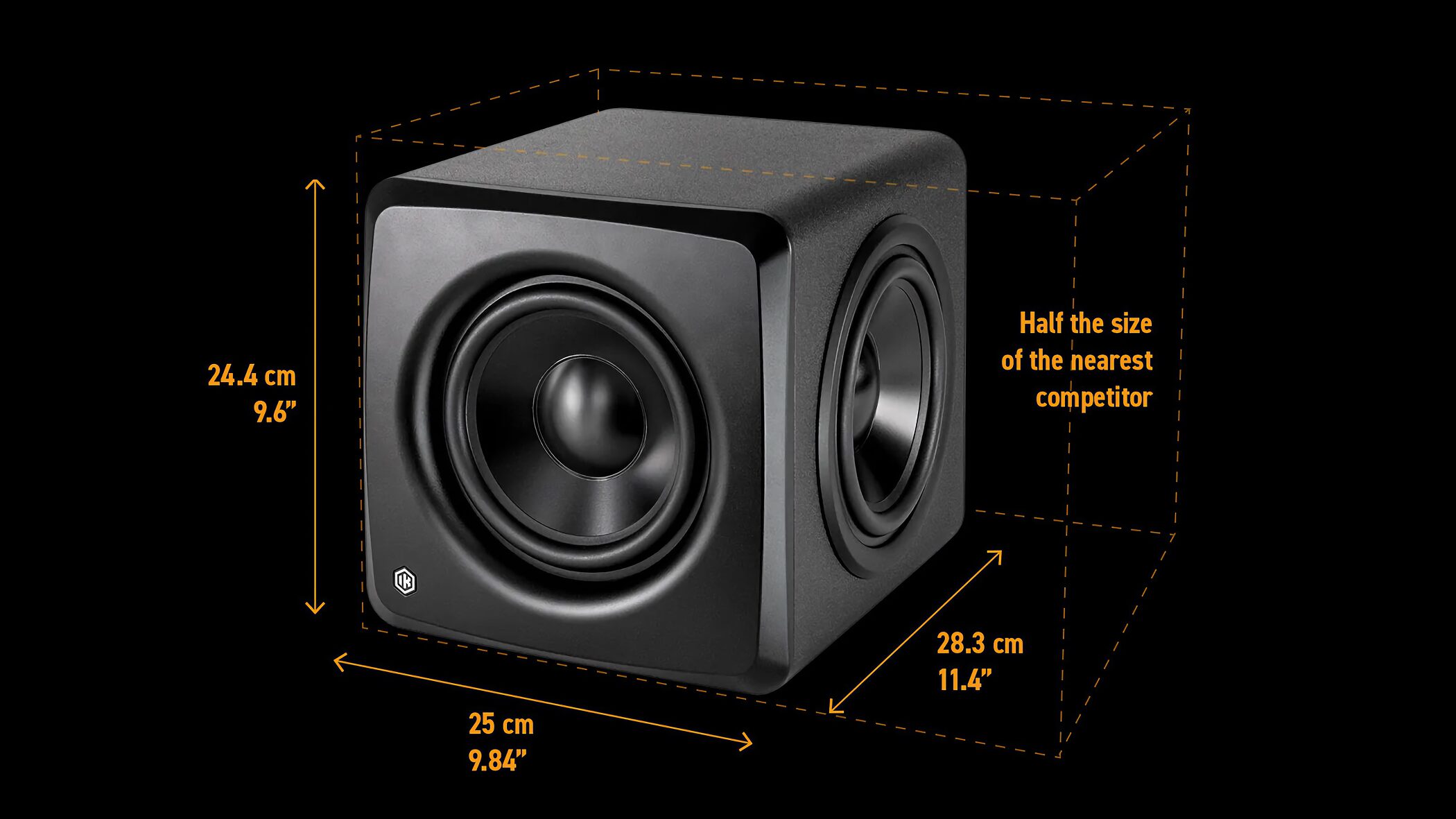
The cabinet measures 24.4 × 25 × 28.3 cm and weighs 7.1 kg, making it exceptionally compact for its class.
It is easy to fit into space-constrained setups, including desktop workspaces and small studios.
Automatic calibration with ARC X
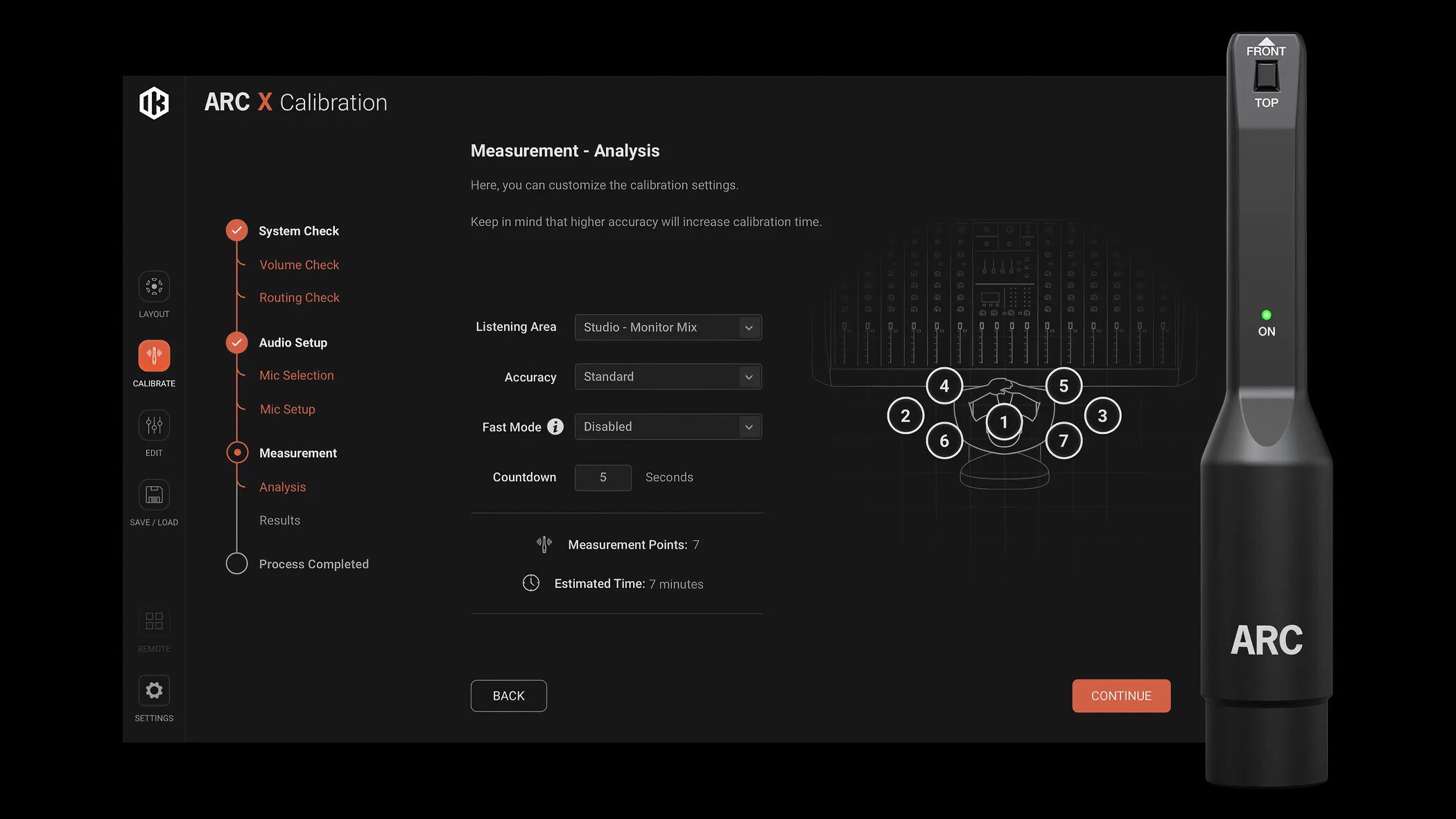
The iLoud Sub's standout feature is its built-in ARC X room correction.
Using the included ARC measurement microphone, you can measure the room and automatically calibrate the whole system, including the iLoud Sub and connected left and right speakers.
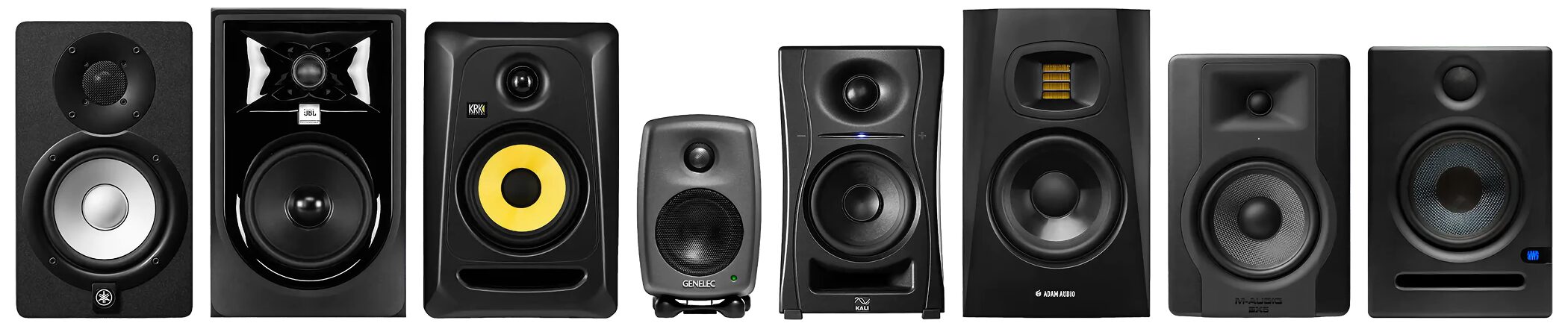
It works with monitors from any manufacturer, so you can keep using your existing speakers while building a professional monitoring setup.
For anyone who has hesitated to add a subwoofer because their room has not been acoustically treated, automatic calibration is a major attraction.
Flexible connectivity
The iLoud Sub supports a wide range of connections.
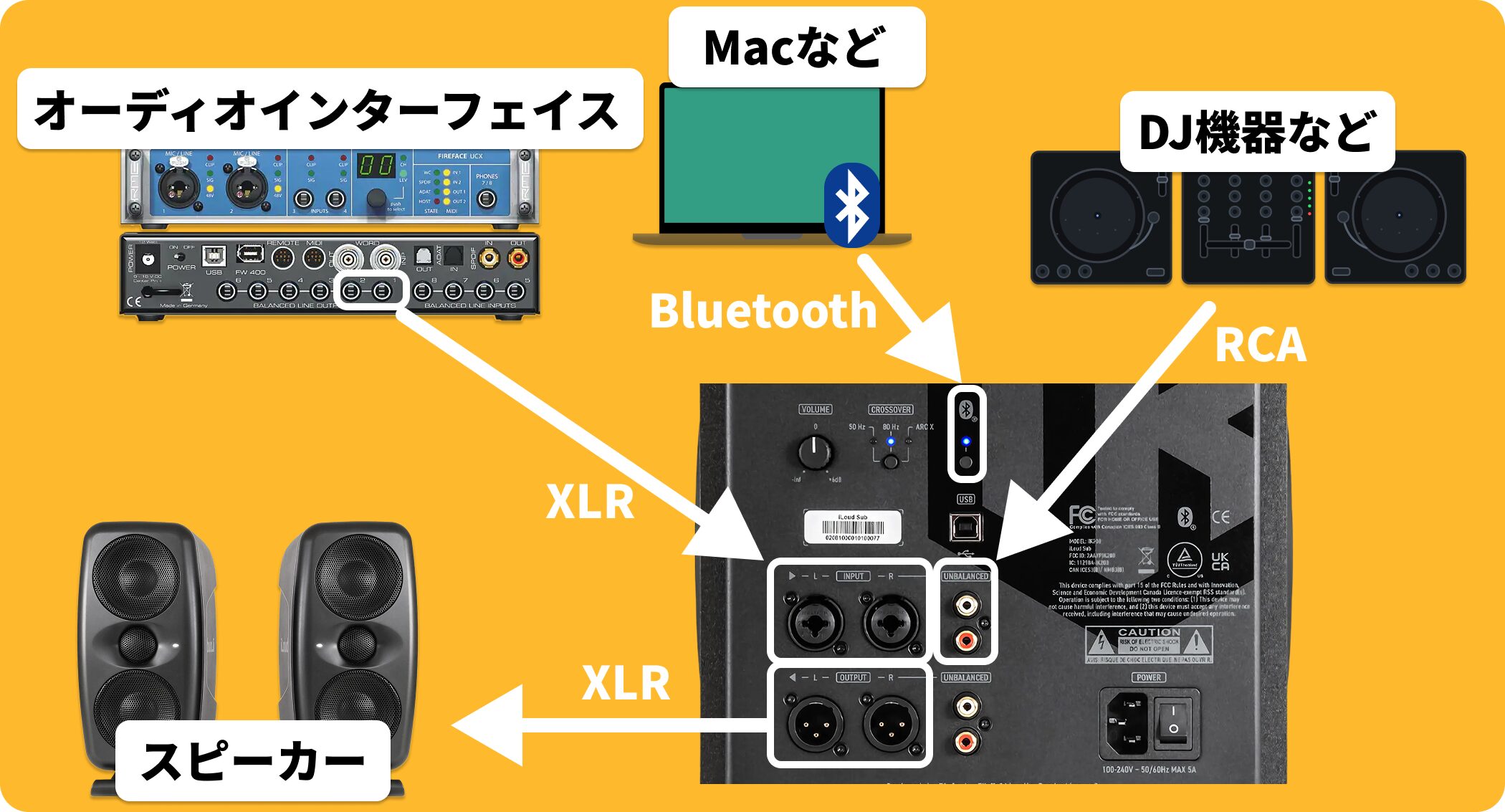
Its analog inputs include XLR and RCA, allowing connection from an audio interface or mixer.
It also has XLR and RCA outputs, so you can route audio to your main speakers through the subwoofer.
Its USB digital input supports 44.1, 48, 88.2, and 96 kHz, so you can connect a computer directly and play audio without an audio interface.
Bluetooth playback supports SBC and AAC, letting you pair an external device for reference listening. Compatibility can vary by device and setup.
System requirements

Mac
• OS: macOS 11 or later
• CPU: Apple M1 or Intel Core i5 or better
• Plugin formats: AAX, AU, VST3
Windows
• OS: Windows 10 or later
• CPU: Intel Core i5 or better
• Plugin formats: AAX, VST3
• Audio driver: ASIO
Common requirements
• Memory: 4 GB RAM or more
• GPU: OpenGL 2 compatible
• Audio I/O for measurement: Core Audio/ASIO compatible interface with phantom power
• Sample rate during measurement: 44.1 or 48 kHz
Price
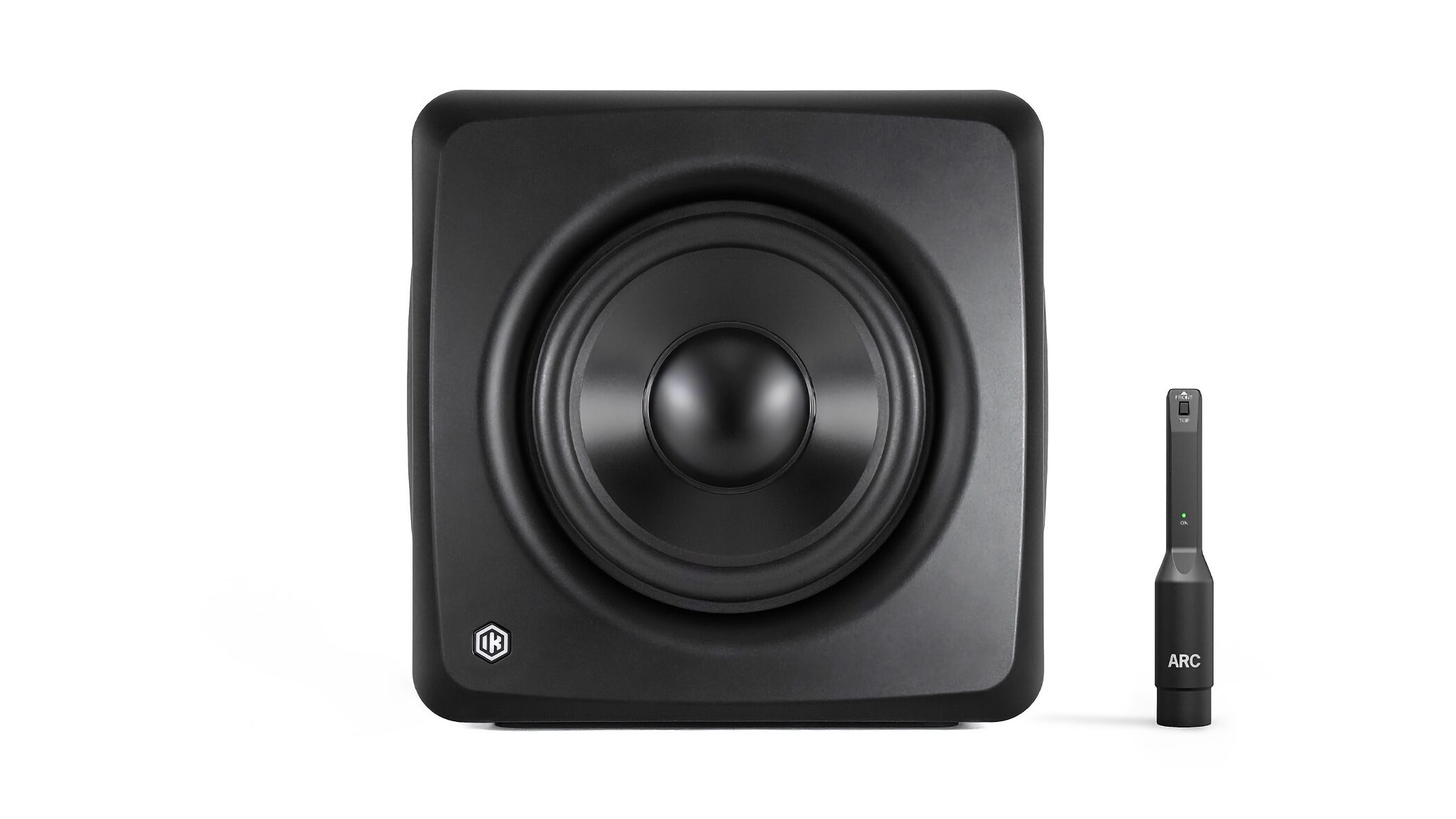
The iLoud Sub was listed at ¥115,500 (tax included).
An ARC measurement microphone is included.
Among the smallest in its class, the iLoud Sub extends down to 25 Hz and offers automatic calibration for the entire monitoring system.
If you want more accurate low-end monitoring or need a subwoofer for a space-constrained setup, it is worth a look.
* Price information is as of February 2026.
Check the seller's website for the latest price.
Frequently asked questions
Q1. Do I really need a subwoofer?
A subwoofer can be useful for producing bass-heavy genres such as EDM, hip-hop, and film music. It makes muddy bass and noise easier to spot and can improve mix decisions, provided it is set up correctly.
Q2. Will it cause problems because typical listeners have different systems?
The aim is not to recreate every listener's playback system; it is to let the producer assess the low end accurately. Check with the subwoofer on and off, and also listen on earphones, to make a mix that translates across systems.
Q3. How big is the iLoud Sub?
It measures 24.4 × 25 × 28.3 cm and weighs 7.1 kg, making it among the smallest in its class and suitable for desktops and small studios.
Q4. Does ARC X work with speakers from other manufacturers?
Yes. It supports monitors from any manufacturer, allowing you to keep your current speakers while optimizing the whole monitoring system.
Q5. Can I use USB without an audio interface?
Yes. You can connect a computer directly over USB at 44.1, 48, 88.2, or 96 kHz. It also supports Bluetooth playback with external devices.
NEW ARTICLES
Latest English Articles














